
9 Best Google Ads Free Trial Tools to Try Before You Buy in 2026
This guide reviews 9 Google Ads free trial tools that offer genuine full-feature trials — not just limited freemium tiers — so PPC managers can evaluate each tool on real campaigns before committing to a subscription. Coverage spans keyword management, search term analysis, negative keyword building, bid automation, competitive research, and reporting, with options suited to both solo freelancers and multi-account agencies.


Most Google Ads tools lock their best features behind a paywall with no way to test them first. That's a real problem when you're managing live budget and need to know a tool actually fits your workflow before committing to a monthly subscription. This list focuses on tools that offer genuine free trials — not just watered-down freemium tiers — so you can evaluate them on real campaigns with real data in 2026.
The tools here cover the core optimization tasks: keyword management, search term analysis, negative keyword building, bid automation, competitive research, and reporting. Whether you're a solo freelancer or an agency managing multiple client accounts, there's something on this list worth testing before you spend a dollar on a subscription.
A quick note on selection: every tool here must work with Google Ads, must solve a real PPC workflow problem, and must offer a genuine free trial or confirmed free access. Where trial terms couldn't be verified from first-party sources, we've flagged that so you can check the current offer directly.
<strong>1. Keywordme</strong>
Best for: Faster search term review and negative keyword management inside Google Ads
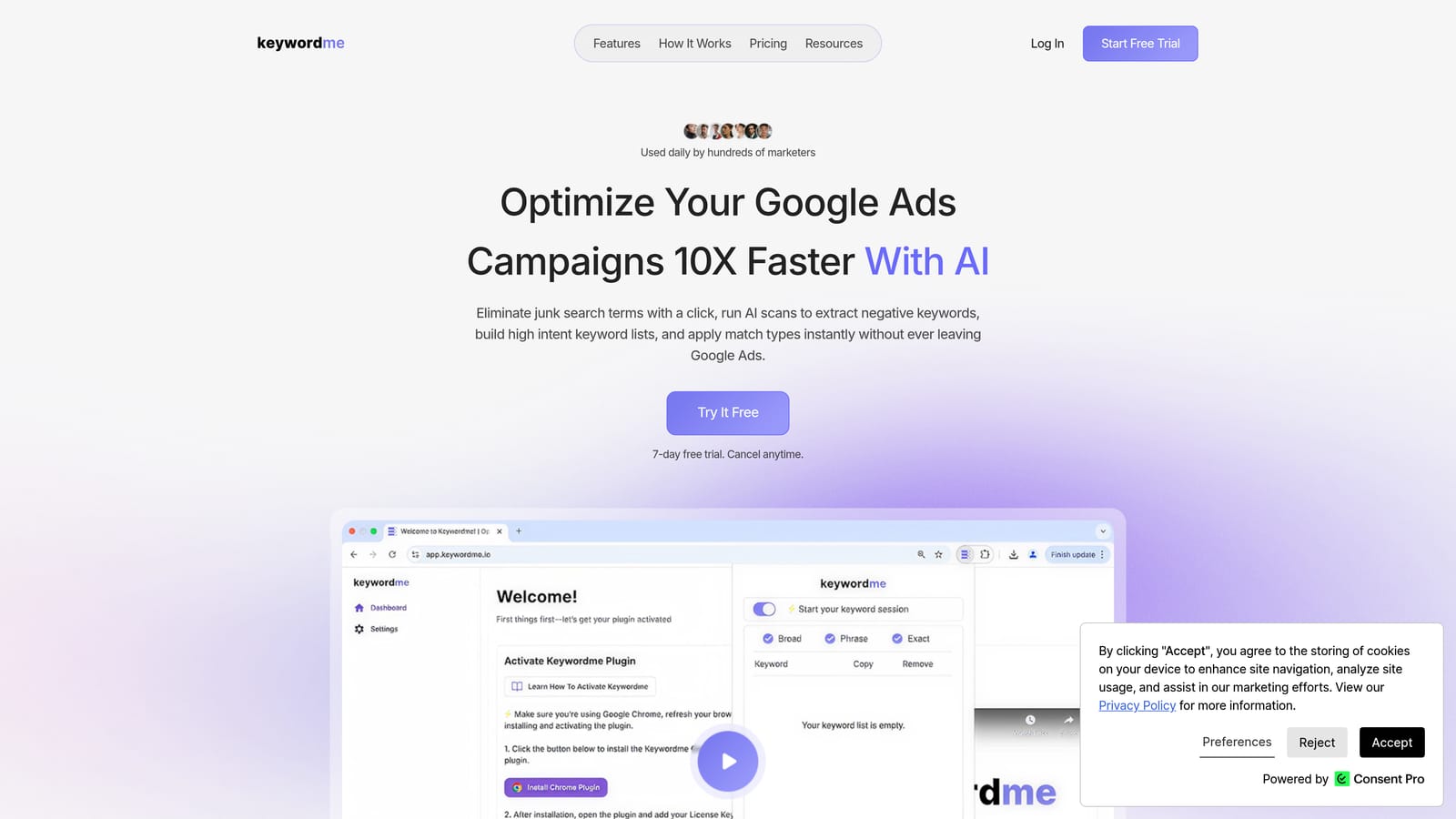
Keywordme is a Chrome extension that works directly inside Google Ads' Search Terms Report, letting you take one-click actions on search terms without switching to a spreadsheet or external tool.
Where This Tool Shines
The core problem Keywordme solves is a tedious one: reviewing search terms, deciding which to block, which to promote as positive keywords, and then manually executing all of that across multiple ad groups. That process typically involves exporting to a spreadsheet, making decisions, then re-importing. Keywordme collapses that into clicks you take directly in the native Google Ads interface.
For agencies handling multiple accounts, the multi-account and team support features make it practical to standardize the search term review process across clients. If you want to understand why negative keywords matter for controlling wasted spend, or need a practical guide on how to find negative keywords across your account, Keywordme's workflow makes acting on that knowledge much faster.
Key Features
One-click search term removal: Flag and remove irrelevant search terms as negative keywords directly from the Search Terms Report without leaving Google Ads.
Positive keyword promotion: Add high-intent search terms as positive keywords with match type applied instantly, skipping the manual copy-paste step.
Negative keyword list management: Build and manage negative keyword lists without switching to a separate tool or opening a spreadsheet.
Keyword clustering: Group related search terms quickly to inform ad group structure or identify new keyword opportunities.
Bulk editing and multi-account support: Make changes at scale and manage multiple client accounts from a single workflow, which is particularly useful for agency teams.
Best For
Keywordme fits best for Google Ads practitioners who spend significant time on search term review each week. That includes solo advertisers who want to move faster, and agency teams who need a consistent, repeatable process across multiple accounts. It's less relevant if your campaigns are brand-new and don't yet have meaningful search term volume to review.
Pricing
$12 per user per month. A 7-day free trial is available with no credit card required upfront, giving you a full week to test it on live campaigns.
2. Google Ads Built-in Tools
Best for: Foundational keyword research, search term visibility, and bulk offline editing at no cost
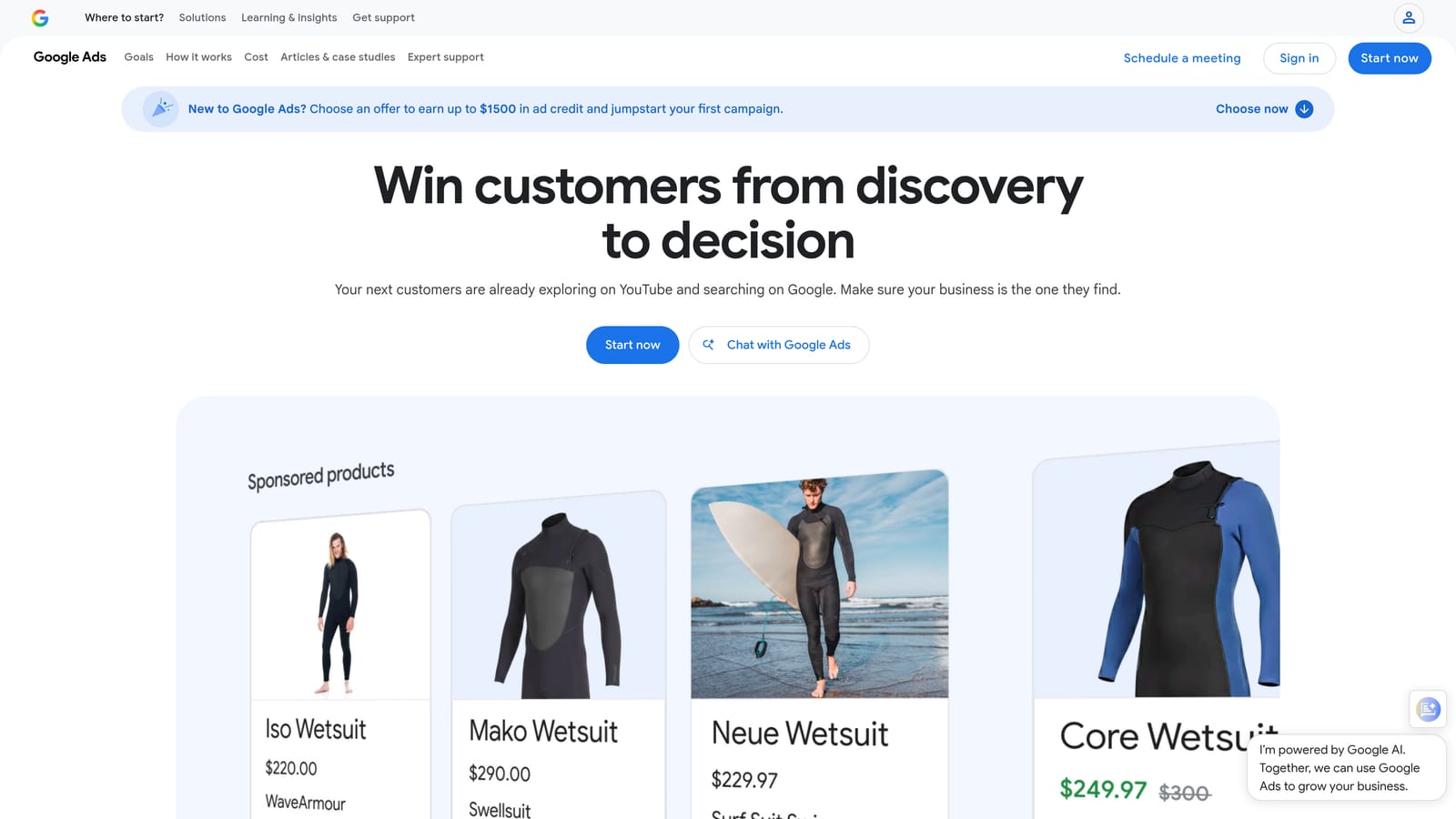
Google Ads includes a suite of free tools inside every account that covers more ground than many advertisers realize before they start paying for third-party software.
Where This Tool Shines
Before evaluating any paid tool, it's worth knowing what Google already gives you. Keyword Planner provides search volume estimates, CPC ranges, and keyword ideas. The Search Terms Report shows the actual queries triggering your ads, which is the starting point for any negative keyword strategy. These are permanently free, not trial-limited.
Google Ads Editor deserves special mention. It's a free desktop application that lets you make bulk offline edits to campaigns, ad groups, keywords, and ads, then upload everything in a single batch. Many advertisers pay for tools that replicate functionality already available here for free.
Key Features
Keyword Planner: Search volume estimates, CPC ranges, and keyword ideas to inform campaign builds and expansions.
Search Terms Report: Shows the actual queries that triggered your ads, the essential input for negative keyword decisions.
Recommendations tab: Automated suggestions for bids, keywords, and ad copy that you can accept, dismiss, or ignore based on your own judgment.
Google Ads Editor: Free desktop app for bulk offline edits with find-and-replace, copy/paste between accounts, and CSV import/export.
Performance Planner: Forecasts campaign performance under different budget scenarios to support planning conversations.
Best For
Every Google Ads advertiser, at every stage. These tools should be the baseline before evaluating anything else. If you're already using them well and still hitting workflow bottlenecks, that's when third-party tools on this list become relevant.
Pricing
Free with any active Google Ads account. No trial period because there's no paywall.
3. WordStream Advisor
Best for: Guided PPC optimization for advertisers who want prioritized action items rather than open-ended dashboards
WordStream Advisor is a PPC management platform built around a structured weekly optimization workflow, surfacing the highest-priority tasks so you don't have to dig through your account to find them.

Where This Tool Shines
WordStream's signature feature is the 20-Minute Work Week: a curated list of recommended optimizations the platform generates each week based on your account data. For advertisers who find the open-ended nature of Google Ads overwhelming, having a prioritized to-do list is genuinely useful.
It also covers multi-platform management, including Microsoft Ads alongside Google Ads, which matters if you're running campaigns on both networks. If you're evaluating WordStream as an alternative to your current setup, the comparison of WordStream alternatives on the Keywordme blog covers some useful context on where it fits versus other options.
Key Features
20-Minute Work Week: Weekly prioritized optimization tasks generated from your account performance data.
Keyword suggestions and negative keyword recommendations: Surfaces keyword opportunities and flags terms worth blocking.
Ad grader and performance benchmarking: Scores your ads and compares performance against industry benchmarks.
Multi-platform support: Manages Google Ads and Microsoft Ads from a single interface.
Reporting and account health alerts: Keeps you informed of significant changes without requiring constant manual monitoring.
Best For
Small to mid-sized businesses and agencies that want a guided workflow rather than building their own optimization process from scratch. Less suited to advertisers who prefer full manual control or who find guided recommendations too prescriptive.
Pricing
A free trial is available. Verify the current trial length and paid plan pricing directly at wordstream.com, as terms can change.
4. Optmyzr
Best for: PPC automation and rule-based optimization for agencies and experienced advertisers managing accounts at scale
Optmyzr is a PPC automation platform that combines rule-based scripts, one-click optimizations, and custom reporting, designed to reduce repetitive manual work while keeping humans in control of what actually gets applied.

Where This Tool Shines
Optmyzr's design philosophy is worth understanding: it surfaces recommendations and lets you review them before applying changes. This is a deliberate choice that separates it from fully autonomous automation tools. If you want to automate keyword management without losing visibility into what's changing and why, that approach is meaningful.
The rule engine is particularly flexible, letting you build custom automation logic around bids, budgets, and keyword management without needing to write scripts from scratch. For agencies managing many accounts, the multi-account dashboard and reporting tools reduce the time spent on status checks and client updates.
Key Features
Rule-based automation: Build custom rules for bids, budgets, and keyword management without coding.
One-click optimizations with review step: Recommendations are presented for human approval before any changes go live.
Shopping campaign management: Dedicated tools for managing and optimizing Google Shopping campaigns.
Multi-account dashboard: Manage and monitor multiple client accounts from a single view.
Custom reporting and alerts: Build client-ready reports and set performance alerts for significant account changes.
Best For
Agencies and in-house PPC teams managing significant ad spend across multiple accounts who want to automate repetitive tasks without fully removing human judgment from the process. Less suited to small accounts where the automation overhead outweighs the time saved.
Pricing
A free trial is available. Paid plans scale by account spend. Verify current trial terms and pricing at optmyzr.com.
5. SEMrush Advertising Toolkit
Best for: Competitive intelligence on rival ad strategies, keyword gaps, and historical ad copy research
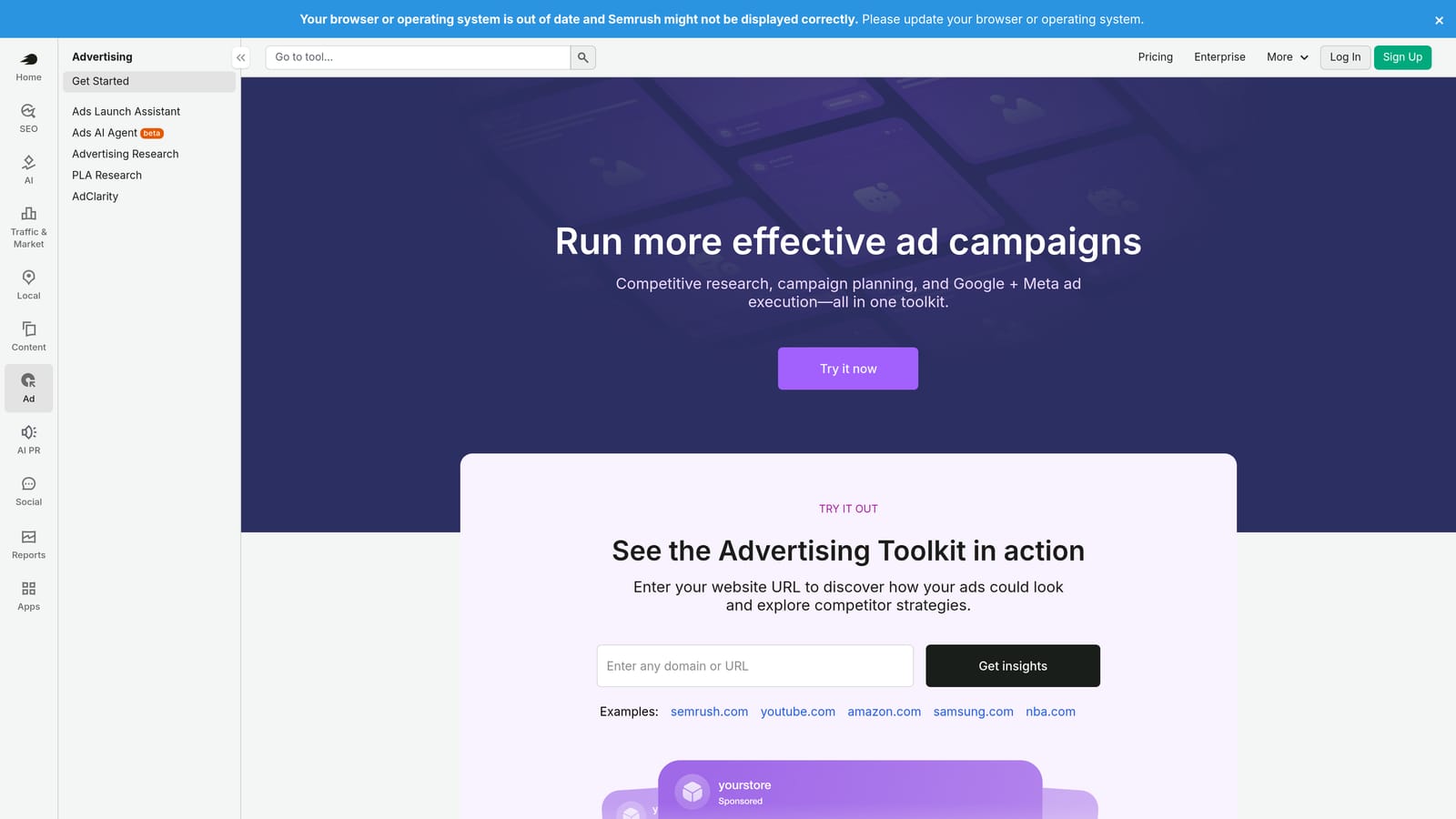
SEMrush's advertising module gives Google Ads practitioners a window into competitor ad strategies, including the keywords they bid on, the ad copy they run, and estimated traffic from paid search.
Where This Tool Shines
SEMrush is primarily known as an SEO platform, but its advertising research features are genuinely useful for PPC work. The ability to see competitor ad copy, landing page combinations, and historical ad data helps inform new campaign builds and creative strategy without starting from a blank page.
The keyword gap tool is particularly practical during client onboarding or campaign expansion. You can identify terms competitors are bidding on that you're not, which surfaces opportunities that pure keyword research tools might miss.
Key Features
Competitor ad copy and landing page analysis: See the exact ads and destination pages competitors are running for target keywords.
Keyword gap tool: Identify keywords competitors bid on that your campaigns don't currently cover.
Advertising research: Estimated competitor spend, traffic share, and keyword lists for any domain.
Shopping ad research: Visibility into competitor Product Listing Ad strategies.
Historical ad data: Track how competitor ad copy and keyword strategies have changed over time.
Best For
Advertisers and agencies who need competitive context before launching or expanding campaigns. Most useful during research and planning phases rather than day-to-day optimization. If you already have a strong competitive intelligence process, the incremental value is lower.
Pricing
A free trial is available. Paid plans are offered at multiple tiers. Verify current trial terms and pricing at semrush.com.
6. SpyFu
Best for: Researching competitor PPC history, including keywords they've tested and stopped bidding on
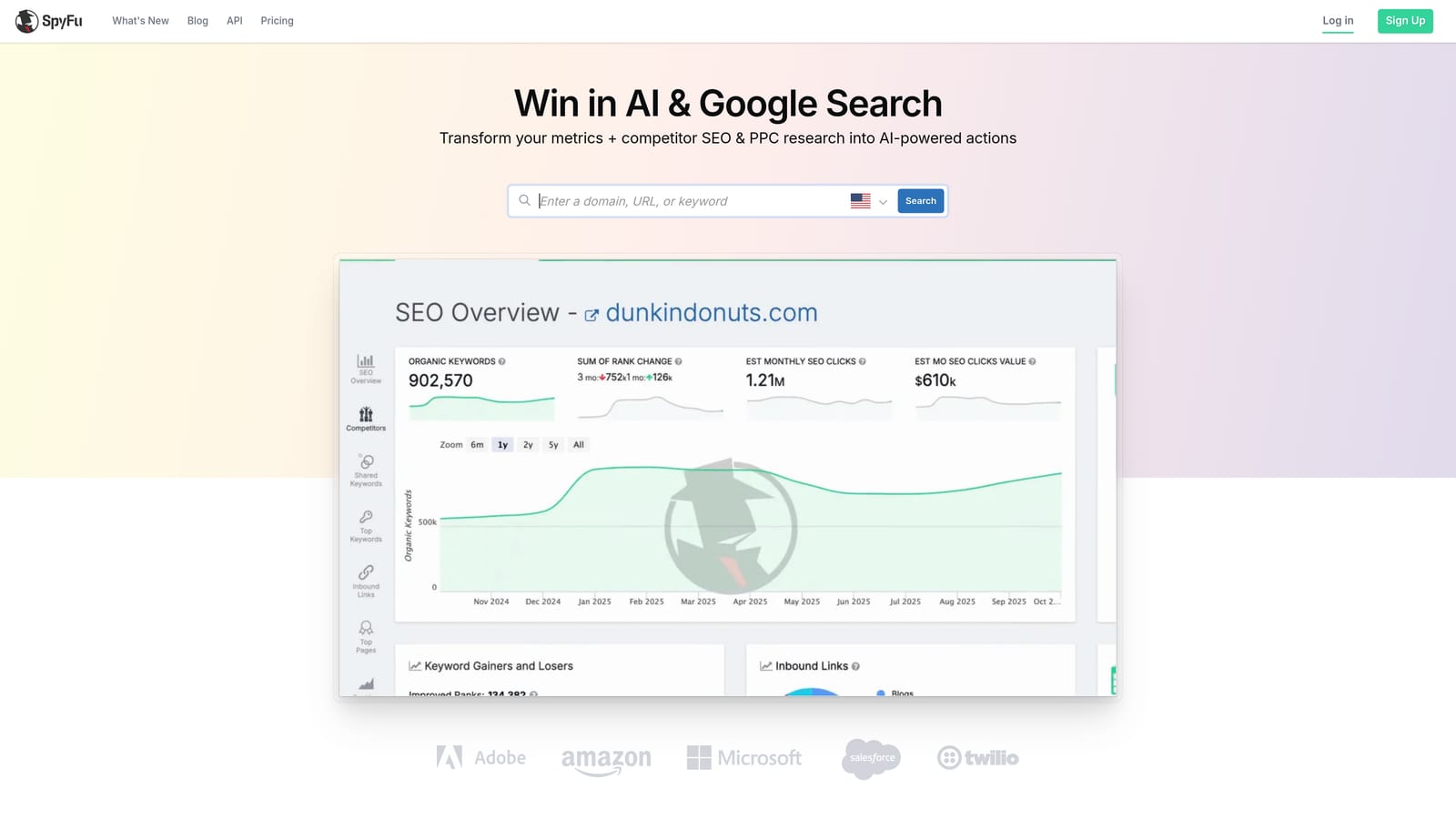
SpyFu specializes in surfacing historical PPC data, making it particularly useful for new campaign builds, client onboarding, and identifying what competitors have already tested in your space.
Where This Tool Shines
SpyFu's differentiation is depth of history. Rather than just showing what competitors are doing now, it shows what they've done over time, including keywords they once bid on and subsequently dropped. That historical view can save you from bidding on terms that others have already found unprofitable, or reveal opportunities others abandoned for reasons worth investigating.
The Kombat tool, which visualizes keyword overlap between multiple domains, is useful for competitive positioning work during campaign planning. SpyFu tends to be more affordable than SEMrush, making it a practical choice when competitive research is the primary need rather than a broader SEO and marketing suite.
Key Features
Competitor keyword history: Years of PPC keyword data for any domain, including terms they've stopped bidding on.
Ad copy history: See how competitor messaging has evolved over time.
Kombat tool: Visualizes keyword overlap and gaps between multiple competing domains.
SERP analysis: Combined view of paid and organic results for target keywords.
Downloadable reports: Export keyword and ad data for use in campaign planning or client presentations.
Best For
Advertisers doing pre-launch research, agencies onboarding new clients in competitive verticals, and anyone who wants to learn from competitor trial-and-error rather than repeating it. Less useful as a day-to-day campaign management tool.
Pricing
Limited free access is available without an account. Paid plans offer full data access. Verify current pricing and trial options at spyfu.com.
7. Adalysis
Best for: Systematic ad copy testing, Quality Score monitoring, and account auditing
Adalysis is a Google Ads testing and auditing tool built for PPC managers who run ongoing creative experiments and want structured tracking of results rather than gut-feel evaluation.
Where This Tool Shines
Ad testing in Google Ads is easy to set up and easy to do badly. Adalysis adds structure to the process: it tracks statistical significance so you're not calling a winner too early, and it flags when tests have run long enough to draw reliable conclusions. For managers running tests across many ad groups simultaneously, that oversight is hard to maintain manually.
The account audit feature is also worth mentioning separately. It identifies structural and performance issues across the account, which is useful both for new account reviews and for periodic health checks on established campaigns.
Key Features
Structured A/B ad testing: Tracks test results with statistical significance monitoring so decisions are based on reliable data.
Quality Score monitoring: Tracks Quality Score components (expected CTR, ad relevance, landing page experience) at the keyword level.
Account audit tool: Identifies structural issues, missing ad variations, and performance problems across the account.
Automated performance alerts: Notifies you of significant changes in key metrics without requiring constant manual monitoring.
Responsive Search Ad analysis: Evaluates RSA asset combinations and provides recommendations for improvement.
Best For
PPC managers who run systematic creative testing programs and need more structure than Google Ads' native reporting provides. Also useful for agencies that conduct regular account audits as part of client deliverables.
Pricing
A free trial is available. Paid plans scale by number of ads managed. Verify current trial terms and pricing at adalysis.com.
8. Google Ads Editor
Best for: Bulk offline edits to campaigns, ad groups, keywords, and ads without working inside the browser interface
Google Ads Editor is Google's free desktop application for making large-scale changes to your account offline, then uploading everything in a single batch when you're ready.
Where This Tool Shines
If you've ever needed to rename hundreds of ad groups, update keyword lists across multiple campaigns, or restructure an account without clicking through the web interface for hours, Google Ads Editor is the tool for that. The find-and-replace function alone saves significant time on large accounts.
It's also the most practical tool for copying campaign structures between accounts, which is common during client onboarding or when launching campaigns in new markets based on an existing template. The fact that it's completely free and built by Google makes it an obvious starting point before evaluating paid alternatives.
Key Features
Bulk offline editing: Add, edit, or delete keywords, ads, and campaigns without an active browser session.
Find-and-replace: Make text changes across the entire account in seconds.
Copy and paste between accounts: Duplicate campaigns or ad groups from one account to another.
CSV import and export: Move data in and out of the editor using standard spreadsheet files.
Multi-account management: Work across multiple Google Ads accounts from a single desktop application.
Best For
Any Google Ads advertiser managing more than a handful of campaigns. Particularly valuable during account restructures, large-scale keyword additions, and any task that would take hours to complete manually in the web interface.
Pricing
Completely free. Available for both Windows and Mac.
9. Tenscores
Best for: Diagnosing Quality Score issues and identifying the highest-impact improvements to keyword-level scores
Tenscores is a niche Google Ads tool with a specific focus: understanding why your Quality Scores are low and what to fix first to improve them.
Where This Tool Shines
Quality Score affects both your ad rank and your effective CPC, so persistent low scores across an account have a direct cost. The problem is that Google Ads shows Quality Score components (expected CTR, ad relevance, landing page experience) at the keyword level, but doesn't tell you where to start or how to prioritize fixes across hundreds of keywords.
Tenscores addresses that gap by aggregating Quality Score data into a dashboard that surfaces the highest-impact opportunities first. The historical tracking feature is also useful: it lets you see whether changes you've made to ad copy, landing pages, or account structure are actually moving the needle on scores over time.
Key Features
Quality Score breakdown by keyword: Detailed view of expected CTR, ad relevance, and landing page experience scores for every keyword.
Account-level Quality Score dashboard: Aggregated health view across the entire account, not just individual keywords.
Keyword grouping recommendations: Suggestions for restructuring ad groups to improve ad relevance scores.
Historical Quality Score tracking: Monitor how scores change over time in response to account improvements.
Prioritized action list: Focuses your attention on the keywords and issues with the highest potential impact on overall account health.
Best For
Advertisers experiencing inflated CPCs who suspect account structure or ad relevance issues are the cause. Also useful for agencies conducting Quality Score audits as part of a new account takeover. Less relevant if your account already has strong Quality Scores across the board.
Pricing
A free trial is available. Paid plans vary by account size. Verify current trial terms and pricing at tenscores.com.
Which Tool Is Right for Your Workflow?
The right tool depends on where your biggest time drain or performance gap actually sits. Here's a quick way to think through it.
If search term review and negative keyword management is eating your time every week, start with Keywordme. The in-interface workflow removes the back-and-forth between Google Ads and a spreadsheet, and the 7-day free trial is enough time to see whether it fits how you actually work. That's the most common bottleneck for active campaign managers, and it's the one Keywordme is specifically built to solve. You can also read more about reducing wasted spend in Google Ads to understand the broader context before diving in.
If competitive research is the priority, SEMrush and SpyFu both offer strong historical ad data. SEMrush is the broader platform; SpyFu is more focused and often more affordable if competitive PPC intelligence is your primary need.
If you're managing accounts at scale and want to automate repetitive tasks without fully removing human review, Optmyzr is the strongest option on this list for that use case.
If ad copy testing is a core part of your process and you need statistical rigor around it, Adalysis fills a gap that Google Ads' native tools don't cover well.
And if bulk editing is your current bottleneck, Google Ads Editor is free and should be your first stop before paying for anything else.
One final note: free trials are only useful if you test a tool on real workflow tasks. Clicking around a dashboard in demo mode tells you almost nothing. Load your actual account, run through the tasks you do every week, and see whether the tool actually saves time. That's the only evaluation that matters.
If faster search term review is on your list, Start your free 7-day trial of Keywordme and see how much time you get back on your next Search Terms Report review. After the trial, it's $12 per user per month, with no spreadsheets, no tab switching, and no clunky external dashboards required.
.svg)