
CPC Campaign Management That Actually Works
CPC Campaign Management That Actually Works


Managing a CPC campaign is all about strategic planning, execution, and constant tweaking of your pay-per-click ads to hit your business goals. It’s not just about spending money; it’s about making every dollar count, targeting the right people with the right message, and ultimately, getting the best possible return on investment.
Build a Rock-Solid Campaign Foundation
Before you even think about bidding on a keyword, you need a solid blueprint. Running a disorganized Google Ads account is like building a house on a sand dune—it’s just a matter of time before it all comes crashing down, leaking money along the way. Good CPC management starts with a logical structure that makes everything easier to manage, not a frustrating puzzle.
I like to think of a Google Ads account like a filing cabinet. If it's a mess, you'll never find what you're looking for. But if it's organized, you can pull exactly what you need in seconds. That kind of clarity in Google Ads gives you way better control over your budgets, bidding, and figuring out what’s actually working.
Why Account Structure Is Everything
One of the most common mistakes I see is people cramming all their products or services into a single campaign. This just doesn't work. You end up writing vague, generic ads that don't really speak to anyone, and you're forced to send all that traffic to a single, one-size-fits-all landing page. The result is always the same: low relevance, terrible Quality Scores, and a whole lot of wasted ad spend.
A smart structure breaks your offerings down into separate campaigns and tightly-themed ad groups.
By segmenting everything properly, you can:
- Control Your Budget: Funnel money into your most profitable campaigns and cut spending on things that aren't performing.
- Improve Ad Relevance: Write super-specific ads that perfectly match what someone is searching for, which naturally leads to higher click-through rates (CTR).
- Boost Quality Score: Google loves relevance. A better Quality Score means you pay less for each click and can get better ad positions.
- Simplify Optimization: When your account is clean and organized, it's so much easier to see what’s working and what’s not.
A well-structured account doesn't just save you money—it saves you a ton of time. It's the difference between making precise, surgical adjustments and just blindly guessing what to fix next.
Let's take a real-world example. An online shoe store shouldn't just have one big "Shoes" campaign. That’s a recipe for disaster. Instead, they need separate campaigns like "Men's Running Shoes," "Women's High Heels," and "Kids' Sneakers." Then, inside each of those campaigns, you'd have ad groups for specific brands or styles, like "Nike Air Max" or "Red Stilettos." This level of detail means that when someone searches for "men's Nike running shoes size 10," they see an ad that feels like it was written just for them.
Creating High-Impact Ads and Landing Pages
With your structure mapped out, it’s time to focus on writing killer ad copy and building dedicated landing pages. Think of it this way: your ad makes a promise, and your landing page has to deliver on it. They need to be in perfect sync. To speed up the process of creating and testing different versions of your ads, you can use modern tools like AI ad generation tools to help you come up with compelling copy and visuals.
Consistency is absolutely critical here. If your ad screams "50% Off Spring Sale," your landing page better have that offer front and center. Any kind of mismatch between the ad and the landing page will cause people to bounce immediately, and you just paid for a click that went nowhere. Getting this foundational stuff right—structure, relevance, and consistency—is what separates successful campaigns from the ones that just burn cash.
Mastering Keywords and Match Types
If your campaign structure is the skeleton, then keywords are the muscles that make it all move. Honestly, everything in paid search comes down to picking the right keywords and pairing them with the right match types.
Get this part wrong, and you’re basically just lighting your budget on fire with irrelevant clicks. But get it right? You’ll connect with motivated buyers the very second they’re searching for what you sell.
I like to think of it as fishing. You wouldn't use a giant net meant for the open ocean to catch a specific type of fish in a small pond. Your keywords and match types are your nets—you’ve got to pick the right size and type for the job.
This strategic flowchart really drives home how your campaign goals should dictate everything that comes after, from structure to segmentation. It all starts with a clear objective.
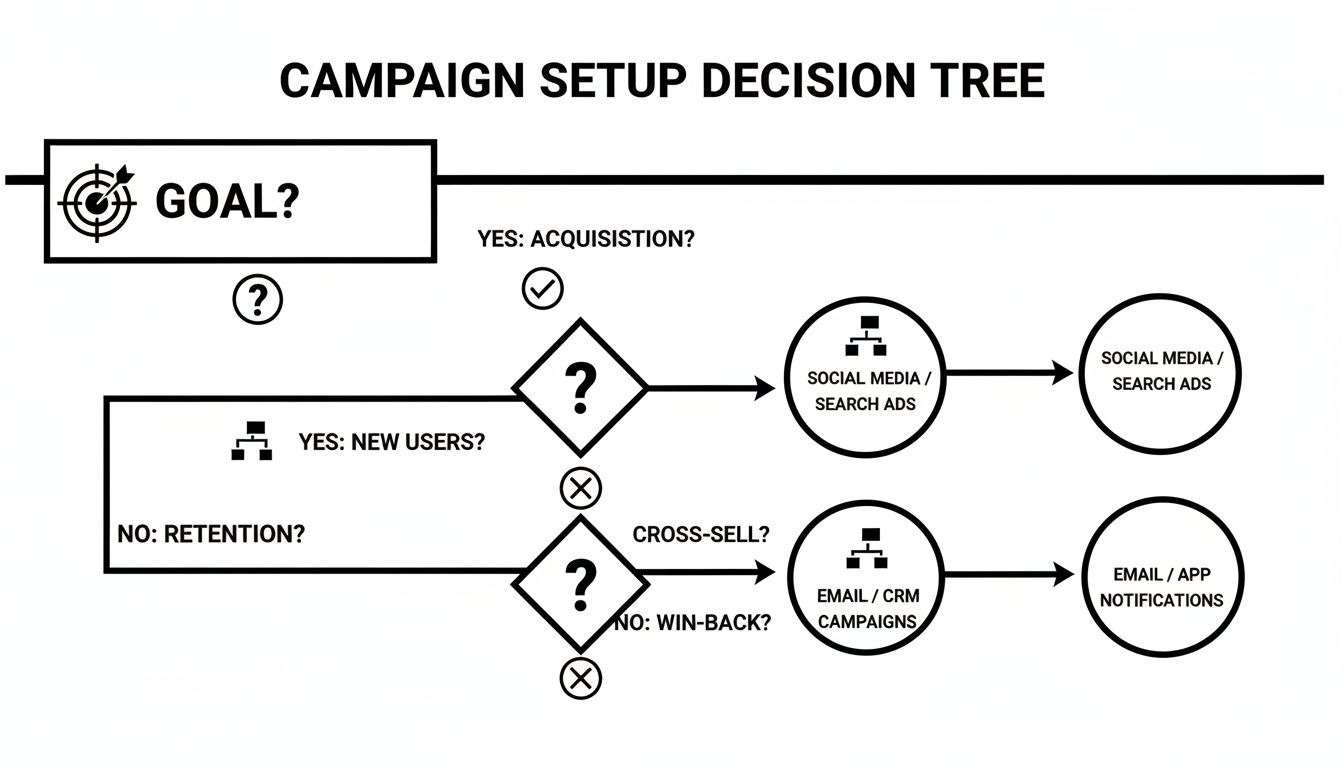
As you can see, every decision builds on the one before it. Nailing this foundation is crucial before you even think about keyword research.
Decoding Match Types for Strategic Targeting
Google gives us three main keyword match types, and knowing how each one works isn't just a good idea—it's non-negotiable. They’re the levers that control how closely a user's search has to align with your keyword to trigger your ad.
Here’s the breakdown:
- Broad Match: This is your widest net. Your ad might show for searches related to your keyword, including synonyms, misspellings, and topics Google thinks are relevant. It’s great for discovery but demands a very aggressive negative keyword strategy to avoid burning cash.
- Phrase Match: This is the sweet spot, offering a solid balance of reach and control. Your ad shows for searches that include the meaning of your keyword. So, the phrase match "running shoes for men" could pop up for "best shoes for men running."
- Exact Match: This is your sniper rifle. Your ad will only show for searches with the same meaning or intent as your keyword. It gives you maximum control and usually the best conversion rates, but you sacrifice a lot of potential search volume.
To really get the hang of these, you need to see them in action with more examples. For a deeper look, check out our complete guide on Google Ads keyword match types.
The Hunt for High-Intent Keywords
Effective keyword research isn’t about finding the most popular terms. It's about finding the ones that scream, "I'm ready to buy!" Too many advertisers get hung up on high-volume "head" terms like "shoes," but the real gold is usually buried in the long-tail keywords.
Long-tail keywords are just longer, more specific phrases like "waterproof trail running shoes for wide feet." Someone typing that into Google knows exactly what they want. While each one has a low search volume on its own, they add up to a massive chunk of all searches and convert at a much higher rate.
Your goal is to get inside your customer's head. What problem are they trying to solve? What specific language would they use to describe it? Answering these questions is the key to unearthing profitable long-tail keywords.
Let's say you run a local plumbing service. A keyword like "plumber" is way too broad and expensive. But a long-tail keyword like "emergency plumber for leaking pipe in downtown"? That's pure gold. It signals urgency and a specific problem you can solve right now.
Aligning Match Types With Campaign Goals
The real art of CPC management is strategically matching your match types to your campaign objectives. There's no single "best" match type; it all depends on what you're trying to achieve.
To make this easier, here’s a quick-reference table that I find helpful when planning a new campaign.
Keyword Match Type Strategy at a Glance
This table provides a simple framework, but applying these strategies across thousands of keywords by hand is a soul-crushing nightmare of spreadsheets and VLOOKUPs.
This is exactly why tools like Keywordme exist. You can sift through your search term data and apply the right match types in bulk with just a few clicks. Instead of spending hours copying and pasting, you can organize your keywords into tightly themed ad groups and dial in your targeting in minutes. That frees you up to focus on the big-picture strategy that actually moves the needle.
The Art of Negative Keyword Management
Let's be real for a second. Winning at Google Ads is often less about what you target and more about what you don't. Every single dollar you waste on an irrelevant click is a dollar you can never get back, and it directly sabotages your ROI. This is where you find those leaks and plug them for good.
I like to think of it as gardening. You can plant the most amazing seeds (your keywords), but if you don't pull the weeds (all those junk search terms), they'll just choke out your garden and steal the nutrients. Negative keywords are your weedkiller, making sure your budget only goes toward nurturing the clicks that actually matter.
This process is absolutely essential because paid search margins can be razor-thin. If you look at performance data, you'll see that search conversion rates typically hover somewhere between 2–5%, and that can vary wildly by industry. What does that mean for you? It means if you're not aggressively filtering out junk traffic, your cost to find one real prospect can easily double or even triple.
Building Your Negative Keyword Lists
So where do you find these budget-killing terms? Your first stop should always be the Search Terms Report in your Google Ads account. This report is a goldmine—it shows you the exact queries people typed right before they clicked your ad. Your mission, should you choose to accept it, is to regularly mine this report for any terms that are clearly a bad fit.
Don't just look for one-off bad words; look for patterns. For example, if you sell premium "leather messenger bags" and you keep seeing clicks from queries like "cheap canvas messenger bags" or "free messenger bag patterns," you've just found a theme to shut down.
You can add negatives at two main levels:
- Ad Group Level: This is for super-specific exclusions. Let's say you have an ad group for "Nike running shoes." You might add "reviews" as a negative there to avoid paying for clicks from people who are just researching and not ready to buy.
- Campaign Level (or Shared Lists): This is where you put your universal negatives—the terms you never want to show up for, no matter which campaign it is.
A few classics for a universal negative list include:
freejobsorcareersDIYorhow topicturesorimagescraigslistorebay
Spotting the Patterns in Wasted Spend
Going beyond the obvious "free" and "jobs" is where you really start to see the gains. A skilled PPC manager isn't just blocking bad queries one by one; they're spotting the broader patterns of wasted spend.
Imagine you sell software for architects. You might notice you’re getting clicks from students trying to find free downloads for a school project. Instead of just adding "student" as a negative, you could also add related terms like "university," "project," "assignment," and "academic discount" to your shared negative list.
The goal is to get proactive, not just be reactive. When you anticipate and block entire categories of irrelevant search intent, you're protecting your budget before it's even spent.
This level of detail is a non-negotiable part of any serious CPC campaign management. For a much deeper dive, you can check out this guide on building powerful Google Ads negative keyword lists.
The Automation Advantage in Cleanup
Let's be honest with ourselves: manually digging through search term reports every week is a grind. It’s tedious, time-consuming, and one of the first things to get skipped when you’re swamped. The irony is, it's one of the most critical tasks for keeping your campaigns healthy.
This is exactly where automation becomes a lifesaver. Tools like Keywordme were built to solve this exact problem. Instead of exporting all your data to a spreadsheet and spending hours sorting and filtering, you can scan your search term report right inside the tool.
With a system like Keywordme, you can spot a dozen irrelevant queries and add them all to your negative keyword list with a single click. It transforms what used to be a multi-hour manual chore into a quick, five-minute cleanup session. That efficiency doesn't just save you time; it makes your ad spend work so much harder by ensuring your budget is laser-focused only on the queries that actually drive revenue.
Choosing Your Bidding Strategy and Embracing Automation
Let's get one thing straight: manual bidding in Google Ads is pretty much a relic of the past. If you're serious about running effective CPC campaigns today, you have to embrace automation.
It's a simple matter of scale. Google’s Smart Bidding algorithms can process thousands of signals in real-time for every single auction—something no human could ever hope to match.
The real question isn't if you should use automated bidding, but which strategy is right for your goals. This isn't a one-size-fits-all deal. Picking the wrong one can be just as damaging as sticking with manual bidding because you're telling Google's powerful AI to chase the wrong target.
Decoding the Most Popular Bidding Strategies
Google gives you a whole menu of automated bidding options, but honestly, most advertisers gravitate toward a few key players. Getting a handle on what each one does is the first step to making the right call for your campaigns.
Let's break down the heavy hitters:
- Maximize Conversions: Just like the name says, this tells Google to get you the most conversions possible within your daily budget. It’s a great starting point if your main goal is lead volume and you aren't tied to a specific cost-per-lead just yet.
- Target CPA (Cost Per Acquisition): Here, you set the price you're willing to pay for each conversion. Google's AI then goes to work trying to hit that average CPA. This is perfect for businesses that have very clear acquisition cost targets.
- Target ROAS (Return On Ad Spend): If you're running an e-commerce store, this will probably become your best friend. You tell Google the target return you want for every dollar spent (say, 400%, or a 4:1 return), and it optimizes bids to maximize your revenue.
- Maximize Conversion Value: Think of this as the sibling to Maximize Conversions. Instead of focusing on the number of conversions, it aims for the highest possible value from them. This is ideal if different conversions have different monetary worth to your business (like a "contact us" lead vs. a "free trial" signup).
Recent data shows that Maximize Conversions and Target ROAS are the most popular choices, with each one capturing about 33% of ad spend from Google advertisers. When you use Smart Bidding correctly, it can be a game-changer. I've seen it lower CPA by up to 30% in well-structured accounts.
Smart Bidding Is Only as Smart as Your Data
Now for the catch that trips up a lot of advertisers: automated bidding is not a magic wand. It's a powerful machine that needs high-quality fuel to run, and that fuel is your campaign data.
Think of it this way: if you feed Google’s AI messy, irrelevant data, you’re going to get messy, irrelevant results. It’s the classic "garbage in, garbage out" problem. Smart Bidding can’t work its magic if it doesn't understand what a valuable click actually looks like for your business.
This is exactly why everything we've talked about so far—a clean account structure, tightly themed ad groups, and aggressive negative keyword management—is so incredibly important. A well-organized campaign provides the clear, high-quality signals that teach the algorithm precisely what to look for.
When your keywords are highly relevant and your search terms are clean, the conversion data you collect is pure. This allows the AI to learn faster and make much smarter decisions about who to show your ads to and how much to bid. Without that clean foundation, your automated bidding will just spin its wheels, and you'll be left wondering why it isn't working.
For a deeper dive into all the options, you should check out our guide on choosing the right PPC bidding strategies for your specific goals.
Tracking Performance and Optimizing for Growth
You can't improve what you don't measure. That old saying is the gospel truth in paid search. Managing a CPC campaign effectively boils down to a solid rhythm of tracking and optimizing, turning a sea of data into smart, profitable decisions.
It’s way too easy to get distracted by vanity metrics like clicks and impressions. Real growth, the kind that actually impacts the bottom line, comes from obsessive-compulsive attention to the right KPIs.
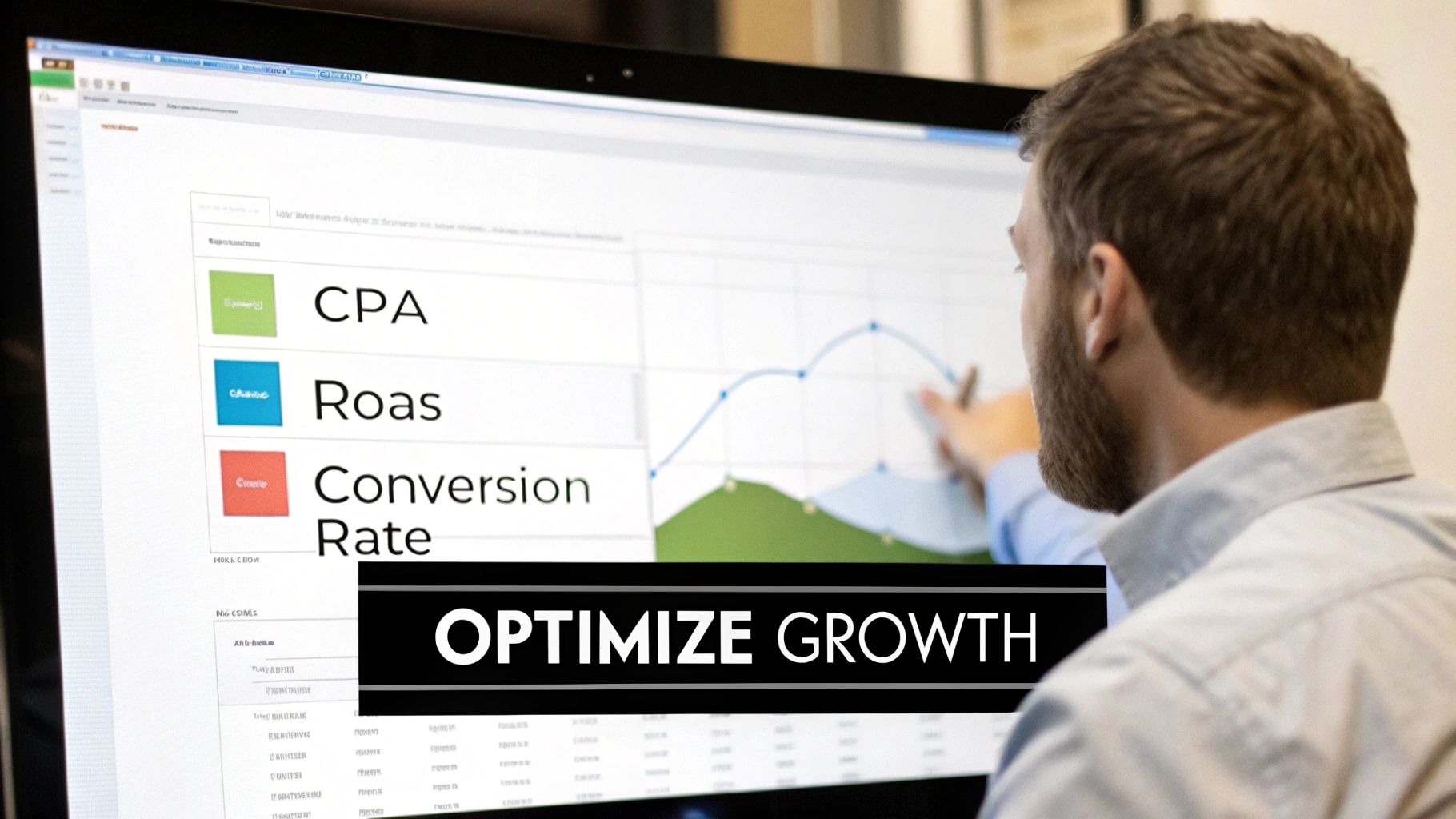
This focus has become more critical than ever. Over the past decade, the game has changed dramatically. We've moved from a world of cheap clicks to a high-stakes arena of relentless optimization. Not long ago, CPCs in many mainstream verticals were in the $1–$2 range. Today, the average Google Ads CPC across all industries has shot up to $5.26.
And some sectors? They're paying a serious premium. Attorneys and legal services now average a staggering $8.58 per click. You can dig into more of these trends and see why a 6.66% average click-through rate still leaves a huge opportunity on Wordstream.com.
Focusing on the KPIs That Actually Matter
To survive—and thrive—in this expensive environment, you have to cut through the noise. You need to zero in on the metrics that tell the true story of your campaign’s health. These are the big three that should be the compass for every single decision you make.
Cost Per Acquisition (CPA): This is it. The real cost to land a customer or a qualified lead. You get it by dividing your total ad spend by your total number of conversions. Knowing your target CPA isn't just a good idea; it's non-negotiable.
Return On Ad Spend (ROAS): For any e-commerce business, this is the holy grail. It measures the revenue you generate for every single dollar you put into ads. A 4:1 ROAS means you're making $4 for every $1 you spend. Simple, powerful stuff.
Conversion Rate: This is the percentage of people who clicked your ad and then actually did the thing you wanted them to do (like buy something or fill out a form). A low conversion rate is a red flag, often pointing to a disconnect between your ad, your landing page, and what the user was actually looking for.
Without these KPIs, you’re just flying blind. You're lighting money on fire and hoping for the best.
The Foundation of Trustworthy Data
Of course, none of those metrics mean a thing if your data is garbage. This is where proper conversion tracking becomes the absolute bedrock of everything you do. I can't tell you how many times I've seen campaigns fail because of inaccurate or incomplete tracking—it’s one of the most common and costly mistakes out there.
Your data doesn't have to be perfect, but it absolutely has to be reliable. Making big budget decisions based on flawed tracking is a surefire way to lose money fast.
You have to be sure that every valuable action, from a phone call to a completed checkout, is being recorded correctly. To make sure you're measuring success effectively, it's worth a read-through of this guide on Google Ads conversion tracking setup. Getting this right gives you the confidence to pull the trigger on smart, data-backed decisions.
Creating a Continuous Optimization Loop
Once you have data you can trust, you can shift into a cycle of continuous improvement. This isn't a "set it and forget it" kind of deal. It's an ongoing process of testing, learning, and refining.
Think of it as a simple, repeatable loop.
The Optimization Cycle
- Analyze Performance: Dive into your data. Find out what's working and what's bombing. Where is your ROAS highest? Which ad groups have a sky-high CPA? Hunt for the outliers, both good and bad.
- Form a Hypothesis: Based on what you found, make an educated guess. For example: "I bet if I change my ad headline to scream 'Free Shipping,' my conversion rate will go up."
- Run A/B Tests: Now, put that hypothesis to the test. Create a new version of your ad copy or landing page and run it against the original in a controlled experiment. Let the numbers declare the winner.
- Scale What Works: Once you have a statistically significant winner, pause the loser and put your budget behind the successful version. Then, you start the loop all over again with a new hypothesis.
This iterative process is how you turn a good campaign into a great one. Every small win—a slightly better click-through rate, a marginally lower CPA—compounds over time, building a powerful competitive advantage. In a world of rising CPCs, these little efficiency gains are what separate the campaigns that thrive from those that just barely survive.
Got Questions About CPC Management? We've Got Answers.
Getting into paid search always stirs up a few questions. Let's run through some of the most common ones I hear from people managing CPC campaigns.
How Often Should I Actually Check My CPC Campaigns?
There's no single right answer, but I've found a great rhythm is a quick daily check-in and a more thorough weekly deep dive.
Your daily check should be fast—like, 5-10 minutes over your morning coffee. The goal here is just to spot any disasters before they burn through your budget. You’re looking for things like a sudden, wild spike in spend, a whole ad group getting disapproved overnight, or a cliff-like drop in impressions. Catching these early can save you a huge headache.
The weekly deep dive is where the real work gets done. Block out 1-2 hours for this. This is your time to dig into the search term report, hunt for new negative keywords, pause the ads that are bombing, and see how your bidding strategy is performing. If a campaign is brand new, you'll probably want to peek in more often for the first week or two, just to make sure the wheels haven't fallen off.
What's Considered a "Good" CTR for Google Ads?
Ah, the classic "what's a good CTR" question. Honestly, it's one of the most relative metrics out there. It changes dramatically based on your industry, the keywords you're bidding on, and even where your ad shows up on the page. You might see an average CTR of around 6% quoted, but that number is just a loose benchmark.
A much better approach is to benchmark against yourself. Is your CTR for a particular ad group climbing? Are your best ads consistently outperforming the others in that group? That's the real win.
Instead of chasing a universal number, focus on improving your own CTR. Write better ad copy. Use every ad extension that makes sense for your business. A high CTR tells Google your ads are relevant, and Google often rewards that relevance with a better Quality Score, which can directly lead to paying less per click.
When Should I Switch from Manual to Automated Bidding?
My advice? Move to an automated bidding strategy as soon as you have enough conversion data to feed the machine.
Manual CPC has its place, especially for the first week or two of a brand-new campaign. It lets you get a feel for the auction landscape and gather some baseline data without an algorithm making wild guesses based on almost no information.
But once you have a steady flow of conversions—Google's typical recommendation is at least 15-30 conversions over the last 30 days—it's time to let go. A strategy like Maximize Conversions or Target CPA is almost always going to outperform you. Google's AI can analyze thousands of signals in real-time for every single auction. No human can do that.
How Does a Tool Like Keywordme Actually Help Manage CPC?
Think of a tool like Keywordme as a massive time-saver for all the tedious, repetitive tasks that are critical to a healthy campaign. It's your secret weapon for efficiency.
Instead of downloading a giant spreadsheet of search terms and squinting at it for an hour, you can instantly see irrelevant queries and add them as negatives with a click. It also makes the job of assigning the right match types to hundreds or thousands of keywords a breeze.
Basically, it handles the grunt work of cleanup and organization incredibly fast. This frees you up to focus on what really moves the needle: strategy. You get more time to write killer ad copy, improve your landing pages, and plan your next campaign.
Ready to stop wasting time on manual cleanup and start focusing on strategy? Keywordme automates the most tedious parts of CPC management, from negative keyword discovery to match type assignment. See how much faster you can optimize your campaigns with a free trial.
.svg)