
9 Best Automated Negative Keyword Tools for Google Ads in 2026
Automated negative keyword tools help Google Ads advertisers eliminate wasteful spend by identifying and blocking irrelevant search terms without manual spreadsheet work. This guide reviews the 9 best automated negative keyword tools available in 2026, comparing their features, pricing, and ideal use cases to help you choose the right solution for stopping budget drain and improving campaign performance at scale.


If you're running Google Ads campaigns, you already know the pain: irrelevant search terms draining your budget, endless spreadsheet exports, and the nagging feeling that you're missing obvious junk queries that are bleeding money. Manual negative keyword management is slow, repetitive, and frankly, impossible to keep up with at scale.
Automated negative keyword tools exist to solve exactly this problem. They identify wasteful search terms, suggest or automatically add negatives, and help you block irrelevant traffic before it costs you another dollar. Some work directly inside Google Ads, others operate as standalone platforms, and a few focus on specific niches like fraud prevention or e-commerce.
Here are the top automated negative keyword tools worth considering in 2026, broken down by what they do best and who they're built for.
1. Keywordme
Best for: Advertisers who want one-click negative keyword management without leaving Google Ads
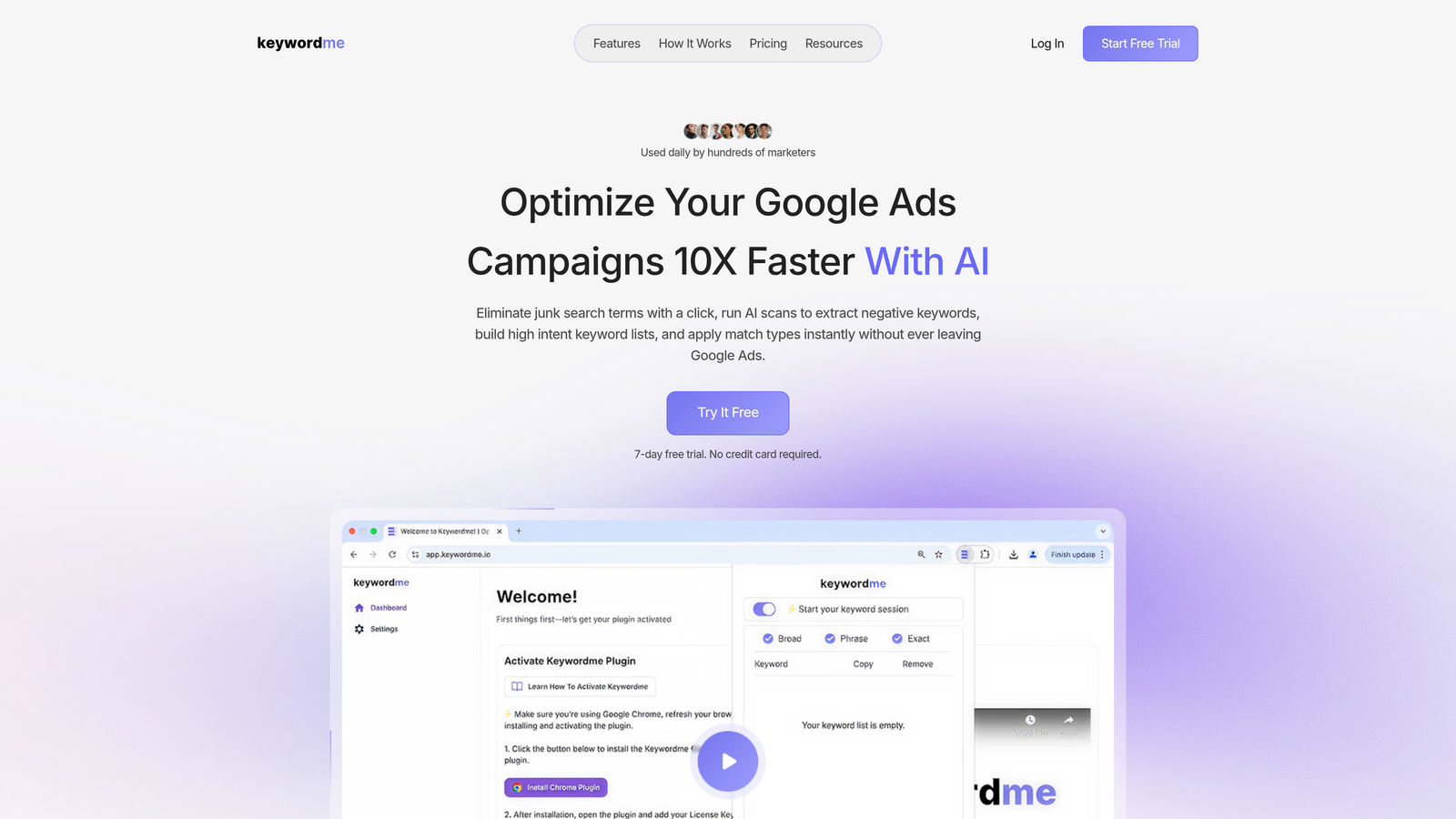
Keywordme is a Chrome extension that integrates directly into the Google Ads Search Terms Report, letting you eliminate junk search terms and build negative keyword lists without exporting a single spreadsheet.
If you need a refresher on the mechanics, our guide covers where to add negative keywords in Google Ads at the campaign, ad group, and account level.
Where This Tool Shines
The biggest advantage of Keywordme is speed. You're already in the Search Terms Report reviewing queries—Keywordme just adds instant action buttons right there. One click removes a junk term, another adds it to a negative list, and you can apply match types or create new keyword groups without switching tabs or opening spreadsheets.
For agencies managing multiple client accounts, the multi-account support and team features make it easy to standardize workflows across accounts. You're not duplicating effort or losing track of which negatives you've already added.
Key Features
One-Click Junk Search Term Removal: Click once to exclude irrelevant queries directly from the Search Terms Report.
In-Interface Negative Keyword Lists: Build and manage negative keyword lists without leaving the Google Ads UI.
Keyword Clustering and Bulk Editing: Group related terms and apply changes at scale with minimal manual work.
Multi-Account and Team Support: Manage negatives across multiple Google Ads accounts with shared team access.
Match Type Application: Apply exact, phrase, or broad match negatives instantly as you review search terms.
Best For
Solo advertisers and agency teams who want to optimize campaigns faster without changing their existing workflow. If you're already reviewing search terms regularly but hate the spreadsheet export process, this is the most seamless option.
Pricing
$12/month per user with a 7-day free trial. No tiered pricing or hidden costs—just a flat rate per seat.
2. Optmyzr
Best for: Agencies needing rule-based automation and cross-account negative keyword sharing
Optmyzr is a full-scale PPC management platform with deep automation capabilities, including rule-based negative keyword suggestions and cross-account management features.

Where This Tool Shines
Optmyzr excels at automation workflows. You can set up rules that automatically flag or add negative keywords based on performance thresholds—like cost-per-click above a certain amount or zero conversions after X impressions. The cross-account negative keyword sharing feature is especially powerful for agencies managing similar clients in the same vertical.
The platform also includes search term analysis tools that categorize queries and surface patterns you might miss manually. If you manage dozens of accounts, the time savings from automated recommendations and bulk actions add up fast.
Key Features
Rule-Based Negative Keyword Automation: Set performance thresholds that trigger automatic negative keyword suggestions.
Cross-Account Negative Keyword Sharing: Apply proven negative keyword lists across multiple client accounts instantly.
Search Term Analysis with Recommendations: Automated categorization and pattern detection in search query data.
Custom Automation Workflows: Build custom rules and workflows tailored to specific campaign types or client needs.
Reporting and Performance Tracking: Track the impact of negative keyword changes on campaign performance over time.
Best For
Agencies managing multiple accounts or large-scale advertisers who want to automate repetitive PPC tasks beyond just negative keywords. The platform is overkill if you only need negative keyword management, but it's a strong choice if you want a full optimization suite.
Pricing
Starts at $249/month, with pricing scaling based on managed ad spend and feature access. Enterprise plans available for larger agencies.
3. WordStream
Best for: Beginners who want guided optimization recommendations with negative keyword alerts included
WordStream is a guided PPC optimization platform that delivers weekly workflow recommendations, including negative keyword suggestions, in a beginner-friendly dashboard.

Where This Tool Shines
WordStream's "20-Minute Work Week" approach is designed for advertisers who don't have time to dig into every campaign detail. The platform surfaces high-impact optimizations—including negative keyword opportunities—in a simple checklist format. You review the suggestions, approve or reject them, and move on.
The negative keyword alerts are part of a broader optimization workflow, so you're not just managing negatives in isolation—you're also getting recommendations on bid adjustments, ad copy, and budget allocation. It's a good fit for small businesses or solo marketers who want guidance without needing deep PPC expertise.
Key Features
20-Minute Work Week Optimization Alerts: Weekly checklist of high-impact actions, including negative keyword suggestions.
Negative Keyword Suggestions in Dashboard: Automated recommendations based on search term performance.
Performance Grader Integration: Free account audit tool that identifies wasted spend and negative keyword gaps.
Beginner-Friendly Interface: Simplified workflows designed for non-experts to take action confidently.
Ad Copy and Landing Page Recommendations: Broader optimization suggestions beyond just negative keywords.
Best For
Small business owners, solo marketers, or anyone new to Google Ads who wants a guided approach to optimization. If you're not comfortable building custom automation rules or analyzing search term data manually, WordStream handles the heavy lifting for you.
Pricing
Custom pricing based on monthly ad spend. Typically starts around $200-$300/month for smaller accounts, with pricing increasing as ad spend grows.
4. Adalysis
Best for: Data-driven advertisers who want automated search query analysis and negative keyword mining
Adalysis is a PPC tool focused on data analysis and testing, with automated search term analysis and negative keyword recommendations built in.
Where This Tool Shines
Adalysis treats negative keyword discovery as part of a broader data-driven optimization strategy. The platform automatically analyzes search term performance by campaign and surfaces negative keyword opportunities based on metrics like conversion rate, cost-per-conversion, and Quality Score impact.
What sets Adalysis apart is the integration with ad testing and Quality Score monitoring. You're not just blocking bad queries—you're also understanding how those queries affect overall campaign health. The tool is built for advertisers who want to dig into the data and make informed decisions, not just follow automated suggestions blindly.
Key Features
Automated Search Term Analysis: Continuous monitoring of search query performance with flagged negative keyword opportunities.
Negative Keyword Recommendations by Campaign: Campaign-specific suggestions based on performance thresholds and historical data.
Quality Score Monitoring: Track how negative keywords impact Quality Score and ad relevance over time.
Ad Testing Integration: Combine negative keyword optimization with ad copy testing for holistic campaign improvement.
Custom Alerts and Reporting: Set up alerts for high-cost search terms or underperforming queries that need immediate action.
Best For
Performance marketers who want to combine negative keyword management with ad testing and Quality Score optimization. If you're already running structured ad tests and monitoring metrics closely, Adalysis fits naturally into that workflow.
Pricing
Starts at $149/month, with pricing tiers based on managed ad spend and number of connected accounts. Free trial available.
5. N-Gram Analysis Scripts
Best for: Technical users who want free, customizable negative keyword automation using Google Ads scripts
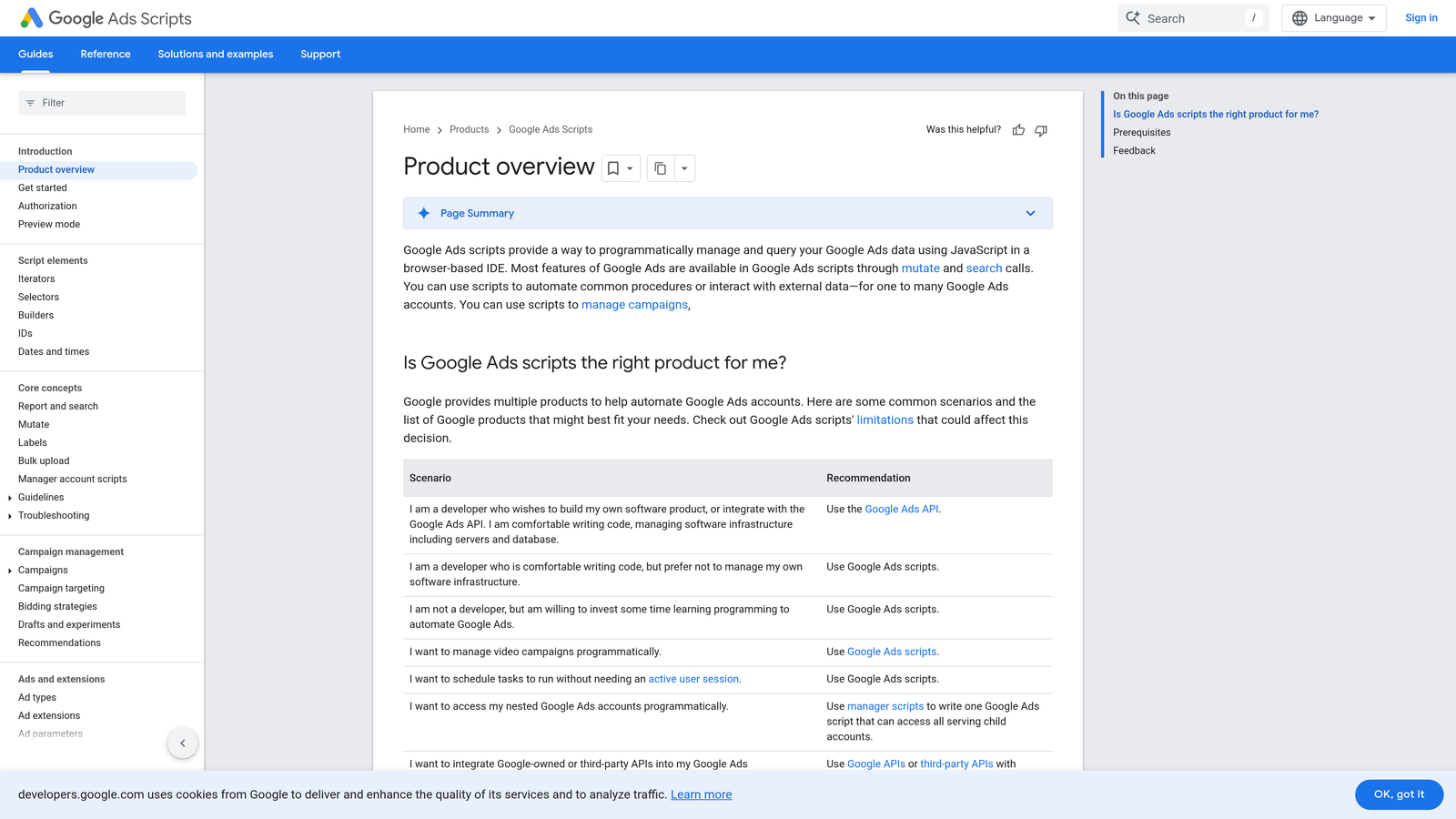
N-Gram Analysis Scripts are free Google Ads scripts that analyze search term patterns to identify common junk term n-grams (word combinations) across your campaigns.
Where This Tool Shines
N-gram scripts are powerful if you know how to use them. They analyze search terms at the phrase level, identifying patterns like "free," "cheap," or "how to" that consistently appear in low-performing queries. Instead of blocking individual search terms one by one, you're identifying patterns that let you add broader negatives more strategically.
The scripts run directly in Google Ads, so there's no third-party tool to set up or pay for. You customize the analysis parameters—like minimum impressions or cost thresholds—and the script outputs a list of recommended negatives based on performance data. It's free, flexible, and surprisingly effective if you're comfortable with a bit of code.
Key Features
Free to Use with Google Ads: No subscription fees or tool costs—just add the script to your account.
Pattern-Based Negative Keyword Detection: Identifies common word combinations in low-performing search terms.
Customizable Analysis Parameters: Set your own thresholds for impressions, cost, conversions, and other metrics.
Direct Implementation in Google Ads: Runs natively in your Google Ads account without external platforms.
Exportable Results: Output results to Google Sheets for review and bulk negative keyword uploads.
Best For
Technical marketers or agencies with in-house developers who want full control over negative keyword automation without paying for a tool. If you're comfortable editing scripts and setting up custom logic, this is the most cost-effective option.
Pricing
Free. Requires technical setup and basic understanding of Google Ads scripts, but no ongoing costs.
6. Tenscores
Best for: Advertisers focused on Quality Score optimization and identifying relevance-hurting search terms
Tenscores is a Quality Score-focused tool that identifies negative keywords hurting ad relevance and overall campaign performance.
Where This Tool Shines
Tenscores approaches negative keywords through the lens of Quality Score. The platform analyzes search terms and flags queries that are dragging down expected click-through rate, ad relevance, or landing page experience—the three components of Quality Score. By blocking these terms, you're not just saving money on irrelevant clicks; you're also improving the overall health of your campaigns.
The tool provides keyword-level performance analysis and actionable recommendations that prioritize high-impact negatives. If you're trying to improve Quality Scores across campaigns, Tenscores helps you identify which search terms are the biggest culprits.
Key Features
Quality Score Optimization Focus: Identifies search terms that negatively impact Quality Score components.
Relevance-Hurting Term Detection: Flags queries that lower ad relevance or expected CTR.
Keyword-Level Performance Analysis: Detailed breakdowns of how individual keywords and search terms perform.
Actionable Negative Keyword Recommendations: Prioritized suggestions based on Quality Score impact.
Campaign Health Monitoring: Track Quality Score trends over time as you apply negative keywords.
Best For
Advertisers who care about Quality Score and want to improve ad relevance systematically. If you're managing competitive keywords where Quality Score directly affects your cost-per-click, this tool helps you identify and block the queries hurting your scores.
Pricing
Starts at $25/month for individual accounts, with higher tiers for agencies managing multiple clients.
7. Lunio (formerly PPC Protect)
Best for: Fraud prevention and blocking bot traffic patterns with automated exclusions
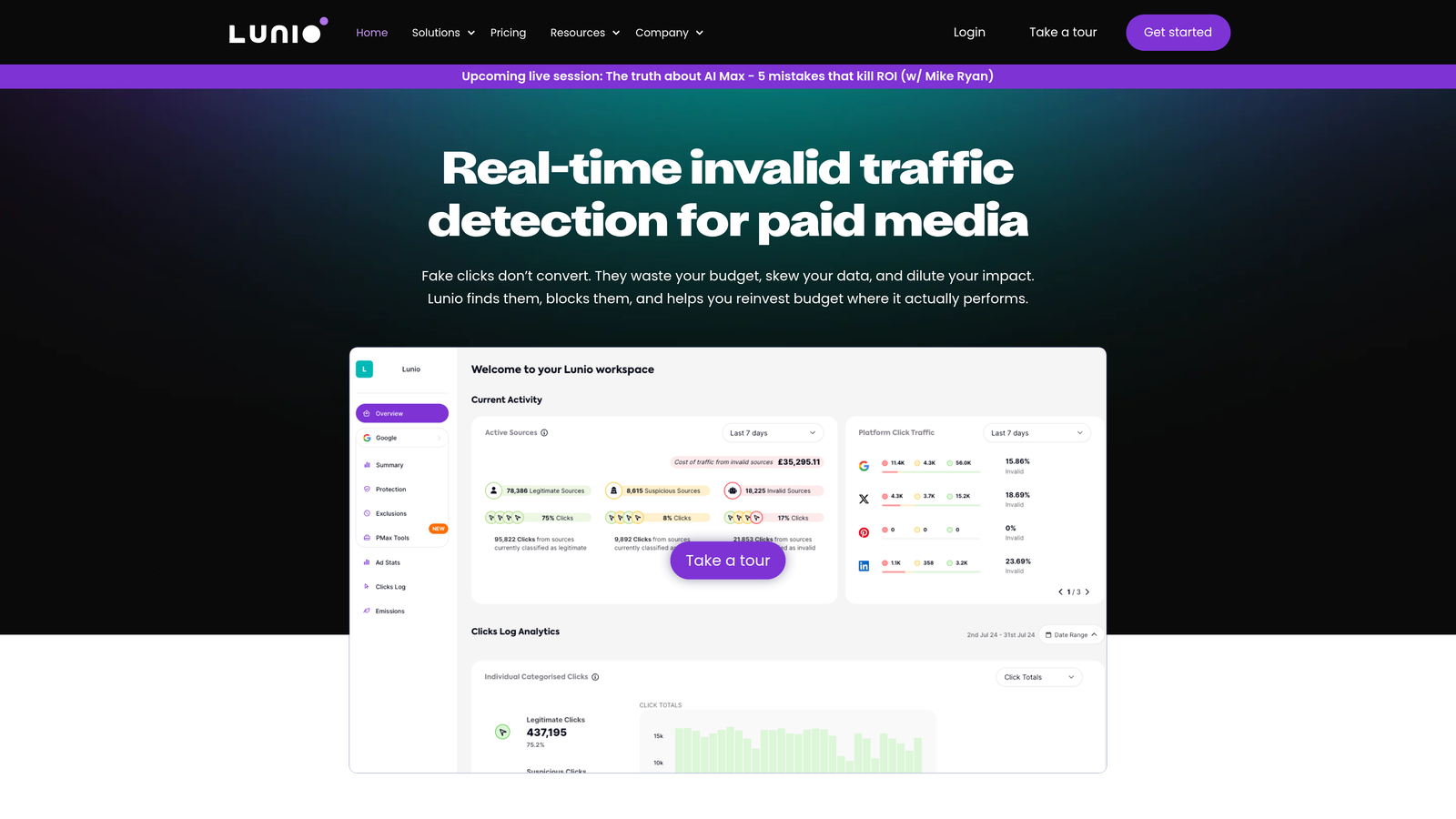
Lunio is a click fraud prevention tool that automatically blocks fraudulent search terms and bot traffic patterns from your Google Ads campaigns.
Where This Tool Shines
Lunio isn't a traditional negative keyword tool—it's focused on fraud prevention. The platform identifies bot traffic, competitor click farms, and other fraudulent activity, then automatically adds those search terms and IP addresses to exclusion lists. If you're in a competitive industry where click fraud is a real problem, Lunio protects your budget from non-human traffic.
The tool monitors traffic patterns in real time and applies exclusions automatically, so you're not manually reviewing suspicious queries. It's a specialized use case, but for advertisers dealing with significant fraud, the ROI is immediate.
Key Features
Fraud-Focused Negative Keyword Blocking: Automatically excludes search terms associated with bot traffic or fraud patterns.
Bot Traffic Pattern Identification: Real-time detection of non-human traffic and suspicious activity.
Automatic IP and Term Exclusions: Adds fraudulent IPs and search terms to exclusion lists without manual intervention.
Real-Time Protection: Continuous monitoring and instant blocking of fraudulent clicks.
Fraud Analytics Dashboard: Track the volume and cost of blocked fraudulent traffic over time.
Best For
Advertisers in competitive industries (legal, finance, insurance) who experience high levels of click fraud or bot traffic. If you're seeing suspicious traffic patterns or competitors clicking your ads repeatedly, Lunio is worth considering.
Pricing
Custom pricing based on monthly ad spend and traffic volume. Typically starts around $100-$200/month for smaller accounts.
8. Search Term Extractor Tools
Best for: Bulk search term extraction and categorization for manual negative keyword discovery
Search Term Extractor Tools are lightweight Google Sheets add-ons and standalone tools that pull and categorize search terms at scale for bulk negative keyword discovery.
Where This Tool Shines
These tools don't automate the decision-making process—they just make it easier to extract and sort search term data. You export search terms from Google Ads, run them through the extractor, and get categorized lists based on keywords, match types, or performance metrics. From there, you manually review and build negative keyword lists.
The advantage is simplicity and cost. You're not paying for AI recommendations or automation—you're just streamlining the data extraction and sorting process. For advertisers who prefer manual control but want to speed up the review process, these tools hit the sweet spot.
Key Features
Bulk Search Term Extraction: Pull search term data from Google Ads at scale without manual exports.
Google Sheets Integration: Work directly in Google Sheets with add-ons that automate data sorting and categorization.
Category-Based Term Sorting: Group search terms by keyword, match type, or custom categories for easier review.
Export-Ready Negative Lists: Format negative keyword lists for bulk upload back into Google Ads.
Customizable Filters: Set filters based on impressions, clicks, cost, or conversions to focus on high-priority terms.
Best For
Advertisers who want to maintain manual control over negative keyword decisions but need help organizing and categorizing search term data. If you're comfortable reviewing lists yourself but hate the tedious export/import process, these tools save time without taking over decision-making.
Pricing
Free to $20/month depending on the tool. Many Google Sheets add-ons are free with optional paid tiers for advanced features.
9. Channable
Best for: E-commerce advertisers running product-based campaigns with automated negative keyword rules
Channable is a feed management platform with automated negative keyword rules designed specifically for e-commerce and product-based Google Ads campaigns.
Where This Tool Shines
Channable is built for e-commerce, so its negative keyword automation is tied to product feeds and inventory data. You can set rules that automatically add negatives based on product attributes—like blocking "cheap" for premium products or excluding color terms for out-of-stock variants. The platform updates negative keyword lists dynamically as your product catalog changes.
If you're running Shopping campaigns or product-focused Search campaigns, Channable's feed-based automation saves time and ensures your negative keywords stay aligned with your current inventory. It's not a general-purpose negative keyword tool, but for e-commerce, it's highly effective.
Key Features
Feed-Based Negative Keyword Automation: Automatically generate and update negatives based on product feed data.
Product-Level Exclusion Rules: Set negative keyword rules tied to specific product attributes or categories.
Dynamic Negative Keyword Updates: Negative lists update automatically as your product catalog changes.
Multi-Channel Support: Manage negative keywords across Google Ads, Microsoft Ads, and other platforms from one dashboard.
Inventory-Synced Exclusions: Block search terms for out-of-stock products or discontinued items automatically.
Best For
E-commerce businesses running product-based campaigns with large or frequently changing inventories. If you're managing hundreds or thousands of SKUs and need negative keywords to stay synced with your catalog, Channable is purpose-built for this use case.
Pricing
Starts at $59/month for basic feed management, with higher tiers for advanced automation features and larger product catalogs.
Making the Right Choice
The best automated negative keyword tool depends on how you work and what you need to optimize. If you want speed and simplicity without leaving Google Ads, Keywordme delivers one-click negative keyword management directly in the interface. For agencies managing multiple accounts with complex automation needs, Optmyzr offers rule-based workflows and cross-account sharing. If you're new to Google Ads and want guided recommendations, WordStream's 20-Minute Work Week approach makes optimization approachable.
For technical users comfortable with scripts, N-Gram Analysis Scripts provide free, customizable automation. E-commerce businesses with dynamic product catalogs should consider Channable for feed-based negative keyword rules. And if click fraud is a real problem in your industry, Lunio's real-time protection can save significant budget.
Most advertisers fall into one of two camps: those who want to stay in Google Ads and take quick action (Keywordme, N-Gram Scripts), and those who want broader PPC automation with negative keywords as one feature (Optmyzr, WordStream, Adalysis). The lightweight extractors and Google Sheets tools work well if you prefer manual control but need help organizing data.
The biggest mistake is not using any automation at all. Manual negative keyword management doesn't scale, and the longer you wait to block junk queries, the more budget you waste. Even a basic tool or script will pay for itself quickly by eliminating irrelevant clicks.
If you're looking for the fastest path to better negative keyword management, start your free 7-day trial of Keywordme and see how much time you save by optimizing directly in Google Ads. No spreadsheets, no switching tabs—just quick, seamless optimization right where you're already working.
.svg)