
What Is a Good CTR for Google Ads? Industry Benchmarks
What Is a Good CTR for Google Ads? Industry Benchmarks


A good CTR for Google Ads can sit below an industry average and still be the healthier number.
Treat CTR as a relative signal. Compare each segment to its own baseline, then check whether the clicks turn into conversions at a cost the account can afford. High CTR is healthy when it pulls qualified searches. Low CTR can be healthy when broad impressions still produce profitable conversions.
Before rewriting ads, isolate which queries, audiences, and match types earn the click, and what happens after it.
Average CTR Benchmarks You Can Actually Use
A Search CTR around 6.6% is roughly the middle of the road in the current WordStream and LocaliQ benchmark summarized by Hustle Marketers, which reports 6.64% across 13,474 U.S. campaigns running from April 2025 through March 2026, plus a $5.42 average CPC and an 8.18% conversion rate.
Average CTR by campaign type
| Campaign type | Typical CTR | Source and period | How to read it |
|---|---|---|---|
| All-industry Search | 6.64% | WordStream and LocaliQ, U.S. campaigns, April 2025 to March 2026 | Directional starting point, not a fixed target |
| Search, 2025 average | 6.66% | WordStream summary, 16,446 U.S. campaigns, April 2024 to March 2025 | Up 3.74% year over year |
| Display | Far below Search | Separate campaign-type comparison | Clicks are naturally rare, so judge against Display peers |
| Shopping | Below Search | Separate campaign-type comparison | Product ads can earn fewer clicks than text ads in this comparison |
The current Search benchmark represents one provider's client campaigns, is U.S.-only, and includes Google and Microsoft search advertising. It is a sample with limits, so use it as a yardstick for your own segment rather than a universal grade.
The historical campaign count and reporting window come from the WordStream benchmark guide, while 360 OM's summary of the WordStream report reports the 6.66% Search average and 3.74% year-over-year increase. The Display and Shopping rows belong to a separate campaign-type comparison, so keep them out of the Search sample even though they help frame expectations.
Use the average to choose an investigation
Search advertisers reach people actively expressing a need. Display advertisers often interrupt someone reading or browsing, while Shopping advertisers compete through product images, pricing, and merchant details. Those are different opportunities to earn a click, and each one deserves its own baseline.
A low CTR can be healthy on a narrow, high-intent query if the clicks that do arrive convert at an acceptable cost. A high CTR can be unhealthy when broad phrasing pulls in curious searchers who never become customers. The number only becomes useful once you ask which searches produced it and what happened after the click.
Use the table to spot a result that looks out of place, then check campaign type, targeting, search terms, and commercial outcome. A benchmark tells you where to look, not what to pause.
Why Industry Averages Swing So Much
Arts & Entertainment advertisers averaged 13.10% CTR against 5.44% for Dentists & Dental Services in a 2025 benchmark covering 16,446 U.S. campaigns across 23 categories, as reported in 360 OM's summary of the WordStream report. The overall Search average across those categories came to 6.66%. Treat all of these figures the same way: context for an investigation, not a grade.
Those results should not surprise anyone who has compared booking a show with choosing a dentist. The searcher's task, the offers on the table, familiarity with providers, and willingness to explore all differ between the two. Someone browsing events can afford a casual click. Someone comparing dental practices often filters hard before committing to anything.
Entertainment advertisers may attract people skimming listings or weighing experiences against each other. A dental advertiser usually has to satisfy a narrower checklist first: treatment availability, proximity, suitability for the patient's situation. Neither pattern guarantees profitable traffic. An entertainment account can rack up cheap clicks that never become ticket sales, while a dental account with an average CTR can fill its appointment book.
The same result can deserve different reactions
Say a dental practice and an entertainment advertiser each have a CTR close to the dental category benchmark. The dental practice sits near its own baseline. If those clicks convert into booked appointments, that middling CTR is the healthy result, and the bottleneck probably lives on the landing page or in the offer.
The entertainment advertiser has more reason to worry. Sitting well below its category baseline suggests the ads miss the moment, such as a generic booking message running against searches for specific performers, venues, or dates.
An industry comparison is useful only when you'd plausibly compete for the same searcher.
Even then, an emergency dental service, a cosmetic practice, and a general family dentist can attract very different queries. Sharing a category label does not make two accounts peers.
Pick the closest peer, then narrow it
Start with the industry category that best matches what you sell, not the category with the most flattering average. Then tighten the comparison:
- Business model: Compare appointment-driven services with appointment-driven services, not product stores.
- Search objective: Separate searches for an immediate provider from searches about options or procedures.
- Brand status: Keep existing brand demand separate from acquisition traffic.
- Market coverage: Compare local service areas with similar geographic reach.
If your company spans several categories, evaluate each campaign against its closest commercial equivalent rather than forcing everything into one peer group.
The tighter your comparison group, the more a CTR gap means. A dental practice trailing other appointment-driven local services has a real signal worth chasing. The same practice trailing an events aggregator has nothing to act on.
Which Segments Explain Your Gap
Start with query type, then inspect match type and placement before getting lost in smaller breakdowns. This is a practical investigation order, not a universal ranking of how strongly each variable affects every account.
Branded versus generic searches: Someone searching your company name has already identified a possible destination. Mixing that traffic with generic searches can make an acquisition campaign look healthier than it is.
Match type: Broad match can introduce additional query themes, including loosely related ones. Exact match can keep intent tighter, but don't assume the match-type label tells you everything; inspect the actual searches.
Break the average into useful pieces
Use this hierarchy to organize your review, then test which split matters in your account.
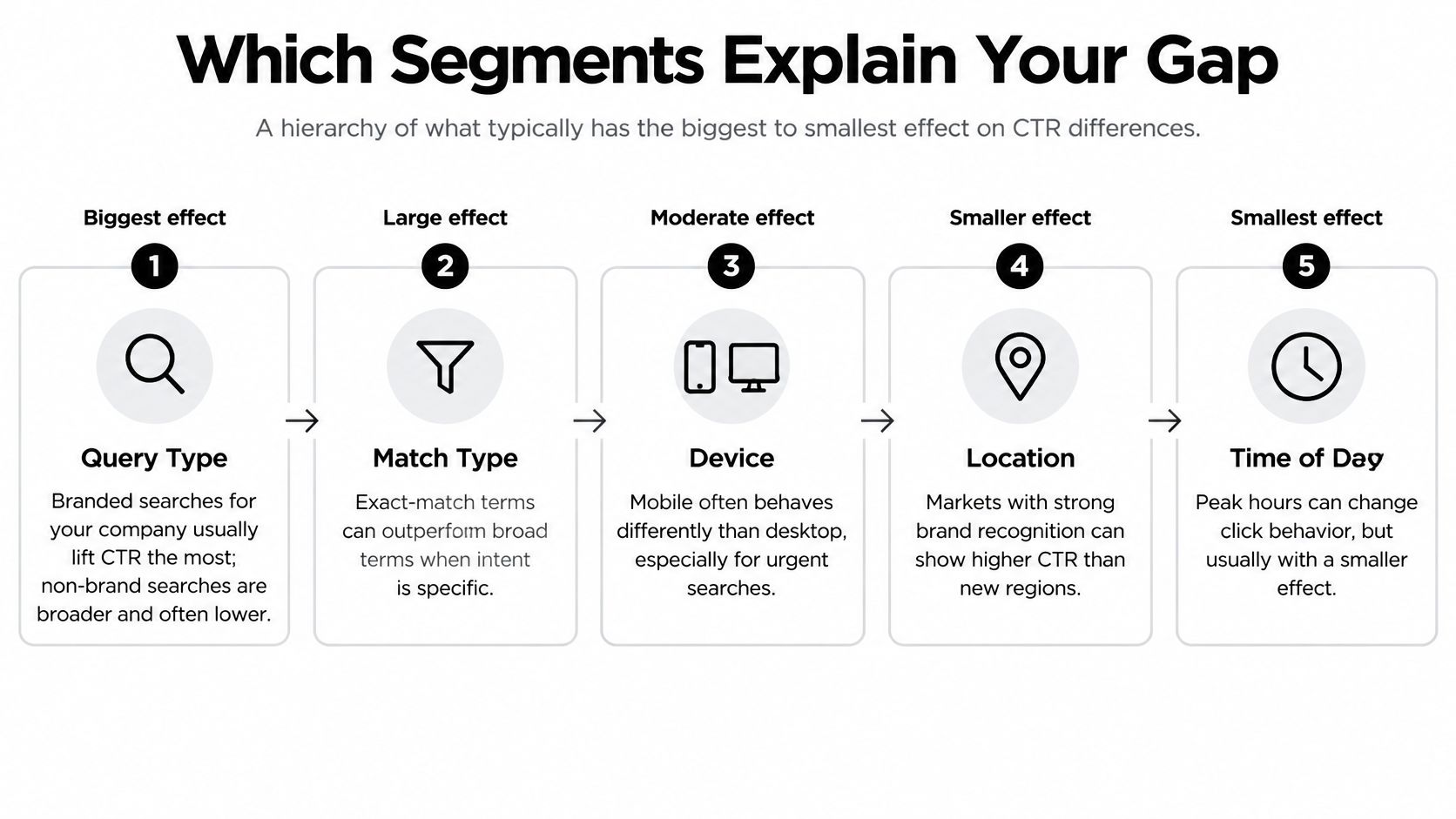
Ad position and format can change how visible an ad is and how much useful information someone sees. A campaign appearing prominently with relevant assets isn't directly comparable with one receiving less visible placements.
- Device: An urgent mobile search for a nearby repair service can behave differently from desktop comparison shopping.
- Location: A business may earn more attention in its established service area than in a new region.
- Time of day: Searches during staffed business hours may have a different purpose from late-night research.
Don't slice everything at once. Start with the largest traffic groups, locate the gap, and then add another breakdown where it answers a specific question.
Recognize the first warning sign
For Search campaigns, Google's performance guidance says a CTR below 1% generally indicates that ads may not be targeted to a relevant audience.
Treat that as a relevance warning, not an automatic instruction to raise bids. Check whether the business can satisfy the queries receiving impressions, then identify the segment responsible before changing the entire campaign.
How Expected CTR and Quality Score Fit In
The CTR column records what happened: clicks divided by impressions. Expected CTR predicts how likely an ad is to receive a click for a keyword.
According to Google's expected CTR documentation, the prediction initially assumes the search term matches the keyword exactly, then incorporates the actual search term, device, and other auction factors. Google also adjusts expected CTR to remove the influence of position and visibility factors such as assets.
That distinction matters. Moving into a more prominent placement can change observed CTR without proving that the ad itself became more compelling.
Prediction is only part of the diagnosis
The relationships are easier to understand when you keep the observed result separate from the quality diagnostics.
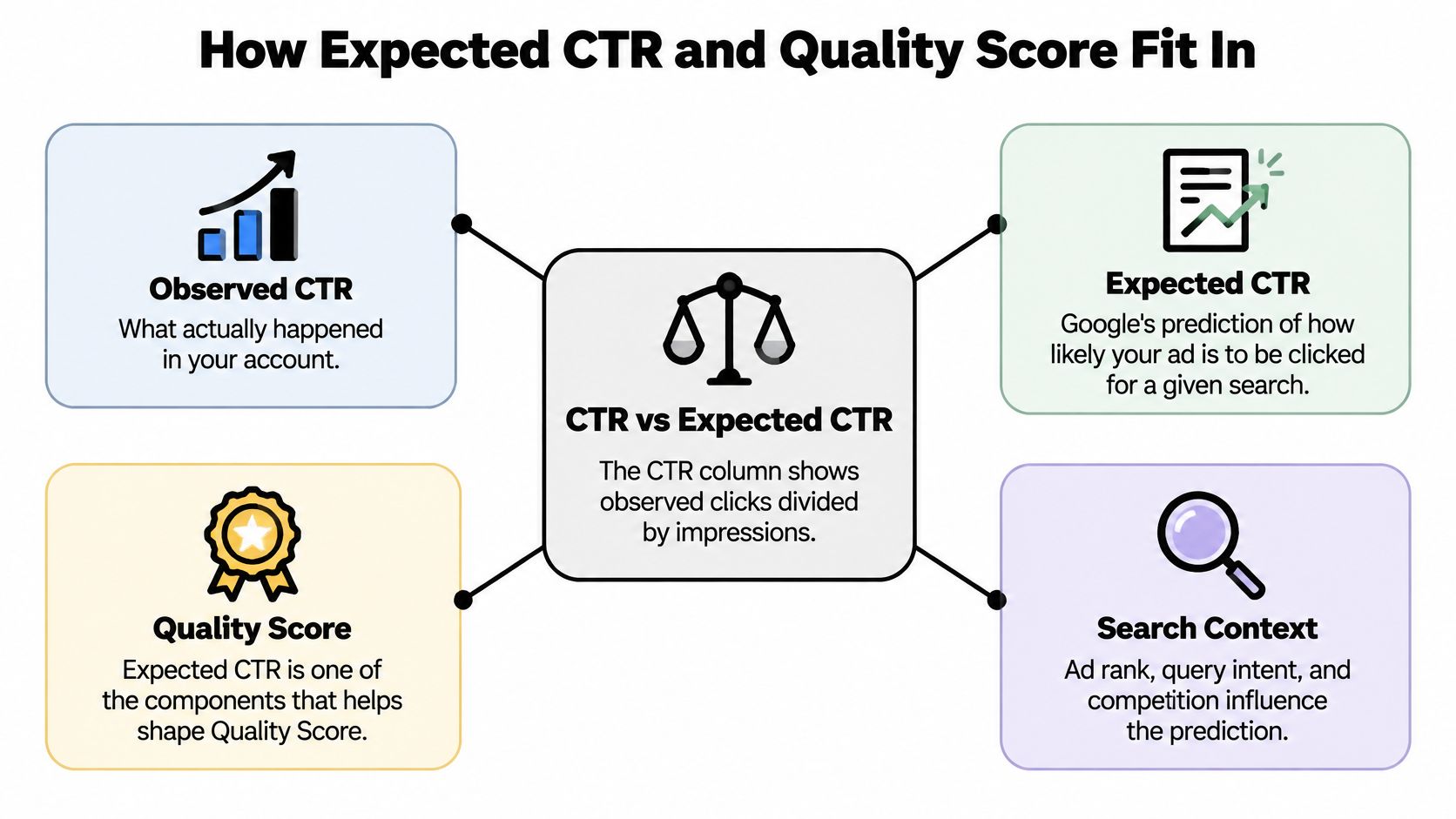
Google's Quality Score explanation identifies expected CTR, ad relevance, and landing-page experience as its components, each rated Above average, Average, or Below average against ads shown for comparable searches over the previous 90 days.
The overall Quality Score uses a 1-to-10 scale at keyword level, according to Google's keyword quality guidance. Diagnose the component statuses rather than treating the total as a CTR target.
For example, a keyword could have a strong overall score but a Below average expected CTR. That's a reason to inspect the ad's appeal, even if the landing page and relevance assessments look healthy.
Fix the weak component
If expected CTR is weak, test a clearer reason to choose your offer. If ad relevance is weak, check whether unrelated themes share the same ad group. If landing-page experience is weak, another headline variation won't address the whole problem.
Practical rule: Don't promise more just to attract the click. Make the promise more specific to the search.
For a broader efficiency checklist, SimpleLab Digital on improving ad efficiency is a useful companion resource. Our guide to Google Ads Quality Score best practices provides another way to organize the component-level review.
Keep the scope of each test clear. Changing targeting, headlines, and the destination simultaneously makes it harder to identify which adjustment helped.
Reading CTR Next to Conversions and Cost
More clicks don't automatically mean a better campaign. If you attract people who won't buy, you've improved the appearance of a metric while paying for the wrong attention.
Google's measurement guidance supports evaluating CTR alongside conversion rate and site engagement, and warns that privacy changes can reduce the completeness of same-device and cross-device conversion reporting. That means you need to inspect both traffic quality and measurement before deciding a campaign has deteriorated.
Reading CTR with conversion rate
Treat high and low as relative to the segment you're evaluating.
| CTR pattern | Conversion rate | What it usually means | Next move |
|---|---|---|---|
| High CTR | Low conversion rate | Broad or curious queries drawing unqualified clicks | Tighten match types and add negative keywords |
| Low CTR | High conversion rate | Narrow, expensive, high-intent searches | Keep the theme and test ad copy to lift clicks without loosening targeting |
| High CTR | High conversion rate | Relevant ads matched to clear intent | Scale carefully and watch cost per conversion |
| Low CTR | Low conversion rate | Weak ad relevance or a mismatched landing page | Rewrite ads, split ad groups and check the landing page |
Identify which row describes most of your ad groups before choosing an account-wide optimization project.
A software company advertising a paid platform against template searches might get enthusiastic clicks from people expecting something free. The right fix is to qualify the offer or exclude incompatible queries, not write an even more tempting headline.
A specialist supplier can have the opposite situation. Detailed commercial searches may earn fewer clicks, but the buyers who do click understand the product and submit useful inquiries.
Decide on marginal value
For a strong segment, ask whether additional clicks produce acceptable additional cost per qualified outcome. Don't assume the next expansion will perform like the existing traffic.
For a weak segment, inspect what happens after the click. A service ad pointing to a general homepage may disappoint an otherwise qualified visitor; excluding the query would remove an opportunity rather than repair the experience.
Our guide to a good conversion rate for Google Ads can help you assess the downstream side without treating every conversion action as equally valuable.
Before making a major decision, check:
- Lead quality: Are submissions becoming customers, or just filling the CRM?
- Tracking stability: Did consent settings, tags, or conversion definitions change?
- Sample confidence: Could a small number of clicks or delayed conversions explain the movement?
- Economics: Does acquisition cost remain acceptable after accounting for sale value?
A high rate with poor economics needs intervention. A modest rate with dependable profit may need protection.
How to Raise CTR Without Chasing Junk Clicks
Start with the search terms, not a brainstorming session about punchier slogans. You need to know whether the problem is an unattractive message, an unsuitable audience, or both.
This workflow keeps the work tied to actual search behavior.
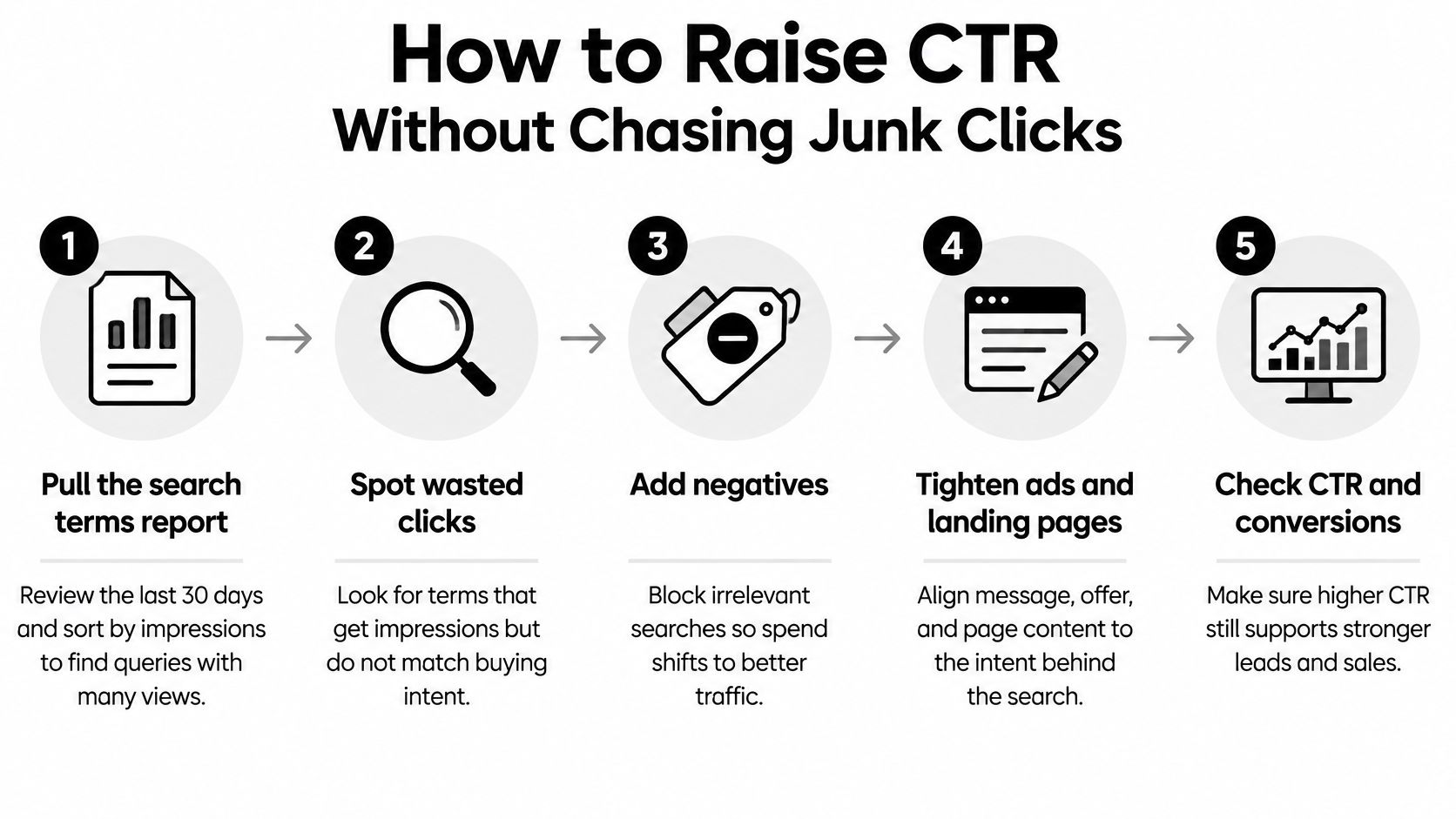
Clean the traffic before expanding it
Pull the search terms report. Use the last 30 days as a practical starting window and sort by impressions. Look for queries receiving substantial exposure with little engagement, then read them for intent rather than excluding them automatically.
Mark irrelevant searches as negatives. Exclude themes your offer can't satisfy, such as job searches in a customer-acquisition campaign. Check the negative match type so you don't accidentally block valuable related searches.
Separate incompatible intents. Buyers and researchers often need different messages and destinations. If an ad group tries to serve both, split it into themes that let you write a coherent offer.
Make the offer easier to evaluate
Rewrite headlines around the searcher's language. Include the relevant service or product and a specific, supportable benefit or actual price point. Use these ad copy examples to develop testable variations rather than swapping vague adjectives.
Add useful sitelinks and callouts. Give people direct paths to relevant services, pricing information, or booking options. Don't add assets merely to occupy space; each should help someone decide whether you're suitable.
Check the landing-page promise. If the ad offers a particular service, show that service clearly on the destination page. Check the mobile experience, form, and primary action before buying more traffic.
Compare against the segment's baseline. Allow enough impressions and conversion time to evaluate the change, often a few weeks rather than a quick daily verdict. Keep the comparison window and targeting consistent, and verify that better engagement hasn't come with worse acquisition costs.
Build your baseline. Pull the last 90 days for each campaign, split brand from non-brand, and record CTR, conversion rate, and cost per conversion. Flag major changes in budget, targeting, or measurement.
Choose a realistic range. Use the segment's usual variation rather than imposing a universal percentage. Write down what would trigger investigation, and avoid arbitrary percentage-point allowances that are too large for a low-rate segment.
Review monthly. Look for movements that persist across two or more reviews rather than reacting to a noisy week. Obvious irrelevant spend or broken tracking still deserves immediate action.
For B2B teams also reviewing audience-research options, Docket's Sayprimer research for B2B marketers offers a separate resource to evaluate. Keep that evaluation distinct from your search-term test so you can attribute changes sensibly.
The aim isn't to make everyone click. It's to help suitable buyers recognize the offer while giving unsuitable searchers enough information to pass.
Set Your Own CTR Target This Week
Set an operating range for each meaningful segment, with a clear action when performance moves outside it. You don't need a perfect forecast to make a better decision than chasing an account-wide average.
For context, this is the Keywordme interface you can use alongside that review.
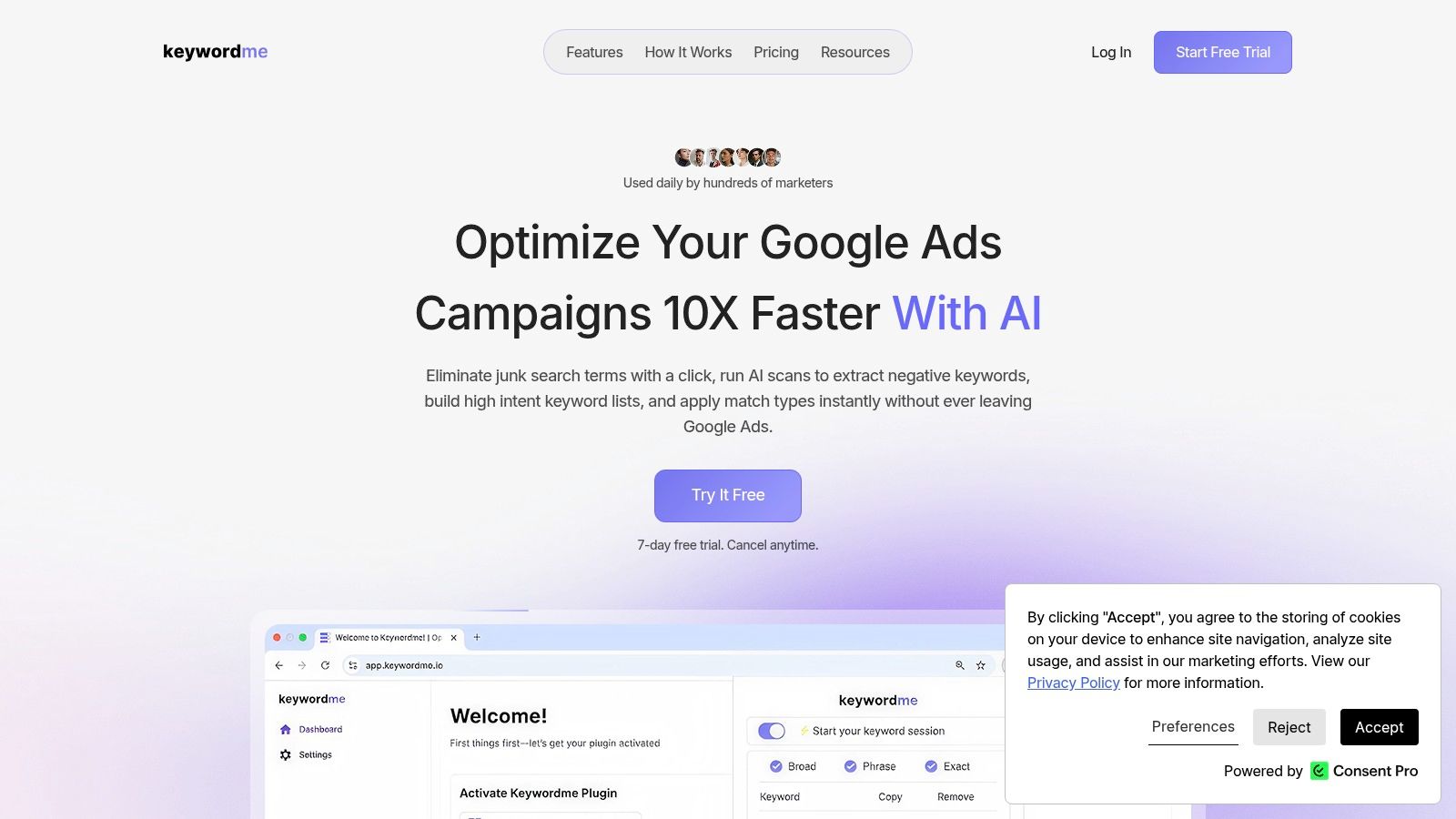
A CTR is healthy when it fits the segment's operating range and its conversion results hold. If CTR rises while cost per qualified conversion becomes unacceptable, pull back before celebrating.
Use the walkthrough to support your next search-term cleanup.
Start with your weakest segment this week. Choose a specific query theme, make a controlled change, and judge it by qualified outcomes.
Keywordme lets you remove junk keywords from the search terms report with a single click or a quick mouse highlight, and add high-converting keywords straight from that report. Visit Keywordme to sign up for the free trial and get instant access to the Chrome plugin, then use it to clean up the segment you've chosen to improve.
