
8 Best Search Term Report Optimization Tools
This guide reviews the 8 best search term report optimization tools available in 2026, covering everything from lightweight Chrome extensions to full-scale PPC platforms. Whether you manage a handful of campaigns or thousands of keywords, these tools eliminate the manual grind of combing through search term data so you can act on insights faster and reduce wasted ad spend.


If you're running Google Ads, your Search Terms Report is one of the most valuable—and most time-consuming—reports to work through. It shows you exactly what real users typed before clicking your ads, which makes it your best source for finding irrelevant traffic to block and high-intent queries to promote. The problem is that manually combing through hundreds (or thousands) of search terms, copying them into spreadsheets, and applying changes back in Google Ads is slow and error-prone.
The right tool can cut that work down dramatically. This list covers the best search term report optimization tools available in 2026—from Chrome extensions that live inside Google Ads to standalone PPC platforms—so you can find the one that fits your workflow, budget, and scale.
1. Keywordme
Best for: Google Ads practitioners who want fast, in-interface search term optimization without leaving the native UI.
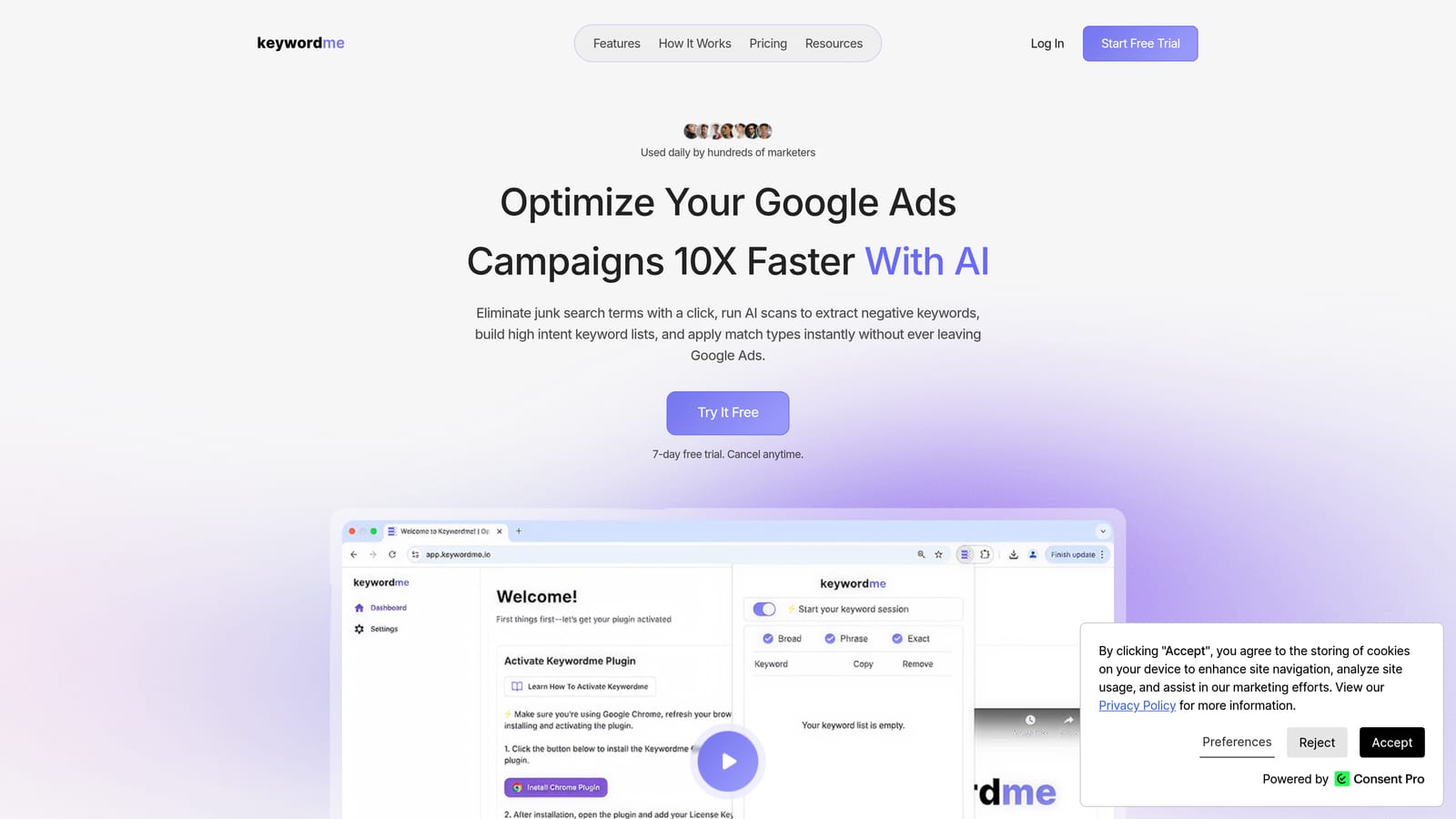
Keywordme is a Chrome extension that integrates directly into Google Ads' Search Terms Report, turning manual PPC tasks into one-click actions.
Where This Tool Shines
Most tools in this category require you to export data, work in a separate dashboard, and then re-import your changes. Keywordme eliminates that entirely. You stay inside Google Ads, click to remove junk search terms, promote high-intent ones to keywords, and apply match types—all without opening a spreadsheet or switching tabs.
For agencies, the multi-account and team support makes it practical at scale. Keyword clustering lets you group related search terms by theme, which speeds up the process of identifying patterns and building tightly organized ad groups. If you want to understand why clustering matters, this breakdown on keyword clustering covers the reasoning well.
Key Features
One-click negative keyword addition: Add irrelevant search terms as negative keywords directly inside the Search Terms Report without exporting anything.
Promote search terms to keywords: Surface a high-intent search term and instantly add it as a keyword with your chosen match type applied.
Keyword clustering: Group related search terms by theme to identify patterns and build structured keyword lists faster.
Bulk editing: Select multiple search terms and apply actions across all of them at once, rather than working one row at a time.
Multi-account and team support: Manage workflows across multiple Google Ads accounts, with team access suited to agency environments.
Best For
Keywordme is a strong fit for solo advertisers who want a faster daily workflow and for agency teams managing multiple client accounts. It's particularly useful if your main frustration is the time cost of search term review—not the lack of competitive intelligence or cross-channel reporting.
Pricing
$12/month per user, flat rate. A 7-day free trial is available with no commitment required.
2. Google Ads Search Terms Report (Native)
Best for: Any Google Ads advertiser who needs a free, always-current baseline for reviewing search term data.
Google Ads includes a built-in Search Terms Report available to every account—no third-party tools required.
Where This Tool Shines
Every tool on this list either works on top of or alongside the native report, so it's worth understanding what you get out of the box. The native report lets you filter search terms by performance metrics like clicks, conversions, and cost, and you can bulk-select terms to add as negative keywords without leaving the interface.
The main limitation is workflow efficiency. There's no smart clustering, no one-click promotion of search terms to keywords with match types applied, and complex tasks often require downloading the data and working in a spreadsheet before re-importing. It's also worth noting that Google has progressively limited search term visibility over the years due to privacy thresholds, meaning not every search term that triggers your ads will appear in the report.
Key Features
Free and built-in: Available in every Google Ads account at no additional cost.
Filter and sort by performance: View search terms sorted by clicks, conversions, cost, conversion rate, and other standard metrics.
Bulk negative keyword addition: Select multiple search terms and add them as negative keywords to campaigns or ad groups in one step.
Downloadable reports: Export search term data to CSV for offline analysis or sharing with stakeholders.
Direct source of truth: All data comes directly from Google, with no third-party processing or delay.
Best For
Advertisers who are just getting started, working with smaller accounts, or who want a no-cost option for periodic search term review. It's the baseline every advertiser should understand before evaluating paid tools.
Pricing
Free—included with any Google Ads account.
3. Search Atlas
Best for: Agencies managing both organic and paid keyword strategies who want a unified platform.
Search Atlas is a unified SEO and PPC platform combining keyword research, competitor analysis, and paid search insights in a single dashboard.
Where This Tool Shines
Search Atlas is built for teams that don't want to maintain separate tools for SEO and PPC. The keyword gap analysis spans both organic and paid channels, which is useful when you're trying to align content strategy with ad spend or identify where you're paying for clicks you could earn organically.
For agencies with multi-project structures, the platform organizes client work in a way that makes switching between accounts relatively clean. It's less focused on the granular, in-session search term review workflow and more on strategic keyword planning across channels.
Key Features
Keyword gap analysis: Identify terms where competitors rank organically or run paid ads that you're not currently targeting.
Competitor PPC research: See which keywords competitors are bidding on and get visibility into their paid search strategies.
Keyword list building: Organize and manage keyword lists across campaigns and projects within the platform.
Unified content and PPC planning: Combine paid keyword strategy with content planning in a single interface.
Agency-friendly project structure: Multi-project setup designed for teams managing multiple clients.
Best For
Agencies and in-house teams that handle both SEO and PPC and want to consolidate their keyword strategy work into one platform rather than juggling separate tools for each channel.
Pricing
Tiered plans available. Verify current pricing at searchatlas.com.
4. Optmyzr
Best for: Mid-market and agency PPC teams who want automation and search term mining alongside broader campaign management.
Optmyzr is an established PPC management and automation platform with dedicated Search Term Mining features built for identifying keyword opportunities and negative keyword candidates.

Where This Tool Shines
Optmyzr's Search Term Mining tool is purpose-built for what most advertisers do manually: scanning search term data for terms worth promoting to keywords and terms worth blocking as negatives. It surfaces these candidates systematically rather than requiring you to scroll through raw data and make judgment calls row by row.
Beyond search term analysis, Optmyzr covers a wide range of campaign management tasks through rule-based automation and one-click optimizations. If you're managing significant ad spend and want a platform that handles more than just search term review, it's a capable option with a strong reputation in the agency community.
Key Features
Search Term Mining: Identifies keyword expansion opportunities and negative keyword candidates from your search term data in a structured workflow.
Rule-based automation: Set conditions to automatically add negatives, adjust bids, or pause underperforming elements based on performance thresholds.
One-click optimizations: Apply recommended changes across campaigns without manually editing each setting.
Anomaly detection and reporting: Get alerts when performance deviates from expected patterns, including unexpected changes in search term behavior.
Multi-account management: Manage multiple Google Ads accounts from a single interface, with reporting consolidated across clients.
Best For
PPC agencies and in-house teams managing moderate to high ad spend who want automation capabilities alongside search term optimization, rather than a standalone search term review tool.
Pricing
Tiered by ad spend managed. Verify current pricing at optmyzr.com.
5. WordStream Advisor
Best for: SMBs and less technical advertisers who want guided, task-based PPC recommendations without deep platform expertise.
WordStream Advisor, owned by LocaliQ, is a guided PPC management platform that surfaces keyword and search term recommendations through a structured weekly workflow.

Where This Tool Shines
WordStream's "Work Week" feature is its defining characteristic. Rather than presenting you with raw data and expecting you to know what to do with it, the platform prioritizes optimization tasks and walks you through them in a structured sequence. For advertisers who find open-ended PPC dashboards overwhelming, this guided approach lowers the barrier to acting on search term data.
It's worth noting that WordStream is positioned more as an SMB-friendly tool than an agency-grade platform. If you're evaluating it against more workflow-focused alternatives, this comparison of WordStream alternatives covers some of the practical differences worth considering.
Key Features
Work Week workflow: A structured, prioritized task list that guides you through the most impactful optimizations each week.
Automated recommendations: Search term and keyword suggestions are surfaced based on account performance data, not manual review.
Negative keyword suggestions: The platform flags search terms that are likely wasting budget and recommends adding them as negatives.
Performance Grader: A quick account health check that benchmarks your account against industry averages across several dimensions.
Google Ads and Microsoft Ads support: Manage campaigns across both platforms from a single interface.
Best For
Small business owners and less technical advertisers who want structured guidance rather than a blank-slate dashboard. Less suited to agencies managing many accounts or practitioners who prefer hands-on control over their workflow.
Pricing
Subscription-based. Verify current pricing at wordstream.com.
6. Adalysis
Best for: Advertisers who need strong search term diagnostics, including cross-campaign conflict detection and automated negative keyword recommendations.
Adalysis is a PPC analysis and automation tool with a particular focus on search term health, conflict detection, and account-level diagnostics.
Where This Tool Shines
Adalysis goes beyond basic search term review by identifying problems that are easy to miss when you're scanning data manually. Its cross-campaign conflict detection flags situations where the same search term is triggering ads in multiple ad groups or campaigns, which can cause internal competition and inefficient spend. That kind of diagnostic is genuinely difficult to catch without dedicated tooling.
The automated negative keyword recommendations are also a practical feature for accounts with large search term volumes. Rather than reviewing every row, Adalysis surfaces the terms most likely to be causing problems—saving time while keeping you in control of the final decision.
Key Features
Search term conflict detection: Identifies search terms triggering ads across multiple ad groups or campaigns, flagging potential cannibalization issues.
Automated negative keyword recommendations: Surfaces negative keyword candidates based on account performance patterns, ready for review and approval.
Anomaly alerts: Notifies you of unexpected changes in search term behavior, spend, or performance before they become larger issues.
Ad testing and analysis: Built-in tools for structured ad copy testing and statistical significance tracking.
Google Ads and Microsoft Ads support: Works across both major paid search platforms.
Best For
Experienced PPC practitioners and agencies who manage complex account structures and need diagnostic tools that go beyond surface-level search term review. Particularly valuable if cross-campaign search term conflicts are a recurring problem in your accounts.
Pricing
Tiered by account size. Verify current pricing at adalysis.com.
7. SEMrush PPC Toolkit
Best for: SEMrush users who want to extend their existing subscription into PPC keyword research and competitor ad analysis.
SEMrush's PPC Toolkit adds competitor ad research and keyword list management to the broader SEMrush platform, making it relevant for practitioners already using SEMrush for SEO work.
Where This Tool Shines
The PPC Toolkit's strongest feature is competitive intelligence. The Advertising Research tool shows you which keywords competitors are estimated to be bidding on, along with their ad copy—useful context when you're building out keyword lists or trying to understand the paid search landscape in your vertical.
For practitioners already paying for SEMrush, accessing the PPC features doesn't require a separate subscription. That said, the toolkit is better suited to keyword research and competitive analysis than to the granular, session-level search term review workflow that dedicated tools handle more efficiently.
Key Features
Advertising Research: View estimated competitor PPC keywords and ad copy to inform your own keyword strategy.
PPC Keyword Tool: Build, organize, and manage keyword lists with negative keyword assignment at the group level.
Negative keyword management: Assign negative keywords within keyword groups to reduce overlap and improve relevance.
CPC and competition data: See estimated cost-per-click and competition levels to prioritize keyword investments.
SEO and PPC integration: Cross-reference paid keyword strategy with organic rankings and content performance in one platform.
Best For
Digital marketers and agencies already using SEMrush for SEO who want to extend into PPC research without adding another tool. Less suited as a standalone search term optimization solution for advertisers who don't need the broader SEMrush feature set.
Pricing
PPC Toolkit features are included in SEMrush Pro plans and above. Verify current pricing at semrush.com.
8. n8n / Zapier (Custom Automation Workflows)
Best for: Technical teams who want fully custom search term reporting pipelines built around their own data infrastructure.
n8n and Zapier are workflow automation platforms—not purpose-built PPC tools—but technical teams use them to build custom search term reporting pipelines that connect Google Ads data to other systems.
Where This Tool Shines
If none of the purpose-built tools fit your workflow, automation platforms let you build exactly what you need. A common setup pulls search term data from the Google Ads API on a schedule, logs it to a Google Sheet or database, and sends a Slack alert when a search term exceeds a spend threshold. That kind of custom logic isn't available in off-the-shelf tools.
The tradeoff is setup time and ongoing maintenance. These workflows require someone comfortable with APIs, authentication, and troubleshooting when connections break. For non-technical advertisers, the investment rarely makes sense. For ops-heavy teams with engineering support, it can be a powerful complement to other tools.
Key Features
Google Ads API integration: Connect directly to Google Ads data and route it to any downstream tool or system.
Custom spend alerts: Build workflows that notify your team when a search term exceeds a defined cost or impression threshold.
Automated data logging: Push search term data to Google Sheets, databases, or reporting tools on a defined schedule.
Flexible deployment options: n8n is open-source with a self-hosting option; Zapier is fully cloud-based and no-code.
Fully customizable: Build any workflow logic you need—but expect to invest time in setup and maintenance.
Best For
Technical teams and operations-focused advertisers who need custom reporting pipelines or integrations that purpose-built PPC tools don't support. Not suitable for non-technical users or teams without API access and development resources.
Pricing
n8n: open-source and self-hosted for free, or cloud-hosted plans available. Zapier: free tier available with paid plans for higher usage volumes. Verify current pricing at n8n.io and zapier.com.
Which Tool Fits Your Workflow?
The best search term report optimization tool is the one you'll actually use consistently—and for most Google Ads practitioners, that means staying inside the native interface rather than switching to a third-party dashboard mid-session.
Here's a quick breakdown by use case to help you narrow it down:
For fast, in-interface search term review: Keywordme is the most direct fit. It works inside Google Ads, requires no exports, and handles the core workflow—removing junk search terms, adding negatives, promoting high-intent terms—with minimal friction.
For zero budget: The native Google Ads Search Terms Report gives you the essentials at no cost. It's slower and less automated, but it covers the fundamentals for smaller accounts or advertisers just getting started.
For agencies with complex account structures: Optmyzr and Adalysis both handle multi-account management and add automation that scales. Adalysis is particularly strong if cross-campaign search term conflicts are a recurring issue.
For teams already using SEMrush: The PPC Toolkit is a natural extension if you want competitive intelligence alongside your keyword work, without adding another subscription.
For SMBs who want guided recommendations: WordStream Advisor's structured workflow lowers the barrier to acting on search term data, though it trades hands-on control for simplicity.
For technical teams with custom data needs: n8n or Zapier let you build exactly the pipeline you need—at the cost of setup time and ongoing maintenance.
If your main bottleneck is the time it takes to work through the Search Terms Report each week, it's worth trying a tool that removes the friction rather than adding another tab to your browser. Start your free 7-day trial of Keywordme and see how much faster your next search term review takes—then it's just $12/month to keep the workflow going.
.svg)