
9 Best PPC Workflow Management Tools for Agencies and In-House Teams in 2026
This guide compares nine PPC workflow management tools for freelancers, in-house marketers, and agencies running Google Ads. Each tool is ranked by the workflow job it does best, its fit for Google Ads-centric teams, and pricing for small agencies, so you can assemble a repeatable stack instead of relying on one dashboard.


If your Google Ads routine is spread across the interface, a few spreadsheets, and a project board nobody updates, this list is for you. It's written for freelancers, in-house marketers, and agency owners who want a repeatable process instead of one more dashboard. Each tool earned its spot by the workflow job it does best, how well it fits a Google Ads-centric team, and whether the pricing makes sense for small agencies and solo advertisers. Most of them cover one slice of the work, so think of this as a stack to assemble, not a single winner to pick.
Quick Comparison of the Tools
- Keywordme: freelancers and agencies doing frequent search term reviews; $12/month per user; works directly inside the Google Ads Search Terms Report, so cleanup needs no exports.
- Google Ads Editor: anyone running large restructures or campaign builds; free; lets you stage and review big changes offline before posting.
- Optmyzr: agencies standardizing audits across many accounts; see website for pricing; combines optimization recommendations, rule-based automation, and reporting in one dashboard.
- Google Ads Scripts: technical advertisers building bespoke monitoring; free; fully custom automation for teams that can write JavaScript.
- Looker Studio: freelancers needing shareable client reporting; free core product; client-facing dashboards built on Google data at no cost.
- Asana: teams wanting repeatable review checklists; free tier, paid plans on the website; a clean recurring-task and template system.
- ClickUp: agencies tracking time and documenting processes per client; free tier, paid plans on the website; built-in time tracking and docs for SOPs and billing.
- Supermetrics: multi-channel reporting across several ad platforms; tiered or quote-based, see website; pulls many ad platforms into one reporting pipeline.
- Adalysis: teams running ongoing ad copy tests; tiered plans, see website; prioritized ad testing recommendations drawn from your account data.
1. Keywordme
Keywordme is our own product, so weigh this section with that in mind. It's a Chrome extension that adds one-click actions to the Search Terms Report inside Google Ads. A search term is what someone actually typed; a keyword is what you bid on. Keywordme sits at the point where you turn the first into decisions about the second.
The standout is that it works in the native interface. You review search terms where you already review them, and you skip the export, spreadsheet, and re-upload loop. For anyone doing search term reviews weekly or daily across several accounts, that's where the time savings come from.
- Add negative keywords straight from the Search Terms Report with one click, so junk queries stop costing you money.
- Add search terms as keywords with the match type already applied, which saves the manual typing of brackets and quotes.
- Keyword clustering groups related terms so you can build tighter ad groups and keyword lists faster.
- Bulk editing lets you act on many terms at once instead of one row at a time.
- Multi-account and team support suits agencies where several people work across client accounts.
Setup is light: install the extension in Chrome and open Google Ads. The person doing search term reviews runs it day to day, and you still decide which terms to add or exclude. It doesn't make changes on its own.
The limits are plain. It only works with Google Ads in Chrome. It doesn't manage tasks, build reports, or cover other ad platforms, so you'll pair it with something else for those jobs. If your pain is client reporting or approvals, this isn't your first purchase.
Pricing is a flat $12/month per user with a 7-day free trial (as of October 2026; verify on the website). The cost scales with seats, not with ad spend or account count.
Best for: Freelancers and agencies doing frequent search term reviews in Google Ads.
2. Google Ads Editor
Google Ads Editor is Google's free desktop application for managing accounts in bulk. You download account data, make changes offline, and post them when you're ready. It's built for people who handle structure: campaigns, ad groups, ads, and keywords at scale.

What it does better than anything else here is staging. You can draft a large restructure, review every pending change, and only then push it live. That safety net matters when you're rebuilding a account with hundreds of ad groups or cloning a campaign structure for a new client.
- Bulk edits across campaigns let you change bids, URLs, or ad copy in one pass instead of row by row.
- Offline drafting means you can build and revise without touching the live account.
- Copy and paste across accounts speeds up launching similar campaigns for different clients.
- Multi-account management keeps several accounts open in one place.
- Change review shows what will be posted so you can catch mistakes before they go live.
It integrates with Google Ads only, and setup is a download and a sign-in. The person who owns account structure usually runs it.
It isn't built for search term review, since the job there is a quick judgment call on live data, not structural editing. It also has no task, assignment, or approval layer, so a team still needs somewhere else to track who is doing what. And because it syncs a copy of the account, you need to be careful about working from stale data on busy accounts.
It's free.
Best for: Large account restructures and campaign builds.
3. Optmyzr
Agencies that want one platform for audits, optimizations, and reporting should look at Optmyzr. It's a PPC management platform aimed at agencies and in-house teams, and its distinct strength is bundling three jobs that usually live in separate tools: optimization recommendations, rule-based automation, and reporting.

What you get
- One-click optimizations let you apply suggested changes without building them by hand.
- Rule-based automation runs checks and actions you define, such as flagging budget or performance conditions.
- Account audits give you a consistent review of each account, which helps standardize quality across a client roster.
- Reporting sits in the same dashboard, so the audit and the client update draw on the same data.
- Multi-account management lets one team work across many clients.
Fit and limits
It connects to Google Ads, Microsoft Advertising, and Meta Ads, so it suits teams running more than one channel. Expect a real setup effort: connecting accounts, configuring rules, and agreeing on audit standards. That's worth it for an agency with many accounts and a defined process. It's a heavier lift for a freelancer with a few small accounts, where cost and setup can outweigh the benefit.
Automation here still needs oversight. Rules do what you tell them, so someone has to own them and review the results.
Pricing is tiered; see the website for current plans, since they change and depend on factors like account size and ad spend.
Best for: Agencies standardizing audits across many accounts.
4. Google Ads Scripts
Google Ads Scripts lets you write JavaScript that runs inside your Google Ads account. It's free, and it's the most flexible option on this list because you decide exactly what it does. Typical uses are alerts when something looks off, budget checks, and custom reports.

The standout is cost versus control. If you have someone who can code, you can build monitoring that matches your exact process, rather than adapting to a vendor's rules.
- Scheduled automation runs your script on a timetable, so recurring checks happen without anyone remembering.
- Custom alerts can email you when a metric crosses a threshold you set.
- Budget and anomaly checks catch overspend or sudden drops before the weekly review does.
- Custom reports to Sheets push account data to a spreadsheet your team or client already uses.
- Because it runs inside the account, there's no extra login or separate platform to manage.
It works with Google Ads, Google Sheets, and Gmail. Setup means writing or adapting a script, authorizing it, and scheduling it. The person who runs it day to day is a technical advertiser or developer, and someone has to maintain it when your needs or Google's platform change.
That maintenance is the catch. It needs JavaScript skills, and a broken script can fail silently if you haven't built in error alerts. It doesn't suit marketers without technical help, and it offers no interface for task assignment or approvals.
It's free.
Best for: Technical advertisers building bespoke monitoring.
5. Looker Studio
Looker Studio is Google's free dashboard and reporting tool. It has a native Google Ads connector, so you can build a live view of campaign performance and share it with a client by link, with no cost for the core product.

That's its edge for freelancers and small agencies: client-facing dashboards built on Google data without paying for a reporting platform.
- The native Google Ads connector pulls account data in without exports.
- Shareable dashboards give clients a link to check results themselves.
- Scheduled report delivery emails a report on a cadence, which cuts down manual monthly reporting.
- Templates give you a starting layout so you aren't designing from scratch.
- Data blending lets you combine sources, such as ad data and analytics, in one view.
It connects to Google Ads, Google Analytics, Google Sheets, and BigQuery. Setup is straightforward for a basic report, but a polished, multi-source dashboard takes real time to build, and it needs upkeep when fields, accounts, or client requests change. Usually the account manager or an analyst owns it.
Limits: non-Google sources may require paid third-party connectors, which is where costs creep in. It's a reporting tool, so it doesn't change anything in your account or assign work to anyone.
The core product is free; paid options exist, so check the website for current details.
Best for: Freelancers needing free, shareable client reporting.
6. Asana
Asana doesn't touch your ad account at all, and that's worth stating up front. What it does is turn recurring PPC routines into assigned, scheduled tasks. If your weekly search term review, budget check, and monthly report keep slipping because nobody owns them, this is the fix.

Its strength on this list is a clean recurring-task and template system. Build a checklist once, then stamp it out for every client or every week.
- Recurring tasks make routine reviews show up on schedule without anyone setting reminders.
- Project templates let you onboard a new client with your standard PPC checklist already built.
- Approvals give clients or managers a place to sign off on copy and changes.
- Timeline and board views show how work is moving, whichever format your team prefers.
- Workload tracking shows who is overloaded before deadlines slip.
It integrates with Slack, Google Drive, and Gmail, and can connect to Looker Studio through third parties. Setup is quick: create a project, add a template, assign owners. A team lead or account manager usually maintains it.
The limit is that it has no connection to ad account data or actions. A task that says "review search terms" won't tell you what the terms are, and completing it doesn't do the work. It's also overkill for a solo advertiser with a simple routine.
There's a free tier and paid plans; see the website for current pricing, which depends on team size and plan level.
Best for: Teams that want simple, repeatable review checklists.
7. ClickUp
ClickUp is an all-in-one work platform: tasks, docs, dashboards, and time tracking in one place. For agencies, the combination that matters is time tracking plus documentation. You can write an SOP for how you run a client's account and log the hours spent on it in the same system.
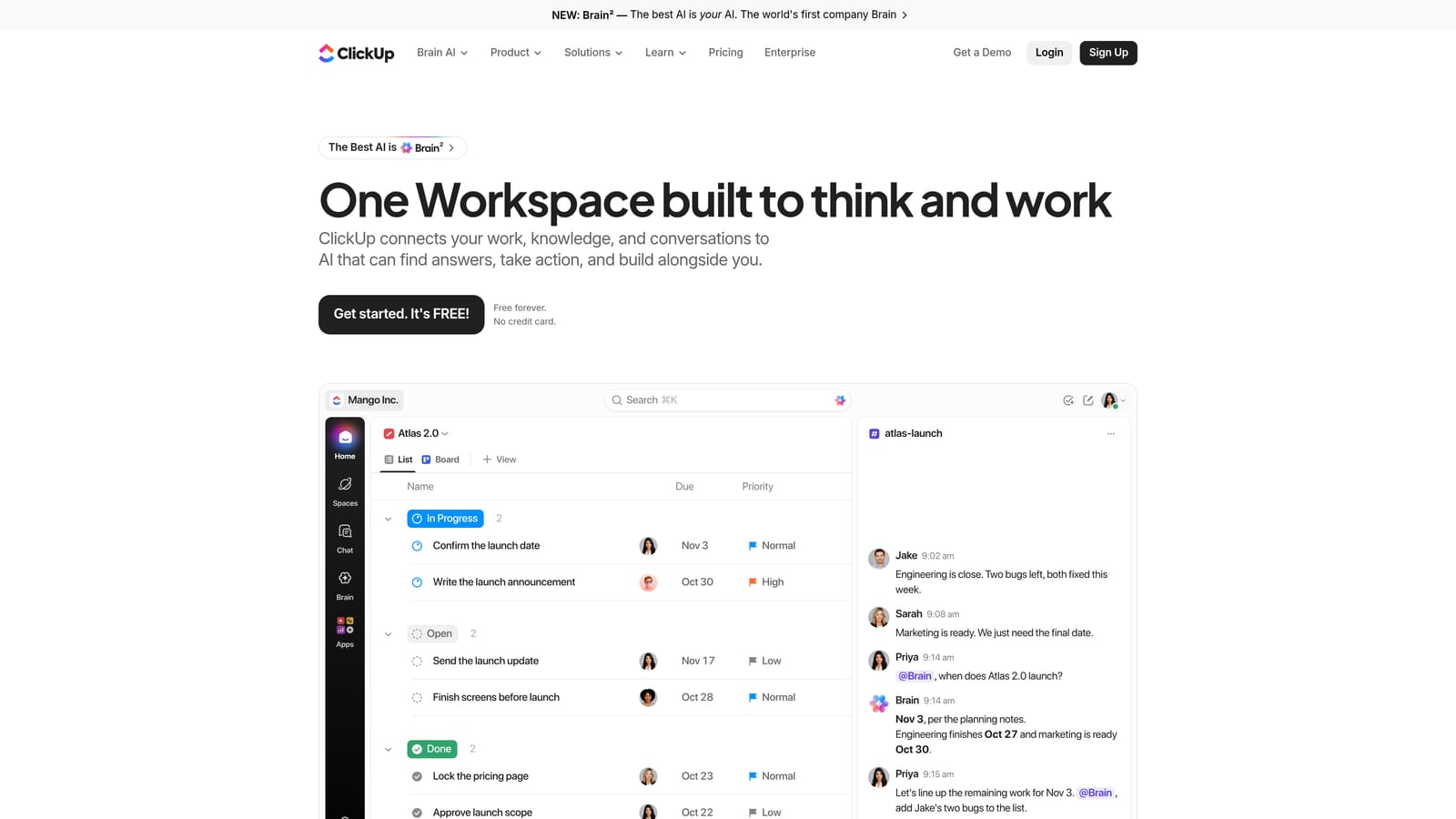
That makes it a good fit when you bill by time or need to see which clients eat the most hours.
- Task management covers assignments, due dates, and statuses for each client's routine work.
- Docs and an SOP wiki keep per-client processes written down where the team can find them.
- Built-in time tracking ties hours to tasks, which helps with billing and profitability checks.
- Custom dashboards give managers an at-a-glance view of workload and progress.
- Automations handle repetitive admin, such as status changes, without manual updates.
It integrates with Slack, Google Drive, GitHub, and Zapier. Setup takes more thought than a simpler tool, because you need to decide how to structure spaces, folders, and lists. Someone, often an operations lead or account director, should own that structure.
The trade-off is that the large feature set can overwhelm solo advertisers who just need a checklist. Like Asana, it has no link to ad account data, so it tracks the work and doesn't do it.
There's a free tier and paid plans; see the website for current pricing, which depends on plan level and number of users.
Best for: Agencies tracking time and documenting processes per client.
8. Supermetrics
Supermetrics is a data connector. It pulls ad platform data, including Google Ads, into spreadsheets, dashboards, and data warehouses. If your reporting spans Google, Meta, and other channels, it consolidates them into one pipeline instead of several manual exports.

That's what sets it apart here: it's the plumbing for multi-platform reporting, not a reporting interface itself.
- The Google Ads connector brings campaign data into the tools your team already uses.
- Cross-platform data pulls let you put several ad platforms side by side.
- Scheduled refreshes keep reports current without someone re-running exports.
- Destinations like Google Sheets and Looker Studio fit existing reporting setups.
- Data warehouse transfers support larger teams that store data centrally.
It works with Google Sheets, Looker Studio, Excel, and BigQuery. Setup involves authorizing each platform and building the queries or reports in your destination tool. An analyst or whoever owns reporting typically runs it.
It's paid, and the cost can be hard to justify for small teams with simple reporting needs. If you only report on Google Ads, the free native Looker Studio connector may be enough. It also needs a destination tool, so it's an added layer rather than a standalone solution.
Pricing is tiered or quote-based, depending on the connectors and destinations you need; see the website for current details.
Best for: Multi-channel reporting across several ad platforms.
9. Adalysis
Adalysis is a PPC audit and monitoring platform with a focus on ad testing and account health. It scans accounts for issues and tells you what to look at, which is useful when you manage too many ad groups to inspect by hand.
Its distinct strength is prioritized ad testing recommendations drawn from your own account data, so you spend time on tests that matter rather than scanning every ad group.
- Ad testing analysis shows which ad variations are winning so you can pause losers and write new challengers.
- Account audits flag structural and performance problems across an account.
- Alerts notify you when something changes or breaks, so you don't find out at the monthly review.
- Quality issue detection surfaces problems like weak ads or ad groups that need attention.
- Reporting summarizes findings for internal use or client updates.
It integrates with Google Ads and Microsoft Advertising. Setup means connecting accounts and letting it analyze them, and a PPC manager usually works through the findings.
It's analysis-focused. Its suggestions still need your review and your hands to act on them, so it finds the work and doesn't finish it. It's also less useful if you don't run regular ad copy tests, or if your main bottleneck is search term cleanup or task tracking.
Pricing is tiered; see the website for current plans, which vary with account size and scope.
Best for: Teams running ongoing ad copy tests.
Building a Stack That Fits Your Workflow
No single tool here replaces the others, and automation doesn't remove the need to review what it does. Pick by the job that's costing you the most time right now, then add pieces as the gaps show up. Most teams end up with two or three.
- Solo advertiser doing daily search term cleanup: start with Keywordme for the search term work, add Google Ads Editor for bigger builds, and Looker Studio if clients want a dashboard. All of that stays inexpensive.
- Agency scaling many accounts: Optmyzr for standardized audits and automation, plus ClickUp or Asana to assign and track the routines. Keywordme can handle the hands-on search term reviews inside each account.
- Team needing client reporting: Looker Studio if you're mostly on Google, Supermetrics if you report across several ad platforms.
- Team needing task management: Asana for simple recurring checklists, ClickUp if you also want time tracking and SOP docs.
Technical teams can fill gaps with Google Ads Scripts, and teams testing ad copy heavily should consider Adalysis.
Optimize Google Ads Campaigns 10X Faster. Without Leaving Your Account. Keywordme lets you remove junk search terms, build high-intent keyword lists, and apply match types instantly, right inside Google Ads. No spreadsheets, no switching tabs, just quick, seamless optimization. Start your free 7-day trial (then just $12/month) and take your Google Ads game to the next level.
.svg)