
9 Best PPC Tools for Digital Agencies
The best PPC tools for digital agencies in 2026 cover multi-account management, keyword optimization, bid automation, and client reporting—helping agency teams eliminate wasted spend and scale campaigns more efficiently. This guide reviews nine tools selected specifically for real agency workflows, whether you're a solo freelancer or managing a full PPC team.


TL;DR: The best PPC tools for digital agencies in 2026 cover everything from in-interface keyword optimization and negative keyword management to reporting, bid automation, and competitor research. If you're managing multiple Google Ads accounts, the right stack saves hours every week and directly reduces wasted spend.
Running PPC for clients is a different beast than managing your own campaigns. You're juggling multiple accounts, reporting to stakeholders, chasing down wasted spend, and trying to scale what's working—all at the same time. The tools you use can make or break your efficiency.
This list covers the best PPC tools built for digital agencies and freelancers in 2026. Each one was selected based on how well it handles real agency workflows: multi-account management, keyword optimization, reporting, and bid strategy. Whether you're a solo freelancer or running a 20-person PPC team, there's something here for you.
1. Keywordme
Best for: In-interface Google Ads optimization without leaving the native UI
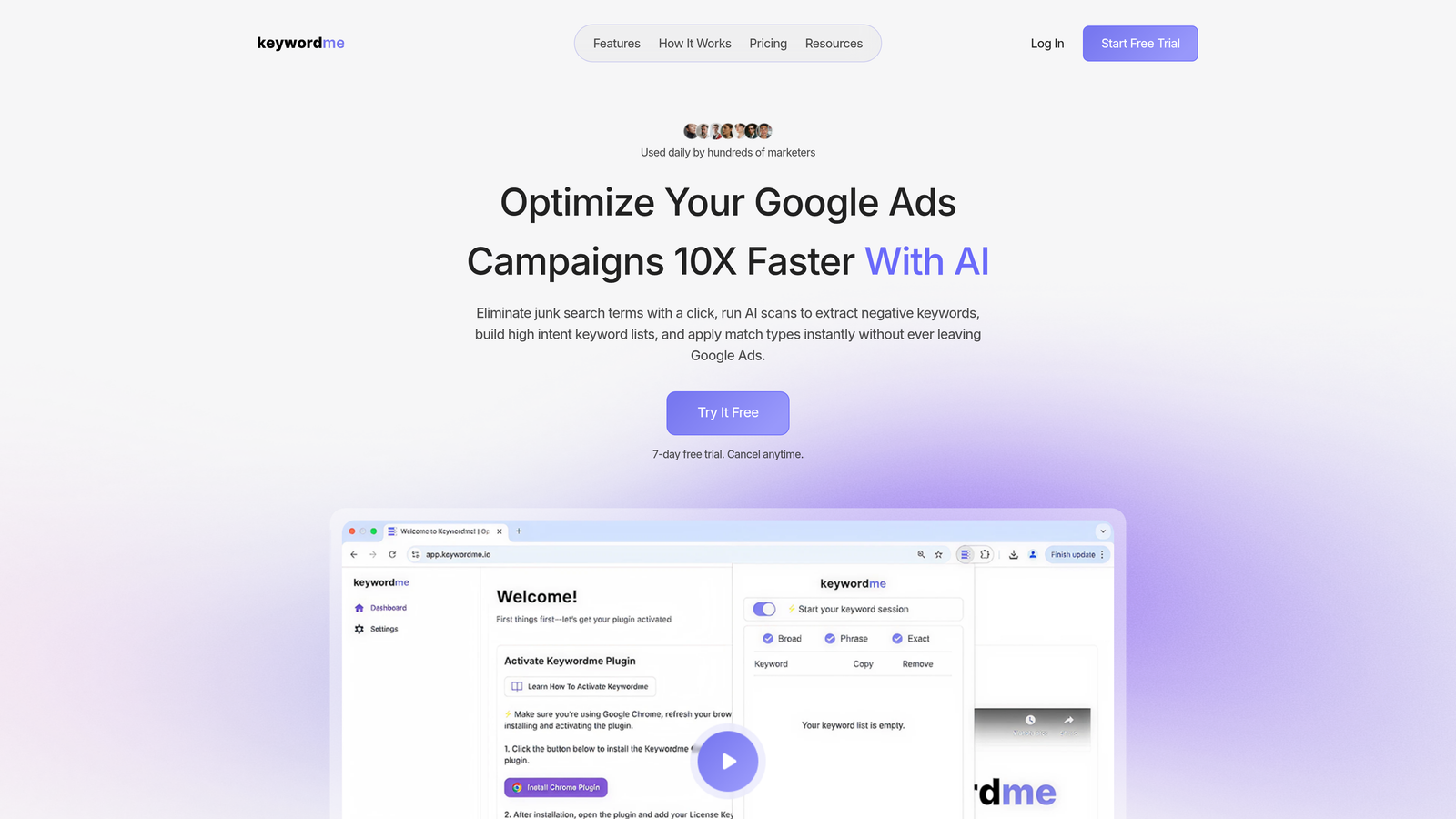
Keywordme is a Chrome extension that integrates directly into Google Ads' Search Terms Report, letting you remove junk keywords, add negatives, apply match types, and build keyword lists without ever leaving the Google Ads interface.
Where This Tool Shines
In most accounts I audit, the Search Terms Report is where the most obvious waste lives. Irrelevant queries eating budget, broad match terms pulling in garbage traffic, no negative list structure to speak of. The problem isn't that people don't know what to fix—it's that fixing it manually is slow and tedious enough that it gets skipped.
Keywordme solves that friction directly. Instead of exporting to a spreadsheet, analyzing, then re-importing, you're clicking to add negatives and apply match types right inside the report. For agencies reviewing search terms across multiple client accounts every week, that time saving compounds fast.
Key Features
One-Click Negative Keyword Addition: Flag and remove irrelevant search terms directly from the Search Terms Report without exporting anything.
Bulk Match Type Application: Apply exact, phrase, or broad match across multiple keywords at once, saving significant time on new campaign builds.
Keyword Clustering: Group high-intent keywords into logical clusters to speed up ad group structuring and list building.
Multi-Account and Team Support: Designed for agency workflows, with support for multiple accounts and team members working simultaneously.
Native Google Ads Integration: Works entirely inside the Google Ads interface—no dashboard switching, no CSV imports, no third-party logins required.
Best For
Keywordme is ideal for PPC managers and agency teams who spend significant time in the Search Terms Report each week. If you're managing five or more accounts and still doing negative keyword work in spreadsheets, this is the most direct fix for that workflow. Solo freelancers will also find the flat-rate pricing easy to justify.
Pricing
$12/month per user. A 7-day free trial is available with no commitment required—straightforward flat-rate pricing with no ad spend tiers.
2. Google Ads Editor
Best for: Offline bulk editing and large-scale campaign changes across multiple accounts
Google Ads Editor is Google's free desktop application for managing and editing Google Ads campaigns in bulk, offline.

Where This Tool Shines
Google Ads Editor is the baseline tool for almost every agency that manages Google Ads at scale. It's not flashy, but it's reliable and handles bulk changes that would take hours to make manually inside the web interface. Think restructuring campaigns, updating bids across hundreds of keywords, or duplicating ad groups with modifications.
The offline capability is genuinely useful. You can make changes on a flight, review everything before pushing, and undo mistakes before they go live. That review-before-publish workflow is something the native Google Ads interface doesn't give you cleanly.
Key Features
Offline Bulk Editing: Make large-scale changes to campaigns, ad groups, keywords, and ads without an internet connection, then sync when ready.
Multi-Account Management: Switch between client accounts from a single interface without logging in and out repeatedly.
Find-and-Replace: Update ad copy, URLs, or keyword text across an entire account in seconds using find-and-replace functionality.
CSV Import/Export: Move data in and out via spreadsheet for teams that prefer working in Excel or Google Sheets before making changes.
Free Access: Available to any Google Ads account at no cost—no subscription, no tiers.
Best For
Any agency doing bulk campaign builds, restructures, or large-scale keyword additions. It's also the go-to tool when onboarding a new client and rebuilding their account structure from scratch. If you're not using it already, you should be.
Pricing
Free. Available to all Google Ads users with no ad spend requirements or subscription fees.
3. Optmyzr
Best for: Rule-based PPC automation and one-click optimizations at scale
Optmyzr is a PPC management platform with rule-based automation, one-click optimizations, and customizable reporting built specifically for agencies managing multiple accounts.

Where This Tool Shines
The mistake most agencies make with automation is trying to use Google's native smart bidding for everything and then losing visibility into why performance changes. Optmyzr gives you rule-based control—you define the logic, and the platform executes it consistently. That's a much more defensible position when a client asks why bids changed.
The one-click optimization suggestions are also worth mentioning. Optmyzr surfaces common PPC tasks—like adding negatives, adjusting bids, or pausing underperformers—and lets you approve or reject them with a single click. It's a middle ground between full automation and fully manual management.
Key Features
Rule Engine: Build custom automation rules for bid adjustments, budget pacing, and keyword management based on your own performance thresholds.
One-Click Optimizations: Review and apply common PPC recommendations without manually digging through account data.
Campaign Automator: Create and scale campaigns programmatically, useful for large product catalogs or location-based campaigns.
PPC Investigator: Diagnose performance drops by breaking down changes in spend, clicks, and conversions by contributing factor.
Multi-Account Reporting: Build client-facing dashboards and cross-account performance summaries from a single interface.
Best For
Mid-to-large agencies that want structured automation without fully handing over control to Google's black-box smart bidding. Also strong for teams that need consistent optimization processes across many accounts simultaneously.
Pricing
Tiered pricing based on ad spend managed. Plans start around $208/month. A free trial is typically available for new accounts.
4. SEMrush Advertising Toolkit
Best for: Competitor ad research, keyword gap analysis, and CPC intelligence
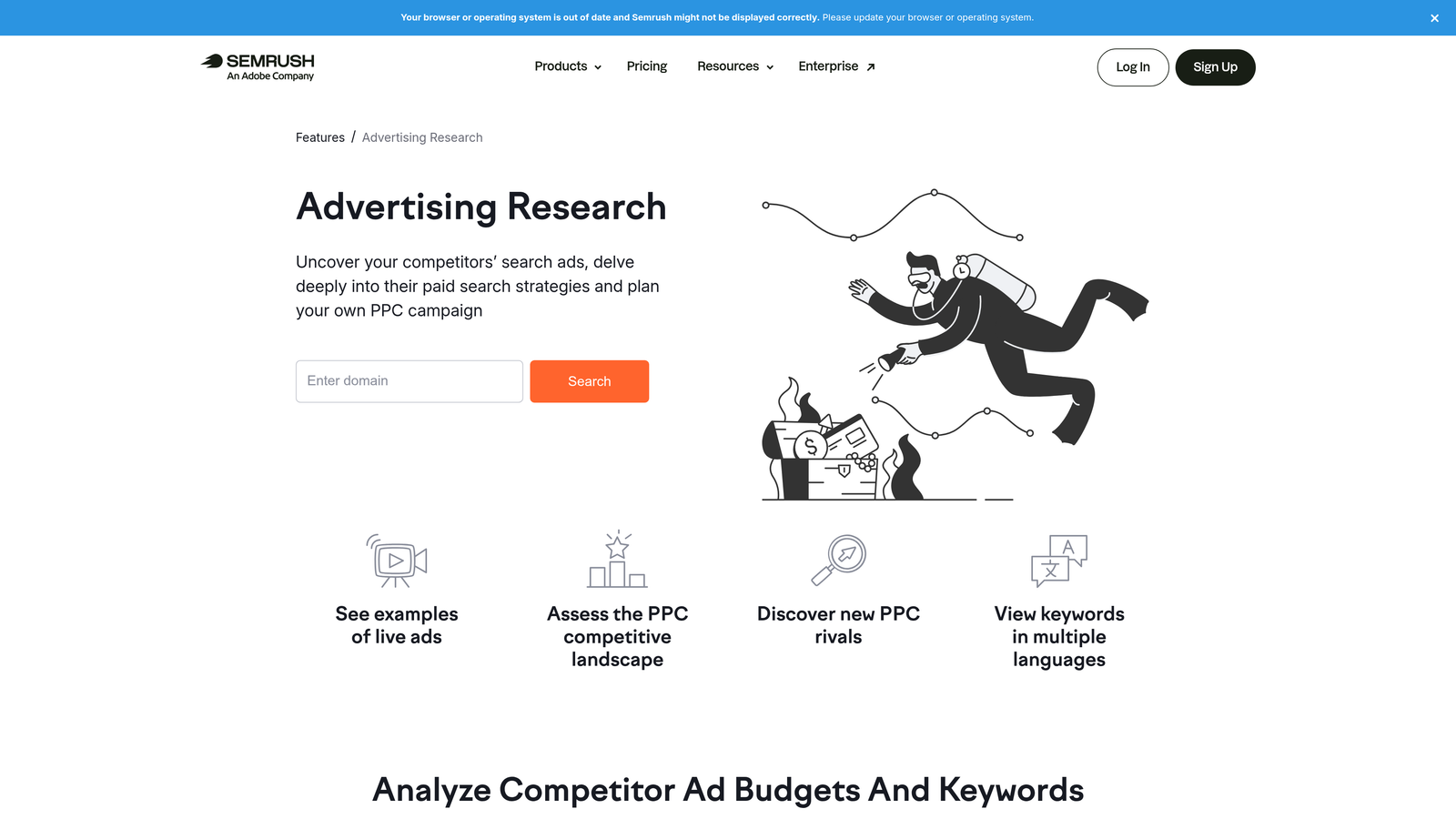
SEMrush's Advertising Toolkit provides competitor ad intelligence, keyword gap analysis, and CPC data for building and refining PPC strategy before you spend a dollar.
Where This Tool Shines
When you're launching a new client campaign, you're essentially guessing at keyword strategy unless you have competitive data. SEMrush removes a lot of that guesswork. You can see which keywords competitors are bidding on, what their ad copy looks like over time, and where there are gaps you can exploit.
The integration with SEMrush's broader SEO and content tools is also useful for agencies that do both paid and organic. You can cross-reference paid and organic keyword performance in one platform rather than jumping between tools.
Key Features
Competitor Ad Copy History: View historical ad copy and landing pages for any domain, useful for understanding what's working in your client's competitive landscape.
Paid Keyword Gap Analysis: Identify keywords competitors are buying that your client isn't targeting yet.
CPC Estimates and Traffic Volume: Get realistic cost and volume benchmarks before building out keyword lists.
Display Advertising Research: Analyze competitor display ad creative and placements alongside search data.
Broader Platform Integration: Combines PPC research with SEO, content, and social data for agencies offering full-service digital marketing.
Best For
Agencies that pitch new clients frequently and need competitive data to back up strategy recommendations. Also strong for teams managing campaigns in competitive verticals where knowing what competitors are doing is a genuine edge.
Pricing
Included in the SEMrush Pro plan, starting at $139.95/month. Higher tiers unlock more data and users.
5. SpyFu
Best for: Deep historical competitor PPC data on a budget
SpyFu is a competitive intelligence tool focused on PPC and SEO, offering years of historical data on competitor keywords, ad copy variations, and estimated spend.

Where This Tool Shines
SpyFu's real advantage is depth of historical data at a price point that doesn't require a large budget. If you want to see what a competitor was bidding on three years ago, or track how their ad copy has evolved over time, SpyFu often has that data when other tools don't.
The Kombat tool is a particular standout for agency strategy work. It lets you visualize three-way keyword overlap between your client and two competitors, making it easy to identify where to attack and where competitors have already saturated the market.
Key Features
Historical Competitor PPC Data: Access years of competitor keyword and ad data, not just a current snapshot.
Ad Copy Variation History: See every ad copy variation a competitor has run for any domain, helping identify what messaging has stuck.
Most Profitable Keywords: SpyFu estimates which keywords drive the most value for competitors based on click and spend data.
Kombat Tool: Three-way keyword overlap analysis between any combination of domains for competitive gap mapping.
Affordable Entry Point: Significantly cheaper than enterprise research platforms, making it accessible for smaller agencies and freelancers.
Best For
Freelancers and smaller agencies that need solid competitor research without the enterprise price tag. Also a good complement to SEMrush if you want deeper historical PPC data specifically.
Pricing
Starts at $39/month for the Basic plan. Good value relative to the depth of PPC competitive data available.
6. WordStream Advisor
Best for: Quick account audits and guided weekly optimization suggestions
WordStream Advisor is a PPC management platform offering guided optimization suggestions, account grading, and workflow tools designed to help agencies move faster on routine optimization tasks.

Where This Tool Shines
The free Google Ads Performance Grader is genuinely useful for new client pitches and account audits. It gives you a structured breakdown of account health across quality score, wasted spend, click-through rate, and other key metrics—something you can hand to a client or use internally to prioritize what to fix first.
The weekly optimization suggestions inside the paid platform are designed to reduce the cognitive load of knowing where to start each week. For agencies managing a high volume of smaller accounts, having a guided workflow rather than a blank canvas can meaningfully speed up routine maintenance.
Key Features
Free Google Ads Performance Grader: Audit any Google Ads account in minutes and get a structured report on key performance areas—no subscription required.
Weekly Optimization Suggestions: The platform surfaces prioritized recommendations based on account data, reducing time spent deciding what to work on.
Smart Ads Creator: Generate responsive search ad copy suggestions based on landing page content and keyword themes.
Cross-Platform Management: Manage both Google Ads and Microsoft Ads from a single interface.
Client-Level Reporting: Organize accounts by client and generate performance summaries for stakeholder reporting.
Best For
Agencies that frequently onboard new clients and need a fast way to audit account health. Also useful for teams managing a high volume of smaller accounts where guided workflows reduce per-account management time.
Pricing
Custom pricing based on ad spend managed. The Google Ads Performance Grader is available for free with no account required.
7. Supermetrics
Best for: Pulling PPC data into reporting tools like Looker Studio, Google Sheets, and BigQuery
Supermetrics is a data connector platform that pulls PPC and marketing data from over 100 sources into the reporting and analytics tools your team already uses.
Where This Tool Shines
What usually happens here is that agencies build their reporting workflows in Google Sheets or Looker Studio because that's where clients are comfortable reviewing data. The problem is keeping those reports updated manually is a full-time job. Supermetrics automates the data pipeline so your dashboards stay current without anyone pulling exports.
The flexibility of destination is also a genuine advantage. Whether your team lives in Google Sheets, prefers Looker Studio for visual dashboards, or needs BigQuery for more complex data work, Supermetrics connects to all of them. That makes it adaptable as agencies grow and reporting needs get more sophisticated.
Key Features
100+ Source Connections: Pull data from Google Ads, Facebook Ads, LinkedIn Ads, and dozens of other platforms into a single reporting destination.
Automated Data Refresh: Schedule automatic data pulls so client dashboards update daily or hourly without manual intervention.
Pre-Built Report Templates: Start with agency-ready templates for common reporting use cases rather than building from scratch.
Multiple Destination Support: Works with Google Sheets, Looker Studio, Excel, BigQuery, and other popular data destinations.
Scheduled Email Delivery: Send automated report snapshots directly to clients or stakeholders on a set schedule.
Best For
Agencies that manage reporting across multiple platforms and need automated, always-current client dashboards. Particularly strong for teams that have already standardized on Google Sheets or Looker Studio for client reporting.
Pricing
Starts at $29/month per connector destination. Costs scale based on the number of data source and destination combinations you need.
8. Adalysis
Best for: Automated ad testing, quality score monitoring, and account health alerts
Adalysis is a Google Ads and Microsoft Ads management platform with a strong focus on systematic ad testing, quality score tracking, and proactive account health monitoring.
Where This Tool Shines
Most agencies I've seen treat ad testing as something they'll get to eventually. Adalysis makes it hard to ignore because it automates the testing framework and tells you when results are statistically significant—so you're not making decisions based on noise. That discipline around testing is something most accounts genuinely lack.
The account health monitoring is also worth calling out. Getting an alert when a campaign goes over budget, when ads get disapproved, or when conversion tracking breaks is the kind of early warning system that prevents the embarrassing client calls. Proactive beats reactive every time.
Key Features
Automated A/B Ad Testing: Run structured ad tests with statistical significance tracking so you know when to call a winner and move on.
Quality Score Monitoring: Track quality score changes over time at the keyword level, with historical data to identify trends and diagnose drops.
Account Health Alerts: Get notified about budget overruns, ad disapprovals, conversion tracking issues, and other anomalies before they become problems.
Bulk Ad Creation and Management: Build and update ads at scale across multiple ad groups and campaigns without repetitive manual work.
Multi-Account Agency Support: Manage and monitor multiple client accounts from a centralized agency view.
Best For
Agencies that take ad testing seriously and want a systematic framework for running and analyzing experiments. Also strong for teams managing accounts where quality score and ad approval issues are recurring headaches.
Pricing
Starts at $99/month for up to 5 accounts. Higher tiers available for agencies managing larger client portfolios.
9. AgencyAnalytics
Best for: White-label client reporting across PPC, SEO, and social in branded dashboards
AgencyAnalytics is a white-label reporting platform built specifically for digital agencies, combining PPC, SEO, social, and email data in fully branded client dashboards.
Where This Tool Shines
Client reporting is one of those tasks that feels like it should take 20 minutes but somehow eats half a day. AgencyAnalytics is designed to fix that. You build the dashboard once, connect the data sources, and the platform handles the rest—including scheduled delivery to clients who want to check in without emailing you every week.
The white-label capability is a genuine differentiator for agencies that want to present a polished, branded experience. Clients see your agency's name and logo, not a third-party tool. That's a small thing that adds up to a more professional client relationship.
Key Features
White-Label Dashboards: Fully branded dashboards with your agency logo, colors, and custom domain—clients see your brand, not AgencyAnalytics.
Automated Scheduled Reports: Set up monthly or weekly report delivery so clients receive updates automatically without any manual work from your team.
80+ Integrations: Connect Google Ads, Facebook Ads, Google Analytics, SEO tools, and dozens of other platforms into a single client dashboard.
Drag-and-Drop Dashboard Builder: Customize dashboards by client without needing technical knowledge—add, remove, and rearrange widgets as needed.
Client Portal Access: Give clients their own login to check performance in real time, reducing ad hoc reporting requests.
Best For
Agencies of any size that want to professionalize their client reporting without building custom dashboards from scratch. Especially valuable for teams managing 10 or more clients where manual reporting is simply not scalable.
Pricing
Starts at $12/month per campaign (client account). Agency plans with volume discounts are available for larger client rosters.
Which Tool Is Right for Your Agency?
Most agencies end up running three to four tools from this list depending on their size, service offering, and client mix. You don't need all nine—you need the right combination for where your workflow actually breaks down.
Here's a quick breakdown by use case to help you prioritize:
Best for in-interface Google Ads optimization: Keywordme. If your team is still exporting search terms to spreadsheets, this is the most direct fix.
Best free tool: Google Ads Editor. No agency should be without it. It's the baseline for bulk changes and campaign restructures.
Best for automation and rules: Optmyzr. Strong choice for agencies that want structured automation without handing full control to Google's smart bidding.
Best for competitor research: SEMrush if you need a full-platform solution; SpyFu if you want deep PPC-specific historical data at a lower price point.
Best for client reporting: AgencyAnalytics for white-label dashboards; Supermetrics if your team already lives in Looker Studio or Google Sheets.
Best for ad testing and account health: Adalysis. Particularly valuable for agencies where systematic testing and proactive monitoring are priorities.
A solid baseline stack for most digital agencies looks something like this: Keywordme for in-interface optimization, Google Ads Editor for bulk changes, Supermetrics or AgencyAnalytics for reporting, and either SEMrush or SpyFu for competitive research before launches.
The goal isn't to use every tool—it's to eliminate the tasks that eat your time without moving the needle. Start with whatever part of your workflow feels most manual or error-prone, and build from there.
If search term review and negative keyword management are where you lose the most time, that's the obvious starting point. Start your free 7-day trial of Keywordme and see how much faster your weekly optimization workflow gets when you're not switching between tabs and spreadsheets to do it.
.svg)