
8 Best PPC Tools with Team Collaboration Features in 2026
Managing Google Ads as a team creates real friction — misaligned keywords, out-of-sync lists, and tasks lost between tools. This guide reviews eight PPC tools with team collaboration features, covering multi-user access, shared workflows, and role-based permissions to help agencies and marketing teams run tighter, more efficient paid search campaigns.


If you're managing Google Ads as part of a team, you've probably felt the friction. Someone adds a keyword, someone else doesn't know about it. Negative keyword lists fall out of sync. Tasks disappear between spreadsheets and Slack threads. The result is wasted budget and duplicated effort that's hard to trace until the damage is done.
The right PPC tool with team collaboration features keeps everyone working from the same data, speeds up approvals, and reduces the kind of miscommunication that quietly drains campaigns. But "collaboration" means different things depending on the tool: some focus on shared reporting, others on active campaign optimization, and a few on both.
This list covers eight tools built for teams managing paid search. We've focused on tools that offer genuine collaboration features: multi-user access, shared workflows, role-based permissions, or multi-account management. Whether you're running a small agency or a larger marketing team, here's how to find the right fit.
1. Keywordme
Best for: Agency teams and solo advertisers who want fast, in-interface Google Ads optimization without leaving the native UI.
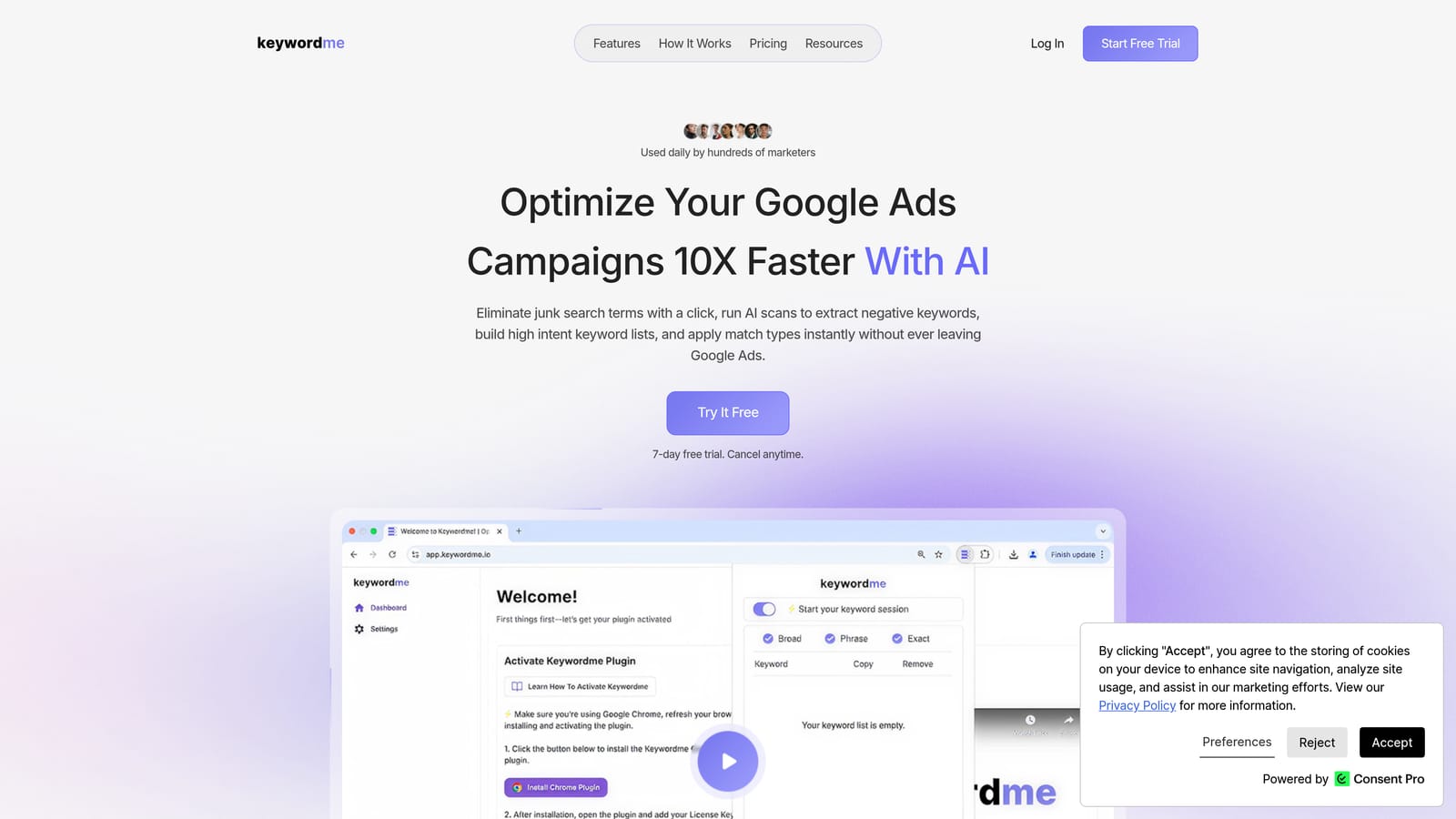
Keywordme is a Chrome extension that lets Google Ads teams optimize search terms, build negative keyword lists, apply match types, and cluster keywords directly inside the Google Ads interface.
Where This Tool Shines
Most PPC tools pull you out of Google Ads and into a separate dashboard. Keywordme works the other way around. It lives inside the Search Terms Report, so your team is acting on real search term data without any context-switching. That's a meaningful difference when you're managing multiple accounts and need to move fast.
The per-user seat model also makes it practical for agencies. Each team member gets their own access at a flat rate, and multi-account support means one login covers multiple client accounts. If manual negative keyword management is already slowing your team down, Keywordme is built specifically to solve that problem. You can read more about why manual negative keyword management doesn't scale and how a tool like this addresses it directly.
Key Features
One-Click Negative Keyword Addition: Remove junk search terms and add negative keywords directly from the Search Terms Report without exporting to a spreadsheet. Understanding why negative keywords matter is the first step; Keywordme makes acting on them fast.
Match Type Application: Apply broad, phrase, or exact match types to keywords instantly without leaving Google Ads.
Keyword Clustering: Group related keywords into clusters for faster list building and campaign structure. This is especially useful for teams building out new ad groups at scale. See more on why keyword clustering is worth adding to your workflow.
Bulk Editing: Handle multiple keywords and search terms in a single action rather than one at a time.
Multi-Account Support: Manage multiple client accounts without needing separate logins or dashboards.
Best For
Agencies managing multiple Google Ads accounts who want to speed up search term review and negative keyword workflows. Also a strong fit for freelancers and in-house PPC managers who want to cut the time spent on repetitive optimization tasks without adopting a full platform.
Pricing
$12/month per user. A 7-day free trial is available with no commitment required.
2. Optmyzr
Best for: PPC teams that want rule-based automation, shared dashboards, and one-click optimization across multiple accounts.
Optmyzr is a well-established PPC management platform offering automation, optimization suggestions, and multi-user team access across Google Ads, Microsoft Ads, and other channels.

Where This Tool Shines
Optmyzr is built around the idea of making optimization repeatable. Its rule-based automation lets teams set up bid adjustments, budget rules, and keyword actions that run on a schedule, reducing the manual review load across accounts. One-click optimization suggestions surface recommendations that team members can act on quickly without digging through raw data.
For agencies, the shared dashboards and client reporting tools make it easier to keep internal teams and external clients on the same page. Team alerts notify the right people when something needs attention, which is a practical collaboration feature for distributed teams.
Key Features
Rule-Based Automation: Set custom rules for bids, budgets, and keywords that run automatically based on performance conditions.
One-Click Optimizations: Surface and act on optimization suggestions across accounts without manual analysis.
Multi-User Team Access: Shared dashboards and account access for team members with different roles.
Client Reporting: White-label reporting options for agencies presenting results to clients.
Cross-Platform Support: Covers Google Ads, Microsoft Ads, and additional ad platforms from one interface.
Best For
Mid-size to large agencies that want automation and structured team workflows across multiple accounts. Particularly useful for teams that have outgrown manual optimization but aren't ready for enterprise-level pricing.
Pricing
Multiple tiers available. Visit optmyzr.com for current pricing details.
3. WordStream (LocaliQ)
Best for: Small-to-mid agency teams that want guided optimization workflows and structured weekly routines.
WordStream, now part of LocaliQ, is a guided PPC management platform known for its structured 20-Minute Work Week workflow and multi-user account access.

Where This Tool Shines
WordStream's core value proposition is structure. The 20-Minute Work Week is a guided workflow that walks team members through the most important optimization tasks in a prioritized order. For teams with less experienced PPC practitioners, that kind of scaffolding reduces errors and keeps accounts from drifting.
The Performance Grader gives teams a quick snapshot of account health, which is useful for both internal reviews and client conversations. If you're evaluating WordStream against a more focused in-interface tool, this comparison of WordStream alternatives for Google Ads covers the key trade-offs worth considering.
Key Features
20-Minute Work Week: A structured weekly optimization workflow that guides users through prioritized account tasks.
Performance Grader: Quick account health assessment that identifies areas needing attention.
Multi-User Account Access: Team members can access shared accounts with role-appropriate permissions.
Keyword and Negative Keyword Tools: Research and management tools for building and refining keyword lists.
Reporting Dashboards: Team and client-facing dashboards for visibility into campaign performance.
Best For
Small agencies and in-house teams that want a guided, structured approach to PPC management. Works well when team members have varying levels of Google Ads experience and benefit from a defined workflow.
Pricing
Visit wordstream.com for current pricing plans.
4. Google Ads Manager Accounts (MCC)
Best for: Any agency or team that needs free, native multi-account management with built-in user permission controls.
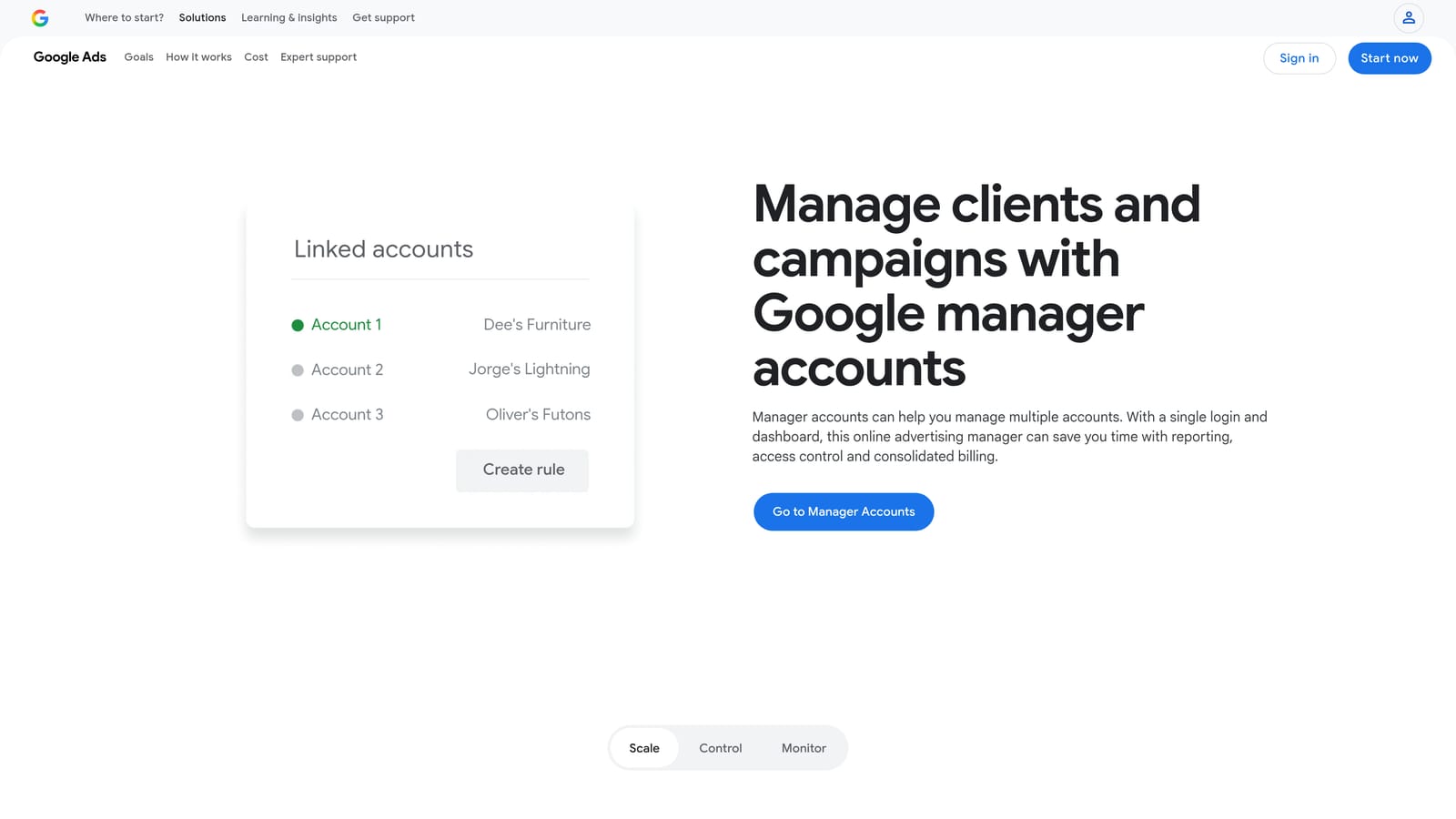
Google Ads Manager Accounts (commonly called MCC, for My Client Center) is Google's free native solution for managing multiple Google Ads accounts under a single login with granular user roles.
Where This Tool Shines
MCC isn't an optimization tool in the traditional sense. It's the account management infrastructure that most agency teams should already be using. The value is in the built-in user permissions: admins can grant team members standard or read-only access at either the manager account level or individual account level, without sharing login credentials.
Because it's native to Google Ads, there's no integration overhead and no added cost. For teams just starting to formalize their collaboration setup, MCC is the logical first step before layering in optimization tools on top.
Key Features
Centralized Account Management: Manage multiple client accounts from one login without switching between separate credentials.
Granular User Roles: Assign admin, standard, or read-only access at the manager or individual account level.
Free Access: No additional cost beyond your existing Google Ads spend.
Native Google Ads Integration: Full access to all Google Ads features without any third-party sync required.
Consolidated Reporting: View performance data across linked accounts from a single dashboard.
Best For
Any agency or team managing more than one Google Ads account. MCC is a baseline requirement for organized multi-account management, not a replacement for optimization tools. Most teams use it alongside tools like Keywordme or Optmyzr.
Pricing
Free. No subscription or additional fees beyond standard Google Ads spend.
5. Skai
Best for: Enterprise teams managing paid search alongside social, retail media, and other channels at scale.
Skai (formerly Kenshoo) is an enterprise omnichannel advertising platform covering Google, Microsoft, Amazon, and social channels, with team workflows, budget pacing, and advanced cross-channel reporting.
Where This Tool Shines
Skai is built for the complexity that comes with enterprise-level advertising. When a team is managing significant budgets across search, social, and retail media simultaneously, having one platform with shared team workflows and approval processes reduces the coordination overhead that otherwise falls to email and meetings.
The budget pacing and forecasting tools are particularly relevant for large teams where budget management is a shared responsibility across account managers, strategists, and finance stakeholders. Enterprise-grade access controls mean different team members see only what they need to.
Key Features
Cross-Channel Campaign Management: Manage search, social, and retail media campaigns from a single platform.
Team Workflows with Approval Processes: Structured workflows that require sign-off before changes go live, useful for teams with compliance or client approval requirements.
Budget Pacing and Forecasting: Tools for monitoring spend velocity and projecting performance against targets.
Advanced Reporting and Attribution: Cross-channel attribution and reporting for teams that need to reconcile performance across platforms.
Enterprise Access Controls: Role-based permissions and user management designed for large teams.
Best For
Large agencies and enterprise in-house teams managing significant budgets across multiple ad channels. The pricing and complexity make it less practical for smaller teams or those focused exclusively on Google Ads.
Pricing
Contact Skai directly for enterprise pricing. Visit skai.io for more information.
6. Adalysis
Best for: Data-driven teams that want systematic account audits, structured ad testing, and collaborative review workflows.
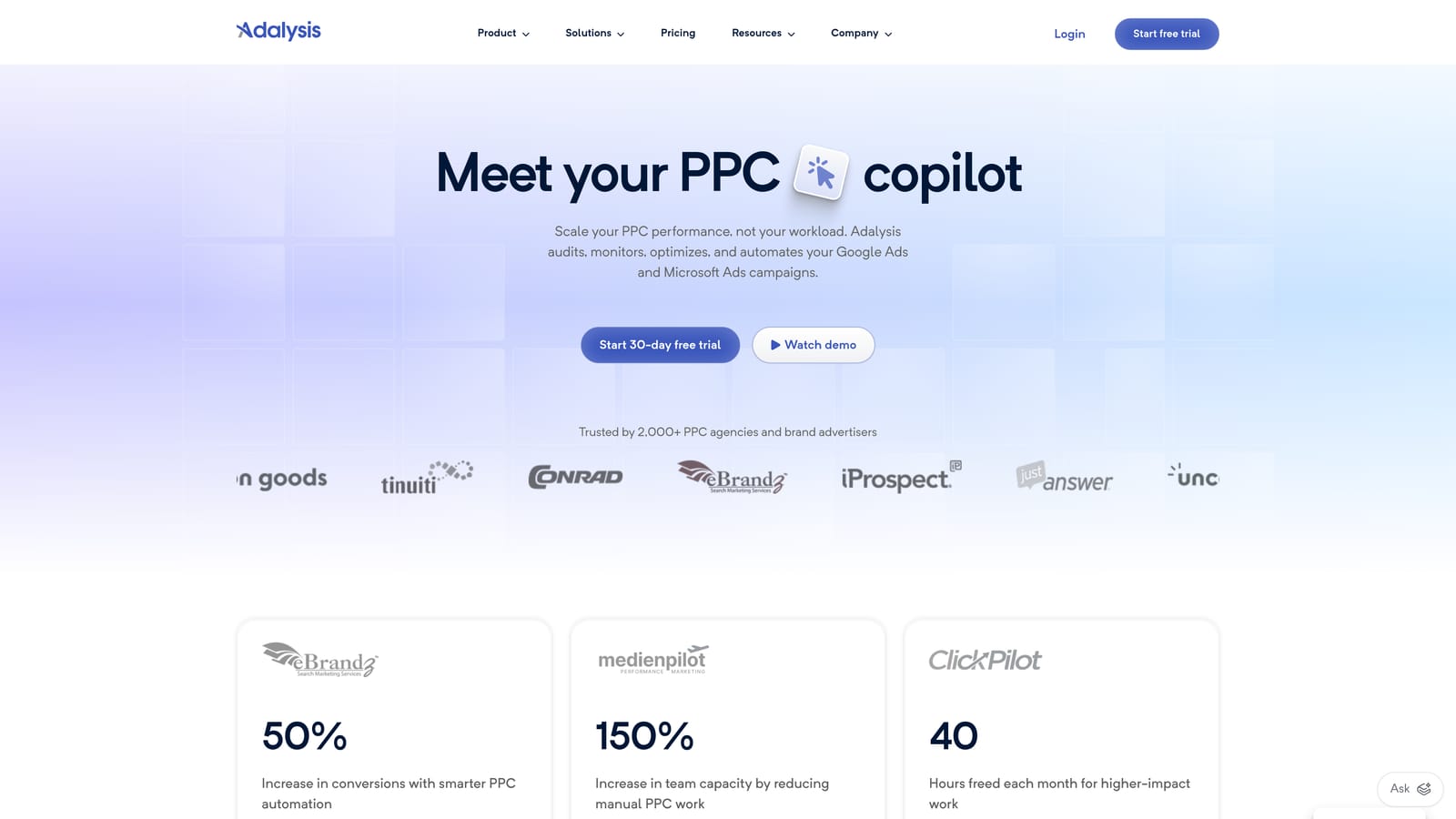
Adalysis is a Google Ads optimization and testing platform with automated account audits, a structured A/B ad testing framework, and multi-user access for team-based account review.
Where This Tool Shines
Adalysis is a strong choice for teams that want to bring more rigor to their testing and audit processes. The automated account audits surface issues across campaigns with actionable recommendations, which gives team members a shared starting point for optimization discussions rather than each person running their own manual checks.
The A/B ad testing framework tracks statistical significance, so teams can make creative decisions based on data rather than gut feel. Negative keyword conflict detection is a useful feature for agencies managing large accounts where overlapping keyword lists can cause unintended competition between campaigns.
Key Features
Automated Account Audits: Systematic checks across campaigns with prioritized recommendations for the team to act on.
A/B Ad Testing Framework: Structured testing with statistical significance tracking for ad copy decisions.
Quality Score Monitoring: Track quality scores across campaigns to identify underperforming keywords.
Multi-User Access: Team members can access shared audits, test results, and task management within the platform.
Negative Keyword Conflict Detection: Identifies conflicts between negative keywords and positive keywords that could suppress ad delivery.
Best For
Teams that prioritize systematic testing and data-driven decision-making. Works well for agencies that want a structured audit process and for in-house teams managing large accounts with complex campaign structures.
Pricing
Multiple tiers available. Visit adalysis.com for current pricing.
7. AgencyAnalytics
Best for: Agencies that need white-label client reporting with separate staff and client login roles.
AgencyAnalytics is a reporting and dashboard platform built for agencies, with white-label client dashboards, automated report scheduling, and distinct staff and client user roles.
Where This Tool Shines
AgencyAnalytics is primarily a reporting tool, not a campaign optimization platform. That's worth stating clearly, because it means it fills a different role than most tools on this list. Its strength is in client communication: agencies can build branded dashboards that clients log into directly, with a view limited to the metrics relevant to them.
For internal teams, automated report scheduling removes the manual effort of producing weekly or monthly performance summaries. Integrations with Google Ads, Meta, and other platforms pull data into a single view, which is useful for agencies running multi-channel campaigns for clients.
Key Features
White-Label Client Dashboards: Branded dashboards that clients can access directly with their own login and a limited view of their account data.
Automated Scheduled Reporting: Set up weekly or monthly reports to deliver automatically without manual effort.
Separate Staff and Client Roles: Internal team members and clients have distinct access levels and views.
Multi-Platform Integrations: Pulls data from Google Ads, Meta, and other ad platforms into unified dashboards.
Goal Tracking and KPI Widgets: Customizable widgets for tracking client-specific KPIs and goals.
Best For
Agencies that spend significant time on client reporting and want to automate that process while giving clients self-serve visibility. Best used alongside an active optimization tool rather than as a standalone PPC management solution.
Pricing
Visit agencyanalytics.com for current plan pricing.
8. Semrush Advertising Toolkit
Best for: Teams that blend SEO and PPC research and want shared project workspaces for both disciplines.
Semrush's Advertising Toolkit is part of the broader Semrush platform, offering PPC keyword research, competitor ad analysis, and shared project workspaces for teams working across paid and organic search.
Where This Tool Shines
Semrush's collaboration advantage is rooted in its breadth. Teams that already use Semrush for SEO can extend the same shared workspaces and team seats to PPC research without adding another tool to the stack. Shared projects mean that keyword research, competitor analysis, and ad copy insights are accessible to everyone on the team from one place.
The competitor ad analysis is genuinely useful for teams building new campaigns or entering new markets. Seeing which keywords competitors are bidding on and reviewing their ad copy gives teams a faster starting point than building from scratch.
Key Features
PPC Keyword Research: Keyword data including CPC estimates and competition levels to inform bidding decisions.
Competitor Ad Analysis: Review competitor keywords, ad copy, and estimated spend to inform your own strategy.
Shared Project Workspaces: Team members collaborate within shared projects that store research, lists, and notes in one place.
Multi-User Team Seats: Team access is included across Semrush plans, with seat counts varying by tier.
Integrated SEO and PPC Data: Organic and paid data in one platform, useful for teams where SEO and PPC strategy overlap.
Best For
Cross-functional teams where SEO and PPC practitioners collaborate on strategy. Also a good fit for teams that want competitive intelligence built into their research workflow without a separate tool.
Pricing
Included in Semrush plans. Visit semrush.com for current plan pricing and seat limits.
Choosing the Right Tool for Your Team
No single tool does everything, and the best setups often combine two tools with complementary roles. Here's a quick way to think about which tools fit which situations.
If your team's biggest friction point is search term review and negative keyword management inside Google Ads, Keywordme addresses that directly. It's built for the workflow that happens inside the Search Terms Report, and the per-user pricing keeps it accessible for agencies of most sizes. You can start your free 7-day trial and see how much faster that workflow becomes.
If you need rule-based automation and shared dashboards across a large account portfolio, Optmyzr or Adalysis are worth evaluating depending on whether automation or testing rigor is your priority.
If client reporting is consuming too much of your team's time, AgencyAnalytics solves that specific problem well without trying to be an optimization platform.
If you're managing multiple Google Ads accounts and haven't set up a Manager Account yet, that's the free starting point every agency team should have in place before adding any paid tool.
For teams that blend SEO and PPC research, Semrush's shared workspaces reduce tool sprawl. For enterprise teams managing budgets across multiple channels, Skai is built for that scale.
The right combination depends on where your team is losing time. Start there, pick the tool that addresses that specific friction, and add layers as your workflow matures. If search term optimization is on your list, start your free 7-day trial of Keywordme and run it directly inside Google Ads. No spreadsheets, no tab-switching, just faster optimization right where you're already working.
.svg)