
PPC Specialist Role: Duties, Skills and Day-to-Day Work
PPC Specialist Role: Duties, Skills and Day-to-Day Work


You open your Google Ads dashboard on a Tuesday morning and notice your cost per lead doubled over the weekend. Nothing looks broken on the surface. Smart Bidding is active, broad match is pulling in fresh traffic, and Google's optimization score sits comfortably in the green. Yet when you click into the actual queries people typed, half your budget went to people hunting for free templates, competitor login pages, and DIY tutorials.
That gap between what ad platforms claim is working and what makes a business money is why the PPC specialist role still exists. Paid search has operated on action-based economics since Google launched AdWords on October 23, 2000, and shifted to pay-per-click pricing with AdWords Select in February 2002, tying ad rank to both bid price and click-through rate, according to Clarigital's history of Google Ads. Two decades later, the buttons have changed, and machine learning handles most of the bid math. Still, algorithms optimize for whatever signal you hand them, not for your profit margin.
A working PPC specialist is the person who checks whether automation is chasing the right goal. The job happens inside a repeatable weekly and monthly rhythm where you audit search terms, question platform numbers, fix landing-page friction, and steer spend back toward real buyers.
A Sample Week in a PPC Specialist's Account
Monday morning rarely starts with big strategic brainstorming. Usually, you log in, spot a sudden spike in weekend spend, and discover that an expanded broad-match campaign spent several hundred dollars on searches that have nothing to do with what the company sells. Catching that leak before it drains the monthly budget is the job in miniature.
Because paid search often sits inside a broader digital marketing role, most specialists split their week across campaign work, reporting, creative briefs, and client or leadership calls. Budget dictates the pace. A local service business spending a couple of thousand dollars a month might only need a thorough search-term sweep once a week, while an e-commerce account spending five figures a day needs someone watching spend pacing every single morning.
| Cadence | Core task | What the specialist checks |
|---|---|---|
| Daily | Check spend pacing against budget | Campaigns running well ahead of or behind plan |
| Daily | Review new search terms | Irrelevant queries eating into budget |
| Weekly | Adjust bids and budgets | Cost per conversion trends by campaign |
| Weekly | Review ad copy tests | Which headlines lift click-through rate |
| Monthly | Restructure ad groups | Keyword clusters that mix unrelated intent |
| Monthly | Build client or leadership report | Conversions, cost and revenue against goals |
| Quarterly | Audit tracking and landing pages | Broken conversion tags and slow pages |
Benchmarks help you sense when something is off, though they never tell the whole story on their own. For instance, Google Ads campaigns averaged a 6.42% click-through rate in 2024, according to Digital Silk's 2025 paid-search statistics compilation. If your non-brand search campaign sits way below that while impressions climb, your targeting is probably drifting into junk queries or your headlines don't match what people searched.
Walking Through One Illustrative Week
Say you're managing paid search for a small online shop spending about $6,000 a month. On Monday, your search terms report shows "free" and "how to" queries eating roughly 18% of recent spend with zero checkouts. You add phrase-level negative keywords to block those themes, leave the high-intent product terms untouched, and log the update in your account notes.
By Wednesday, you notice cost per conversion jumped on mobile devices while desktop stayed flat. Instead of slashing mobile bids right away, you test the checkout flow on your phone and find a slow-loading script stalling the product page. The actual fix is a page-speed ticket for the developer, not a bid tweak.
Weekly rhythm check: If you touch bids before you check search terms and page speed, you'll often throttle good traffic to compensate for a leak elsewhere.
Come Friday, cost per qualified order has settled back into range. You send the store owner a five-line email explaining what wasted money on Monday, what slowed mobile buyers on Wednesday, and what you expect to see next week. Look at your own monthly ad spend right now and decide which tasks in the table need a daily look versus a weekly slot on your calendar.
Core Skills That Separate Strong Specialists
Job descriptions love throwing twenty acronyms onto a page, yet real account performance usually boils down to six practical habits. Nobody starts out brilliant at all six. Most strong specialists are standout in two or three of these areas and reliably competent in the rest, so they don't let one blind spot sink an account.
| Skill | What it looks like in practice | Red flag |
|---|---|---|
| Keyword and intent research | Grouping queries by why someone searched | Ad groups mixing 'buy' and 'how to' queries |
| Ad copywriting | Writing headlines that echo the search wording | Generic copy that ignores the query |
| Landing-page sense | Spotting pages that slow or confuse visitors | Blaming the ad for a weak page |
| Data analysis | Reading cost per conversion by segment | Judging accounts by campaign averages |
| Bidding judgement | Knowing when smart bidding needs a nudge | Changing bids daily with no test plan |
| Client communication | Explaining a dip with plain numbers | Hiding results behind jargon |
Those skills work best when they overlap. Say you notice a "how to" search term generating steady clicks at a decent cost, yet almost nobody converts. Looking closer, you see the ad drops informational searchers straight onto a cold product grid instead of a buying guide or tutorial with a soft call to action. Asking the web team to build or swap the landing page before you touch bids takes landing-page sense and bidding judgement working together.
Agency Versus In-House Skill Mix
Where you work shifts which muscles you flex most. Specialists at digital agencies usually lean harder on data analysis and client communication. When you juggle eight accounts at once, you have to spot anomalies fast and translate a rough week into plain business terms for founders who don't care about impression share.
In-house specialists, on the other hand, go much deeper on landing-page sense and product nuance. Living inside one company lets you learn exact SKU margins, seasonal inventory snags, and why the sales team hates leads from certain industries. You spend less time formatting slide decks and more time collaborating with web developers and sales managers.
Try a quick self-check on your own work. Pick one skill from the table, pull up last month's account data, and see if you can explain one specific win or dip using plain numbers instead of platform buzzwords.
How the Google Ads Auction Decides Your Results
Every time someone types a query into Google, an auction runs in milliseconds. Most newcomers assume the highest bid wins the top spot, then get frustrated when they raise bids and still lose visibility to cheaper competitors. The process is stricter and more forgiving at the same time.
Google calculates Ad Rank in two separate stages for every eligible search, according to Google Ads Help on Ad Rank. First, the system checks whether your ad meets the minimum threshold to show at all. Second, it compares your Ad Rank against competing advertisers to decide your exact position on the page.
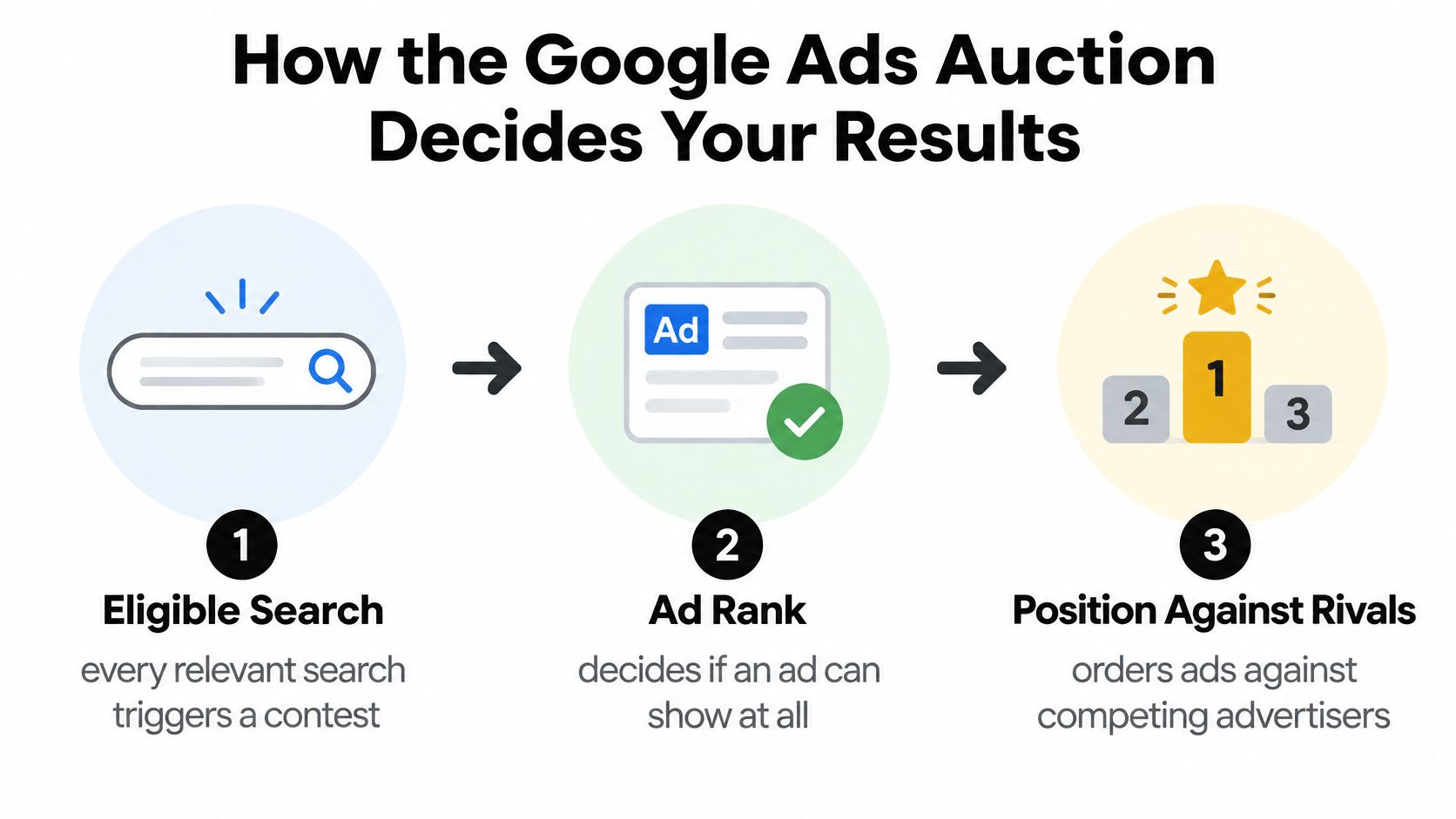
Your maximum bid is only one ingredient in that formula. At auction time, Google combines your bid with expected click-through rate, ad relevance, and landing-page experience, alongside search context like location, device, search intent, auction competition, and the expected impact of your ad assets. Because of those quality and context inputs, bid-only optimization is structurally incomplete. Tightening the match between a searcher's query, your ad copy, and the destination page can lift eligibility and ad position without forcing you to pay more per click.
A Segment-First Optimization Workflow
Instead of nudging campaign budgets up and hoping the algorithm figures it out, build a repeatable auction workflow around searcher intent:
- Segment search terms by intent. Separate ready-to-buy queries (like model numbers, pricing searches, or "near me" terms) from early research queries so they never compete inside the same ad group.
- Map each high-value intent to matched assets. Pair every core intent cluster with headlines that echo the searcher's phrasing and a landing page that answers their exact question above the fold.
- Evaluate performance by segment, not campaign averages. Check impression share, top-of-page rate, conversion rate, and cost per conversion at the intent-cluster level, because a strong branded or bottom-funnel segment can easily hide a bleeding generic ad group inside a campaign average.
Since the auction recalculates dynamically on every single query, chasing a static score misses the point. Focus your time on auction-time relevance and downstream profit, because those are the levers the system rewards over the long run.
How to Clean Up Search Terms and Add Negatives
Your keyword list tells Google what you want to bid on. The search terms report shows the actual searches that triggered your ads and which match type let each query through, as detailed in Google's guide to the search terms report. You use that report for two jobs: promoting winning phrases into your keyword list and blocking junk queries with negative keywords.
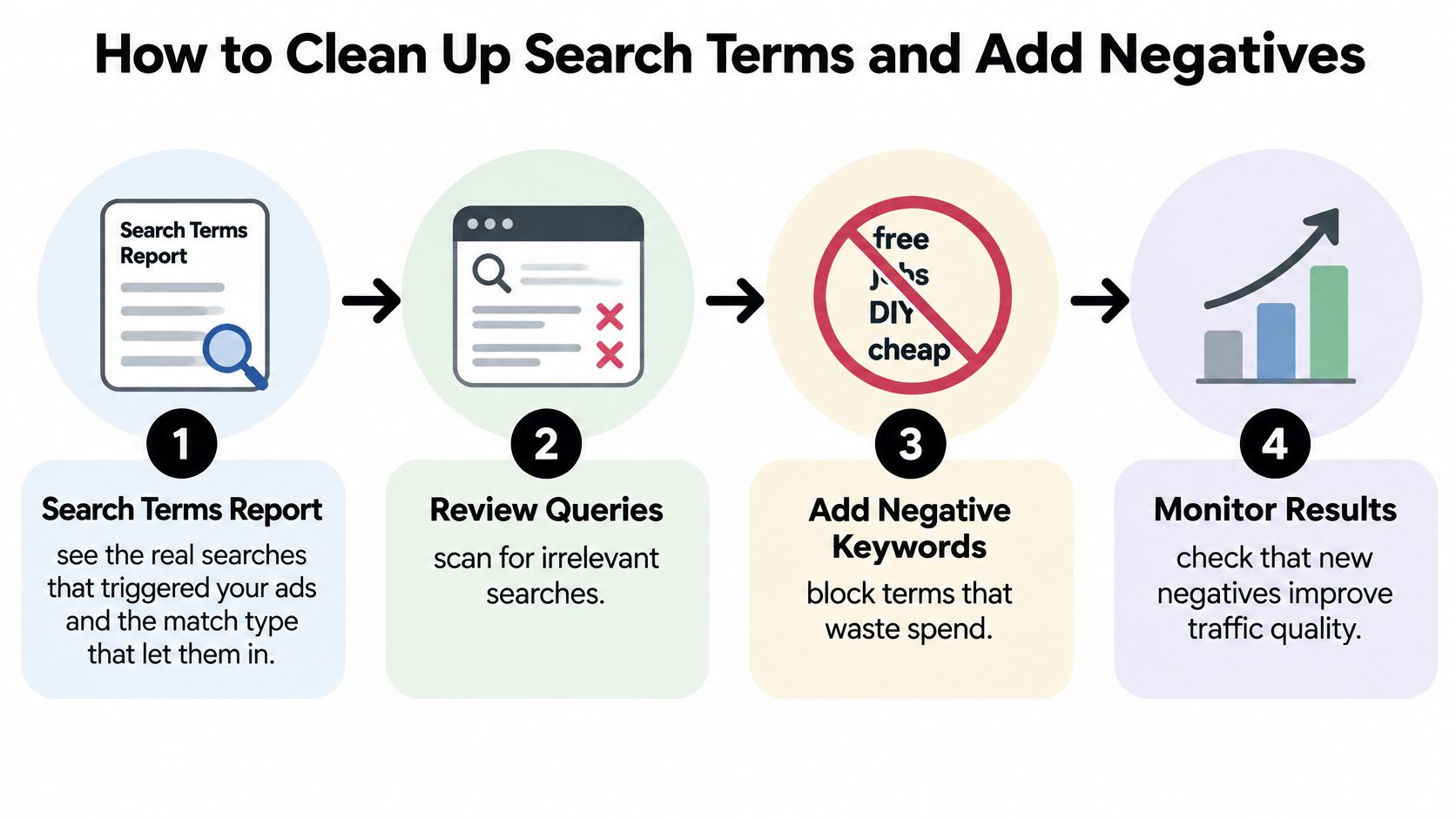
Run this six-step sweep on a consistent schedule so waste never piles up unnoticed:
- Pull the last 30 days of search terms. A full month gives you enough volume to spot patterns without overreacting to a single weird click.
- Sort by cost descending. Flag any query spending real money with zero conversions or clearly mismatched intent.
- Group flagged queries by theme. Look for repeating modifiers like "jobs," "salary," "free," or competitor support terms so one clean negative covers dozens of future variations instead of playing whack-a-mole with typos.
- Pick the negative match type on purpose. Don't just click through the default checkbox, because the match type determines how tightly or broadly Google blocks future searches.
- Apply negatives at the campaign or shared-list level. Adding exclusions one ad group at a time creates maintenance headaches and lets the same wasted query sneak into a sister campaign. Structuring a clean account-wide negative keyword strategy keeps your core exclusions consistent across every campaign you launch.
- Recheck performance after seven to fourteen days. Verify that wasted spend dropped while qualified conversion volume held steady, so you catch any accidental over-blocking early.
Matching the Blocking Rule to the Waste
Watch out for one sneaky default inside the Google Ads interface. When you add a negative keyword directly from a Search campaign's search terms report, Google applies negative exact match automatically unless you change the syntax or dropdown, according to Google Ads documentation on adding negatives. If you block [free online accounting course] as an exact negative, your ads will still show for "free accounting course" the very next afternoon.
Google supports three negative match types for Search campaigns, each with a distinct blocking rule, as outlined in Google Ads Help on negative keyword match types:
| Negative match type | What it blocks | Example with negative 'free course' |
|---|---|---|
| Negative broad | Searches containing all the terms, in any order | Blocks 'course for free' and 'free online course' |
| Negative phrase | Searches with the terms in the same order, extra words allowed | Blocks 'free course online' but not 'course for free' |
| Negative exact | Only the exact term sequence, no extra words | Blocks 'free course' only, not 'free course online' |
Never exclude a search term solely because its click-through rate looks low. Low-volume queries often assist later conversions or signal an emerging buyer need you haven't built a dedicated ad for yet.
Before you cut any borderline query, account for conversion lag. If your average buyer clicks an ad today and submits a quote request ten days later, reviewing the last seven days of data will make profitable terms look like pure waste. Match your cleanup window to your real sales cycle.
Measuring Results Without Fooling Yourself
Most beginners judge an account by four dashboard numbers: CPC, CTR, conversions, and ROAS. Those metrics are fine for quick pulse checks, yet relying on them blindly is the fastest way to make expensive mistakes. Platform-reported conversions can be modeled, delayed across weeks, or split between a buyer's phone and office laptop, while closed offline deals often never make it back into Google Ads at all.
That measurement gap is a growing headache across the industry. Measurement and attribution remain top investment priorities for marketing teams, according to Mediaocean's 2025 Advertising Outlook. When attribution is messy, your job shifts from picking a fancy attribution model to tightening the underlying inputs so bidding algorithms learn from real revenue.
Start by cleaning up three fundamentals before you trust any ROAS chart:
- Tighten your primary conversion definitions. Stop counting page views, button clicks, or unqualified newsletter sign-ups as primary bidding goals, or Smart Bidding will happily flood you with cheap clicks that never buy.
- Track qualified leads over raw form fills. If spam bots or students fill out your contact form, connect your CRM so only sales-qualified leads feed back into the ad platform.
- Import offline revenue. When sales close by phone or invoice weeks later, uploading offline conversion values gives automated bidding a clear target tied to actual margin.
Reading Quality Score Without Chasing It
While auditing performance, you'll often run into Google's 1 to 10 Quality Score. Treat it as a diagnostic warning light, not a KPI or an auction input, as Google Ads Help on Quality Score explicitly advises. Its three sub-components point you toward specific friction: low expected CTR usually hints at weak message-market fit, poor ad relevance signals overly broad ad groups, and weak landing-page experience tells you the page isn't delivering what the ad promised.
Even with spotless conversion tracking and clean keywords, stay humble about what platform numbers prove. Branded searches, assisted touchpoints, and AI-mediated product discovery can all inflate last-click ROAS. Cutting wasted search terms makes your reported efficiency look sharper, yet it doesn't automatically prove you generated incremental new demand.
For major budget shifts, back up dashboard metrics with a simple geo test or holdout group where you pause or scale spend in matched regions and compare total business revenue. Adopting clear best practices for PPC reporting helps you explain both what search-term data proves and where its limits sit, so stakeholders trust your numbers when tough calls come up.
What to Audit When Automation Takes Over
A lot of paid-search advice treats Google's automated features like switches you flip once and forget. In real accounts, handing over full control without regular guardrails is how budgets drift off-strategy. Your value as a modern PPC specialist isn't manually bidding on ten thousand single-keyword ad groups anymore; it's catching the exact moment automation starts optimizing for the wrong outcome.
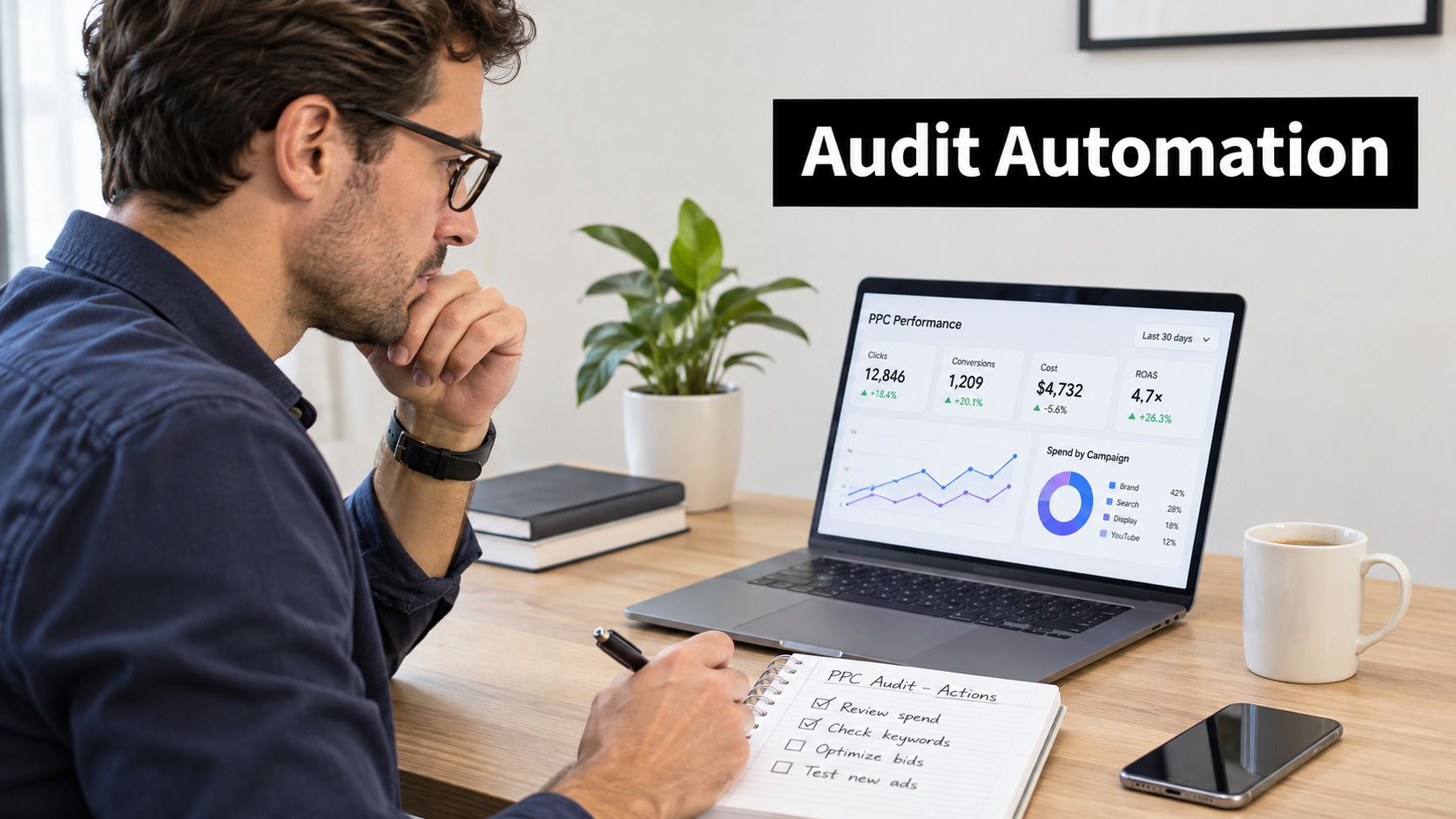
Three automated systems deserve routine scrutiny in almost every account:
- Smart Bidding chases whatever conversion goal you feed it, meaning a sloppy tracking setup trains the algorithm to buy low-intent traffic at scale.
- Broad match is Google's most expansive keyword option, reaching wider query variations than phrase or exact match, as described in Google's broad match guide.
- Performance Max spreads spend across Search, Shopping, YouTube, Display, and Gmail with limited placement visibility, making it easy for branded queries or cheap display placements to mask weak prospecting results.
Here is the catch that trips up even seasoned marketers: the search terms report only displays queries that cross a significant impression or click threshold. That means the list you audit isn't a complete ledger of every search that spent your budget. Small businesses and boutique agencies with low monthly conversion volume feel this hardest, because algorithms don't get enough clean conversion signals to learn reliably on their own.
Four Questions for Your Automation Audit
Whenever you review an automated campaign, walk through four checks and write down every adjustment in a shared change log so you can explain the reasoning to clients later:
- Is the conversion goal tied to qualified business outcomes? Confirm the campaign isn't celebrating junk leads or micro-conversions.
- Which query themes need blocking right now? Apply your regular negative-review cadence to isolate off-intent patterns before they eat another week of budget.
- Did a conversion jump hide thinner margins or weaker lead quality? Check CRM close rates and average order values alongside Google Ads conversion counts.
- Are you layering smart human governance onto AI tools? Pairing structured review habits with thoughtful AI AdWords optimization lets you capture automation's speed without losing control of query quality.
For a deeper look at how practitioners balance automated bidding with manual oversight, watch this breakdown of real-world Google Ads management.
Governance rule: Automation scales whatever direction you're already heading. If your query hygiene and conversion data are messy, turning on broad match and Smart Bidding just helps you waste money faster.
What PPC Specialists Earn and Where the Jobs Are
If you're thinking about moving into paid search, look at the broader labor market before fixating on a single job title. The U.S. Bureau of Labor Statistics Occupational Outlook Handbook reported about 454,800 jobs for advertising, promotions, and marketing managers in 2025, with projected growth of 6% from 2025 through 2035, adding roughly 27,900 positions. The 2025 median annual pay for that broader management group was $165,780 ($79.70 per hour), and the typical entry path requires a bachelor's degree.
Read those figures accurately. The BLS category doesn't isolate entry-level or mid-level PPC specialists, because paid-search work is scattered across titles like paid-search manager, digital marketing manager, performance marketer, agency strategist, and advertising manager. Early-career specialists earn less than senior marketing managers, yet those numbers confirm paid search sits inside a durable, well-paid management track rather than a passing software gig.
How to Search and Interview for Paid Search Roles
Because companies label the same daily work under five different names, narrow job searches miss half the openings. If you're open to remote roles across the Americas, you can also browse open LATAM vacancies on LatoJobs alongside major global boards to see how international teams structure paid-media roles.
- Search multiple job titles together. Run saved searches for "PPC specialist," "paid search manager," "performance marketer," and "SEM specialist" at the same time so you don't filter out good teams over a naming quirk.
- Build a one-page results portfolio. Summarize two or three account turnarounds with real cause-and-effect details, such as how restructuring mismatched ad groups or adding shared negative lists brought cost per qualified lead down.
- Interview the hiring manager on measurement. Ask how they define a successful paid-search account and what their team checks first when conversions dip. Their answer will tell you immediately whether they want a strategic specialist or someone to blindly accept platform recommendations.
Decide Whether to Hire, Train or Become One
Whether you're a business owner staring at rising ad bills or a marketer weighing your next career step, the right move depends on your spend, your bandwidth, and how much you enjoy getting into the weeds.
Matching the Path to Your Situation
- Hire a dedicated specialist when your ad spend is large enough that one messy week costs real money and nobody on your team has time to watch search terms every day. If you're ready to bring on experienced help without guesswork, guides that compare platforms to hire media buyers from LatHire can help you vet specialized talent quickly.
- Train an existing marketer when your monthly budget is modest and the main gap is building the routine of reviewing search terms, structuring negative lists, and checking landing pages.
- Become a PPC specialist yourself when you like the mix of spreadsheet analysis, sharp ad copy, and straight-talking client conversations, and you're willing to build a portfolio of real account outcomes.
Whichever path fits you best, take one concrete action this week: open your Google Ads account, pull the last 30 days of search terms, and sort by cost to see what triggered your spend. Software can strip out the tedious formatting and copy-pasting from that routine. Because our Keywordme plugin works directly inside Google Ads, you don't have to leave the interface or juggle spreadsheets to act on what you find. Our Pro plan covers one-click negative keyword list building, instant keyword match type configuration, negative and positive keyword management, search term-based campaign expansion, help center access, and chat support.
Still, tools handle the speed, while you supply the judgement on which queries are genuine waste and which ones are early buying signals. To keep that first cleanup from turning into a one-off project, put one recurring check on your calendar for the first Monday of every month: compare your platform-reported conversions against actual qualified leads in your CRM or store backend, and audit your top spending ad groups for intent drift.
Managing search terms and negative keyword lists shouldn't eat half your week or trap you in endless spreadsheet copy-and-paste loops. Keywordme sits right inside Google Ads so you can clean up wasted queries, set match types in one click, and expand winning ad groups up to ten times faster while keeping full control over your account decisions. Try it on your own campaigns by visiting Keywordme.
