
9 Best PPC Optimization Software Tools and What They Actually Cost in 2026
This guide breaks down the real ppc optimization software cost across 9 tools — from a $12/month Chrome extension to enterprise platforms — giving you transparent pricing and honest assessments of who each tool is actually built for, so you can confidently choose the right solution for your budget and account needs.


TL;DR: PPC optimization software ranges from free built-in Google Ads tools to enterprise platforms costing thousands per month. This guide covers 9 tools across every budget tier, breaks down what each one actually does, and tells you what you'll pay — so you can stop guessing and pick the right tool for your situation.
If you've ever searched "ppc optimization software cost" and landed on a page full of vague pricing tiers and "contact us for a demo" buttons, you already know the problem. Most comparison articles either skip pricing entirely or list ranges so wide they're useless. This one is different.
We've covered tools from a $12/month Chrome extension to full agency platforms, with honest notes on who each tool is actually built for. Selection criteria: active Google Ads support, pricing that's at least somewhat transparent, real optimization value, and tools that genuinely save time in the account.
1. Keywordme
Best for: Freelancers and agencies who want faster search term management without leaving Google Ads
Keywordme is a Chrome extension that plugs directly into Google Ads' Search Terms Report, letting you clean up junk terms, add negatives, apply match types, and build keyword lists without switching tabs or opening a spreadsheet.

Where This Tool Shines
What makes Keywordme genuinely different is the in-interface workflow. Most PPC tools pull your data into a separate dashboard, which means you're constantly context-switching. Keywordme stays inside Google Ads, so the friction of optimization drops significantly. In most accounts I audit, search term cleanup is the highest-ROI task that gets skipped most often — usually because it feels tedious. Keywordme makes it fast enough that there's no excuse to skip it.
The keyword clustering and bulk editing features are especially useful for agencies managing multiple clients. You can apply match types across groups, build negative keyword lists, and push changes without ever touching a spreadsheet. For the price point, the time savings are hard to argue with.
Key Features
One-click negative keyword addition: Remove irrelevant search terms directly inside the Search Terms Report with a single click.
Keyword clustering: Group and organize keywords by theme without leaving the native Google Ads interface.
Match type application: Apply exact, phrase, or broad match types to keywords in bulk, in-interface.
Bulk editing: Make changes across multiple campaigns simultaneously without spreadsheets or exports.
Multi-account and team support: Built for agency workflows where multiple users manage multiple clients.
Best For
Solo freelancers managing Google Ads accounts who want to cut optimization time, and small-to-mid agencies where search term hygiene is a core weekly task. If your biggest pain point is wasted spend from irrelevant queries, this is the most direct fix at the lowest price point on this list.
Pricing
Flat $12/month per user. 7-day free trial available. No ad spend tiers, no upsells based on account size — just a flat rate.
2. Optmyzr
Best for: Agencies managing significant ad spend who need rule-based automation and structured reporting
Optmyzr is a comprehensive PPC management platform offering rule-based automations, one-click optimization suggestions, and multi-account reporting built for agencies and in-house teams managing large budgets.

Where This Tool Shines
Optmyzr's rule-based automation engine is genuinely powerful. You can set up automated bid adjustments, budget rules, and keyword actions that run on a schedule — which is a real time saver once you've built out the logic. The one-click optimization suggestions surface actionable changes based on account performance, which is useful for teams that want a structured review process rather than starting from a blank screen.
The reporting dashboards are solid for client-facing work. If you're an agency that needs to show clients what's happening across multiple accounts in a clean format, Optmyzr handles that well. The trade-off is that the platform has a learning curve, and you're paying for features you may not use if you're managing smaller accounts.
Key Features
Rule-based automation: Build automated rules for bids, budgets, and keyword management across campaigns.
One-click optimization suggestions: Surface the highest-priority changes across your account portfolio with a single click to apply.
Multi-account management: Manage and report across multiple client accounts from a single interface.
PPC scripts and custom workflows: Build and deploy custom automation scripts without needing deep coding knowledge.
Ad testing and Quality Score monitoring: Track ad performance and Quality Score trends over time.
Best For
Agencies managing multiple accounts with meaningful ad spend who need automation, structured optimization workflows, and client reporting in one platform. Less suited for solo advertisers or small accounts where the cost-to-value ratio gets harder to justify.
Pricing
Starts around $208/month, with pricing tiers based on ad spend managed. Verify current pricing at optmyzr.com as rates change.
3. WordStream Advisor
Best for: SMB advertisers who want guided weekly optimization workflows with minimal setup
WordStream Advisor is a guided PPC management tool known for its structured weekly workflow that surfaces the most impactful optimization actions for small-to-medium business advertisers.

Where This Tool Shines
WordStream's "20-Minute Work Week" concept was genuinely clever when it launched — the idea being that the platform surfaces the top optimization actions each week so you can work through them quickly without needing to know where to look. For business owners managing their own Google Ads without deep PPC expertise, that guided structure reduces the overwhelm.
Worth noting: WordStream was acquired by LocaliQ (Gannett's digital marketing division), and the product has evolved since then. Some experienced PPC managers have shifted to other tools as the platform's focus broadened. If you're evaluating WordStream, it's worth checking current user reviews to understand where the product stands today.
Key Features
20-Minute Work Week workflow: A structured weekly optimization checklist that surfaces the highest-priority actions in your account.
Keyword and negative keyword suggestions: Automated recommendations for expanding or refining your keyword lists.
Ad performance grader: Account health scoring that benchmarks your performance against industry averages.
Cross-platform support: Covers both Google Ads and Meta Ads from a single interface.
Client reporting tools: Performance summaries formatted for client-facing presentations.
Best For
Small business owners or in-house marketers managing Google Ads without a dedicated PPC specialist. The guided workflow reduces the expertise barrier, though experienced PPC managers may find the structure limiting.
Pricing
Custom/quote-based pricing. Contact WordStream directly for current rates, as pricing is not publicly listed.
4. SEMrush Advertising Toolkit
Best for: Advertisers who need competitive PPC research and keyword intelligence before building campaigns
SEMrush Advertising Toolkit is part of the broader SEMrush platform, providing competitive ad research, keyword gap analysis, and ad copy intelligence for paid search planning.

Where This Tool Shines
SEMrush's competitive research capabilities are among the best available. You can see what keywords competitors are bidding on, pull their ad copy history, and identify gaps in your own keyword strategy relative to the market. For accounts that are starting fresh or expanding into new verticals, this kind of intelligence is genuinely useful. It's not a campaign management tool — it won't help you push changes to Google Ads — but as a research and planning layer, it's hard to beat.
The integration with SEMrush's SEO tools is a real advantage if you're working across both paid and organic. You can identify high-CPC keywords where organic ranking might be a better long-term play, or find paid opportunities where organic is already converting.
Key Features
Competitor keyword research: See exactly which keywords any competitor domain is bidding on in paid search.
Ad copy history: Access historical ad copy for competitor domains to understand their messaging strategy.
PPC keyword gap analysis: Identify keywords competitors rank for in paid search that you're not targeting.
CPC data and keyword difficulty: Evaluate cost-per-click estimates alongside organic difficulty for unified planning.
Spend estimation: Get estimated ad spend data for competitor domains across paid search.
Best For
In-house marketers and agency strategists who want competitive intelligence to inform their PPC keyword strategy. Best as a planning and research tool rather than a day-to-day campaign management platform.
Pricing
Included in SEMrush plans starting at approximately $139/month. The Guru plan or above is recommended for full advertising data access. Verify current pricing at semrush.com.
5. SpyFu
Best for: Advertisers who want deep competitor keyword history at an affordable price point
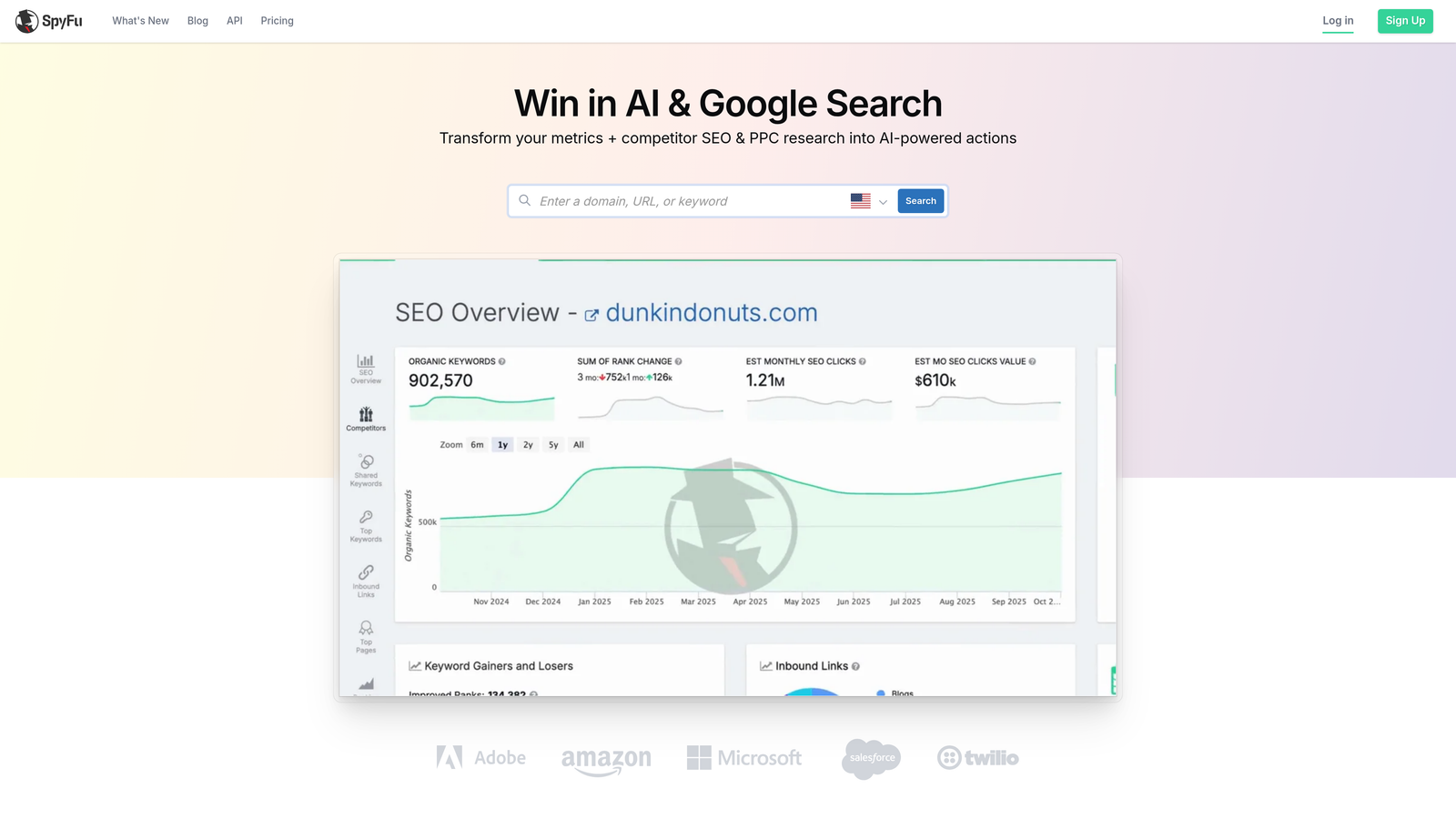
SpyFu is a competitive intelligence tool with extensive historical PPC data, built for reverse-engineering competitor keyword strategies and identifying profitable keyword opportunities.
Where This Tool Shines
SpyFu's historical data depth is its standout feature. You can see competitor keyword activity going back years, which helps you understand not just what they're bidding on now, but what they've tested, dropped, and returned to. That kind of pattern recognition is useful when you're building keyword lists from scratch or trying to understand why a competitor's strategy looks the way it does.
At its price point, SpyFu is one of the most accessible competitive research tools available. It's not trying to be a campaign management platform — it does competitive intelligence well and keeps the interface focused on that use case.
Key Features
Competitor keyword history: Access years of historical paid keyword data for any competitor domain.
Most profitable keywords: Identify which keywords have driven the most consistent paid traffic for competitors.
Ad copy history: Review competitor ad copy over time to identify messaging patterns and test cycles.
PPC keyword research: Build keyword lists and identify negative keyword opportunities from competitor data.
Unlimited searches on paid plans: No per-search limits once you're on a paid tier.
Best For
Freelancers, small agencies, and in-house teams that need competitive PPC research without the cost of a full platform like SEMrush. Strong choice for building initial keyword lists or auditing a new account's competitive landscape.
Pricing
Starts at approximately $39/month. Verify current plan details and pricing at spyfu.com.
6. Google Ads Editor
Best for: Any Google Ads manager who needs bulk editing capabilities at zero cost
Google Ads Editor is Google's free official desktop application for bulk campaign editing — an underused power tool that belongs in every Google Ads manager's workflow.

Where This Tool Shines
The mistake most agencies make is not using Google Ads Editor consistently. It's free, it's built by Google, and it handles bulk operations that would take hours in the native web interface. Offline editing is particularly useful — you can make large structural changes, review them, and sync when you're ready rather than pushing live changes in real time.
For tasks like restructuring campaign hierarchies, duplicating ad groups across campaigns, or doing find-and-replace on ad copy at scale, Ads Editor is genuinely faster than any paid tool. The fact that it costs nothing makes it a no-brainer baseline for any Google Ads workflow.
Key Features
Bulk editing: Make changes across campaigns, ad groups, keywords, and ads simultaneously without individual edits.
Offline editing: Work on campaigns without an internet connection and sync changes when ready.
Copy and paste across campaigns: Duplicate entire campaign structures, ad groups, or keyword lists with a few clicks.
Find and replace: Update ad copy or keyword text across hundreds of ads at once.
Multi-account management: Switch between and manage multiple Google Ads accounts within a single application.
Best For
Every Google Ads manager, full stop. Whether you're managing one account or fifty, Google Ads Editor should be installed and used regularly. It's especially valuable for account restructures, large keyword uploads, and bulk ad copy changes.
Pricing
Free. No subscription, no ad spend tiers, no hidden costs. Official Google tool available at ads.google.com.
7. Adalysis
Best for: Advertisers who run structured ad testing and need Quality Score monitoring at scale
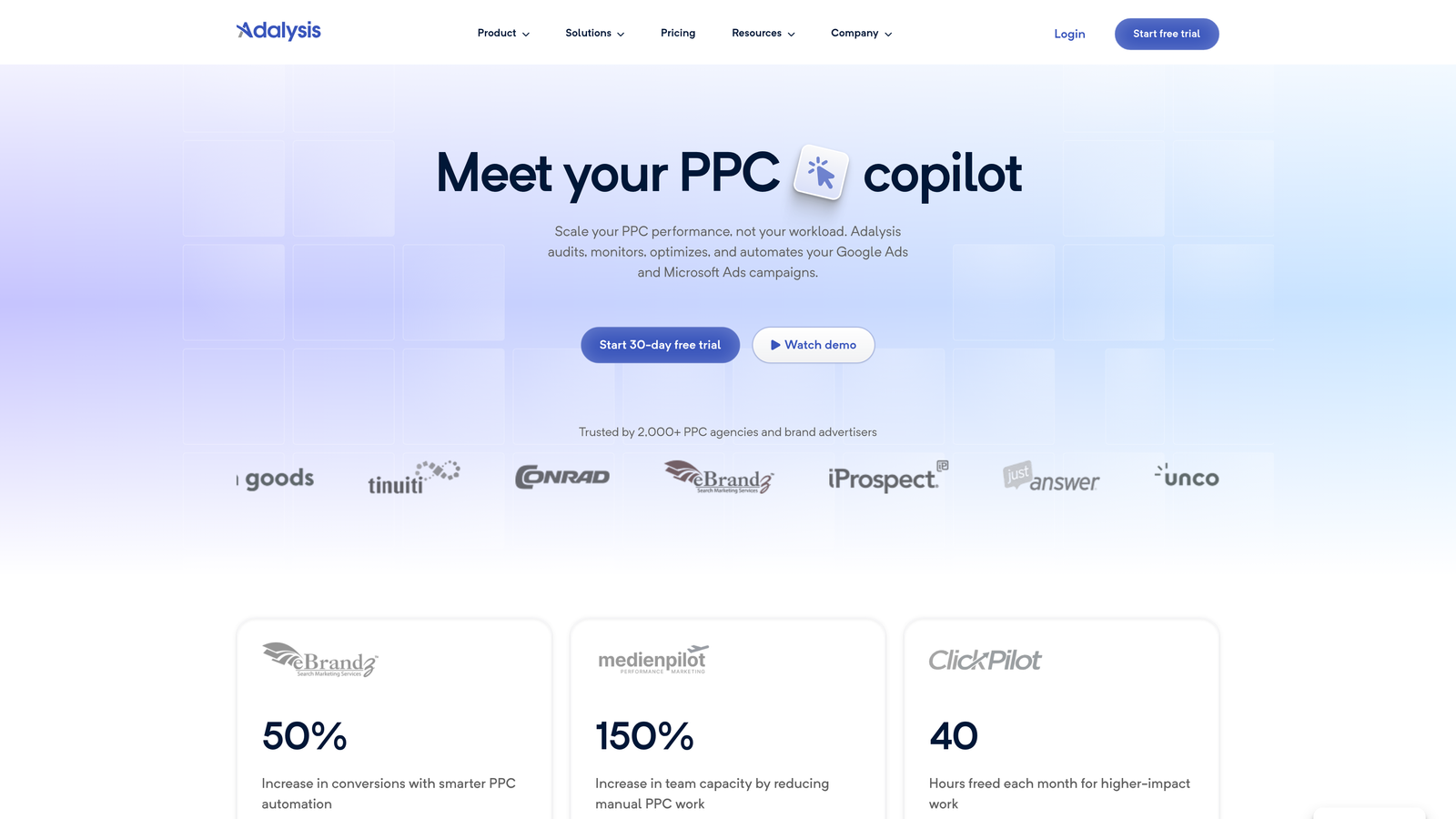
Adalysis is a PPC optimization platform focused on ad testing, Quality Score tracking, and account health diagnostics — particularly strong for advertisers who want statistically meaningful A/B test results from their ad copy.
Where This Tool Shines
In most accounts I audit, ad testing is either absent or done informally with no statistical rigor. Adalysis solves that. It tracks A/B test results with statistical significance monitoring, so you know when you actually have a winner rather than guessing based on a week of data. The Quality Score historical tracking is also genuinely useful — seeing QS trends over time helps you connect optimization actions to score changes.
The RSA (Responsive Search Ad) performance analysis is a strong feature for accounts leaning into Google's current ad formats. Understanding which asset combinations are performing and which are being ignored gives you real direction for creative iteration.
Key Features
Automated A/B ad testing: Run structured ad tests with statistical significance tracking to identify real winners.
Quality Score monitoring: Track QS history over time and identify which components are dragging performance.
RSA performance analysis: Understand which asset combinations Google is serving and which are underperforming.
Account audit tools: Surface underperforming elements across campaigns with structured diagnostic reports.
Automated alerts: Get notified of performance drops or account anomalies without manual monitoring.
Best For
In-house marketers and agency PPC specialists who run active ad testing programs and want structured Quality Score management. Less suited for accounts with minimal ad variation or very small account sizes where testing data accumulates slowly.
Pricing
Pricing scales based on number of active ads and accounts. Verify current tiers and pricing at adalysis.com, as rates depend on account size.
8. Acquisio
Best for: Larger agencies running cross-channel paid media who need AI-driven bid management and white-label reporting
Acquisio is an AI-driven bid management and reporting platform built for agencies managing paid media campaigns across Google Ads, Meta, and Microsoft Advertising.
Where This Tool Shines
Acquisio's machine learning bid optimization is the core value proposition. The platform uses algorithmic bidding logic across channels, which is particularly useful for agencies managing campaigns at scale where manual bid management becomes impractical. The cross-channel view — Google, Meta, and Bing in one place — is a genuine workflow improvement for agencies running integrated paid media strategies.
The white-label reporting capability is a meaningful feature for agencies that want to present performance data under their own brand. Combined with automated budget pacing and reallocation, Acquisio positions itself as an enterprise-tier operations layer for paid media teams.
Key Features
Machine learning bid optimization: Algorithmic bid management across Google Ads, Meta, and Microsoft Advertising simultaneously.
Cross-channel campaign management: Unified view and management across multiple paid media platforms.
White-label reporting: Client-facing reports branded to your agency without Acquisio branding.
Budget pacing and reallocation: Automated budget management that adjusts spend distribution based on performance signals.
Multi-account dashboard: Agency portfolio management view across all client accounts in one interface.
Best For
Mid-to-large agencies managing significant ad spend across multiple channels who need automated bid management and polished client reporting. The pricing model reflects an enterprise audience — this is not a tool for solo advertisers or small account portfolios.
Pricing
Custom enterprise pricing. Contact Acquisio directly for current rates. Acquisio is owned by Mediaocean.
9. PPC Samurai
Best for: Agency PPC specialists who want structured Google Ads workflows built around N-gram analysis and search term management
PPC Samurai is an agency-focused Google Ads tool built around structured campaign workflows, N-gram analysis, and search term management for PPC specialists who manage Google Ads as a core service.
Where This Tool Shines
N-gram analysis is where PPC Samurai genuinely stands out. The ability to analyze search term patterns at the word and phrase level — identifying which terms are consistently draining budget or consistently converting — gives you a layer of insight that standard search term reports don't surface easily. What usually happens here is that agencies discover patterns in their wasted spend they weren't aware of because they were reviewing terms individually rather than by pattern.
The structured campaign build workflows are useful for agencies that want consistency across client accounts. Rather than building campaigns differently each time, PPC Samurai provides a repeatable process that helps standardize quality across a team.
Key Features
N-gram analysis: Identify word and phrase patterns across search terms to find systemic wasted spend or conversion opportunities.
Structured campaign build workflows: Repeatable campaign setup processes designed for consistency across client accounts.
Search term management: Systematic workflows for reviewing, acting on, and organizing search term data.
Account audit tools: Identify optimization opportunities and underperforming account elements across your client portfolio.
Multi-client management: Agency-focused interface designed for managing multiple Google Ads accounts simultaneously.
Best For
Agency PPC specialists and Google Ads-focused consultants who want structured, repeatable workflows for campaign builds and search term management. Particularly strong for teams where process consistency across multiple clients matters.
Pricing
Subscription-based with tiered plans. Verify current pricing at ppcsamurai.com, as plans and rates are updated periodically.
Which PPC Optimization Tool Is Right for You
Here's the honest breakdown by situation, because the right tool really does depend on where you're starting from.
Solo freelancer or small advertiser:Keywordme at $12/month combined with Google Ads Editor (free) covers the vast majority of optimization needs without overpaying for features you won't use. Search term cleanup and bulk editing are your highest-leverage tasks — these two tools handle both.
In-house marketer: If competitive research is your priority, SEMrush Advertising Toolkit gives you the intelligence layer to understand your market. If structured ad testing and Quality Score management are the gap, Adalysis is the more focused choice.
Small agency (under 10 clients): Keywordme for fast search term workflows across accounts, SpyFu for affordable competitive research when onboarding new clients. Keep overhead low while the client roster grows.
Larger agency: Optmyzr or PPC Samurai for structured automation and multi-account management at scale. If you're running cross-channel paid media, Acquisio becomes relevant at the enterprise tier.
The honest truth about PPC optimization software cost is that most tools price based on ad spend managed or number of accounts, which means your costs scale up as you grow. That's fine if the tool is generating proportional value, but it's worth auditing regularly.
Start with the simplest tool that solves your biggest bottleneck. If your main pain point is wasted spend from irrelevant search terms showing up in your reports, you don't need a $500/month platform. You need something that helps you clean up your Search Terms Report quickly and consistently, every single week.
Start your free 7-day trial of Keywordme and see how much faster your weekly optimization routine gets. After that, it's $12/month flat — no ad spend tiers, no surprises.
.svg)