
9 Best PPC Negative Keyword Tools to Cut Wasted Ad Spend in 2026
Discover the 9 best PPC negative keyword tools for 2026, from lightweight Chrome extensions to full PPC suites, designed to automate negative keyword discovery and eliminate wasted ad spend on irrelevant clicks. Whether you're a freelancer or agency, this roundup evaluates each tool on discovery capabilities, ease of use, pricing transparency, and real time savings during daily campaign optimization.


TL;DR: Negative keywords are one of the fastest ways to stop bleeding money on irrelevant clicks in Google Ads, but managing them manually is a grind. A good PPC negative keyword tool automates discovery, speeds up list building, and helps you stay on top of search term reports without living in spreadsheets. This roundup covers tools that handle negative keyword management in different ways, from lightweight Chrome extensions to full-blown PPC suites. Whether you're a freelancer running a handful of accounts or an agency juggling dozens, there's something here for you. We evaluated each tool based on how well it handles negative keyword discovery, ease of use, pricing transparency, and how much time it actually saves during day-to-day optimization.
In most accounts I audit, wasted spend on irrelevant search terms is one of the first things I flag. It's not that advertisers don't know about negative keywords. It's that the process of finding them, adding them, and keeping lists updated is slow and tedious enough that it falls behind. The right tool changes that entirely. Let's get into it.
1. Keywordme
Best for: Freelancers and agencies who want to optimize directly inside Google Ads without switching tools.
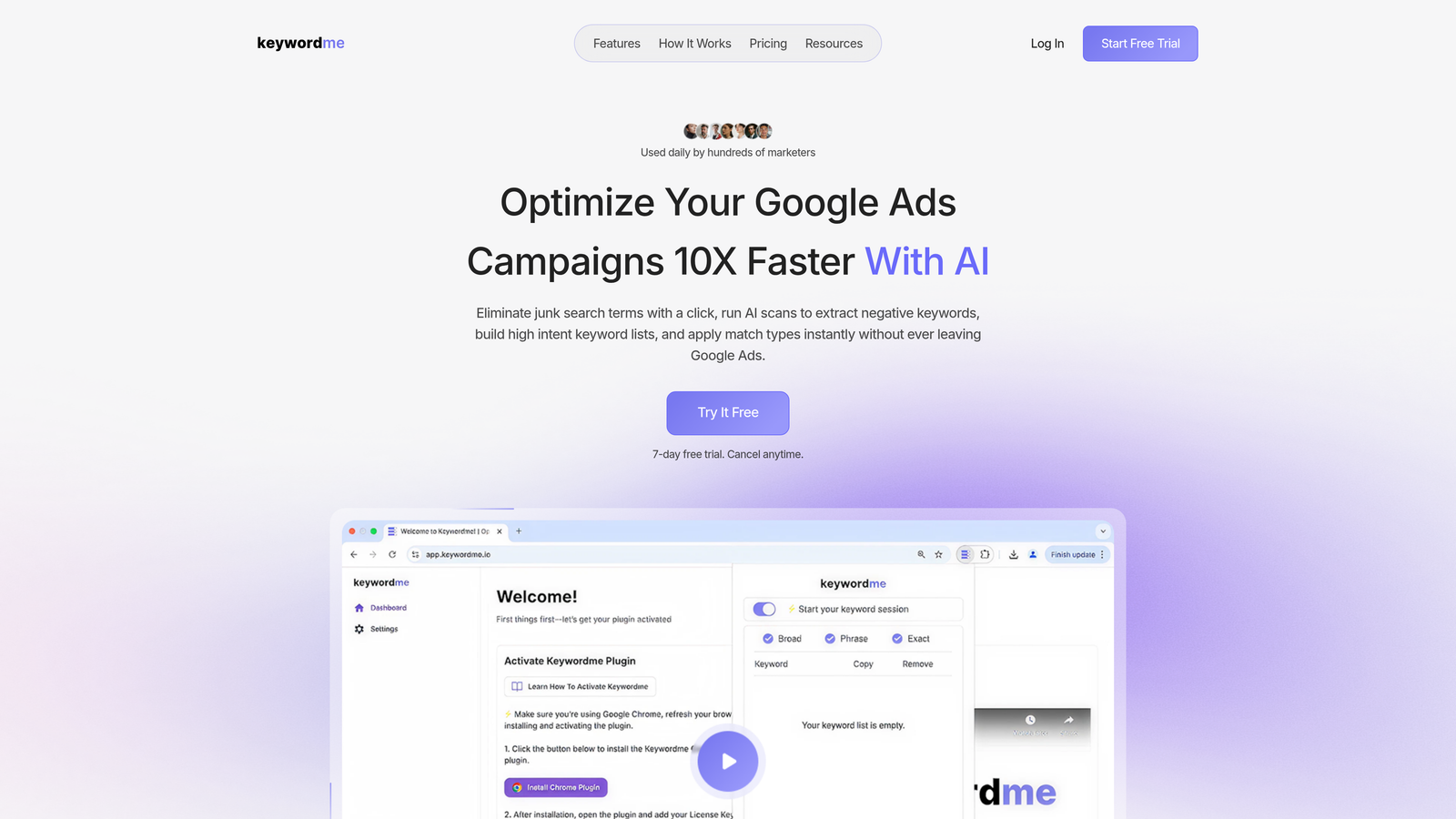
Keywordme is a Chrome extension that lets you manage negative keywords, add high-intent terms, and apply match types directly inside the Google Ads Search Terms Report, with no exports or third-party dashboards required.
Where This Tool Shines
The core advantage here is workflow. Most negative keyword tools ask you to export your search term data, paste it somewhere else, do your analysis, build a list, then re-import it back into Google Ads. Keywordme eliminates every one of those steps. You're already in the Search Terms Report doing your review, and you can take action right there with a single click.
For agencies managing multiple accounts, the multi-account and team support features make this particularly useful. Keyword clustering and bulk editing mean you're not just adding one negative at a time. You can work through a report fast, group related terms, and apply match types without ever leaving the native Google Ads UI. That's a genuine time saver, not just a marketing claim.
Key Features
One-Click Negative Addition: Add negative keywords directly from the Search Terms Report without exporting or switching tabs.
Bulk Editing and Clustering: Group related search terms and take bulk actions to speed up list building significantly.
Match Type Application: Apply exact, phrase, or broad match types to keywords without leaving Google Ads.
Multi-Account and Team Support: Built for agencies managing multiple client accounts with shared workflows.
Lightweight Chrome Extension: No separate platform to learn, no new dashboard to maintain, just an enhancement to your existing workflow.
Best For
Keywordme is best suited for Google Ads managers, freelancers, and agency teams who spend most of their time inside the native Google Ads interface and want to speed up search term review without adding another tool to their stack. It's especially useful if you're managing multiple accounts and need to move fast.
Pricing
$12/month per user with a 7-day free trial. Flat-rate pricing with no percentage-of-spend tiers, which makes it easy to budget for regardless of account size.
2. Optmyzr
Best for: Agencies and experienced PPC managers who want automated recommendations and rule-based optimization at scale.
Optmyzr is a comprehensive PPC management platform with automated negative keyword suggestions, rule-based optimizations, and one-click implementation across Google Ads accounts.

Where This Tool Shines
Optmyzr is built for PPC managers who want to automate as much of the optimization process as possible. Its negative keyword recommendations are generated through search term analysis and surfaced inside the platform with one-click implementation. What sets it apart is the rule-based workflow engine, which lets you define your own logic for when and how to add negatives.
The negative keyword conflict detection is a standout feature. What usually happens here is that as negative lists grow over time, they start accidentally blocking profitable keywords. Optmyzr flags those conflicts before they cost you conversions. It also supports Google Ads, Microsoft Ads, and Amazon Ads, which matters if you're managing cross-platform campaigns.
Key Features
Automated Negative Keyword Recommendations: Surfaces negative keyword opportunities based on search term analysis without manual digging.
Customizable Optimization Recipes: Build rule-based workflows that match your specific account strategy.
Negative Keyword Conflict Detection: Flags when negatives are accidentally blocking profitable terms across campaigns.
Multi-Platform Support: Works across Google Ads, Microsoft Ads, and Amazon Ads from a single interface.
Reporting Dashboards: Track the impact of negative keyword changes on performance over time.
Best For
Mid-to-large agencies and in-house PPC teams managing significant ad spend across multiple platforms. The automation and rule-based features justify the price point when you're managing enough accounts to feel the time savings.
Pricing
Starts around $249/month; scales with ad spend managed. Best suited for teams where the automation ROI offsets the subscription cost.
3. WordStream (by LocaliQ)
Best for: Small business owners and less experienced advertisers who want guided PPC optimization with minimal complexity.
WordStream is a PPC management tool designed for small businesses and less experienced advertisers, offering guided negative keyword suggestions through a streamlined weekly workflow.

Where This Tool Shines
WordStream's 20-Minute Work Week is the signature feature here. It's a curated workflow that walks you through the most important optimization tasks for the week, including surfacing negative keyword opportunities. For someone who doesn't live in Google Ads every day, this guided approach removes the guesswork about where to focus.
The interface is intentionally simple. You're not going to get the depth of automation that Optmyzr offers, but that's not the point. WordStream is designed for advertisers who need direction, not just data. Performance alerts flag wasteful search terms so you don't have to go hunting for them.
Key Features
20-Minute Work Week: A guided weekly workflow that surfaces negative keyword opportunities alongside other optimization tasks.
Simplified Negative Keyword Interface: Adds negatives through a clean, guided process without requiring deep PPC knowledge.
Performance Alerts: Flags wasteful search terms automatically so you don't miss obvious problems.
Cross-Platform Support: Covers Google Ads and Facebook Ads within the same platform.
Best For
Small business owners managing their own Google Ads campaigns, or less experienced marketers who need structured guidance rather than advanced automation. Not the best fit for agency-scale management or deep technical workflows.
Pricing
Custom pricing; free tools available for basic keyword research. Contact WordStream directly for current plan details.
4. SEMrush PPC Toolkit
Best for: Marketers who want to combine competitive research with negative keyword discovery in one platform.
SEMrush is a full marketing suite with a PPC toolkit that includes keyword research, competitive analysis, and negative keyword discovery based on competitor data and search term overlap.

Where This Tool Shines
The mistake most agencies make with negative keywords is only looking at their own search term data. SEMrush lets you cross-reference competitor keyword strategies to identify terms that are likely to be irrelevant before they ever show up in your reports. That's a proactive approach most tools don't offer.
The PPC Keyword Tool includes built-in negative keyword grouping, and you can export lists directly for import into Google Ads. The ability to cross-reference organic and paid data is also useful for identifying terms where your SEO strategy and paid strategy might conflict.
Key Features
PPC Keyword Tool with Negative Grouping: Organize and flag negative keywords directly within the keyword planning workflow.
Competitive Keyword Analysis: Identify irrelevant term overlap by analyzing what competitors are bidding on.
Organic and Paid Data Cross-Reference: Use SEO data to make smarter decisions about paid exclusions.
Direct Export for Google Ads: Export negative keyword lists in a format ready for Google Ads import.
Best For
Digital marketers and agencies already using SEMrush for SEO and content work who want to extend that investment into PPC. Less ideal as a standalone negative keyword tool given the price point.
Pricing
Starts at $139.95/month (Pro plan); PPC tools are included in all tiers. Best value if you're already using SEMrush for other marketing functions.
5. Adalysis
Best for: PPC managers who need automated auditing and negative keyword conflict detection across large accounts.
Adalysis is a PPC auditing and optimization platform that excels at detecting negative keyword conflicts and surfacing search term waste through automated analysis.
Where This Tool Shines
Adalysis is particularly strong at the thing that quietly kills performance in mature accounts: negative keyword conflicts. As your negative lists grow over months or years, it becomes increasingly likely that some of those negatives are blocking keywords you actually want to show for. Adalysis automates the detection of these conflicts and surfaces them clearly.
Beyond conflict detection, the search term waste analysis is solid. It identifies low-performing terms with a clear interface that makes prioritization straightforward. The quality score tracking and ad testing features round out a comprehensive auditing toolkit that goes well beyond just negative keywords.
Key Features
Negative Keyword Conflict Detection: Automatically identifies when negatives are blocking profitable keywords across campaigns.
Search Term Waste Analysis: Flags low-performing and irrelevant search terms with actionable recommendations.
Quality Score Tracking: Monitors quality score trends alongside negative keyword management.
Ad Testing Integration: Combines negative keyword management with structured ad testing workflows.
Multi-Account Support: Designed for agencies managing multiple client accounts with different performance benchmarks.
Best For
Agencies and experienced PPC managers running mature accounts with large negative keyword lists who need automated conflict detection. Also strong for teams that want auditing and optimization in the same platform.
Pricing
Starts around $149/month; scales with ad spend managed. Free trial available to test the platform before committing.
6. Negative Keyword Pro (Karooya)
Best for: Advertisers who want a dedicated, no-frills tool focused purely on negative keyword discovery and management.
Negative Keyword Pro by Karooya is a purpose-built tool focused exclusively on finding and managing negative keywords by analyzing search term reports and identifying wasteful patterns.

Where This Tool Shines
This is the most focused tool on the list. Karooya built Negative Keyword Pro to do one thing well: help you find and manage negative keywords without any feature bloat getting in the way. If you're tired of navigating sprawling platforms to get to the one feature you actually use, this is a refreshing alternative.
The shared negative keyword list management is useful for agencies, and the automatic identification of low-performing search terms removes a lot of the manual review work. It won't replace a full PPC management suite, but it's not trying to.
Key Features
Dedicated Negative Keyword Discovery: Analyzes search term report data specifically to surface negative keyword opportunities.
Shared Negative List Management: Manage and apply shared negative keyword lists across campaigns efficiently.
Automatic Low-Performer Identification: Flags search terms that are wasting spend without requiring manual sorting.
Focused Interface: No unnecessary features competing for attention, just the negative keyword workflow.
Best For
Budget-conscious advertisers and smaller agencies who want a dedicated negative keyword tool without paying for a full PPC platform. The free tier makes it accessible for accounts with lower spend levels.
Pricing
Free tier available for smaller accounts; paid plans for higher spend levels. One of the most accessible entry points on this list.
7. PPC Entourage
Best for: Amazon sellers who need negative keyword management specifically for Sponsored Products and Sponsored Brands campaigns.
PPC Entourage is an Amazon-specific PPC tool that helps sellers identify and add negative keywords to Sponsored Products and Sponsored Brands campaigns using profit-based analytics.
Where This Tool Shines
Amazon PPC operates differently enough from Google Ads that it deserves its own toolset. The search term harvesting workflow in PPC Entourage is built around the Amazon advertising ecosystem, including the nuances of Sponsored Products, Sponsored Brands, and the way Amazon surfaces search term data.
What separates this from generic PPC tools is the profit-based analytics layer. Rather than just flagging high-spend, low-conversion search terms, PPC Entourage factors in product margins to help you identify which terms are actually eating into profitability. For Amazon sellers, that's the right lens for negative keyword decisions.
Key Features
Amazon-Specific Negative Keyword Management: Built for the Amazon advertising ecosystem, not adapted from a Google Ads workflow.
Search Term Harvesting: Identifies negative keyword candidates across Sponsored Products and Sponsored Brands campaigns.
Bulk Campaign Operations: Apply negative keywords across multiple Amazon campaigns simultaneously.
Profit-Based Analytics: Factors in product margins to identify which search terms are genuinely hurting profitability.
Best For
Amazon sellers and Amazon PPC agencies who need a purpose-built tool for the Amazon advertising platform. Not relevant for Google Ads or Microsoft Ads management.
Pricing
Starts around $47/month; scales with the number of products managed. Accessible price point for serious Amazon sellers.
8. Google Ads Editor
Best for: Advertisers who need free, offline bulk editing of negative keywords across campaigns and ad groups.
Google Ads Editor is Google's free desktop application for bulk editing campaigns offline, including adding, editing, and organizing negative keyword lists across campaigns and ad groups.
Where This Tool Shines
It's free and it's made by Google. For bulk negative keyword operations, especially when you're making large structural changes across many campaigns, Ads Editor is hard to beat on a pure cost basis. The offline editing capability means you can build out your negative lists without needing a live connection, then upload changes in a batch.
The shared negative keyword list management is solid, and the ability to copy and paste negative lists across campaigns saves time compared to doing the same work in the native web interface. It's not glamorous, but it's reliable and it costs nothing.
Key Features
Bulk Negative Keyword Editing: Add, remove, or modify negative keywords across multiple campaigns and ad groups simultaneously.
Offline Editing with Batch Upload: Build and review changes offline, then upload everything at once.
Shared Negative List Management: Create and apply shared negative keyword lists across the account.
Free to Use: No subscription, no per-user fees, no spend thresholds.
Best For
Any Google Ads advertiser who needs to make bulk negative keyword changes and doesn't want to pay for a third-party tool. Especially useful for one-time structural overhauls or large account migrations.
Pricing
Free. No subscription required. Works with any active Google Ads account.
9. N-Gram Analysis (Scripts and Spreadsheets)
Best for: Technical advertisers who want a free, fully customizable method for uncovering wasteful search term patterns at scale.
N-gram analysis is a DIY approach using Google Ads scripts or spreadsheet formulas to break search terms into word-level patterns, revealing common wasteful terms to add as negatives across your campaigns.
Where This Tool Shines
Here's where it gets interesting for the more technically inclined. Instead of reviewing search terms one by one, n-gram analysis breaks every search term into 1-word, 2-word, and 3-word combinations and counts how often each pattern appears. This quickly surfaces common wasteful patterns that you might never catch by scrolling through a report manually.
For example, if the word "free" appears across 200 different search terms in your account, a single negative keyword addition eliminates all of that waste at once. Popular open-source scripts from the PPC community (including tools shared by practitioners like Mike Rhodes and others) make this accessible without needing to write code from scratch. It requires some technical comfort to set up, but the ongoing value is significant.
Key Features
Pattern-Level Waste Detection: Identifies common wasteful word combinations across your entire search term history, not just individual terms.
Fully Customizable: Adjust the analysis to match your account structure, spend thresholds, and match type preferences.
Community Scripts Available: Open-source Google Ads scripts from the PPC community handle the heavy lifting without requiring custom development.
Works with Any Search Term Export: Compatible with any Google Ads account regardless of size or structure.
Best For
Budget-conscious advertisers, in-house PPC managers, and technically comfortable freelancers who want a free, high-impact method for negative keyword discovery. Less suitable for those who need a fast, no-setup solution.
Pricing
Free. Requires manual setup and some comfort with Google Ads scripts or spreadsheet formulas. The time investment upfront pays off in ongoing workflow efficiency.
Which Tool Is Right for Your Workflow?
The best PPC negative keyword tool is the one you'll actually use consistently. Feature bloat doesn't save money. A fast, frictionless workflow does.
Here's a quick breakdown by user type to help you cut through the decision:
Freelancers and solo Google Ads managers: Start with Keywordme. The Chrome extension model means zero workflow disruption, and at $12/month it's an easy call. If budget is a hard constraint, Google Ads Editor plus n-gram analysis covers the basics for free.
Agencies managing multiple accounts: Keywordme handles the in-interface speed work well, and Optmyzr or Adalysis add the automation and conflict detection layer if you're managing significant spend. Many agencies use a combination of both.
Small business owners and beginners: WordStream's guided approach removes the guesswork. You won't get deep automation, but you'll stay on top of the most obvious waste without needing to understand the technical details.
Amazon sellers: PPC Entourage is the clear choice. The profit-based analytics and Amazon-native workflow make it purpose-built for the platform in a way that Google Ads tools simply aren't.
Budget-first advertisers: Negative Keyword Pro by Karooya has a free tier worth exploring, and n-gram analysis via scripts costs nothing if you're comfortable with a bit of setup.
If you're spending most of your time inside Google Ads and want to move faster without switching tabs, Keywordme is worth trying first. It removes the biggest friction point in the negative keyword workflow: the export-analyze-reimport loop that slows down every manual review session.
Start your free 7-day trial and see how much faster your search term reviews can actually go. After that, it's just $12/month per user, which is a straightforward investment if it saves you even a couple of hours a month on account optimization.
Negative keyword management isn't glamorous, but it's one of the highest-return tasks in Google Ads. The right tool just makes it faster to do well, consistently.
.svg)