
8 Best PPC Negative Keyword Management Software Tools
Managing negative keywords manually wastes time and budget—the right PPC Negative Keyword Management Software automates exclusions, surfaces irrelevant search terms faster, and protects ad spend at scale. This guide reviews 8 leading tools across both discovery and execution workflows, evaluated for solo advertisers, freelancers, and agency teams running Google Ads campaigns.


If your Google Ads campaigns are burning budget on irrelevant clicks, the culprit is almost always a weak negative keyword strategy. Managing negatives manually—copying search terms into spreadsheets, cross-referencing lists, uploading changes one by one—is slow, error-prone, and exhausting at scale. The right negative keyword management software cuts that friction dramatically, letting you block junk traffic faster and protect your ad spend where it counts.
This list covers tools that genuinely help with negative keyword workflows: from Chrome extensions that work inside Google Ads to full-scale PPC platforms with automated exclusion features. Each tool is evaluated on workflow speed, ease of use, and value for marketers, freelancers, and agency teams managing Google Ads campaigns. One distinction worth keeping in mind as you read: some tools here are execution tools (they help you apply negatives inside your account), while others are discovery tools (they help you find what to exclude). Both have a place in a solid PPC workflow.
1. Keywordme
Best for: Solo advertisers and agency teams who want faster negative keyword actions inside Google Ads
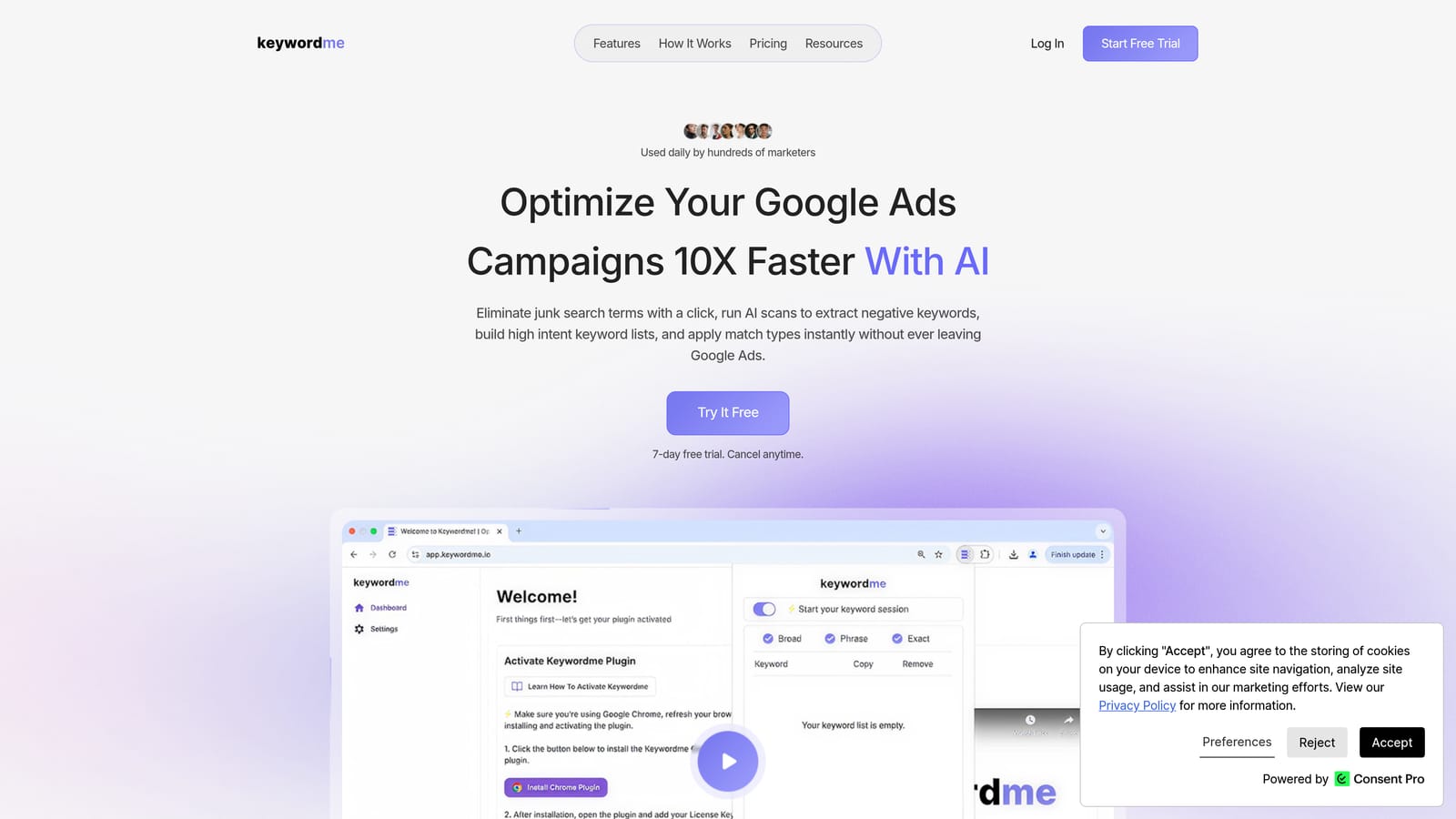
Keywordme is a Chrome extension that adds one-click negative keyword management directly inside Google Ads' Search Terms Report, eliminating the need for spreadsheets or tab-switching.
Where This Tool Shines
The core problem Keywordme solves is friction. In native Google Ads, reviewing your Search Terms Report and applying negatives requires multiple clicks, manual copying, and often a spreadsheet in the middle. Keywordme collapses that process into single clicks, right inside the interface you're already using.
For agencies managing multiple client accounts, the multi-account and team support features are particularly useful. You can apply bulk edits, cluster keywords, and manage negatives across campaigns without jumping between tools or maintaining separate tracking documents.
Key Features
One-click negative keyword actions: Remove junk search terms and add negatives directly from the Search Terms Report without leaving Google Ads.
Match type application: Apply broad, phrase, or exact match types to keywords instantly, without manual entry.
Keyword clustering: Group related search terms into clusters to identify patterns in irrelevant traffic more quickly.
Bulk editing: Handle multiple search terms at once rather than processing them one by one.
Multi-account and team support: Manage negatives across client accounts with team permissions built in, making it practical for agency workflows.
Best For
Solo Google Ads managers who want to cut review time significantly, and agency teams that need a consistent, fast workflow for negative keyword management across multiple client accounts. It's most valuable if you spend meaningful time each week inside the Search Terms Report.
Pricing
$12/month per user. A 7-day free trial is available with no credit card required upfront. Verify current details at keywordme.io.
2. Google Ads Negative Keyword Lists (Native)
Best for: Advertisers who want a free baseline for organizing and sharing negative keyword exclusions across campaigns
Google Ads' built-in shared negative keyword lists let you create reusable exclusion lists and apply them across multiple campaigns at no additional cost.
Where This Tool Shines
For advertisers just getting started with negative keyword management, or those working with tight budgets, the native functionality is a solid foundation. Shared lists mean you can build a master exclusion list once and apply it to every relevant campaign, rather than duplicating work at the campaign level.
The limitations are real, though. There's no automation, no search term analysis assistance, and no bulk discovery workflow. You're still manually reviewing the Search Terms Report and entering exclusions one at a time. Think of native lists as the infrastructure, not the workflow tool.
Key Features
Shared negative keyword lists: Create lists once and apply them across multiple campaigns simultaneously.
Match type support: Apply exact, phrase, or broad match negatives to control how broadly you exclude search terms.
Campaign and ad group level application: Apply negatives at the campaign level or drill down to specific ad groups for more granular control.
No additional cost: Fully included in Google Ads with no third-party subscription required.
Dashboard access: Manage all lists directly from the Google Ads interface under Tools and Settings.
Best For
Any Google Ads advertiser as a baseline tool. Particularly useful for budget-conscious advertisers and those managing a small number of campaigns where manual review is still manageable.
Pricing
Free. Included with every Google Ads account.
3. Search Atlas
Best for: Advertisers who want keyword research and negative keyword identification within a broader SEO and PPC planning platform
Search Atlas is a broad SEO and PPC research platform that includes keyword planning tools with negative keyword suggestions as part of its PPC workflow.
Where This Tool Shines
Search Atlas is primarily an SEO platform, but its PPC keyword tools offer useful functionality for the planning phase of negative keyword management. You can identify keyword groups, spot terms that don't belong in your targeting, and build out campaign structure before anything goes live in Google Ads.
It's worth being clear about what this tool is and isn't: Search Atlas is a discovery and planning tool, not an execution tool. It won't apply negatives inside your Google Ads account directly. Its value is in helping you think through your keyword strategy more thoroughly before and during campaign setup.
Key Features
Negative keyword identification: Surfaces potentially irrelevant keywords during the research phase so you can add them as negatives before campaigns launch.
PPC keyword grouping: Organize keywords into logical ad groups and flag terms that don't fit your intended targeting.
Competitor keyword analysis: Review what competitors are targeting to inform your own exclusion strategy.
Combined SEO and PPC workflow: Useful for teams managing both organic and paid search in one platform.
Multi-project support: Manage keyword research across multiple clients or campaigns within one account.
Best For
Advertisers and agencies who want to combine SEO and PPC research in one tool, and who want to build negative keyword lists during the planning phase rather than reactively after campaigns run.
Pricing
Tiered subscription. Verify current pricing and plan details at searchatlas.com before purchasing.
4. Optmyzr
Best for: PPC agencies and managers who want rule-based automation for ongoing negative keyword management across multiple accounts
Optmyzr is a PPC management platform with rule-based automation, including search term analysis and one-click negative keyword recommendations for Google Ads and Microsoft Ads.

Where This Tool Shines
Optmyzr sits firmly in the execution category. Its search term analysis tools surface negative keyword opportunities automatically, and its rule-based automation means you can set conditions for flagging or excluding search terms without reviewing every report manually. For agencies running a high volume of campaigns, this kind of proactive monitoring reduces the risk of budget waste going unnoticed between manual review cycles.
The platform's depth goes well beyond negative keywords, covering bid management, Quality Score optimization, and reporting. That breadth is a strength for teams who want a single PPC management hub, though it does mean Optmyzr is a more significant investment than a focused tool like Keywordme.
Key Features
Automated search term analysis: Surfaces negative keyword recommendations without requiring manual report pulls each time.
Rule-based automation: Set conditions to flag or exclude search terms automatically based on performance thresholds.
Bulk actions: Apply negative keywords across multiple campaigns and accounts in a single workflow.
PPC audit tools: Identify performance issues beyond negative keywords, including bid inefficiencies and quality score problems.
Multi-account support: Designed for agency teams managing multiple client accounts from one dashboard.
Best For
Data-driven PPC managers and agencies who want automation depth and are managing enough ad spend to justify a more comprehensive platform investment.
Pricing
Tiered by ad spend managed. Verify current pricing and plan tiers at optmyzr.com before purchasing.
5. WordStream Advisor
Best for: SMBs and less technical advertisers who want guided PPC optimization tasks surfaced in a structured weekly workflow
WordStream Advisor is a guided PPC management platform with a workflow feature that surfaces negative keyword opportunities alongside other optimization tasks.

Where This Tool Shines
WordStream's signature feature is its "20-Minute Work Week" workflow, which presents prioritized optimization tasks—including negative keyword suggestions—so advertisers know exactly what to act on each week. This structure is genuinely useful for SMBs or freelancers who don't have time to dig through raw reports and want clear, actionable recommendations.
Note that WordStream was acquired by LOCALiQ (a Gannett company), and its product positioning has shifted over time. Verify the current product status, available features, and pricing directly at wordstream.com before committing, as details may have changed since this article was written.
Key Features
Guided weekly workflow: The 20-Minute Work Week surfaces negative keyword tasks alongside other optimization priorities in a structured format.
Search term analysis: Identifies search terms that are draining budget without contributing to conversions.
Google Ads and Microsoft Ads support: Manage campaigns across both platforms from one interface.
Performance alerts: Flags significant changes in campaign performance so you can respond quickly.
SMB-focused design: Built for advertisers who want guidance rather than raw data, with less technical complexity than enterprise platforms.
Best For
Small business owners, freelancers, and less technical advertisers who want a structured approach to PPC optimization without building their own review process from scratch.
Pricing
Tiered subscription. Verify current pricing and product availability at wordstream.com.
6. SEMrush PPC Keyword Tool
Best for: Advertisers who want to plan campaign structure and prevent keyword cannibalization before campaigns go live
SEMrush's PPC Keyword Tool helps advertisers organize keyword groups and flag cross-group negatives to prevent keyword cannibalization before campaigns launch.

Where This Tool Shines
SEMrush's strength in the negative keyword context is pre-launch planning. The PPC Keyword Tool lets you organize keywords into ad groups and automatically identifies overlapping terms that could cause one ad group to compete with another. Adding those overlapping terms as negatives before a campaign goes live is far more efficient than diagnosing cannibalization after the fact.
Like Search Atlas, SEMrush is primarily a research and planning tool in this context. It doesn't apply negatives inside Google Ads directly. Its value is in building a cleaner campaign structure from the start, which reduces the volume of reactive negative keyword work you'll need to do later.
Key Features
Cross-group negative recommendations: Identifies keyword overlap between ad groups and suggests negatives to prevent cannibalization.
Keyword grouping: Organize keywords into logical ad groups with campaign structure planning built in.
Competitor PPC research: See what keywords competitors are bidding on to inform your own targeting and exclusion decisions.
Negative keyword suggestions: Surfaces potentially irrelevant terms based on keyword overlap analysis.
Export to Google Ads format: Export your keyword and negative keyword lists in a format compatible with Google Ads uploads.
Best For
Advertisers setting up new campaigns who want to build a clean structure from the start, and existing advertisers who suspect keyword cannibalization is affecting performance.
Pricing
Tiered subscription. The PPC Keyword Tool is included in paid plans. Verify current pricing and plan inclusions at semrush.com.
7. SpyFu
Best for: Advertisers who want competitive intelligence to inform their negative keyword discovery process
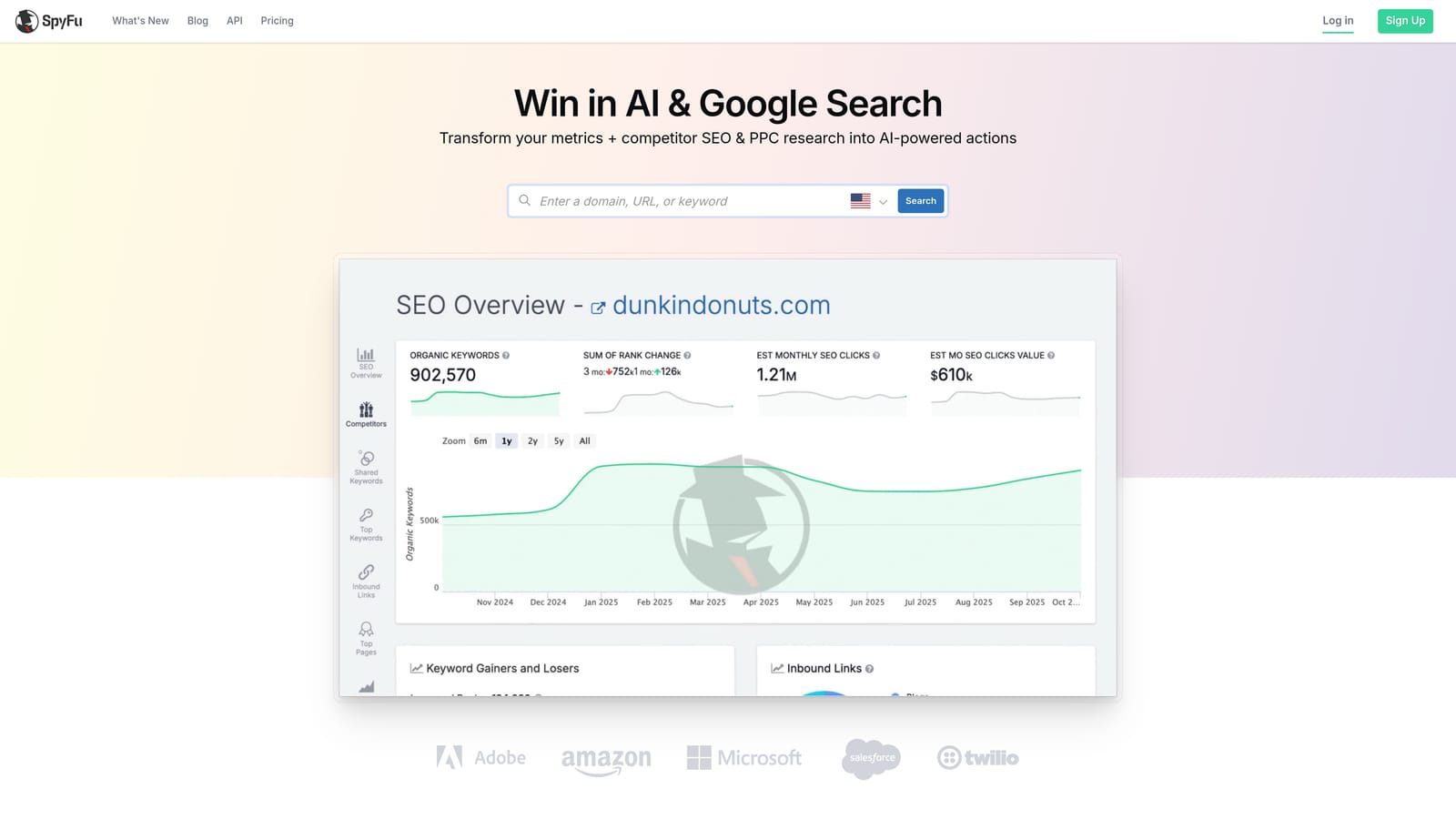
SpyFu is a competitive intelligence platform that surfaces competitor PPC keyword data, which advertisers can use to inform their negative keyword discovery process.
Where This Tool Shines
SpyFu occupies a specific niche in this list: it's a discovery tool, not an execution tool. You won't use SpyFu to apply negatives inside Google Ads. You'll use it to understand what search terms competitors are targeting, identify keyword gaps, and spot traffic sources that are likely to be irrelevant to your audience based on competitive data.
For example, if a competitor's keyword data reveals they're capturing traffic from searches that clearly don't match your product or audience, that's useful signal for building out your negative keyword list before you've spent budget finding that out the hard way. The historical ad spend data also helps you spot seasonal patterns in irrelevant traffic.
Key Features
Competitor PPC keyword data: See which keywords competitors are bidding on and how long they've maintained those bids.
Keyword gap analysis: Identify search terms that competitors are capturing that you may want to exclude from your own targeting.
Historical ad spend data: Review trends in competitor keyword activity over time.
Domain vs. domain comparison: Compare your keyword coverage against specific competitors side by side.
Search term discovery: Use competitive data to surface search terms worth investigating for negative keyword research.
Best For
Advertisers in competitive markets who want to use competitor data as an input for negative keyword strategy, particularly during campaign setup or when entering a new market.
Pricing
Tiered subscription. Verify current pricing and plan details at spyfu.com.
8. Adalysis
Best for: Data-driven PPC managers who want proactive, automated monitoring for budget-wasting search terms across multiple accounts
Adalysis is a dedicated Google Ads and Microsoft Ads management platform with automated search term monitoring, proactive budget-waste alerts, and bulk negative keyword tools.
Where This Tool Shines
Adalysis takes a monitoring-first approach to negative keyword management. Rather than waiting for you to pull a report, it continuously analyzes search term data and alerts you when queries are wasting budget. This proactive posture is particularly valuable for larger accounts where problematic search terms can accumulate spend quickly between manual review cycles.
One feature worth highlighting is negative keyword conflict detection. This identifies situations where a negative keyword you've added is accidentally blocking search terms that should be triggering your ads. It's a common and costly mistake, and having automated detection for it adds real value beyond basic negative keyword management.
Key Features
Automated search term monitoring: Continuously analyzes search term performance and surfaces budget-waste alerts without requiring manual report pulls.
Bulk negative keyword management: Apply negatives across multiple campaigns simultaneously with audit trail logging.
Negative keyword conflict detection: Identifies cases where negatives are accidentally blocking intended traffic, preventing a common and costly mistake.
Continuous monitoring: Ongoing analysis rather than point-in-time reporting, so issues are flagged faster.
Multi-account support: Manage and monitor negative keywords across multiple client accounts with detailed audit trails for accountability.
Best For
PPC managers and agencies running larger accounts who want automated monitoring and proactive alerts rather than relying solely on scheduled manual reviews. Particularly strong for teams where accountability and audit trails matter.
Pricing
Tiered by number of accounts and campaigns. Verify current pricing at adalysis.com before purchasing.
Which Tool Is Right for Your Workflow?
The honest answer is that the best tool depends on what part of the negative keyword workflow you need the most help with. There's a meaningful difference between tools that help you discover what to exclude and tools that help you execute those exclusions efficiently inside your account.
If speed inside Google Ads is your priority, Keywordme is the most direct solution. It works inside the Search Terms Report, removes the spreadsheet step entirely, and is priced accessibly for solo advertisers and agencies alike. If you're starting from zero and want a free baseline, Google Ads' native shared negative keyword lists are a solid foundation that every advertiser should have set up regardless of what else they use.
For agencies managing multiple accounts at scale, Optmyzr and Adalysis both offer automation depth that justifies their higher price points. Adalysis is particularly strong if proactive monitoring and conflict detection are priorities. Optmyzr suits teams who want rule-based automation across a broader PPC management workflow.
On the research side, SEMrush's PPC Keyword Tool is the most useful for preventing cannibalization before campaigns launch. SpyFu is the better choice if competitive intelligence is your primary input for negative keyword discovery. WordStream Advisor remains a practical option for SMBs and less technical advertisers who want a guided weekly workflow rather than raw data to interpret.
If you want to cut the time you spend managing negatives in Google Ads, the fastest place to start is right inside your Search Terms Report. Start your free 7-day trial of Keywordme and see how much faster your optimization workflow can be—no spreadsheets, no tab-switching, just cleaner campaigns.
.svg)