
9 Best PPC Chrome Extensions for Google Ads in 2026
This PPC Chrome Extensions Comparison reviews 9 of the best browser tools for Google Ads managers in 2026, covering use cases from in-interface keyword optimization and negative tagging to competitive research and tech stack detection. It helps practitioners quickly identify which extension fits their specific workflow instead of installing tools that go unused.


If you manage Google Ads, you already know how much time disappears into the Search Terms Report. Downloading CSVs, pasting into spreadsheets, manually tagging negatives—it adds up fast, and none of it makes your campaigns better while you're doing it.
PPC Chrome extensions solve this by bringing the tools you need directly into your browser, right where you're already working. But not all extensions are built for the same job. Some help with keyword discovery, others with competitive research, tracking verification, or agency prospecting. Knowing which tool fits which workflow problem is the difference between a useful extension and one that collects digital dust.
This comparison covers the top Chrome extensions worth installing if you're managing Google Ads in 2026—from in-interface optimization to SERP analysis and tech stack detection. Here's how they stack up.
1. Keywordme
Best for: In-interface Google Ads optimization directly inside the Search Terms Report
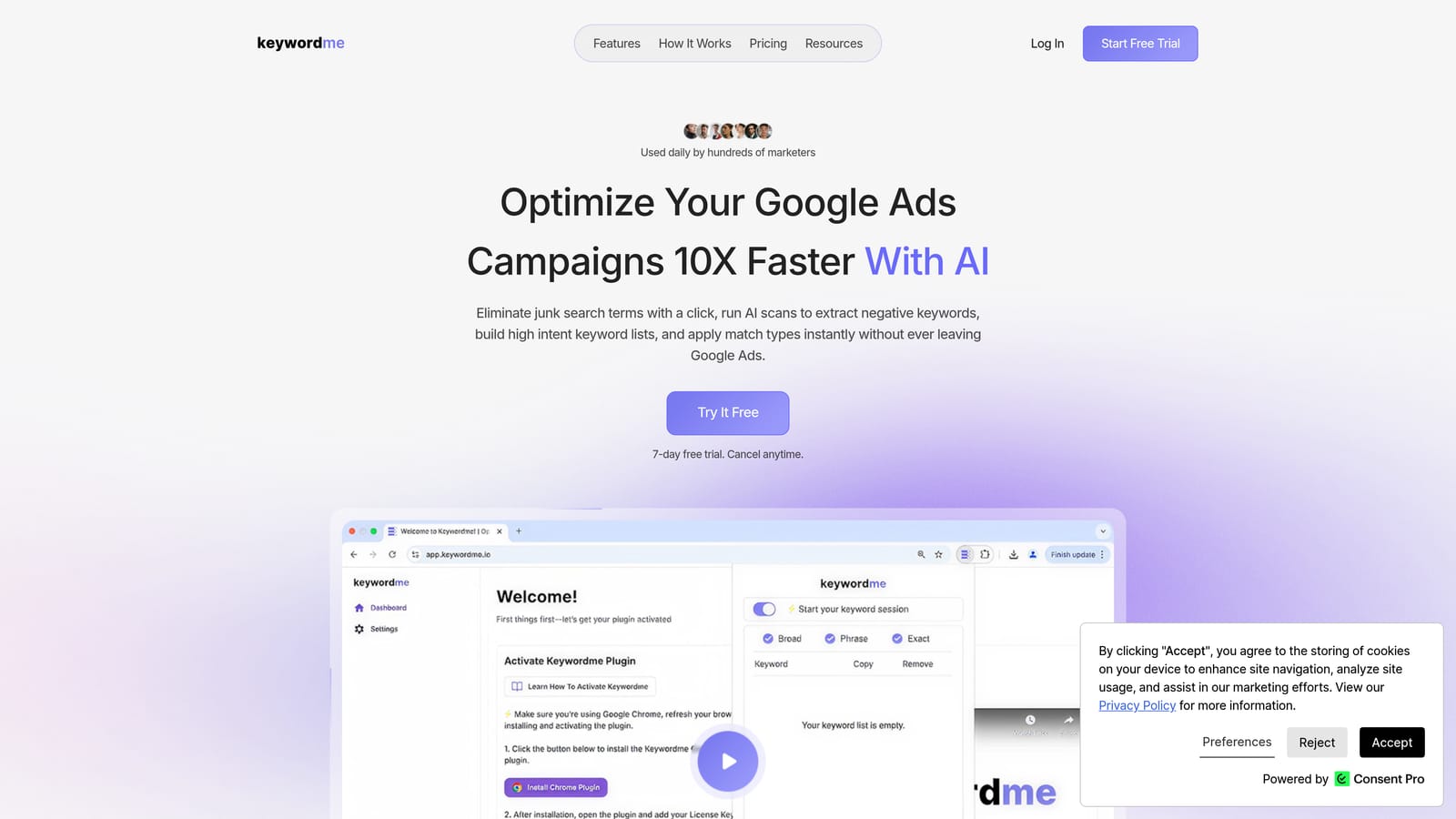
Keywordme is a Chrome extension built specifically for Google Ads practitioners who want to optimize campaigns without leaving the native interface.
Where This Tool Shines
Most PPC tools pull you out of Google Ads and into a separate dashboard. Keywordme stays inside the Search Terms Report, which is where the actual optimization work happens. You can add negative keywords, apply match types, and cluster related terms without touching a spreadsheet or switching tabs.
This matters most when you're reviewing large volumes of search terms across multiple ad groups. Tasks that typically require exporting, filtering, and reimporting can be handled with a few clicks directly inside the interface you're already using.
Key Features
One-Click Negative Keyword Management: Add irrelevant search terms as negatives directly from the Search Terms Report without exporting or using a separate tool.
Instant Match Type Application: Apply exact, phrase, or broad match types to keywords without leaving Google Ads—no CSV manipulation required.
Keyword Clustering: Group related search terms quickly to identify patterns and build tighter ad group structures.
Bulk Editing: Select and action multiple search terms simultaneously, which significantly speeds up high-volume account reviews.
Multi-Account and Team Support: Manage shared negative keyword lists and collaborate across accounts, making it practical for agencies handling multiple clients.
Best For
Freelancers and agency owners who spend meaningful time in the Search Terms Report every week. Particularly useful for anyone managing multiple Google Ads accounts who needs a repeatable, low-friction optimization workflow without additional tooling overhead.
Pricing
$12/month per user. A 7-day free trial is available with no commitment required.
2. Keywords Everywhere
Best for: Keyword research with inline search volume and CPC data on Google and other platforms
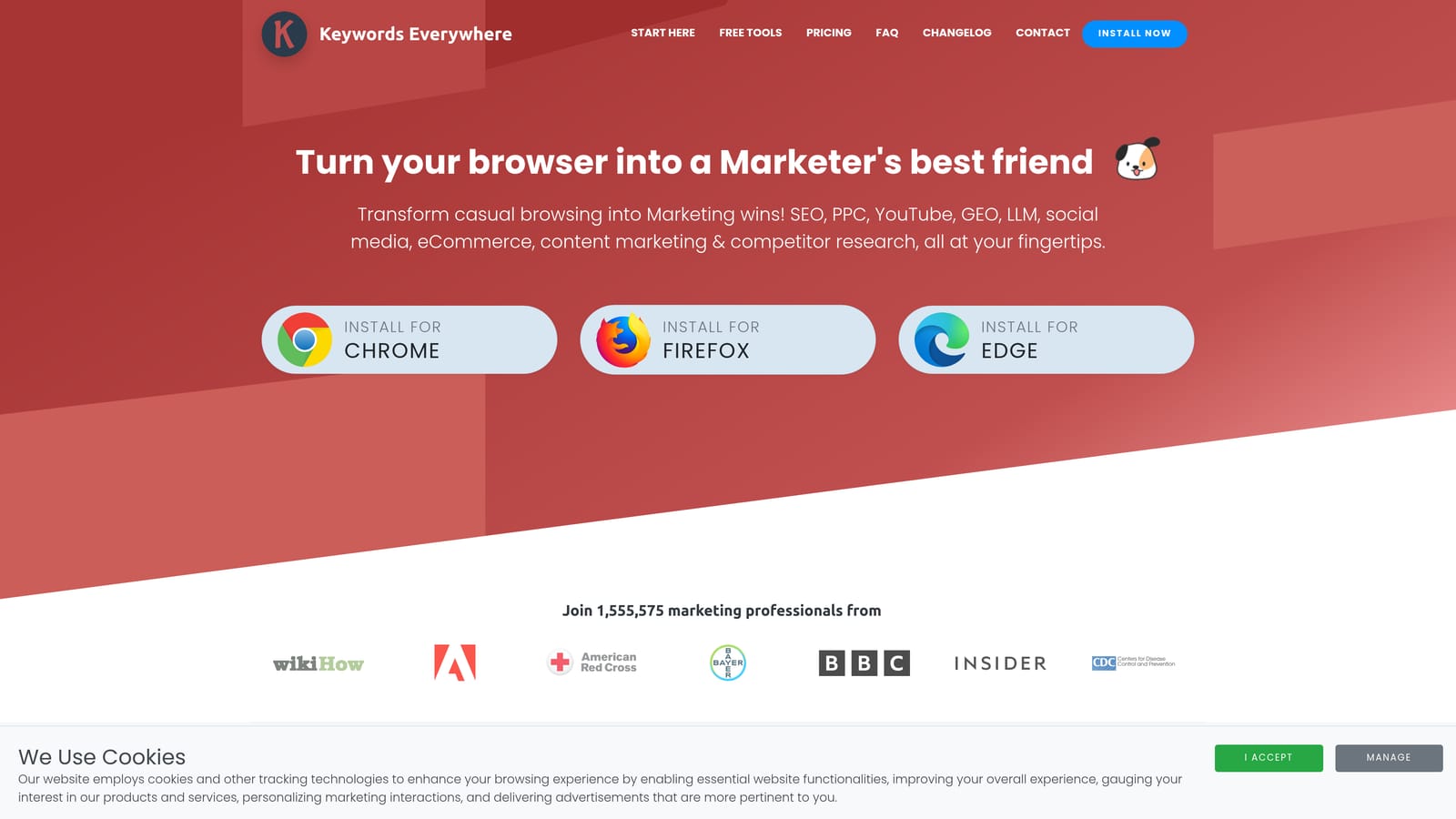
Keywords Everywhere is a browser extension that overlays keyword metrics—search volume, CPC estimates, and competition data—directly on Google search results, YouTube, Amazon, and other platforms.
Where This Tool Shines
The main value here is speed during keyword discovery. Instead of switching between Google Ads Keyword Planner and your browser, you get volume and CPC context inline as you search. This is particularly useful when you're building out a new campaign and want a quick read on search demand without opening another tool.
It's worth being clear about what this extension does and doesn't do: Keywords Everywhere helps with keyword research and discovery. It is not an in-campaign optimization tool. Think of it as useful context for planning, not for ongoing account management.
Key Features
Inline Search Volume and CPC Data: See estimated monthly searches and cost-per-click figures directly on Google SERPs as you browse.
Related Keywords Panel: Surfaces related terms and "People Also Search For" data alongside your search results.
Multi-Platform Support: Works on YouTube, Amazon, Etsy, and other platforms in addition to Google.
Historical Trend Data: View search volume trends over time for any keyword.
Credit-Based Model: Usage is metered by credits rather than a flat subscription, which suits lighter users who don't need constant data access.
Best For
PPC managers and content strategists who want quick keyword context during research without switching to a dedicated keyword tool. Also useful for freelancers who need lightweight data access without paying for a full SEO platform subscription.
Pricing
Credit-based pricing model. Check current rates at keywordseverywhere.com, as credits are purchased in bundles rather than billed monthly.
3. Similarweb
Best for: Competitive traffic research before building or expanding campaigns
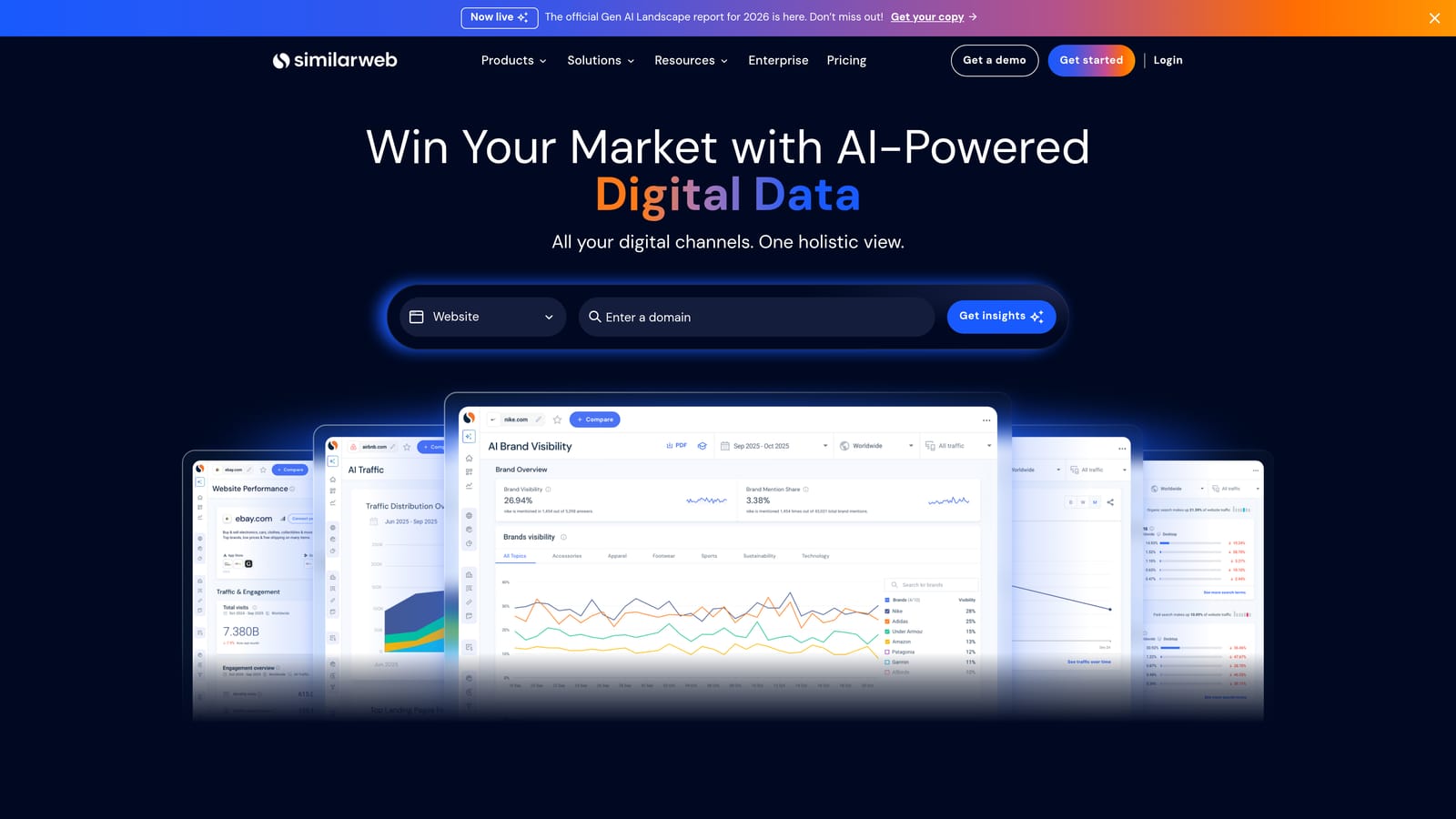
Similarweb is a browser extension that overlays traffic estimates and channel breakdowns on any website you visit—giving you a quick competitive read without logging into a separate platform.
Where This Tool Shines
Before you launch a campaign in a new vertical or expand into a competitive market, it helps to understand where your competitors are getting their traffic. Similarweb's extension surfaces that data as you browse—traffic volume, channel mix, top referring sites—without requiring you to build a report from scratch.
For agency owners doing initial client research or competitive audits, this extension saves meaningful time during the discovery phase. It's not a replacement for full competitive analysis, but as a quick-reference overlay it's genuinely useful.
Key Features
Traffic Volume Estimates: See estimated monthly visits for any website directly in your browser.
Channel Breakdown: View the split between organic, paid, referral, social, and direct traffic at a glance.
Top Referring Sites: Identify which sites are sending the most traffic to a competitor's domain.
Engagement Metrics: Access bounce rate, pages per visit, and session duration estimates.
Free Tier with Limited Data: Basic data is available without a paid plan, though deeper analysis requires a Similarweb subscription.
Best For
PPC managers conducting pre-campaign competitive research and agency owners building initial client audits. Less useful for ongoing day-to-day campaign optimization, but valuable at the strategy and planning stage.
Pricing
The Chrome extension is free with limited data access. Full data requires a paid Similarweb plan. Check current pricing at similarweb.com.
4. Tag Assistant (by Google)
Best for: Verifying Google Ads conversion tracking and Google Analytics tag implementation
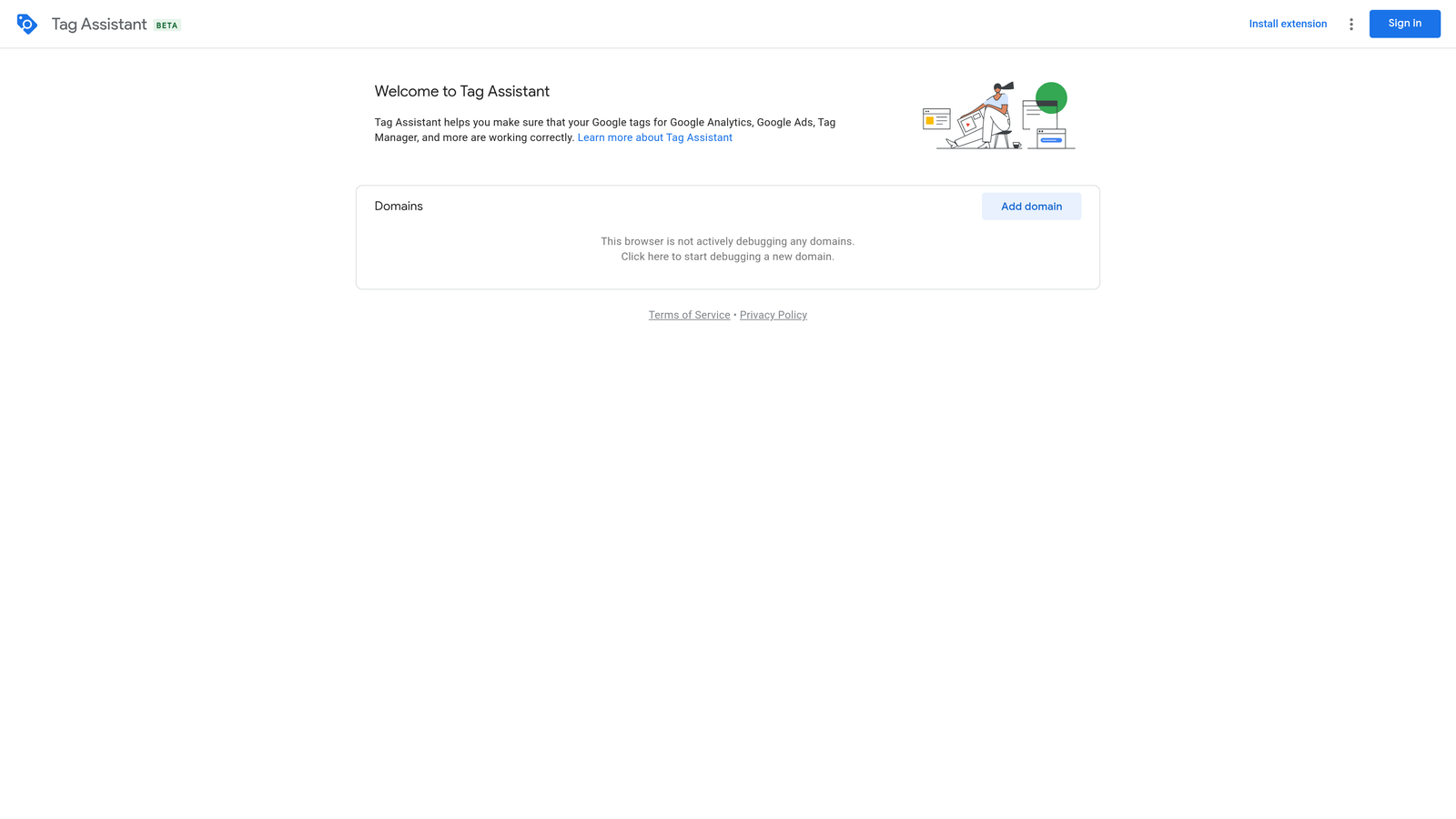
Tag Assistant is Google's official Chrome extension for confirming that conversion tracking tags and other Google tags are firing correctly on any webpage.
Where This Tool Shines
Conversion tracking errors are one of the most damaging—and underdiagnosed—problems in Google Ads accounts. If your conversion tags aren't firing correctly, you're optimizing against bad data. Tag Assistant lets you verify tag implementation in real time, directly in your browser, before you scale spend on a campaign.
Because it's an official Google product, it supports the full range of Google tags including Google Ads conversion tracking, Google Analytics 4, Floodlight, and more. It's the first extension any PPC practitioner should install when taking over a new account.
Key Features
Real-Time Tag Validation: Confirms whether Google Ads conversion tags are present and firing correctly on any page.
Error Identification: Flags missing tags, duplicate tags, and misconfigured implementations with clear diagnostic information.
Multi-Tag Support: Covers Google Ads, Google Analytics, Floodlight, and other Google tag types in one interface.
Session Recording: Trace how tags fire across a multi-step page flow, such as a checkout funnel, to catch conditional firing issues.
Free Official Product: Maintained and updated by Google at no cost.
Best For
Any PPC practitioner who manages conversion tracking setup or audits. Essential for agencies onboarding new clients and for anyone scaling spend who needs to confirm data integrity before increasing budgets.
Pricing
Free. No account or subscription required.
5. Ahrefs SEO Toolbar
Best for: Understanding organic competition and SERP landscape alongside paid campaigns
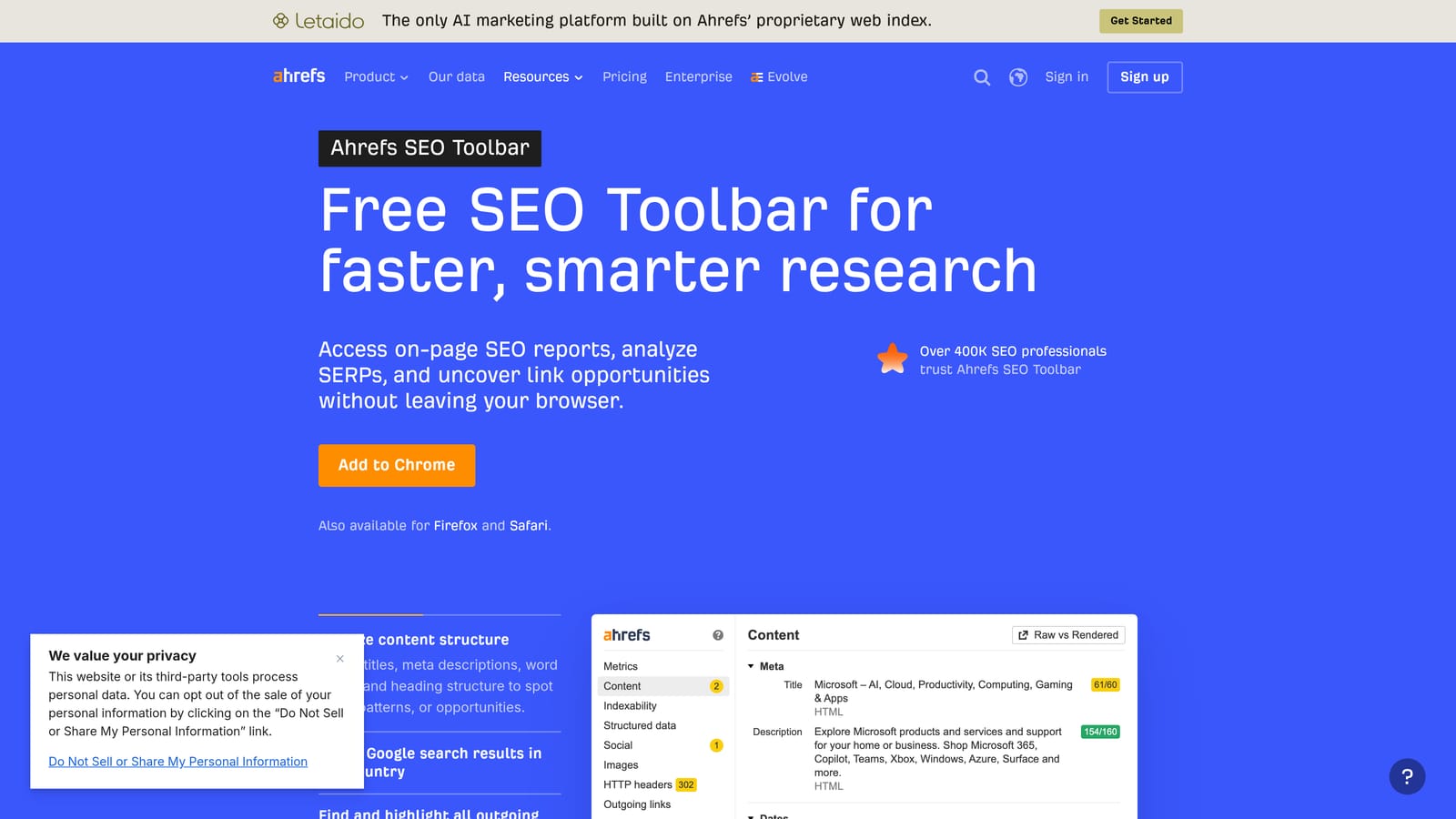
Ahrefs SEO Toolbar is a Chrome extension that displays domain rating, URL rating, backlink data, and keyword difficulty directly on search results pages and individual URLs.
Where This Tool Shines
PPC managers don't operate in a vacuum. Understanding how competitive a SERP is organically gives useful context for paid strategy—particularly when deciding which keywords are worth bidding on and at what position. The Ahrefs toolbar puts that context directly on the SERP as you research.
It's primarily an SEO tool, but PPC practitioners who also manage or collaborate on organic strategy will find it genuinely useful. The on-page SEO report feature is also handy for quick audits of landing pages you're sending paid traffic to.
Key Features
On-SERP Authority Metrics: See Domain Rating and URL Rating for every result on a Google search page without opening Ahrefs separately.
Keyword Difficulty and Volume Data: Access keyword metrics inline on SERPs when logged into an active Ahrefs account.
Broken Link Checker: Identify broken links on any webpage, useful for landing page quality checks.
On-Page SEO Report: Quickly review title tags, meta descriptions, heading structure, and other on-page elements for any URL.
Subscription Required for Full Data: Most data features require an active Ahrefs subscription to access.
Best For
PPC managers who also handle or closely collaborate on SEO, and those who want organic competition context when evaluating keywords for paid campaigns. Not practical as a standalone tool without an Ahrefs subscription.
Pricing
Requires an active Ahrefs subscription. Check current plan pricing at ahrefs.com.
6. MozBar
Best for: Free SERP authority analysis and competitive page metrics without a paid subscription
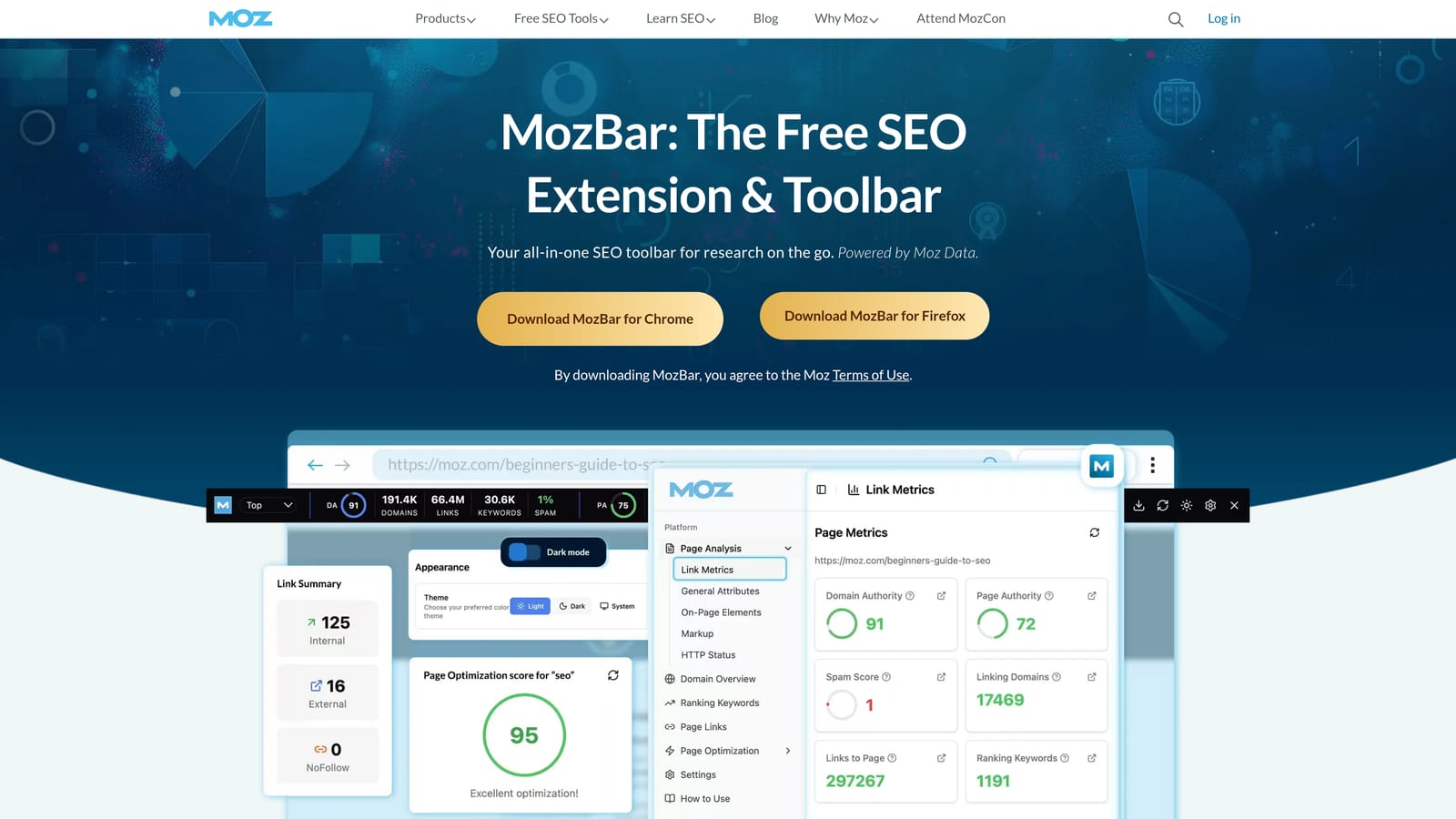
MozBar is a free Chrome extension from Moz that shows Page Authority, Domain Authority, and link metrics on search results pages and any website you visit.
Where This Tool Shines
MozBar occupies a similar space to the Ahrefs toolbar but with a more accessible free tier. If you want SERP-level authority context without committing to a paid SEO platform, MozBar delivers a reasonable amount of competitive data at no cost. For PPC managers who need occasional organic competition context rather than deep SEO analysis, the free tier is often sufficient.
The on-page element analysis is also useful for quick checks on landing pages—confirming title tags, meta descriptions, and heading structure are in order before sending paid traffic to a page.
Key Features
Page Authority and Domain Authority: See Moz's authority scores for every result on a SERP and for any individual URL you visit.
Link Metrics: View linking domain counts and inbound link data directly in the toolbar.
On-Page Element Analysis: Inspect title tags, meta descriptions, and heading tags on any page without opening developer tools.
SERP Overlay: Authority metrics display across all results on a Google search page simultaneously.
Meaningful Free Tier: Core authority metrics are available without a Moz Pro subscription, unlike some competitor tools.
Best For
PPC managers who want free SERP competitive context and occasional landing page checks. A practical alternative to Ahrefs SEO Toolbar for those without an existing Ahrefs subscription. Full feature access requires Moz Pro.
Pricing
Free tier available with core metrics. Full access requires a Moz Pro subscription. Check current pricing at moz.com.
7. Wappalyzer
Best for: Identifying the technology stack on any website for agency prospecting and competitive intelligence
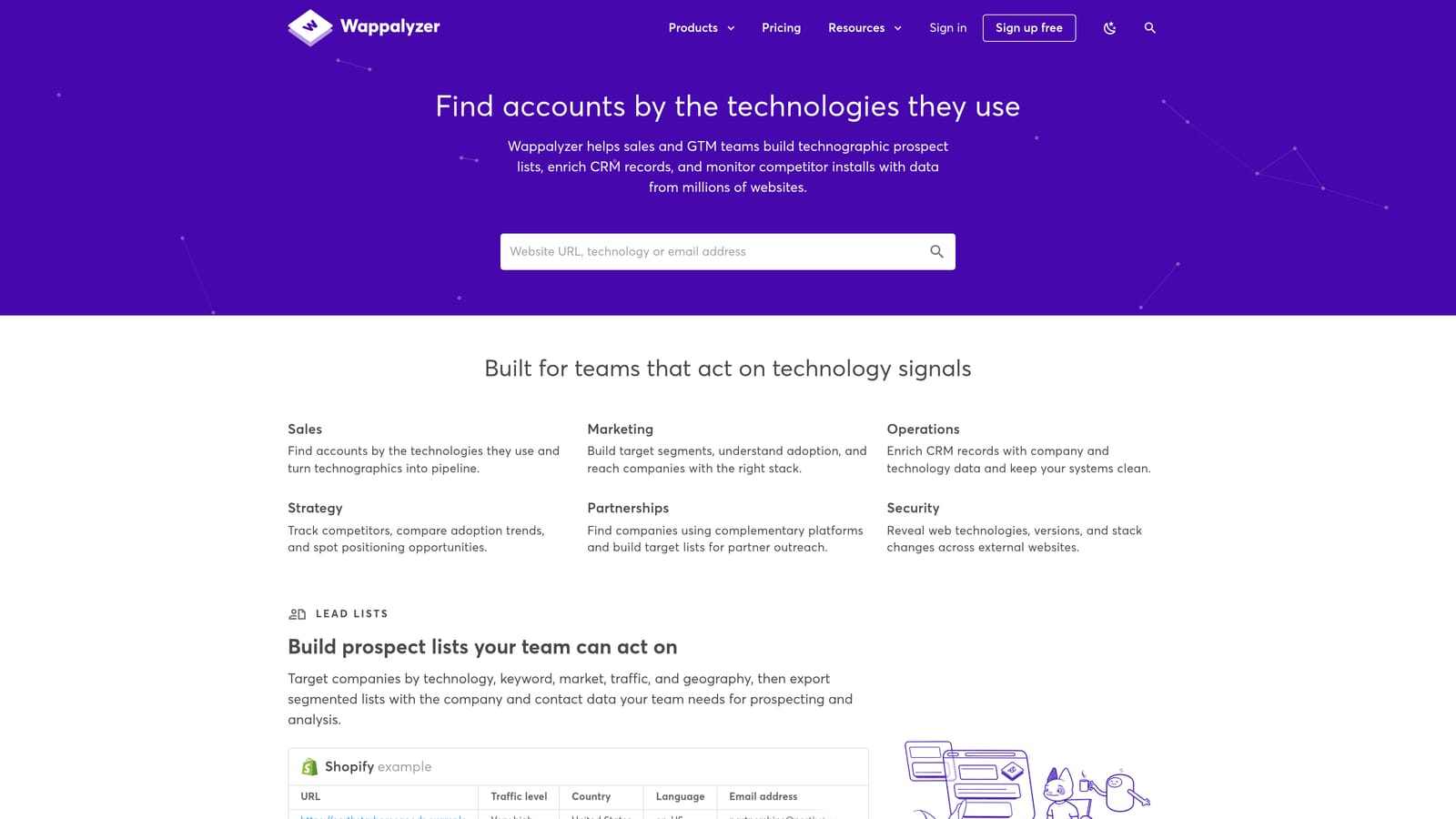
Wappalyzer is a browser extension that instantly reveals the CMS, analytics tools, ad platforms, ecommerce software, and other technologies running on any website you visit.
Where This Tool Shines
For agency owners doing new business prospecting, Wappalyzer is a quick way to qualify leads before reaching out. If you can see that a prospect is running Google Ads tags, using a specific ecommerce platform, or missing a conversion tracking implementation, you have immediate context for a more relevant conversation.
It's also useful for competitive intelligence. Knowing what ad platforms a competitor is running, or which analytics tools they're using, can inform your own strategy without requiring deep research.
Key Features
Ad Platform Detection: Identifies whether a site is running Google Ads, Meta Pixel, LinkedIn Insight Tag, and other ad platform tags.
Full Tech Stack Identification: Detects CMS, ecommerce platforms, hosting providers, CDN, and marketing automation tools.
Prospect Qualification: Useful for confirming whether a potential client has Google Ads infrastructure in place before an outreach call.
Technology History and Alerts: Available on paid plans, these features track when a site adds or removes specific technologies over time.
Freemium Model: Core detection features are available for free.
Best For
Agency owners and freelancers who regularly prospect for new clients and want quick tech stack context before outreach. Also useful for competitive research during campaign planning.
Pricing
Free tier available. Paid plans unlock technology history, alerts, and bulk lookup features. Check current pricing at wappalyzer.com.
8. AdBlock
Best for: Testing how your ads appear—or don't—to users with ad blockers enabled
AdBlock is a widely used ad-blocking extension that PPC managers can use as a diagnostic tool to understand how their display and remarketing campaigns are experienced by users who block ads.
Where This Tool Shines
This one requires some context. AdBlock is included here not as a general recommendation, but for a specific and legitimate advertiser use case: understanding your ad-blocked audience. A meaningful portion of internet users browse with ad blockers enabled, and display or remarketing campaigns simply don't reach them. Temporarily enabling AdBlock on your own browser lets you see which of your placements are blocked and which aren't.
This is a diagnostic exercise, not a daily workflow tool. But for advertisers who rely heavily on display or YouTube remarketing, it's worth spending an hour with AdBlock enabled to understand what a blocked user actually experiences.
Key Features
Broad Ad Blocking: Blocks display, video, and social ads across the web, giving you a realistic view of the ad-blocked browsing experience.
Format and Placement Testing: Helps identify which ad formats and placements are visible to ad-blocked users and which are not.
Whitelist Controls: Disable blocking on specific sites for controlled testing without affecting your entire browsing session.
Free and Open Source: No cost or account required.
Best For
Advertisers running display, YouTube, or remarketing campaigns who want to understand the ad-blocked user experience and identify potential reach gaps in their targeting strategy. Use it as an occasional diagnostic tool, not a permanent installation.
Pricing
Free and open source.
9. GMass
Best for: Agency owners managing client outreach, report distribution, and new business prospecting from Gmail
GMass is a Chrome extension that adds mail merge, campaign tracking, and automated follow-up sequences directly inside Gmail—without requiring a separate email marketing platform.
Where This Tool Shines
GMass sits adjacent to PPC campaign management rather than inside it, but for agency owners it fills a real gap. Sending personalized performance reports to multiple clients, running new business outreach sequences, or following up with prospects can all be handled from Gmail without subscribing to a dedicated email tool.
The Google Sheets integration is particularly practical. If your client list or prospect database lives in Sheets, you can pull contacts directly into a GMass campaign and personalize each message with data from your spreadsheet columns.
Key Features
Mail Merge from Gmail: Send personalized emails at scale directly from your Gmail account, with dynamic fields populated from Google Sheets.
Open, Click, and Reply Tracking: Monitor engagement on sent campaigns without switching to a separate analytics platform.
Automated Follow-Up Sequences: Set up conditional follow-ups that send only to recipients who haven't opened or replied to your initial email.
Google Sheets Integration: Import contact lists and personalization data directly from Sheets into your campaigns.
Freemium Model: A free tier is available with sending limits; paid plans remove restrictions and add advanced features.
Best For
Agency owners and freelancers who handle client communication and new business outreach from Gmail and want lightweight email automation without the overhead of a full CRM or marketing automation platform.
Pricing
Free tier available with daily sending limits. Paid plans start at a monthly rate. Check current pricing at gmass.co.
Choosing the Right Extension for Your Workflow
The tools in this list serve genuinely different purposes, so "which is best" depends entirely on what's slowing you down.
If your bottleneck is the Search Terms Report—reviewing search terms, adding negatives, applying match types, and building keyword lists—Keywordme is the most direct solution. It's purpose-built for that specific workflow and keeps everything inside the Google Ads interface you're already using. Start your free 7-day trial and see how much time you save in your first optimization session. After that, it's $12/month per user.
.svg)