
PPC Account Optimization Workflow Agency: A 2026 Guide
PPC Account Optimization Workflow Agency: A 2026 Guide


If you're running PPC for several clients at once, you already know where things break. One account starts overspending before lunch. Another has search terms drifting into junk traffic. A third client wants answers now, not at the end of the month. Without a repeatable operating system, the team spends its week reacting.
That's why a strong PPC account optimization workflow for an agency matters more than any single tactic. Good agencies don't win because they know one clever bid trick. They win because they can audit faster, spot waste earlier, make changes in the right order, and explain the value clearly enough that clients stay calm even when performance gets noisy.
Why a Standardized Workflow Is Your Agency's Superpower
Agency PPC work gets messy fast. Different account managers have different habits. One checks search terms every week. Another waits until spend gets ugly. Someone else changes bids, ads, and targeting all in the same afternoon, then nobody knows which change caused the result.
That isn't a talent problem. It's a workflow problem.
A standardized system gives your team one way to run accounts, one way to review changes, and one way to prove progress. It removes avoidable chaos without turning good practitioners into robots. The best version of this is simple enough that new team members can follow it, but structured enough that senior strategists can trust it.
Global paid search spending is projected to reach $306 billion in 2026, with the market growing at about 11% year over year, according to Digital Applied's paid search projections. When that much money moves through search auctions, loose account management gets expensive. Workflow discipline stops being a nice internal process and becomes part of margin protection.
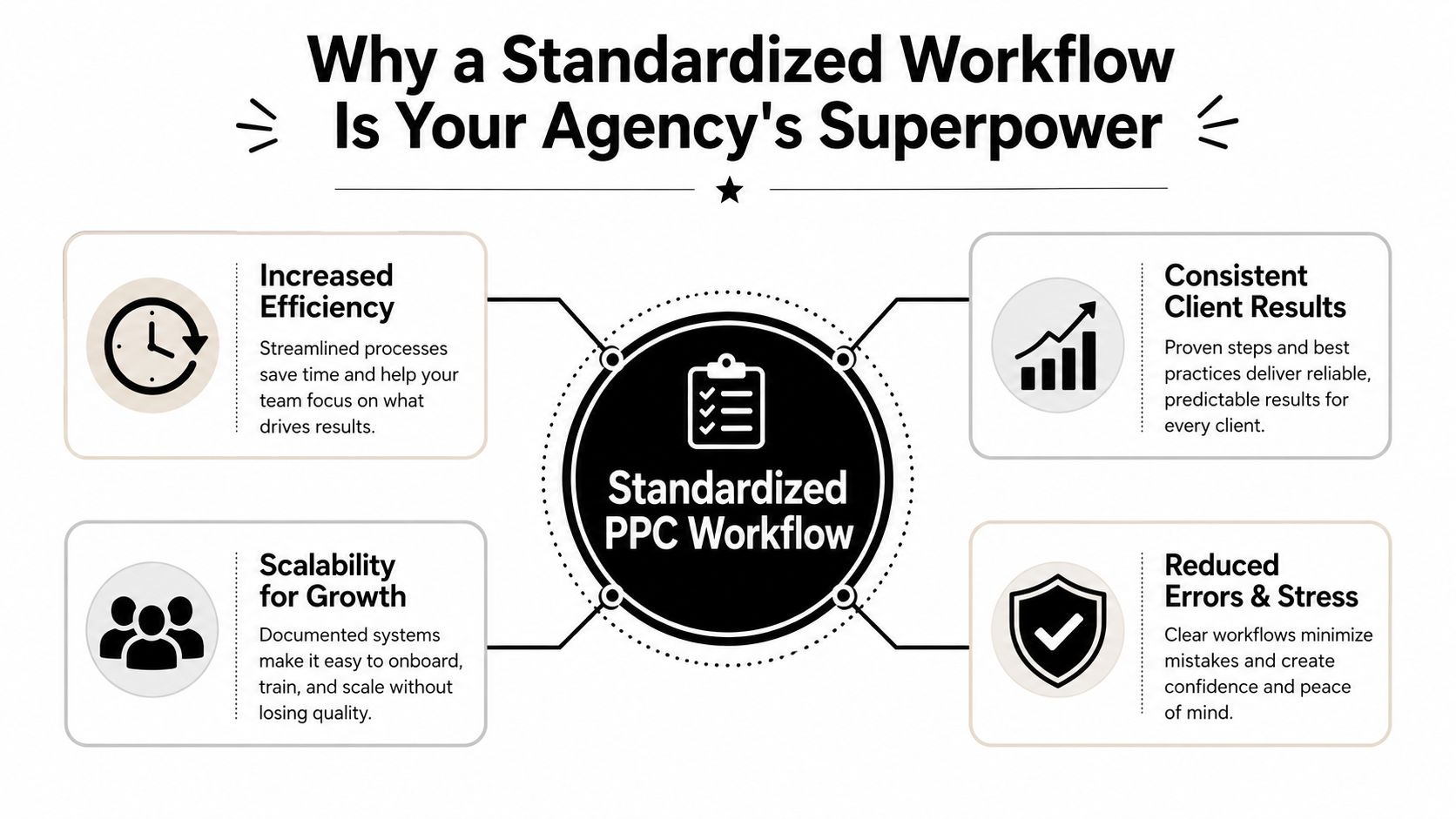
What standardization actually fixes
Most agencies don't struggle because they lack ideas. They struggle because ideas aren't applied consistently.
- Faster triage: A set cadence tells the team what to check first when an account looks off.
- Cleaner handoffs: If an account changes owners, the next person can pick it up without decoding someone else's private system.
- More reliable client communication: Reports improve when the work behind them follows a pattern.
- Less random optimization: Teams stop making scattered changes just to feel productive.
Practical rule: If your account manager can't explain why a change happened, when it happened, and what it was supposed to improve, the workflow is too loose.
Why agencies benefit more than solo advertisers
An in-house team usually manages one business model, one set of goals, and one approval chain. Agencies juggle lead gen, ecommerce, local service accounts, branded search, non-brand expansion, messy tracking setups, and clients with very different levels of PPC understanding.
That means your workflow has to do two jobs at once:
| Agency need | What the workflow must do |
|---|---|
| Operational control | Catch spend issues, tracking problems, and wasted queries early |
| Client retention | Show the client what changed, why it changed, and what happens next |
A good workflow also protects your best people. Senior strategists shouldn't spend half their week doing manual checks that a clear process or tool could handle. Their time belongs on account structure, offer alignment, landing page friction, budget decisions, and client direction.
When agencies skip standardization, everything becomes personality-driven. When they build it properly, performance becomes process-driven. That's the shift that lets you scale without letting quality slide.
Kicking Off with a Comprehensive Account Audit
Before touching bids or ad copy, audit the account. Not casually. Properly.
A real audit isn't a list of generic recommendations pulled from the interface. It's a diagnosis of what is broken, what is merely inefficient, and what is already working well enough to leave alone for now. That distinction matters because agencies waste a lot of time "optimizing" the wrong layer first.
Start with tracking and business truth
If conversion tracking is weak, every decision after that gets shaky. Before looking at keywords or ads, confirm what the account counts as a conversion and whether that action still reflects what the client actually wants.
Check these first:
- Primary conversions: Make sure the account is optimized toward the actions the client values most.
- Duplicate or inflated actions: Look for multiple conversion events that muddy reporting.
- Lag between click and conversion: If the sales cycle isn't immediate, avoid judging recent changes too quickly.
- CRM alignment: Ask whether the leads counted in-platform are qualified downstream.
If tracking feels unclear, stop there and fix the measurement plan before pushing optimization harder. For a detailed process, this PPC audit checklist template is a useful reference for building a repeatable review.
Review structure before performance
Poor structure hides good data and rewards the wrong actions. I've seen accounts where branded and non-brand are mixed together, devices are handled inconsistently, and campaign naming makes reporting harder than it needs to be.
Audit the account with these questions in mind:
Does campaign segmentation make business sense?
Separate by intent, geography, product line, or funnel stage only when that split supports budget control or messaging.Are ad groups tight enough to support relevant copy?
If the keyword themes are too broad, your ads get generic and search terms become harder to manage.Is match type usage deliberate?
Accounts often drift into a mix of broad, phrase, and exact with no clear rationale.Can someone new understand the structure quickly?
If not, reporting and optimization will stay slow.
The audit should tell you where the account leaks money, where it hides intent, and where it creates reporting confusion. Everything else is secondary.
Look for negative keyword hygiene
Many underperforming accounts often reveal the core issue. Not bad ads. Not low bids. Just weak control over irrelevant intent.
When I review an inherited account, I want to know:
- Shared lists exist or not: If negatives live only at the campaign level, consistency is harder.
- Search term exclusions are logical: Don't block traffic just because one query looked bad in isolation.
- Cross-campaign conflicts exist: Internal competition wastes budget and muddies attribution.
- Brand protection is intentional: Keep branded traffic from swallowing non-brand reporting if that separation matters.
Audit ad copy and landing page alignment
Ad testing gets too much attention in some accounts and too little in others. You don't need endless variations. You need relevant messaging tied to search intent and a landing page that doesn't break the promise of the ad.
A quick review table helps:
| Area | What to check |
|---|---|
| Ad copy | Message match, offer clarity, weak headlines, stale calls to action |
| Landing pages | Relevance, speed perception, friction, form quality, mobile usability |
| Extensions and assets | Whether they support the main conversion path or just fill space |
The result of the audit should be a short priority list. Not twenty ideas. Usually it's something like this: fix tracking, clean structure, mine negatives, tighten ad groups, then test copy. Agencies that do this in the right order save themselves weeks of useless activity.
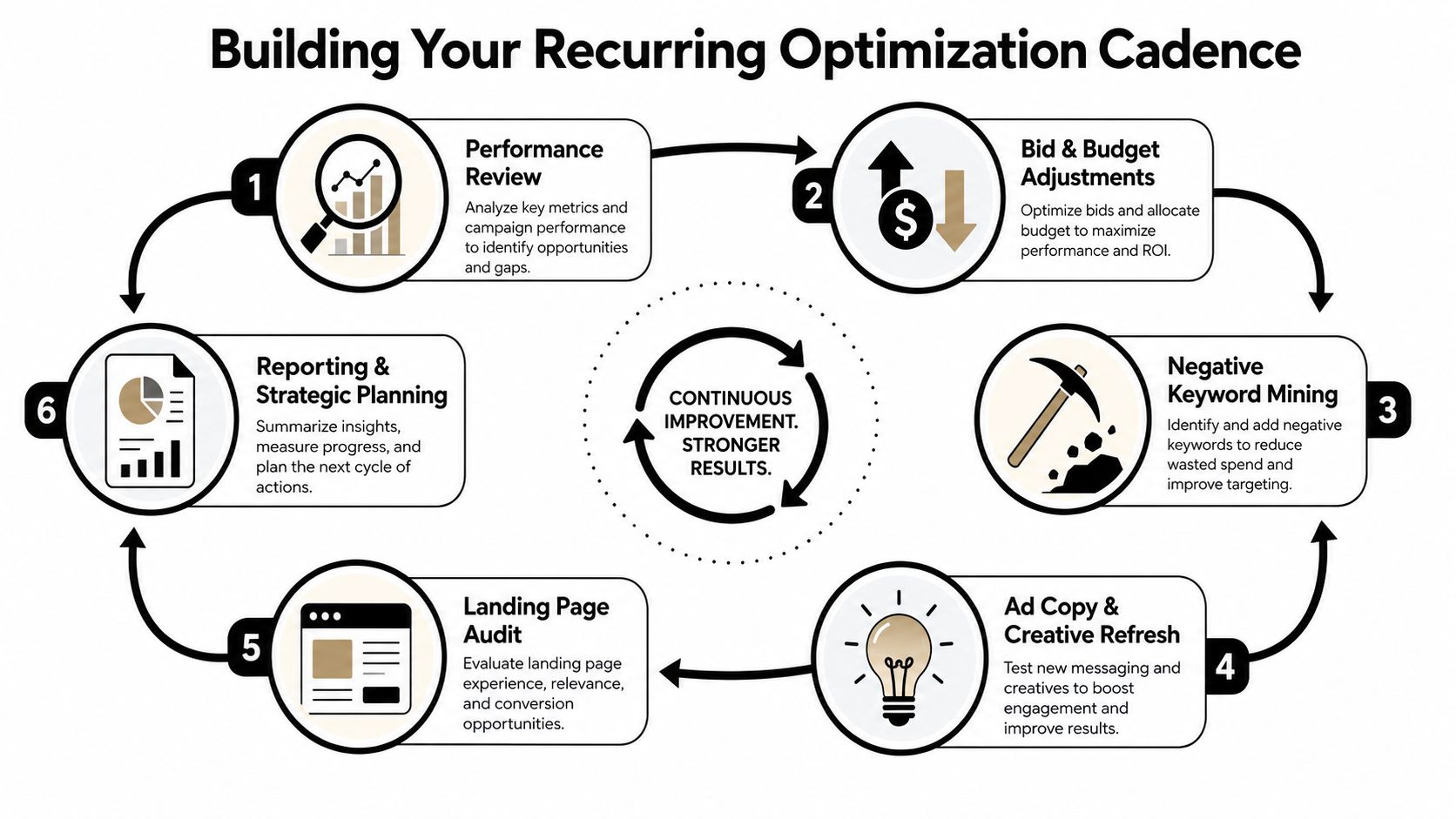
Building Your Recurring Optimization Cadence
An audit gives you the baseline. Cadence is what keeps the account healthy after that. At this stage, most agencies either look sharp or fall apart.
The mistake is trying to "optimize constantly." Constant touching usually means constant noise. A better system uses fixed review intervals so the team knows what belongs on a daily checklist, what deserves a weekly deep dive, and what should wait for a bigger monthly decision.
A practical agency cadence is laid out in Linear Design's guide to PPC management services: daily anomaly checks and spend control, weekly search-term mining for negatives, bi-weekly pruning of underperformers and scaling of winners, and monthly strategic reviews for larger budget and structure changes. The same guide notes a useful benchmark. Wait roughly 1 to 2 weeks and at least 100 clicks before treating changes as statistically meaningful, and avoid launching automated bidding before campaigns have enough conversion data to learn effectively.
Daily work is mostly about control
Daily checks shouldn't turn into full account analysis. This is triage.
A daily pass usually includes:
- Budget pacing: Catch spend spikes, underspend, or campaigns that stopped serving.
- Conversion anomalies: Look for obvious drops, tracking breaks, or sudden shifts in lead quality signals.
- Disapprovals and alerts: Fix issues that block delivery before they become client-facing problems.
- Context review: Check if a promotion ended, a landing page changed, or the client made an offline sales update that affects interpretation.
Short, sharp, and documented. That's enough.
Weekly work is where waste gets cut
Weekly optimization is the engine room. Here, your team earns its keep.
Search-term review deserves a dedicated slot every week because it affects both efficiency and expansion. You remove junk, spot intent drift, and find queries worth adding as new keywords or new ad group themes. If your agency doesn't have a reliable weekly search-term process, you're probably spending too much and learning too slowly.
Use the weekly review for a mix of actions:
- Negative keyword mining: Exclude irrelevant patterns with care.
- Keyword expansion: Promote strong search terms into managed keywords when appropriate.
- Ad relevance cleanup: Tighten copy if search behavior has shifted.
- Audience and geo review: Check whether traffic quality differs by segment.
Weekly search-term analysis is where agencies usually find the clearest mix of savings and opportunity.
Bi-weekly reviews separate signal from impatience
This interval works well for pruning and scaling because it gives changes some room to breathe. Many teams sabotage their own results by editing an account every other day, then trying to interpret unstable data.
Bi-weekly work is a good home for:
| Bi-weekly focus | Action |
|---|---|
| Underperforming assets | Pause, reduce exposure, or rewrite |
| Winning segments | Increase budget share or widen reach carefully |
| Landing page friction | Flag issues for client or internal team |
| Test review | Decide what gets another round and what gets dropped |
A candid note here. Not every underperformer needs to be killed immediately. Some need cleaner traffic first. Others suffer because the landing page is weak, not because the keyword is bad.
Monthly reviews are strategic, not cosmetic
Monthly reviews should not become longer weekly checklists. In these, you decide whether the account structure, budget allocation, and bidding approach still fit the business.
Bring these questions into the room:
- Are we still optimizing toward the right business outcome?
- Which campaigns deserve more budget and which are only surviving on habit?
- Has the account outgrown its current structure?
- What should change next month that we deliberately didn't rush this month?
That rhythm works because each layer has a job. Daily protects. Weekly refines. Bi-weekly judges changes. Monthly redirects the account.
Agencies that mix all of that together every few days usually create motion, not progress.
Tracking Metrics That Matter and Reporting Value
Clients don't pay for activity logs. They pay for outcomes, clarity, and confidence that the account is being managed with intent.
That means your reporting has to do two things well. First, it has to focus on metrics tied to business performance. Second, it has to show the client that your workflow is producing decisions, not just dashboards.

Stop leading with vanity metrics
Clicks and impressions have context value, but they rarely belong at the top of an agency report. Most clients care about whether leads are coming in profitably, whether revenue quality is improving, and whether your decisions are making the account more efficient.
The core reporting set usually looks like this:
- CPA: Useful for lead generation accounts where acquisition efficiency is the main concern.
- ROAS: Better for ecommerce or revenue-driven programs.
- Conversion rate: Helps explain whether the issue is traffic quality, message match, or landing page friction.
- Quality trends: Helpful when you need to explain why costs changed or why efficiency is improving slowly.
This guide on PPC performance metrics you need to track is a good internal standard if your team needs one framework across multiple accounts.
Good reports explain the work behind the numbers
A client report should read like a management update, not a data export. Show what happened, why it likely happened, what the team changed, and what happens next.
A simple reporting structure works well:
| Report section | What belongs there |
|---|---|
| Executive summary | Plain-English account status and main takeaway |
| Performance review | Core metrics and notable trend shifts |
| Optimization log | Negative keywords added, tests run, budget moves, structural changes |
| Next-step plan | What the agency will focus on next |
If the report doesn't mention the actual optimization work, clients assume results happened on their own or didn't require much expertise.
Measurement quality shapes trust
A lot of reporting problems start earlier, with weak conversion tracking. If you're trying to explain account value without reliable measurement, you're arguing from a shaky base. Teams that want to sharpen this part of their process should measure what matters online before obsessing over presentation format.
One more candid point. Some clients ask for every metric because they don't yet know which ones matter. That's normal. Your job isn't to dump more charts on them. Your job is to narrow the field and lead the conversation toward business outcomes.
The strongest agency reports make the client feel two things at once. They understand what happened, and they believe the agency is in control of what happens next.
Leveraging Automation and Tools to Scale Your Workflow
Manual PPC work doesn't scale well across multiple clients. It scales headcount, meetings, and inconsistency. The right approach is to automate the parts that are repetitive, keep human review where judgment matters, and make sure the tooling matches the maturity of the account.
Google Ads supports several optimization paths, including Target ROAS, Maximize conversions, and Maximize conversion value, while manual CPC or enhanced CPC is more appropriate for new campaigns without enough conversion history, as outlined in Improvado's PPC optimization guide. That phased approach makes sense in agency work. First gather clean data and control waste. Then introduce automation when the account has enough signal to support it.
Use native automation with restraint
Smart bidding can work well, but it isn't a substitute for account management. Agencies get into trouble when they switch too early, feed the algorithm poor conversion definitions, or keep making frequent changes before the system settles.
Use native automation when the account has enough stable data and the business goal is clear. Hold back when:
- Tracking is still messy
- Campaign structure is being rebuilt
- Conversion volume is thin
- The client changes goals every week
That isn't anti-automation. It's just operational reality.
Fill the workflow gaps native tools don't solve
Google gives you bidding systems and recommendations. It does not remove the grind of recurring search-term cleanup, negative keyword handling, match type assignment, and bulk keyword expansion inside a busy agency process.
That's where tooling matters. Some teams rely on spreadsheets and scripts. Others prefer workflow tools built around repetitive account actions. For example, PPC workflow automation tools can help agencies decide what should be automated, what should be templated, and what still deserves hands-on review.
One option in this category is Keywordme, which works inside Google Ads through a Chrome extension and focuses on search term cleanup, negative keyword handling, keyword expansion, and match type application. In agency terms, that matters because weekly SQR work is one of the first places teams lose time to copy-paste processes.
A useful way to think about this is simple. Native automation handles bidding logic. Workflow tools handle recurring execution friction.
The best automation setup doesn't remove your judgment. It protects it by taking repetitive work off your desk.
There's a broader lesson here that applies outside paid search too. If you've looked at workflows in adjacent corners of digital marketing, tools built for meme page content automation show the same pattern. Automation helps most when it removes repetitive production work, not when it tries to replace the strategist.
A quick walkthrough helps teams understand where the workflow handoff should happen:
Keep humans in the approval loop
A scalable PPC account optimization workflow for an agency isn't fully manual, and it shouldn't be fully hands-off either. The sweet spot is controlled automation with clear ownership.
Use automation for repeatable actions. Keep humans responsible for:
- Goal selection
- Conversion definitions
- Structural changes
- Client-specific exceptions
- Final interpretation of performance
That's how you scale without letting accounts drift into autopilot mediocrity.
Turning Your Workflow into a Competitive Advantage
The agencies that keep clients longest usually aren't the ones making the flashiest claims. They're the ones with a system that survives pressure. New client onboardings. Messy tracking. Shifting budgets. Staff handoffs. Performance dips. Competitive spikes. The workflow holds.
That system starts with a disciplined audit. It stays alive through recurring optimization cadence. It earns trust through reporting that ties actions to outcomes. It scales through selective automation and tools that remove the ugliest manual work.
What clients actually feel from a good workflow
Clients rarely ask whether your team has an SOP. They feel the effect of one anyway.
- They get faster answers
- They see cleaner reporting
- They hear fewer vague explanations
- They trust that problems will be caught early
That trust becomes a commercial advantage. It makes renewals easier, onboarding smoother, and service quality less dependent on one standout account manager.
Why this becomes an agency asset
A workflow isn't just internal hygiene. It's part of the product.
When routine work is systemized, strategists get more room to think about offers, funnels, landing pages, budget allocation, and expansion paths. That's the value clients hire for. Not random button pushing inside ad platforms. Judgment, applied consistently.
A solid PPC account optimization workflow for an agency does something simple but powerful. It turns scattered effort into repeatable service quality. And once that happens, growth gets a lot less chaotic.
If your team spends too much time inside search term reports and negative keyword cleanup, Keywordme is worth a look. It fits the agency workflow problem directly by helping manage search terms, negatives, keyword expansion, and match types inside Google Ads with less manual formatting and copy-paste work.
.svg)