
8 Best Match Type Optimization Tools for Google Ads in 2026
This guide compares 8 of the best match type optimization tool options for Google Ads in 2026, ranking each by how directly it operates on match types and search terms so advertisers and agencies can pick the right fit for their workflow.


The right match type optimization tool depends on one question: where in the workflow does your problem actually live? Planning match types before launch, cleaning up wasted spend in a live campaign, and auditing structural conflicts across dozens of accounts are three different jobs — and different tools are built for each one.
This list covers eight tools that touch match type decisions in Google Ads, organized from the most direct (one-click changes inside the Search Terms Report) to the most upstream (keyword and competitor research that informs match type strategy before a campaign goes live). For each tool you get a clear best-fit use case, what it actually does, what it costs, and where it falls short.
Quick orientation: if you manage live campaigns and want to act on search terms without leaving Google Ads, start with Keywordme (#1) or Google Ads Editor (#4). If you run a multi-client agency that needs cross-account automation, Optmyzr (#2) and Adalysis (#3) earn their price. If you're planning match types before launch using keyword research, SEMrush (#6), SpyFu (#7), and WordStream (#5) fit that stage. And if custom scripted automation is an option for your team, Google Ads Scripts (#8) costs nothing.
Quick comparison
- Keywordme: best for solo advertisers and agencies wanting fast in-interface fixes; starting at $12/month per user; applies match types instantly inside the native Google Ads UI with no export.
- Optmyzr: best for agencies needing cross-account automation; quote-based pricing; flags match type conflicts across an entire client portfolio at once.
- Adalysis: best for larger teams wanting recurring audits; quote-based pricing; uses n-gram analysis to surface systemic search term waste.
- Google Ads Editor: best for free, large-scale batch edits; free; first-party bulk editing tool maintained directly by Google.
- WordStream Advisor: best for newer advertisers who want guidance; quote-based pricing; structured weekly checklist workflow.
- SEMrush PPC Toolkit: best for teams wanting match type planning bundled with SEO; tiered pricing; competitive keyword and ad copy research beyond match type cleanup.
- SpyFu: best for pre-launch competitor research; tiered pricing; historical view of competitor keyword and match type bidding patterns.
- Google Ads Scripts: best for technical marketers wanting custom automation; free; fully customizable logic limited only by scripting skill.
1. Keywordme
Keywordme is a Chrome extension that layers one-click actions directly onto the Google Ads Search Terms Report, so you can clean up junk queries and adjust match types without ever leaving the native interface.
What sets it apart from everything else on this list is that it doesn't ask you to export anything. Most match type tools either require you to pull data into a spreadsheet or a separate dashboard, then push changes back manually. Keywordme skips that entirely: you're working inside Google Ads, and the actions (removing a junk term, applying a match type, adding a negative) happen where you're already looking at the data.
- Removes junk search terms from the report in a single click, without an export step
- Applies broad, phrase, or exact match instantly to any search term you want to promote to a keyword
- Builds negative keyword lists in bulk from terms you flag as irrelevant
- Groups related search terms into clusters so you can spot patterns instead of reviewing rows one by one
- Supports bulk editing and multi-account access, useful for agencies managing several client accounts under one login
Setup is quick: install the extension, connect your Google Ads account, and it appears inside the Search Terms Report you already use. There's no separate login to check daily, no dashboard to learn. Agencies can add team members to a single workspace rather than juggling separate installs per person.
The trade-off is scope. Keywordme is built specifically for the Search Terms Report and match type workflow inside Google Ads. It doesn't do competitor keyword research, cross-platform reporting for Microsoft Ads or Facebook, or the kind of account-wide rule automation that agency-scale platforms like Optmyzr offer. If you need a single tool to plan campaigns from scratch across multiple ad platforms, this isn't that tool. As of 2026, it's priced at $12 per month per user with a 7-day free trial, a flat rate that doesn't scale with ad spend, which is worth checking against current pricing on Keywordme's site before you commit.
Best for: Solo advertisers and agencies who want fast, in-interface match type fixes without leaving Google Ads.
2. Optmyzr
Optmyzr is a PPC management platform built for agencies and in-house teams running multiple accounts, with rule-based automation that flags match type conflicts and wasted spend before they compound.

Its Rule Engine is the standout feature here. You can set conditions across an entire portfolio of accounts, such as flagging any search term that's triggering spend under a broad match keyword without a corresponding exact match term, and Optmyzr will surface it (or, depending on the rule, act on it automatically). That kind of cross-account visibility is hard to replicate manually, especially once you're managing more than a handful of clients.
- Runs rule-based checks across bids and match types so problems get flagged before they burn budget
- Applies bulk actions across multiple accounts at once instead of one at a time
- Generates white-label reports for clients, which matters if you're an agency billing for PPC management
- Tracks search term waste and quality score trends over time so you can show improvement, not just point-in-time snapshots
Optmyzr connects to Google Ads, Microsoft Ads, and Facebook Ads, and it's typically run by an agency's PPC lead or a dedicated account manager rather than a single freelancer. Setup involves configuring rules and connecting accounts, which takes real time up front compared to a plug-and-play extension.
That setup cost is also its main limitation. If you're managing one account, the rule engine and cross-account automation are more infrastructure than you need, and the pricing (which scales with ad spend under management) will feel steep for a solo advertiser. Check the current tiers on Optmyzr's site, as they're quote-based and vary by account volume.
Best for: Agencies needing cross-account automation for match type and bid audits.
3. Adalysis
Adalysis runs automated audits across your Google Ads and Microsoft Ads accounts, scanning for match type conflicts, search term overlap, and other structural issues, then presents fixes in a dashboard rather than a raw export.
The feature that separates it from a one-off cleanup tool is its n-gram analysis. Instead of flagging individual bad search terms, Adalysis groups recurring word patterns across your search terms report, so if "free," "cheap," or "jobs" keeps showing up across dozens of low-intent queries, you see the pattern as one issue instead of thirty separate rows to review.
- Runs continuous account-wide audits so match type issues surface automatically instead of waiting for a manual review
- Groups search terms by recurring patterns (n-grams) to reveal systemic waste, not just isolated bad terms
- Flags match type conflicts, like overlapping keywords competing against each other
- Monitors ad testing and quality score alongside search term data, giving a fuller account health picture
Adalysis connects to Google Ads and Microsoft Ads and is generally run by whoever owns ongoing account health, an in-house PPC manager or an agency analyst checking in on a recurring schedule. It's built for continuous monitoring rather than a quick one-time cleanup during a campaign launch, so if you just need to fix match types on a single new campaign this week, it's more tool than the job calls for.
Pricing scales with ad spend and is quote-based, so you'll want to check current tiers directly on their site.
Best for: Larger in-house teams or agencies wanting recurring automated audits of match type structure.
4. Google Ads Editor
Google Ads Editor is Google's own free desktop application for making bulk offline changes to campaigns, including keyword match types, before syncing everything back to your live account.

Its biggest advantage is that it's free and built directly by Google, so there's no third-party dependency and no risk of it falling out of sync with how Google Ads actually works. If you're comfortable making manual decisions about which search terms to promote and which match types to apply, Ads Editor lets you do it at scale using find-and-replace and bulk edit functions across an entire account, or several accounts, in one sitting.
- Lets you bulk-edit keywords and match types offline, then push changes live when you're ready
- Manages multiple accounts inside one interface, useful if you're not paying for a separate multi-account tool
- Includes find-and-replace across campaigns, handy for standardizing match type structure quickly
- Costs nothing, since it's a first-party Google product
Anyone with a Google Ads login can download and run it, and there's no subscription to manage. The catch is that it does none of the analytical work for you. There's no automated flagging of junk search terms, no waste detection, no clustering. You still have to know which terms are wasting spend and which match type makes sense; Ads Editor just makes the bulk edit faster once you've decided.
Best for: Advertisers who want free, large-scale batch match type edits without a subscription.
5. WordStream Advisor
WordStream Advisor is a guided PPC management platform built around a weekly checklist, called the "20-Minute Work Week," that surfaces match type and negative keyword suggestions for both Google and Microsoft Ads.

What makes it different from the more technical tools on this list is that it's designed for people who don't want to dig through raw data themselves. Instead of a report you have to interpret, WordStream Advisor hands you a prioritized list of suggested actions each week, including which search terms look like negative keyword candidates and where match types might need adjusting.
- Walks you through a structured weekly checklist instead of leaving you to figure out where to start
- Suggests negative keywords and match type changes based on recent search term activity
- Covers both Google Ads and Microsoft Ads from one dashboard
- Grades overall account performance so you can track progress over time
It's typically run by a small business owner, marketing generalist, or freelancer who manages PPC as one part of a broader job rather than a full-time specialty. Onboarding is straightforward since the platform is built to guide you rather than require configuration.
The trade-off is control. Experienced PPC managers who want to set their own rules and dig into granular data may find the guided approach limiting, since it prioritizes ease of use over customization. Pricing is quote-based, so check current rates on WordStream's site.
Best for: Small business owners or newer advertisers who want a guided checklist rather than raw data control.
6. SEMrush PPC Toolkit
SEMrush's PPC Toolkit is part of the broader SEMrush marketing suite, offering keyword research and grouping tools that help you segment terms by intent before you ever assign a match type in Google Ads.

Where this tool earns its place on the list is upstream of match type cleanup. Its Keyword Magic Tool builds large keyword lists organized by intent, and its grouping features help you decide, before launch, which terms should go in as exact match versus broad match based on how tightly related they are. That's planning, not auditing, and it's a genuinely different job than what Keywordme or Adalysis do.
- Builds keyword lists organized by search intent, useful for deciding match type strategy before you launch
- Shows competitor keyword and ad copy data so you can see what's already working in your space
- Groups keywords for match type planning across ad groups
- Bundles in broader SEO and content research tools beyond PPC
It integrates with Google Ads and Google Analytics, but only through export and import, not live in-account editing. This is typically run by a marketer who owns both SEO and PPC strategy, since the tool spans both.
The real limitation: there's no direct search term cleanup inside your live account. You build keyword lists in SEMrush, then manually apply them in Google Ads. If you're looking for something that touches your live Search Terms Report, this isn't it; it's a research layer that sits before that stage. Pricing is tiered, check SEMrush's site for current rates.
Best for: Marketers who want match type planning bundled with SEO and competitive research.
7. SpyFu
SpyFu is a competitive research tool that shows historical keyword and match type bidding data for any domain, which makes it useful for planning match type strategy before you launch a campaign rather than fixing one that's already live.
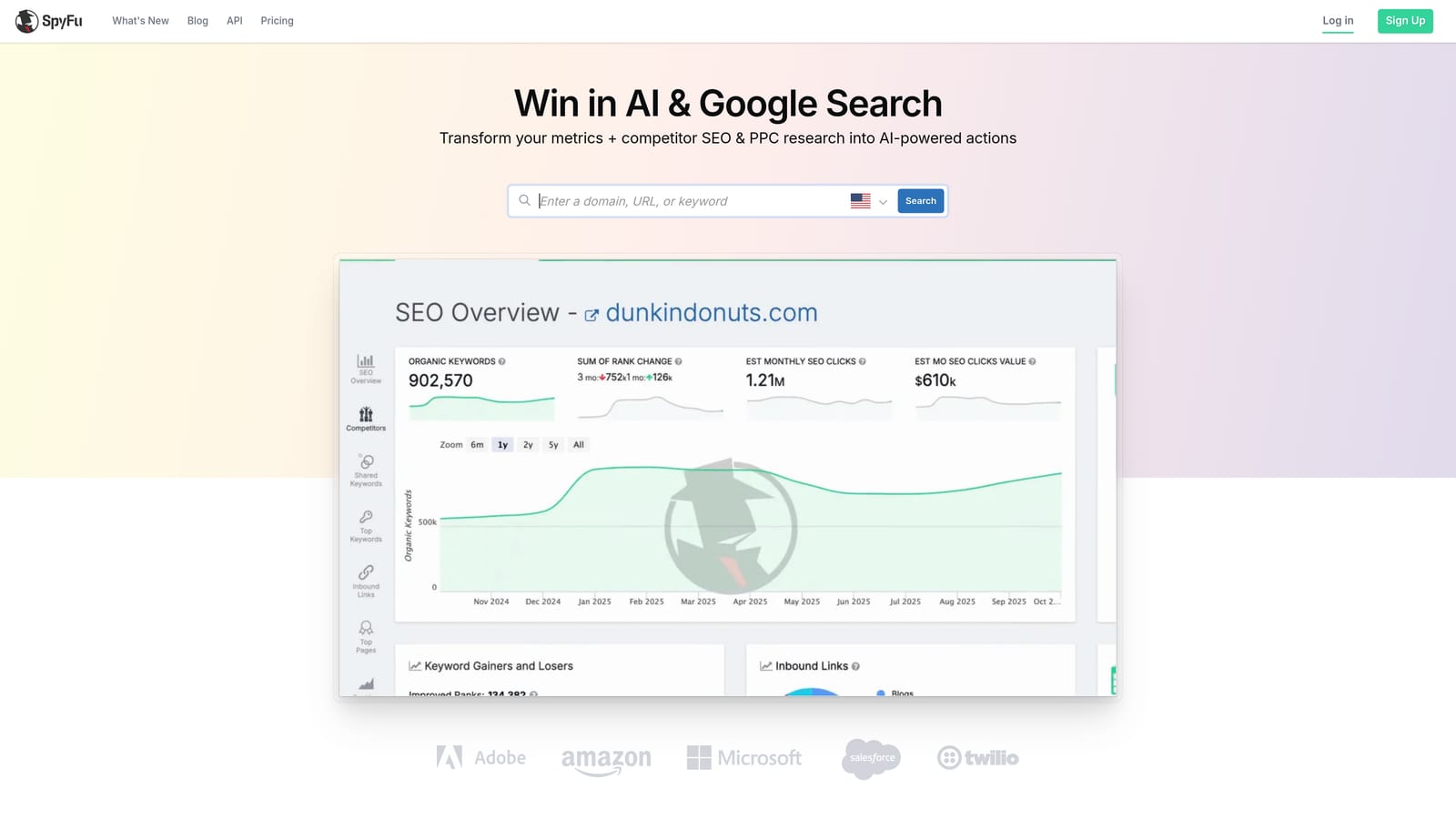
Its Kombat tool, which compares keyword overlap and gaps between your domain and competitors, is the standout here. Combined with historical PPC data going back years for a given domain, SpyFu lets you see roughly how a competitor has approached match types and keyword bidding over time, which is a different kind of insight than anything else on this list offers.
- Shows historical PPC keyword and ad history for any domain you search
- Compares your keyword coverage against competitors through the Kombat tool
- Suggests keyword groupings that can inform match type decisions
- Estimates cost-per-click and traffic for keywords you're researching
Setup is light: you're mostly searching domains and exporting data to CSV, since there's no native Google Ads sync. It's typically used by a marketer or freelancer doing competitive research before a campaign build, not someone managing day-to-day account health.
The limitation is direct: SpyFu doesn't touch your live account at all. There's no search term cleanup, no in-account match type editing, no ongoing audit. It's a research tool for the planning stage, not an optimization tool for a campaign that's already running. Pricing is tiered; check SpyFu's site for current rates.
Best for: Advertisers researching competitor match type strategy before building new campaigns.
8. Google Ads Scripts
Google Ads Scripts is Google's native scripting feature, letting technical advertisers write custom JavaScript to flag search term patterns and automate parts of match type and negative keyword management.
This is the most flexible option on this list, and also the most demanding. If you can write a script, you can build exactly the automation you want: a scheduled check that flags any search term generating clicks without conversions and matches a certain word pattern, for example, or a routine that adds negatives automatically based on rules you define. Nothing else here gives you that level of custom control, and it costs nothing beyond your own time.
- Runs custom JavaScript logic directly inside your Google Ads account, no third-party software required
- Executes on a schedule, so recurring search term checks happen automatically instead of manually
- Costs nothing, since it's a first-party Google feature
- Gives full control over the automation logic, limited only by what you can code
This only works within Google Ads and requires someone who can write and maintain JavaScript, since Google's API and interface change periodically and scripts can break without warning. It's typically owned by a technical marketer or a developer working alongside the PPC team, not a generalist managing accounts solo.
The obvious limitation is the skill requirement. If you don't code and don't have access to someone who does, this option is closed to you regardless of how appealing free, custom automation sounds.
Best for: Technical marketers who want free, custom automation without buying a third-party tool.
Matching the tool to your workflow
If you're managing your own accounts or running a small agency and just want to stop wasting time in the Search Terms Report, Keywordme is built for exactly that, one-click match type fixes without leaving Google Ads. If you're running a larger agency with multiple client accounts, Optmyzr and Adalysis earn their price tags through cross-account automation and recurring audits that would take hours to replicate manually. If budget is the main constraint and you're comfortable doing the analysis yourself, Google Ads Editor and Google Ads Scripts cost nothing, though they demand more of your own time and, in the case of Scripts, some coding know-how. And if you want match type decisions informed by deeper keyword or competitor research, SEMrush, SpyFu, and WordStream Advisor bundle that in, at the cost of direct in-account cleanup.
Optimize Google Ads campaigns 10x faster, without leaving your account. Keywordme lets you remove junk search terms, build high-intent keyword lists, and apply match types instantly, right inside Google Ads. No spreadsheets, no switching tabs, just quick, seamless optimization. Start your free 7-day trial (then just $12/month) and take your Google Ads game to the next level.
.svg)