
9 Best Keyword Grouping Tools for Google Ads and SEO in 2026
A practical guide to keyword grouping tool.


Some of you are sorting search terms into ad groups and negative lists. Others are turning keyword exports into content topics. Both jobs get called keyword grouping, and the right tool depends on which one you're doing. These nine options were chosen on grouping method (manual, rule-based, semantic similarity, or SERP overlap), fit with a Google Ads or SEO workflow, how they handle big lists, and what they cost. Pricing and features were checked against general product knowledge, so confirm current details on each vendor's site before you buy.
Quick Comparison of the Keyword Grouping Tools
- Keywordme: best for PPC managers and agencies grouping search terms; $12/month per user; clusters and acts on search terms inside the native Google Ads interface.
- Google Ads Editor: best for hands-on advertisers restructuring in bulk; free; stages and reviews bulk changes offline before they go live.
- Semrush Keyword Strategy Builder: best for SEO teams planning content clusters; subscription, see website; builds topic clusters from a seed keyword on a large keyword database.
- Ahrefs: best for SEOs who want SERP-informed grouping; subscription, see website; groups by Parent Topic based on what the top-ranking page ranks for.
- Keyword Insights: best for content teams clustering thousands of keywords; credit-based plans, see website; pairs SERP-overlap clustering with intent labels.
- Cluster AI: best for solo SEOs and freelancers; see website; a narrow, quick clustering workflow with no full suite attached.
- SE Ranking Keyword Grouper: best for agencies already reporting in SE Ranking; subscription, see website; adjustable grouping strictness tied to rank tracking.
- Google Sheets: best for small lists and tight budgets; free; fully customizable rule-based grouping you control.
- Optmyzr: best for agencies wanting a broad PPC platform; spend-based tiers, see website; combines search term analysis, rules, and reporting in one suite.
1. Keywordme
Keywordme is a Chrome extension that adds clustering and one-click actions directly inside the Search Terms Report in Google Ads. It's built for PPC managers, freelancers, and agency owners who spend their week turning search terms into ad groups, keywords, and negatives. Full disclosure: it's our product, so here's the honest version of where it fits.
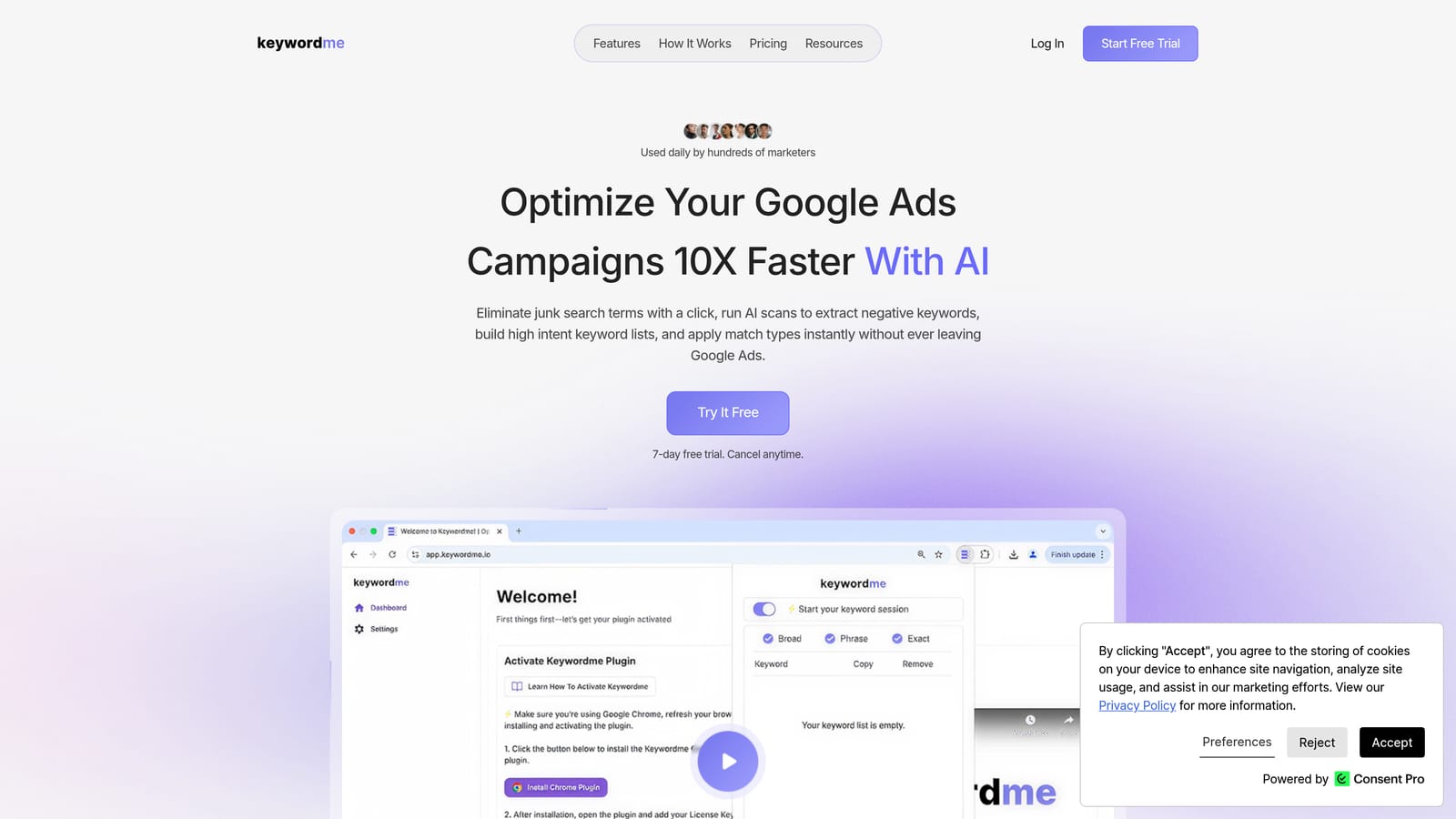
Its distinctive strength is that you group and act on search terms without leaving the native Google Ads interface. There's no export, no spreadsheet, no upload step. You see a cluster of related search terms, decide what's relevant, and add them as keywords or negatives in the same screen. You stay in control of every change; nothing is applied on its own.
- Keyword clustering in the Search Terms Report shows recurring themes, so you can spot a pile of junk terms or a cluster worth its own ad group.
- One-click negative keywords and junk term removal cut the time spent excluding irrelevant queries.
- Instant match type application means you pick broad, phrase, or exact as you add terms, instead of editing them afterward.
- Bulk editing handles many terms at once.
- Multi-account and team support lets an agency run several client accounts across users.
Setup is light: install the extension in Chrome and open your account. Whoever manages the campaigns day to day uses it, and no analyst or developer is needed.
The limits are clear. It works on your own account's search terms, so it isn't a keyword research database and it doesn't cluster by SERP overlap for SEO. It also requires Chrome. If you need topic clusters for a content calendar, look further down this list.
Pricing is $12/month per user, so cost scales with seats rather than ad spend or keyword volume. A 7-day free trial is offered; verify current terms on the site.
Best for: PPC managers and agencies turning search terms into ad groups and negatives fast.
2. Google Ads Editor
Google Ads Editor is Google's free desktop app for editing campaigns in bulk, including offline, across multiple accounts. It suits advertisers who are comfortable sorting things themselves and want a controlled way to restructure.

The thing it does better than anything else here is staging. You make hundreds of changes locally, review them, and only then post them to the account. When you're splitting one sprawling ad group into several, that safety net matters.
It has no automatic or semantic grouping at all. Every decision about which keyword goes where is yours. That's the main limitation, and it's a real one on large lists.
- Bulk edit and multi-account management let you change many campaigns and accounts in one session.
- Copy and paste keywords between ad groups makes moving a theme to its own ad group quick.
- Find and replace fixes match types, URLs, or naming across a whole selection.
- Reviewing changes before posting catches mistakes before they cost money.
It connects to Google Ads and nothing else. Setup means downloading the app and syncing your accounts, and the person who owns the account structure typically runs it. There's a learning curve if you've only used the web interface.
It pairs well with a grouping tool: decide the themes elsewhere, then execute the restructure here. Pricing is free.
Best for: Hands-on advertisers who want free, controlled bulk restructuring.
3. Semrush Keyword Strategy Builder
Semrush offers a Keyword Strategy Builder that takes a seed keyword and returns topic clusters and subtopics. It's aimed at SEO teams planning content, not at people structuring Google Ads accounts.
What sets it apart on this list is the database behind the clusters. You start from one idea and get a mapped set of related topics, with difficulty and intent data available alongside, rather than uploading a list you already own.
What you get
- Topic cluster generation turns one seed keyword into pillar and subtopic ideas for a content plan.
- A large keyword database with difficulty and intent data helps you prioritize which clusters to build first.
- Keyword Manager lists let you save and organize groups for later work.
- It sits inside a wider SEO toolkit, so research, tracking, and audits live in one login.
Setup, limits, and cost
Semrush connects with Google Search Console and Google Analytics, and has Google Ads connections too (confirm which ones your plan includes). Setup is quick, but the suite is large, so expect a learning curve and an SEO specialist or content lead as the main user.
It isn't built for ad group structure. SEO clusters don't map one-to-one onto ad groups, because search ads are shaped by match types and close variants rather than by pages that rank together. It's also subscription-priced, with tiers that vary by plan and usage limits. See the website for current pricing.
Best for: SEO teams planning content topic clusters.
4. Ahrefs
Ahrefs is an SEO suite, and its Keywords Explorer groups keywords by Parent Topic. That label comes from ranking-page data: if the top page for a keyword also ranks for a broader term, that broader term becomes the parent.
That's the standout here. Grouping is based on what the top-ranking page actually ranks for, which is a more grounded signal than word similarity alone. If two phrases look different but one page wins both, Ahrefs treats them as one topic.
- Parent Topic grouping tells you whether to write one page or several for a set of keywords.
- Keywords Explorer provides volume, difficulty, and related-term data to size each group.
- Clustering by terms is also available (verify the current name and behavior in the tool).
- The SERP overview lets you check who ranks before committing to a topic.
It integrates with Google Search Console and Google Analytics (verify the details for your plan). Setup is straightforward for anyone who has used an SEO tool, and it's typically run by SEOs or content strategists.
For PPC-only users it's expensive and poorly matched. It isn't tied to Google Ads account actions, so you can't add a negative or restructure an ad group from it. Pricing is subscription-based with tiers, and usage limits and seats move the cost. See the website for current plans.
Best for: SEOs who want SERP-informed grouping backed by large datasets.
5. Keyword Insights
Keyword Insights is a dedicated clustering tool. It groups keywords by SERP overlap, meaning keywords whose search results share many of the same URLs land in the same cluster, and it labels each by search intent.

The combination is the point. Clustering a big list is only half the job; knowing whether a cluster is informational, commercial, or transactional tells you what kind of page to build. This tool does both for large uploads.
- SERP-overlap clustering groups keywords that Google treats as the same topic, which reduces cannibalizing pages.
- Search intent labels help you decide the content type for each cluster.
- Large list uploads handle thousands of keywords without hand-sorting.
- Content briefs give writers a starting point for each cluster.
Check the website for integrations. Setup is mostly uploading a file and waiting for results, and content or SEO teams usually own it.
It's SEO and content focused, with little value for search term cleanup. It won't help you build a negative keyword list for a live campaign. Pricing is credit-based, so cost moves with how many keywords you cluster. See the website for current plans.
Best for: Content teams clustering thousands of keywords.
6. Cluster AI
Cluster AI is a lightweight, SERP-based clustering tool for content planning. You upload a list, it groups keywords by search results similarity, and you move on.
Its edge is focus. There's no full SEO suite to learn and no dashboard sprawl, just a quick clustering workflow. For a freelancer who clusters a list a few times a month, that simplicity is the appeal.
- SERP-based clustering groups keywords that return similar results, so each cluster maps to one page.
- List upload lets you bring your own keywords from any research source.
- Cluster visualization may be included to help you see how groups relate (verify in the current product).
Check the website for integrations and setup details. It's simple enough for one person to run alone.
The scope is narrow and there's no PPC workflow. You can't act on search terms, apply match types, or push anything into Google Ads. You'll also need to bring your own keyword data, since it isn't a research database. Pricing details are on the website, so confirm current plans and limits before relying on it.
Best for: Solo SEOs or freelancers wanting cheap clustering.
7. SE Ranking Keyword Grouper
SE Ranking includes a Keyword Grouper module that clusters keywords by SERP similarity. It lives inside a broader SEO platform with rank tracking and reporting.

The distinctive part is adjustable grouping accuracy. You choose how strict the clustering is: tighter settings produce more, narrower groups, looser settings produce fewer, broader ones. That control is useful because the right granularity depends on your site and goals.
- SERP-similarity grouping bundles keywords whose results overlap.
- Adjustable grouping accuracy lets you tune strictness instead of accepting one fixed output.
- Rank tracking integration means grouped keywords can be monitored as sets.
- Reporting lets agencies show client progress by topic group.
It connects with Google Search Console and Google Analytics (verify the specifics). Setup is moderate, and SEO specialists or account managers at agencies usually run it.
Grouping may consume credits or be subject to plan limits, so check how your tier handles large lists. It's SEO-first and won't help with search term cleanup in Google Ads. Pricing is subscription-based; see the website for current tiers.
Best for: Agencies already reporting in SE Ranking.
8. Google Sheets
Google Sheets is the do-it-yourself route. You paste in search terms or keywords and group them with pivot tables, filters, and formulas.
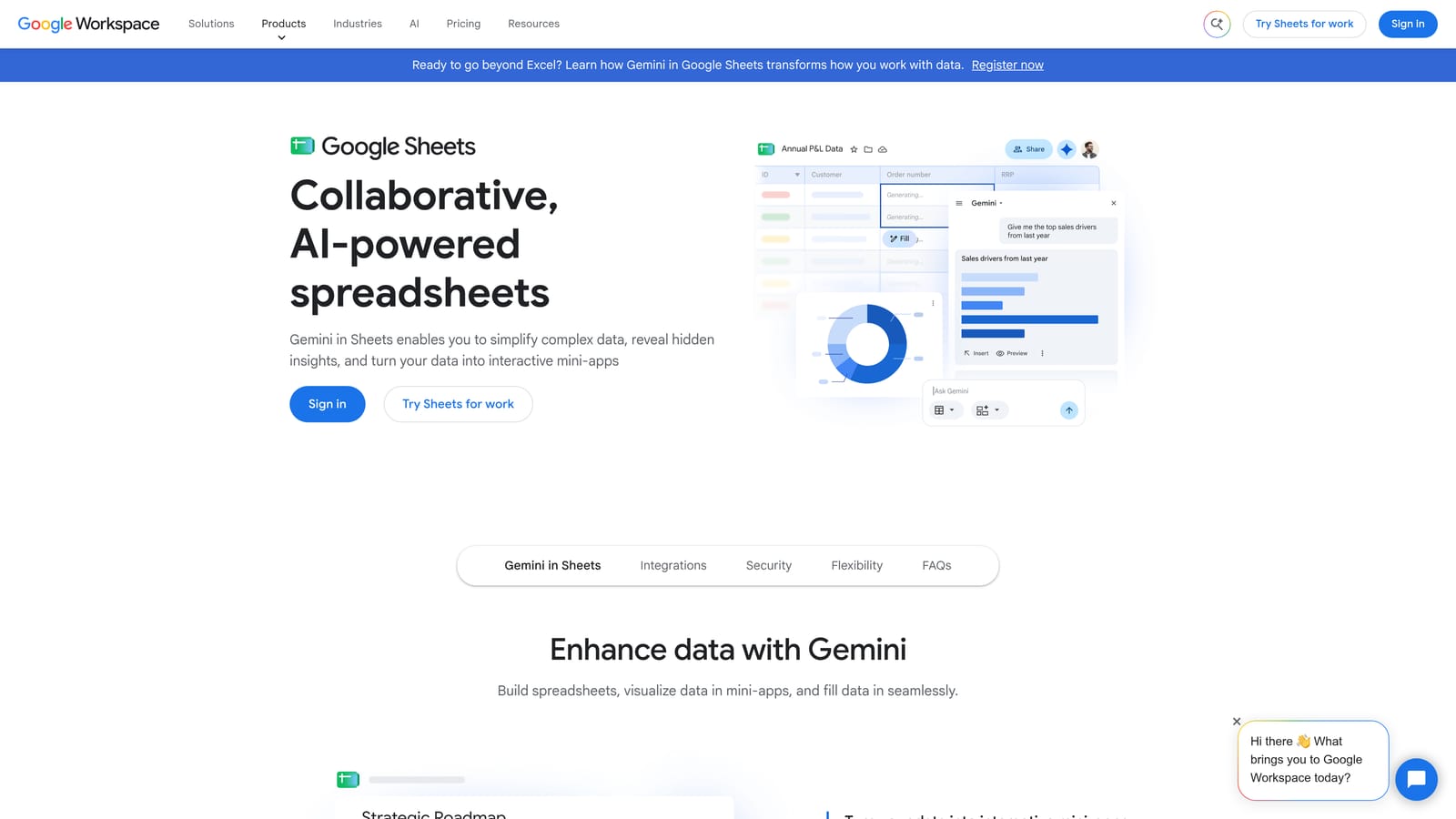
It's fully customizable, and that's its strength. You can group by any rule you can write: contains a brand name, contains "free", starts with a modifier, matches a regex. You can also share the sheet with a client, which makes the logic transparent.
- Pivot tables summarize terms by theme, cost, or conversions so the expensive junk stands out.
- Filters and formulas let you tag rows by rule, such as every query containing "jobs" or "cheap".
- N-gram analysis, done with formulas or scripts, surfaces the single words and word pairs that recur across queries.
- Sharing makes it easy to review groupings with a client or teammate.
It connects to Google Ads through scripts or add-ons, and you can automate with Google Apps Script. Setup effort is whatever you put in: a simple filter takes minutes, a scripted n-gram workflow takes an afternoon. Whoever builds it usually has to maintain it too.
The trade-off is speed and accuracy. It gets slow and error-prone on large lists, and it has no semantic grouping out of the box, so "buy shoes" and "purchase sneakers" won't be linked unless you link them. Pricing is free with a Google account.
Best for: Small lists and budget-conscious advertisers.
9. Optmyzr
Optmyzr is a PPC management platform with rule-based optimization, search term analysis, and reporting. It's the broadest tool on this list for paid search.

Where it differs from the rest is scope. Rather than doing one grouping job, it covers the surrounding PPC work: finding poor search terms, applying rules, managing several accounts, and reporting results to clients. Grouping is one piece of a larger workflow.
- Search term analysis helps you find queries to add as keywords or exclude.
- Rule-based optimization applies logic you define across campaigns.
- Reporting turns account data into client-ready output.
- Multi-account management suits agencies handling many clients.
It integrates with Google Ads and Microsoft Advertising. Setup is heavier than a browser extension, since you connect accounts and configure rules, and it's typically run by a PPC lead or agency team.
It's heavier and costlier than a focused tool, and you should verify exactly what grouping capabilities your plan includes before assuming it replaces a dedicated clusterer. It isn't aimed at SEO topic clustering. Pricing uses spend-based tiers, so cost grows with the ad spend you manage. See the website for current plans.
Best for: Agencies wanting a broad PPC platform.
Which Keyword Grouping Tool Fits Your Situation
Start by deciding whether you're grouping for ads or for content. Tools built on SERP overlap, like Keyword Insights, Cluster AI, and SE Ranking, answer "which keywords belong on one page." That's a different question from "which search terms belong in one ad group," and the answers don't always match. Also resist over-splitting: because Google Ads match types capture close variants, very granular ad groups can fragment your data without improving results.
- Grouping search terms inside Google Ads: Keywordme keeps clustering, negatives, and match types in one screen.
- Free bulk restructuring: Google Ads Editor, with offline review before changes post.
- SEO topic clusters: Semrush, Ahrefs, Keyword Insights, or SE Ranking, depending on your existing stack and list size.
- Sorting a small list on a budget: Google Sheets.
- A full PPC suite: Optmyzr, if you need rules and reporting alongside search term work.
If your pain is a Search Terms Report full of junk and promising themes, Keywordme is the quickest fix on this list. You can test it with a trial before committing. Optimize Google Ads Campaigns 10X Faster. Without Leaving Your Account. Keywordme lets you remove junk search terms, build high-intent keyword lists, and apply match types instantly, right inside Google Ads. No spreadsheets, no switching tabs, just quick, seamless optimization. Start your free 7-day trial (then just $12/month) and take your Google Ads game to the next level.
