
7 Best Tools To Answer How Can I Improve Google Ads Ad Rank Quickly?
Discover seven proven tools that help you answer how can I improve Google Ads ad rank quickly? by optimizing Quality Score, automating bid adjustments, and identifying performance bottlenecks within days.


Your Google Ads campaign is bleeding money. You're paying premium prices for clicks that should cost half as much, watching competitors occupy the top positions while your ads languish in the fourth or fifth spot—or worse, on page two where nobody ventures.
The culprit? A mediocre Ad Rank that's sabotaging your visibility and draining your budget.
Ad Rank isn't just about how much you bid. Google's algorithm weighs your bid amount against your Quality Score, ad extensions, and the expected impact of your ad formats. This means you could actually pay less per click than competitors while securing better positions—if you optimize the right factors.
The challenge is that Ad Rank operates as a real-time auction variable, recalculated every single time your ad is eligible to appear. Small improvements compound quickly, but you need the right tools to identify opportunities and implement changes fast.
Modern optimization tools have democratized what used to require years of campaign management experience. These platforms analyze your account structure, identify Quality Score bottlenecks, and automate bid adjustments based on performance data. Some focus on keyword optimization, others excel at landing page analysis, and a few provide comprehensive account audits that reveal exactly where you're losing ground.
Here are seven proven tools that deliver measurable Ad Rank improvements within days, not months.
1. Optmyzr
Best for: Comprehensive PPC management with automated Quality Score tracking and rule-based optimizations
Optmyzr is a comprehensive PPC management platform that streamlines Google Ads optimization through intelligent automation and actionable insights.
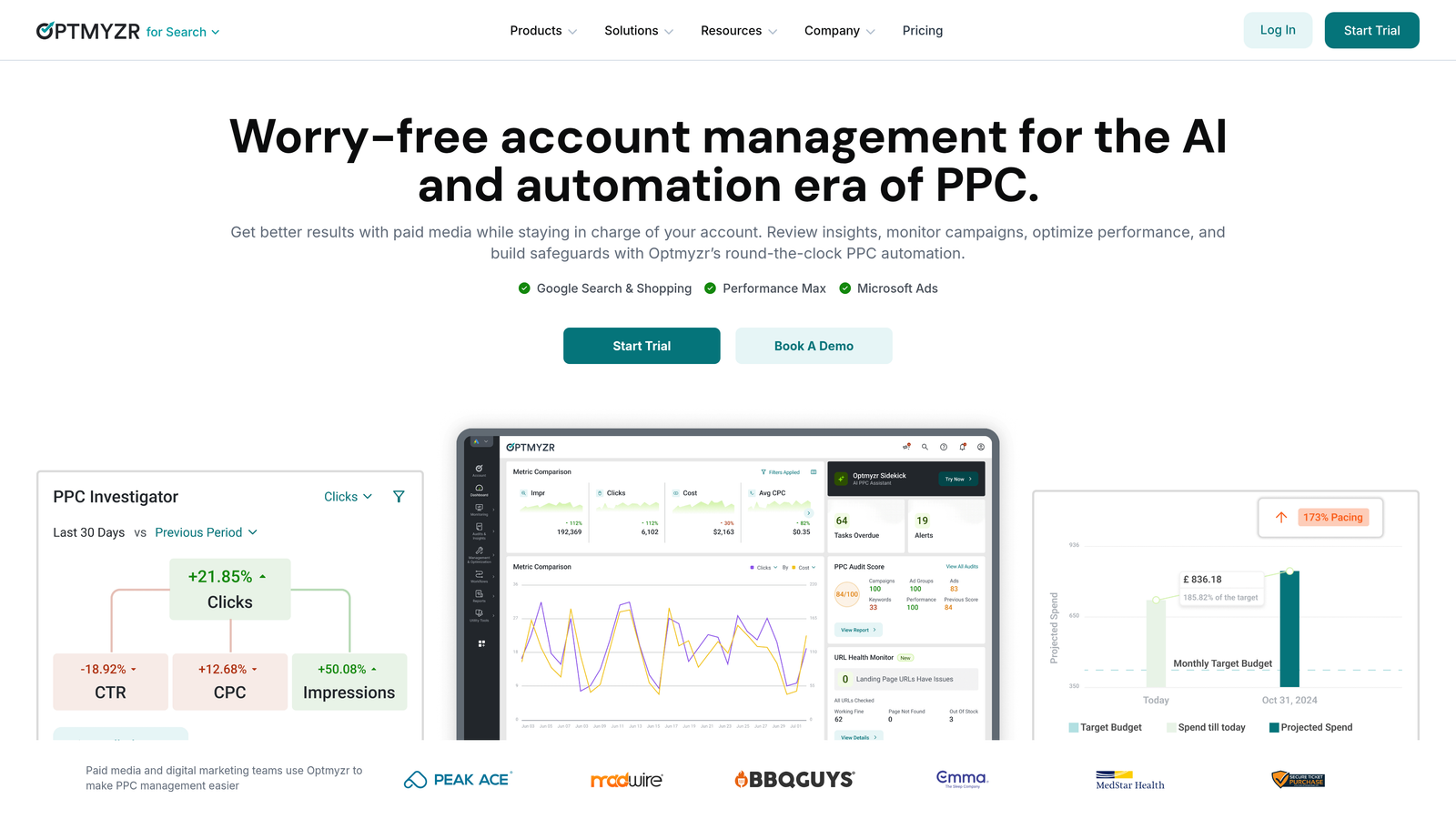
Your Google Ads campaigns are drowning in data, but you're still flying blind. You know your Quality Scores need improvement, you suspect certain keywords are bleeding budget, and you're pretty sure your competitors are outmaneuvering you—but pinpointing exactly where to focus your optimization efforts feels like searching for a needle in a haystack. This is where Optmyzr transforms chaos into clarity.
Where This Tool Shines
The platform's Quality Score Tracker monitors your account at the keyword level, flagging terms with declining scores and providing specific recommendations for improvement. Unlike native Google Ads reporting that shows only current Quality Scores, Optmyzr maintains historical data going back months or even years. This historical perspective reveals trends that single snapshots miss entirely.
Think of it like tracking your health over time versus just getting a single blood pressure reading. A keyword declining from 8 to 6 over several weeks signals a problem requiring investigation—maybe your landing page load time has degraded, or a competitor launched more compelling ad copy. A stable score of 6 might simply reflect tough competitive conditions where you're holding your ground.
The rule-based automation tackles the repetitive optimization tasks that consume hours of manual work. The system can pause underperforming keywords based on thresholds you define, adjust bids when Quality Scores cross specific levels, and even generate ad copy variations designed to improve relevance scores. For accounts managing thousands of keywords across multiple campaigns, this automated approach identifies opportunities that would take days to find manually.
Here's what makes this particularly powerful: you're not just getting alerts about problems. The platform provides specific, actionable recommendations. Instead of "Quality Score is low," you get "Expected CTR is below average—test these three ad copy variations" or "Landing page experience is dragging down this ad group—here are the specific speed and mobile usability issues to fix."
Key Features That Drive Ad Rank Improvements
Quality Score Tracker with Historical Analysis: Monitor keyword-level Quality Scores over time, identify declining trends before they significantly impact costs, and track the effectiveness of your optimization efforts. The historical data proves invaluable when you need to demonstrate ROI from optimization work or understand seasonal patterns in account performance.
One-Click Optimizations: The platform analyzes your account structure and surfaces high-impact optimization opportunities with pre-configured actions. Need to add negative keywords to improve relevance? Adjust bids for keywords with changing Quality Scores? Implement new keyword suggestions? Each recommendation comes with a one-click implementation option that saves hours of manual work.
Ad Testing and Rotation Management: Improving expected CTR requires systematic ad testing, and Optmyzr automates the entire process. The platform monitors ad performance, calculates statistical significance, and provides recommendations for scaling winners while pausing underperformers.
2. SEMrush Advertising Toolkit
Best for: Competitive intelligence and discovering high-performing keywords and ad copy strategies
SEMrush Advertising Toolkit is a competitive intelligence platform that reveals your competitors' exact ad strategies, keywords, and messaging approaches.
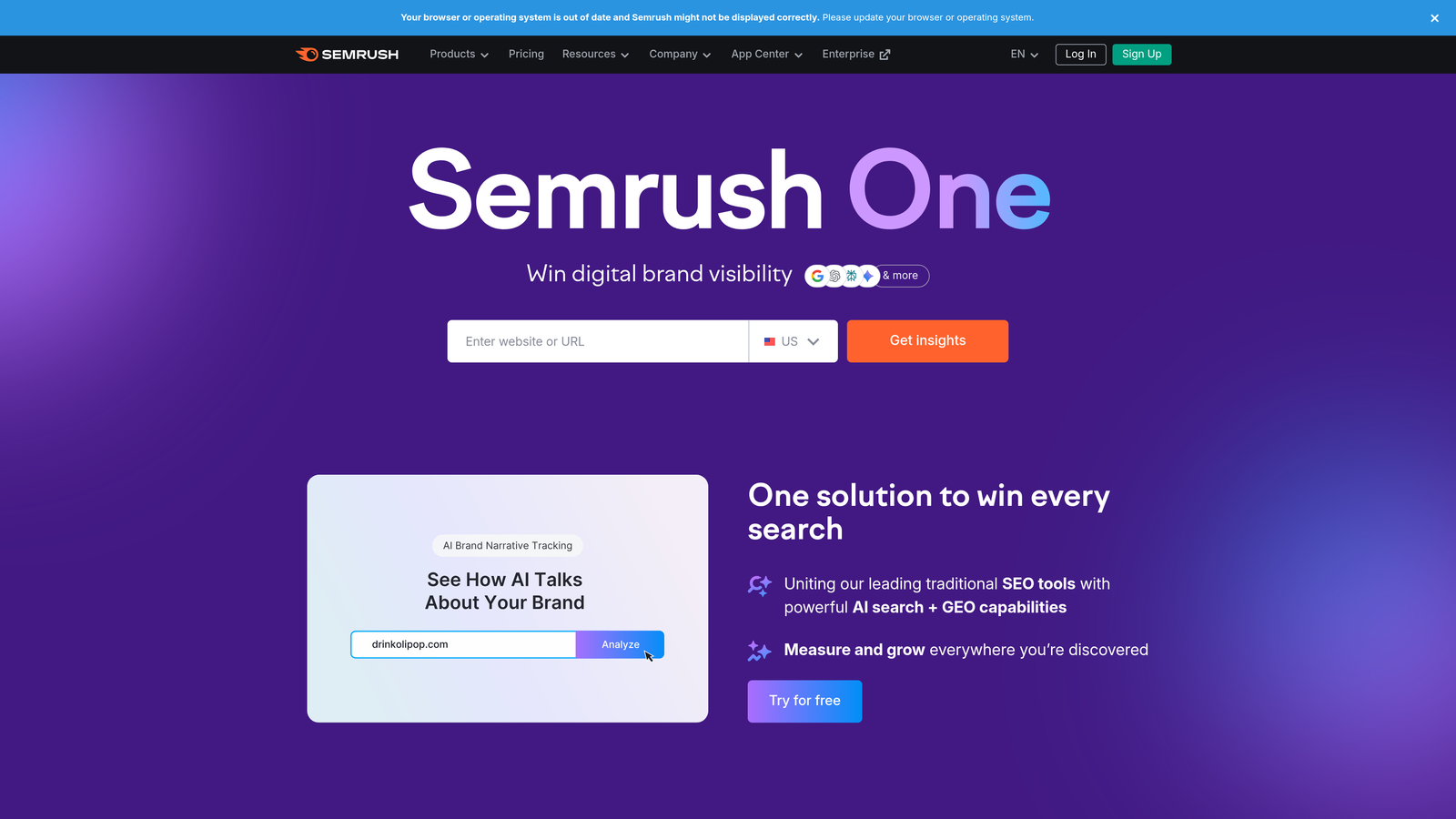
You're spending thousands on Google Ads while your competitors consistently occupy the top three positions. They're not necessarily outbidding you—they've cracked the code on what messaging resonates, which keywords convert, and how to structure campaigns for maximum Ad Rank. The question is: how do you reverse-engineer their success without years of trial-and-error?
SEMrush Advertising Toolkit transforms competitive intelligence from guesswork into strategic advantage. The platform reveals the exact ad copy your competitors test, the keywords they prioritize, and the landing pages they send traffic to. This isn't about copying—it's about understanding what works in your market so you can optimize faster.
Where This Tool Shines
The Advertising Research module functions as a time machine for your competitors' campaigns. Enter any domain and SEMrush displays their active ad copy, historical variations they've tested, and which messages they've continued running for months—a strong signal those variations perform well. This intelligence directly improves your Ad Rank by helping you craft more compelling ad copy that increases expected CTR, one of the three core Quality Score components.
The keyword gap analysis identifies terms your competitors rank for that you're completely missing. These represent immediate opportunities to expand your reach without competing head-to-head on your existing keywords. When you discover a competitor consistently bids on a keyword you've overlooked, you can often capture that traffic at lower costs because fewer advertisers are competing for it yet.
For ecommerce advertisers, the PLA Research tool reveals which products competitors promote most aggressively through Google Shopping campaigns. You'll see their product titles, pricing strategies, and promotional messaging. This helps you optimize your own product feeds to improve relevance scores and ad positions in Shopping auctions.
The position tracking feature monitors where competitors' ads appear over time. When you notice a competitor consistently securing position 1 or 2, you can analyze their entire strategy—keywords, ad copy, extensions—to understand what combination of factors drives their superior Ad Rank. This holistic view prevents the common mistake of optimizing one element while neglecting others.
Key Features & Capabilities
Historical Ad Copy Database: Access years of archived ad variations showing how competitors have refined their messaging over time. This reveals testing patterns and successful evolutionary paths for ad copy development.
Keyword Gap Analysis: Identify valuable search terms your competitors target that you're missing entirely. The tool categorizes these as unique keywords, shared keywords, and missing opportunities with traffic estimates for each.
Ad Builder Tool: Generate ad copy variations based on top-performing examples from your industry. The tool suggests headlines, descriptions, and calls-to-action that align with proven patterns while maintaining your unique value proposition.
3. Adalysis
Best for: Automated ad testing and Quality Score monitoring with statistical significance tracking
Adalysis is an automated ad testing platform that systematically optimizes your ad copy to improve expected CTR and Quality Score.

Your ad copy is underperforming, but you're not sure which variations to test or how long to run experiments before making decisions. You're manually comparing CTRs across ad groups, trying to determine statistical significance with spreadsheets, and wondering if that new headline actually improved performance or just got lucky with timing. Meanwhile, your Quality Score stagnates because you're not systematically optimizing the expected CTR component that Google weighs so heavily in Ad Rank calculations.
Adalysis solves the ad testing problem that plagues most Google Ads accounts: inconsistent creative optimization. The platform automates the entire testing process, from monitoring performance to calculating statistical significance to pausing underperformers. This systematic approach ensures you're always running your highest-performing ad variations—the foundation for improving expected CTR and, by extension, your Quality Score and Ad Rank.
What makes Adalysis particularly valuable is its focus on the testing methodology that many advertisers understand conceptually but struggle to implement consistently. The platform doesn't just tell you which ads perform better; it handles the entire lifecycle of ad testing, from rotation settings to winner selection to automatic scaling of top performers.
Where This Tool Shines
The core strength of Adalysis lies in its automated ad testing engine that removes human error and inconsistency from creative optimization. The platform continuously monitors every ad variation in your account, tracking performance metrics and calculating statistical significance in real-time. When an ad reaches statistical significance—meaning the performance difference isn't due to random chance—Adalysis automatically pauses the underperformer and scales the winner.
This automation matters because expected CTR is one of three primary Quality Score components, and it's entirely within your control. Unlike landing page experience, which requires technical resources, or ad relevance, which depends on keyword selection, expected CTR improves directly through better ad copy. Adalysis ensures you're always testing, always learning, and always running the ads that generate the highest click-through rates.
The Quality Score monitoring feature provides another critical advantage. While Google Ads shows current Quality Scores, Adalysis maintains historical data and sends alerts when scores drop. This early warning system allows you to investigate and address problems before they significantly impact your Ad Rank. The platform identifies which specific keywords are dragging down your account performance and provides actionable recommendations for each Quality Score component.
For accounts with dozens or hundreds of ad groups, manual ad testing becomes impractical. You'd need to check each ad group individually, compare performance metrics, calculate significance, and implement changes—a process that could consume hours weekly. Adalysis handles this automatically across your entire account, ensuring no ad group gets neglected because you ran out of time.
Key Features & Capabilities
Automated Ad Testing with Statistical Significance: The platform monitors all ad variations and automatically pauses underperformers once statistical significance is reached. This eliminates premature decisions based on insufficient data and ensures you're scaling ads that genuinely perform better.
Quality Score Monitoring and Alerts: Track keyword-level Quality Scores over time with automatic alerts when scores decline. The platform identifies which component (expected CTR, ad relevance, or landing page experience) is causing the drop.
Ad Group Performance Analysis: Identify which ad groups are underperforming and receive specific recommendations for improvement based on your account data and industry benchmarks.
4. Unbounce
Best for: Creating conversion-optimized landing pages that improve landing page experience scores
Unbounce is a landing page builder with AI-powered optimization that improves landing page experience and conversion rates.

Your ad copy is converting at 3%, but your landing page experience is dragging your Quality Score into the basement. You've optimized keywords, tested dozens of ad variations, and still can't crack the top positions. The problem? Google evaluates landing page experience as a critical Ad Rank component, and most advertisers treat it as an afterthought.
Landing page experience encompasses page load speed, mobile responsiveness, content relevance, and ease of navigation. Google's algorithm specifically measures how well your landing page delivers on the promise made in your ad. When users click your ad expecting information about "organic dog food delivery" and land on a generic pet supplies homepage, Google notices the disconnect through bounce rates and time-on-site metrics. This mismatch tanks your Quality Score regardless of how well-crafted your ad copy might be.
Unbounce addresses this challenge by making it simple to create dedicated, conversion-optimized landing pages for each campaign or ad group. The platform's drag-and-drop builder requires zero coding knowledge, allowing you to launch new pages in hours rather than weeks. More importantly, every template is pre-optimized for the factors Google evaluates: fast load times, mobile responsiveness, and clear value propositions that align with ad messaging.
Smart Traffic AI: Automated Conversion Optimization
The Smart Traffic feature represents Unbounce's most significant advantage for Ad Rank improvement. This AI-powered system analyzes visitor attributes—device type, location, time of day, referral source—and automatically routes each person to the landing page variant most likely to convert them specifically.
Traditional A/B testing shows you which page performs better on average, but Smart Traffic recognizes that different visitors respond to different approaches. Mobile users from California might convert better on a minimalist design, while desktop users from New York prefer detailed feature comparisons. The system learns these patterns and optimizes routing in real-time.
This matters for Ad Rank because higher conversion rates signal to Google that your landing page provides genuine value. When users complete desired actions—form submissions, purchases, downloads—rather than bouncing immediately, Google interprets this as positive landing page experience. Over time, this improved user engagement translates directly to better Quality Scores and lower costs per click.
Dynamic Text Replacement for Message Match
One of the most powerful yet underutilized features is dynamic text replacement (DTR). This technology automatically updates landing page headlines and copy to match the exact search query that triggered your ad. When someone searches "affordable CRM for small business," your landing page headline dynamically becomes "Affordable CRM for Small Business" rather than a generic "Customer Management Software."
This precise message match dramatically improves the relevance signals Google evaluates. The searcher sees consistent messaging from ad to landing page, reducing cognitive friction and increasing the likelihood they'll engage with your content. Google's algorithm recognizes this alignment through improved engagement metrics.
Implementation requires inserting simple DTR tokens into your landing page copy. Unbounce then pulls the keyword from the URL parameter and dynamically replaces the token with the actual search term. This creates perfectly aligned messaging without building separate landing pages for every keyword variation.
5. WordStream Advisor
Best for: Simplified PPC management with prioritized optimization recommendations for non-specialists
WordStream Advisor is a PPC management platform that prioritizes high-impact optimizations and guides you through implementation in 20-minute work sessions.
Your Google Ads campaigns are generating clicks, but you're spending hours each week trying to figure out which optimizations will actually move the needle. You know Quality Score matters, you understand that better ad copy improves CTR, and you've read that landing page experience affects Ad Rank—but translating that knowledge into systematic action feels overwhelming. This is where WordStream Advisor transforms campaign management from reactive firefighting into proactive optimization.
WordStream built its platform specifically for advertisers who don't have dedicated PPC specialists on staff. The tool recognizes that most business owners and marketing generalists understand Google Ads fundamentals but struggle with prioritization. Should you focus on adding negative keywords this week? Testing new ad copy? Adjusting bids? The platform answers these questions by analyzing your account and surfacing the specific optimizations that will deliver the greatest Ad Rank improvements based on your current performance data.
The 20-Minute Work Week Approach
WordStream's signature feature curates a personalized list of high-impact tasks designed to be completed in roughly 20 minutes. This isn't arbitrary—the platform identifies optimizations that offer the best return on time invested. Instead of spending hours analyzing reports, you receive specific recommendations like "Add these 12 negative keywords to Campaign X" or "Test this ad variation in Ad Group Y."
The prioritization algorithm considers multiple factors: impression volume, current Quality Score, conversion potential, and wasted spend. A recommendation to improve a keyword with 5,000 daily impressions and Quality Score of 4 ranks higher than optimizing a keyword with 50 impressions and Quality Score of 6, even though the second keyword has a better score. This focus on impact rather than perfection prevents you from optimizing low-traffic elements while high-traffic opportunities languish.
The Quality Score Tracker monitors your keywords continuously and flags declining scores before they significantly impact your Ad Rank. You'll receive alerts when keywords drop below specific thresholds, along with component-level analysis showing whether expected CTR, ad relevance, or landing page experience is the primary issue. This diagnostic capability eliminates guesswork—you know exactly which aspect to address.
Automated Bid Management That Improves Ad Rank
WordStream's bid management system adjusts your bids based on performance goals while considering Quality Score implications. The platform recognizes that aggressive bid increases on low-Quality-Score keywords waste money, while conservative bidding on high-Quality-Score terms misses opportunities. The automation finds the balance, increasing bids where your strong relevance scores make higher positions cost-effective.
The system also prevents common bidding mistakes. Many advertisers set bids based on gut feeling or competitor activity without considering their own Quality Score advantages. If your Quality Score is 8 while competitors average 5, you can secure better positions with lower bids. WordStream's bid recommendations factor in these competitive dynamics, helping you capitalize on Quality Score advantages rather than overpaying for positions you could win more efficiently.
Keyword Management and Negative Keyword Discovery
The platform's keyword analysis identifies terms that are draining budget without delivering results. You'll see which keywords have high costs but low conversion rates, which search queries trigger your ads inappropriately, and which negative keywords you should add to improve relevance. This systematic approach to keyword hygiene directly improves your ad relevance score—one of the three Quality Score components.
6. SpyFu
Best for: Competitive keyword research and historical ad copy analysis
SpyFu is a competitive intelligence tool that reveals your competitors' complete paid search history, including keywords, ad copy, and budget estimates.
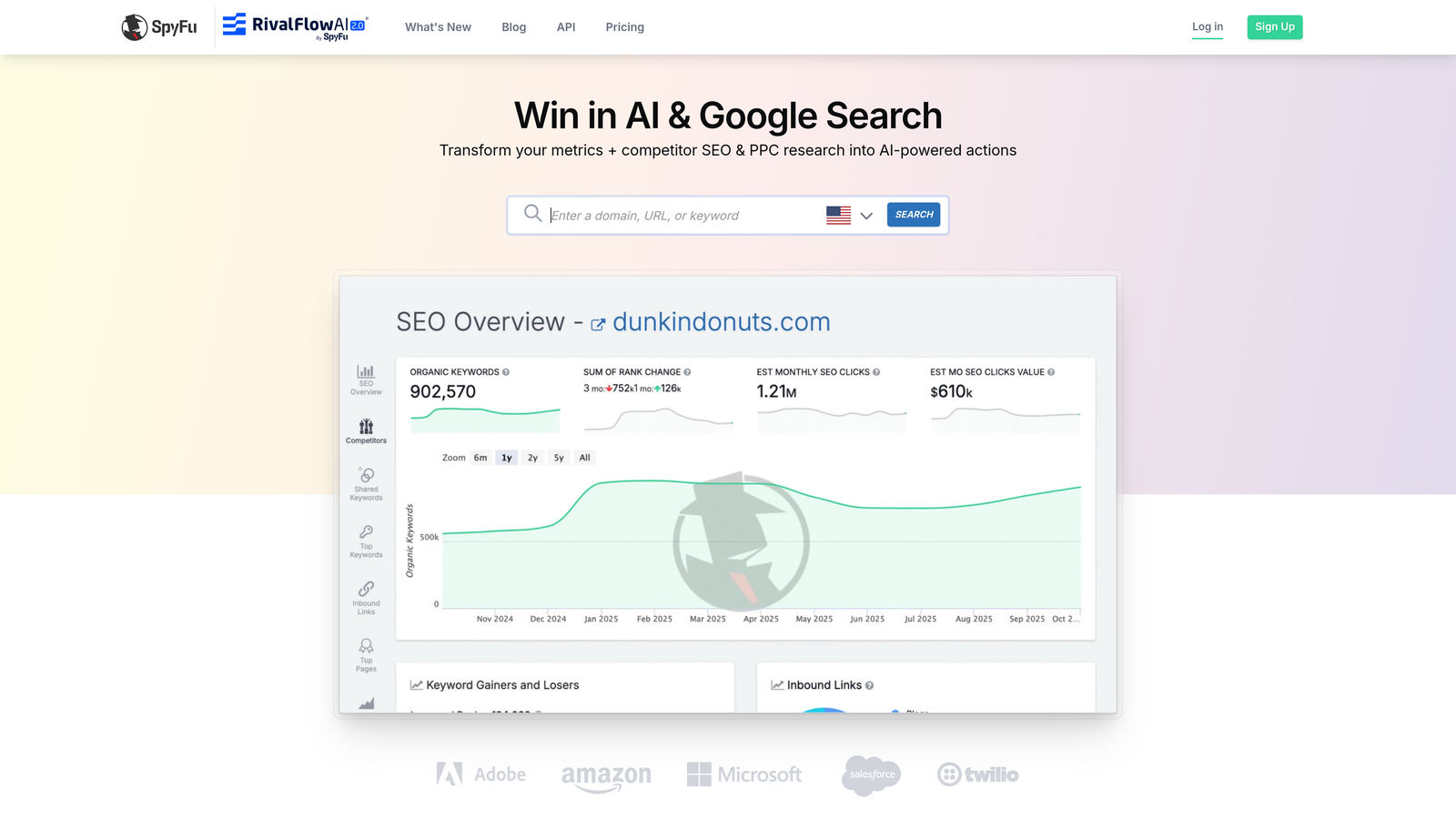
You're watching competitors dominate the top ad positions while your campaigns struggle for visibility. You know they're bidding on similar keywords, targeting the same audience, and probably spending comparable budgets. So what's their secret? The answer often lies in competitive intelligence—understanding exactly which keywords they're targeting, what ad copy they're running, and which strategies consistently earn them premium placements.
SpyFu specializes in revealing the paid search strategies your competitors use to secure top Ad Rank positions. The platform maintains one of the most extensive databases of historical ad copy and keyword data, allowing you to see not just what competitors are doing now, but what they've tested over months or years. This historical perspective is invaluable because ads that competitors continue running signal proven performance, while frequently changed ads suggest ongoing testing to find what works.
Competitive Gap Analysis for Ad Rank Improvement
The Kombat feature represents SpyFu's most powerful capability for Ad Rank optimization. Enter your domain alongside up to three competitors, and the tool reveals which keywords you share, which terms they're capturing that you're missing, and which unique keywords only you target. This competitive gap analysis directly impacts your Ad Rank improvement strategy because it identifies high-intent keywords where you could be capturing traffic without facing your toughest competitors.
Many advertisers focus exclusively on their own campaigns, missing opportunities where competitors have already validated keyword profitability. If three competitors consistently bid on a specific keyword phrase, they've essentially conducted market research for you—that term likely converts well enough to justify the investment. SpyFu's keyword overlap data helps you prioritize expansion opportunities based on proven competitive interest rather than speculation.
The platform also tracks estimated ad spend and click volume for competitor domains, helping you understand the scale of their investment. While these estimates aren't perfectly precise, they provide directional guidance about which keywords competitors value most highly. Terms where competitors maintain consistent presence despite high costs typically indicate strong ROI.
Ad Copy Intelligence That Reveals What Works
SpyFu's ad copy history database extends back years for many domains, creating a unique resource for understanding messaging evolution. You can see which headlines competitors tested and abandoned versus which they've run consistently for months. This persistence signals performance—advertisers don't continue running underperforming ads when they're paying for every click.
The platform displays actual ad variations with their headlines, descriptions, display URLs, and destination pages. This complete picture helps you understand not just what competitors say, but how they structure their messaging. You might discover that top competitors consistently use specific call-to-action phrases, emphasize particular benefits, or structure their ads in formats you haven't tested.
For improving Ad Rank specifically, this ad copy intelligence addresses the expected CTR component of Quality Score. By analyzing which competitor ads have run longest, you identify messaging approaches that likely generate strong click-through rates. You can then test similar messaging angles in your own campaigns, potentially improving your CTR and Quality Score without the trial-and-error of testing completely unproven approaches.
Keyword Recommendations Based on Competitive Success
Beyond showing what competitors currently target, SpyFu recommends keywords based on patterns across multiple competitors. If several successful advertisers in your space all bid on a particular keyword cluster, the platform flags these as high-priority opportunities. This crowdsourced validation helps you identify keywords worth testing without the risk of exploring completely unproven territory.
7. Google Ads Editor
Best for: Bulk editing and rapid implementation of optimization changes across large accounts
Google Ads Editor is Google's free desktop application for managing campaigns offline and implementing bulk changes efficiently.
You've identified optimization opportunities across your account—low Quality Score keywords that need attention, ad copy variations to test, negative keywords to add, and bid adjustments to implement. But here's the problem: making these changes through the Google Ads web interface is painfully slow. Each edit requires page loads, navigation through menus, and confirmation clicks. When you're managing campaigns with hundreds of keywords and dozens of ad groups, this inefficiency becomes a serious bottleneck to improving your Ad Rank quickly.
Google Ads Editor solves this execution problem by bringing your entire account to your desktop. You download your campaigns, make changes offline without internet lag, review everything before publishing, and then push all modifications live simultaneously. This workflow transforms what might take hours of clicking through the web interface into minutes of efficient bulk editing. For advertisers who've identified Ad Rank improvement opportunities through other tools, Editor is how you actually implement those changes at scale.
The Bulk Editing Advantage
The real power of Google Ads Editor lies in its bulk editing capabilities that make systematic optimization practical. Let's say you've discovered that 50 keywords across multiple ad groups have Quality Scores below 5. In the web interface, you'd need to navigate to each keyword individually, review its performance, and make adjustments. With Editor, you can search for all keywords with Quality Score below 5, view them in a single list, and make coordinated changes across all of them simultaneously.
Copy and Paste Across Campaigns: When you've developed a high-performing ad group structure in one campaign, you can duplicate it across other campaigns in seconds. This is particularly valuable when you're implementing a new ad testing framework or restructuring campaigns based on Quality Score insights. The copy-paste functionality works across campaigns and even across different accounts, making it essential for agencies managing multiple clients.
Advanced Search and Filter Functions: Editor's search capabilities go far beyond what's available in the web interface. You can find all keywords containing specific terms, filter by Quality Score ranges, identify ads with certain text patterns, or locate campaigns with particular settings. This search power is crucial when you're implementing systematic optimizations—like adding negative keywords to all ad groups targeting a specific theme or updating ad copy across campaigns to improve relevance scores.
Find and Replace Operations: Need to update your call-to-action across 100 ads? Editor's find-and-replace function handles this in one operation. This capability is invaluable when you're implementing messaging changes designed to improve expected CTR or when you need to update pricing, offers, or seasonal messaging across your entire account.
Change Management and Safety Features
Making bulk changes always carries risk—what if you accidentally pause profitable campaigns or delete important keywords? Editor's change management features provide safety nets that make aggressive optimization less risky.
The change history tracking shows every modification you've made before posting them live. You can review the complete list of changes, undo specific edits, or revert everything back to the original state. This review capability is essential when you're making hundreds of changes—you can verify that your bulk operations worked as intended before pushing anything to your live campaigns.
The statistics view shows performance data alongside your campaigns, helping you make informed decisions during the editing process. You can see which keywords have the lowest Quality Scores, which ads have the highest CTRs, and which campaigns are spending the most—all within the editing interface. This integrated data prevents the common mistake of optimizing based on gut feeling rather than actual performance.
Making the Right Choice
The fastest path to better Ad Rank depends on your specific bottleneck. If Quality Scores are dragging you down, Optmyzr's automated tracking and historical analysis pinpoint exactly which keywords need attention. For competitive markets where you're being outbid, SEMrush and SpyFu reveal what's working for top performers, giving you proven messaging angles and keyword opportunities you're missing.
Landing page experience killing your relevance scores? Unbounce creates conversion-optimized pages that align perfectly with your ad messaging—often the overlooked factor that separates mediocre campaigns from exceptional ones. Adalysis excels when ad copy testing is your weakness, systematically identifying winners while WordStream simplifies the entire optimization process for teams without dedicated PPC specialists.
Here's the reality: most advertisers need multiple tools working together. Start with Google Ads Editor for rapid implementation, add Optmyzr or WordStream for systematic optimization recommendations, then layer in competitive intelligence from SEMrush or SpyFu. This combination addresses all three Quality Score components while giving you the competitive insights to stay ahead.
The tools exist. The strategies are proven. What separates campaigns that thrive from those that drain budgets is consistent execution. Pick the tool that addresses your biggest constraint today, implement the recommendations this week, and watch your Ad Rank climb while your costs drop. Your competitors are already using these platforms—the question is whether you'll catch up or fall further behind.
.svg)