
Google Negative Keyword List Templates for 2026
Google Negative Keyword List Templates for 2026


A Google negative keyword list sounds like a safety net. Paste in a few thousand bad words, apply it everywhere, and your budget should be safe, right? Not quite. A longer list can block the weird, specific searches that buy, especially when you can't see every query Google matched you to. The smarter move is smaller, owned lists, built from real search terms, with each exclusion living at the right level.
What a Google Negative Keyword List Is For
Start with the waste, because that's why this matters. A 2025 GrowthSpree analysis of 43 enterprise B2B SaaS Google Ads accounts found that 36.1% of annualized ad spend, totaling approximately $11.3 million, was wasted on clicks without a realistic conversion path. That's not a rounding error. That's a team paying for researchers, job seekers, students, and people who wanted a completely different product.
Say you sell project management software to operations teams. You bid on project management software and feel good about it. Then the Search terms report shows you also paid for project management jobs, project management exam pdf, and free project management template. Same words, totally different intent. None of those people were shopping for your paid plan that day.
What the list actually is
A Google negative keyword list is a reusable exclusion set for searches you don't want to buy. It lives in the Shared library and does nothing until you apply it to campaigns. You can also add negatives directly at ad group level or campaign level when the problem is local, which is a distinction worth keeping because a word that's waste in one campaign can be revenue in another.
The loop is simple. Google shows you the queries that triggered your ad, not just the keywords you typed at setup. You spot the irrelevant ones and exclude them. If you're new to that workflow, a plain-English walkthrough of using negative keywords in Google Ads from Transactional LLC is a useful primer before you start building shared lists.
Two details save you busywork. Capitalization and many misspellings are covered automatically, so you don't need separate typo lines for every clumsy variant. Plurals and true synonyms are not covered that way, so job and jobs, or template and sample, can each need their own line if both show up as waste.
Treat the list as a maintained filter, not a one-time file you download, paste, and forget.
The copy-ready starter list comes next. After that you'll get industry additions, how match types really block, the caps at each level, what to do about hidden queries, and how to decide which level should own each exclusion.
Starter Negatives Sorted by Search Intent
Copy from the Example negatives column below. Don't invent a longer list on day one, and don't paste every row into every campaign. Pick the buckets that clash with what your landing page sells.
| Intent bucket | Example negatives | Start with | Skip it when |
|---|---|---|---|
| Jobs and careers | jobs, career, salary, hiring, resume, internship | Phrase | You sell recruiting, courses for job seekers, or HR software aimed at candidates |
| Free, DIY, and bargains | free, cheap, DIY, torrent, crack, download | Phrase | Free trial, freemium, or a deliberately low-price offer is the product |
| Pure research | what is, definition, wikipedia, meaning, pdf | Phrase | The landing page is educational content you monetize |
| Login and existing customers | login, sign in, customer service, phone number, cancel, tracking | Exact or phrase | The campaign is built for support or branded retention |
| Wrong commercial model | used, rental, wholesale, parts, repair | Phrase | That model is what you actually sell |
| Adult or unsafe | explicit adult terms and obvious illegal modifiers | Phrase after a manual check | The term is a real product name or a harmless colloquialism in your niche |
| Out of area | city, state, or country names you cannot serve or ship to | Phrase | You sell nationally or the place name is also a product word |
| Students and homework | homework, essay, syllabus, textbook, for kids | Phrase | You sell to schools, parents, or students on purpose |
| Files and templates | template, sample, printable, clipart, svg | Phrase | Templates or downloads are the paid offer |
Quick definitions before you paste. Phrase means the words must appear in that order, with extra words allowed before or after. Exact means the full query and nothing else. Broad means every listed term appears in any order. You'll see each one worked through with a shared example later, so don't stress about mastering them yet.
How to read each bucket
Jobs and careers is usually the safest first add, as phrase, unless recruiting is your offer. Someone searching salary or resume wants employment, not your product page. The skip rule matters for HR software, though, because a candidate-facing tool might want exactly that traffic in a separate campaign.
Free, DIY, and bargain hunters looks obvious and traps people anyway. Block torrent and crack without much debate. Be careful with free if you run a free trial, and careful with cheap if low price is your whole pitch. A blanket block there can delete your best converting theme while feeling disciplined.
Pure research covers what is, definition, wikipedia, meaning, and pdf when your page sells rather than teaches. If you monetize educational content, skip this row entirely. The same logic applies to files and templates. Template, sample, printable, clipart, and svg are waste for a service business and the actual product for a digital downloads store.
The rows people misapply most
Login and existing customers belongs on prospecting campaigns, not everywhere. Login, sign in, customer service, phone number, cancel, and tracking usually signal someone who already bought. You don't need to pay a prospecting click price for them, but a branded retention or support campaign may want them on purpose.
Wrong commercial model is where businesses block themselves. Used, rental, wholesale, parts, and repair are only negative if you sell the opposite. A repair shop that blocks repair because it appeared on a generic list has just fired its best keyword.
- Adult or unsafe: Keep this short, obvious, and manually checked, since harmless slang in your niche can look risky out of context.
- Out of area: Add only places you cannot serve or ship to, and watch for place names that double as product words.
- Students and homework: Homework, essay, syllabus, textbook, and for kids rarely buy professional offers, but they're core demand if you sell to schools or parents.
These buckets pair well with broader effective paid search tactics from Olivetree Marketing, because negatives only help if the targeting and landing page they're protecting were sound to begin with. Industry examples next add offer-specific lines. They don't replace these buckets, they sit on top of them.
Industry Lists Worth Adding Next
Universal buckets catch intent. Industry lists catch the vocabulary of your specific market, the words that look related in a search term report and still never convert. Keep these separate from the starter buckets so you can apply them only where the offer matches.
| Industry | Sample negatives | False friend to keep |
|---|---|---|
| Ecommerce, new retail goods | refurbished, open box, coupon code, promo code, lookalike, dupe, manual | size chart |
| Apparel and shoes | wholesale, wholesale lots, bulk, closeout, liquidation, factory seconds | clearance |
| Local home services | how to snake, youtube, diagram, salary, install yourself, training course | plumber cost |
| B2B SaaS | open source, github, self hosted, crack, free download, jobs | alternative |
| Insurance, legal, home finance | free quote template, reddit, law school, bar exam, sample contract, course | quote |
Each row includes one false friend, a word that looks like junk but usually signals a buyer. Don't block the false friend by reflex just because it showed up near waste terms in a report.
Ecommerce and apparel
If you sell new retail goods, refurbished, open box, lookalike, and dupe describe a shopper who wants something you don't stock. Coupon code and promo code can go too if you never run codes, though some retailers keep them because code hunters still check out. Manual queries belong on the negative list when owners manuals aren't a page you advertise.
The false friend is size chart. It reads like research, but a shopper checking sizing is often mid purchase. Send that click to a product page with the chart on it instead of blocking it.
Apparel and shoe accounts selling at retail can add wholesale lots, bulk, closeout, liquidation, and factory seconds when they aren't liquidators. Keep clearance. Clearance shoppers are price sensitive, sure, but they're still shoppers, and most apparel brands run clearance on purpose.
Local services, SaaS, and lead generation
A plumber who sells visits wastes money on how to snake, youtube, diagram, install yourself, and training course. Those searchers want to do the job or learn the trade. Salary belongs here too for service campaigns. Keep plumber cost, because asking what a plumber costs is what a buyer does right before calling one.
Watch the geography split: A competitor city you don't cover is a place negative, not an intent negative. Keep it with the campaign's geography rules, not buried in a universal list.
B2B SaaS accounts bleed on open source, github, self hosted, crack, and free download when the product is a paid hosted platform. Product name plus jobs is another steady leak. The tricky one is alternative. It looks like comparison shopping you might not want, but a searcher looking for an alternative is often ready to switch, so keep it unless you've tested a comparison campaign and proved it loses money.
Insurance, legal, and home finance lead generation often needs free quote template, reddit, law school, bar exam, sample contract, and course. Those are students and researchers, not leads. Don't block quote itself if a quote form is your conversion. That single word is the whole business for many of these campaigns.
Keep industry lines on the campaign list, not the account list, unless every campaign in the account sells the same thing. An exclusion that's correct for new retail goods can be wrong for a clearance outlet running under the same account.
How Negative Match Types Actually Block
This is the rule that surprises people. Negative matching is narrower than positive matching. Your positive keywords expand and find related searches. Your negatives don't. They block close to exactly what you wrote, and nothing smarter than that.
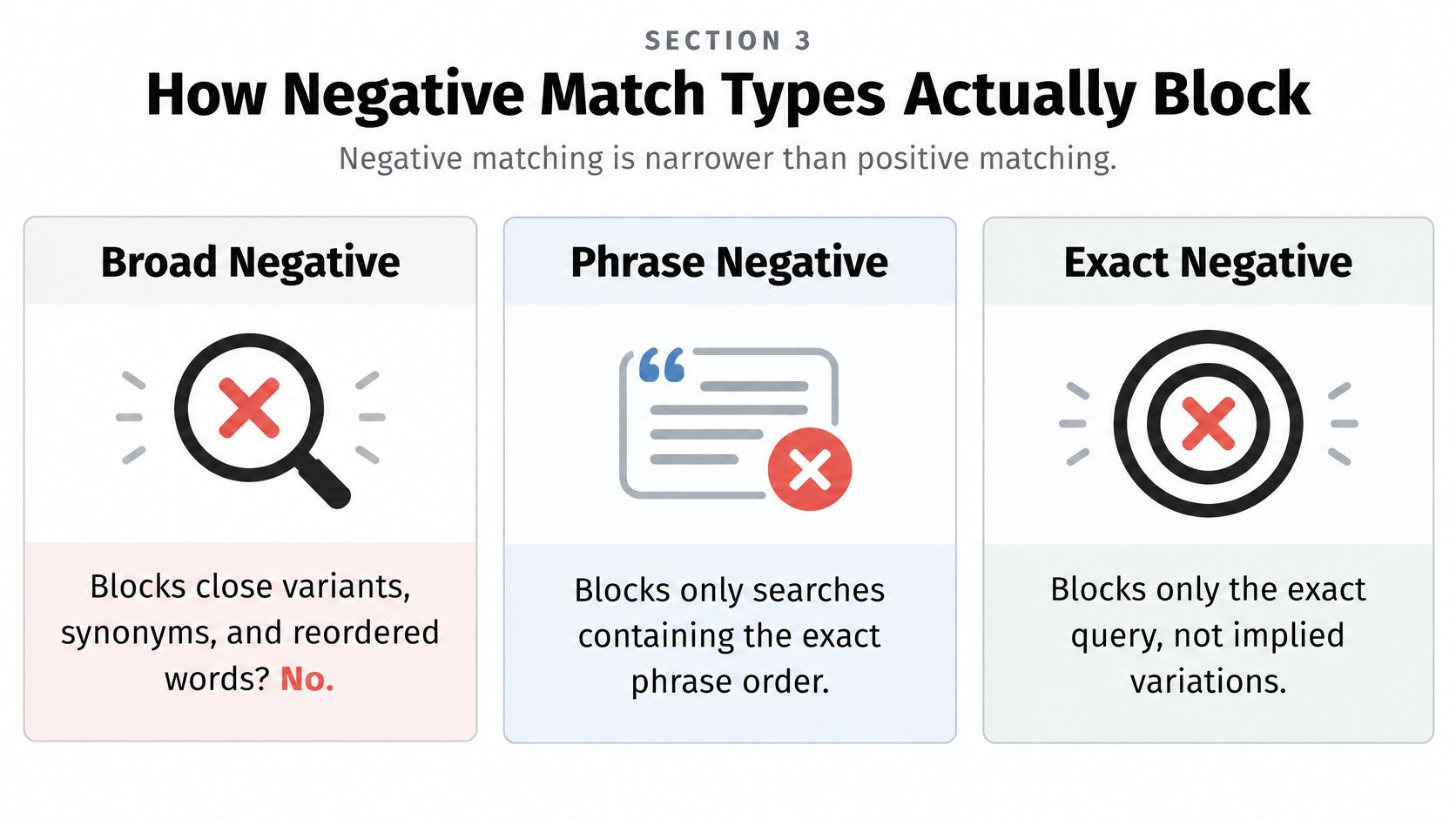
Google's negative keyword match type documentation states that negative keywords do not expand to close variants, synonyms, reordered terms, or other query expansions, and that advertisers should explicitly add important singular and plural, synonym, and variant forms. That one fact explains most confusion in negative list management.
One example, three outcomes
Use the words running shoes for all three types and the difference gets obvious fast.
- Negative broad, running shoes: Blocks a search when every listed term appears, in any order, so red running shoes for men is blocked.
- Negative phrase, running shoes: Blocks buy running shoes online because the order matches, but not shoes for running.
- Negative exact, running shoes: Blocks only that complete query, with no extra words.
| Match | Blocks when | Does not cover | Use it for |
|---|---|---|---|
| Negative broad | Every listed term appears, in any order | Synonyms, close variants, implied words | A loose theme you have already proved is never a sale |
| Negative phrase | The terms appear in that order, with extra words allowed around them | Reordered words and different synonyms | An intent pattern such as how to or jobs |
| Negative exact | The full query matches with no extra words | Plurals, near spellings beyond Google's automatic handling, longer queries | One junk query taken from the Search terms report |
Where people get caught
Positive keywords behave the opposite way. They accept close variants, including searches that share the same meaning, which is how a tidy keyword list ends up matched to queries you never typed. Negatives don't follow that expansion, so the blocking side of your account is always playing catch up with the matching side. That's why plurals and synonyms need their own lines.
There's a deeper explanation of how negative keyword match types work if you want more worked examples before you restructure a live list.
Search term additions default to negative exact, which is right for one junk query and wrong for a pattern. If running shoes jobs, running shoes careers, and running shoes salary all show up, three exact lines treat symptoms. One careful phrase decision treats the cause.
A negative that overlaps a live keyword can silence a good ad without any warning banner explaining why volume dropped.
Start exact on observed waste. Widen to phrase or broad only after you've checked that the words can't be part of a sale. Broad negative is the one to respect most, because any order plus surrounding words gives it the widest reach of the three.
Caps, Owners, and Where Each Exclusion Lives
Caps sound like trivia until they decide your structure. Where an exclusion can live, how many terms fit there, and how much damage it can do are all set by these limits.
| Placement | How many | Keyword cap | Match caveat |
|---|---|---|---|
| Shared negative keyword lists | Up to 20 lists per account | 5,000 keywords per list | Inactive until applied to campaigns |
| Account-level exclusions | Account-wide, not one of the 20 shared lists | 1,000 keywords | Can suppress many campaigns at once |
| Performance Max campaign | Campaign negatives and applied lists | 10,000 negatives per campaign | A Search list can over-block or under-block this inventory |
| Display and Video | Negatives considered with account-level limits | Up to 1,000 account-level negatives considered | Treated as broad match, so Search phrase and exact plans do not carry over |
| Search terms report add | One observed query unless you edit in bulk | Counts toward the list or level you add it to | Defaults to negative exact |
Google's account limits documentation supports up to 20 campaign-level negative keyword lists per account, with as many as 5,000 negative keywords in each list, while account-level negative keyword exclusions support up to 1,000 keywords. Plenty of room, which is exactly the problem. Room invites one giant master list, and one giant master list is how accounts break.
Three homes, three jobs
Account level holds only never terms, the unsafe or illegal stuff that's wrong everywhere in the account. Because these exclusions can silence many campaigns at once, anything debatable doesn't belong here. If you'd argue about it over coffee, it isn't an account-level negative.
Campaign lists do the heavy lifting. Offer, inventory, geography, and funnel exclusions live here, shared only across campaigns with the same eligibility logic. Your industry files belong on lists applied to Search campaigns selling the same thing, not sprayed across the account. A fuller framework for that scoping decision sits in this guide to an account-wide negative keyword strategy.
Ad group negatives handle one offer inside a mixed campaign. Say one campaign holds a new product group and a repair group. Blocking repair on the new product group while the repair group stays live is an ad group job. At campaign level that same word would kill a service you sell.
Performance Max and other inventory
Google's 2025 Performance Max update says Performance Max supports campaign-level negative keywords and negative keyword lists, with a maximum of 10,000 negative keywords per Performance Max campaign. Don't read that as permission to copy your Search list over. A phrase that's waste on Search can be a useful signal in that inventory, and since negatives don't expand to synonyms or plurals, Performance Max needs its own synonym and plural pass anyway.
Display and Video break Search assumptions too, since negatives there are treated as broad match. A careful phrase plan built for Search doesn't carry over, so review those terms as if they were broad before you apply anything.
Ownership and naming
- Name by scope and purpose: Use names like Global never or Search brand prospecting, and version them when they change materially.
- Check conflicts before applying: Export active keywords, scan for shared tokens with your negatives, and send every overlap to a human for a decision.
- Assign one owner: Even if that owner is you, one person approves additions and keeps a change note with the date, list name, and campaigns touched.
AI-powered campaigns make this structure more important, not less. Automation widens matching on the positive side. Your answer isn't blocking more words at random, it's knowing exactly which list, at which level, owned by whom, is doing the blocking.
Build the List and Attach It
One procedure, start to finish. Each step includes the mistake it prevents, because most list problems are really sequence problems.
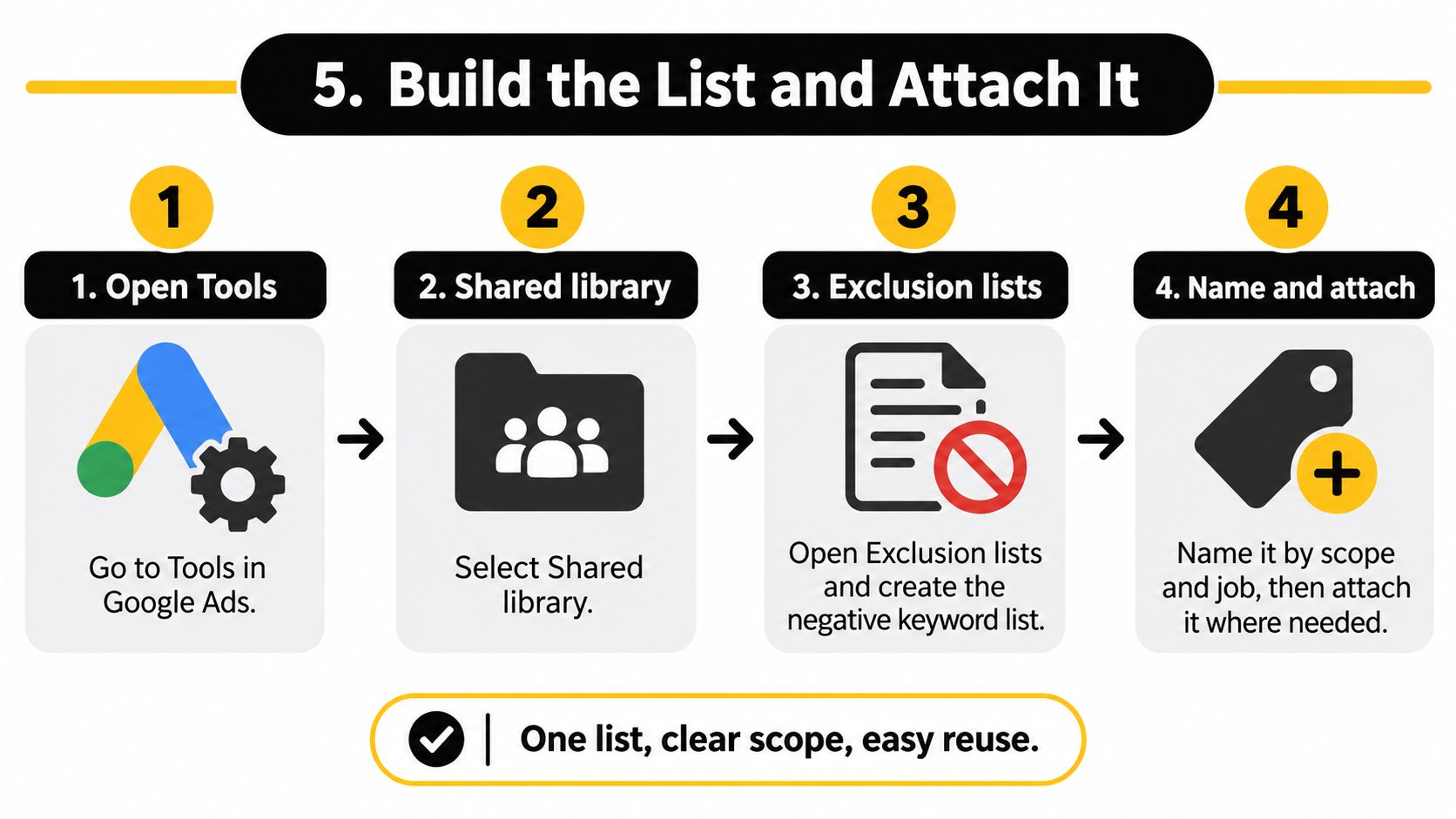
The eight steps
- Open the right place: Go to Tools, then Shared library, then Exclusion lists, and create the negative keyword list there. This prevents one-off negatives scattered across campaigns that nobody can audit later.
- Name it by scope and job: Use something like Global never or Search brand prospecting. A clear name stops a teammate, or future you, from applying the list blindly to the wrong campaign.
- Paste one classified bucket: Add terms one per line from a bucket you already sorted, and set the match type on purpose. Leaving everything on a default is how a cautious exact intention becomes a sweeping block.
- Check against live keywords: Scan the paste for overlaps with active keywords before saving. This is the step that stops you from negating your own best ad group.
- Apply narrowly: Attach the list only to campaigns sharing the same offer and geography. Skipping this judgment call is how a retail exclusion ends up strangling a services campaign.
- Confirm the association saved: A created list that isn't applied changes nothing in any auction. Verify the campaign association stuck before you report that the cleanup is done.
- Wait, then mine again: Let fresh search term data collect, add new exact negatives from real queries, and promote a term to phrase only when several variants show the same waste pattern.
- Log the change: Write down what changed and when. If impressions drop next week, that note is the difference between a quick rollback and a guessing game.
The menu wording in Google Ads shifts slightly over time, but the logic holds. Shared library first, campaign association second. If you remember that order, you can find your way through any interface refresh.
Building the weekly habit
Sort the Search terms report by cost. Label the known waste and add those as exact negatives. Leave the low-volume oddities alone for now, because the next set of rules covers what to do when the data is thin or hidden.
Teams with big product catalogs often build these lists alongside creative production work, and tools that convert catalog products into videos from AdManage.ai sit in that same workflow of turning product data into campaign assets. The principle transfers. Organized inputs, whether feeds or keyword lists, make every downstream step faster.
One list, clear scope, easy reuse. If a list needs a paragraph to explain where it applies, split it.
Resist the urge to fix everything in the first session. One clean bucket, applied correctly and logged, beats a heroic afternoon of pasting that nobody can unwind.
Hidden Queries and When Not to Exclude
The visible query list is incomplete. That's the uncomfortable fact most list-based advice skips, and it's why aggressive blocking can backfire.
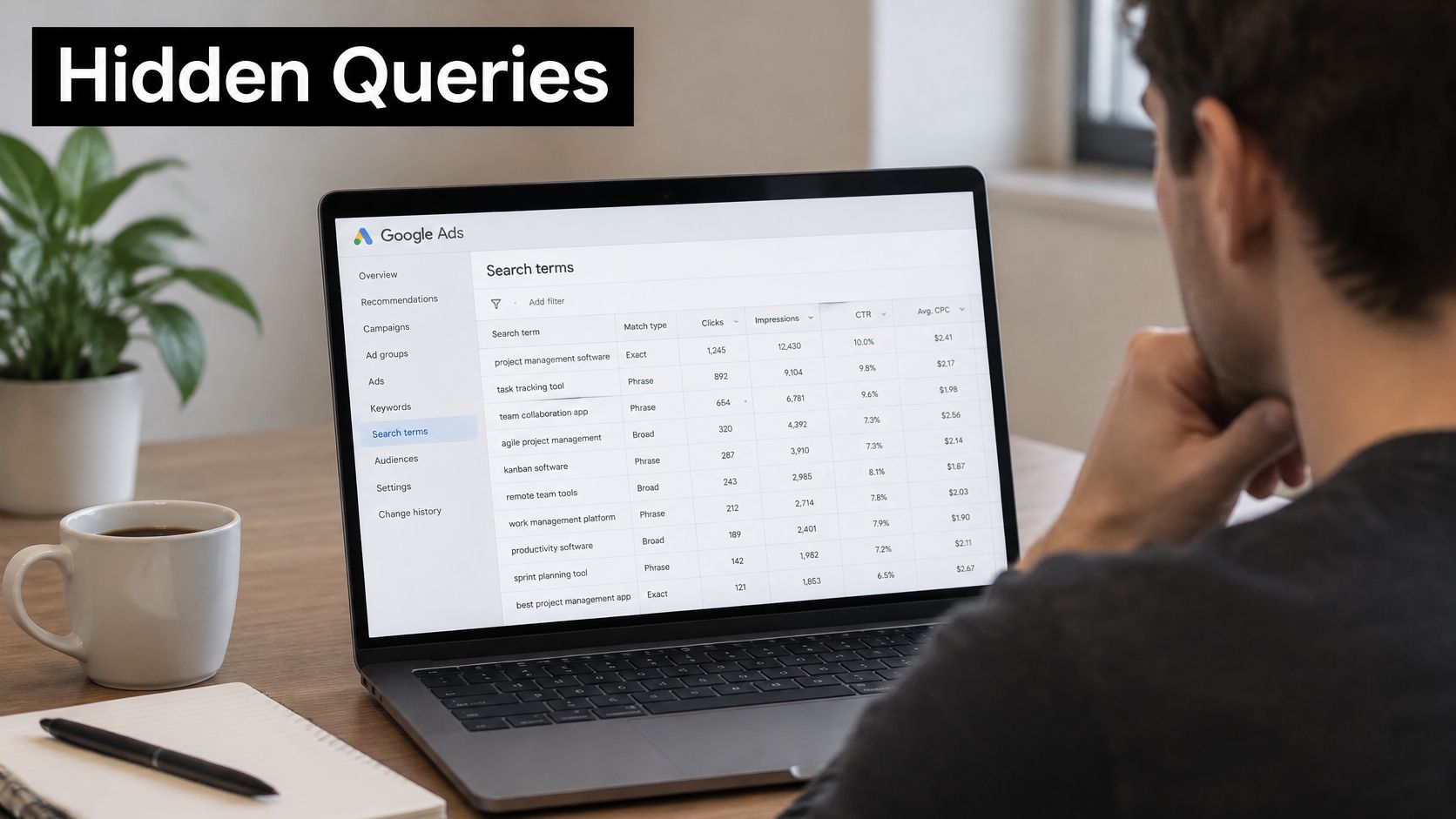
Google's Search terms insights documentation says Search terms insights includes grouped demand that may not appear in the Search terms report because of privacy protections, and that category labels may represent a group of searches rather than an actual user query. So the report you're mining is a partial sample, not a complete record of what you paid for.
Sort what you see into three piles
- Known waste: Real spend or clicks, and no landing page on your site fits the intent. Jobs queries on a retail campaign sit here. Exclude these.
- Probable waste: Shares a recurring word with known waste but has thin volume. Watch it, and act when the pattern repeats.
- Unobserved demand: Traffic Google grouped or hid. You can't list it term by term, so don't pretend a category label is a query.
That last pile is where labels mislead. Excluding the literal text of a category label can be the wrong cut, because the label summarizes a bundle of searches. Judge the category against conversion value and landing page intent instead. There's more on that judgment call in this piece about avoiding blocking good traffic with negative keywords.
This walkthrough shows the report review process in practice, which is worth watching before your next cleanup session.
A threshold and a rollback rule
Don't auto-add every low-volume query. Use a practical bar, such as two or more clicks with zero engaged sessions, or one expensive click on an obvious mismatch. Singletons wait until they repeat. Before any phrase block, check conversion value and whether a landing page could serve that searcher.
If impressions fall on a converting theme right after a new list goes live, remove the newest phrase or broad lines first and watch for seven days. Newest and widest are the most likely culprits. A longer list built from an incomplete report can delete profitable long-tail queries you'll never see listed anywhere, and that limit applies in every country and every account size.
Check Conflicts Before You Apply the List
End with a gate, not another word list. Before anything gets applied, confirm five things.
- Sourced properly: The terms came from a classified intent bucket or an industry false friend check, not a random master file from the internet.
- Match type earned: Exact for a single observed query, phrase only for a proven pattern.
- Fits its home: The list respects the cap and behavior of the level it will live at.
- Scoped correctly: It applies only to campaigns sharing the same offer and geography.
- Scanned and logged: It has been checked against live keywords, and a rollback note is saved with the date and campaigns touched.
If any item fails, don't apply it account-wide. Shrink the scope until every item passes.
Then take one concrete first step. Pick one campaign, export its known waste as exact negatives, apply that short list, and review the Search terms report after a week before widening any match type. One campaign, one week, real evidence. That's a safer test than restructuring the whole account on a hunch.
If you'd rather not run this check by hand, Keywordme is built to work inside Google Ads, so you don't leave the interface to do it. Junk keywords can be removed from the search terms report with a single click or a quick mouse highlight, and negative or positive keyword lists can be built with a single click or a drag of the mouse. The gate applies whatever tool you use.
If checking conflicts by hand is eating your week, Keywordme lets you build and clean negative keyword lists right inside Google Ads, straight from the search terms you're already reviewing. Start with one campaign, cut the known waste, and keep the false friends. Your budget will notice before your reports do.
