
9 Best Google Ads Tools With a Free Trial Period in 2026
Discover 9 Google Ads tools that offer a free trial period, allowing freelancers and agency owners to test real campaign performance across PPC management platforms before committing to subscriptions ranging from $12 to $500+. Each tool is evaluated for what you can genuinely test during the trial window, helping you validate ROI and find the right fit for your workflow and client budgets.


TL;DR: If you're evaluating Google Ads tools before committing, trial periods are your best friend. This list covers 9 tools that let you test before you buy, ranging from in-interface workflow optimizers to full-scale PPC management platforms. Each one offers a genuine free trial, so you can validate ROI before spending a dollar.
There's no shortage of Google Ads tools promising to save you time and cut wasted spend. But with monthly subscriptions ranging from $12 to $500+, committing blind is a real risk, especially for freelancers and agency owners managing client budgets. The good news: most of the best tools in this space offer trial periods that let you run real campaigns through them before paying.
This list focuses specifically on tools with legitimate google ads tool trial period offers, what you can actually test during that window, and who each tool is best suited for. Let's get into it.
1. Keywordme
Best for: In-interface PPC optimization without leaving Google Ads
Keywordme is a Chrome extension that plugs directly into Google Ads' Search Terms Report, letting you remove junk search terms, add negatives, apply match types, and build keyword lists without switching tabs or opening a spreadsheet.

Where This Tool Shines
Most PPC tools pull you out of Google Ads and into a separate dashboard. Keywordme works the other way around: it lives inside the interface you're already using. In most accounts I audit, the biggest time sink is the search terms review, and Keywordme turns that into a one-click workflow instead of a copy-paste marathon.
The match type application and keyword clustering features are particularly useful when you're building out new ad groups or cleaning up a messy account structure. For agencies handling multiple clients, the multi-account and team support means you're not locked into a single-user setup.
Key Features
One-Click Negative Addition: Remove junk search terms and add negatives directly from the Search Terms Report without exporting anything.
Match Type Application: Apply broad, phrase, or exact match types instantly to any keyword in your list.
Keyword Clustering: Group related search terms into logical keyword clusters for cleaner ad group structure.
Bulk Editing: Edit multiple keywords and negatives at once, saving significant time on large accounts.
Multi-Account and Team Support: Manage multiple client accounts and share access with team members, making it genuinely agency-ready.
Best For
Freelancers and agency owners who spend meaningful time inside the Google Ads Search Terms Report every week. If you're managing more than two or three accounts, the time savings compound fast. It's also a strong pick for anyone who wants to optimize without learning a new platform.
Pricing
$12/month per user, with a 7-day free trial. Flat-rate pricing makes it easy to budget, especially for small agencies.
2. Optmyzr
Best for: Agency-scale PPC automation across multiple platforms
Optmyzr is a full-featured PPC management platform built for agencies, with automation recipes, one-click optimization fixes, and robust reporting across Google, Microsoft, and Amazon Ads.

Where This Tool Shines
Optmyzr's "optimization recipes" are genuinely useful for agencies that run the same types of account audits repeatedly. Instead of building custom scripts or running manual checks, you can set up rule-based automations that flag bid issues, budget pacing problems, or keyword performance drops across your entire client roster.
The reporting layer is also strong. Client-ready PPC reports can be templated and scheduled, which cuts down on the end-of-month scramble most agency teams know too well.
Key Features
Optimization Recipes: Pre-built automation workflows for common PPC tasks like bid adjustments and keyword pruning.
One-Click Fixes: Apply recommended changes to bids, budgets, and keywords with a single click after reviewing them.
Custom Rule-Based Automation: Build your own rules for account monitoring and automated actions.
Client-Ready Reporting: Scheduled, branded PPC reports that are ready to send without manual formatting.
Multi-Platform Support: Manages Google, Microsoft, and Amazon Ads from one interface.
Best For
Agencies managing multiple PPC clients who need automation and reporting at scale. If you're a solo freelancer running two or three accounts, Optmyzr's pricing tier may be harder to justify, but for teams it earns its cost quickly.
Pricing
Higher-tier pricing, check optmyzr.com for current plans. 14-day free trial available.
3. WordStream Advisor
Best for: Small businesses that want guided PPC management with smart alerts
WordStream Advisor is a web-based PPC management platform designed to simplify Google Ads for small business owners and marketers who don't live in Google Ads every day.

Where This Tool Shines
The "20-Minute Work Week" workflow is WordStream's signature feature, and it genuinely delivers on the promise for straightforward accounts. It surfaces the highest-priority optimization tasks and walks you through them in a structured sequence, so you're not staring at a blank screen wondering where to start.
The smart alerts system is also worth mentioning. What usually happens here is that small business owners miss obvious performance issues because they're not checking Google Ads daily. WordStream flags those issues proactively, which is a real differentiator for that audience.
Key Features
20-Minute Work Week: A structured, guided optimization workflow that prioritizes the highest-impact tasks for your account.
Smart Alerts: Automated alerts for underperforming campaigns, budget pacing issues, and keyword opportunities.
Keyword Research Tools: Built-in keyword discovery and suggestion features tied to your account performance.
Cross-Channel Reporting: Combined reporting across Google Ads and Facebook Ads in one view.
Landing Page Grader: Evaluates landing page quality and provides improvement recommendations.
Best For
Small business owners and in-house marketers who want a guided, structured approach to Google Ads without deep PPC expertise. Less suited for agencies managing multiple clients or experienced managers who prefer full control.
Pricing
Subscription-based. Verify current pricing at wordstream.com. Free trial available.
4. SEMrush Advertising Toolkit
Best for: Competitor ad research and keyword intelligence for Google Ads
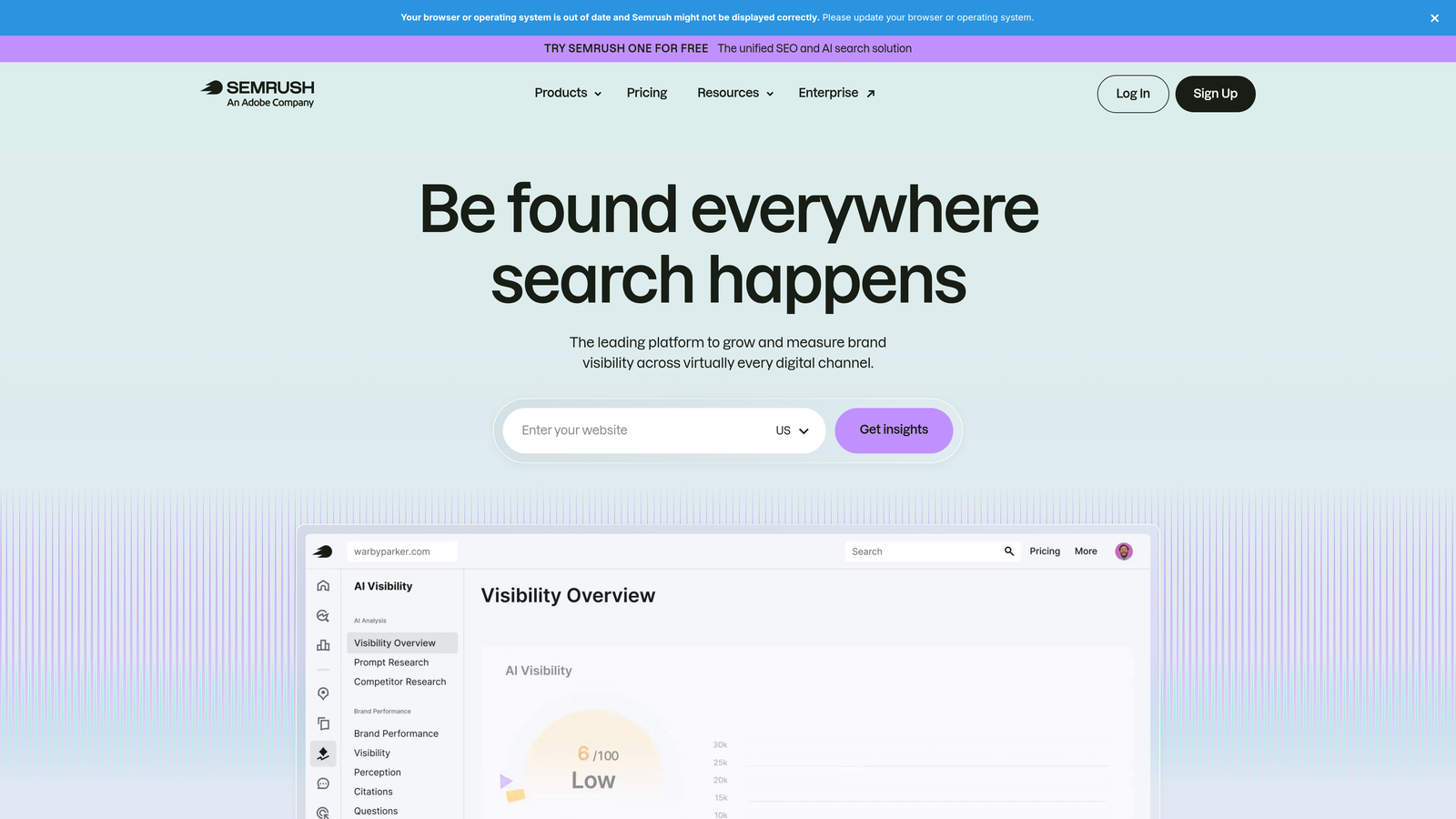
SEMrush's Advertising Toolkit gives you a window into what your competitors are bidding on, what ad copy they're running, and how their PPC strategy has shifted over time.
Where This Tool Shines
When you're building out a new campaign or entering a competitive market, the Advertising Toolkit saves hours of manual research. You can pull a competitor's full keyword list, see their ad copy history, and identify gaps where they're not showing up. That's genuinely useful intelligence before you spend a dollar on clicks.
The combined SEO and PPC data is another advantage. If you're already using SEMrush for organic search, the advertising layer integrates cleanly, so you're not paying for a standalone PPC research tool.
Key Features
Competitor Ad Copy History: See the exact ads a competitor has run, going back over time, including copy variations and landing pages.
Keyword Gap Tool: Identify keywords competitors are bidding on that you're not currently targeting.
CPC Data by Geography: Get cost-per-click estimates broken down by keyword and location for budget planning.
Ad Builder: Draft new ad copy with suggestions based on top-performing competitor ads.
Combined SEO and PPC Intelligence: Unified platform for both organic and paid search research.
Best For
Marketers and agency strategists who want competitive intelligence before launching campaigns, or who are regularly entering new markets and need to understand the paid search landscape quickly.
Pricing
Plans start at $139.95/month (verify at semrush.com). 7-day free trial available on select plans.
5. SpyFu
Best for: Deep historical competitor keyword and ad spend research
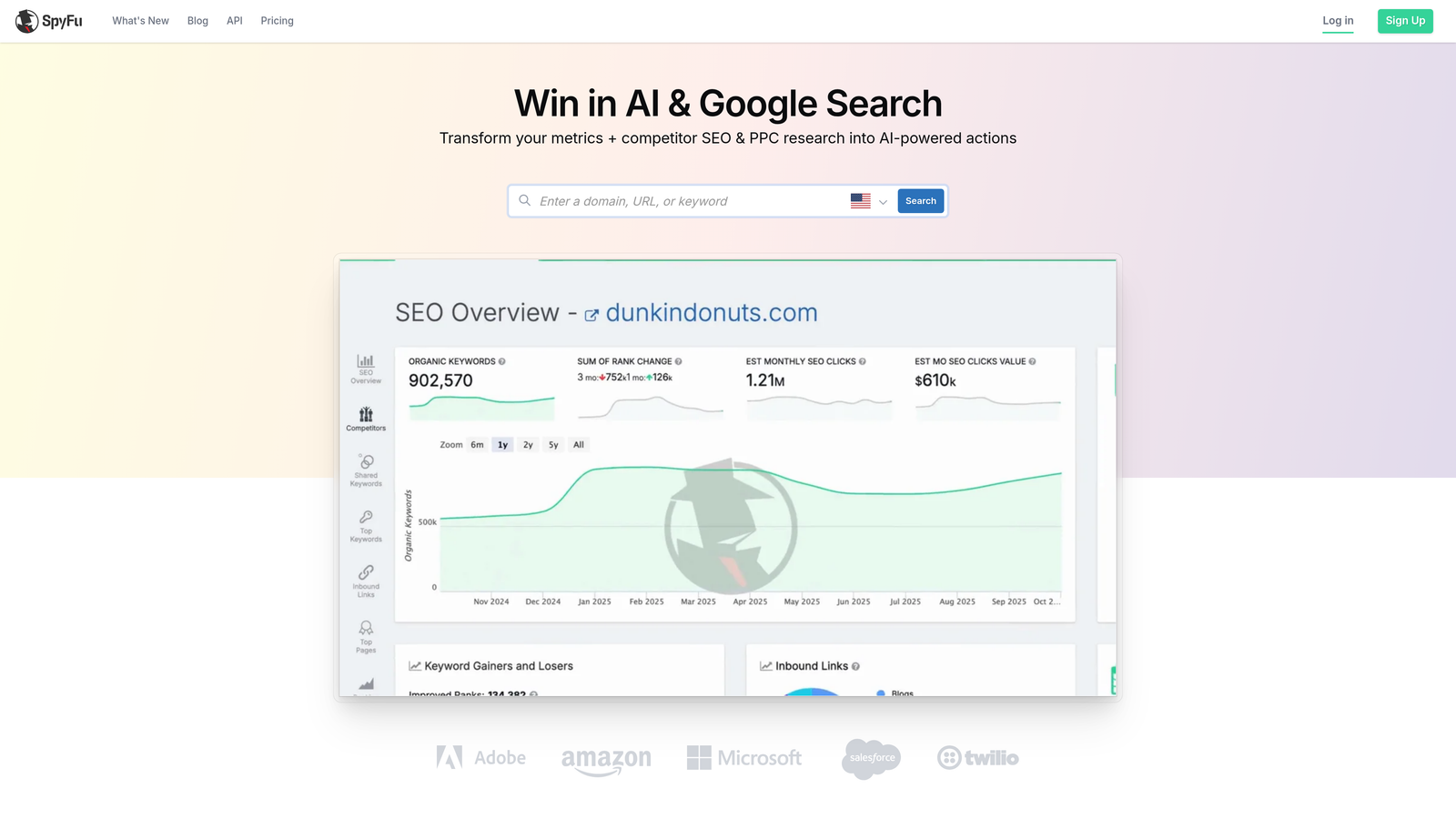
SpyFu is a competitor research tool that reveals the Google Ads keywords, ad copy, and estimated spend history of any domain, often going back many years.
Where This Tool Shines
SpyFu's historical depth is where it pulls ahead of most competitor tools. You can see not just what a competitor is bidding on today, but what they were bidding on two or three years ago. That long-term view tells you which keywords they've consistently invested in, which is a much stronger signal than a single snapshot.
The downloadable keyword lists are also practical. Instead of manually copying competitor keywords, you can export them directly into a format ready for campaign building or negative keyword analysis.
Key Features
Historical Ad Data: Years of competitor keyword and ad copy history, not just current snapshots.
Estimated Competitor Ad Spend: See approximately how much any domain is spending on Google Ads over time.
Keyword Overlap Analysis: Identify where your keyword targeting overlaps with or diverges from competitors.
SERP Ranking History: Track how competitor rankings have shifted alongside their paid campaigns.
Downloadable Keyword Lists: Export competitor keyword data directly for use in campaign planning.
Best For
Freelancers and agency strategists doing competitive analysis for new clients or entering new markets. Also useful for anyone building negative keyword lists based on what competitors have tested and abandoned.
Pricing
Paid plans with full access available. A free limited version lets you preview data. Verify current pricing and trial options at spyfu.com.
6. Adalysis
Best for: Ad testing, Quality Score monitoring, and automated account auditing
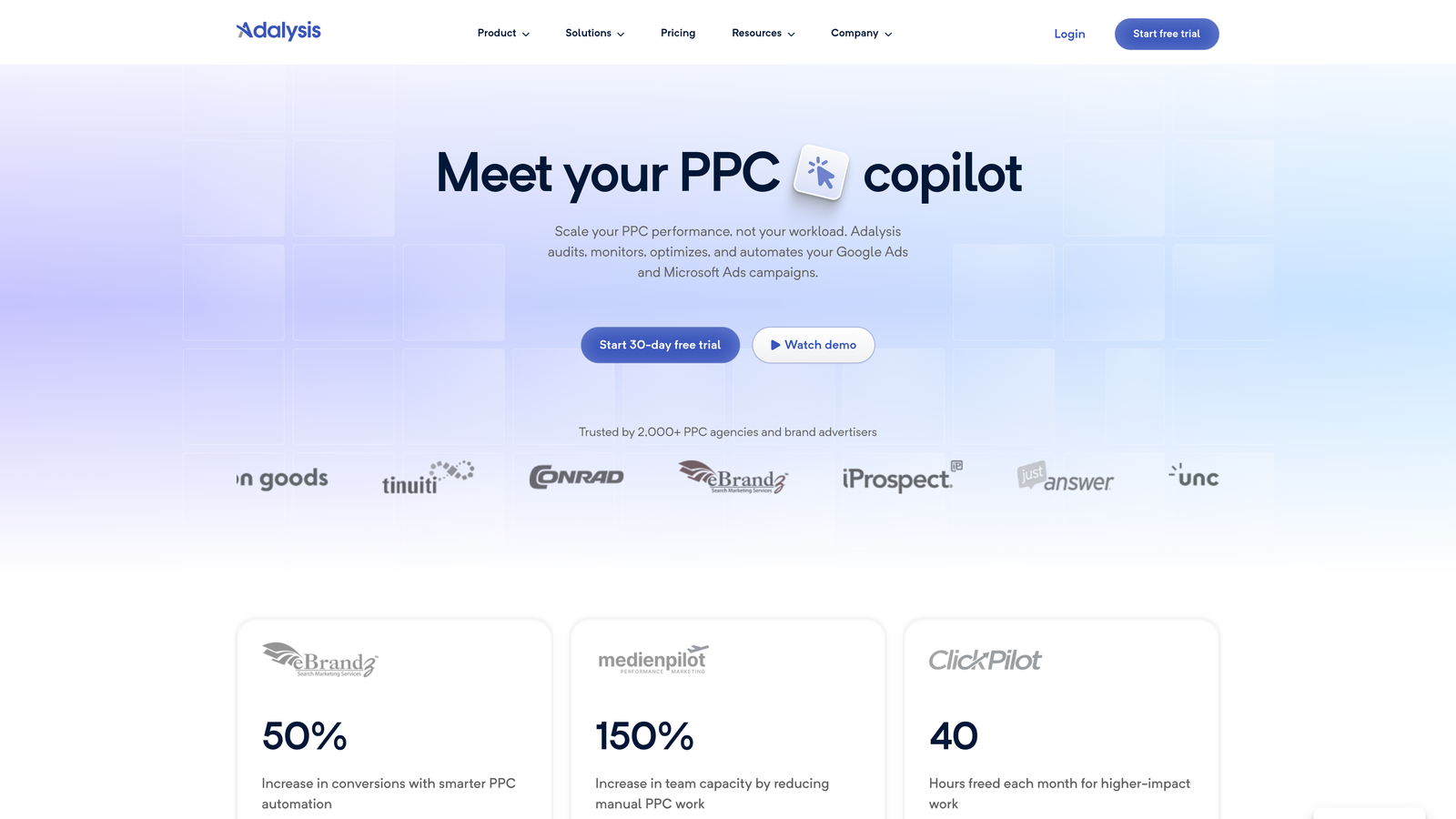
Adalysis is a Google Ads optimization tool built specifically around ad testing and Quality Score management, with automated auditing that surfaces prioritized recommendations across your account.
Where This Tool Shines
The mistake most agencies make with ad testing is running tests without statistical significance tracking, which means they're making decisions based on noise. Adalysis solves this by flagging when a test has reached significance and telling you which variant actually won. That alone prevents a lot of bad optimization decisions.
The account audit feature is also genuinely useful for new client onboarding. It generates a prioritized list of issues across the account, which gives you a structured starting point instead of a blank canvas.
Key Features
Automated A/B Testing: Run ad tests with automatic statistical significance tracking so you know when results are reliable.
Quality Score Monitoring: Track Quality Score changes across all keywords over time, not just point-in-time snapshots.
Account Audit: Automated audit that generates a prioritized list of account issues and recommendations.
Ad Scheduling Analysis: Evaluate ad rotation and scheduling patterns to identify inefficiencies.
Spend-Based Pricing: Pricing scales with your ad spend, which makes it more accessible at lower budget levels.
Best For
PPC managers and agencies who run structured ad testing programs and want automated Quality Score monitoring across large keyword sets. Particularly useful for accounts with significant ad spend where testing discipline matters most.
Pricing
Pricing scales with ad spend. Check adalysis.com for current tiers. 14-day free trial available.
7. Google Ads Editor
Best for: Bulk offline campaign editing with zero cost
Google Ads Editor is Google's own free desktop application for managing and editing campaigns in bulk, offline, without needing a third-party subscription.

Where This Tool Shines
For bulk operations, Google Ads Editor is still one of the most underused tools in the average PPC manager's stack. The find-and-replace function alone saves hours when you're updating ad copy across dozens of campaigns. And because it works offline, you can make changes on a plane or in a spotty connection environment and upload when you're back online.
The copy-and-paste functionality across ad groups and campaigns is particularly useful when launching a new account structure based on an existing template. What usually happens is that managers rebuild structures manually in the UI when they could clone and modify in Editor in a fraction of the time.
Key Features
Bulk Offline Editing: Make large-scale changes to campaigns, ad groups, keywords, and ads without an internet connection.
Find-and-Replace: Update text across multiple campaigns simultaneously, useful for seasonal copy changes or brand updates.
Copy and Paste Across Campaigns: Duplicate ad groups, keywords, and campaigns and modify them quickly.
Multi-Account Management: Manage multiple Google Ads accounts from a single desktop application.
Permanently Free: No subscription, no trial period, no credit card. Free with any Google Ads account.
Best For
Any Google Ads user who regularly makes bulk changes to campaigns. It's especially valuable for agencies launching new accounts or restructuring existing ones. There's no reason not to use it.
Pricing
Free. No subscription or trial needed. Available to anyone with a Google Ads account.
8. Tenscores
Best for: Quality Score analysis and CPC reduction through ad relevance improvements
Tenscores is a niche tool dedicated entirely to Google Ads Quality Score analysis, helping advertisers identify low-QS keywords and take targeted action to improve ad relevance and reduce CPCs.
Where This Tool Shines
Quality Score is one of those metrics that most PPC managers know matters but rarely track systematically. Tenscores makes it easy to see which keywords are dragging down your account-level QS and exactly which component (ad relevance, expected CTR, or landing page experience) is the problem. That level of specificity makes it actionable rather than just diagnostic.
The CPC impact estimates are useful for prioritization. Instead of guessing which QS improvements will move the needle, Tenscores gives you a sense of the potential cost savings from fixing specific keywords, so you can focus where it matters most.
Key Features
Quality Score Tracking Over Time: Monitor QS changes by keyword across your account, not just current values.
Component-Level Analysis: See exactly which QS component (ad relevance, CTR, landing page) is underperforming for each keyword.
Keyword Grouping Recommendations: Suggestions for restructuring keyword groups to improve ad relevance and QS.
CPC Impact Estimates: Projected cost-per-click savings from improving Quality Scores on specific keywords.
Account-Level QS Dashboard: A high-level view of your account's overall Quality Score health and trends.
Best For
PPC managers focused on reducing CPCs through Quality Score improvements rather than just bid adjustments. Particularly useful for accounts with large keyword sets where manual QS tracking isn't feasible.
Pricing
Subscription-based. Verify current pricing at tenscores.com. Free trial available.
9. PPC Samurai
Best for: N-gram analysis and negative keyword list building at scale
PPC Samurai is a search term analysis tool that uses n-gram analysis to surface wasteful keyword patterns across Google Ads campaigns, particularly useful for high-volume accounts.
Where This Tool Shines
N-gram analysis is one of those techniques that most PPC managers know about but rarely do manually because it's tedious. PPC Samurai automates it, breaking your search term data into one-, two-, and three-word combinations to identify patterns that are consistently wasting spend. Once you see which word combinations are burning budget across multiple campaigns, adding them as negatives becomes obvious.
For large accounts with significant search term volume, this kind of pattern analysis is far more efficient than reviewing individual search terms one by one. It's also useful for identifying negative keyword opportunities you'd never spot through manual review.
Key Features
N-Gram Analysis: Breaks search term data into word combinations to identify wasteful patterns at scale.
Bulk Negative Keyword Building: Build comprehensive negative keyword lists based on identified waste patterns.
Search Term Clustering: Groups search terms by performance to identify both opportunities and problem areas.
Campaign-Level Waste Reporting: Highlights which campaigns have the highest proportion of wasteful search terms.
Built for High-Volume Accounts: Designed to handle large search term datasets that would be impractical to review manually.
Best For
Agency teams and in-house managers running high-volume Google Ads accounts where search term review at the individual level isn't practical. Most valuable when you have significant search term data to analyze.
Pricing
Subscription-based. Verify current pricing and trial details at ppcsamurai.com. Trial available.
Which Tool Is Right for Your Workflow?
Not every Google Ads tool is built for the same workflow, and a trial period is the only real way to find out if it fits yours. Here's a quick cheat sheet based on what you're trying to solve.
Best for in-interface optimization (no dashboard switching): Keywordme. It lives inside Google Ads and doesn't ask you to change how you work.
Best for agency automation at scale: Optmyzr. If you're managing five or more clients and need reporting and automation in one place, Optmyzr is built for that.
Best for competitive research: SEMrush Advertising Toolkit or SpyFu. SEMrush gives you broader platform intelligence; SpyFu gives you deeper historical data on specific competitors.
Best for ad testing and Quality Score monitoring: Adalysis or Tenscores. Adalysis is better for structured testing programs; Tenscores is better for pure QS analysis and CPC reduction.
Best free option: Google Ads Editor. No subscription, no trial, no excuses. Every PPC manager should be using it.
Best for negative keyword patterns at scale: PPC Samurai. If your account generates thousands of search terms monthly, n-gram analysis pays for itself quickly.
If you're a freelancer or agency owner managing Google Ads day-to-day, start with tools that integrate into your existing workflow rather than adding another tab to your browser. Most trials run 7 to 14 days, so block time in your calendar to actually run campaigns through the tool before the window closes. Testing on dummy data tells you nothing. Connect your real account and put the tool through its paces on actual search terms.
Keywordme's 7-day free trial is a practical starting point because it doesn't require you to change anything about how you work. You install the extension, open your Search Terms Report, and start optimizing the same way you always do, just faster. Start your free 7-day trial and see how much time you save on your next search terms review. From there, layer in competitive research or reporting tools based on what your specific workflow actually needs.
.svg)