
9 Best Google Ads Tools With a Free Trial in 2026
Discover the 9 best Google ads tool free trial options available in 2026, covering everything from PPC optimization and keyword management to campaign reporting and search term analysis. Whether you're a freelancer or agency, each tool on this list offers a legitimate free trial or permanent freemium tier so you can test before committing to a paid plan.


TL;DR: If you're hunting for Google Ads tools that let you try before you buy, this list covers nine of the best options available in 2026. Each one has a legitimate free trial or is permanently free to use. Whether you're a solo freelancer, a media buyer, or an agency juggling a stack of client accounts, there's something here worth testing.
Not every Google Ads tool earns its monthly fee. The best way to find out if one does? Try it free first. But "free trial" means different things across the industry. Some tools offer 7 days, others 14 or 30, and a few have freemium tiers that never expire. This list cuts through the noise and focuses on tools that are genuinely useful for PPC optimization, keyword management, search term analysis, and campaign reporting.
One thing worth clarifying upfront: there's a real difference between a time-limited trial (where you get full access for a set number of days) and a freemium tier (where you get limited features indefinitely). We've flagged which is which for every tool below, so you know exactly what you're getting into before you sign up.
1. Keywordme
Best for: PPC managers who want to optimize search terms faster without leaving Google Ads.
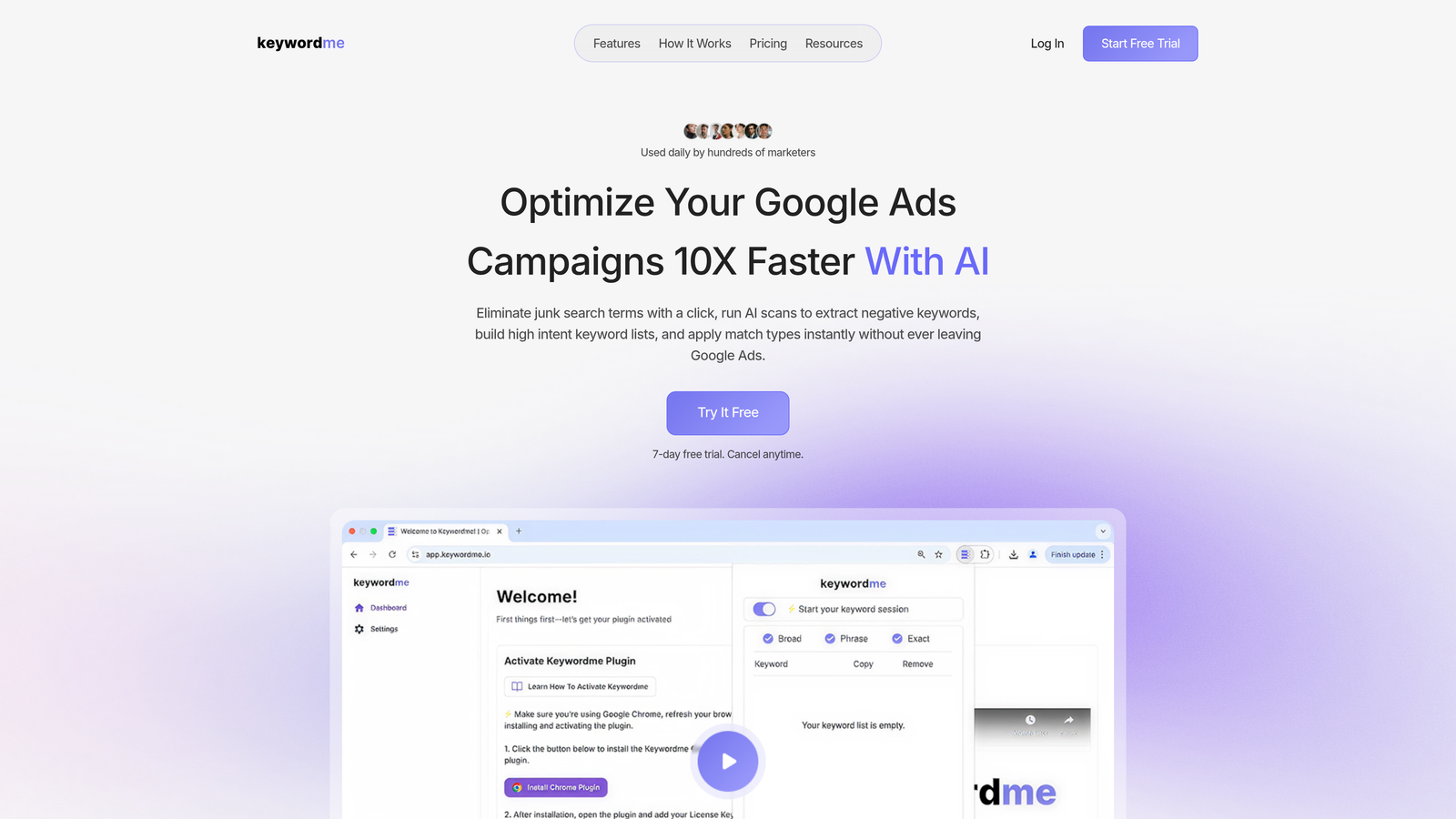
Keywordme is a Chrome extension that integrates directly into Google Ads' Search Terms Report, letting you remove junk search terms, add negative keywords, apply match types, and build keyword lists without ever leaving the native interface.
Where This Tool Shines
In most accounts I audit, the Search Terms Report is where the biggest wins are hiding. Irrelevant queries eating budget, high-intent terms not yet added as keywords, match type inconsistencies. Keywordme turns what's usually a multi-step, spreadsheet-heavy process into a series of quick clicks.
The real differentiator is the zero-context-switching workflow. You don't export to a CSV, open Excel, filter, copy, paste, and re-upload. You see a junk search term, you click to exclude it, and you move on. For agencies managing multiple accounts, the multi-account and team support means your whole team can work from the same playbook without anyone going rogue with their own spreadsheet process.
Key Features
One-Click Negative Keyword Additions: Flag and exclude irrelevant search terms directly from the Search Terms Report in a single click.
Keyword Clustering: Group related search terms and add them as structured keyword lists without manual sorting.
Match Type Application: Apply exact, phrase, or broad match types to keywords in-interface without exporting data.
Bulk Editing: Make changes across multiple campaigns simultaneously without touching a spreadsheet.
Multi-Account and Team Support: Agencies can manage multiple client accounts and collaborate with team members from a single setup.
Best For
Freelancers and agency PPC managers who spend significant time each week in the Search Terms Report. Particularly valuable for anyone managing accounts with high search term volume where manual review is slow and error-prone. If wasted spend from irrelevant queries is your biggest pain point, this is the tool to trial first.
Pricing
$12/month per user (flat rate). 7-day free trial available, no credit card required upfront. One of the more accessible price points in this category for what it replaces in manual time.
2. Google Keyword Planner
Best for: Keyword research and search volume estimation at zero cost.
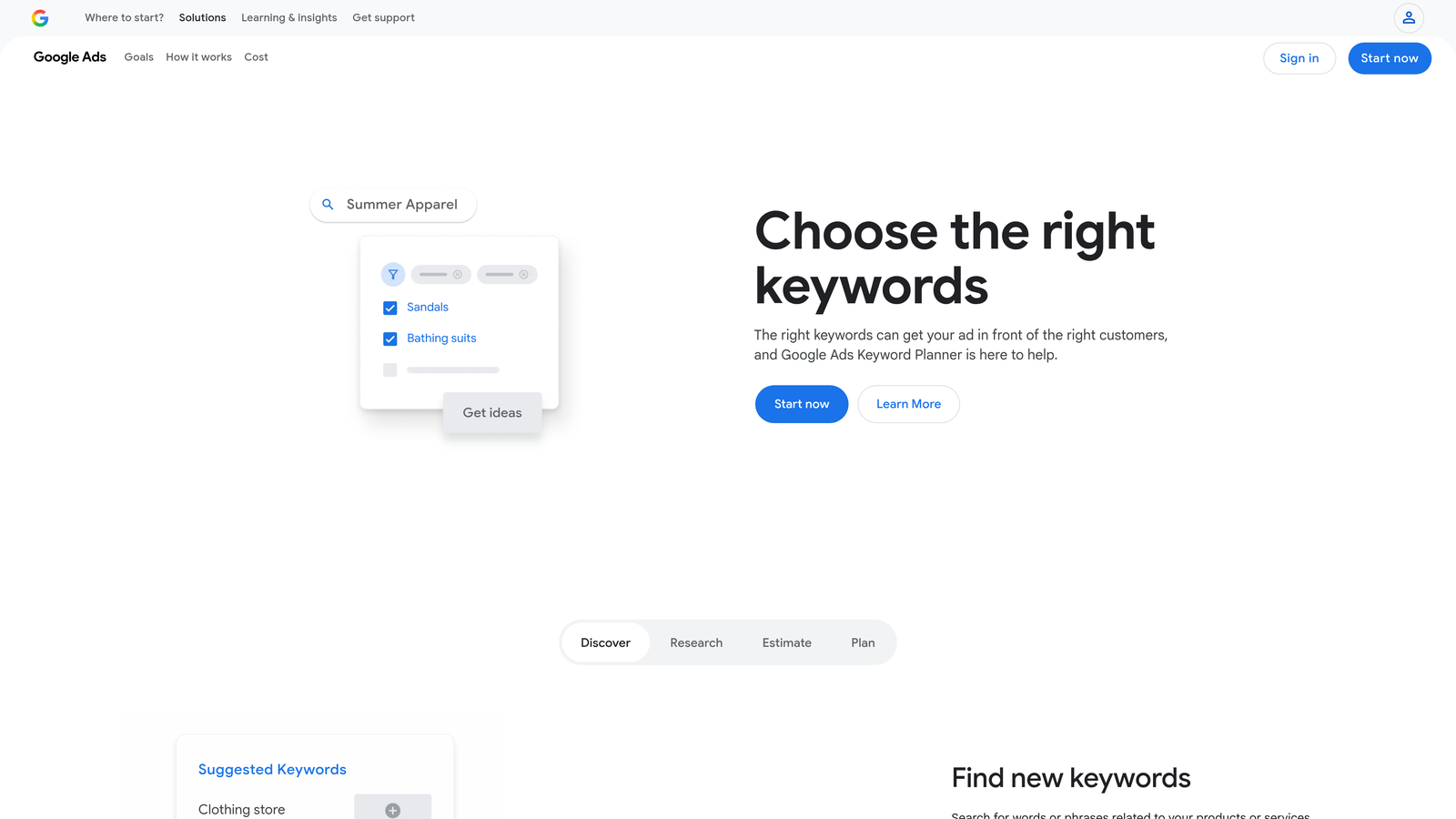
Google Keyword Planner is Google's native keyword research tool, built into every Google Ads account and completely free to use.
Where This Tool Shines
Keyword Planner is the starting point for most PPC keyword strategies, and for good reason. It pulls data directly from Google, so the search volume trends and bid estimates are as close to the source as you can get. It's particularly useful when you're building out a new campaign from scratch and need to validate whether a keyword set actually has meaningful volume before you commit budget.
One thing to know: if your account isn't actively spending, Google shows search volumes as ranges rather than specific numbers. Once you're running campaigns with real spend, the data gets more granular. It's a limitation worth knowing going in.
Key Features
Keyword Ideas: Generate keyword suggestions from seed keywords or a URL, with related terms and variants.
Search Volume and Trends: Historical monthly search volume ranges and trend graphs by keyword.
Bid Estimates: Low and high bid range estimates to help with budget planning before you launch.
Forecasting Tool: Project expected clicks, impressions, and cost based on keyword selections and bid inputs.
Completely Free: No paid plan required. Accessible with any Google Ads account, active or not.
Best For
Anyone building new campaigns, expanding keyword lists, or doing initial market research before committing to a PPC strategy. Also useful for checking seasonal trends before scaling spend on specific terms.
Pricing
Free. Requires an active Google Ads account to access. No trial needed because there's nothing to trial.
3. WordStream Advisor
Best for: Advertisers who want a structured, guided optimization workflow with a free audit entry point.
WordStream Advisor is a guided PPC management platform known for its free Google Ads Grader and a structured optimization workflow designed to reduce the time spent on routine campaign tasks.

Where This Tool Shines
The Google Ads Performance Grader is genuinely one of the better free audit tools available. You connect your account, it runs an analysis, and you get a scored report covering quality score, impression share, wasted spend, and a handful of other key metrics. No paid plan required for the grader itself, which makes it a low-barrier starting point for any account health check.
The paid platform builds on this with a structured "20-Minute Work Week" workflow that surfaces the highest-priority optimization tasks each week. The mistake most agencies make is skipping structured review cycles. WordStream's workflow tries to enforce that discipline systematically.
Key Features
Free Google Ads Performance Grader: Full account audit with scored recommendations, no account required beyond connecting Google Ads.
20-Minute Work Week: Structured weekly optimization workflow that surfaces prioritized action items.
Keyword and Negative Keyword Suggestions: Recommendations based on account performance data.
Ad Performance Alerts: Notifications for significant metric changes or underperforming ads.
Multi-Platform Support: Covers both Google Ads and Microsoft Ads within the same interface.
Best For
Small to mid-sized businesses and agencies that want a guided optimization process rather than a blank-canvas tool. Particularly useful if your team struggles with consistent account review cadence.
Pricing
The Google Ads Grader is free with no trial required. Paid plans are available for the full platform. Check wordstream.com for current trial terms and pricing, as these have shifted following WordStream's acquisition by LOCALiQ.
4. Semrush
Best for: Competitive PPC research and keyword gap analysis alongside SEO intelligence.
Semrush is an all-in-one digital marketing platform with strong PPC features, including competitor ad research, keyword gap analysis, and ad copy history.
Where This Tool Shines
If you're trying to understand what your competitors are bidding on and what their ads actually say, Semrush's Advertising Research tool is one of the most comprehensive options available. You can enter any domain and see the keywords they're targeting, estimated spend, and historical ad copy variations. That kind of competitive visibility is genuinely hard to replicate with free tools alone.
The Keyword Gap tool is particularly useful when you're taking over an existing account. You can compare your client's keyword footprint against two or three competitors and immediately see where the coverage holes are. It's the kind of analysis that used to take hours in spreadsheets.
Key Features
Advertising Research: View competitor keywords, ad copy history, and estimated spend by domain.
Keyword Gap Tool: Identify keywords competitors are bidding on that your account isn't covering.
PLA Research: Competitive analysis for Shopping campaigns, including product listing ad data.
Ad Builder: Draft ad copy based on competitor creative data and keyword targeting.
7-Day Free Trial: Full access to paid features for one week before committing to a subscription.
Best For
Agencies and media buyers who need both SEO and PPC intelligence in a single platform. Also strong for new client onboarding when you need to quickly map the competitive landscape before touching the account.
Pricing
Pro plan starts at $139.95/month as of 2025. Verify current pricing at semrush.com. 7-day free trial available on paid plans.
5. SpyFu
Best for: Deep competitor Google Ads history research at a lower price point than enterprise alternatives.
SpyFu is a competitive intelligence tool focused specifically on Google Ads history, showing every keyword a competitor has ever bid on, their ad copy variations, and estimated ad spend over time.

Where This Tool Shines
SpyFu's depth of historical data is what sets it apart. You're not just seeing what a competitor is bidding on right now. You're seeing what they've tested, what they've dropped, and how their strategy has evolved over years. That historical context is valuable when you're trying to understand which keywords in a niche actually convert versus which ones everyone bids on briefly and then abandons.
The Kombat tool, which lets you do a three-way competitor keyword comparison, is a practical way to find the overlap and gaps between your account and two key competitors simultaneously. It's a solid research session starter for any new campaign build.
Key Features
Competitor Keyword History: Full history of keywords a domain has bid on in Google Ads, not just current activity.
Ad Copy History: See every ad variation a competitor has run, including headlines and descriptions over time.
SERP Overlap Analysis: Identify which competitors you share the most keyword overlap with.
Kombat Tool: Three-way competitor keyword comparison to surface unique and shared keyword opportunities.
Limited Free Access: Some data is accessible without a paid plan, though results are restricted in volume.
Best For
Freelancers and agencies doing competitive keyword research on a tighter budget. Particularly useful for niches where understanding competitor ad history gives you a meaningful strategic edge.
Pricing
Limited free access available without a paid account. Paid plans start around $39/month. Verify current pricing at spyfu.com.
6. Optmyzr
Best for: Agencies running high-volume accounts who need automation without writing scripts from scratch.
Optmyzr is a PPC automation platform built for agencies and high-volume advertisers, offering rule-based campaign management, one-click optimizations, and custom scripts without requiring coding knowledge.

Where This Tool Shines
What usually happens in larger agencies is that manual optimization becomes the bottleneck as account count grows. Optmyzr's rule-based automation lets you set conditions and actions for bids, budgets, and keywords across accounts, so routine tasks run on schedule without someone manually triggering them each week.
The PPC Investigator is a genuinely useful diagnostic tool. When performance drops suddenly, it walks you through a structured root cause analysis, checking quality score changes, impression share, bid adjustments, and other variables in a logical sequence. It's the kind of structured troubleshooting that junior account managers often skip.
Key Features
Rule-Based Automation: Set conditional rules for bid changes, budget pacing, and keyword actions across accounts.
One-Click Optimizations: Surfaced recommendations that can be applied or dismissed with a single click.
PPC Investigator: Structured diagnostic tool for identifying the root cause of performance drops.
Script Builder: Create custom Google Ads scripts through a visual interface, no coding required.
Multi-Account Dashboard: Manage and monitor performance across all client accounts from a centralized view.
Best For
PPC agencies managing ten or more accounts where manual optimization at scale is a genuine time constraint. Also strong for in-house teams with complex campaign structures that need automated rules to maintain consistency.
Pricing
Starts around $249/month. Verify current pricing at optmyzr.com. 14-day free trial available.
7. Adalysis
Best for: Teams running systematic ad copy testing who need statistical rigor built into the workflow.
Adalysis is a Google Ads management tool focused on ad testing, quality score monitoring, and account health audits, particularly strong for teams running structured A/B tests on ad copy.
Where This Tool Shines
The mistake most agencies make with ad testing is calling a winner too early or never calling one at all. Adalysis builds statistical significance tracking directly into the testing workflow, so you're not making decisions based on gut feel or small sample sizes. It flags when a test has reached significance and surfaces a clear recommendation.
The quality score monitoring is also more granular than what you see natively in Google Ads. You get historical trending on quality score components by keyword, which makes it much easier to spot whether a drop in performance is driven by landing page experience, expected CTR, or ad relevance specifically.
Key Features
Automated A/B Ad Testing: Structured testing framework with statistical significance tracking and winner recommendations.
Quality Score Monitoring: Historical trending on quality score and its component metrics by keyword.
Account Audit Tool: Prioritized list of account health issues with actionable recommendations.
Performance Alerts: Automated notifications for sudden changes in key metrics across campaigns.
Ad Scheduling and Rotation Management: Tools for managing ad rotation settings and scheduling at scale.
Best For
Account managers and agencies who run ongoing ad copy testing programs and need a structured framework for doing it correctly. Also useful for teams inheriting accounts with poor quality scores who need a systematic way to diagnose and fix the underlying issues.
Pricing
Pricing is based on ad spend tiers. Check adalysis.com for current rates. 14-day free trial available.
8. Google Ads Editor
Best for: Bulk editing, offline campaign management, and large-scale account restructuring.
Google Ads Editor is Google's free desktop application for managing Google Ads campaigns offline, with powerful bulk editing, find-and-replace, and copy/paste functionality across campaigns and accounts.
Where This Tool Shines
If you've ever needed to update ad copy across fifty ad groups, rename a campaign structure, or copy a campaign setup from one account to another, you already know why Google Ads Editor exists. The web interface simply isn't built for that kind of bulk work. Editor handles it without breaking a sweat.
The offline editing capability is underrated. You can make changes, review them locally, and then upload in a single batch. That draft-and-review workflow reduces the risk of accidentally publishing half-finished changes, which is a real problem when you're moving fast in the native interface.
Key Features
Bulk Editing: Make changes across campaigns, ad groups, and keywords simultaneously without individual row editing.
Offline Editing: Build and review changes locally before pushing them live to the account.
Find-and-Replace: Update ad copy and keyword text across the entire account in seconds.
CSV Import and Export: Handle large-scale changes via spreadsheet for complex restructuring projects.
Multi-Account Support: Manage multiple Google Ads accounts from a single Editor instance.
Best For
Any PPC manager doing large-scale campaign builds, account restructures, or bulk ad copy updates. Essential for agencies onboarding new clients with complex existing account structures that need significant cleanup.
Pricing
Free. Permanently. No trial needed because it's a free tool from Google with no paid tier.
9. Looker Studio
Best for: Building shareable, client-ready Google Ads dashboards at no cost.
Looker Studio is Google's free data visualization and reporting tool (formerly Google Data Studio) that connects natively to Google Ads, GA4, and dozens of other data sources to create customizable, shareable dashboards.
Where This Tool Shines
Reporting is one of the most time-consuming parts of agency work, and Looker Studio removes most of the friction. The native Google Ads connector means you're pulling live data directly into your dashboard without any third-party setup or API configuration. Build it once, share a link with the client, and the data updates automatically.
The blended data sources feature is where it gets genuinely powerful for PPC reporting. You can combine Google Ads data with GA4 conversion data in a single view, so your dashboard shows the full funnel from click to conversion without switching between platforms. That kind of reporting used to require a paid BI tool or significant custom development.
Key Features
Native Google Ads Connector: Direct connection to Google Ads data, no third-party integration or API setup required.
Drag-and-Drop Dashboard Builder: Build reports with charts, tables, scorecards, and date range controls without coding.
Shareable Reports: Send clients a view-only link to a live dashboard that updates automatically.
Blended Data Sources: Combine Google Ads with GA4, Google Sheets, or other sources in a single report view.
Template Gallery: Pre-built PPC dashboard templates to get started quickly without building from scratch.
Best For
Freelancers and agencies who need professional client reporting without paying for a dedicated reporting platform. Also useful for internal performance reviews where you want a persistent, always-current view of account health across multiple clients.
Pricing
Free. Permanently free from Google with no paid tier or usage limits for standard reporting use cases.
Which Tool Should You Actually Start With?
Here's the honest breakdown based on where most accounts actually struggle.
If you're a freelancer or solo advertiser spending too much time in spreadsheets managing search terms and negative keywords, start with Keywordme. It lives inside Google Ads, the trial requires no credit card, and you'll know within a few days whether it fits your workflow. At $12/month, the barrier to continuing is low if it does.
If competitive intelligence is your current gap, Semrush and SpyFu are both worth a trial. Semrush covers more ground (SEO plus PPC) at a higher price point. SpyFu is more focused on ad history specifically and considerably cheaper. The right choice depends on whether you need the broader platform or just the competitive ad data.
For reporting, Looker Studio costs nothing and integrates directly with Google Ads. There's no reason not to be using it. Same goes for Google Ads Editor if you're doing any meaningful bulk editing work. Both are permanently free from Google and should be part of any PPC manager's standard toolkit regardless of what else you're running.
Agencies managing multiple accounts with automation needs should look closely at Optmyzr if rule-based automation is the priority, or Adalysis if systematic ad testing and quality score management are the bigger gaps. Both have 14-day trials, which is enough time to run a real optimization cycle and evaluate whether the workflow fits your team's process.
One practical note: don't sign up for five trials at once. Pick one tool that addresses your single biggest current pain point, whether that's wasted spend, slow reporting, or poor keyword coverage, and actually use it during the trial period. Most tools give you 7 to 14 days, which is enough to get a real read on whether it's worth the ongoing cost.
If you want to go deeper on making the most of whichever tool you choose, our guides on what is negative keywords in Google Ads and the best ways to reduce wasted spend in Google Ads cover the underlying strategy that makes these tools actually work.
Ready to cut the spreadsheet time and optimize faster? Start your free 7-day trial of Keywordme and see how much faster your Search Terms Report workflow gets when everything happens inside Google Ads, exactly where you're already working.
.svg)