
8 Best Google Ads Search Query Cleanup Tools in 2026
This guide compares the 8 best Google Ads search query cleanup tools of 2026, covering pricing and standout features so advertisers can quickly find the right fit for cleaning up wasted ad spend from irrelevant search terms.


If your Search Terms Report has turned into a swamp of typos, unrelated queries, and phrases that clearly have no business triggering your ads, you're not alone. Cleaning that report up by hand, one export at a time, eats hours you could spend on strategy. The tools below were chosen because they each solve a specific piece of that job, whether that's flagging junk queries automatically, letting you act on them without leaving Google Ads, or bulk-uploading the negative keyword lists you've already built. Some are free and built into Google Ads itself. Others are dedicated software you pay for because your account volume justifies it.
Quick Comparison
- Keywordme: best for solo advertisers and agencies who want in-report cleanup; starts at $12/month per user; the only tool here that runs entirely inside the native Google Ads interface with no exports.
- Optmyzr: best for agencies running many accounts; quote-based pricing; its Rule Engine automates search term actions across an entire portfolio at once.
- Adalysis: best for advertisers who want standing audits; quote-based pricing; continuously scans accounts rather than waiting for you to open the report.
- WordStream (by LocalIQ): best for small business owners; quote-based pricing; wraps search term cleanup into a guided weekly checklist.
- Google Ads Native Search Terms Tools: best for budget-conscious advertisers; free; already sitting inside every Google Ads account.
- N-Gram Analysis Google Ads Script: best for high-volume, technically comfortable advertisers; free; finds recurring junk word patterns across thousands of queries.
- SEMrush PPC Toolkit: best for teams already using SEMrush for SEO; quote-based pricing; feeds competitive keyword research into PPC decisions.
- Google Ads Editor: best for bulk-uploading negative lists; free; the fastest way to push large changes live once you know what to cut.
1. Keywordme
Keywordme is a Chrome extension that adds one-click cleanup actions directly inside the Google Ads Search Terms Report. Instead of exporting data to a spreadsheet, filtering it, and re-uploading changes, you work on the live report and act on search terms right where you find them. It's built for anyone who spends real time in the Search Terms Report, from solo advertisers managing their own account to agency teams handling several clients.
What separates it from everything else on this list is that it doesn't ask you to change your workflow. You're still looking at the native Google Ads interface. The extension just gives you buttons where there used to be manual steps: remove a junk term, add a promising one as a new keyword with a chosen match type, or apply match type changes in bulk.
- Removes junk search terms from the report with a single click instead of a multi-step negative keyword workflow
- Adds high-intent search terms as new keywords with the match type you choose, without leaving the report
- Clusters related search terms together so patterns are easier to spot before you decide what to keep or cut
- Supports bulk editing and multi-account or team access, useful when several people manage the same client accounts
Setup is just installing the Chrome extension and connecting it to your Google Ads account; there's no separate dashboard to learn. Because it lives inside the native interface, whoever already manages your Search Terms Report day to day can pick it up without much of a learning curve.
It's not a full campaign management platform. There's no bid automation, no budget pacing, no cross-channel reporting. If you need those things, you'll be pairing it with another tool. It's also not going to replace an audit tool that watches your account for you between sessions, since it's built for when you're actively working the report.
Pricing is a flat $12 per month per user, with a 7-day free trial. As with any SaaS pricing, it's worth confirming the current rate on the Keywordme site before you commit, since terms can shift.
Best for: Solo advertisers and agency teams who want fast, in-interface search term cleanup without adopting a separate dashboard.
2. Optmyzr
Optmyzr is a PPC management platform built around rule-based automation, and search term cleanup is one piece of a much larger toolset. It's aimed squarely at agencies and in-house teams juggling more accounts than they can review manually every week.

The standout feature is the Rule Engine. You set conditions, such as flagging any search term with spend above a threshold and zero conversions over a set window, and Optmyzr applies that logic across every account you manage rather than one at a time. That's the main thing separating it from Keywordme or the native Google tools: it scales cleanup logic across a portfolio instead of a single account session.
- Custom rules that flag or act on search terms based on your own performance thresholds
- Cross-account reporting so agencies can review search term waste across every client from one place
- Broader bid and budget management tools alongside search term automation, useful if you want one platform for more than cleanup
- One-click optimization suggestions surfaced across campaigns rather than buried in Google's native Recommendations tab
It connects with Google Ads, Microsoft Advertising, and Google Analytics, and setup involves connecting accounts and configuring rules, a task usually handled by whoever owns PPC strategy at an agency rather than a junior account manager. That setup time is real; you're building automation logic, not just clicking a browser extension.
For a single advertiser managing one modest account, Optmyzr is likely overkill both in cost and complexity. It's priced and built for the agency use case, and the value shows up when you're managing enough accounts that manual rule-checking becomes impractical.
Pricing is quote-based; check the current tiers on the Optmyzr pricing page, as they vary by account volume and spend under management as of 2026.
Best for: Agencies managing multiple Google Ads accounts that need automated rules across the whole portfolio.
3. Adalysis
Adalysis takes an auditing-first approach. Rather than being something you open when you sit down to review search terms, it runs continuously in the background, flagging issues as they appear, including search terms that are burning spend without converting.
Search term cleanup here is treated as one symptom of account health rather than a standalone task. Alongside search terms, Adalysis checks ad copy, keyword structure, and quality score, and surfaces all of it in one ongoing audit. That's the real differentiator versus a tool built specifically for the Search Terms Report: Adalysis wants to catch problems before you'd naturally notice them, not just make the review faster when you do.
- Automatically flags search terms with high spend and no conversions so you don't have to hunt for them
- Runs standing account audits covering ad copy, keyword quality score, and structure, not just search terms
- Suggests negative keywords based on your account's own performance history
- Sends alerts when new problem search terms show up, so issues don't sit for weeks between manual reviews
It integrates with Google Ads and Microsoft Advertising, and it's typically set up by whoever owns account performance, then left to run with periodic check-ins rather than daily hands-on use.
The tradeoff is that Adalysis isn't designed for the advertiser who wants to sit down, open the Search Terms Report, and clean it up in one focused session. It's built for ongoing monitoring, so if your habit is a quick manual pass every week or two, a lighter tool might fit your actual workflow better.
Pricing is quote-based and scales with account size; check the Adalysis site for current per-account rates as of 2026.
Best for: Advertisers who want recurring automated audits rather than a manual, session-by-session cleanup habit.
4. WordStream (by LocalIQ)
WordStream, now operating under LocalIQ, is built for small businesses that want PPC management without needing a dedicated in-house specialist. Search term review is folded into a broader, guided routine rather than presented as raw data you have to interpret yourself.

The 20-Minute Work Week
WordStream's signature feature is a checklist-style workflow that walks you through routine account maintenance, including reviewing suggested negative keywords, in a set amount of time each week. It's designed for someone who doesn't want to become a PPC expert but still needs to keep an account from wasting money.
- Guided weekly workflow that surfaces search terms and negative keyword suggestions in a checklist format
- Performance grading that flags accounts (or parts of accounts) falling behind benchmarks
- Alerts calling out issues without requiring you to dig through a raw Search Terms Report
- Combined search and social ad management, useful if you're also running Facebook Ads
It integrates with Google Ads, Microsoft Advertising, and Facebook Ads, and it's typically run by a business owner or marketing generalist rather than a dedicated PPC hire, which is the whole point of the guided format.
That same simplicity is the limitation. You get less granular control over individual search terms because the platform is making judgment calls about what to surface and how to package it. If you want to dig into match type nuances or build custom clustering logic, this isn't built for that level of detail.
Pricing is quote-based and has historically been tied to ad spend under management; confirm current pricing directly with WordStream as of 2026.
Best for: Small business owners who want a guided routine rather than deep manual control over search term data.
5. Google Ads Native Search Terms Tools
Google Ads already includes what it needs to review search terms, at no extra cost. The Search Terms Report shows every query that triggered your ads, filterable by campaign, ad group, and match type, and the Recommendations tab can surface automated negative keyword suggestions based on Google's own account analysis.
This is the baseline every advertiser starts from, and for good reason: it costs nothing and requires no setup beyond having a Google Ads account. The tradeoff is that it's manual. There's no one-click bulk action across many terms at once inside the native UI, and the automated recommendations reflect Google's own algorithms and priorities rather than an independent read on your account.
- Search Terms Report showing every query that triggered an ad, filterable by match type and campaign
- Automated negative keyword recommendations surfaced in the Recommendations tab (availability and wording change periodically, so check your account directly)
- Optional auto-apply for certain recommendation types if you choose to opt in, rather than something forced on you
- Zero cost since it's part of the standard interface every advertiser already has access to
No separate integrations are needed since it's native. Anyone who already has access to the Google Ads account can use it; there's no additional login or tool to learn, which is exactly why it remains the default starting point.
The catch is time. Reviewing search terms one by one, deciding on negatives, then manually applying them across campaigns is slow, and it's the exact bottleneck tools like Keywordme, Optmyzr, and Adalysis exist to remove.
Free, included with any Google Ads account.
Best for: Advertisers on a tight budget who are comfortable reviewing search terms manually without extra software.
6. N-Gram Analysis Google Ads Script
The Google Ads Scripts platform hosts community-maintained scripts, including n-gram analysis scripts that break search terms into single words, pairs, and triplets to spot recurring junk phrases across large volumes of queries. It's a free option for advertisers who have outgrown manual scanning but don't want to pay for dedicated software.
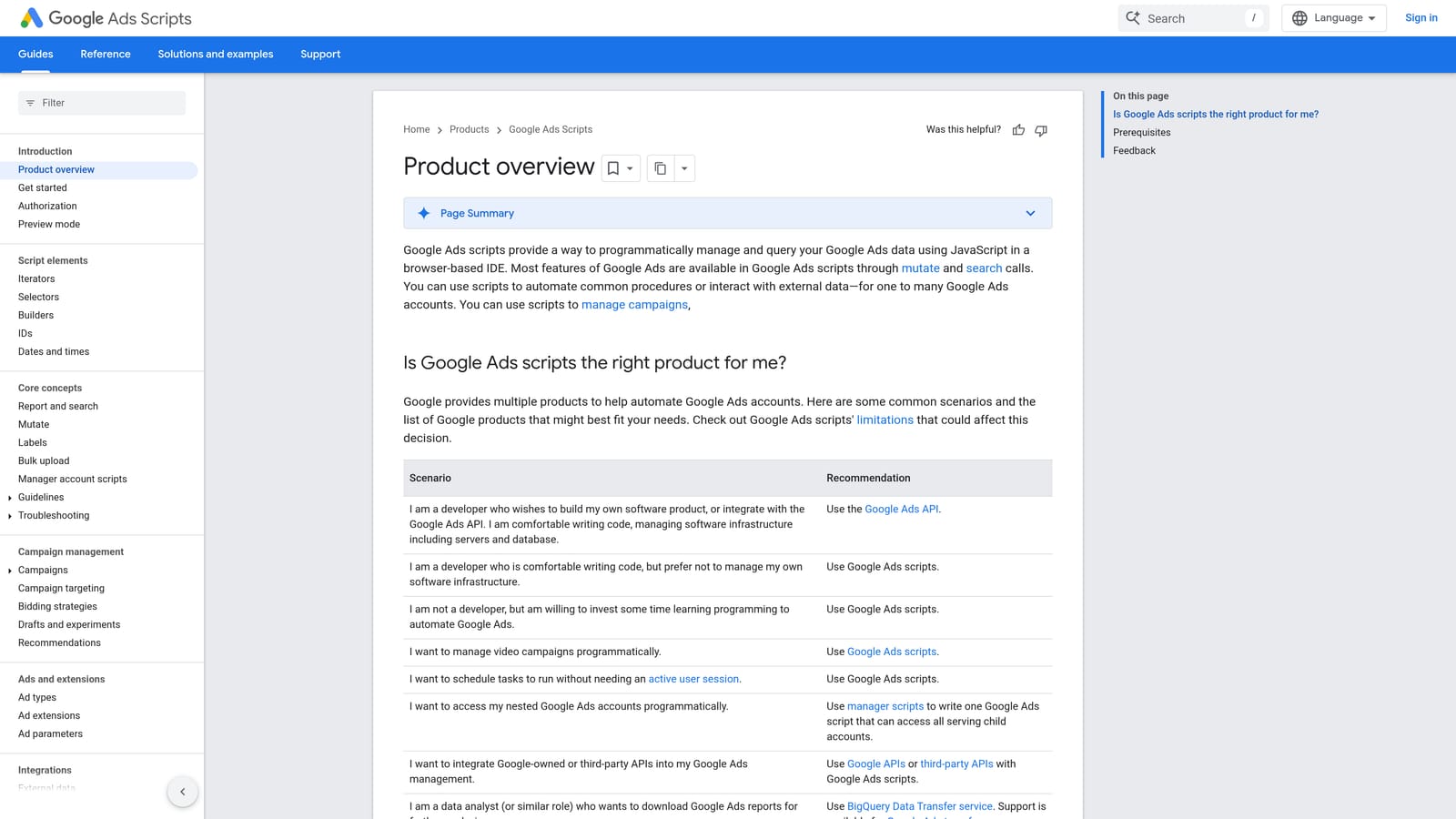
The value here shows up at scale. If your account generates a few dozen search terms a week, you can eyeball them. If it generates thousands, patterns like a recurring irrelevant word combination get buried in the noise. N-gram breakdowns surface those patterns by aggregating word combinations across the whole dataset, something manual review realistically can't do.
- Breaks thousands of search terms into single words, pairs, and triplets so recurring patterns become visible
- Runs on a schedule inside Google Ads Scripts, updating reports automatically without manual re-runs
- Free once configured, with no subscription cost
- Highlights words that show up repeatedly in poor-performing queries, pointing toward negative keyword candidates
It typically outputs to Google Sheets for review. Setup requires comfort editing and scheduling a script inside Google Ads, which is a real barrier for non-technical account managers; this isn't a plug-and-play install like a browser extension.
The script identifies patterns, but it doesn't act on them. You still have to take the flagged n-grams and manually add negatives or apply match type changes elsewhere, whether that's in the native interface, Google Ads Editor, or a tool like Keywordme.
Free, though it requires a Google Ads account compatible with Scripts.
Best for: Technically comfortable advertisers with high search term volume who want pattern detection without paying for software.
7. SEMrush PPC Toolkit
SEMrush is a broader marketing platform, and its PPC toolkit is more useful for deciding what a search term should become than for cleaning up an existing report. If you're weighing whether a query is worth promoting to a full keyword, this is where competitive and volume data comes in.
The Keyword Gap tool compares your keyword coverage against competitors, which can point you toward search terms you're already getting but haven't built dedicated keywords or ad groups around. Combined with search volume and competition data, it helps validate whether a term deserves investment rather than just a decision to keep or cut it.
- Keyword Gap tool comparing your keyword set against what competitors likely target
- Search volume and competition data to judge whether a search term is worth promoting to a full keyword
- PPC Keyword Tool for building out keyword lists before a campaign launches, not just after it's running
- Shared dashboard with SEO tools, useful for teams already using SEMrush for content and organic research
It integrates with Google Ads for data import and connects with Google Analytics, and it's typically run by whoever owns keyword strategy across both paid and organic channels, which makes it a natural fit for teams that already use SEMrush for SEO.
What it's not built for is granular, day-to-day cleanup of an active Search Terms Report. You won't find one-click negative keyword actions or match type application here; this is a research tool, not a maintenance tool.
Pricing is quote-based across plan tiers; check the SEMrush site for current rates as of 2026.
Best for: Teams that already use SEMrush for SEO and want keyword research feeding into their PPC search term decisions.
8. Google Ads Editor
Google Ads Editor is Google's free desktop application for making bulk changes to an account offline before pushing them live. For search term cleanup specifically, its role is uploading large negative keyword lists quickly once you already know what needs to go.
This is a bulk-upload tool, not a discovery tool. It won't tell you which search terms are wasting spend; you still need the Search Terms Report, a script, or a dedicated tool for that. What it does well is take a list you've already built, whether from a spreadsheet, an n-gram script output, or an audit tool, and apply it across campaigns and ad groups in one pass instead of clicking through the interface term by term.
- Bulk uploads and edits negative keyword lists across many campaigns and ad groups at once
- Offline editing lets you review a large batch of changes before anything goes live
- Copy-and-paste bulk match type changes across many keywords simultaneously
- Works across multiple accounts, useful if you manage several under one login
It syncs directly with Google Ads and requires no other integrations. Setup is a straightforward desktop install, and it's usually run by whoever is executing changes rather than deciding strategy, since the analytical work happens elsewhere.
Its main limitation is baked into what it is: a bulk editor, not an analysis tool. If you're looking for something to flag junk search terms for you, Google Ads Editor won't do that job.
Free.
Best for: Advertisers who already know which negatives to add and need to bulk-upload a large list quickly.
Matching the Tool to Your Cleanup Habits
If you're the one actually reviewing search terms every week and want to act on them without opening a spreadsheet, Keywordme fits that habit directly since it works inside the report you're already looking at. If you're running an agency with several client accounts and need automation or standing audits instead of manual review, Optmyzr and Adalysis cover those two different approaches: rule-based automation for Optmyzr, continuous account-health scanning for Adalysis. Small businesses that want a guided routine without hiring a PPC specialist should look at WordStream.
If budget is the constraint, the native Google Ads Search Terms Report and Recommendations tab cost nothing, and the n-gram script adds pattern detection for high-volume accounts willing to set up a script. SEMrush and Google Ads Editor round things out as supporting tools rather than full solutions: one for research before you commit to a keyword, the other for pushing large negative lists live once you've decided what to cut.
Optimize Google Ads campaigns 10x faster without leaving your account. Keywordme lets you remove junk search terms, build high-intent keyword lists, and apply match types instantly, right inside Google Ads. No spreadsheets, no switching tabs, just quick, seamless optimization. Start your free 7-day trial (then just $12/month) and take your Google Ads game to the next level.
.svg)