
A Guide to Your Google Ads Optimization Tool
A Guide to Your Google Ads Optimization Tool


Let's be honest, running a Google Ads account often feels less like strategic marketing and more like you're just trying to keep your head above water. It's a constant flood of keywords, bids, and budgets, and you're the one trying to patch all the leaks. A Google Ads optimization tool is basically your secret weapon—a smart system designed to handle the busywork and find those money-making opportunities you just don't have time to look for.
Why Your Google Ads Need an Upgrade
If you're still trying to manage your Google Ads campaigns by hand, you're playing on hard mode for no reason. It's like trying to navigate rush hour traffic in a new city with a folded paper map. Sure, you might get where you're going eventually, but you're guaranteed to hit gridlock, make a few wrong turns, and burn through a full tank of gas just getting there. In advertising, that wasted gas is your ad budget getting torched on useless clicks and keywords that go nowhere.
Trying to optimize manually is a fight you'll never win. The amount of data you're up against—every search query, every bid change, every performance metric—is just too much for one person, or even a small team, to handle effectively. You end up spending your days staring at spreadsheets, trying to hunt down negative keywords or figure out what made your Cost Per Acquisition (CPA) double overnight. It's all reaction, no action, and it costs you money every single day.
The Problem With Manual Management
When you're stuck doing everything yourself, you’re not just wasting time; you're creating real, tangible problems that eat away at your ROI. It's about the very real cost of slow, error-prone work.
Here’s where it really hurts:
- Wasted Ad Spend: Every time someone clicks your ad after searching for something completely irrelevant, you just paid for nothing. Manually finding every single one of those garbage search terms is like trying to swat a million flies in an open field.
- Missed Opportunities: While you're putting out fires, you're walking right past gold. New, high-intent keywords and search trends can pop up and vanish before you even know they existed.
- Inconsistent Performance: Your results become a total rollercoaster. You might have a great week, but the next week your budget disappears into thin air with almost nothing to show for it. There's no system, just chaos.
A Google Ads optimization tool gets you out of the weeds and into the driver's seat. It automates the soul-crushing tasks so you can finally focus on strategy and growth.
This is where a proper optimization tool completely flips the script. Think of it as your own personal PPC analyst, working around the clock right inside your ad account. It doesn't just show you the fastest route; it sees the traffic jams (wasted spend) before you hit them and points out the clever shortcuts (new opportunities) you'd never find on your own. It takes tedious jobs like keyword cleanup, negative keyword discovery, and match type adjustments and turns them into a few simple clicks.
Whether you're a one-person PPC show or part of a big marketing department, these tools are no longer a "nice-to-have." They are what separate a messy, budget-draining ad account from a predictable, profit-making machine.
The Core Features That Actually Move the Needle on ROI
Let’s be honest, the term “Google Ads optimization tool” can sound a bit... fluffy. It’s easy to get lost in promises of AI magic and forget what you're really trying to do: stop wasting money and get more conversions.
The best tools aren't about adding another dashboard to your tech stack. They're about solving the real, time-sucking problems that plague every PPC manager. Let's cut through the buzzwords and look at the core workflows that genuinely make a difference to your bottom line.
H3: Automating the Never-Ending Keyword Cleanup
If you’re still managing your keywords by hand, you know the drill. You export a massive search term report, dump it into a spreadsheet, and spend the next few hours staring at thousands of rows. You're hunting for those budget-leaking junk queries, but it’s tedious, eye-straining work, and you know you’re missing things. It’s a huge time sink.
Now, imagine this instead: the tool does the heavy lifting for you. It automatically flags irrelevant, money-wasting search terms and presents them in a simple, prioritized list. All you have to do is review and exclude them with a click. It’s the difference between being a detective and being the chief of police.
This image perfectly captures the shift from getting lost in the weeds of manual management to having an AI-powered co-pilot clearing the path for you.
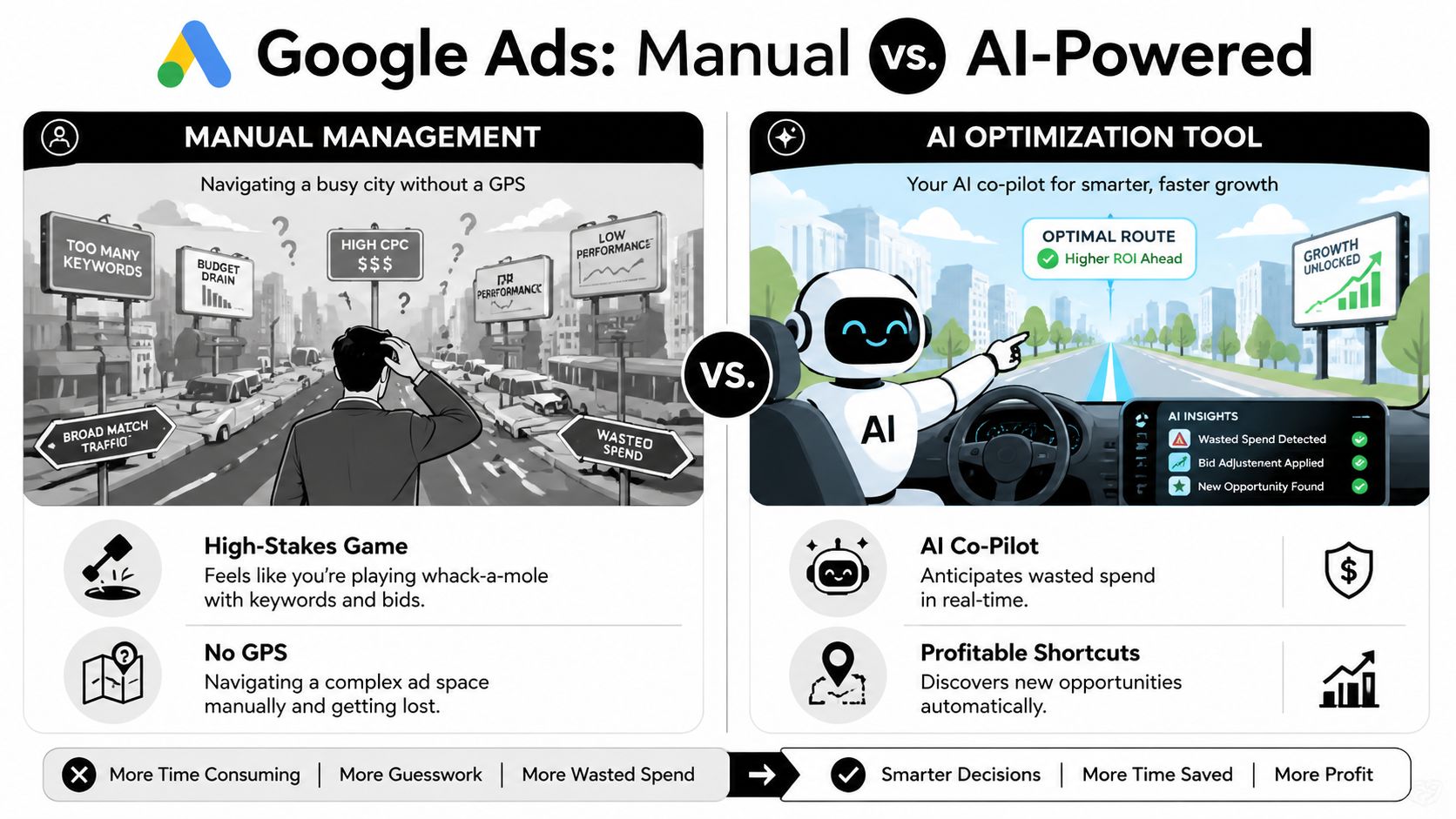
As you can see, a good optimization tool doesn't just give you more data; it gives you profitable shortcuts and helps you sidestep the costly dead ends you’d stumble into on your own.
Smart Negative Keyword Suggestions
Finding bad search terms after they've already cost you money is just one piece of the puzzle. A truly smart tool helps you get ahead of the problem. That’s where intelligent negative keyword suggestions come into play.
Instead of just reacting to one bad search query at a time, a good tool spots patterns. It might notice that a bunch of your low-quality searches contain words like "free," "DIY," or "jobs." It then suggests adding these terms as broad-match negatives, which can proactively block hundreds of future irrelevant searches before they ever spend a dime of your budget.
Think of it like this: manually adding negatives one-by-one is like patching individual leaks in a dam. A smart tool helps you reinforce the entire structure. One is a temporary fix; the other is a long-term strategy for growth.
This proactive approach is where you start seeing serious ROI. You’re not just saving a few cents on a bad click; you’re protecting your entire budget. These small, consistent improvements add up fast. For example, advertisers who boost their account optimization score by just 10 points often see a 14% increase in conversions. Pros using a hybrid approach—combining Google's own recommendations with smart automation—frequently report ROAS jumps of 25% or more, while cutting wasted spend by an average of 20-30%.
One-Click Match Type Management
Here’s another manual nightmare: managing keyword match types. You spot a golden search query in your report and decide to add it as a new exact match keyword. That means you have to go to the right campaign, find the right ad group, click "add keyword," paste it in, select the match type... you get the picture. Now multiply that by dozens of keywords.
A great Google Ads optimization tool completely changes this workflow.
To put the time savings in perspective, let’s look at how a tool transforms these common tasks.
Manual vs Automated Google Ads Tasks
| Task | The Old Way (Manual) | The Smart Way (With a Tool) |
|---|---|---|
| Negative Keyword Mining | Export search terms, sort in Excel, manually spot and add negatives. (1-3 hours/week) | Review an auto-generated list of irrelevant terms and add them with one click. (5-10 minutes/week) |
| Adding New Keywords | Find a good search term, navigate to the ad group, manually add the new keyword and match type. (1-2 minutes/keyword) | Click a button next to a high-performing search term to instantly add it as a new keyword. (5 seconds/keyword) |
| Match Type Adjustments | Analyze performance data, identify keywords to change, manually update each one in the interface. (30-60 minutes/month) | Get automated suggestions to adjust match types based on performance, apply in bulk. (5 minutes/month) |
| Budget Pacing | Build a spreadsheet to track daily spend vs. monthly budget, manually adjust campaigns. (15-30 minutes/day) | View a real-time pacing dashboard and receive alerts if you're off track. (1 minute/day) |
The difference is staggering. You’re not just saving time; you’re reinvesting that time into high-level strategy instead of getting bogged down in repetitive clicking.
With the right tool, these once-tedious tasks become simple, one-click actions:
- See a fantastic search term? One click adds it as a new exact match keyword to the perfect ad group.
- Notice a query that's close but not quite right? Instantly add it as a phrase match negative to sharpen your targeting.
It’s about acting on insights the moment you have them. Of course, bringing in more of the right traffic is just the first step. A solid conversion rate optimization guide can help you understand how to make the most of that traffic once it lands on your site. It’s all connected.
How to Choose the Right Tool for Your Business
With so many Google Ads optimization tools out there, picking one can feel overwhelming. They all promise to boost your ROI and save you time, but how do you know which one will actually deliver? It's easy to get lost in a sea of features and slick marketing websites.
Let's cut through the noise. After years in the trenches managing ad accounts, I’ve learned that what truly matters boils down to a few core things. Think of this as your practical checklist for finding a tool that becomes a true partner in growth, not just another line item on your credit card statement.
Does It Fit Into Your Workflow?
The very first thing I look for is how a tool integrates with the Google Ads interface. The last thing you need is another clunky platform to learn or another tab to keep open.
A great tool should feel like it was built right into Google Ads. Does it overlay its features directly onto your dashboard, maybe as a simple Chrome plugin? That's the gold standard. It means you can spot an opportunity—like a search term that's wasting money—and fix it on the spot, without ever leaving the page. No more exporting messy spreadsheets or switching between different apps.
Is the Automation Actually Saving You Time?
"Automation" is one of those buzzwords everyone loves to use, but it means nothing if it doesn't solve a real problem. The goal isn’t to automate for the sake of it; it's to automate the tedious, repetitive work that eats up your day.
When you're looking at a tool, ask these questions:
- Does it do the work for you? Seeing data is one thing, but can you act on it with a single click?
- Does it handle the boring stuff? I’m talking about bulk-adding negative keywords, changing match types in a flash, or turning high-performing search terms into new keywords.
- Is the automation smart? A good tool doesn't just do things fast; it helps you do the right things by pointing out the most impactful changes you can make.
The real test of a tool's automation isn't its feature list, but how many hours it gives back to you. If you aren't saving a significant amount of time each week, it’s not doing its job.
Can It Scale With You?
The tool you pick today has to be able to keep up with your business tomorrow. Whether you manage one small account or are an agency juggling hundreds of clients, your tool can't be the thing that holds you back.
Think about growth. Can it push changes across dozens of campaigns at once? What happens when you load up a massive search term report with 100,000+ queries? Does it grind to a halt? A tool that works fine for a tiny account but buckles under pressure is just a temporary fix, not a real solution.
How Easy Is It to Use?
Finally, never underestimate the human side of things. How does the tool feel? If you need a four-hour training session just to figure out the dashboard, it’s already failed.
Look for a clean, logical design that makes sense the first time you use it. And when you do run into a question—because you will—is there someone helpful you can talk to? Quick and responsive support, whether it's through chat or email, can make all the difference. To get a better sense of what's out there, our guide on the best Google Ads optimization tools is a great place to compare your options.
Making Smart Bidding Even Smarter
Let's get one thing straight: Google's Smart Bidding is an incredibly powerful engine. But even the best engine sputters if you fill it with dirty fuel. The quality of your results is directly tied to the quality of the data you feed it.
This is where a good google ads optimization tool comes in. It doesn't try to outsmart or replace Google's AI. Instead, it acts as the perfect partner, making Google's own systems work even better for you. Think of the tool as the ultimate pit crew, meticulously prepping the car so the driver—Smart Bidding—can win the race.
Fueling Google's AI With Better Data
Smart Bidding algorithms are wizards at sifting through user signals to find clicks that are likely to convert. But their effectiveness is completely dependent on the data you give them. If your campaigns are a tangled mess of broad keywords and irrelevant search terms, the AI gets mixed signals.
It's like trying to train a dog with inconsistent praise. If you occasionally reward it for chewing on your shoes, you can't be surprised when it keeps happening. In the same way, if your account allows clicks from "free accounting templates" to slip through to your premium software campaign, Smart Bidding might mistakenly learn that this is a good audience to target.
A google ads optimization tool systematically cuts through that noise. It automates the tedious work of data hygiene, creating a clean, high-signal environment where Google's AI can truly shine. This synergy is what unlocks the massive ROAS improvements everyone is chasing. For a deeper dive on this, check out our guide on what Smart Bidding optimization is and how to get it right.
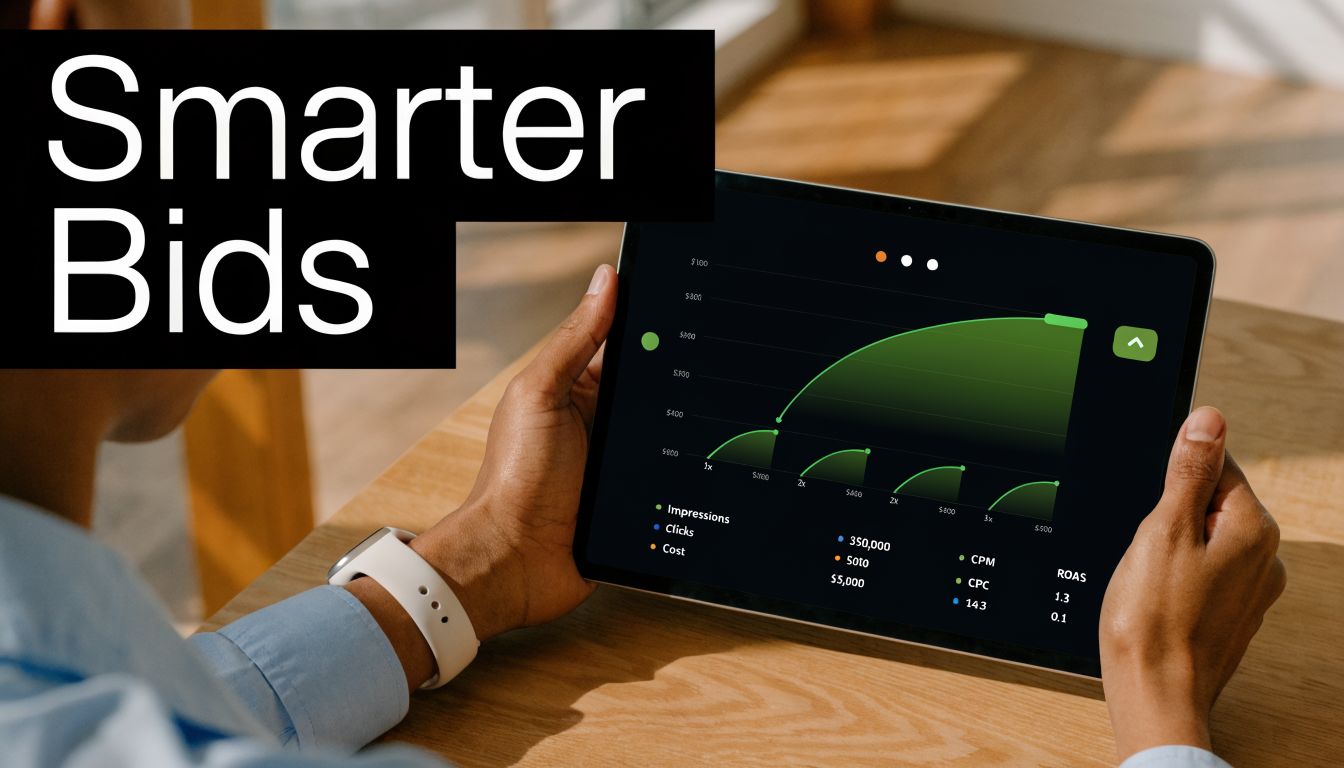
This partnership creates a powerful feedback loop. The tool cleans the data, Smart Bidding uses that clean data to find better customers, and the cycle continues, constantly improving your efficiency and profitability.
The Real-World Impact on Your ROAS
This isn't just theory—the impact on your bottom line is real and often dramatic. When you feed Smart Bidding high-quality, relevant data, its ability to find the right person at the right price goes through the roof.
Think of it this way: Smart Bidding is the engine, but clean data is the high-octane fuel. You can have the most powerful engine in the world, but it won’t perform on low-grade fuel. An optimization tool ensures your campaigns are running on premium.
The results really do speak for themselves. Did you know that Google's Smart Bidding can boost ROAS by 35-50% when it has high-quality data to work with? According to 2026 benchmarks, top-tier advertisers who use AI-guided optimization are seeing click-through rate lifts of 15-20% and their cost-per-conversion drop by as much as 18%.
This kind of improvement comes from nailing a few key areas where an optimization tool is a massive help:
- Continuous Negative Keyword Discovery: It automatically finds and blocks budget-wasting search terms, so Smart Bidding stops learning from junk traffic.
- Precision Match Type Control: It lets you instantly promote high-performing search queries to exact match keywords, giving the algorithm crystal-clear targets.
- Structured Campaign Builds: By helping you create tightly themed ad groups, the tool ensures your ad copy is always hyper-relevant, which boosts Quality Score and lowers your costs.
Simply put, a google ads optimization tool is the perfect partner for Smart Bidding. It handles the repetitive but vital maintenance, freeing up Google’s AI to do what it does best: find you profitable customers, day in and day out.
Alright, enough with the theory. Let's get our hands dirty and see what this looks like in the real world. All the features and fancy benefits are just talk until you see how a google ads optimization tool actually solves the nagging problems you face every day.
Let’s walk through a classic scenario—one that gives every PPC manager a headache—and see how Keywordme turns hours of agony into a few quick, satisfying clicks.
It all begins with a simple Chrome plugin install. That’s it. There’s no new platform to learn, no separate login to remember. Keywordme slides right into the Google Ads interface you already live in, making it feel less like a "tool" and more like a native superpower you just unlocked.
The Real-World Test: A Messy Search Term Report
Picture it. You crack open your search term report, and it’s a disaster zone. Thousands of queries stare back at you—a chaotic jumble of brilliant, awful, and just plain weird searches. We've all been there. The old way involved dumping this mess into a spreadsheet for a painful afternoon of VLOOKUPs, pivot tables, and soul-crushing manual sorting.
With Keywordme, that whole song and dance is a thing of the past. You don’t go anywhere. You stay right inside Google Ads, where our tool lays intuitive controls directly on top of your report.
Let's clean up that messy report, the Keywordme way:
- Instantly Spotting Junk: As you scroll, you see a flood of irrelevant search terms with words like “free,” “jobs,” or “how to.” Instead of the copy-paste-add-negative routine for each one, you just click the little button next to them. Keywordme lines them all up for you.
- Finding Hidden Gold: Then, you see it. A beautiful, long-tail search term with a high conversion rate that you aren't even bidding on. It’s a perfect candidate for a new keyword. With a single click, you can add it to the right ad group as an exact match keyword without ever leaving the report.
- Pushing Changes in Bulk: After five minutes, you’ve flagged 50 negative keywords and found three new high-value exact match keywords. You hit "apply," and BAM—Keywordme pushes every single one of those changes across multiple campaigns in an instant.
A task that used to eat up half your day is done before your coffee gets cold. This isn't just about saving time; it's about making smarter, faster decisions when they matter most.
The whole idea behind Keywordme is simple: cut down the clicks and mental energy wasted on repetitive work. We turn hours of tedious spreadsheet hell into a few seconds of decisive action so you can get back to actual strategy.
This is what a real, functional workflow looks like.
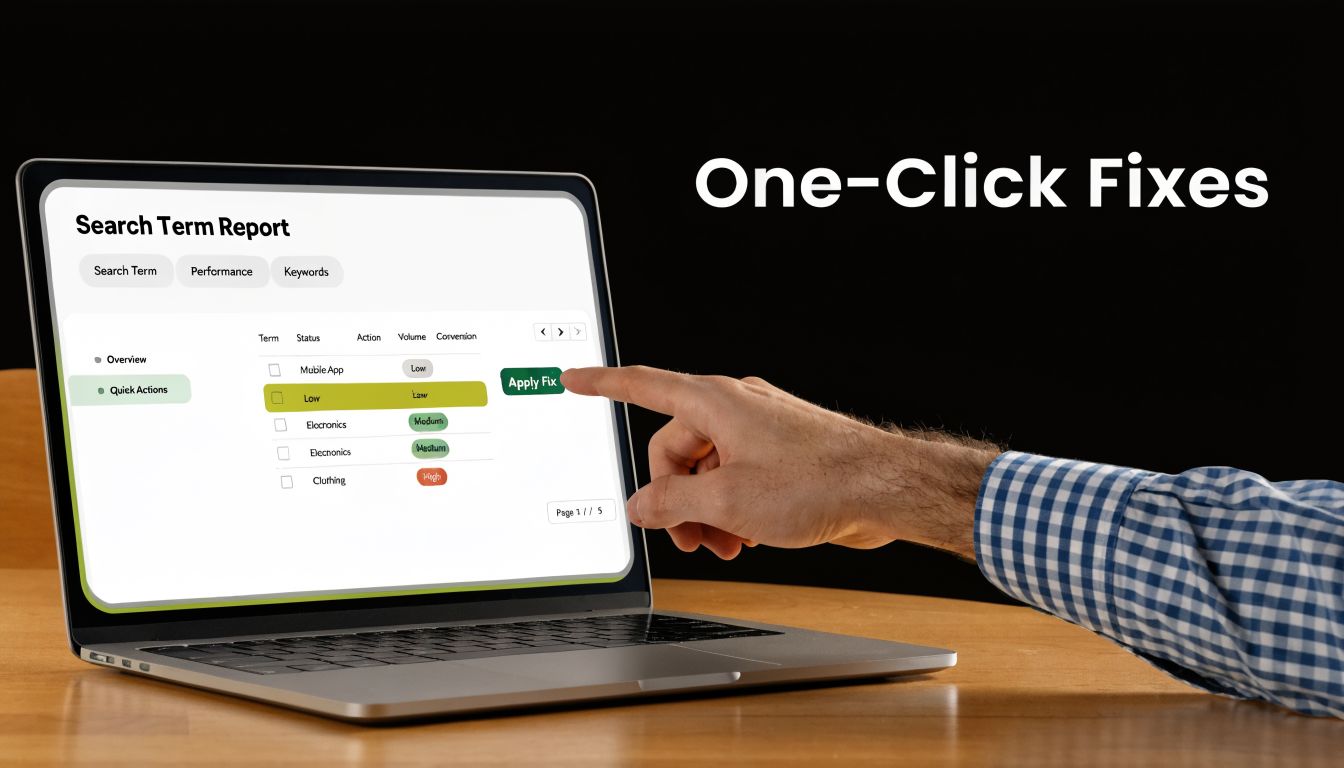
It’s this simple flow in action—taking that raw, messy search data and refining it into clean, profitable keyword lists with just a few clicks.
Beyond Cleanup to Smart Expansion
But being efficient isn't just about cleaning up the garbage. It's also about intelligently building on what’s already working. Keywordme makes it just as easy to grow your accounts. For example, when you find a cluster of related, high-performing search terms, you can instantly use them as the building blocks for a new, tightly-themed ad group.
This is a core piece of effective Google Ads workflow automation. It’s how you scale your impact without scaling your workload. If you want to dive deeper, you can read more in our guide to creating a more efficient Google Ads workflow automation process.
This is the power of a purpose-built google ads optimization tool. It doesn't try to be a Swiss Army knife for everything. Instead, it focuses on mastering the most critical and time-sucking keyword tasks that have a direct line to your bottom line. It’s a real-world solution that plugs budget leaks and uncovers hidden profit, one click at a time.
Finding Growth Opportunities With AI Insights
Fixing what's broken in your Google Ads account is one thing. That’s just defense—plugging budget leaks and cleaning up messy keywords. But the real wins? They come from playing offense.
That’s where a good google ads optimization tool helps you go from being reactive to being a proactive strategist, uncovering hidden pockets of growth you would have otherwise missed.
Google Ads is constantly throwing AI-powered suggestions at us. The problem is, an insight is totally useless if you can't act on it quickly. This is where an execution tool like Keywordme becomes your secret weapon, helping you turn Google’s high-level ideas into actual results.
Turning Insights Into Action
Let's say Google's "Recommendations" tab suggests expanding to a new audience because it's spotted a promising trend. Great! Now what? The old way involved a mountain of guesswork and hours spent manually building new campaigns.
The smart way is to let the data do the talking. With a tool like Keywordme, you can take that big-picture suggestion from Google and immediately check it against real search data. You can see what terms that new audience is actually searching for, then use those exact queries to spin up new, tightly-themed ad groups in minutes, not hours.
This completely changes how you manage your account. You're not just putting out fires anymore. You're strategically starting new, controlled ones that are far more likely to turn a profit. It’s all about grabbing opportunities with speed and precision.
Using Data to Fuel Expansion
This proactive mindset is exactly what you need to scale ambitious accounts. Google’s own AI is getting better and better at finding these opportunities. In fact, as of 2026, we're seeing that accounts using recommendations to hit optimization scores over 80% often see ROAS improvements of 15% or more. For Performance Max campaigns, this can lead to 50% more conversions at a similar CPA. You can dive deeper into these findings by reading the full report about optimizing campaign performance on withgoogle.com.
A tool simply helps you hit that score faster by making it ridiculously easy to act on those recommendations.
- Spot a new, profitable search query? One click and it's a new keyword.
- See a cluster of related terms? A couple more clicks, and you've built a whole new ad group around them.
- Want to test a fresh ad angle? Quickly build a targeted campaign to test your theory without the usual busywork.
To really find those growth pockets and make smart decisions based on AI insights, you have to nail your testing. Following solid A/B testing best practices is a must. A good tool gives you the clean data and efficient workflow you need to run meaningful tests that lead to real growth signals, not just a bunch of noise.
By combining Google's AI suggestions with an efficient execution tool, you create a powerful cycle of discovery and growth. Google points you in the right direction, and your tool gives you the vehicle to get there faster and more effectively than your competition.
This is how you get those big ROAS gains. It’s not about finding one magic bullet, but about making dozens of small, smart, data-backed decisions every single day. A great google ads optimization tool is what makes that possible at scale.
Frequently Asked Questions
Got a few questions before you dive in? It’s only natural. Whenever you’re thinking about adding a new tool to your workflow, you want to be sure it’s the right move. Let's walk through some of the most common questions I hear.
Can This Tool Hurt My Optimization Score?
It’s actually the complete opposite. A good optimization tool helps you do the exact things Google wants to see, just way faster than you could by hand.
Think about it—every time you clean out irrelevant search terms or tighten up your keyword match types, you're boosting the overall health of your account. You're feeding Google's algorithm cleaner, more relevant data. This doesn't just nudge up your optimization score; it drives better real-world performance, like a lower CPA and a much healthier ROAS.
Are These Tools Only for Big Agencies?
Not a chance. While it’s true that big agencies get a massive efficiency boost from these tools across all their client accounts, they’re a game-changer for smaller players, too.
If you’re a small business owner or a freelance PPC manager, the most immediate win is cutting out wasted ad spend. Every single dollar you stop spending on a bad click is a dollar you can put toward the keywords that are actually making you money. A simple, easy-to-use tool makes this accessible to anyone who’s serious about their Google Ads budget.
The best tools democratize powerful optimization. They give solo operators the same ability to clean, refine, and scale their accounts as a large, fully-staffed agency.
How Long Does It Take to Learn a Tool Like Keywordme?
The best tools in this space are designed to be quick and intuitive. Keywordme, for instance, installs as a simple Chrome plugin in a couple of minutes. There’s no clunky, separate platform to get used to.
Because it works right inside the Google Ads interface you already know, the learning curve is practically flat. You can honestly start cleaning up your first campaign within an hour of installing it, using one-click features to see immediate improvements. To really get the most out of any AI-powered tool, it helps to know how to steer it; some of the principles in guides about AI writing help for content creators apply here, too—it's all about guiding the tech to get the best results.
Ready to stop wasting time in spreadsheets and start making smarter optimizations in seconds? Keywordme turns hours of tedious work into a few satisfying clicks. Start your free 7-day trial today!
.svg)