
9 Best Google Ads Optimization Software Tools Reviewed
This comprehensive guide reviews the 9 best Google Ads optimization software tools for 2026, comparing features, pricing, and ideal use cases to help advertisers choose the right solution. From lightweight Chrome extensions to enterprise-grade platforms, each google ads optimization software review breaks down which tools work best for freelancers, agencies, and in-house teams looking to reduce wasted spend and automate campaign management.


The right Google Ads optimization software can cut your wasted ad spend, surface winning keywords faster, and free up hours of manual campaign work. But with dozens of tools claiming to be the best, how do you pick one that actually fits your workflow?
This roundup reviews top Google Ads optimization tools—from lightweight Chrome extensions to full-scale enterprise platforms—based on real-world usability, key features, pricing transparency, and who each tool works best for. Whether you're a solo freelancer managing a handful of accounts or an agency juggling dozens of clients, you'll find a tool here that matches your needs and budget.
1. Keywordme
Best for: PPC managers who want to optimize campaigns without leaving Google Ads
Keywordme is a Chrome extension that lives inside your Google Ads interface, turning the search terms report into an optimization command center.

Where This Tool Shines
Most optimization tools force you to export data, analyze it in a separate dashboard, then come back to Google Ads to implement changes. Keywordme eliminates that context-switching entirely.
You work directly in the search terms report where you're already spending time. Click to remove junk terms, add negatives, apply match types, and build new keyword groups—all without opening a spreadsheet or switching tabs. For agencies managing multiple client accounts, this workflow efficiency compounds quickly.
Key Features
One-Click Junk Removal: Identify and eliminate irrelevant search terms directly in the native Google Ads interface with a single click.
Instant Match Type Application: Apply exact, phrase, or broad match modifiers to keywords without manual copying and pasting.
Keyword Clustering: Group related search terms automatically to identify patterns and build themed ad groups faster.
Bulk Negative Keyword Lists: Create and apply negative keyword lists across campaigns in seconds, not minutes.
Multi-Account Support: Switch between client accounts seamlessly with team collaboration features built for agency workflows.
Best For
Solo PPC managers and agencies who spend significant time in the search terms report and want to cut optimization time without learning a new platform. If you prefer working in Google Ads' native interface rather than external dashboards, this is your tool.
Pricing
Flat $12 per month per user with a 7-day free trial. No pricing tiers based on ad spend, which makes budgeting predictable for agencies.
2. Optmyzr
Best for: Advanced PPC managers who want customizable automation rules and script management
Optmyzr is a comprehensive PPC management platform built around rule-based automation and one-click optimizations.

Where This Tool Shines
Optmyzr gives you control over complex automation scenarios that go beyond what Google Ads' native rules can handle. You can build custom scripts without coding, set up conditional logic for bid adjustments, and create multi-layered optimization workflows.
The platform also excels at Shopping campaign optimization, offering tools to manage product feeds, adjust bids by product category, and identify underperforming SKUs. For accounts with heavy Shopping presence, this becomes a significant time-saver.
Key Features
One-Click Optimizations: Pre-built optimization suggestions for bids, budgets, keywords, and ad copy that you can implement with a single click.
Custom Automation Rules: Build complex if-then logic for bid management, budget allocation, and campaign adjustments based on performance triggers.
Script Manager: Access and customize Google Ads scripts without writing code, or upload your own custom scripts.
Enhanced Reporting: Create custom dashboards with data visualization tools that go deeper than standard Google Ads reports.
Shopping Campaign Tools: Specialized features for managing product feeds, negative keywords for Shopping, and category-level bid optimization.
Best For
PPC managers running complex accounts who need automation beyond Google's native capabilities. Particularly valuable for e-commerce advertisers with extensive Shopping campaigns or agencies managing diverse client portfolios.
Pricing
Starts around $208 per month for core features, with pricing scaling based on ad spend and feature access. Higher tiers unlock advanced automation and white-label reporting.
3. WordStream
Best for: Small businesses and beginners who need guided optimization workflows
WordStream is designed to make PPC management approachable for advertisers who don't live in Google Ads every day.

Where This Tool Shines
WordStream's signature feature is the 20-Minute Work Week—a guided workflow that walks you through the most impactful optimization tasks in a prioritized order. Instead of staring at overwhelming data, you get clear instructions on what to fix and why.
The performance dashboard uses color-coded alerts to highlight issues: red for urgent problems, yellow for opportunities, green for what's working. This visual approach helps non-experts make confident optimization decisions without deep PPC knowledge.
Key Features
20-Minute Work Week: Guided optimization workflow that prioritizes the highest-impact changes you can make in minimal time.
Performance Dashboard: Visual alerts and recommendations organized by urgency and potential impact.
Cross-Platform Support: Manage Google Ads, Microsoft Ads, and Facebook campaigns from a single interface.
Free Performance Grader: Audit tool that analyzes your Google Ads account and provides a detailed optimization report at no cost.
Mobile App: Monitor campaign performance and make quick adjustments from your phone.
Best For
Small business owners, marketing generalists, and newer PPC managers who want expert guidance without hiring an agency. Also useful for agencies serving small business clients who need simplified reporting.
Pricing
Custom pricing based on monthly ad spend. Contact WordStream for a quote. Generally positioned as a mid-market solution for businesses spending $1,000 to $50,000 monthly on ads.
4. Adalysis
Best for: Advertisers focused on ad testing, quality score improvement, and creative optimization
Adalysis specializes in the parts of Google Ads that most automation tools ignore: ad copy testing, quality score monitoring, and search query analysis.

Where This Tool Shines
Adalysis automates the statistical rigor of ad testing. It tracks performance across ad variations, calculates statistical significance, and tells you when a winner has emerged—no manual spreadsheet math required.
The quality score tracking is particularly valuable. Adalysis monitors quality score changes at the keyword level and alerts you when scores drop, helping you catch issues before they inflate your CPCs. It also identifies negative keyword conflicts where your own negatives might be blocking relevant traffic.
Key Features
Automated Ad Testing: Run A/B tests on ad copy with automatic statistical significance calculations and winner declarations.
Quality Score Monitoring: Track quality score changes over time with alerts for drops and recommendations for improvement.
Negative Keyword Conflict Detection: Identify cases where your negative keywords are blocking potentially valuable search terms.
Search Query Analysis: Detailed reports on search term performance with suggestions for new keywords and negatives.
Audit Tools: Comprehensive account audits that surface issues like duplicate keywords, low-quality ads, and budget waste.
Best For
PPC managers who prioritize ad copy performance and quality score optimization. Particularly useful for accounts with large keyword inventories where manual quality score monitoring becomes impractical.
Pricing
Starts at $99 per month for accounts spending up to $50,000 monthly. Pricing scales with ad spend, with higher tiers for larger accounts.
5. Opteo
Best for: Agencies and consultants who want daily optimization suggestions in a notification-style feed
Opteo works like a continuous improvement engine, analyzing your accounts daily and surfacing optimization opportunities as they emerge.

Where This Tool Shines
Opteo's interface feels more like a social media feed than a traditional PPC tool. Each day, it generates a prioritized list of improvement suggestions—pause this underperforming keyword, raise this budget, add these negative terms—and you can implement them with one click.
The tool also excels at anomaly detection. If your conversion rate suddenly drops or your CPC spikes, Opteo flags it immediately with context about what changed. This real-time monitoring helps you catch issues before they burn through budget.
Key Features
Continuous Improvement Feed: Daily stream of optimization suggestions ranked by potential impact and confidence level.
One-Click Implementation: Apply recommendations directly from the feed without logging into Google Ads.
Performance Monitoring: Automated alerts for unusual performance changes, budget pacing issues, and conversion drops.
Slack Integration: Receive optimization notifications and performance alerts directly in Slack for team collaboration.
Custom Alerts: Set up personalized triggers for metrics that matter to your specific business goals.
Best For
Agencies managing multiple client accounts who need a scalable way to stay on top of optimization opportunities without manually checking each account daily. Also valuable for in-house teams who want proactive suggestions rather than reactive troubleshooting.
Pricing
Starts at $99 per month with tiered pricing based on total monthly ad spend across managed accounts. Higher tiers unlock additional accounts and advanced features.
6. Skai
Best for: Enterprise advertisers running cross-channel campaigns with significant ad budgets
Skai (formerly Kenshoo) is an enterprise-grade advertising platform that manages campaigns across search, social, and retail channels from a unified interface.

Where This Tool Shines
Skai's AI-powered bidding engine goes beyond basic automated bidding. It incorporates cross-channel data, offline conversion signals, and custom business rules to optimize bids based on your specific profitability targets—not just Google's default conversion goals.
The platform also offers advanced attribution and incrementality testing capabilities. You can run lift studies, analyze cross-channel attribution paths, and measure the true incremental value of your ad spend. For large advertisers with complex customer journeys, this level of insight becomes critical for budget allocation decisions.
Key Features
AI-Driven Bid Optimization: Machine learning algorithms that optimize bids based on custom business goals and profitability targets.
Cross-Channel Management: Unified platform for managing Google Ads, Microsoft Ads, Facebook, Instagram, Amazon, and other channels.
Advanced Attribution: Multi-touch attribution modeling with support for offline conversions and custom attribution windows.
Incrementality Testing: Built-in tools for running geo-based lift studies and measuring true advertising impact.
Custom Reporting: Enterprise-grade business intelligence with API access for integrating with data warehouses.
Best For
Large enterprises and brands spending six or seven figures monthly on advertising across multiple channels. Requires significant budget to justify the platform cost and complexity.
Pricing
Enterprise custom pricing based on ad spend volume and feature requirements. Contact Skai for a quote. Generally positioned for advertisers with substantial budgets and dedicated media teams.
7. Acquisio
Best for: Agencies needing white-label reporting and machine learning bid management
Acquisio is a multi-channel advertising platform built specifically for agencies, with machine learning optimization and white-label client reporting.
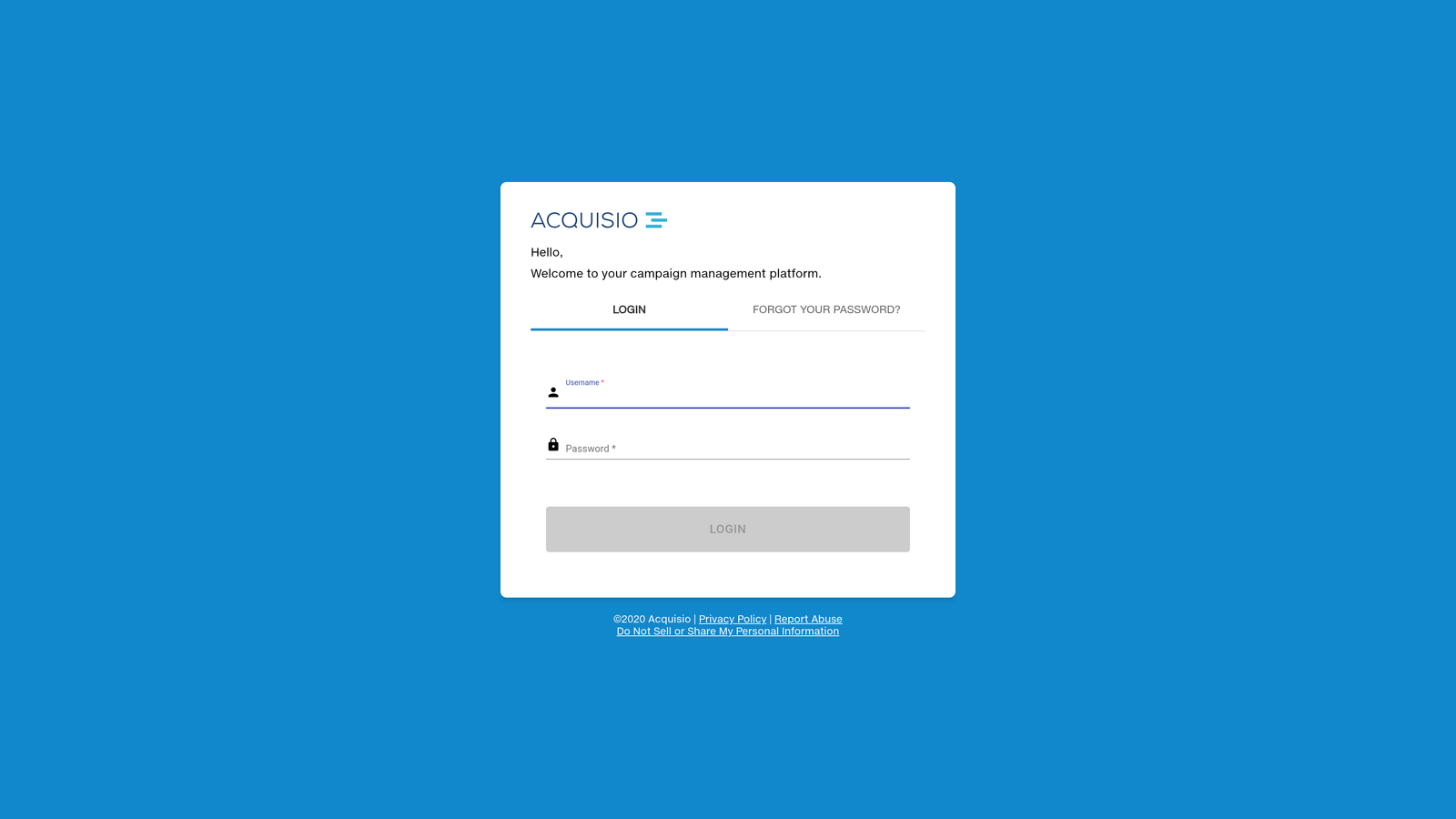
Where This Tool Shines
Acquisio's machine learning bid and budget management adapts to each account's unique conversion patterns. Instead of applying generic rules, it learns which bid adjustments drive the best results for each specific campaign and adjusts accordingly.
The white-label reporting is particularly valuable for agencies. You can create fully branded client dashboards with your logo, custom metrics, and automated report delivery. This professional presentation helps justify your management fees and keeps clients informed without manual report creation.
Key Features
Machine Learning Bid Management: Automated bidding that learns from each account's historical performance and adjusts strategies accordingly.
Cross-Channel Support: Manage Google Ads, Microsoft Ads, and Facebook campaigns from a single platform.
White-Label Reporting: Fully customizable client reports with your agency branding and custom KPIs.
Automated Campaign Creation: Tools for bulk campaign setup and duplication across client accounts.
Budget Management: Automated budget pacing and allocation across campaigns and channels.
Best For
Marketing agencies managing multiple client accounts who need professional reporting and scalable optimization workflows. The white-label features make it particularly attractive for agencies looking to present a polished client experience.
Pricing
Tiered pricing based on total monthly ad spend across managed accounts, starting around $199 per month. Higher tiers unlock additional accounts and advanced features.
8. Google Ads Editor
Best for: Advertisers who need bulk editing capabilities and offline campaign management
Google Ads Editor is a free desktop application from Google that lets you manage campaigns offline and make bulk changes efficiently.
Where This Tool Shines
Google Ads Editor excels at bulk operations that would be tedious in the web interface. Need to update 500 ad headlines? Copy an entire campaign structure to a new account? Find and replace text across thousands of keywords? Editor handles these tasks in minutes.
The offline editing capability is also valuable. You can download your campaigns, make changes without an internet connection, review everything before pushing live, then sync when you're ready. This workflow reduces the risk of accidentally publishing half-finished changes.
Key Features
Bulk Editing: Make changes to thousands of campaigns, ad groups, keywords, and ads simultaneously using spreadsheet-style editing.
Offline Management: Download campaigns, edit offline, and sync changes when you're ready to publish.
Copy/Paste Across Accounts: Duplicate campaign structures between accounts with a few clicks.
Find and Replace: Search for specific text or settings across your entire account and replace in bulk.
Advanced Filters: Create complex filters to isolate specific campaign elements for editing.
Best For
Any Google Ads advertiser who regularly makes bulk changes or manages large campaign structures. Particularly useful for agencies setting up new client accounts based on templates or advertisers running seasonal campaigns that need frequent updates.
Pricing
Completely free. Available as a desktop download for Windows and Mac.
9. PPC Entourage
Best for: E-commerce sellers running both Amazon and Google Ads campaigns
PPC Entourage started as an Amazon advertising tool but now supports Google Ads optimization, making it valuable for sellers advertising on both platforms.
Where This Tool Shines
PPC Entourage's keyword harvesting automatically identifies high-performing search terms from your search term reports and suggests adding them as keywords. For e-commerce sellers with large product catalogs, this automation saves hours of manual search term analysis.
The tool also optimizes bids based on profitability rather than just conversion volume. It factors in your product margins and adjusts bids to maximize profit, not just revenue. This profit-first approach helps sellers avoid the trap of driving sales that don't actually make money after ad costs.
Key Features
Keyword Harvesting: Automatically identify and suggest high-performing search terms to add as new keywords.
Automated Negative Keyword Suggestions: Analyze search term data and recommend negative keywords to reduce wasted spend.
Profit-Based Bid Optimization: Adjust bids based on product margins and profitability targets, not just conversion volume.
Cross-Platform Workflow: Manage both Amazon Sponsored Products and Google Shopping campaigns from a single interface.
Product-Level Insights: Track performance by individual SKU to identify winners and losers in your product catalog.
Best For
E-commerce sellers and brands advertising on both Amazon and Google who want unified optimization across platforms. Particularly valuable for sellers with thin margins who need profit-focused bid management.
Pricing
Starts at $47 per month for the basic plan with limited features. Higher tiers unlock advanced automation and support for larger ad spend volumes.
Finding Your Best Fit
The right Google Ads optimization software depends on where you work, how you work, and what you're trying to fix.
If you're a solo advertiser or small agency who lives in the Google Ads interface and wants to optimize faster without learning a new platform, Keywordme delivers the most seamless workflow. You work where you already work, just faster.
For agencies managing dozens of client accounts who need white-label reporting and scalable workflows, Acquisio or Optmyzr provide the multi-account infrastructure and professional reporting tools that justify agency fees.
Enterprise advertisers running complex cross-channel campaigns with significant budgets should look at Skai for its advanced attribution, incrementality testing, and AI-powered optimization across search, social, and retail channels.
Small businesses and beginners benefit most from WordStream's guided optimization approach, which provides expert recommendations without requiring deep PPC expertise.
Whatever tool you choose, start with a free trial before committing. Most optimization software offers trial periods, and testing the workflow with your actual accounts reveals whether the tool actually saves time or just adds another dashboard to check.
Start your free 7-day trial of Keywordme and experience optimization that happens right where you're already working—no spreadsheets, no switching tabs, just quick, seamless improvements to your Google Ads campaigns.
.svg)