
9 Best Google Ads Optimization Software Tools Compared (2026)
This google ads optimization software comparison breaks down 9 top tools available in 2026, evaluating each platform's core strengths, ideal use cases, and real pricing to help freelancers and agencies eliminate wasted ad spend, automate time-consuming tasks, and choose the right solution for their specific campaign needs.


TL;DR: Managing Google Ads without optimization software is like flying blind. You're burning budget on junk clicks, missing high-intent keywords, and spending hours on tasks that should take minutes. Whether you're a freelancer juggling five accounts or an agency running hundreds of campaigns, the right tools can dramatically cut wasted spend and free up real time each week.
The challenge is that "Google Ads optimization software" covers a lot of ground: search term management, bid automation, ad testing, click fraud prevention, competitive intelligence, feed-based ad generation. Different tools solve different problems, and not every account needs the same solution.
This comparison breaks down the top Google Ads optimization tools available in 2026, covering what each does best, who it's built for, and what it actually costs. Pricing is sourced from official websites as of early 2026 and may change. Let's get into it.
1. Keywordme
Best for: Fast, in-interface search term management and negative keyword optimization
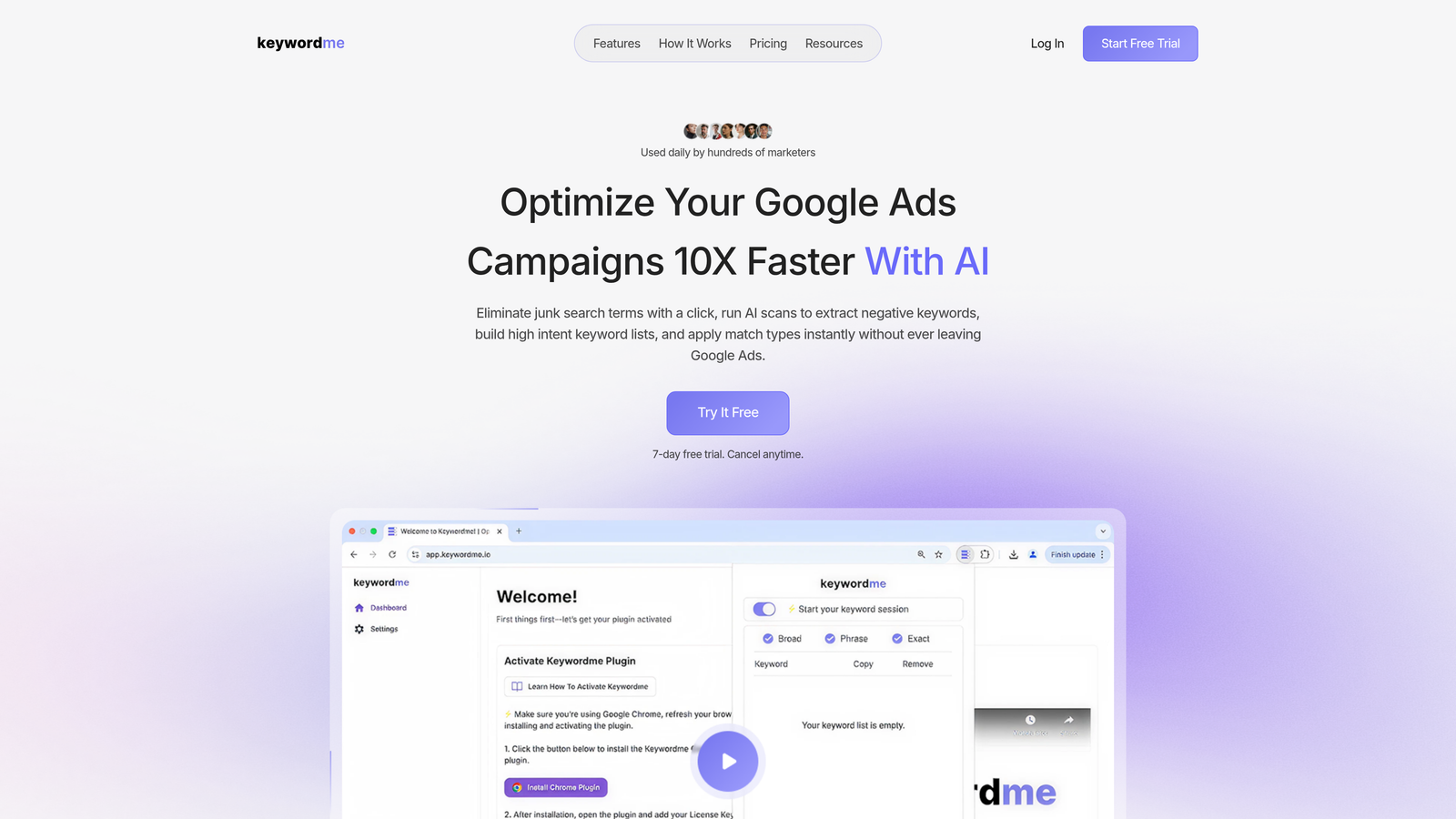
Keywordme is a Chrome extension that plugs directly into the Google Ads Search Terms Report, letting you optimize campaigns without ever leaving the native interface.
Where This Tool Shines
Most PPC tools pull you out of Google Ads and into a separate dashboard. Keywordme does the opposite. It lives inside your Search Terms Report, so the workflow is immediate: you see a junk term, you remove it. You spot a high-intent query, you add it as a keyword. No tab-switching, no spreadsheet exports, no copy-pasting.
In most accounts I audit, search term cleanup is one of the most neglected weekly tasks precisely because it's tedious. Keywordme turns a 45-minute manual process into something you can knock out in five. For agencies managing multiple clients, the multi-account and team support features make this especially useful for standardizing how search term reviews get done across the whole book of business.
Key Features
One-Click Junk Term Removal: Flag and remove irrelevant search terms directly in the Google Ads interface without exporting anything.
Instant Match Type Application: Apply exact, phrase, or broad match to keywords in a single click as you review search terms.
Keyword Clustering: Group related search terms into organized keyword clusters for cleaner ad group structure.
Bulk Editing and Negative List Building: Process multiple terms at once and push them to negative keyword lists without leaving Google Ads.
Multi-Account and Team Support: Designed for agencies, with support for managing multiple accounts and collaborating across team members.
Best For
Freelancers and agency managers who spend significant time each week reviewing search terms. Also a strong fit for in-house PPC managers who want faster optimization without adding another dashboard to their workflow. If search term hygiene is a regular pain point in your accounts, this is the most frictionless solution available.
Pricing
$12/month per user. 7-day free trial available. At this price point, it's one of the most accessible PPC tools on the market for individual users and small teams.
2. Optmyzr
Best for: Large-scale PPC automation and rule-based campaign management
Optmyzr is a comprehensive PPC management platform built for teams that need serious automation across Google Ads, Microsoft Ads, and beyond.

Where This Tool Shines
Optmyzr is what most seasoned PPC managers think of when they hear "optimization platform." The rule engine is genuinely powerful: you can build automated workflows for bid adjustments, budget pacing, keyword management, and more without writing a single script. The pre-built optimization playbooks are a nice shortcut for common tasks, though the real value is in customizing them to your account structure.
Where Optmyzr earns its price tag is in the reporting and Performance Max tooling. As Google pushes more advertisers into PMax campaigns, having a platform that gives you visibility into what's actually happening inside those black-box campaigns is increasingly important.
Key Features
Pre-Built Optimization Playbooks: Ready-to-use workflows for bid management, budget pacing, and keyword management.
Custom Rule Engine: Build automated campaign adjustments without needing Google Ads scripts or developer support.
Advanced Reporting and Dashboarding: Customizable reports for clients and internal stakeholders.
Shopping and Performance Max Tools: Dedicated features for managing Google's more automated campaign types.
Multi-Platform Support: Works across Google, Microsoft, Amazon, and Meta Ads from a single interface.
Best For
Mid-to-large agencies and in-house teams managing significant ad spend across multiple platforms. The learning curve is real, so it's better suited to experienced PPC managers than beginners. If you're spending more than a few thousand dollars per month on ads, the automation capabilities start to justify the cost.
Pricing
Starts around $249/month. 14-day free trial available. Pricing scales with ad spend, so larger accounts will pay more.
3. Opteo
Best for: Guided, suggestion-based optimization for Google Ads accounts
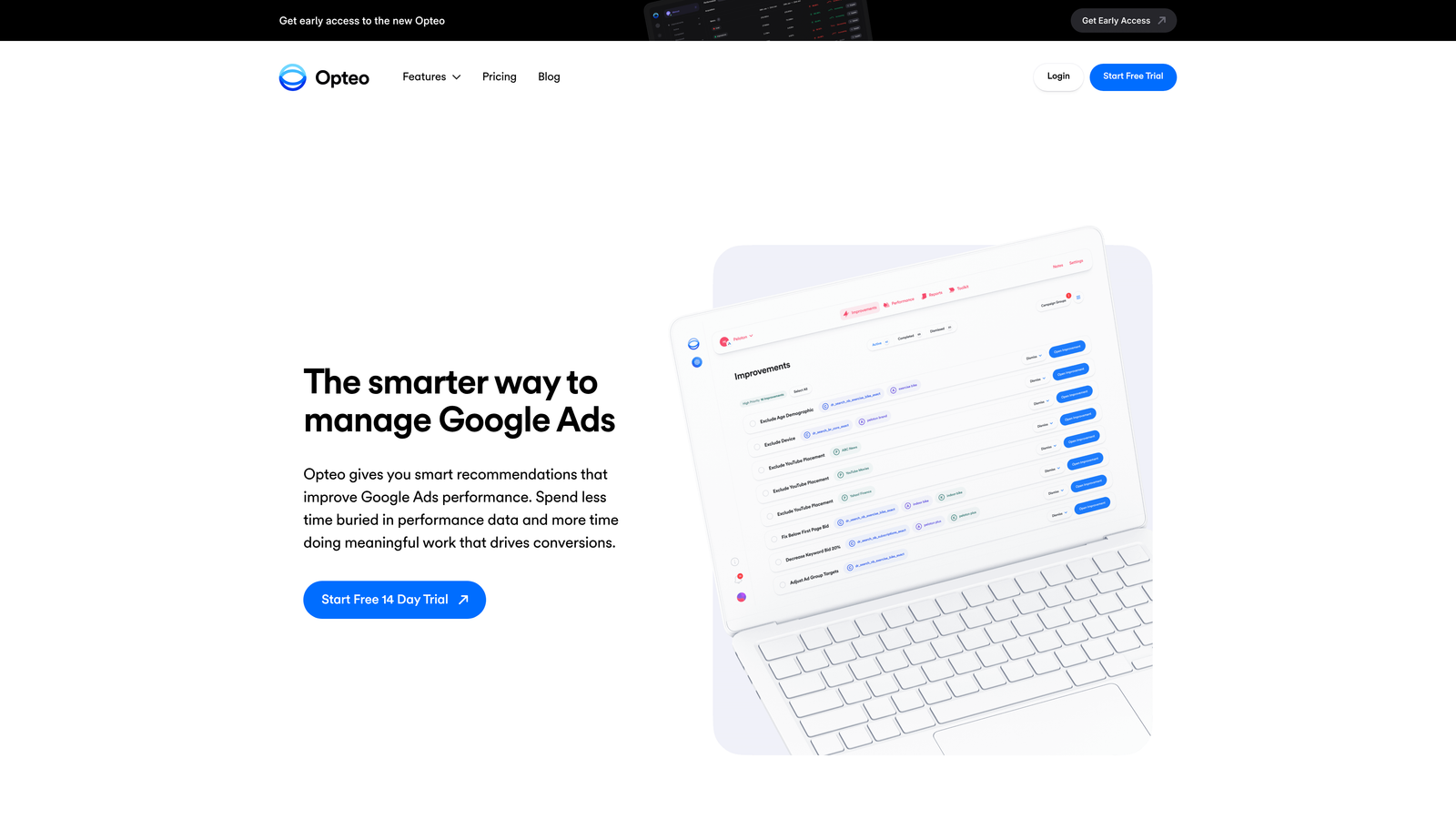
Opteo continuously monitors your Google Ads accounts and surfaces a prioritized feed of improvement suggestions you can apply with a single click.
Where This Tool Shines
Opteo's core mechanic is the improvement feed: a ranked list of actionable suggestions based on account performance data. Think of it as a smart assistant that watches your accounts 24/7 and taps you on the shoulder when something needs attention. The single-click apply feature means you can work through a queue of improvements quickly without diving deep into each one.
The anomaly detection is particularly useful. If a campaign suddenly spikes in spend or drops in conversion rate, Opteo flags it before you'd catch it in a manual review. For freelancers managing multiple accounts, this kind of passive monitoring is a real safety net.
Key Features
Prioritized Improvement Feed: Continuously updated suggestions ranked by potential impact on account performance.
One-Click Apply: Push optimizations directly to Google Ads without leaving Opteo.
Anomaly Detection: Automatic alerts when performance deviates from expected patterns.
Negative Keyword and Search Term Management: Identifies irrelevant search terms and suggests negatives.
Slack and Email Notifications: Integrates with team communication tools for real-time alerts.
Best For
Freelancers and small agencies who want a guided optimization workflow without building everything from scratch. Also useful for in-house marketers who manage Google Ads alongside other responsibilities and need a tool that keeps accounts healthy with minimal manual oversight.
Pricing
Starts at $129/month. Free trial available. Pricing tiers are based on total monthly ad spend managed.
4. WordStream (by LocaliQ)
Best for: Small businesses and non-specialist marketers managing Google Ads
WordStream is a simplified PPC management platform designed to make Google Ads accessible for small businesses and marketers who aren't full-time PPC specialists.

Where This Tool Shines
WordStream's 20-Minute Work Week workflow is the headline feature: a guided checklist that walks you through the most impactful optimizations you can make in a short session. It's deliberately simplified, which is the point. Not every business needs a complex automation engine; some just need a clear, weekly process that keeps campaigns from going off the rails.
The free Google Ads Performance Grader is a genuinely useful standalone tool. Even if you never pay for WordStream, running an account through the Grader gives you a fast audit covering Quality Score, wasted spend, click-through rates, and account activity. It's a common starting point for agency new business conversations.
Key Features
20-Minute Work Week Workflow: Guided optimization checklist designed to fit into a short, regular session.
Google Ads Performance Grader: Free account audit tool that benchmarks your account against industry standards.
Cross-Channel Support: Manages Google, Facebook, and Bing Ads from one platform.
Simplified Reporting: Easy-to-read reports designed for business owners rather than PPC specialists.
Landing Page and Conversion Tools: Additional features for improving post-click performance.
Best For
Small business owners and marketing generalists who run Google Ads without dedicated PPC expertise. Less suited for experienced PPC managers who need granular control or advanced automation.
Pricing
Custom pricing; contact for a quote. The Google Ads Performance Grader is free to use with no account required.
5. Adalysis
Best for: Automated ad testing and quality score monitoring
Adalysis is a PPC optimization platform focused on ad testing, quality score tracking, and campaign auditing for Google and Microsoft Ads.

Where This Tool Shines
The mistake most agencies make with ad testing is running tests without statistical rigor: they declare a winner too early or let underperforming ads run too long. Adalysis automates the testing process and tracks statistical significance, so you're making decisions based on real data rather than gut feel. This is particularly valuable for accounts with high ad volume where manual tracking becomes impractical.
The Quality Score monitoring is another standout. Adalysis tracks Quality Score history at the keyword level, which Google doesn't surface natively. Understanding how Quality Scores change over time helps you diagnose landing page and relevance issues before they compound into higher CPCs.
Key Features
Automated Ad Testing: Runs statistically significant A/B tests across ad variations without manual tracking.
Quality Score Monitoring: Tracks Quality Score history at the keyword level over time.
Campaign Audit Alerts: Flags common account issues like missing ad extensions or low-performing ad groups.
Negative Keyword Conflict Detection: Identifies cases where negative keywords are accidentally blocking relevant traffic.
RSA Analysis Tools: Analyzes Responsive Search Ad asset performance to guide creative decisions.
Best For
PPC managers and agencies that run a high volume of ad tests and want statistical confidence in their creative decisions. Also useful for accounts where Quality Score degradation is an ongoing issue.
Pricing
Starts at $99/month. 14-day free trial available. Pricing scales based on the number of active ads and keywords.
6. Google Ads Editor
Best for: Free bulk editing of Google Ads campaigns offline
Google Ads Editor is Google's free desktop application for making bulk offline edits to campaigns, then uploading changes in batches.

Where This Tool Shines
What usually happens when you need to make sweeping changes across dozens of campaigns is that the Google Ads web interface becomes painfully slow and error-prone. Ads Editor solves this. You download your account, make changes offline at whatever pace you need, review everything before it goes live, and then upload in one batch. It's not flashy, but for large structural changes, it's indispensable.
The find-and-replace function alone saves hours when you need to update URLs, swap out ad copy across multiple campaigns, or rename ad groups at scale. It's a tool every PPC manager should know how to use, regardless of what other software they're running.
Key Features
Bulk Offline Editing: Make changes to campaigns, ad groups, keywords, and ads without an internet connection.
Batch Upload: Review all changes before pushing them live to your account.
Find and Replace: Update text strings across multiple campaigns simultaneously.
Copy and Move Items: Duplicate or restructure campaigns and ad groups between accounts.
Free to Use: No subscription or spend threshold required.
Best For
Any Google Ads user who needs to make bulk structural changes across large accounts. It's a foundational tool rather than a full optimization platform, but its zero cost makes it a must-have in any PPC toolkit.
Pricing
Free. Available for download directly from Google.
7. SEMrush PPC Toolkit
Best for: Competitive intelligence and PPC keyword research
SEMrush is a broad digital marketing suite with a dedicated PPC toolkit covering competitor ad analysis, keyword research, and CPC estimation.

Where This Tool Shines
SEMrush's competitive intelligence features are where it earns its place in a PPC workflow. The ability to see a competitor's ad copy history, the keywords they're bidding on, and estimated spend gives you a strategic advantage that's hard to replicate with Google's native tools. This is especially useful when entering a new vertical or trying to understand why a competitor is outperforming you on specific terms.
The keyword gap analysis is genuinely useful for finding high-intent terms your campaigns are missing. It compares your keyword list against competitors' and surfaces gaps, which is a faster way to build out keyword lists than starting from scratch with the Google Keyword Planner.
Key Features
Competitor Ad Spy Tools: View competitor ad copy, keywords, and estimated spend over time.
PPC Keyword Research: CPC estimates and search volume data for keyword planning.
Ad History Analysis: See how competitor ad creative has evolved and which versions ran longest.
Keyword Gap Analysis: Compare your keyword coverage against competitors to find missed opportunities.
Combined SEO and PPC Data: Useful for teams managing both organic and paid search from one platform.
Best For
PPC managers and agencies who need competitive intelligence alongside their optimization workflow. Also a strong fit for teams that manage both SEO and PPC, since the subscription covers both use cases. Less useful as a standalone PPC optimization tool for day-to-day account management.
Pricing
Starts at $139.95/month (Pro plan). 7-day free trial available. The PPC Toolkit is included across all paid plans.
8. Lunio
Best for: Click fraud prevention and invalid traffic protection
Lunio is a click fraud prevention platform that detects and blocks invalid traffic across Google Ads, Meta, and other paid channels in real time.
Where This Tool Shines
Click fraud is an underappreciated budget drain in many accounts, particularly in competitive verticals and industries where automated bots and click farms are prevalent. Lunio monitors incoming traffic in real time, identifies suspicious patterns, and automatically pushes IP exclusion lists to your Google Ads account. The result is cleaner traffic data and less budget wasted on clicks that will never convert.
The cross-channel fraud analytics dashboard gives you visibility into invalid traffic patterns across all your paid channels, not just Google. For agencies managing large ad budgets, being able to show clients a concrete savings figure from fraud prevention is a useful value-add in reporting.
Key Features
Real-Time Invalid Click Detection: Identifies and blocks suspicious traffic as it happens, before it drains budget.
Automatic IP Exclusion Lists: Pushes blocked IPs directly to Google Ads without manual intervention.
Cross-Channel Fraud Analytics: Unified dashboard covering invalid traffic across Google, Meta, and other platforms.
Bot and Click Farm Identification: Detects non-human traffic patterns beyond simple IP blocking.
Budget Waste Reporting: Quantifies how much spend was protected, useful for client reporting.
Best For
Advertisers in competitive verticals where click fraud is a known issue, and agencies managing high-spend accounts where invalid traffic protection delivers clear ROI. Less critical for small accounts with limited exposure to competitive click fraud.
Pricing
Custom pricing based on ad spend. Free trial available. Contact Lunio directly for a quote based on your account size.
9. Channable
Best for: eCommerce feed management and dynamic ad generation
Channable is a feed management and PPC automation platform that generates and optimizes Google Shopping and search ads dynamically from product data feeds.
Where This Tool Shines
For eCommerce advertisers, manually managing Google Shopping campaigns at scale is a nightmare. Channable automates the process by pulling product data directly from your feed, applying rules to filter and optimize it, and generating campaigns dynamically. When a product goes out of stock or a price changes, Channable syncs the update in real time, which prevents the common issue of ads running for unavailable products.
The rule-based feed optimization is where experienced eCommerce PPC managers spend most of their time in the platform. You can build complex logic to exclude low-margin products, prioritize bestsellers, or segment campaigns by product category, all without touching a spreadsheet.
Key Features
Dynamic Ad Generation: Creates and updates Google Shopping and search ads automatically from product feed data.
Rule-Based Feed Optimization: Apply conditional logic to filter, segment, and prioritize products in your feed.
Automated Campaign Creation: Generates Google Shopping and search campaigns from product data without manual setup.
Multi-Channel Feed Distribution: Pushes optimized feeds to multiple marketplaces and ad platforms simultaneously.
Real-Time Feed Sync: Monitors and updates feeds continuously to catch errors and out-of-stock products.
Best For
eCommerce businesses and agencies managing large product catalogs on Google Shopping. Essential for anyone running dynamic search ads or Shopping campaigns at scale. Less relevant for service businesses or lead generation accounts with no product feed.
Pricing
Starts at around €59/month. Free trial available. Pricing scales based on the number of products and channels managed.
Which Google Ads Optimization Tool Is Right for You?
The honest answer is that most accounts benefit from more than one tool, because different tools solve different problems. Here's a quick breakdown by use case to help you cut through the noise.
If your biggest time drain is reviewing search terms and managing negative keywords, Keywordme is the fastest, most frictionless solution. It works inside Google Ads, costs $12/month, and turns a tedious weekly task into something you can knock out in minutes.
For large-scale automation across multiple platforms, Optmyzr is the go-to for experienced PPC teams with significant ad spend. If you prefer a guided, suggestion-based approach, Opteo offers a smart improvement feed that works well for freelancers and small agencies. Small businesses without dedicated PPC staff will find WordStream's simplified workflows the most approachable entry point.
If ad testing and Quality Score management are priorities, Adalysis is built specifically for that. Google Ads Editor is a free must-have for anyone making bulk structural changes. SEMrush belongs in the toolkit of any team that needs competitive intelligence alongside their optimization work. Lunio is the right call when click fraud is a real concern in your vertical. And for eCommerce teams running Google Shopping at scale, Channable handles the feed management complexity that no other tool on this list addresses.
Most of these tools offer free trials, so the best approach is to test the two or three that match your workflow before committing. Start with the problems costing you the most time or money, and build from there.
If search term management is eating your week, start your free 7-day trial of Keywordme and see how much faster your search terms review gets when the tools live right inside your Google Ads account.
.svg)