
9 Best Google Ads Optimization Platforms Compared (2026)
This google ads optimization platform comparison evaluates nine tools—from lightweight Chrome extensions to full enterprise suites—helping solo freelancers, agencies, and in-house teams identify the best fit based on team size, budget, and workflow needs. Each platform is assessed on ease of use, negative keyword management, bid optimization, reporting, and pricing transparency to help practitioners reduce wasted ad spend efficiently.


TL;DR: The right Google Ads optimization platform depends on your workflow, team size, and how much time you're spending on manual tasks like search term reviews. This comparison covers tools ranging from a lightweight Chrome extension that works inside Google Ads itself to full enterprise suites managing spend across multiple channels. Whether you're a solo freelancer cleaning up a single account or an agency managing dozens of clients, there's something here for you.
Selection criteria for this list: ease of use, core optimization features (negative keywords, bid management, reporting), pricing transparency, and fit for different team sizes. The tools are ordered by best fit for hands-on Google Ads practitioners who want to reduce wasted spend and move faster. Let's get into it.
1. Keywordme
Best for: In-interface search term cleanup and keyword management without leaving Google Ads
Keywordme is a Chrome extension that plugs directly into Google Ads' Search Terms Report, turning what's usually a tedious manual process into a series of fast, one-click actions.

Where This Tool Shines
Most optimization tools pull you out of Google Ads and into a separate dashboard. Keywordme does the opposite: it lives inside the native interface, so you're reviewing search terms and taking action without switching tabs or exporting spreadsheets. In most accounts I audit, the search terms report is where the most wasted spend hides, and having a tool that lets you act on it instantly changes how fast you can clean things up.
The keyword clustering feature is particularly useful for agencies. Instead of manually sorting through hundreds of search terms to find grouping opportunities, Keywordme surfaces clusters so you can make structural decisions quickly. Combined with bulk editing and multi-account support, it's built for people who manage accounts seriously and value speed.
Key Features
One-Click Junk Search Term Removal: Flag and exclude irrelevant search terms directly from the Search Terms Report without leaving Google Ads.
Instant Match Type Application: Apply broad, phrase, or exact match types to new keywords in a single click during your review workflow.
Keyword Clustering: Automatically groups related search terms so you can identify new ad group opportunities faster.
Bulk Editing: Process multiple search terms at once instead of handling them one by one.
Multi-Account and Team Support: Designed for agencies managing multiple clients, with shared access and consistent workflows across accounts.
Best For
Freelancers, in-house PPC managers, and agency teams who spend meaningful time in the Search Terms Report and want to cut that time down significantly. Especially valuable if you're managing multiple accounts and need a repeatable, fast workflow for negative keyword management and keyword expansion.
Pricing
$12/month per user with a 7-day free trial. Flat-rate pricing with no ad spend tiers makes it easy to budget for, regardless of how much you're managing.
2. Optmyzr
Best for: Rule-based automation and one-click optimizations across multiple PPC platforms
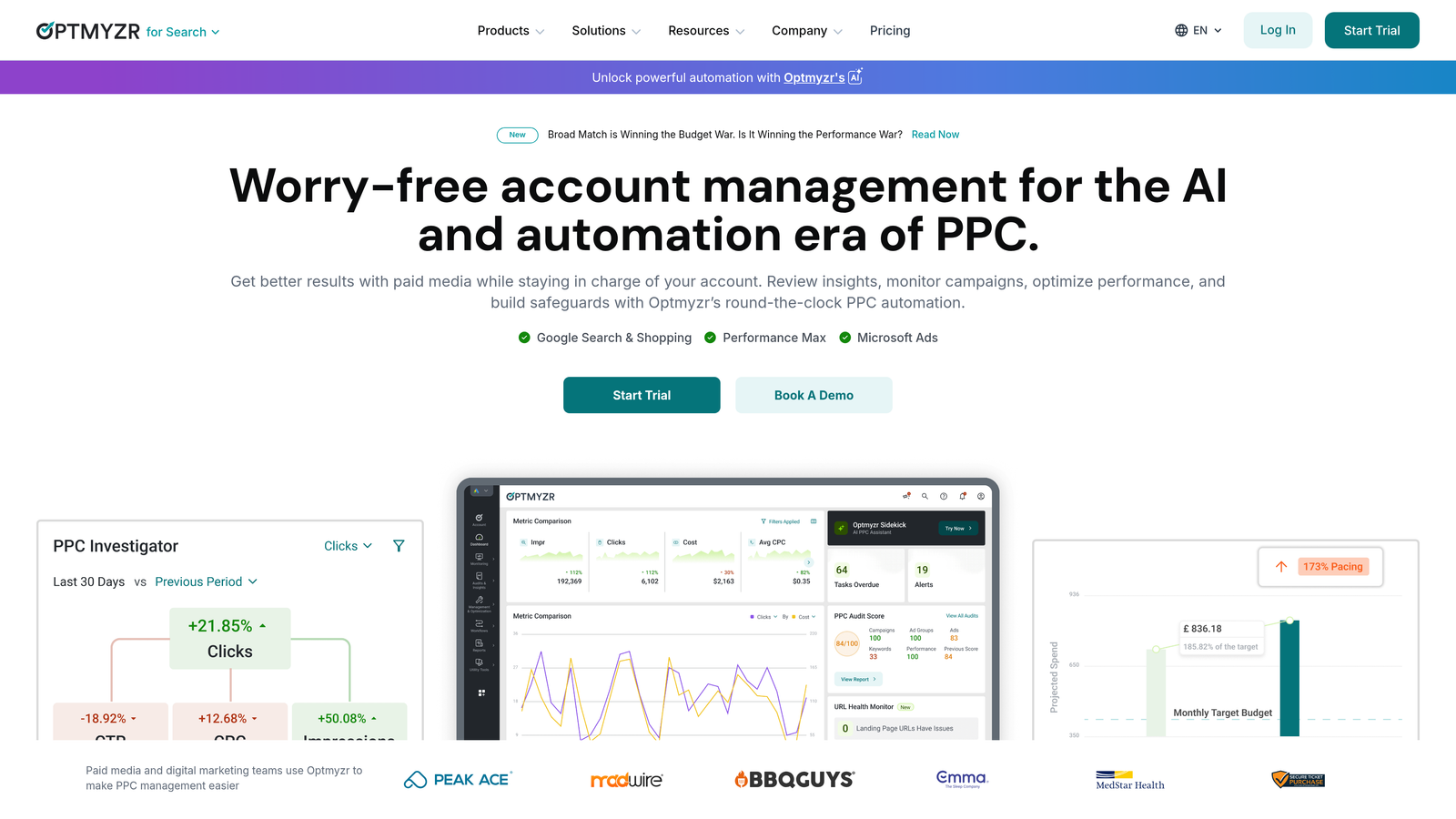
Optmyzr is a full-featured PPC management platform built around automation playbooks, custom rule engines, and one-click optimizations across Google Ads, Microsoft Ads, and more.
Where This Tool Shines
Optmyzr is where rule-based thinking meets practical PPC management. You can build custom automation rules that trigger bid changes, budget shifts, or keyword actions based on performance thresholds. The pre-built playbooks are genuinely useful for agencies that want to standardize their optimization process across clients without rebuilding logic from scratch each time.
The one-click optimization workflow is one of the better implementations in the market. It surfaces recommendations, lets you review them quickly, and applies changes in bulk. What usually happens here is that agencies use Optmyzr to handle the repetitive optimization tasks while reserving manual judgment for higher-stakes decisions.
Key Features
Optimization Playbooks: Pre-built and customizable workflows for common PPC optimization tasks like bid adjustments and keyword pruning.
Custom Rule Engine: Build conditional automation rules based on performance data, time, and account structure.
Advanced Reporting and Dashboards: Customizable reporting views for clients and internal teams.
Shopping and Performance Max Support: Handles campaign types beyond standard search, which matters for e-commerce accounts.
MCC Integration: Manage multiple accounts from a single interface with proper hierarchy support.
Best For
Mid-size to large agencies and in-house teams that need to systematize their optimization process across multiple accounts and platforms. Best suited for practitioners who are comfortable building automation logic and want to reduce manual work on recurring tasks.
Pricing
Starts around $249/month based on ad spend tiers. Pricing scales with the amount of spend under management, which is common for this category of tool.
3. WordStream (by LocaliQ)
Best for: Small businesses and beginners who need guided PPC recommendations
WordStream is a guided PPC optimization tool known for its 20-Minute Work Week workflow, which surfaces prioritized recommendations across Google and Meta ads in a structured, beginner-friendly format.

Where This Tool Shines
WordStream's strength is making PPC optimization approachable for people who aren't spending their days inside Google Ads. The 20-Minute Work Week concept is well-executed: it tells you what to look at, what to do, and how to do it. For small business owners or marketers who wear multiple hats, that kind of structure is genuinely valuable.
The free Google Ads Performance Grader is a legitimate lead tool and a useful standalone resource for quick account audits. It benchmarks your account against industry averages and flags common issues, which makes it handy even if you don't end up paying for the full platform.
Key Features
20-Minute Work Week: A guided weekly workflow that surfaces the highest-priority optimization actions across your campaigns.
Cross-Platform Support: Covers both Google Ads and Meta, which is useful for small businesses running ads on both channels.
Performance Grading and Benchmarking: Scores your account and compares it to industry benchmarks to identify gaps.
Keyword and Negative Keyword Suggestions: Surfaces keyword opportunities and irrelevant terms to exclude.
Landing Page Analysis: Reviews landing page relevance as part of the overall account health picture.
Best For
Small business owners, marketing generalists, and beginners who need structure and guidance rather than deep automation capabilities. Less suited for experienced PPC managers who already know what to optimize and just need tools to do it faster.
Pricing
Custom pricing; you'll need to contact them for a quote. The free Google Ads Performance Grader is available without any account required.
4. Adalysis
Best for: Automated ad testing and quality score monitoring with audit-driven workflows
Adalysis is a PPC optimization platform that focuses specifically on ad testing, quality score tracking, and systematic account audits, making it a strong choice for practitioners who care deeply about ad performance at the creative and structural level.

Where This Tool Shines
The mistake most agencies make is treating ad testing as an afterthought. Adalysis builds it into the core workflow. The automated ad testing feature uses statistical significance to tell you when a test has reached a conclusion, which removes the guesswork from creative decisions. That alone saves a lot of time and prevents premature calls on ad performance.
Quality Score monitoring with historical tracking is another standout feature. Most tools give you a snapshot; Adalysis shows you trends over time, which is what you actually need to diagnose structural problems in an account.
Key Features
Automated Ad Testing: Runs A/B tests with statistical significance tracking so you know when results are conclusive.
Quality Score Monitoring: Tracks Quality Score history across keywords, not just current values.
Search Term Mining and Negative Keyword Suggestions: Surfaces irrelevant search terms and recommends exclusions.
Campaign Audit Checklists: Structured audit workflows that flag common account issues systematically.
RSA Analysis Tools: Evaluates Responsive Search Ad combinations and asset performance.
Best For
PPC specialists and agencies who prioritize ad testing rigor and want detailed visibility into quality score trends. A strong fit for accounts with significant ad copy variation or ongoing creative testing programs.
Pricing
Starts around $99/month based on ad spend, making it one of the more accessible mid-tier options in this category.
5. Opteo
Best for: Lightweight, impact-ranked optimization suggestions with minimal setup
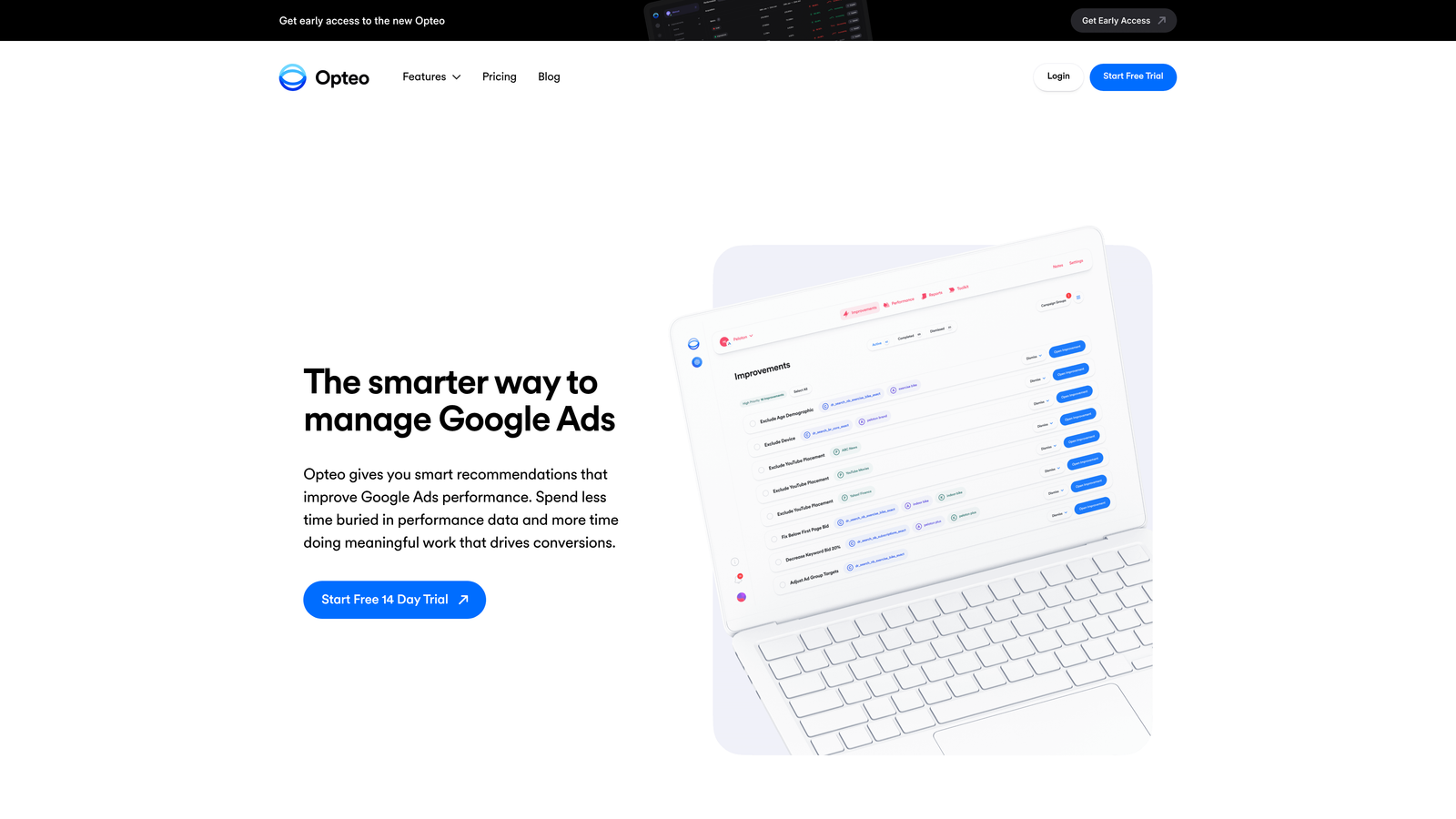
Opteo delivers a continuous feed of prioritized improvement suggestions for your Google Ads account, surfacing the highest-impact changes first and making it easy to act on them quickly.
Where This Tool Shines
Opteo's interface is clean and fast. The prioritized improvement feed is genuinely useful: instead of auditing your account manually, you get a ranked list of what to fix based on estimated impact. For practitioners managing multiple accounts who need to triage quickly, this approach works well.
The anomaly detection and account health scoring features add a monitoring layer that catches performance drops before they become expensive problems. Slack and email integration means you don't have to log in to know when something needs attention.
Key Features
Prioritized Improvement Feed: Ranks optimization suggestions by estimated impact so you work on what matters most first.
Bid, Budget, and Keyword Suggestions: Covers the core areas of campaign optimization in a unified view.
Anomaly Detection: Flags unexpected performance changes with context about likely causes.
Account Health Scoring: Gives you a quick read on overall account quality across key metrics.
Slack and Email Alerts: Pushes notifications when action is needed, so you stay informed without constant monitoring.
Best For
Freelancers and small agencies managing a moderate number of accounts who want smart suggestions without the complexity of a full automation platform. Good for practitioners who want to move faster but don't need to build custom rule logic.
Pricing
Starts at $129/month based on ad spend tiers, scaling up as the amount of spend under management increases.
6. Google Ads Editor
Best for: Bulk editing and offline campaign management at no cost
Google Ads Editor is Google's free desktop application for making bulk edits, managing campaigns offline, and pushing changes to Google Ads accounts without working through the web interface.

Where This Tool Shines
If you need to make large-scale structural changes to an account, Google Ads Editor is still the most reliable free option available. Find-and-replace across ad copy, bulk keyword uploads, and copying campaigns between accounts are all things it handles well. In most accounts I audit, Editor has been used at some point for initial account builds or major restructures.
The offline capability is underrated. Being able to stage changes, review them, and push them in a single batch reduces the risk of partial updates causing inconsistencies in live campaigns.
Key Features
Bulk Editing: Make changes to thousands of keywords, ads, and campaigns simultaneously.
Offline Campaign Management: Download your account, work offline, and upload changes when ready.
Find and Replace: Update text across ads, keywords, and URLs at scale.
Cross-Account Copy and Paste: Move campaigns, ad groups, and keywords between accounts easily.
No Cost or Usage Limits: Completely free with full functionality regardless of account size.
Best For
Any Google Ads user who needs to make bulk changes or manage campaigns at scale without paying for a third-party tool. Especially valuable for initial account builds, major restructures, and regular keyword list management.
Pricing
Free. No subscription, no ad spend tiers, no usage limits.
7. SEMrush PPC Toolkit
Best for: Competitive intelligence and keyword research combined with PPC planning
SEMrush's PPC Toolkit brings competitor ad intelligence, keyword research, and campaign auditing together within the broader SEMrush platform, making it a strong choice for practitioners who want research and optimization in one place.

Where This Tool Shines
The competitive intelligence features are what set SEMrush apart in this category. Being able to see what keywords competitors are bidding on, what their ad copy looks like, and how their positioning has changed over time is genuinely useful for campaign planning. What usually happens here is that practitioners use SEMrush for research and strategy, then execute in Google Ads Editor or a dedicated optimization tool.
The integration with SEMrush's SEO tools is a real advantage for teams managing both organic and paid. Having keyword data, CPC estimates, and competitive positioning in a single platform reduces the number of tools you need to juggle.
Key Features
Competitor Ad Copy and Keyword Analysis: See what competitors are bidding on and how their ads are structured.
PPC Keyword Research with CPC Estimates: Build keyword lists with cost data to inform budget planning.
Ad History and Positioning Tracking: Monitor how competitor ad strategies evolve over time.
Campaign Structure Recommendations: Surfaces structural improvements based on keyword grouping and coverage.
Cross-Channel Integration with SEO Tools: Unified platform for teams managing both paid and organic search.
Best For
PPC practitioners and agencies who need strong competitive research capabilities alongside their optimization workflow. Particularly valuable for new campaign builds, competitive markets, and teams that also manage SEO.
Pricing
Included in SEMrush plans starting at $139.95/month. The PPC Toolkit is not available as a standalone product.
8. Marin Software
Best for: Enterprise cross-channel campaign management with advanced bidding algorithms
Marin Software is an enterprise-grade advertising platform that unifies campaign management, automated bidding, and reporting across Google, Meta, Amazon, and other channels from a single interface.
Where This Tool Shines
Marin is built for organizations where Google Ads is one channel among many. The cross-channel unification is the core value proposition: instead of managing Google, Meta, and Amazon separately, you get unified reporting, shared budget management, and algorithmic bidding that optimizes across channels simultaneously. For enterprise advertisers with significant spend across multiple platforms, this changes how efficiently you can allocate budget.
The machine learning bidding algorithms are sophisticated and designed for accounts with enough conversion volume to train properly. Budget pacing and forecasting tools add a financial planning layer that enterprise buyers typically need but mid-tier tools don't offer.
Key Features
Cross-Channel Campaign Management: Unified management across Google, Meta, Amazon, and additional advertising channels.
Automated Bidding with Machine Learning: Algorithmic bid optimization that works across channels and conversion types.
Unified Reporting and Attribution: Single dashboard for performance data across all managed channels.
Budget Pacing and Forecasting: Tools for managing spend trajectories and projecting performance against targets.
Enterprise API Integrations: Connects with data warehouses, CRMs, and analytics platforms at scale.
Best For
Enterprise advertisers and large agencies managing significant spend across multiple channels who need unified management, advanced bidding, and robust attribution. Not the right fit for single-channel Google Ads managers or smaller budgets.
Pricing
Custom enterprise pricing based on ad spend under management. You'll need to contact Marin directly for a quote.
9. PPC Samurai (Cascade)
Best for: Agency workflow automation with visual process builders for repetitive PPC tasks
PPC Samurai, now operating under the Cascade brand, is a workflow automation platform built specifically for PPC agencies that need to systematize and automate repetitive campaign management tasks across multiple client accounts.
Where This Tool Shines
The visual workflow builder is the standout feature here. Instead of writing scripts or configuring rule logic through form fields, you map out automation processes visually. For agencies that want to document and replicate their optimization processes, this approach makes it easier to train team members and maintain consistency across accounts.
The automated search term management and negative keyword rules are particularly relevant for agencies managing high-volume accounts where manual search term reviews would take too long. Scheduled automations mean the cleanup happens on a regular cadence without requiring someone to initiate it manually each time.
Key Features
Visual Workflow Builder: Map out PPC automation processes visually rather than through code or complex rule interfaces.
Automated Search Term Management: Set rules for negative keyword additions that run automatically based on defined criteria.
Template-Based Campaign Creation: Build new campaigns from standardized templates to maintain structural consistency.
Multi-Account Management: Handle multiple client accounts from a single platform with agency-focused workflows.
Scheduled Automations and Alerts: Run optimization tasks on a schedule and receive notifications when thresholds are triggered.
Best For
PPC agencies that manage a high volume of accounts and need to systematize their processes. Best suited for teams that have already defined their optimization workflows and want to automate the execution rather than discover what to do.
Pricing
Starts around $200/month, with pricing varying based on account volume. Contact them directly for exact figures based on your agency's size.
Which Google Ads Optimization Platform Is Right for You?
Here's the honest summary: no single tool wins across every use case. The best platform is the one that fits where you actually spend your optimization time.
If you're spending significant time in the Search Terms Report adding negatives and building keyword lists, Keywordme is the most direct solution. It works inside Google Ads itself, so there's no workflow disruption and no extra tab to manage. At $12/month flat, it's also the most accessible option on this list.
For agencies that need rule-based automation across multiple accounts, Optmyzr is the category leader. If you're managing campaigns for beginners or small business clients, WordStream offers the most guided experience. Adalysis is the right call when ad testing and quality score management are priorities. Opteo works well for practitioners who want smart suggestions without building automation logic from scratch.
Google Ads Editor remains the best free tool for bulk edits and structural changes. SEMrush wins on competitive intelligence and keyword research. Marin Software is the enterprise choice for cross-channel unification. And PPC Samurai is purpose-built for agencies that want to automate their entire optimization workflow visually.
Many of these tools also complement each other. It's common to use Google Ads Editor for bulk structural work, Keywordme for ongoing search term management, and SEMrush for competitive research, all within the same account workflow.
If reducing wasted spend through faster, smarter search term management is your immediate priority, the most direct path is to work inside Google Ads itself rather than jumping between platforms. Start your free 7-day trial of Keywordme and see how much faster your search term reviews can be. After the trial, it's just $12/month per user. For anyone serious about Google Ads optimization, that's an easy decision.
.svg)