
8 Best Google Ads Negative Keyword Tools
This roundup compares the 8 best Google Ads negative keyword tools available in 2026, evaluating each on automation capabilities, ease of use, pricing, and workflow fit—helping advertisers from solo freelancers to agencies quickly identify and eliminate irrelevant search terms to reduce wasted ad spend.


TL;DR: Negative keywords are one of the fastest ways to cut wasted ad spend in Google Ads, but managing them manually is a grind. Whether you're combing through search terms reports, building shared negative keyword lists, or trying to keep junk queries from draining your budget, the right tool makes all the difference. In this roundup, we've compared the best Google Ads negative keyword tools available in 2026, looking at ease of use, automation features, pricing, and how well each fits different workflows—from solo freelancers to agencies managing dozens of accounts. Let's get into it.
What Makes a Great Negative Keyword Tool?
Before we get into the list, it's worth knowing what to look for. The best negative keyword tools share a few common traits: they surface irrelevant search terms quickly, make it easy to act on them, and fit into your existing workflow without adding friction.
In most accounts I audit, the biggest problem isn't that advertisers don't know what negative keywords are. It's that the process of finding and adding them is slow enough that it gets deprioritized. A good tool fixes that.
Some tools go deep on automation, others focus on competitive intelligence, and a few are built specifically for agencies juggling multiple clients. The right pick depends on your account size, technical comfort level, and how much time you're willing to spend on the task each week.
1. Keywordme
Best for: Google Ads managers who want fast, in-interface negative keyword management without leaving their account.
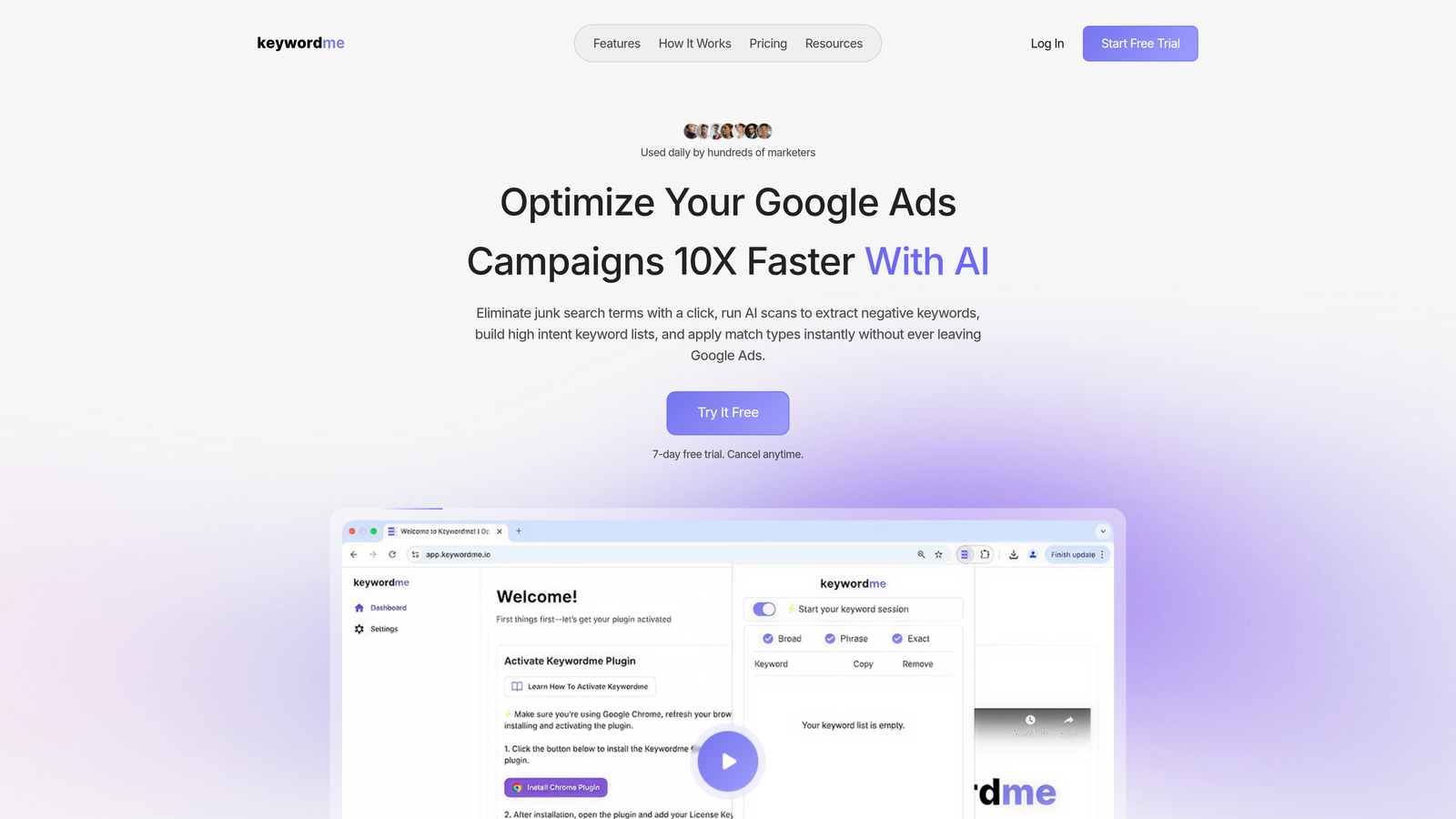
Keywordme is a Chrome extension that plugs directly into the Google Ads Search Terms Report, letting you add negative keywords, apply match types, and cluster high-intent terms without opening a single spreadsheet.
Where This Tool Shines
The core appeal here is zero context-switching. Most negative keyword workflows look like this: export search terms, paste into a spreadsheet, filter for junk, copy the bad ones, go back to Google Ads, find the right campaign, add them as negatives. It takes forever and most people only do it once a month because of it.
Keywordme collapses that entire process into a few clicks inside the native Google Ads interface. You're already in the Search Terms Report—you just click to exclude, cluster, or promote terms directly. For agencies, the multi-account and team support means multiple people can work through search terms efficiently without stepping on each other.
Key Features
One-Click Negative Addition: Remove irrelevant search terms directly from the Search Terms Report without exporting or switching tabs.
Bulk Editing: Select and action multiple search terms at once, which is a huge time-saver when you're cleaning up after a broad match campaign goes sideways.
Keyword Clustering: Groups related search terms together so you can spot patterns and act on them faster.
Match Type Application: Apply exact, phrase, or broad match types to keywords without leaving the Google Ads UI.
Multi-Account and Team Support: Built with agencies in mind—multiple users can work across accounts from the same extension.
Best For
Solo PPC managers and agency teams who are already living inside Google Ads and want to speed up their search term review process significantly. Especially useful if you're managing multiple accounts and need a lightweight tool that doesn't require onboarding or a steep learning curve.
Pricing
$12/month per user with a 7-day free trial. Flat-rate pricing makes it easy to budget, especially for agencies billing per seat.
2. Optmyzr
Best for: Agencies and PPC teams that want rule-based automation across their entire campaign management workflow.
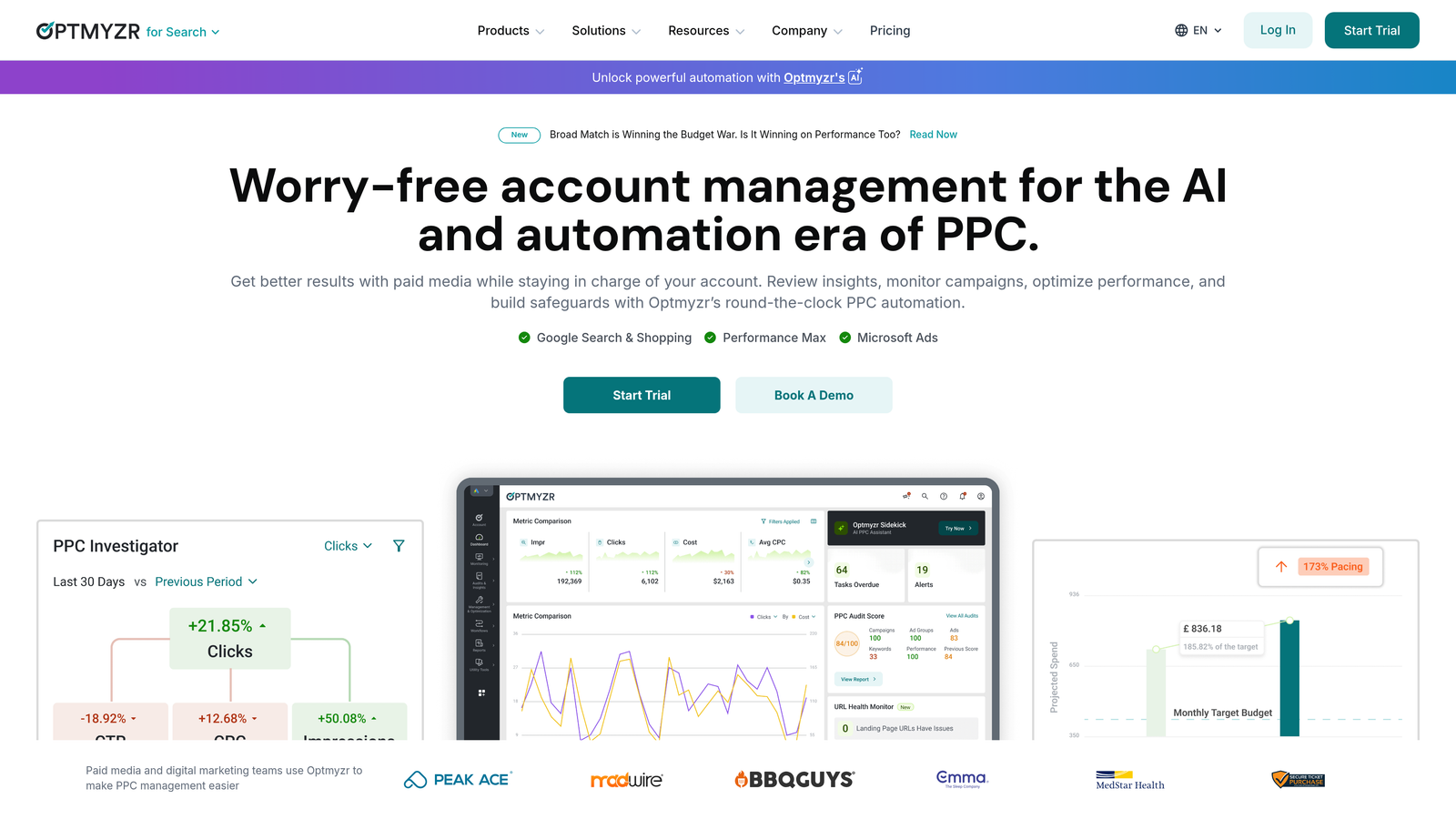
Optmyzr is a full-suite PPC management platform that handles negative keywords as part of a much broader optimization ecosystem.
Where This Tool Shines
Optmyzr's strength is automation at scale. You can set up rules that automatically flag or apply negative keywords based on performance thresholds—things like "exclude any search term with more than 10 clicks and zero conversions." For accounts with high search term volume, this kind of rule-based logic is genuinely powerful.
The one-click optimization feature is also worth mentioning. Optmyzr surfaces recommendations and lets you approve or reject them in bulk, which speeds up the review process considerably compared to doing it natively in Google Ads.
Key Features
Rule-Based Automation: Create custom rules to automatically identify and apply negative keywords based on performance data.
One-Click Optimizations: Review and apply recommendations across campaigns without deep-diving into each one manually.
Custom Reporting and Audits: Generate client-ready reports and account audit summaries with minimal setup.
Multi-Platform Support: Works across Google Ads, Microsoft Ads, and Meta, which matters if you're managing cross-channel campaigns.
Best For
Mid-to-large agencies or in-house teams managing significant ad spend across multiple platforms. The price point makes it less ideal for solo freelancers or small accounts.
Pricing
Starts around $249/month. There's a free trial available, and pricing scales with the number of accounts and features used.
3. WordStream (by LocaliQ)
Best for: Beginners and small business owners who want guided PPC optimization without needing to be a Google Ads expert.
WordStream is a beginner-friendly PPC platform that surfaces negative keyword recommendations as part of its structured weekly optimization workflow.

Where This Tool Shines
The "20-Minute Work Week" is WordStream's signature feature, and it's genuinely useful for advertisers who don't have hours to spend on account management. It walks you through the most important actions for the week, including negative keyword suggestions, in a guided checklist format.
What usually happens here is that newer advertisers get overwhelmed by the raw data in Google Ads and don't know what to prioritize. WordStream solves that by curating the most impactful recommendations and presenting them in plain language.
Key Features
20-Minute Work Week: A guided optimization workflow that surfaces the most important account actions, including negative keyword alerts, each week.
Negative Keyword Alerts: Flags irrelevant search terms and recommends them as negatives without requiring manual analysis.
Performance Benchmarking: Compares your account metrics against industry averages to help identify problem areas.
Dashboard-Driven Interface: Everything is presented in a simplified, visual format that doesn't require deep PPC knowledge to navigate.
Best For
Small business owners, beginners, or marketers who manage PPC as one part of a broader role and need a structured, low-effort optimization process.
Pricing
Custom pricing based on account needs. WordStream also offers a free Google Ads Grader that's worth running on any account as a quick audit.
4. SEMrush PPC Toolkit
Best for: Advertisers who want to use competitive intelligence to inform their negative keyword strategy.
SEMrush is primarily known as an SEO platform, but its PPC Toolkit includes solid tools for negative keyword research, especially through competitor analysis.

Where This Tool Shines
The competitive angle is what sets SEMrush apart here. You can analyze what keywords competitors are bidding on, identify gaps, and use that data to refine both your positive and negative keyword lists. The keyword gap report is particularly useful for spotting terms that might be pulling in irrelevant traffic based on how competitors position themselves.
The PPC Keyword Tool also lets you group keywords and assign negatives at the campaign level before you even launch, which is a smarter approach than cleaning up after the fact.
Key Features
PPC Keyword Tool: Organize keywords by campaign and ad group, with built-in negative keyword grouping functionality.
Competitor Ad Research: See what search terms and ads competitors are running to inform your exclusion strategy.
Keyword Gap Analysis: Identify terms where competitors appear but you don't, and vice versa.
Cross-Channel Planning: Use the same platform for both SEO and PPC keyword research, which helps align strategies across channels.
Best For
Agencies and in-house teams that already use SEMrush for SEO and want to extend that investment into PPC keyword research. Less practical as a standalone negative keyword tool given the price.
Pricing
Starts at $139.95/month for the Pro plan. Higher tiers unlock more features and data limits. A free trial is available.
5. Negative Keywords Pro (Karooya)
Best for: Advertisers who want a dedicated tool built specifically for negative keyword management and conflict detection.
Karooya's Negative Keywords Pro is one of the few tools in this space built exclusively for finding and managing negative keywords, rather than offering it as a feature within a broader platform.

Where This Tool Shines
The conflict detection feature is genuinely underrated. The mistake most agencies make is adding negative keywords without checking whether they're inadvertently blocking high-intent terms. Karooya flags these conflicts automatically, which can save you from accidentally suppressing good traffic.
The tool also connects directly to Google Ads, so you're working with your actual search terms data rather than estimations. Shared negative keyword list management is built in, making it easier to maintain consistent exclusions across campaigns.
Key Features
Automated Negative Keyword Suggestions: Analyzes your search terms report and surfaces irrelevant patterns automatically.
Conflict Detection: Flags instances where negative keywords might be blocking legitimate, high-intent search terms.
Shared Negative List Management: Manage and update shared negative keyword lists across multiple campaigns from one place.
Direct Google Ads Integration: Pulls live data from your account rather than relying on estimates or third-party data.
Best For
Advertisers who want a focused, purpose-built tool for negative keyword management. Particularly useful for accounts with large search term volumes where conflict detection adds real value.
Pricing
Free tier available for smaller accounts. Paid plans start around $49/month, making it one of the more affordable dedicated options in this list.
6. N-Gram Analysis with Google Ads Scripts
Best for: Technical PPC managers who want a free, customizable way to surface low-performing search term patterns at scale.
Google Ads Scripts aren't a tool in the traditional sense, but n-gram analysis is one of the most powerful free methods available for identifying negative keyword candidates.
Where This Tool Shines
N-gram analysis looks at your search terms and breaks them down into individual words, two-word phrases, and three-word phrases, then ranks them by performance. This surfaces patterns that would be nearly impossible to spot manually. For example, you might discover that every search term containing the word "free" has zero conversions across hundreds of clicks—a clear negative keyword candidate.
The output goes to Google Sheets, so you can sort, filter, and annotate before making changes. It's not as fast as a dedicated tool, but for technical users comfortable with scripts, it's extremely powerful and costs nothing.
Key Features
Word Pattern Analysis: Breaks search terms into unigrams, bigrams, and trigrams and scores them by performance metrics.
Google Sheets Output: Results export directly to a spreadsheet for easy review and annotation.
Fully Customizable: Adjust thresholds, metrics, and date ranges to match your specific account needs.
Scheduled Runs: Set the script to run automatically on a weekly or monthly cadence without manual intervention.
Best For
Technical PPC managers or developers who are comfortable with JavaScript and want a free, deeply customizable analysis tool. Not ideal for beginners or anyone who wants a point-and-click experience.
Pricing
Free. You'll need some JavaScript knowledge to set it up, or you can copy community scripts from sources like Mike Rhodes' script repository and adapt them to your account.
7. Lunio (formerly PPC Protect)
Best for: Advertisers dealing with invalid traffic and click fraud who want automated protection that complements their negative keyword strategy.
Lunio approaches the wasted spend problem from a different angle than the other tools on this list. Rather than focusing on search term relevance, it detects and blocks fraudulent and bot-driven traffic in real time.

Where This Tool Shines
Here's where it gets interesting: invalid traffic and irrelevant search terms are two separate problems, but they often show up in the same place—your wasted spend report. Lunio handles the fraud side automatically, which means your budget isn't being drained by bots before you even get a chance to review search terms.
The cross-platform protection is also notable. If you're running campaigns across Google, Meta, and Microsoft, Lunio provides consistent invalid traffic detection across all three, which is difficult to replicate with native tools alone.
Key Features
Real-Time Invalid Traffic Detection: Identifies and excludes fraudulent clicks as they happen, rather than after the fact.
Automated IP and Placement Exclusions: Builds exclusion lists automatically based on detected fraud patterns.
Cross-Platform Protection: Works across Google Ads, Microsoft Ads, and Meta campaigns from a single dashboard.
Fraud Analytics Dashboard: Provides detailed reporting on the types and volumes of invalid traffic your campaigns are receiving.
Best For
Advertisers in competitive verticals where click fraud is a known issue, or anyone running significant ad spend across multiple platforms who wants automated protection running in the background.
Pricing
Custom pricing based on ad spend volume. You'll need to contact Lunio directly for a quote.
8. Google Ads Built-In Tools
Best for: Any advertiser looking for a no-cost baseline for negative keyword management before investing in a dedicated tool.
Google Ads includes native tools for negative keyword management that every advertiser already has access to—and they're more capable than many people realize.
Where This Tool Shines
The Search Terms Report is the foundation of any negative keyword strategy. Everything else on this list is essentially built on top of the data it provides. If you're just getting started, spending time in the native report before paying for any tool is the right move.
The Recommendations tab also surfaces negative keyword suggestions automatically based on your account's search term patterns. They're not always perfect, but they're a reasonable starting point. Account-level negative keywords and shared negative lists add another layer of control without requiring any third-party tool.
Key Features
Search Terms Report: Shows the actual queries that triggered your ads, filterable by campaign, ad group, and date range.
Shared Negative Keyword Lists: Create and apply negative keyword lists across multiple campaigns simultaneously.
Recommendations Tab: Google's automated suggestions include negative keyword recommendations based on your account data.
Account-Level Negatives: Apply negative keywords at the account level to exclude terms across all campaigns at once.
Best For
Advertisers with smaller accounts, tight budgets, or those just starting out with PPC. Also useful as a complement to any of the other tools on this list—you'll still be working in the native interface regardless of what else you use.
Pricing
Free. Included with every Google Ads account.
Which Negative Keyword Tool Is Right for You?
The honest answer is that the best tool depends on where you are in your PPC journey and what's actually slowing you down.
If you're a solo freelancer or agency managing multiple Google Ads accounts and you want to speed up your search term review without leaving the native interface, Keywordme is the most practical starting point. It's lightweight, affordable, and eliminates the spreadsheet step entirely. The 7-day free trial makes it easy to see whether it fits your workflow before committing.
If you're running a larger agency and need rule-based automation across campaigns and platforms, Optmyzr is worth the investment. If competitive intelligence is your priority, SEMrush's PPC Toolkit adds value beyond just negative keywords. And if you're dealing with click fraud on top of irrelevant traffic, Lunio fills a gap that traditional negative keyword tools don't address.
For those on a tight budget, Google's built-in tools plus a free n-gram script will get you surprisingly far. Karooya's Negative Keywords Pro is a solid middle ground if you want a dedicated tool without the enterprise price tag.
One thing that holds true across every account I've worked in: the tool only helps if you're actually using it consistently. Negative keyword management isn't a one-time task. The accounts that control wasted spend most effectively are the ones reviewing search terms on a regular cadence, whether that's weekly or bi-weekly, and acting on what they find.
If you want to make that process faster and less painful, start your free 7-day trial of Keywordme and see how much time you save doing it directly inside Google Ads.
.svg)