
9 Best Google Ads Native Interface Tools to Speed Up Your Workflow in 2026
Discover the 9 best Google Ads native interface tools that help PPC managers optimize campaigns faster by working directly within or alongside the Google Ads UI—no constant tab-switching required. This roundup evaluates each tool on seamless integration, setup ease, pricing transparency, and real-world time savings for freelancers and agencies managing campaigns hands-on in 2026.


TL;DR: The best Google Ads native interface tools let you optimize campaigns without bouncing between tabs, spreadsheets, or third-party dashboards. They work inside (or directly alongside) the Google Ads UI so you can take action faster, whether that's cleaning up search terms, writing ad copy, or auditing account structure. This roundup covers tools that integrate tightly with the Google Ads interface, ranked by how much time they actually save you in day-to-day PPC management. We evaluated each tool based on how seamlessly it works within the native Google Ads environment, ease of setup, pricing transparency, and real utility for marketers managing campaigns hands-on.
Whether you're a freelancer running a handful of accounts or an agency juggling dozens, these are the Google Ads native interface tools worth knowing about in 2026.
The Tools That Actually Keep You Inside Google Ads
Most PPC managers spend a significant chunk of their day doing things that feel productive but aren't: exporting CSVs, reformatting spreadsheets, copy-pasting data between tabs. The tools in this list exist to cut that friction. Some are built directly into Google Ads. Others overlay the native interface so tightly that you barely notice you're using a third-party product.
In most accounts I audit, the biggest time sink isn't strategy. It's execution. Cleaning up search terms, applying match types, building negative lists, pulling reports. The right tooling turns those tasks from 30-minute chores into 3-minute workflows. Here's what's worth your attention.
1. Keywordme
Best for: In-interface search term cleanup, negative keyword management, and keyword clustering without leaving Google Ads.
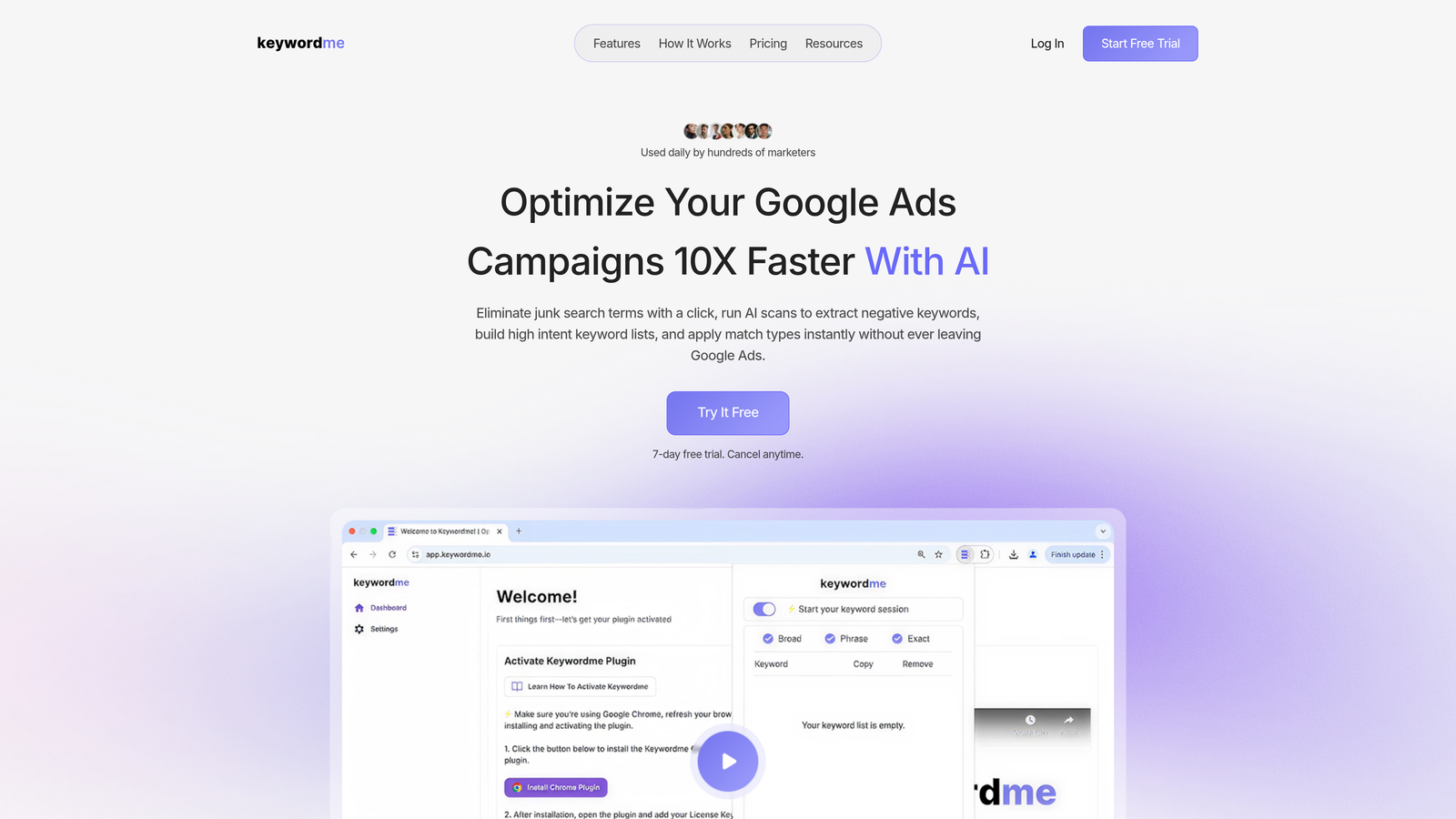
Keywordme is a Chrome extension that overlays directly onto the Google Ads search terms report, turning slow manual PPC tasks into fast, one-click actions.
Where This Tool Shines
The search terms report is where most optimization actually happens, and it's also where most PPC managers lose the most time. Keywordme injects directly into that report inside Google Ads, so you can remove junk terms, add high-intent keywords, apply match types, and build negative lists without ever opening a spreadsheet or switching to another tool.
What usually happens here is that advertisers export the report, sort it manually, decide what to do, then go back into Google Ads to make changes. Keywordme collapses that entire loop into a single interface. For agencies managing multiple accounts, the multi-account and team support means you can standardize this workflow across your whole team.
Key Features
One-Click Junk Removal: Flag and remove irrelevant search terms directly from the report without exporting to a spreadsheet.
In-Interface Match Type Application: Apply exact, phrase, or broad match types to keywords without leaving the Google Ads UI.
Keyword Clustering: Group related search terms into clusters to build structured keyword lists faster.
Bulk Editing: Handle multiple terms at once, which is especially useful when auditing high-volume accounts.
Multi-Account and Team Support: Manage shared workflows across accounts, making it practical for agency teams.
Best For
Freelancers and agency PPC managers who spend meaningful time in the search terms report each week. Particularly valuable for anyone managing five or more accounts where search term cleanup is a recurring bottleneck. If your current workflow involves downloading reports and working in Excel, this replaces that entire step.
Pricing
Flat $12/month per user with a 7-day free trial. One of the more transparent pricing models in this space, no tiered plans based on ad spend or account count.
2. Google Ads Editor
Best for: Bulk offline edits to campaigns, keywords, and ad copy across one or multiple accounts.
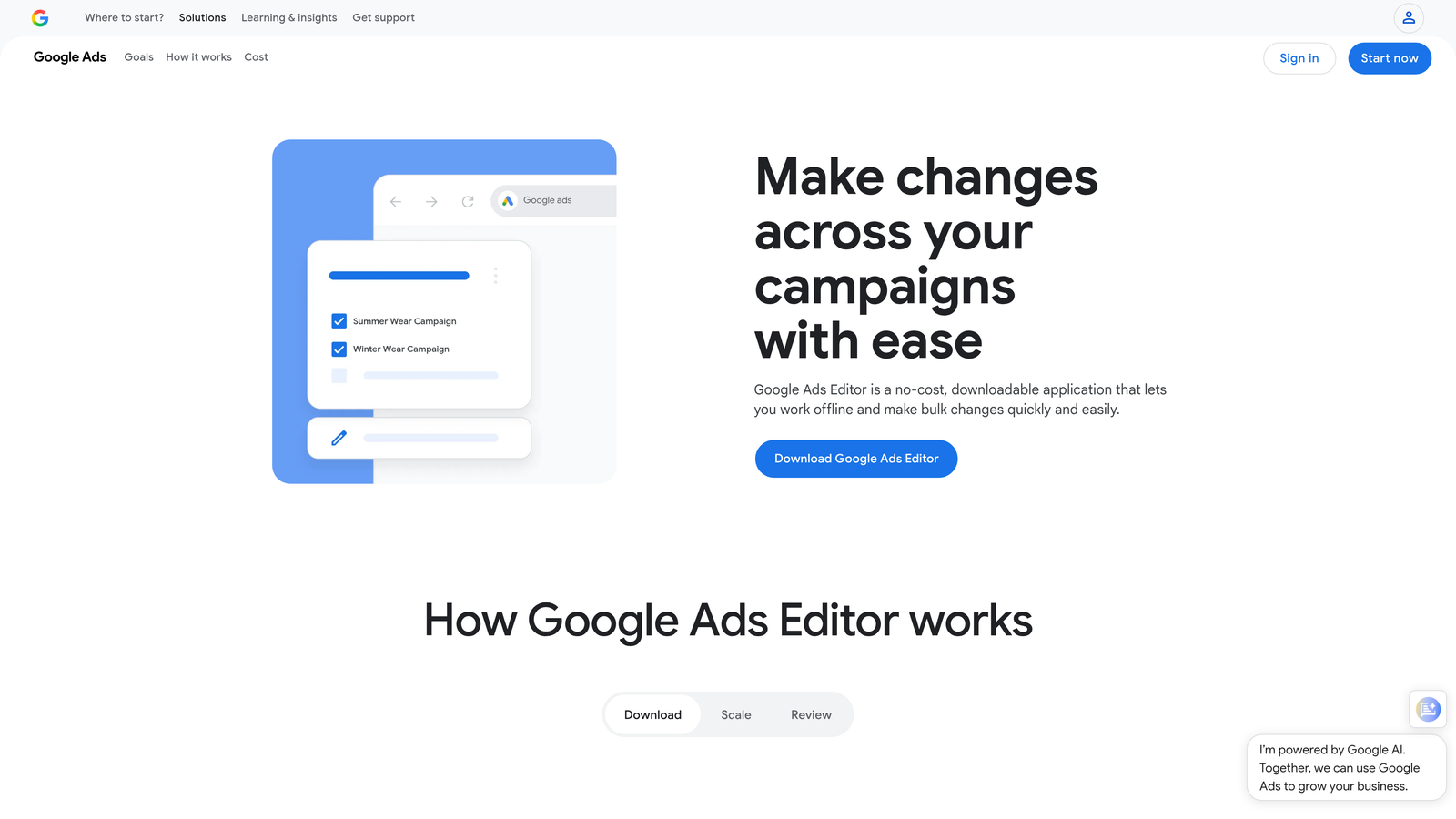
Google Ads Editor is Google's free desktop application for making large-scale campaign changes offline, then syncing everything back to your live account in one push.
Where This Tool Shines
If you've ever needed to restructure a campaign, rename hundreds of ad groups, or copy an entire campaign structure from one account to another, Ads Editor is the right tool. The offline-first approach means you can make sweeping changes without worrying about accidentally going live mid-edit.
The mistake most agencies make is underusing it. Ads Editor handles find-and-replace across ad copy, bulk bid adjustments, and cross-account campaign duplication, all without a paid subscription. It's not the most modern interface, but for raw bulk editing power, nothing free comes close.
Key Features
Offline Editing with Batch Sync: Make all your changes locally, review them, then push everything live at once.
Bulk Keyword and Ad Changes: Edit thousands of keywords, ads, and bids in a single session.
Copy/Paste Across Accounts: Duplicate campaign structures between accounts without rebuilding from scratch.
Find and Replace: Update ad copy across an entire account in seconds, useful for seasonal promotions or brand updates.
Free: No cost, no subscription, no usage limits.
Best For
Any PPC manager doing regular structural work: campaign builds, account migrations, seasonal updates, or large-scale copy refreshes. Less useful for day-to-day monitoring, but essential for heavy editing sessions.
Pricing
Completely free. Available for download directly from Google. Works on both Windows and Mac.
3. Google Ads Scripts
Best for: Automating repetitive tasks like bid adjustments, alerts, and reporting inside Google Ads using JavaScript.
Google Ads Scripts is a built-in JavaScript automation engine inside every Google Ads account, letting you write or paste code that runs on a schedule to handle tasks you'd otherwise do manually.
Where This Tool Shines
Scripts live inside Google Ads, not in a third-party platform. That means no API integrations to maintain, no separate logins, and no data leaving your account to a middleware service. For teams comfortable with basic JavaScript (or willing to use community-built templates), scripts can automate bid rules, send anomaly alerts, and push data to Google Sheets automatically.
In most accounts I audit, there are at least two or three repetitive tasks that could be scripted. Pausing underperforming ads, flagging campaigns that exceed budget thresholds, or pulling weekly performance summaries. The community library of pre-built scripts means you often don't need to write anything from scratch.
Key Features
Custom JavaScript Automation: Write logic that interacts directly with your account data, bids, and settings.
Pre-Built Templates: Google and the broader PPC community have published hundreds of ready-to-use scripts.
Scheduled Execution: Run scripts hourly, daily, or weekly without manual triggering.
Google Sheets Integration: Push and pull data between your account and Sheets for lightweight reporting.
Email Alerts: Set up automated notifications when specific conditions are met in your account.
Best For
PPC managers with some technical comfort who want to automate repetitive monitoring or reporting tasks. Also great for agencies that want lightweight automation without paying for a full platform.
Pricing
Free. Built into every Google Ads account with no setup fee or subscription required.
4. Optmyzr
Best for: One-click optimizations, custom rule engines, and automated reporting for agencies managing multiple Google Ads accounts.
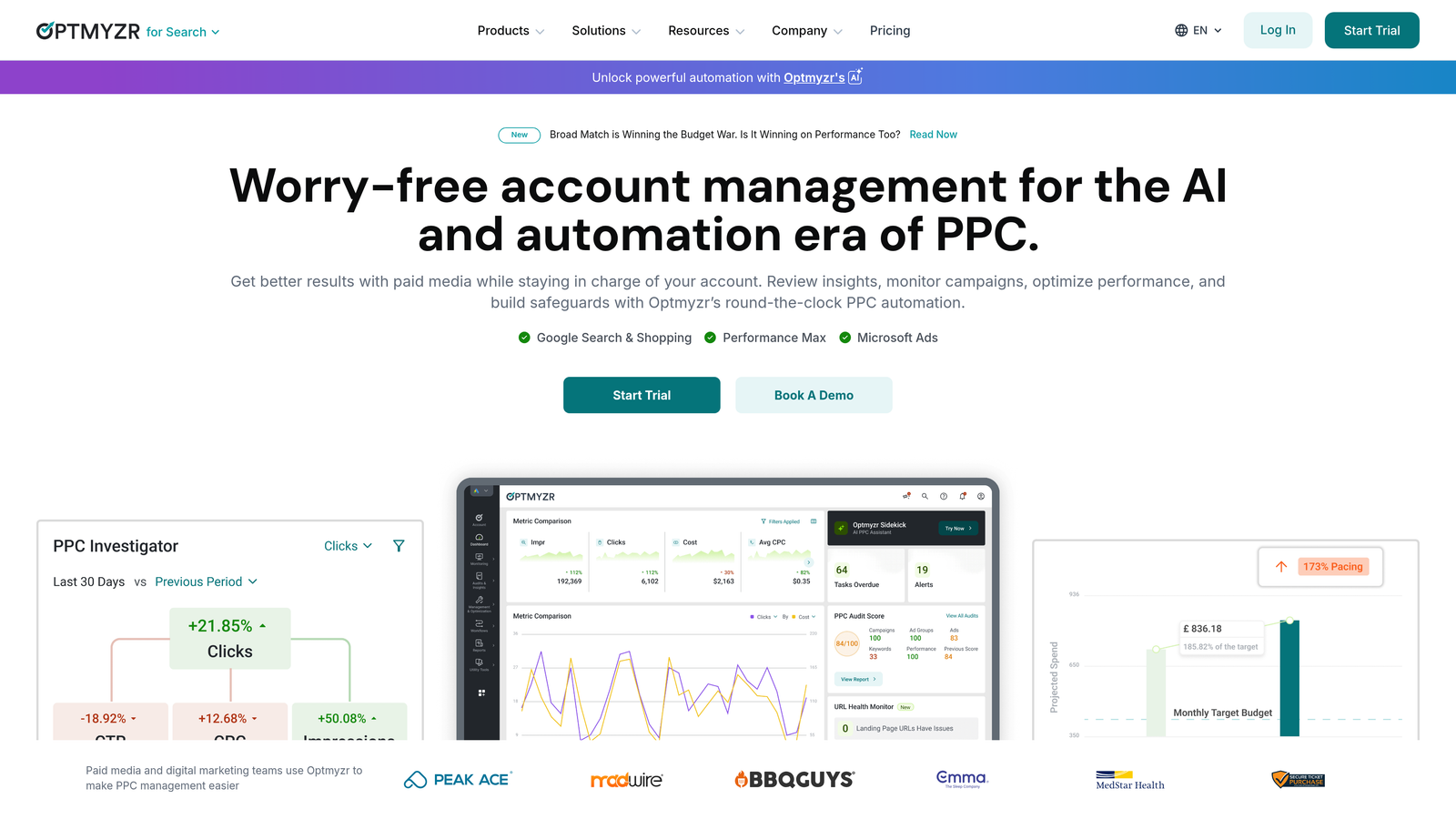
Optmyzr is a PPC management platform with deep Google Ads integration, offering data-driven optimization suggestions, budget management automation, and multi-account oversight in one place.
Where This Tool Shines
Optmyzr sits a layer above the native Google Ads interface, but its integrations are tight enough that changes push directly to your account without manual exports. The one-click optimization workflow is genuinely useful: the platform surfaces recommendations based on your actual account data, and you can apply or dismiss them in bulk.
The rule engine is where experienced PPC managers get the most value. You can define custom conditions, like "pause any keyword with more than 50 clicks and zero conversions in the last 30 days," and Optmyzr will surface those candidates automatically. It also handles PMax and Shopping campaigns, which many older tools still struggle with.
Key Features
One-Click Optimizations: Apply account-specific recommendations without manual analysis.
Custom Rule Engine: Build conditional optimization logic based on your own performance thresholds.
Automated Budget Management: Rebalance budgets across campaigns based on performance targets.
Multi-Account Management: Manage and report across dozens of accounts from a single dashboard.
PMax and Shopping Support: Optimization features extend beyond search to cover newer campaign types.
Best For
Mid-size to large agencies that need structured, repeatable optimization workflows across many accounts. The price point makes it less practical for solo freelancers managing only a few small accounts.
Pricing
Starts around $249/month. Pricing scales based on features and account volume. Free trial available.
5. Adalysis
Best for: Automated ad testing, quality score monitoring, and search term mining with data-driven recommendations.
Adalysis is an ad testing and account health platform that connects to Google Ads and surfaces actionable recommendations for improving ad performance and managing negative keywords.

Where This Tool Shines
Ad testing is one of those things every PPC manager knows they should do systematically but rarely does, mostly because setting up statistically valid tests manually is tedious. Adalysis automates the tracking and significance testing so you know when a winner has actually emerged rather than guessing.
The quality score monitoring is a feature most tools skip entirely. Adalysis tracks quality score history over time, which is valuable for diagnosing why CPCs are creeping up or why certain keywords are underdelivering. The RSA analysis is also genuinely useful, giving you asset-level performance breakdowns that are harder to surface inside the native interface.
Key Features
Automated Ad Testing: Tracks test progress and flags winners when statistical significance is reached.
Quality Score Monitoring: Historical quality score tracking at the keyword level.
Search Term Mining: Surfaces negative keyword suggestions based on wasted spend patterns.
Automated Alerts: Notifies you when ads underperform or account anomalies appear.
RSA Analysis: Asset-level performance breakdowns for Responsive Search Ads.
Best For
Advertisers who run frequent ad copy tests and want systematic tracking rather than manual monitoring. Also valuable for anyone who wants quality score visibility over time.
Pricing
Starts around $149/month, with pricing based on monthly ad spend. Free trial available.
6. Google Keyword Planner
Best for: Keyword research, search volume data, and budget forecasting directly inside Google Ads.
Google Keyword Planner is Google's built-in keyword research and forecasting tool, available inside every Google Ads account at no extra cost.

Where This Tool Shines
The obvious advantage here is that the data comes directly from Google. Search volume estimates, CPC ranges, and competition levels are all sourced from the same system running your ads. Third-party keyword tools often provide estimates; Keyword Planner provides the numbers Google itself is working from.
The forecasting feature is underused by most advertisers. If you're pitching a new campaign to a client or planning budget allocation across a quarter, the forecast tool gives you a defensible, data-backed estimate of expected clicks and costs based on your keyword list and bid settings.
Key Features
Real Google Search Volume Data: Volume ranges and trend data pulled directly from Google's search index.
Keyword Suggestions: Generate keyword ideas from seed terms, competitor URLs, or landing pages.
CPC and Competition Estimates: Benchmark expected costs before launching campaigns.
Forecast Tool: Project clicks, impressions, and costs based on your keyword list and bid.
Free: Available in every Google Ads account with no additional cost.
Best For
Any advertiser doing keyword research or budget planning. Especially useful at the campaign planning stage and for client-facing projections where you need data you can stand behind.
Pricing
Free with any active Google Ads account. No additional subscription required.
7. Google Ads Recommendations and Insights
Best for: Quick optimization suggestions and market trend signals, built directly into the Google Ads interface.
Google Ads Recommendations is Google's native AI-driven suggestion engine, surfacing optimization ideas and demand trend data inside your account with estimated impact scores.
Where This Tool Shines
The Recommendations tab has gotten meaningfully better over the past few years. It's not a replacement for human judgment, but it's a useful starting point for account audits. The optimization score gives you a quick read on where Google sees gaps, and the impact estimates help you prioritize what to address first.
The Insights page is the less-talked-about feature worth paying attention to. It surfaces search trend data specific to your account's categories, showing you when demand for your keywords is rising or shifting. That kind of signal, delivered inside your account rather than requiring a separate research session, is genuinely useful for proactive budget decisions.
Key Features
AI-Generated Recommendations: Suggestions for keywords, bids, budgets, and ad copy based on your account data.
Optimization Score: A 0-100 score showing your account's estimated optimization level with per-recommendation impact estimates.
Search Trend Insights: Demand signals and trend data specific to your account's categories.
One-Click Apply or Dismiss: Act on or reject each recommendation without leaving the interface.
Free: Built into every Google Ads account.
Best For
All Google Ads users, but especially those newer to the platform or managing accounts where staying current on Google's suggestions helps maintain performance. Treat recommendations as a checklist to review, not a list to blindly apply.
Pricing
Free. No setup or subscription required.
8. Supermetrics
Best for: Pulling Google Ads data into Sheets, Looker Studio, or Excel for custom reporting and cross-channel analysis.
Supermetrics is a data pipeline tool that connects Google Ads to your preferred reporting destination, automating data refreshes and enabling custom queries without manual exports.
Where This Tool Shines
Supermetrics doesn't live inside Google Ads, but it eliminates the most painful part of working with Google Ads data: getting it out. Instead of downloading CSVs and reformatting them every week, you build a query once and Supermetrics keeps the data fresh on whatever schedule you set.
For agencies producing regular client reports, the time savings add up quickly. You can combine Google Ads data with Meta, LinkedIn, or other channels in a single Looker Studio dashboard, which is something the native Google Ads interface can't do. The template gallery is a practical shortcut for common PPC report formats.
Key Features
Multi-Destination Connectors: Push Google Ads data to Sheets, Looker Studio, Excel, BigQuery, and more.
Automated Scheduled Refreshes: Keep reports current without manual data pulls.
Custom Query Builder: Pull granular data at the campaign, ad group, keyword, or search term level.
Cross-Channel Reporting: Combine Google Ads with other ad platforms in unified dashboards.
Template Gallery: Pre-built report templates for common PPC use cases.
Best For
Agencies and in-house teams that produce regular performance reports and want to stop manually exporting data. Also useful for anyone doing cross-channel analysis where Google Ads is one of several data sources.
Pricing
Starts around $29/month per data source. Pricing scales based on the number of connectors and data destinations you need.
9. Karooya Negative Keywords Tool
Best for: Identifying wasted spend and managing negative keyword lists, especially for smaller accounts on a tight budget.
Karooya is a focused negative keyword management tool that connects to Google Ads to surface wasted spend and recommend negative keywords, including support for shared negative keyword lists.
Where This Tool Shines
Karooya does one thing and does it well: it helps you find where your budget is going to waste. The interface is simple by design, focused entirely on negative keyword analysis rather than trying to be a full PPC management suite. For accounts where negative keyword management has been neglected, the wasted spend analysis is often eye-opening.
The shared negative keyword list support is a practical feature for anyone managing multiple campaigns or accounts. Rather than applying negatives individually, you can manage them at the list level, which keeps things cleaner and easier to maintain over time.
Key Features
Wasted Spend Analysis: Identifies search terms consuming budget without delivering results.
Negative Keyword Recommendations: Suggests negatives based on your account's search term data.
Shared List Management: Manage negative keyword lists that apply across multiple campaigns.
Free Tier: Available at no cost for accounts spending under $10K/month.
Simple, Focused Interface: No feature bloat, just negative keyword management.
Best For
Smaller advertisers and freelancers who want a free or low-cost option for negative keyword work. Also useful as a supplemental tool alongside a larger PPC platform for accounts where wasted spend is a recurring issue.
Pricing
Free for accounts spending under $10,000/month. Paid plans available for larger accounts. One of the few meaningful free options in this category.
How to Pick the Right Native Interface Tool for Your Workflow
The honest answer is that most PPC managers need more than one tool from this list. Google's own free tools cover the fundamentals: Keyword Planner for research, Ads Editor for bulk edits, Scripts for automation, and Recommendations for quick audits. They're not glamorous, but they're powerful and cost nothing.
Where the third-party tools earn their place is in the gaps. Here's how I'd think about it by use case:
Search term cleanup and negative keyword management: Keywordme is the most efficient option if you want to stay inside the Google Ads interface. Karooya works well as a free alternative for smaller accounts. Both address the same core problem: the search terms report is where budget leaks happen, and cleaning it up manually is slow.
Bulk editing and campaign restructuring: Google Ads Editor is still the best free option here. For teams that want more guardrails and workflow tracking, Optmyzr adds structure around the process.
Automated reporting and client dashboards: Supermetrics is the standard choice for pulling Google Ads data into Sheets or Looker Studio. If you're producing weekly or monthly reports for clients, automating the data pipeline pays for itself quickly.
Ad testing and account health monitoring: Adalysis fills a gap that most other tools skip. If you're running RSA tests or want quality score history, it's worth the investment.
Automation without a third-party platform: Google Ads Scripts give you meaningful automation for free, assuming you're comfortable with basic JavaScript or willing to use pre-built templates from the community.
If you're starting from zero and want the highest-impact upgrade to your daily workflow, start with search term management. It's the task most PPC managers do most often, and it's the one where in-interface tooling makes the biggest difference. Start your free 7-day trial of Keywordme and see how much time you reclaim just from that one workflow change. At $12/month after the trial, it's one of the easier calls in PPC tooling.
.svg)