
9 Best Google Ads Management Software Options (With Transparent Pricing) in 2026
This guide compares 9 Google Ads management software pricing options—from free tools to $500+/month enterprise platforms—helping solo advertisers, freelancers, and agencies identify the right solution for automating bidding, reducing wasted spend, and streamlining search term optimization based on their budget and workflow needs.


TL;DR: Google Ads management software ranges from free Chrome extensions under $15/month to enterprise platforms costing $500+/month. The right tool depends on whether you're a solo advertiser, freelancer, or agency managing multiple accounts. This guide breaks down 9 tools with real pricing, what each one is actually good at, and who should use it. We cover in-interface workflow tools, full-stack PPC platforms, bid management suites, and reporting dashboards. Whether you're trying to reduce wasted spend, automate bidding, or just get your search terms report under control faster, there's a tool here for your budget and workflow.
Picking the wrong tool is expensive in two ways: you pay for features you don't use, and you keep losing time (and ad spend) to the problems the tool was supposed to solve. Let's cut through the noise.
1. Keywordme
Best for: Freelancers and agencies who want faster search term optimization without leaving Google Ads.
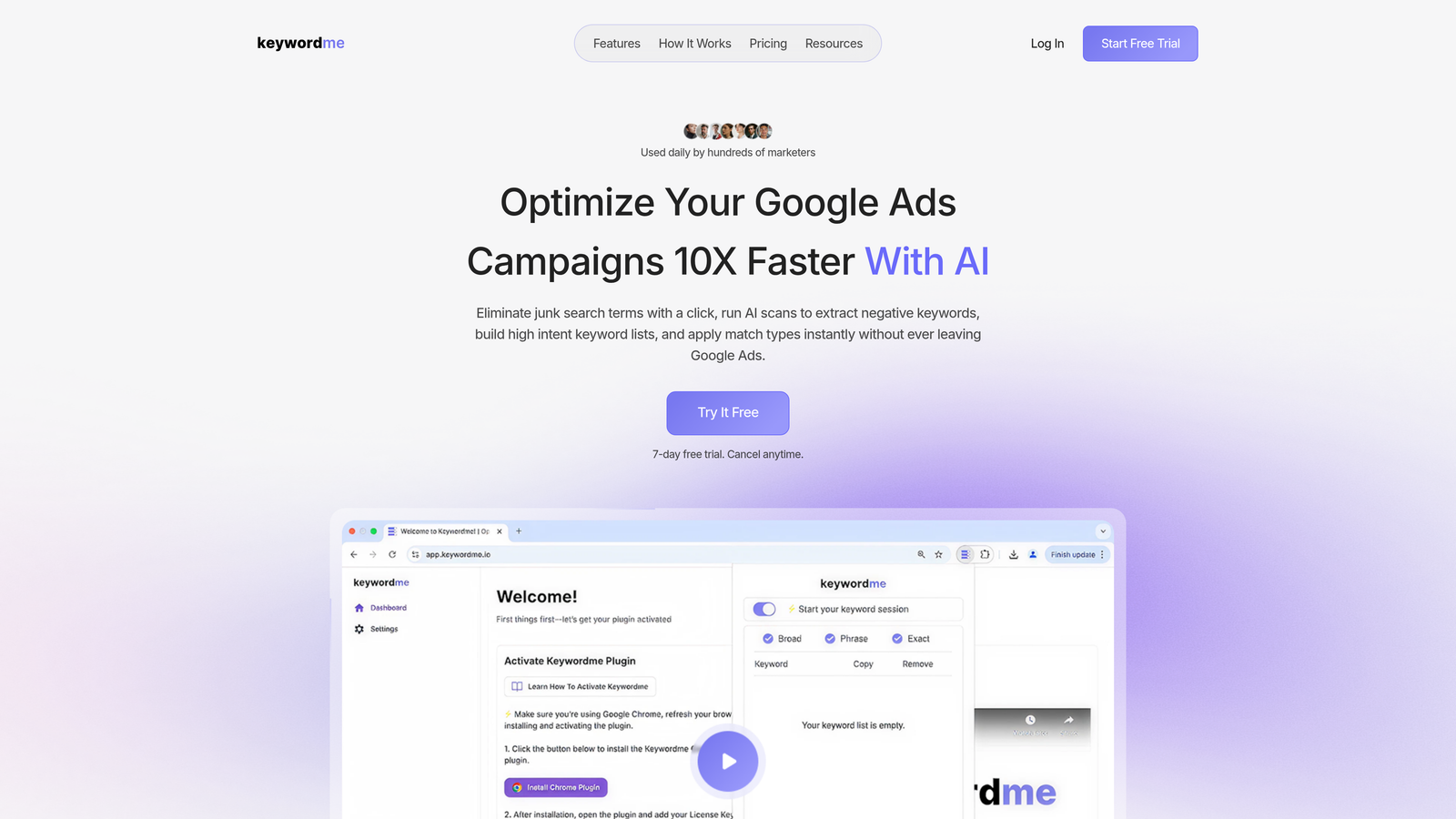
Keywordme is a Chrome extension that works directly inside Google Ads' Search Terms Report, letting you add negatives, apply match types, cluster keywords, and build keyword lists without touching a spreadsheet.
Where This Tool Shines
In most accounts I audit, the biggest time sink isn't strategy — it's the repetitive manual work of exporting search terms, filtering in Excel, deciding on negatives, and re-uploading. Keywordme eliminates that entire loop. You stay inside Google Ads, click to flag junk terms, apply match types, and move on.
What makes it genuinely useful for agencies is the multi-account and team support. If you're managing 15 client accounts, having everyone work from the same workflow inside the native UI — without spinning up an external dashboard — keeps things fast and consistent.
Key Features
One-click negative keyword addition: Flag and remove junk search terms directly from the Search Terms Report without exporting anything.
Instant match type application: Apply broad, phrase, or exact match to keywords in bulk without leaving the Google Ads interface.
Keyword clustering and bulk editing: Group and organize keywords by theme inside Google Ads, saving hours of manual sorting.
Multi-account and team support: Designed for agency workflows where multiple users manage multiple client accounts simultaneously.
No external dashboard required: Everything happens inside the native Google Ads UI — no tab switching, no CSV files, no third-party login.
Best For
Solo advertisers, freelancers, and agency teams who spend meaningful time each week reviewing search terms reports. If your main bottleneck is cleaning up irrelevant traffic and building tighter keyword lists, this is the most efficient tool on this list for that specific job. Less useful if your primary need is cross-channel reporting or automated bidding.
Pricing
$12/month per user. 7-day free trial available. Flat-rate pricing means no surprises as your managed spend grows.
2. WordStream Advisor
Best for: SMBs and smaller agencies who want structured weekly optimization guidance.
WordStream Advisor is a guided PPC management platform that gives you structured recommendations to improve Google Ads performance on a regular cadence.

Where This Tool Shines
WordStream's flagship feature is the "20-Minute Work Week" — a workflow that surfaces your highest-priority optimization tasks and walks you through them in a single focused session. For business owners or account managers who don't live inside Google Ads daily, this kind of guided structure is genuinely helpful.
The cross-platform management (Google and Meta Ads in one place) is a practical advantage for SMBs running ads on both channels without the budget for a full enterprise platform.
Key Features
20-Minute Work Week workflow: Guided optimization checklist that prioritizes the most impactful changes for your account each week.
Keyword research and negative keyword suggestions: Surfaces keyword opportunities and flags irrelevant terms based on account data.
Cross-platform management: Manage Google Ads and Meta Ads campaigns from a single dashboard.
Performance reporting and alerts: Automated alerts when performance metrics shift outside expected ranges.
Agency-friendly multi-account dashboard: Manage multiple client accounts from a centralized view.
Best For
Small business owners who manage their own ads without a dedicated PPC specialist, and smaller agencies looking for a structured optimization workflow. Less suited for advanced advertisers who prefer granular control over automation logic.
Pricing
Pricing is not publicly listed. Contact WordStream directly for a current quote, as plans vary based on account size and usage.
3. Optmyzr
Best for: Agencies and advanced PPC managers who want rule-based automation and white-label reporting.
Optmyzr is a PPC management platform built by former Google AdWords team members, offering one-click optimizations, custom automation rules, scripts, and agency-grade reporting tools.

Where This Tool Shines
Optmyzr is built for PPC managers who know what they want to automate but don't want to write scripts from scratch. The rule-based automation engine lets you set conditions and actions that run on a schedule — things like pausing underperforming keywords, adjusting bids based on device performance, or flagging budget pacing issues.
The white-label reporting is a real differentiator for agencies. You can build branded performance reports for clients without stitching together data from multiple sources manually.
Key Features
One-click optimization suggestions: Account-specific recommendations that you can approve and apply with a single click.
Rule-based automation and PPC scripts: Build custom automation workflows without needing to write JavaScript from scratch.
Shopping campaign management: Tools for feed optimization and Shopping campaign structure improvements.
White-label reporting: Branded client reports with customizable metrics and layouts.
Spend pacing and budget alerts: Real-time monitoring to catch overspend or underpacing before it becomes a problem.
Best For
Mid-size to large agencies managing multiple Google Ads accounts who need automation without full enterprise pricing. Also strong for in-house PPC managers at companies with significant monthly ad spend who want more control than Smart Bidding alone provides.
Pricing
Starts at approximately $208/month depending on managed spend tier. Check optmyzr.com for current pricing, as tiers change periodically.
4. Google Ads Editor
Best for: Anyone who needs to make bulk edits across campaigns quickly and for free.
Google Ads Editor is Google's free official desktop application for making bulk campaign edits offline and pushing changes live when ready.

Where This Tool Shines
The mistake most agencies make is underusing Ads Editor. It's not glamorous, but for bulk operations — restructuring ad groups, doing find-and-replace across hundreds of ads, copying campaigns between accounts — nothing beats it. And it's completely free.
The offline editing model is underrated. You can make sweeping changes, review everything before it goes live, and upload when you're confident. That review step alone prevents a lot of costly mistakes.
Key Features
Bulk campaign edits: Make changes across hundreds of campaigns, ad groups, keywords, and ads simultaneously.
Offline editing with staged uploads: Work without an internet connection and review all changes before pushing them live.
Find-and-replace functionality: Update ad copy, URLs, or keyword text across your entire account in seconds.
Copy/paste campaigns and ad groups: Duplicate entire campaign structures between accounts without rebuilding from scratch.
No cost, no usage limits: Available to any Google Ads user with no subscription required.
Best For
Any Google Ads user who needs to make large-scale structural changes. Essential for agencies onboarding new clients or restructuring inherited accounts. Not a replacement for optimization or automation tools — it's a bulk editing tool, full stop.
Pricing
Free. No subscription, no usage limits. You only need a Google Ads account to use it.
5. Semrush PPC Toolkit
Best for: Marketers who already use Semrush for SEO and want PPC research in the same platform.
Semrush includes a suite of PPC research and planning tools within its broader marketing platform, covering keyword research, competitor ad analysis, and campaign building.
Where This Tool Shines
The Advertising Research tool is genuinely useful for competitive intelligence. You can see which keywords competitors are bidding on, pull their ad copy history, and estimate where their budget is concentrated. That kind of data is hard to replicate with free tools.
The real value here is consolidation. If you're already paying for Semrush for SEO, the PPC Keyword Tool and Ad Builder come included — no additional cost. For freelancers managing both organic and paid, that's a meaningful efficiency gain.
Key Features
PPC Keyword Tool: Build, organize, and deduplicate keyword lists with CPC data and competition metrics.
Advertising Research: Analyze competitors' ad copy, estimated spend, and keyword targeting strategies.
Ad Builder: Draft ad copy using keyword data pulled directly from your research.
CPC Map: Regional cost benchmarking to understand how CPCs vary by geography.
Integrated SEO and PPC research: Combine keyword data across organic and paid in a single workflow.
Best For
Freelancers and agency strategists who handle both SEO and PPC for clients. Also useful for advertisers in competitive verticals who want to monitor competitor ad strategies systematically. Less compelling if you only need campaign management — there are more focused tools for that.
Pricing
Included in Semrush Pro (approximately $140/month) and Guru (approximately $250/month) plans. Verify current pricing at semrush.com.
6. Adalysis
Best for: Advertisers who run systematic ad copy testing and need quality score monitoring at scale.
Adalysis is a Google Ads optimization tool focused on automated ad testing, quality score monitoring, and performance diagnostics across large accounts.
Where This Tool Shines
What usually happens in most accounts is that ad testing is inconsistent — someone sets up an A/B test, forgets about it for three months, and never declares a winner. Adalysis automates the statistical tracking so you know when a test has reached significance and which variant to keep.
The broken URL detection and disapproved ad alerts are also worth calling out. At scale, these issues slip through constantly. Having automated checks running in the background prevents silent performance drops that often go unnoticed for weeks.
Key Features
Automated A/B ad testing: Tracks statistical significance across ad variants and surfaces winners automatically.
Quality Score monitoring: Historical Quality Score tracking at keyword level to identify and fix performance drags.
Broken URL detection: Automated alerts when destination URLs return errors, preventing wasted spend on non-functioning ads.
Disapproved ad notifications: Real-time alerts when ads are disapproved so you can fix them before impressions drop.
Performance-based optimization recommendations: Account-level diagnostics that surface specific issues with actionable fixes.
Best For
In-house PPC managers and agencies running accounts with a high volume of active ads where manual testing oversight isn't practical. Particularly valuable for e-commerce and lead gen accounts where ad copy iteration is a regular part of the workflow.
Pricing
Starts at approximately $99/month. Check adalysis.com for current tiers, as pricing is based on account size.
7. Skai (formerly Kenshoo)
Best for: Enterprise advertisers managing large budgets across multiple channels who need AI-driven automation.
Skai is an enterprise omnichannel advertising platform with AI-driven bid management, cross-channel budget allocation, and advanced forecasting capabilities.
Where This Tool Shines
Skai operates at a level most tools don't reach. The cross-channel budget pacing across Google, Meta, Amazon, and retail media networks is genuinely sophisticated — it's not just a reporting layer, it's actively making allocation decisions based on performance signals across channels simultaneously.
The incrementality testing and measurement capabilities are a differentiator for enterprise advertisers who need to prove the actual business impact of their ad spend beyond last-click attribution. That kind of analysis typically requires a dedicated measurement team without a platform like this.
Key Features
AI-powered bid management: Automated bidding across Google, Meta, Amazon, and additional channels from a unified platform.
Cross-channel budget pacing and forecasting: Real-time budget allocation across channels based on performance signals.
Incrementality testing and measurement: Built-in tools to measure the true incremental impact of ad campaigns.
Custom automation workflows: Enterprise-grade automation rules built for complex account structures and large teams.
Dedicated onboarding and account support: Hands-on implementation support for enterprise clients.
Best For
Large brands and enterprise agencies managing significant monthly ad budgets across multiple channels. The complexity and cost are not justified for smaller accounts — this tool is built for scale.
Pricing
Custom pricing. Typically suited for advertisers managing substantial monthly ad spend. Contact Skai directly for a quote at skai.io.
8. Acquisio
Best for: Agencies managing high volumes of client accounts who need ML-driven bid management and white-label reporting.
Acquisio is a machine learning-powered bid and budget management platform built specifically for agencies running large numbers of client accounts at scale.
Where This Tool Shines
Acquisio's ML-driven bid management is designed for accounts where manual bidding adjustments aren't feasible at volume. The system learns from performance patterns and adjusts bids continuously — which is particularly valuable for agencies with clients in competitive, fast-moving verticals where CPCs shift frequently.
The white-label reporting and multi-account infrastructure make it practical for agencies that need to present clean, branded performance data to clients without building custom reporting solutions from scratch.
Key Features
ML-driven bid management: Automated bidding for Google and Microsoft Ads using machine learning models trained on account performance data.
Automated budget pacing: Keeps client accounts on track to hit monthly budget targets without overspend or underpacing.
White-label reporting dashboards: Branded client-facing reports with customizable metrics and layouts.
Multi-account management at scale: Centralized management infrastructure for agencies handling large client portfolios.
Performance alerts and anomaly detection: Automated flags when account performance deviates from expected ranges.
Best For
Performance agencies managing dozens or hundreds of client accounts where automated bid management and scalable reporting are operational necessities rather than nice-to-haves.
Pricing
Quote-based pricing. Contact Acquisio directly for current plans at acquisio.com.
9. Google Smart Campaigns
Best for: Very small businesses or local advertisers who want to run ads with minimal time investment.
Google Smart Campaigns is Google's fully automated campaign type built directly into Google Ads, designed for small businesses that don't have the time or expertise to manage PPC manually.
Where This Tool Shines
Smart Campaigns genuinely lower the barrier to entry for small business advertising. Google handles targeting, bidding, and ad creation automatically based on your business category and goals. For a local service business that just wants phone calls or foot traffic, the setup is straightforward and the ongoing management demand is minimal.
The key thing to understand here is what you're trading: control for simplicity. You won't have granular keyword control, match type management, or detailed search term visibility. For the right use case, that's an acceptable trade-off.
Key Features
Automated targeting, bidding, and ad creation: Google manages all campaign decisions based on your business goals and category.
Goal-based setup: Configure campaigns around specific outcomes — phone calls, website visits, or in-store visits.
Built directly into Google Ads: No additional software, login, or subscription required.
Minimal ongoing management: Designed to run with very little hands-on time after initial setup.
No third-party cost: You only pay for ad spend — no platform fee on top.
Best For
Local small businesses, service providers, and brick-and-mortar retailers with simple advertising goals and limited time to manage campaigns. Not suitable for advertisers who need keyword-level control, detailed reporting, or anything beyond basic goal-based automation.
Pricing
Free to use. You pay only for ad spend — no additional platform cost.
Which Tool Is Right for Your Situation
The most expensive tool on this list isn't the best tool — it's just the best tool for a specific kind of advertiser. Here's how to think about the decision based on where you actually are.
If you're a solo advertiser or freelancer: Start with Keywordme for in-interface optimization and Google Ads Editor for bulk edits. Between those two free and low-cost tools, you can handle most of the work that slows people down. Add Semrush if you need competitive research and are already paying for it.
If you're an agency managing 5–20 accounts: Keywordme handles the search terms workflow efficiently across accounts. Optmyzr adds the rule-based automation and white-label reporting layer when you're ready to scale. Adalysis is worth adding if ad testing is a consistent part of your service offering.
If you're an enterprise advertiser or large agency: Skai or Acquisio are built for your level of complexity. The ML-driven bid management and cross-channel capabilities justify the cost at scale. Pair with Optmyzr if you want more hands-on rule-based control alongside the automation.
If you're a small business with minimal time: Google Smart Campaigns gets you running with no learning curve. When you're ready to take more control, Google Ads Editor and Keywordme are the natural next steps.
Most advertisers don't need a $500/month platform. They need to stop wasting time on repetitive manual tasks that a focused tool can handle in a fraction of the time. If your biggest bottleneck right now is digging through search terms, adding negatives, and cleaning up match types — that's exactly what Keywordme was built for.
Start your free 7-day trial and see how much faster your search terms workflow gets when you're not fighting with spreadsheets and tab-switching. After that, it's just $12/month per user — less than most people spend on a single lunch.
.svg)