
9 Best Google Ads Interface Optimization Tools in 2026
This guide reviews the 9 best Google Ads interface optimization tools in 2026 that help marketers streamline campaign management directly within the platform. These tools eliminate the need for constant tab-switching between spreadsheets and dashboards by enabling bulk changes, search term management, and task automation—helping solo marketers and agencies reduce wasted ad spend and scale campaigns more efficiently.


TL;DR: Managing Google Ads campaigns efficiently means working smarter inside the interface—not jumping between spreadsheets and third-party dashboards. This list covers the best Google Ads interface optimization tools that help you streamline search term management, apply bulk changes, automate repetitive tasks, and improve campaign performance without leaving the platform. Whether you're a solo marketer or running an agency with multiple client accounts, these tools will help you cut wasted ad spend and scale faster. We've ranked them based on ease of use, integration depth, and real workflow impact.
The problem with most PPC optimization workflows? Too much tab-switching. You're in Google Ads, then exporting to Excel, then uploading to some third-party dashboard, then back to Google Ads to actually make the changes. It's slow, it's clunky, and it kills momentum when you're trying to optimize multiple accounts in a day.
The tools below solve this by either working directly inside the Google Ads interface or by automating the repetitive tasks that eat up your time. Here are the top tools worth using in 2026.
1. Keywordme
Best for: Fast, in-interface search term optimization without leaving Google Ads
Keywordme is a Chrome extension that integrates directly into your Google Ads search terms report, letting you clean up campaigns without the usual export-edit-upload dance.

Where This Tool Shines
What usually happens when you're reviewing search terms? You spot junk queries, copy them to a spreadsheet, organize them into negative keyword lists, then upload them back to Google Ads. Keywordme eliminates all of that.
You stay in the search terms report, click to remove irrelevant queries, apply match types instantly, and build negative lists on the fly. It's the difference between a 45-minute cleanup session and a 5-minute one. For agencies managing multiple client accounts, that time savings compounds fast.
Key Features
One-Click Junk Removal: Tag and eliminate irrelevant search terms directly from the Google Ads UI without exporting data.
In-Interface Negative Lists: Build and apply negative keyword lists without leaving your workflow.
Bulk Match Type Application: Apply broad match modifiers, phrase match, or exact match to multiple keywords at once.
Keyword Clustering: Automatically group related keywords for better ad group structure.
Multi-Account Support: Switch between client accounts seamlessly with team collaboration features.
Best For
Solo advertisers and agencies who spend significant time in the search terms report and want to cut manual optimization time by 80% or more. If you're managing more than three Google Ads accounts, this tool pays for itself in saved hours within the first week.
Pricing
Flat rate of $12/month per user with a 7-day free trial. No percentage-of-spend pricing means predictable costs regardless of account size.
2. Optmyzr
Best for: Deep automation and rule-based optimization across large Google Ads accounts
Optmyzr is a comprehensive PPC management platform built for advertisers who want to automate repetitive tasks with custom rules and scripts.

Where This Tool Shines
In most accounts I audit, there are dozens of small optimizations that should happen weekly but don't—pausing underperforming ads, adjusting bids based on conversion data, reallocating budgets between campaigns. Optmyzr automates these with a rule engine that runs checks on your schedule.
The platform also includes one-click optimizations with approval workflows, so you review suggestions before they go live. This is critical for agencies where junior team members need guardrails before making changes to client accounts.
Key Features
Rule Engine: Set up custom automation rules for bids, budgets, ad scheduling, and more.
One-Click Optimizations: Review and approve suggested changes before they're applied to campaigns.
Custom Script Builder: Create and manage Google Ads scripts without coding knowledge.
Budget Pacing: Automatically adjust daily budgets to hit monthly spend targets without overspending early.
White-Label Reporting: Generate client-ready reports with your agency branding.
Best For
Agencies managing high-spend accounts or advertisers with complex campaign structures who need repeatable automation. If you're running the same optimization checks manually every week, Optmyzr replaces that with scheduled rules.
Pricing
Starts at $249/month for accounts managing up to $25K in monthly ad spend. Pricing scales with spend, making it better suited for established agencies or in-house teams with larger budgets.
3. Adalysis
Best for: Ad testing and quality score tracking with automated performance alerts
Adalysis focuses on two critical optimization areas that most platforms ignore: statistically valid ad testing and quality score monitoring.

Where This Tool Shines
The mistake most agencies make with ad testing is declaring a winner too early. Adalysis runs statistical significance tests on your ads and only recommends pausing losers when the data is actually conclusive. This prevents you from killing ads that might have eventually outperformed.
The quality score monitoring is equally valuable. You get alerts when quality scores drop across your account, so you can fix issues before they tank your ad rank and increase costs.
Key Features
Automated Ad Testing: Run A/B tests with statistical significance tracking to identify true winners.
Quality Score Alerts: Get notified when quality scores decline so you can address landing page or relevance issues.
Search Term Analysis: Identify high-performing search terms and negative keyword opportunities.
Negative Keyword Suggestions: Automated recommendations for queries to exclude based on performance data.
Account Audit Tools: Scan for common Google Ads mistakes like duplicate keywords or broken tracking.
Best For
Performance-focused advertisers who run a lot of ad variations and want to make data-driven decisions about which creative to scale. Also ideal for accounts where quality score improvements could significantly reduce cost-per-click.
Pricing
Starts at $99/month, making it accessible for solo advertisers and small agencies managing a handful of accounts.
4. Google Ads Editor
Best for: Bulk editing and offline campaign management without API dependencies
Google Ads Editor is Google's free desktop application for making large-scale changes to campaigns offline, then uploading them in bulk.

Where This Tool Shines
When you need to restructure an entire account—like splitting single keyword ad groups, updating hundreds of ad headlines, or copying campaigns across accounts—Google Ads Editor is the fastest way to do it. You work offline, make all your changes in a spreadsheet-like interface, review them, then push everything live at once.
The copy-paste functionality between accounts is especially useful for agencies running similar campaign structures for multiple clients. Build the structure once, paste it into other accounts, adjust targeting and budgets, and you're done.
Key Features
Bulk Editing: Make changes to thousands of keywords, ads, or campaigns simultaneously.
Offline Management: Download campaigns, edit them without an internet connection, then upload when ready.
Copy-Paste Between Accounts: Duplicate campaign structures across multiple Google Ads accounts instantly.
Find and Replace: Update URLs, ad copy, or keyword match types across entire campaigns with search-and-replace.
Draft and Review: See all changes before publishing to avoid accidental mistakes.
Best For
Anyone managing Google Ads accounts who needs to make bulk changes regularly. It's free, it's reliable, and it's built by Google, so it always works with the latest platform features.
Pricing
Completely free. No subscription, no usage limits.
5. Opteo
Best for: Daily optimization recommendations with one-click implementation
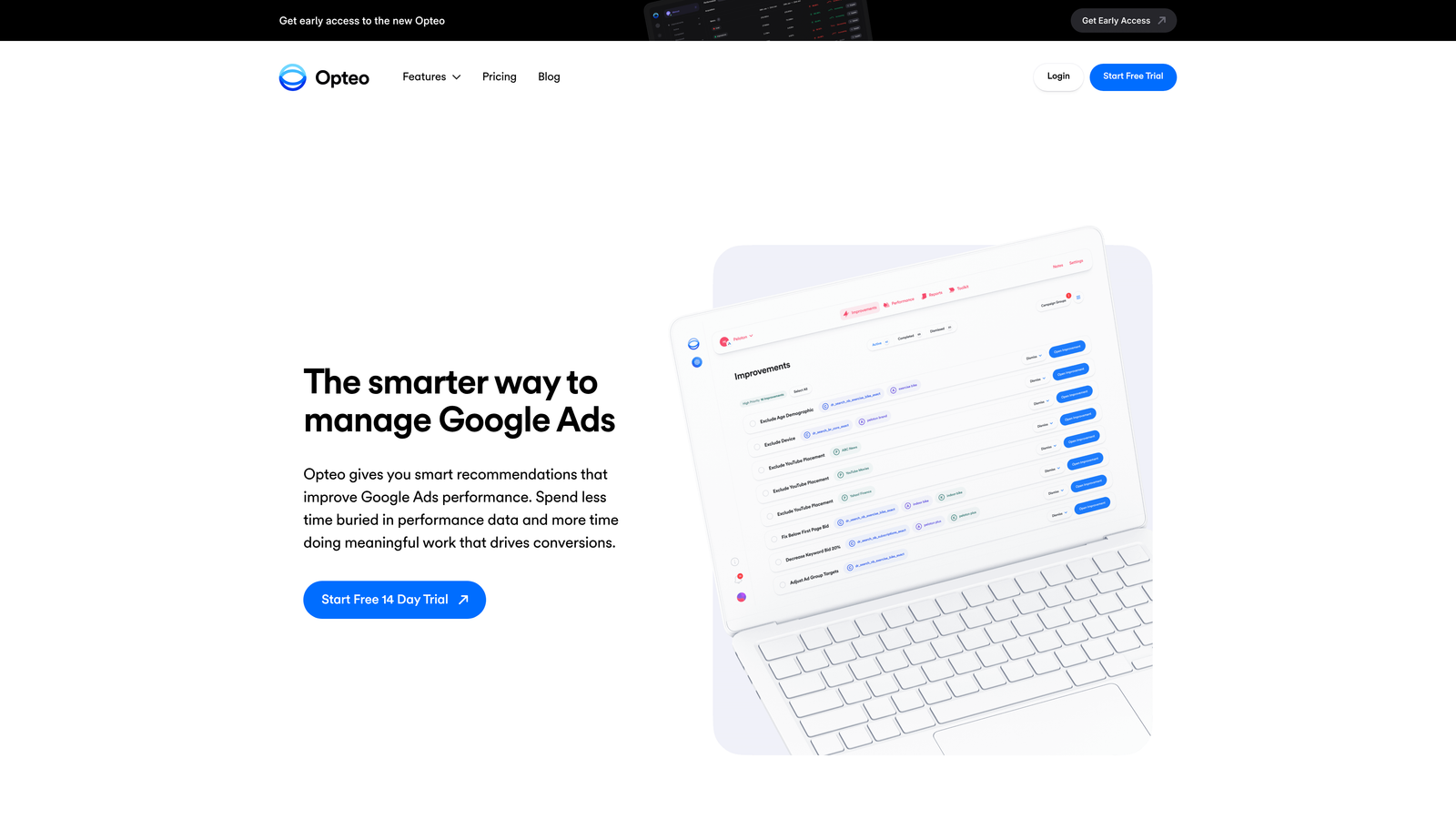
Opteo delivers a daily list of actionable improvements for your Google Ads account, with the ability to implement them in one click.
Where This Tool Shines
Here's where it gets interesting: instead of digging through reports to find optimization opportunities, Opteo scans your account daily and presents specific actions—like pausing underperforming keywords, raising bids on high-converting search terms, or adding new negative keywords. You review the suggestions, click to approve, and they're applied instantly.
The interface is clean and focused. You're not navigating through complex dashboards—just a simple list of improvements ranked by estimated impact. For busy advertisers who want to stay on top of optimizations without dedicating hours to analysis, this is the most efficient workflow.
Key Features
Daily Recommendations: Get a prioritized list of optimization tasks based on your account performance.
One-Click Implementation: Apply suggested changes directly from Opteo without logging into Google Ads.
Performance Alerts: Receive notifications when campaigns underperform or budgets run low.
Search Term Management: Automated suggestions for adding negatives or promoting search terms to keywords.
Budget Tracking: Monitor daily spend and get alerts before you hit monthly limits.
Best For
Solo marketers and small agencies who want to maintain optimization momentum without spending hours analyzing data. If you're managing 3-10 accounts and need a simple daily routine, Opteo fits that workflow perfectly.
Pricing
Starts at $99/month for accounts managing up to $50K in ad spend, with pricing tiers based on total monthly spend.
6. WordStream
Best for: Beginners and small businesses with guided optimization workflows
WordStream is a PPC management platform designed for advertisers who are newer to Google Ads or managing smaller accounts.

Where This Tool Shines
What usually happens with small business owners running their own Google Ads? They set up campaigns once, then rarely optimize because they don't know what to look for. WordStream solves this with its "20-Minute Work Week" workflow—a guided process that walks you through the most important optimizations each week.
The platform also includes a performance grader that audits your account and highlights quick wins. It's less about deep automation and more about education paired with simple action steps.
Key Features
20-Minute Work Week: Guided weekly optimization workflow that prioritizes high-impact changes.
Performance Grader: Free account audit that identifies immediate improvement opportunities.
Cross-Platform Management: Manage Google Ads, Facebook Ads, and Microsoft Ads from one dashboard.
Keyword Research Tools: Find new keyword opportunities based on your existing campaigns.
Reporting and Analytics: Simple dashboards that explain performance without overwhelming data.
Best For
Small business owners, freelancers, or junior marketers who need hand-holding through the optimization process. If you're managing accounts under $10K/month in spend and want a tool that teaches while it helps, WordStream is a solid choice.
Pricing
Custom pricing based on ad spend, typically starting around $200-$300/month for smaller accounts.
7. Skai (formerly Kenshoo)
Best for: Enterprise-level AI-powered optimization across multiple advertising channels
Skai is an enterprise marketing platform that uses AI to optimize bids, budgets, and targeting across search, social, and retail media.

Where This Tool Shines
In most enterprise accounts, you're not just running Google Ads—you're coordinating search, Facebook, Amazon, and other channels with shared budgets and attribution models. Skai handles this complexity with AI that predicts which channels will deliver the best ROI and automatically shifts spend accordingly.
The platform's advanced attribution modeling is particularly valuable for brands with long sales cycles or multiple touchpoints. Instead of relying on last-click attribution, Skai maps the full customer journey and allocates budget to the channels that actually drive conversions.
Key Features
AI-Powered Bid Optimization: Machine learning algorithms adjust bids in real-time based on conversion probability.
Cross-Channel Management: Coordinate campaigns across Google Ads, Facebook, Amazon, and other platforms from one interface.
Predictive Budget Allocation: AI forecasts performance and redistributes budgets to maximize overall ROI.
Advanced Attribution Modeling: Track multi-touch customer journeys and assign credit accurately across channels.
Enterprise Reporting: Custom dashboards and reports built for stakeholder presentations.
Best For
Large brands and agencies managing multi-million-dollar ad budgets across multiple platforms. If you're coordinating complex campaigns with shared KPIs across channels, Skai's AI-driven approach justifies the investment.
Pricing
Enterprise pricing typically starts around $2,500/month and scales with ad spend and feature requirements. Not designed for small accounts.
8. PPC Samurai
Best for: Automated campaign creation and aggressive negative keyword management
PPC Samurai focuses on automation for campaign building and search term cleanup, particularly useful for agencies launching new campaigns regularly.
Where This Tool Shines
The mistake most agencies make when launching new campaigns is spending hours manually building ad groups and keyword lists. PPC Samurai automates this by generating campaign structures based on your input, complete with organized ad groups and initial keyword sets.
The negative keyword automation is equally aggressive. The platform continuously scans search terms across all your accounts and automatically adds negatives based on rules you set. For agencies managing 20+ accounts, this prevents wasted spend from slipping through the cracks.
Key Features
Automated Campaign Creation: Build structured campaigns with ad groups and keywords based on templates.
Negative Keyword Automation: Continuously scan and add negatives across multiple accounts based on custom rules.
Search Term Mining: Identify high-performing search terms to promote into keywords.
Performance Alerts: Get notified when campaigns underperform or budgets deplete faster than expected.
Multi-Account Dashboard: Manage all client accounts from a centralized view.
Best For
Agencies that launch new campaigns frequently or manage a large portfolio of accounts where manual negative keyword management becomes impossible to scale.
Pricing
Starts at $99/month with tiered pricing based on the number of accounts managed.
9. Channable
Best for: E-commerce brands creating dynamic Google Ads campaigns from product feeds
Channable is a feed management platform that automatically generates Google Ads campaigns from your product catalog data.
Where This Tool Shines
Picture this: you're an e-commerce brand with 5,000 SKUs. Building Google Ads campaigns manually for each product category is impractical. Channable solves this by pulling your product feed, applying optimization rules, and creating dynamic campaigns that update automatically as inventory and pricing change.
The performance-based filtering is particularly smart. You can set rules to automatically pause ads for products with low margins or out-of-stock items, ensuring your ad spend only goes toward profitable inventory.
Key Features
Dynamic Ad Creation: Automatically generate Google Ads campaigns from product feed data.
Automated Keyword Generation: Create keyword lists based on product titles, categories, and attributes.
Feed Optimization Rules: Set conditional logic to modify product data before it reaches Google Ads.
Multi-Channel Distribution: Push optimized feeds to Google Shopping, Facebook, Amazon, and other platforms.
Performance Filtering: Automatically exclude low-margin or out-of-stock products from campaigns.
Best For
E-commerce brands with large product catalogs who need to scale Google Shopping and dynamic search campaigns without manual campaign building for every SKU.
Pricing
Starts at €29/month for basic feed management, with higher tiers for advanced PPC automation and multi-channel distribution.
Making the Right Choice
Here's the thing: the "best" tool depends entirely on where you're spending the most time and what's actually slowing you down.
If you're constantly cleaning up search terms and building negative lists, Keywordme eliminates 90% of that manual work by letting you do it directly in Google Ads. For agencies managing multiple accounts, that time savings is the difference between handling five clients and handling fifteen.
If you need deeper automation across your entire account—like rule-based bid adjustments and budget pacing—Optmyzr gives you the most control. It's built for advertisers who want to set up complex workflows once and let them run on autopilot.
For bulk editing and account restructuring, Google Ads Editor is still the gold standard. It's free, it's reliable, and it handles large-scale changes better than any third-party tool.
And if you're just starting out or managing smaller accounts, Opteo or WordStream give you guided optimization without overwhelming complexity.
The common thread across all these tools? They reduce context-switching. The less time you spend exporting data, opening spreadsheets, and uploading changes, the more time you spend actually optimizing campaigns.
Start your free 7-day trial of Keywordme and see how much faster search term optimization becomes when you're not leaving Google Ads every five minutes. No spreadsheets, no switching tabs, just quick, seamless optimization right where you're already working. Then just $12/month to keep that workflow running across all your accounts.
.svg)