
8 Best Google Ads Helper Extensions Reviewed for 2026
These Google Ads helper extension reviews sort eight tools by the job they do in your workflow, from search term triage and bulk edits to conversion tag checks. Each entry covers what the tool costs and who it suits, so freelancers and agencies can choose the right fit before buying.


If you run Google Ads for yourself or for clients, you've probably wished the interface handled a few jobs faster: triaging search terms, making bulk edits, checking that conversions fire. This review sorts the tools by the job they do inside your workflow, what they cost, and who they suit. Details come from each product's own pages and documentation, and prices change, so check each site before you buy.
Quick Comparison of the Five Tools
- Keywordme: freelancers and agencies who triage search terms all day; $12/month per user (as of 2026); works inside the native Search Terms Report.
- Google Ads Editor: anyone doing large bulk edits or restructures; free; offline drafting with a review step before changes post.
- Google Tag Assistant: anyone verifying conversion tracking; free; shows whether Google tags fire correctly.
- Optmyzr: agencies wanting a full PPC platform; see the vendor's site for pricing; audit and optimization tooling well beyond a single-purpose helper.
- Google Ads Scripts: technical advertisers who want custom automation; free; runs your own JavaScript on a schedule inside the account.
1. Keywordme
Keywordme is our own product, so weigh this section with that in mind. It's a Chrome extension that adds one-click actions to the Search Terms Report inside Google Ads. It's built for freelancers and agency teams who spend hours each week deciding which search terms (the queries people actually typed) deserve to become keywords (what you bid on) and which should be blocked as negative keywords.
What sets it apart on this list is where it works. You stay in the native Google Ads interface, so there's no export, no spreadsheet, and no separate dashboard to log into. Keywordme says this can make optimization up to 10x faster; that's the company's own claim, and your results will depend on how much manual triage you do today.
- Add a search term as a keyword with the match type you choose, so you skip the copy, paste, and re-entry step.
- Add negative keywords in one click, which speeds up cutting junk queries.
- Cluster keywords so related terms can be grouped and handled together.
- Bulk edit multiple items at once instead of repeating the same action row by row.
- Share work across accounts and teammates with multi-account and team support.
Setup is a Chrome extension install, and the person doing the search term review runs it day to day. It integrates with Google Ads through the browser, not through a separate connection.
The limits are real. Keywordme focuses on search term and keyword management. It doesn't automate bidding, and it doesn't do reporting. It's Chrome-only, and you still decide what to add or exclude, so it speeds up your judgment instead of replacing it. If your pain is bulk restructures or tracking problems, look at other tools here.
Pricing is $12/month per user with a 7-day free trial, as of 2026. Cost scales with the number of users, not with ad spend.
Best for: Freelancers and agencies who spend hours triaging search terms.
2. Google Ads Editor
Google Ads Editor is Google's free desktop application for managing campaigns in bulk. It isn't a browser extension, but it belongs in any honest comparison because it covers a job extensions usually don't: large-scale changes made offline.

Its distinctive strength is the review step. You download accounts, make changes in a draft state, check them, and only then post them to the live account. For a big restructure, that safety net matters more than raw speed.
- Make bulk edits across many campaigns, ad groups, keywords, and ads at once.
- Draft and review changes offline before anything goes live.
- Manage multiple accounts from one application.
- Copy and paste items between campaigns to duplicate structures quickly.
It connects to Google Ads and is installed on your computer, usually run by whoever owns account structure. Expect a learning curve: the interface differs from the web UI, and you need to download and sync accounts before working. It's also not built for the quick, in-context decision of "is this one search term worth adding?" You'd normally do that kind of review in the web interface.
It's free.
Best for: Large account restructures and bulk edits.
3. Google Tag Assistant
Start here when the numbers look wrong. Google Tag Assistant is Google's first-party tool for debugging tags and conversion tracking, and it's the one on this list that validates your measurement before you optimize anything else.
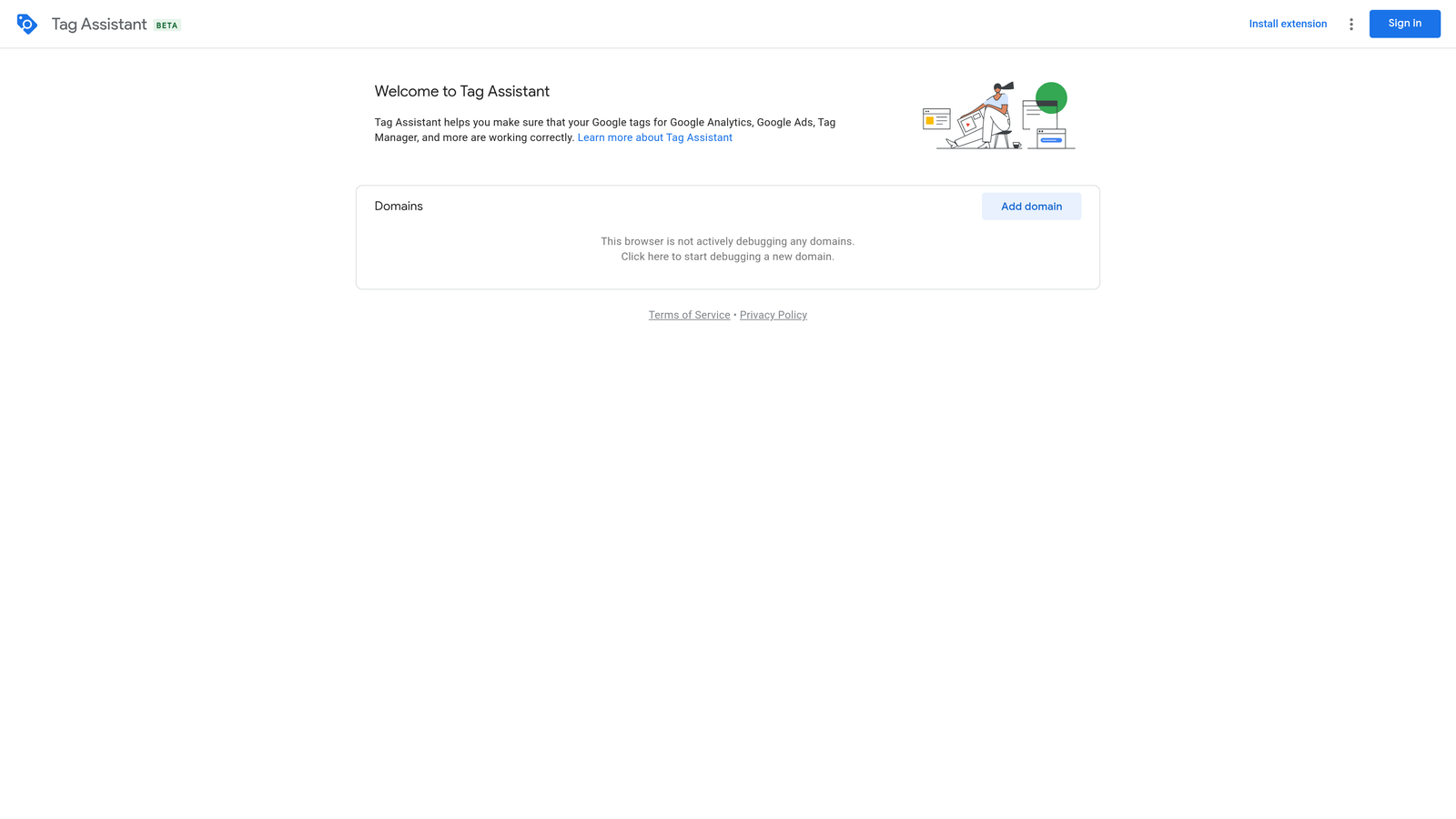
That order matters. If conversions aren't recorded properly, every keyword and search term decision rests on bad data.
- Check that Google tags fire on the pages where they should.
- Debug conversion tracking when counts look off or are missing.
- Troubleshoot tag setup problems without guessing.
It works with Google Ads, Google Tag Manager, and Google Analytics. Setup is light, and it's typically used by whoever implements tracking, often a marketer or a developer working with them.
Its limits are narrow by design. It diagnoses tags only. It won't help with keywords, bids, or search terms, and it doesn't improve performance on its own; it tells you whether your tracking is trustworthy. It's free.
Best for: Verifying conversion tracking setup.
4. Optmyzr
Optmyzr is a PPC management platform, not a lightweight helper. I haven't confirmed whether it currently offers a browser extension or what one would do, so check its site and the Chrome Web Store listing before treating it as an extension option.

What it's known for is breadth: optimization tooling, account audits, and reporting in one place. Verify the exact feature set on the vendor's site, since platforms like this change often. It supports Google Ads and, according to the vendor, other ad platforms; confirm which ones.
The trade-off is weight. A full platform means more setup, more to learn, and likely a higher cost than a single-purpose extension. Small accounts and solo advertisers who only need faster search term handling may find it more than they need. Pricing isn't published here, so see the vendor's website for current plans and what drives the price.
If you do evaluate it, ask whether its automation changes your account directly or only recommends, and who on your team will review each change. Either way, keep a human checking the output.
Best for: Agencies wanting a full PPC platform.
5. Google Ads Scripts
Google Ads Scripts is a built-in feature, not an extension. It earns a place because it covers the "spot account issues" job that many people look to extensions for.

You write JavaScript that runs inside your account on a schedule. That makes it the most flexible option here and the most hands-on.
- Automate recurring tasks with JavaScript instead of repeating them manually.
- Schedule checks and alerts so problems surface without you hunting for them.
- Build custom reports tailored to your account.
It integrates with Google Ads and Google Sheets. Someone with coding skills sets it up and has to maintain it, because scripts can break when accounts or requirements change. That's the main limitation: if nobody on your team writes JavaScript, this isn't for you, and a badly written script can make unwanted changes, so test carefully.
It's free.
Best for: Technical advertisers who want custom automation.
Which Helper Fits Which Job, and How to Combine Them
Match the tool to the task:
- Search term cleanup and negative keywords: Keywordme, since it works right in the Search Terms Report.
- Bulk account changes: Google Ads Editor.
- Conversion tracking checks: Google Tag Assistant.
- Broad audits and optimization: Optmyzr, if you want a platform.
- Custom automation and alerts: Google Ads Scripts.
Competitor research and keyword discovery weren't covered here, because I couldn't verify third-party extensions for those jobs. If you add one, check its official site and Chrome Web Store listing for current ratings, user counts, permissions, and last update date, and skip any that look abandoned.
Solo advertisers can get far with Keywordme for weekly search term triage, Tag Assistant for tracking checks, and Ads Editor when a big change comes up. Agencies usually add team support and, if the budget allows, a platform like Optmyzr. None of these tools changes Google's bidding or guarantees lower spend, so review each action.
Optimize Google Ads Campaigns 10X Faster. Without Leaving Your Account. Keywordme lets you remove junk search terms, build high-intent keyword lists, and apply match types instantly, right inside Google Ads. No spreadsheets, no switching tabs, just quick, seamless optimization. Start your free 7-day trial (then just $12/month) and take your Google Ads game to the next level.
.svg)