
9 Best Google Ads Extensions for Efficiency in 2026
Google Ads optimization doesn't have to drain hours of your day. The right Google Ads extensions for efficiency can automate repetitive tasks like bid adjustments, search term analysis, and ad testing—cutting your workload in half. This guide covers nine essential tools and extensions that streamline campaign management, from in-platform Chrome extensions to automated reporting solutions, helping you focus more on strategy and less on manual busywork.


If you've ever spent an hour manually combing through search terms or copying keywords into spreadsheets, you know the drill. Google Ads optimization eats up time—time you could spend on strategy, testing, or actually growing accounts. The good news? The right extensions and tools can cut that work in half. Some live directly inside Google Ads so you never have to leave the interface. Others automate the repetitive stuff like bid adjustments, ad testing, and reporting. Here are the top tools that actually move the needle on efficiency.
1. Keywordme
Best for: Fast search term optimization without leaving Google Ads
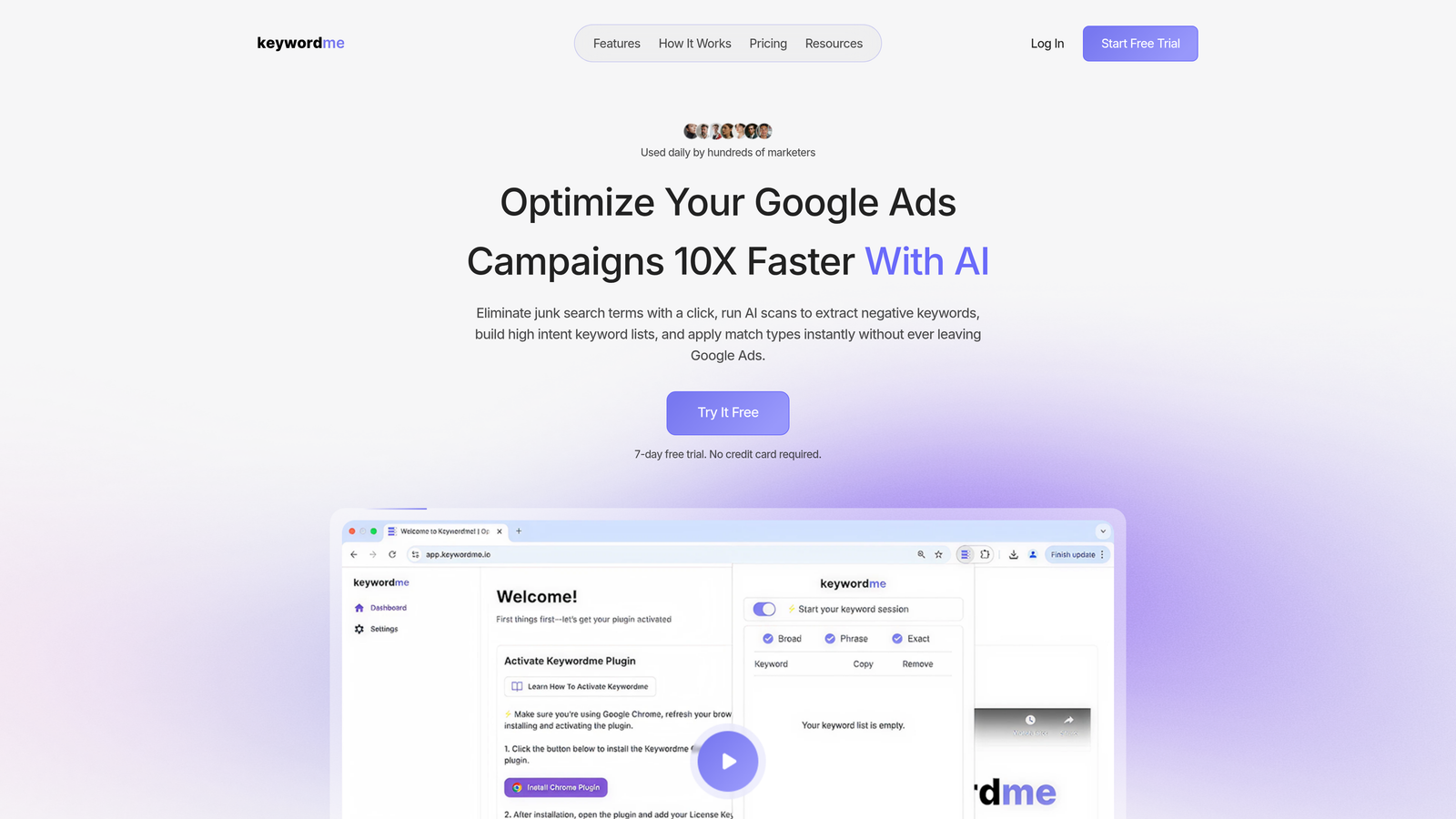
Keywordme is a Chrome extension that turns your Search Terms Report into an optimization workspace.
Where This Tool Shines
Most search term reviews involve copying data into spreadsheets, filtering junk keywords, then uploading negatives back into Google Ads. Keywordme eliminates that entire workflow. You click once to remove irrelevant search terms, add high-intent keywords, or apply match types—all without leaving the native interface.
For agencies managing multiple clients, the multi-account support means you can switch between accounts seamlessly. No more juggling tabs or losing your place mid-optimization. The keyword clustering feature groups similar terms automatically, which is especially useful when you're scaling campaigns and need to organize hundreds of new keywords quickly.
Key Features
One-Click Search Term Removal: Mark junk search terms as negatives directly in the Search Terms Report without exporting data.
Instant Match Type Application: Apply exact, phrase, or broad match modifiers to new keywords with a single click.
Negative Keyword List Building: Create and update negative keyword lists on the fly without spreadsheet imports.
Multi-Account Support: Switch between client accounts or internal campaigns without re-authenticating or losing workflow context.
Keyword Clustering: Automatically group similar search terms to streamline ad group structure and keyword organization.
Best For
Solo advertisers who want to cut optimization time from hours to minutes. Agency teams managing multiple Google Ads accounts who need consistent workflows across clients. Anyone who's tired of the spreadsheet shuffle between search term analysis and campaign updates.
Pricing
$12 per user per month with a 7-day free trial. Flat-rate pricing means no surprises as your account spend scales.
2. Google Ads Editor
Best for: Bulk campaign edits and offline work
Google Ads Editor is Google's free desktop application for making large-scale changes to campaigns offline.

Where This Tool Shines
When you need to edit hundreds of keywords, ad groups, or campaigns at once, the web interface becomes a bottleneck. Google Ads Editor lets you download your entire account, make changes locally, review everything before posting, then upload in one batch. This is especially powerful when restructuring accounts or launching new campaign templates.
The find-and-replace function alone saves hours. Need to update UTM parameters across 50 ad groups? Done in seconds. Want to copy a campaign structure from one account to another? Export from one, import to the other. It's the workhorse tool every PPC manager eventually learns to rely on.
Key Features
Bulk Editing Across Campaigns: Change bids, budgets, keywords, and ads across multiple campaigns simultaneously.
Offline Editing Capability: Download your account and work without an internet connection, then sync changes when ready.
Copy and Paste Between Accounts: Duplicate campaign structures across different Google Ads accounts with preserved settings.
Find and Replace: Update URLs, match types, or text strings across thousands of elements in seconds.
Draft and Review Changes: See all pending changes in a staging area before pushing them live to campaigns.
Best For
Advertisers managing large accounts with hundreds of campaigns. Agencies that need to replicate campaign structures across multiple clients. Anyone launching new accounts who wants to build everything locally before going live.
Pricing
Free. Google provides it as a native tool with no usage limits.
3. Optmyzr
Best for: Enterprise accounts needing automated optimizations and white-label reporting
Optmyzr is a full-stack PPC management platform that automates optimization tasks and generates client-ready reports.

Where This Tool Shines
Optmyzr's one-click optimizations surface the highest-impact changes across your account—bid adjustments, budget reallocation, negative keyword suggestions—then let you apply them with a single click. The platform's rule engine means you can automate recurring tasks like pausing underperforming ads or adjusting bids based on performance thresholds.
For agencies, the white-label reporting is a major time-saver. You can generate branded performance reports with custom metrics and send them directly to clients without building everything from scratch in Google Sheets. The script builder also lets you create custom automations without writing code, which is useful for niche workflows that standard tools don't cover.
Key Features
One-Click Optimizations: Pre-built optimization suggestions with customizable rules for bids, budgets, and keywords.
Automated Bid Management: Set performance targets and let the platform adjust bids automatically to hit goals.
White-Label Reporting: Generate branded client reports with custom KPIs and scheduled delivery.
Custom Script Builder: Create automated workflows without coding using a visual interface.
Multi-Platform Support: Manage Google Ads, Microsoft Ads, and Amazon Ads from a single dashboard.
Best For
Large agencies managing dozens of client accounts. Enterprise advertisers with complex automation needs. Teams that want to standardize optimization workflows across multiple account managers.
Pricing
Starts at $249 per month. Pricing scales with account spend and number of users.
4. Adalysis
Best for: Ad testing and quality score monitoring
Adalysis automates the statistical analysis of ad performance so you know which ads are actually winning.

Where This Tool Shines
Most advertisers eyeball ad performance and guess which variations are better. Adalysis runs proper statistical tests to tell you when an ad has achieved significance—no more pausing winners too early or letting losers run too long. The quality score tracking is especially useful because Google doesn't surface historical quality score data easily.
The negative keyword conflict detection catches issues where your negative lists are blocking profitable search terms. This happens more often than you'd think, especially in accounts with dozens of campaigns and shared negative lists. Adalysis flags these conflicts automatically so you can fix them before they cost you conversions.
Key Features
Automated Ad Testing: Run statistical significance tests on ad variations to identify true winners.
Quality Score Tracking: Monitor quality score changes over time with historical data and alerts.
Landing Page Analysis: Identify landing pages with low conversion rates and high bounce rates.
Negative Keyword Conflict Detection: Find instances where negative keywords are blocking profitable search terms.
Account Audit Tools: Run comprehensive audits to surface optimization opportunities and structural issues.
Best For
Advertisers who run continuous ad testing and want data-driven decisions. Agencies that need to prove ad performance improvements to clients. Anyone managing high-spend accounts where quality score changes directly impact CPC.
Pricing
Starts at $99 per month. Pricing increases with account spend and number of managed accounts.
5. Supermetrics
Best for: Automated reporting and data integration
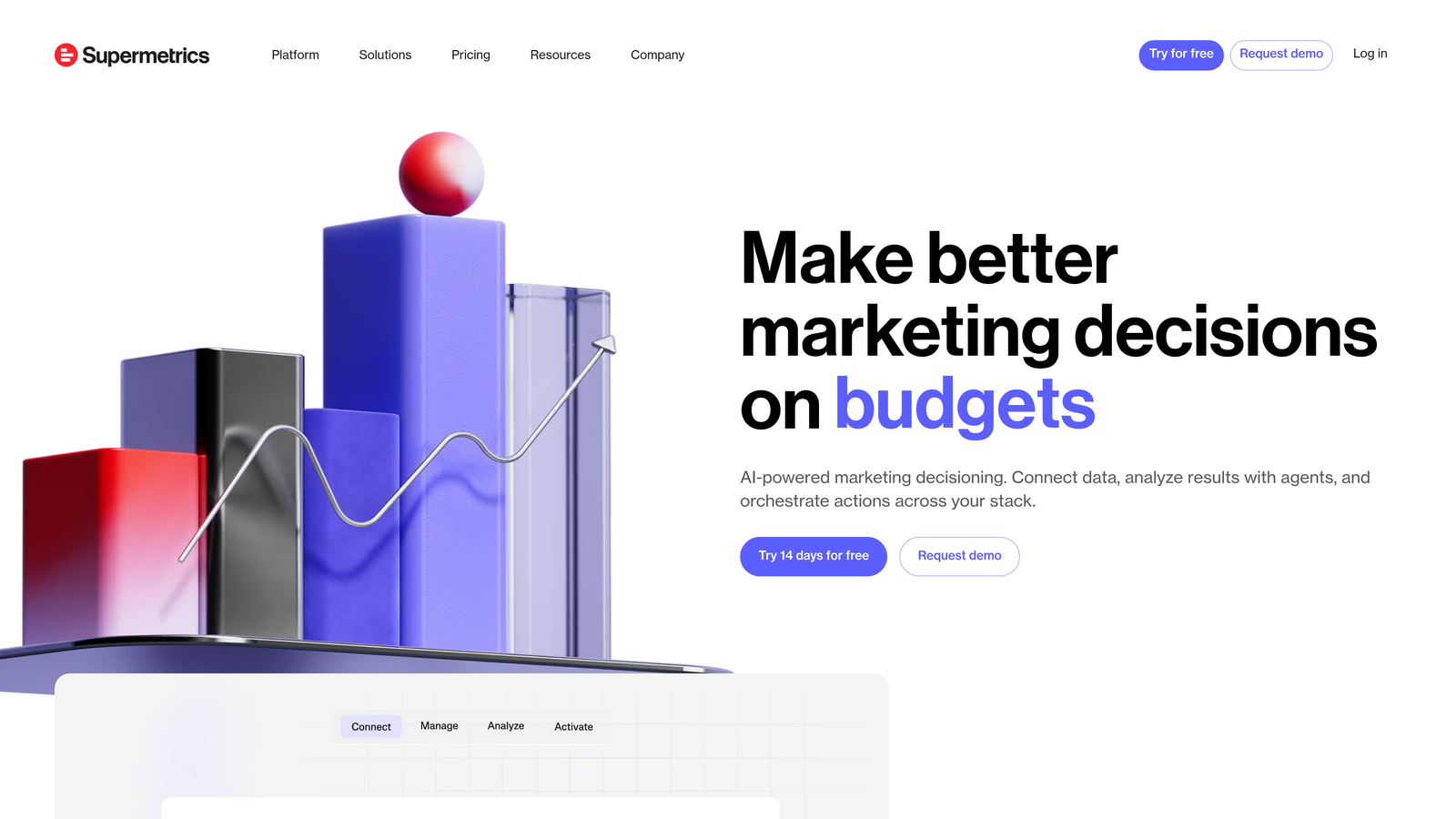
Supermetrics pulls Google Ads data directly into Google Sheets, Looker Studio, Excel, and data warehouses.
Where This Tool Shines
If you're building custom reports or blending Google Ads data with other marketing channels, Supermetrics eliminates the manual export process. Set up a data connection once, schedule automatic refreshes, and your reports update themselves. The Google Sheets integration is particularly popular because you can build custom dashboards with pivot tables and formulas that refresh on a schedule.
For multi-channel advertisers, the ability to blend Google Ads data with Facebook Ads, LinkedIn, and analytics platforms in one sheet means you can compare performance across channels without stitching together multiple exports. The pre-built templates also give you a head start on common report formats like monthly performance summaries or campaign comparison dashboards.
Key Features
Direct Google Ads to Google Sheets Connection: Pull campaign, ad group, and keyword data directly into spreadsheets.
Scheduled Data Refreshes: Set reports to update automatically on daily, weekly, or monthly schedules.
Pre-Built Report Templates: Start with ready-made dashboard templates for common reporting needs.
Custom Query Builder: Select specific metrics, dimensions, and filters to create tailored data pulls.
Multi-Source Data Blending: Combine Google Ads data with other platforms like Facebook, LinkedIn, and Google Analytics.
Best For
Agencies that send regular performance reports to clients. In-house teams that need to blend PPC data with other marketing channels. Analysts who build custom dashboards in Google Sheets or Looker Studio.
Pricing
Starts at $39 per month for Google Sheets integration. Higher tiers unlock more data sources and destinations.
6. Keyword Planner Pro
Best for: Enhanced keyword research exports
Keyword Planner Pro is a Chrome extension that adds better export and filtering options to Google's native Keyword Planner.

Where This Tool Shines
Google's Keyword Planner export function is notoriously limited. You get a basic CSV with minimal filtering options, which means you spend extra time cleaning the data in Excel. Keyword Planner Pro fixes this by adding advanced filters and better-structured exports directly inside the Keyword Planner interface.
The keyword grouping suggestions help you organize long keyword lists into logical ad groups, which is useful when you're building new campaigns from scratch. The search volume trend visualization also gives you a quick view of seasonality patterns without needing to export data and chart it separately.
Key Features
Enhanced CSV Export: Export keyword data with better formatting and more detailed metrics than the native export.
Advanced Filtering Options: Filter keywords by search volume, competition, and CPC ranges directly in Keyword Planner.
Keyword Grouping Suggestions: Automatically group related keywords into suggested ad group structures.
Search Volume Trend Visualization: View monthly search volume trends in a chart format without exporting data.
Best For
Advertisers who do heavy keyword research and need cleaner exports. Campaign builders who want to organize large keyword lists into ad groups quickly. Anyone frustrated with Google's native Keyword Planner export limitations.
Pricing
Free with premium features available for advanced filtering and bulk operations.
7. PPC Ad Editor
Best for: Writing and previewing responsive search ads
PPC Ad Editor is a browser-based tool for drafting RSAs with real-time character counts and device previews.
Where This Tool Shines
Writing responsive search ads inside Google Ads is clunky. You can't see all your headline and description variations at once, and the character counter doesn't update in real time as you type. PPC Ad Editor solves this by giving you a clean workspace where you can draft all 15 headlines and 4 descriptions, see live character counts, and preview how the ad looks on mobile and desktop.
The team collaboration features are useful for agencies where multiple people need to review ad copy before it goes live. You can share draft ads with teammates, collect feedback, then copy the final version directly into Google Ads without reformatting.
Key Features
Real-Time Character Count: See character limits for every headline and description slot as you type.
Mobile and Desktop Previews: View how your ad will appear on different devices before publishing.
Easy Copy/Paste into Google Ads: Format ads correctly for direct pasting into Google Ads without manual reformatting.
Team Collaboration Features: Share draft ads with team members for review and approval before launching.
Best For
Copywriters who draft multiple ad variations for testing. Teams that need approval workflows for ad copy. Anyone who finds Google Ads' native ad editor frustrating to use.
Pricing
Free to use with basic features. Premium options available for team collaboration and advanced previews.
8. Channable
Best for: Ecommerce advertisers managing Shopping campaigns
Channable automates product feed optimization and Shopping campaign management from your product catalog.
Where This Tool Shines
If you're running Shopping campaigns with hundreds or thousands of products, manually optimizing product titles, descriptions, and attributes is impossible. Channable connects to your product feed and lets you create rules to optimize titles for search relevance, add missing attributes, and exclude out-of-stock products automatically.
The dynamic ad generation feature creates text ads based on product data, which is useful when you want to promote specific product categories with unique messaging. The performance analytics by product help you identify which items are driving conversions and which are wasting budget, so you can adjust bids or exclude underperformers.
Key Features
Automated Product Feed Optimization: Apply rules to improve product titles, descriptions, and attributes for better search relevance.
Dynamic Ad Generation from Feeds: Create text ads automatically based on product catalog data.
Rules-Based Feed Manipulation: Set conditions to modify product data, exclude items, or adjust bids based on performance.
Multi-Channel Publishing: Push optimized product feeds to Google Shopping, Facebook, Amazon, and other channels.
Performance Analytics by Product: Track which products are driving conversions and which are underperforming.
Best For
Ecommerce businesses running Shopping campaigns with large product catalogs. Retailers selling across multiple channels who need centralized feed management. Advertisers who want to automate product-level optimizations without manual spreadsheet work.
Pricing
Starts at €29 per month. Pricing scales with the number of products and channels managed.
9. WordStream PPC Advisor
Best for: Guided optimization for beginners
WordStream PPC Advisor uses the '20-Minute Work Week' approach to prioritize the highest-impact optimizations for your account.
Where This Tool Shines
If you're new to Google Ads or managing accounts part-time, WordStream simplifies optimization by telling you exactly what to fix and why. The platform grades your account performance against industry benchmarks, then surfaces the top three or four tasks that will move the needle most. This guided workflow keeps you focused on high-impact changes instead of getting lost in data.
The automated alerts flag issues like paused campaigns still accruing costs, disapproved ads, or budget pacing problems. These are the kinds of mistakes that quietly drain budget if you're not checking your account daily. WordStream catches them automatically and sends notifications so you can fix issues before they become expensive.
Key Features
Prioritized Optimization Recommendations: Focus on the top tasks that will improve performance most based on account analysis.
Performance Grading and Benchmarks: Compare your account metrics to industry averages to identify weak areas.
Guided Workflow for Beginners: Step-by-step instructions for implementing optimizations without needing deep PPC expertise.
Cross-Platform Management: Manage Google Ads, Microsoft Ads, and Facebook Ads from one dashboard.
Automated Alerts for Issues: Get notified about paused campaigns, disapproved ads, and budget pacing problems.
Best For
Small business owners managing their own Google Ads without a dedicated PPC team. Freelancers who handle PPC as one part of broader marketing services. Beginners who want structured guidance instead of figuring out optimizations from scratch.
Pricing
Starts at $49 per month. Higher tiers unlock more accounts and advanced features.
Making the Right Choice
The best tool depends on where you're spending the most time. If search term reviews eat up your day, Keywordme cuts that work dramatically by keeping everything inside Google Ads. For bulk campaign edits, Google Ads Editor remains the go-to workhorse. Agencies managing multiple clients will get the most value from Optmyzr's automation and white-label reporting.
If you're running Shopping campaigns with large product catalogs, Channable's feed optimization saves hours of manual work. Beginners benefit from WordStream's guided approach, which prioritizes the optimizations that actually matter. And if you're building custom reports or blending data across channels, Supermetrics eliminates the export-import cycle entirely.
The reality is that most PPC managers use a combination of these tools. Google Ads Editor for bulk changes, Keywordme for search term optimization, and Supermetrics for reporting is a common stack. The key is choosing tools that integrate into your existing workflow without adding complexity.
Start with the area that wastes the most time. For most accounts, that's search term management. Start your free 7-day trial and see how much faster optimization gets when you're working directly inside Google Ads instead of juggling spreadsheets.
.svg)