
9 Best Google Ads Extension vs Dashboard Tools in 2026
This guide compares 9 leading google ads extension vs dashboard tools in 2026, breaking down which category wins for speed versus reporting depth so you can choose the right fit for your campaign management workflow.


TL;DR: Google Ads optimization tools fall into two camps: Chrome extensions that work inside the native UI, and standalone dashboards that pull your data into a separate platform. Neither is universally better. Extensions win on speed and reduced friction; dashboards win on reporting depth and cross-channel visibility. This guide breaks down 9 tools across both categories so you can pick the right fit for your workflow.
If you manage Google Ads campaigns, you've felt the pain. Switching tabs, exporting CSVs, wrestling with spreadsheets just to add a handful of negative keywords. The tool you choose to fix that problem matters more than most people realize, because the wrong choice either buries you in setup overhead or leaves you doing manual work that should take seconds.
We've compared the top Google Ads extension and dashboard tools available in 2026, covering what each one actually does well, who it's built for, and what it costs. Let's get into it.
Extension vs. Dashboard: The Core Tradeoff
Before jumping into the list, here's the honest framing. Chrome extensions live inside Google Ads. They reduce context switching and are faster for day-to-day tasks like managing search terms, adding negatives, and applying match types. They tend to be lightweight, lower-cost, and easier to adopt. The tradeoff is limited reporting depth.
Standalone dashboards pull your data into a separate platform. They offer richer reporting, cross-channel visibility, automation rules, and client-facing features. They require more setup, often carry higher price points, and involve more tab switching. The tradeoff is more power for reporting and automation at scale.
Which type you need depends on your workflow, your clients, and what's actually slowing you down. Now, the tools.
1. Keywordme
Best for: Freelancers, in-house marketers, and agencies who want faster in-UI keyword optimization
Keywordme is a Chrome extension that integrates directly into Google Ads' Search Terms Report, enabling one-click actions for removing junk search terms, adding negatives, applying match types, and building keyword lists without ever leaving the native Google Ads interface.

Where This Tool Shines
In most accounts I audit, the Search Terms Report is where the most wasted spend hides. Keywordme turns what used to be a multi-step export-and-review process into a series of fast clicks, right inside the interface you're already using. There's no dashboard to log into, no CSV to manage, and no context switching.
For agencies managing multiple clients, the multi-account support and team features make it practical at scale. You're not just saving time on one account; you're compressing the most repetitive part of PPC management across your entire book of business.
Key Features
One-Click Negative Keyword Addition: Add negatives directly inside the Search Terms Report without exporting or leaving Google Ads.
Keyword Clustering: Group and organize search terms by theme and apply match types in-UI, which is genuinely useful when building out new ad groups from search term data.
Bulk Editing Without Spreadsheets: Make changes across multiple search terms simultaneously, eliminating the export-edit-upload loop most managers still rely on.
Multi-Account and Team Support: Useful for agencies where multiple people need access to the same optimization workflow across different client accounts.
Flat-Rate Pricing: At $12/month per user, the pricing model is simple and predictable, which is rare in a category where most tools charge based on ad spend.
Best For
Keywordme is a strong fit for solo advertisers and agency teams who spend meaningful time each week in the Search Terms Report. If your biggest bottleneck is keyword hygiene and negative keyword management, this is the most direct solution available. It's less suited for teams whose primary need is cross-channel reporting or client-facing dashboards.
Pricing
$12/month per user. A 7-day free trial is available, which is enough time to test it across a real account.
2. Optmyzr
Best for: Agencies and advanced advertisers who want rule-based automation and one-click optimization suggestions
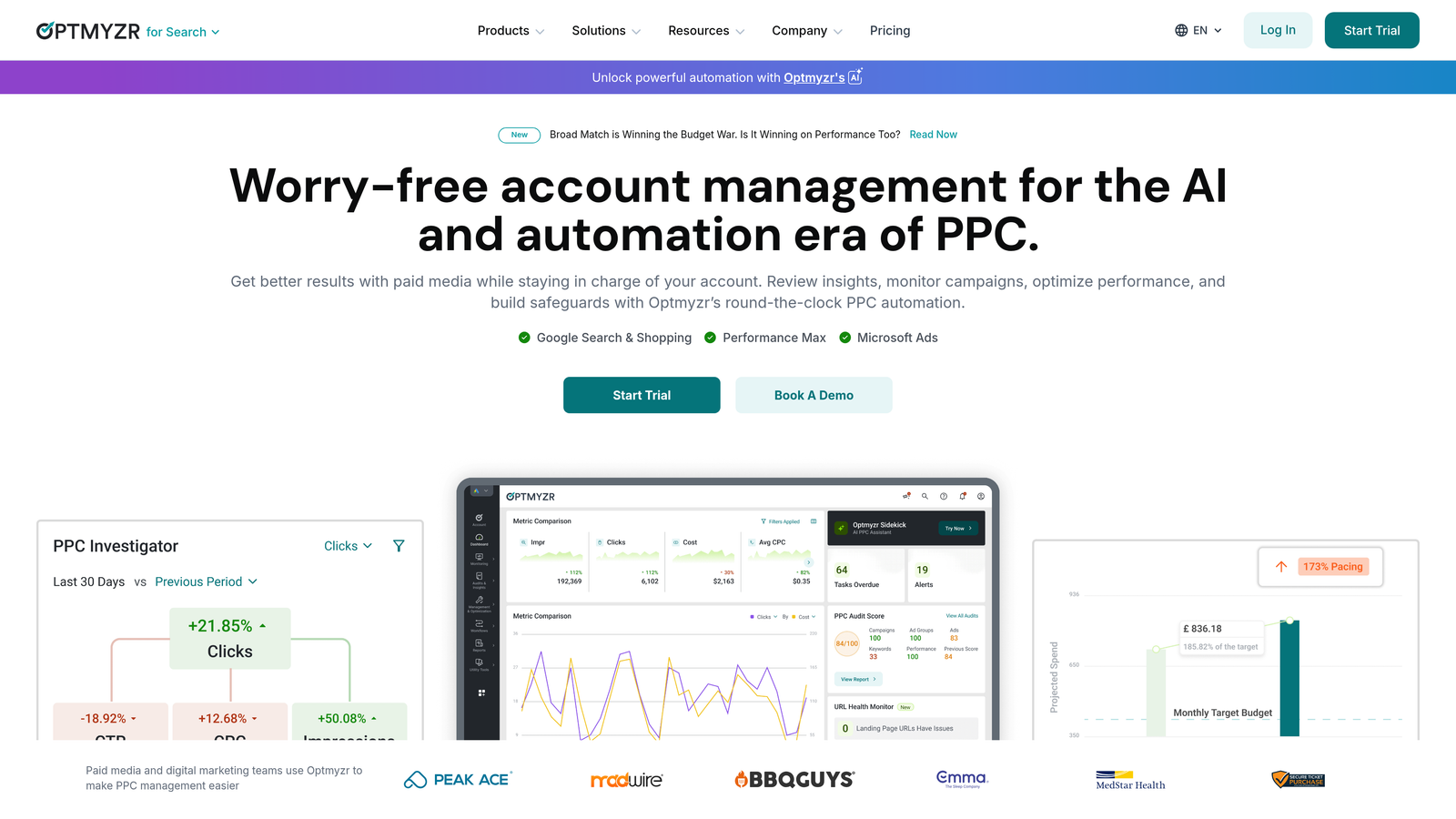
Optmyzr is a comprehensive PPC management dashboard offering rule-based automation, diagnostic tools, and multi-account management for teams that need more than the native Google Ads interface provides.
Where This Tool Shines
Optmyzr's PPC Investigator is one of its most genuinely useful features. When performance shifts and you're trying to diagnose why, it surfaces structured breakdowns of what changed and where. That kind of diagnostic clarity saves real time during client calls.
The rule-based automation is also well-implemented. You can build scripts and automation without needing to write code, which is a meaningful advantage for agencies that want consistent optimization logic applied across accounts without relying on a developer.
Key Features
Rule-Based Automation: Automate bid adjustments, budget changes, and keyword actions based on performance thresholds you define.
PPC Investigator: Diagnose performance changes with structured analysis across dimensions like device, time of day, and keyword performance.
One-Click Optimizations: The platform surfaces suggested actions you can approve and apply in a single click, reducing the manual review cycle.
Multi-Account Dashboard: Manage and monitor multiple client accounts from a single view, with account-level performance summaries.
Custom Reporting: Build client-facing reports with flexible templates and scheduled delivery.
Best For
Optmyzr is built for agencies managing significant ad spend across multiple clients, and for advanced in-house teams who want automation without writing custom scripts. It's overkill for solo advertisers managing one or two accounts.
Pricing
Tiered pricing based on ad spend managed. Starts around $208/month. A free trial is available.
3. WordStream Advisor
Best for: SMBs and smaller agencies looking for a guided, simplified optimization workflow
WordStream Advisor (now part of LocaliQ) is a guided PPC management platform that surfaces prioritized weekly action items through its 20-Minute Work Week workflow, aimed at advertisers who want structure rather than flexibility.

Where This Tool Shines
The 20-Minute Work Week concept is genuinely appealing for small business owners or marketers who aren't deep PPC specialists. It tells you what to do next, which removes the paralysis of staring at an account and not knowing where to start.
What usually happens here is that experienced PPC managers outgrow it quickly, but for accounts with modest complexity, the guided workflow keeps optimization consistent week over week.
Key Features
20-Minute Work Week: A structured workflow that prioritizes the highest-impact actions each week, designed for non-specialists.
Keyword and Negative Keyword Tools: Built-in keyword research and negative keyword suggestions surfaced from your account data.
Performance Grader: Account health scoring that benchmarks your campaigns against industry norms.
Cross-Platform Support: Covers both Google Ads and Microsoft Ads from a single interface.
Reporting and Alerts: Automated performance alerts and reporting features for account monitoring.
Best For
Small businesses managing their own ads, or smaller agencies serving clients who don't need highly customized campaign architecture. Less suited for teams that need granular control or advanced automation.
Pricing
Pricing varies by plan and ad spend tier. Contact WordStream directly for current rates.
4. Google Ads Editor
Best for: Any Google Ads manager who needs to make large-scale bulk changes efficiently
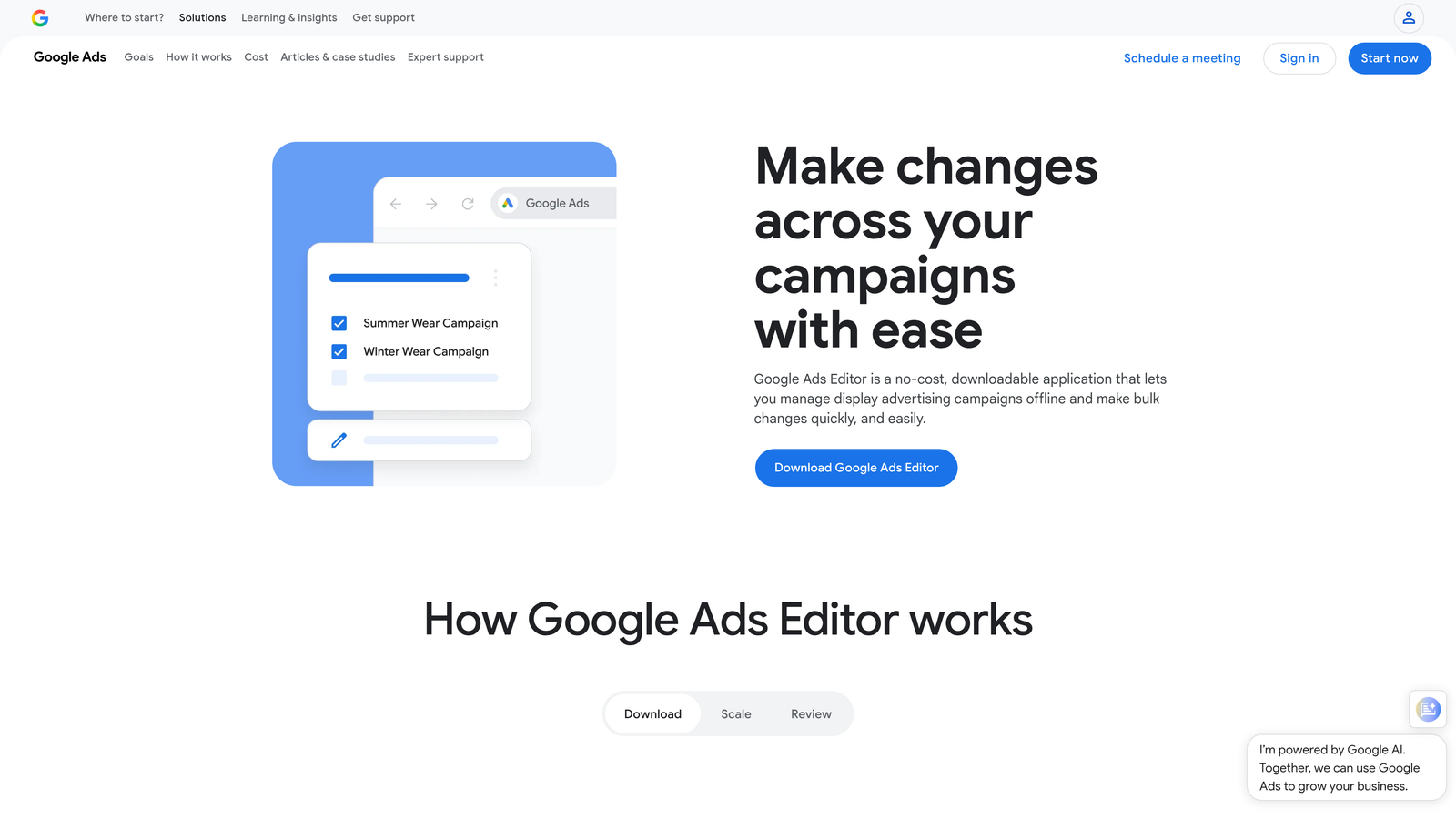
Google Ads Editor is Google's free desktop application for bulk offline editing of campaigns. It's not a Chrome extension or a dashboard; it's a downloadable app that lets you make large-scale changes and upload them in bulk.
Where This Tool Shines
The mistake most agencies make is underusing Ads Editor. It's free, it's powerful, and for certain tasks, nothing else comes close. Copying entire campaigns across accounts, running find-and-replace across thousands of keywords, or restructuring ad group architecture at scale are all faster in Editor than anywhere else.
The offline functionality is also genuinely useful. You can work through a large restructure on a flight or in a spotty-connection environment and upload everything when you're back online.
Key Features
Bulk Offline Editing: Make changes to campaigns, ad groups, keywords, and ads without a live connection, then upload in batch.
Copy and Paste Across Accounts: Duplicate campaign structures from one account to another, which is a huge time-saver for agencies launching similar campaigns for multiple clients.
Find and Replace: Run text replacements across large datasets in seconds, useful for URL changes, ad copy updates, and keyword edits.
No Internet Required: Work offline and sync changes when ready.
Free: No subscription, no ad spend threshold, no catch.
Best For
Every Google Ads manager should have this installed. It's especially valuable for agencies doing large-scale account builds or restructures. It has no reporting capabilities, so it works best alongside other tools.
Pricing
Free.
5. SEMrush PPC Toolkit
Best for: PPC managers who want competitive intelligence to inform campaign strategy
SEMrush's PPC Toolkit is part of the broader SEMrush platform and provides competitive intelligence, keyword gap analysis, and ad copy research to support campaign planning and strategy work.

Where This Tool Shines
SEMrush isn't an optimization tool in the traditional sense. It doesn't help you manage bids or clean up search terms. What it does well is show you what your competitors are bidding on, what their ad copy looks like, and where keyword gaps exist between your account and theirs.
For new account builds or quarterly strategy reviews, that intelligence is valuable. It's the kind of research that used to require hours of manual keyword digging and ad monitoring.
Key Features
Competitor Ad Copy Research: See the actual ad copy competitors are running, including historical variations.
Keyword Gap Analysis: Identify keywords competitors are bidding on that you're not currently targeting.
CPC and Volume Estimates: Get estimated cost-per-click and search volume data to prioritize keyword targets.
Ad History: Review how competitors' creative has evolved over time, useful for benchmarking messaging strategy.
SEO and Content Integration: Connects to SEMrush's broader suite for cross-channel keyword and content research.
Best For
PPC managers who want to build stronger campaigns from the start, or who need to justify strategy decisions to clients with competitive context. Less useful as a day-to-day optimization tool.
Pricing
Included in SEMrush plans, which start at $139.95/month for the Pro plan.
6. Adalysis
Best for: PPC managers running systematic ad testing programs who need statistical rigor
Adalysis is a PPC management dashboard built specifically around ad testing, Quality Score tracking, and performance analysis, with automated testing frameworks and statistical significance monitoring.
Where This Tool Shines
Most PPC managers run ad tests informally. They look at CTR or conversion rate after a few weeks and pick a winner. Adalysis brings actual statistical rigor to that process, flagging when a test has reached significance and preventing you from calling winners too early or too late.
The Quality Score tracking is also more granular than what's available natively in Google Ads. You can see trends over time and correlate Quality Score changes with account structure decisions.
Key Features
Automated Ad Testing: Set up ad rotation tests with statistical significance monitoring so you know when results are actually reliable.
Quality Score Tracking: Monitor Quality Score trends at the keyword level over time, with historical data Google's native interface doesn't easily surface.
Automated Pause and Rotate: Pause underperforming ads automatically based on rules you define, keeping your ad rotation clean without manual checks.
Account Audit Tools: Identify structural issues and underperforming elements across the account.
Bulk Ad Creation: Build and manage large volumes of ads with bulk creation tools.
Best For
PPC managers who take ad testing seriously and want a systematic framework rather than gut-feel decisions. Also valuable for accounts where Quality Score issues are driving up CPCs.
Pricing
Tiered pricing based on number of active ads. Starts around $99/month. A free trial is available.
7. Supermetrics
Best for: Agencies and analysts who need to automate Google Ads data into custom reporting environments
Supermetrics is a data connector platform that pulls Google Ads and other channel data into Google Sheets, Looker Studio, BigQuery, and various BI tools. It's not an optimization tool; it's a reporting and data pipeline solution.
Where This Tool Shines
If you're building client reports manually every month, pulling data from Google Ads into Sheets or Looker Studio by hand, Supermetrics eliminates most of that work. You set up the connector once, define your refresh schedule, and the data flows automatically.
For agencies with a consistent reporting template, this is a significant time save. The breadth of connectors also means you can pull Google Ads, Meta, LinkedIn, and other channels into a single unified report without stitching data together manually.
Key Features
100+ Data Source Connectors: Connect Google Ads, Meta, LinkedIn, and dozens of other platforms to your reporting destination of choice.
Automated Data Refresh: Schedule automatic data pulls into Google Sheets or Looker Studio so reports stay current without manual updates.
BigQuery and Data Warehouse Integration: For teams with more advanced data infrastructure, Supermetrics can feed directly into warehouses for deeper analysis.
Pre-Built Dashboard Templates: Common reporting layouts you can deploy quickly rather than building from scratch.
Scheduled Report Delivery: Send reports to clients or stakeholders automatically on a defined schedule.
Best For
Agencies that produce regular client reports across multiple channels, and analysts who need Google Ads data in a BI environment. Not useful as a campaign management or optimization tool.
Pricing
Starts around $29/month for basic connectors. Scales with the number of data sources and destinations.
8. Tenscores
Best for: PPC managers dealing with Quality Score problems that are inflating CPCs
Tenscores is a niche dashboard tool focused specifically on diagnosing and improving Google Ads Quality Scores by analyzing keyword-to-ad group alignment, ad relevance, and landing page relevance.
Where This Tool Shines
Quality Score problems are often invisible until you go looking for them. Tenscores makes them visible. It surfaces which keywords have poor alignment with their ad groups, where expected CTR is dragging down scores, and where landing page relevance is the culprit.
In accounts where CPCs are high relative to the competitive landscape, Quality Score issues are often the root cause. Tenscores gives you a structured way to diagnose and prioritize fixes rather than guessing.
Key Features
Quality Score Tracking: Monitor Quality Score at the keyword level with historical trend data over time.
Alignment Diagnostics: Identify keyword-to-ad group mismatches that are suppressing relevance scores.
Ad Relevance and CTR Scoring: Break down Quality Score components to pinpoint which factor is underperforming.
Restructuring Recommendations: Get specific suggestions for how to reorganize campaigns to improve Quality Score.
Drop Alerts: Receive notifications when Quality Scores decline, so you catch issues before they compound.
Best For
Accounts where high CPCs are a persistent problem and the likely cause is structural relevance issues rather than pure competition. Also useful for agencies inheriting messy accounts that need a diagnostic starting point.
Pricing
Tiered pricing based on account size. A free plan is available for small accounts.
9. Acquisio
Best for: Larger agencies managing high ad spend across multiple channels who need ML-driven bid optimization and white-label reporting
Acquisio is an agency-focused PPC management platform offering machine-learning bid optimization, white-label reporting, and multi-channel campaign management across Google Ads, Microsoft Ads, and social platforms.
Where This Tool Shines
Acquisio is built for scale. The machine-learning bid and budget optimization is designed to work across high-volume accounts where manual bid management isn't practical. For agencies with significant spend under management, the automated optimization can reduce the time spent on routine bid adjustments.
The white-label reporting is also a genuine differentiator for agencies that want to present client-facing dashboards under their own brand without building custom reporting infrastructure.
Key Features
ML Bid and Budget Optimization: Machine-learning algorithms adjust bids and budgets automatically based on performance signals across campaigns.
White-Label Reporting: Client-facing dashboards branded with your agency's identity, without Acquisio branding visible to clients.
Multi-Channel Management: Manage Google Ads, Microsoft Ads, and Facebook campaigns from a single platform.
Automated Performance Alerts: Get notified when campaigns deviate from expected performance thresholds.
Agency Account Hierarchy: Team management and account organization built for agencies with multiple clients and multiple team members.
Best For
Mid-to-large agencies managing substantial ad spend across multiple channels and clients. The enterprise pricing reflects this positioning; it's not a fit for solo advertisers or small agencies.
Pricing
Enterprise pricing. Contact Acquisio directly for current rates.
Making the Right Choice for Your Workflow
Here's the honest summary. There's no single best tool; there's the right tool for your specific situation.
If your biggest time sink is the Search Terms Report, adding negatives, cleaning up junk terms, and building keyword lists, a Chrome extension like Keywordme solves that problem directly, inside the interface you're already using, at a price point that makes sense for any account size.
If you need robust automation, rule-based bid management, and a multi-account command center, Optmyzr is the most complete dashboard option in this list. If your primary pain is client reporting and data pipelines, Supermetrics handles that better than anything else here. If Quality Score is killing your CPCs, Tenscores is worth a look before you spend time on broader restructuring.
A practical decision framework by use case:
Fast keyword hygiene and negative keyword management: Keywordme
Agency-scale automation and rule-based optimization: Optmyzr
Competitive research and campaign planning: SEMrush PPC Toolkit
Large-scale bulk edits and account restructures: Google Ads Editor (free, use it)
Systematic ad testing with statistical rigor: Adalysis
Automated client reporting across channels: Supermetrics
Quality Score diagnosis and improvement: Tenscores
High-spend agency with ML bid optimization needs: Acquisio
SMB or guided workflow for non-specialists: WordStream Advisor
Most experienced PPC managers end up using two or three tools in combination: one for in-account optimization, one for reporting, and one for competitive intelligence. The key is being deliberate about what each tool is actually solving rather than adding complexity for its own sake.
If you're spending too much time in the Search Terms Report every week, that's the most direct place to start. Start your free 7-day trial of Keywordme and see how much faster your keyword optimization workflow gets when you're not leaving the Google Ads interface to do it.
.svg)