
9 Best Google Ads Efficiency Tools to Streamline Your PPC Workflow in 2026
Managing Google Ads campaigns efficiently requires the right tools to automate repetitive tasks like bid adjustments, negative keyword management, and performance reporting. This guide reviews the top 9 Google Ads efficiency tools for 2026, helping solo advertisers, freelancers, and agencies save hours each week by streamlining their PPC workflow with Chrome extensions, automation platforms, and optimization software that deliver real-world time savings.


TL;DR: Managing Google Ads campaigns efficiently means spending less time on repetitive tasks and more time on strategy. Whether you're drowning in search term reports, struggling with bid management, or just tired of juggling spreadsheets, the right tools can cut your optimization time dramatically. This roundup covers the best Google Ads efficiency tools for 2026—from in-interface Chrome extensions to full-scale automation platforms. We've selected tools based on real-world usability, time savings, and value for solo advertisers, freelancers, and agency teams alike. Let's get into it.
If you're running Google Ads campaigns, you already know the drill: check search terms, add negatives, adjust bids, review performance, repeat. The work itself isn't complicated—it's just relentless. Most PPC managers spend hours each week doing the same manual tasks across multiple accounts, and that time adds up fast.
The good news? Tools have evolved. In 2026, you don't need to accept spreadsheet hell or context-switching between five different dashboards. The best Google Ads efficiency tools now integrate directly into your workflow, automate repetitive actions, and surface insights that would take hours to find manually. Whether you're a solo freelancer managing a handful of accounts or an agency team coordinating dozens of clients, there's a tool here that'll save you real time.
Here are the top tools worth using right now.
1. Keywordme
Best for: Solo advertisers and agencies who want instant, in-interface optimization without leaving Google Ads
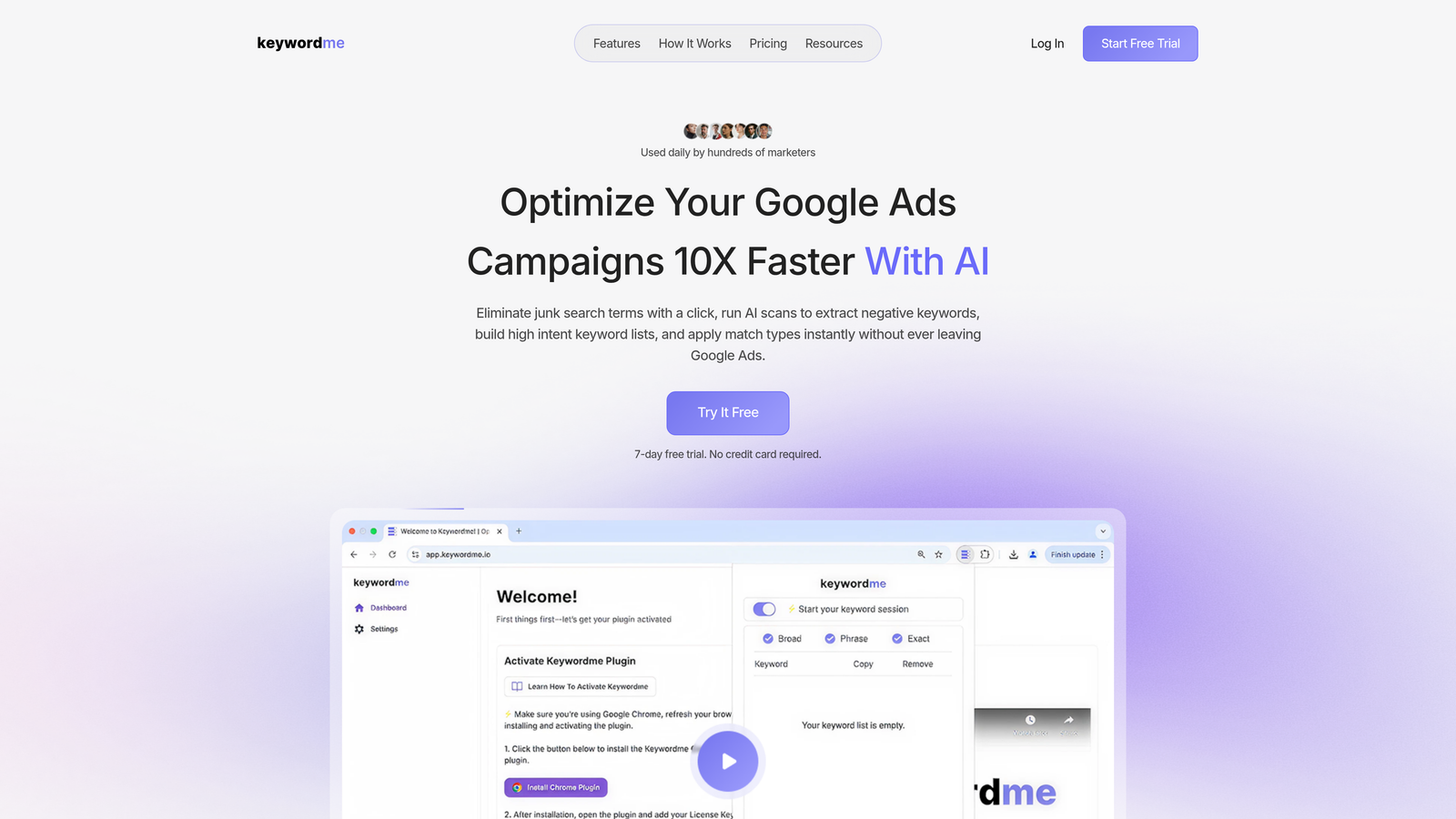
Keywordme is a Chrome extension that turns the Google Ads Search Terms Report into a one-click optimization workspace.
Where This Tool Shines
What usually happens when you're reviewing search terms is this: you spot junk queries, copy them into a spreadsheet, format them as negatives, navigate to your negative keyword lists, paste them in, then go back and repeat. Keywordme eliminates that entire workflow. You click once to remove irrelevant terms, apply match types, or add high-intent keywords—all without leaving the native Google Ads interface.
This is especially powerful for agencies managing multiple accounts. Instead of opening separate tabs or exporting CSVs, your team can optimize campaigns directly where they're already working. The tool also supports keyword clustering and bulk editing, so you can group related terms and apply changes across campaigns in seconds.
Key Features
One-Click Junk Term Removal: Instantly add irrelevant search terms to negative keyword lists without copy-pasting.
In-Interface Keyword Clustering: Group related search terms and create new ad groups or campaigns on the fly.
Bulk Match Type Application: Apply exact, phrase, or broad match modifiers to multiple keywords at once.
Multi-Account and Team Support: Switch between client accounts seamlessly and collaborate with team members.
Negative Keyword List Building: Build and manage negative keyword lists directly within the search terms view.
Best For
Freelancers and agency teams who spend hours each week cleaning up search terms and want to cut that time by 80%. If you're tired of spreadsheets and want optimization to feel instant, this is the tool. It's also ideal for advertisers who prefer working inside Google Ads rather than learning a separate dashboard.
Pricing
Flat rate of $12 per month per user with a 7-day free trial. No percentage-of-spend pricing, no hidden fees—just straightforward monthly billing.
2. Optmyzr
Best for: Agencies and in-house teams managing large-scale PPC campaigns across multiple platforms
Optmyzr is a comprehensive PPC management platform offering rule-based automations, one-click optimizations, and detailed reporting for Google Ads, Microsoft Ads, and more.

Where This Tool Shines
Optmyzr is built for advertisers who need automation at scale. The Rule Engine lets you create custom automations—like pausing underperforming keywords, adjusting bids based on performance thresholds, or sending alerts when budgets run low. These rules run in the background, so you're not manually checking every campaign every day.
The One-Click Optimizations feature is where most users start. It surfaces actionable recommendations—like adding negative keywords, adjusting bids, or improving Quality Scores—and lets you apply them with a single click. For agencies managing dozens of accounts, this saves hours every week. The white-label reporting is also a huge time-saver if you're presenting performance data to clients regularly.
Key Features
Rule Engine for Custom Automations: Build rules that automatically adjust bids, pause keywords, or send alerts based on your criteria.
One-Click Optimizations: Apply recommended changes instantly without manually editing campaigns.
Budget Pacing and Alerts: Get notified when campaigns are underspending or about to exhaust their budgets.
Cross-Platform Support: Manage Google Ads, Microsoft Ads, and Amazon Ads from one dashboard.
White-Label Reporting: Generate branded reports for clients with automated data pulls and custom templates.
Best For
Agencies and in-house teams managing 10+ accounts who need automation, reporting, and optimization tools in one platform. If you're spending hours on manual bid adjustments or client reports, Optmyzr will cut that time significantly.
Pricing
Starts at $249 per month. Pricing scales with the number of accounts and ad spend managed, so larger agencies should expect higher tiers.
3. Google Ads Editor
Best for: Advertisers who need to make bulk edits offline and upload changes when ready
Google Ads Editor is a free desktop application from Google for making bulk edits to campaigns offline, then uploading changes when ready.

Where This Tool Shines
Google Ads Editor is the go-to tool for bulk campaign management. If you need to copy an entire campaign structure from one account to another, update hundreds of ad headlines at once, or test changes before pushing them live, this is how you do it. The offline editing capability means you can work on campaigns without an internet connection, then review and upload everything in one batch.
The find-and-replace functionality is especially useful. Let's say you need to update a product name across 50 ad groups—you can do that in seconds with Editor instead of manually editing each ad in the web interface. It's also invaluable for agencies duplicating campaign structures across multiple clients.
Key Features
Offline Bulk Editing: Download campaigns, make changes offline, and upload when ready.
Copy/Paste Campaigns Across Accounts: Duplicate campaign structures between accounts with a few clicks.
Find and Replace Functionality: Update keywords, ad copy, or URLs across hundreds of items instantly.
Draft and Review Before Upload: Preview all changes before pushing them live to avoid mistakes.
Free to Use: No cost, no subscription—just download and start using.
Best For
Advertisers who regularly make bulk changes to campaigns, agencies duplicating structures across clients, or anyone who prefers working offline. If you're making changes to more than a handful of ads or keywords at once, Editor is faster than the web interface.
Pricing
Completely free. Download it from Google and start using it immediately.
4. Adalysis
Best for: Advertisers focused on ad testing, Quality Score optimization, and reducing wasted spend
Adalysis is a PPC optimization platform focused on ad testing, Quality Score analysis, and automated recommendations to improve campaign performance.

Where This Tool Shines
Adalysis excels at ad testing and Quality Score optimization. It automatically rotates ads, tracks performance, and surfaces winners based on statistical significance—not just gut feel. This is critical for advertisers running A/B tests across dozens of ad groups, because manually tracking which ads are winning gets messy fast.
The Quality Score tracking feature is another standout. Adalysis breaks down Quality Score by its three components—expected CTR, ad relevance, and landing page experience—and shows you historical trends. This helps you identify exactly where to focus optimization efforts. The wasted spend alerts are also useful for catching budget leaks early, like keywords burning cash with no conversions.
Key Features
Automated Ad Testing: Rotate ads automatically and identify winners based on statistical significance.
Quality Score Tracking: Monitor Quality Score changes over time and see component-level breakdowns.
Negative Keyword Suggestions: Get recommendations for negative keywords based on search term data.
Wasted Spend Alerts: Receive notifications when keywords or campaigns are spending without converting.
Performance Grading: Get an overall account health score with actionable recommendations.
Best For
Advertisers who run frequent ad tests, want to improve Quality Scores systematically, or need help identifying wasted spend. If you're managing accounts where small CPC reductions or conversion rate improvements have big impact, Adalysis pays for itself quickly.
Pricing
Starts at $149 per month. Pricing scales with the number of accounts and ad spend managed.
5. Wordstream
Best for: Small businesses and agencies that want guided, simplified PPC management
Wordstream is a PPC management software designed for small businesses and agencies, featuring the 20-Minute Work Week for quick, guided optimizations.

Where This Tool Shines
Wordstream is built for advertisers who don't have hours to spend optimizing campaigns every day. The 20-Minute Work Week workflow surfaces the most impactful optimizations—like adding negative keywords, adjusting bids, or improving ad copy—and guides you through applying them in a structured, prioritized order.
The platform also includes performance benchmarks, so you can see how your account stacks up against industry averages. This is helpful for small businesses that don't have a PPC team to compare notes with. The landing page grader is another useful feature—it analyzes your landing pages and suggests improvements to boost conversion rates.
Key Features
20-Minute Work Week Workflow: Guided optimization process that prioritizes high-impact changes.
Cross-Platform Management: Manage Google Ads, Microsoft Ads, and Facebook Ads from one dashboard.
Performance Benchmarks: Compare your account metrics to industry averages to spot gaps.
Landing Page Grader: Analyze landing pages and get recommendations to improve conversion rates.
Guided Recommendations: Step-by-step suggestions for improving campaign performance.
Best For
Small businesses running their own PPC campaigns or agencies managing clients who need a simplified, guided approach. If you're new to PPC or just want to streamline weekly optimization tasks, Wordstream keeps things straightforward.
Pricing
Custom pricing based on ad spend. Contact Wordstream for a quote tailored to your account size.
6. Channable
Best for: E-commerce advertisers managing product feeds and dynamic ads
Channable is a feed management and PPC automation platform that creates dynamic ads from product feeds, ideal for e-commerce advertisers.

Where This Tool Shines
Channable is purpose-built for e-commerce. If you're running Shopping campaigns or dynamic search ads, managing product feeds manually is a nightmare. Channable automates the entire process—it pulls product data from your store, applies rules to optimize titles and descriptions, and syncs everything to Google Ads in real time.
The rule-based automation is where this tool really saves time. You can set rules like "exclude products with less than 5 in stock" or "add 'sale' to titles for discounted items," and Channable handles it automatically. This is especially useful for large catalogs where manual updates aren't realistic. The multi-channel support also means you can manage feeds for Google, Facebook, Amazon, and other platforms from one dashboard.
Key Features
Product Feed Optimization: Automatically optimize product titles, descriptions, and attributes for better ad performance.
Dynamic Ad Generation: Create dynamic ads that update automatically based on product availability and pricing.
Rule-Based Automation: Set rules to include/exclude products, adjust bids, or update attributes based on conditions.
Multi-Channel Support: Manage feeds for Google, Facebook, Amazon, and other platforms in one place.
Real-Time Sync: Product data updates automatically without manual exports or imports.
Best For
E-commerce businesses running Shopping campaigns or dynamic ads, especially those with large product catalogs. If you're spending hours managing product feeds manually, Channable will cut that time to minutes.
Pricing
Starts at €39 per month. Pricing scales with the number of products and channels managed.
7. Supermetrics
Best for: Advertisers who need custom reporting and data aggregation across multiple platforms
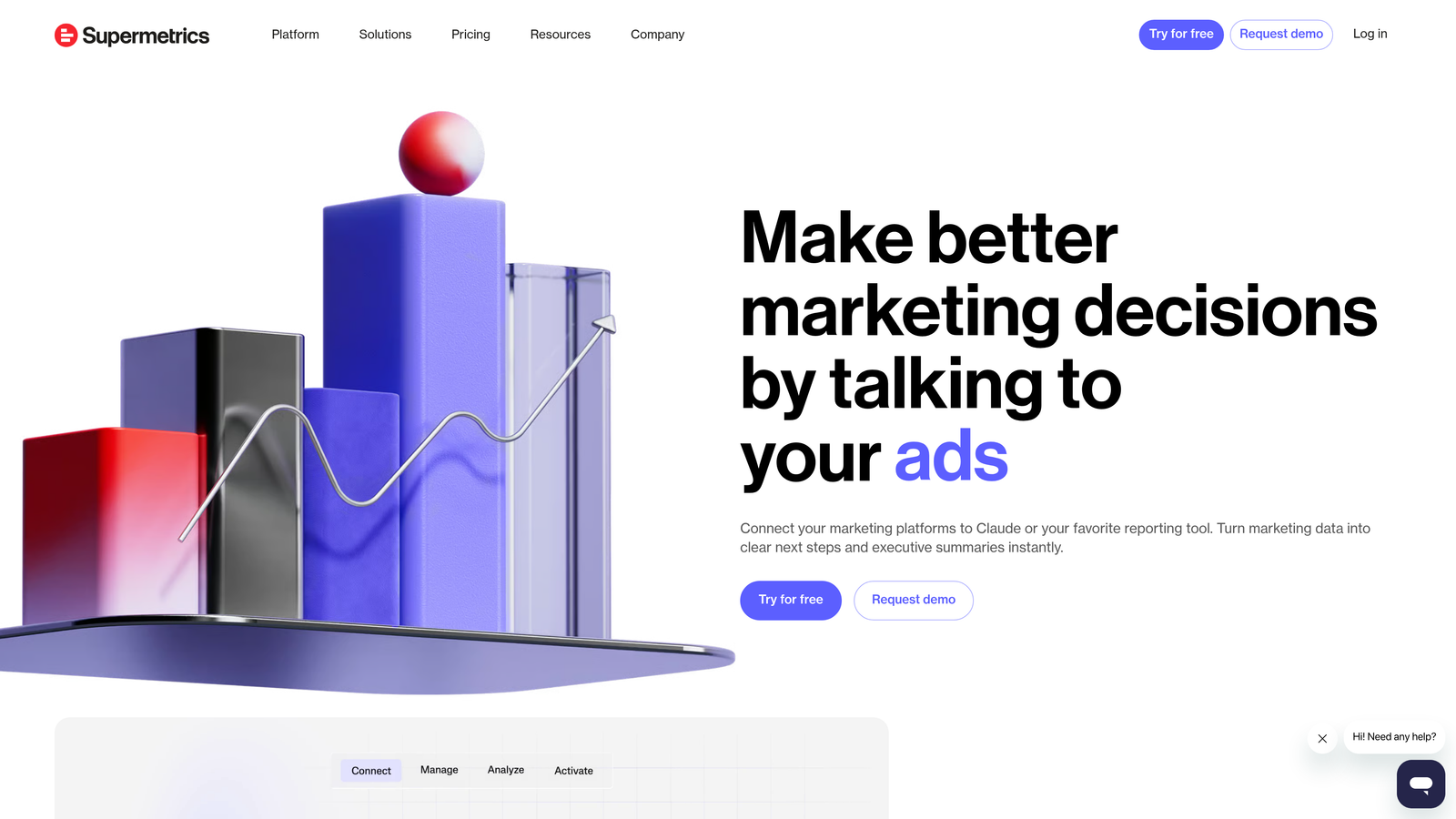
Supermetrics is a data aggregation tool that pulls advertising data from Google Ads and other platforms into spreadsheets, Looker Studio, and data warehouses for custom reporting.
Where This Tool Shines
Supermetrics solves the reporting problem. If you're pulling data from Google Ads, Facebook, LinkedIn, and other platforms, manually exporting CSVs and combining them is tedious. Supermetrics automates the entire process—it connects to 70+ data sources, pulls the metrics you need, and refreshes everything automatically on a schedule you set.
The Looker Studio integration is especially popular. You can build custom dashboards that pull live data from multiple sources, so your reports are always up to date without manual updates. For agencies, this means you can create client dashboards once and let them refresh automatically. The data warehouse support is also useful for larger teams that want to store historical data for long-term analysis.
Key Features
70+ Data Source Connectors: Pull data from Google Ads, Facebook, LinkedIn, and dozens of other platforms.
Automated Data Refresh: Schedule automatic data pulls so reports are always current.
Custom Report Templates: Use pre-built templates or create your own custom reports.
Looker Studio Integration: Build live dashboards that update automatically without manual exports.
Data Warehouse Support: Send data to BigQuery, Snowflake, or other warehouses for long-term storage.
Best For
Agencies and in-house teams managing multi-channel campaigns who need custom reporting without manual data exports. If you're spending hours each week building reports, Supermetrics will automate most of that work.
Pricing
Starts at $39 per month per connector. Pricing increases with the number of data sources and destinations.
8. Tenscores
Best for: Advertisers focused on improving Quality Scores to lower CPCs and improve ad rank
Tenscores is a Quality Score optimization tool that provides deep analysis of QS components to help advertisers lower CPCs and improve ad rank.
Where This Tool Shines
Tenscores is laser-focused on Quality Score. It breaks down Quality Score into its three components—expected CTR, ad relevance, and landing page experience—and tracks changes over time. This is useful because Google Ads only shows current Quality Score in the interface, but historical trends reveal patterns you'd otherwise miss.
The tool also provides actionable recommendations for improving each component. For example, if your landing page experience score is low, Tenscores will suggest specific changes like improving page load speed or increasing content relevance. The expected CTR monitoring is also helpful for identifying keywords where your ads aren't compelling enough, so you can test new ad copy.
Key Features
Quality Score Breakdown Analysis: See expected CTR, ad relevance, and landing page experience scores for every keyword.
Historical QS Tracking: Monitor Quality Score changes over time to identify trends and improvements.
Landing Page Relevance Insights: Get recommendations for improving landing page experience scores.
Expected CTR Monitoring: Identify keywords with low expected CTR and test new ad copy.
Actionable Recommendations: Receive specific suggestions for improving each Quality Score component.
Best For
Advertisers managing high-CPC campaigns where small Quality Score improvements lead to significant cost savings. If you're trying to systematically improve Quality Scores across large accounts, Tenscores provides the data and guidance to do it efficiently.
Pricing
Starts at $25 per month. Pricing scales with the number of accounts and keywords tracked.
9. Skai (formerly Kenshoo)
Best for: Enterprise advertisers managing large-scale, multi-channel campaigns
Skai is an enterprise marketing platform offering AI-powered bidding, cross-channel campaign management, and advanced forecasting for large-scale advertisers.
Where This Tool Shines
Skai is built for enterprise teams managing massive budgets across multiple channels. The AI-powered bid optimization uses machine learning to adjust bids in real time based on performance data, audience signals, and conversion likelihood. This is especially useful for advertisers running campaigns across Google, Facebook, Amazon, and other platforms simultaneously.
The advanced forecasting feature is another standout. It predicts future performance based on historical data and planned budget changes, so you can model different scenarios before committing spend. The audience insights tool also helps identify high-value segments and optimize targeting strategies. For large brands managing complex campaigns, Skai provides the automation and intelligence needed to operate at scale.
Key Features
AI-Powered Bid Optimization: Machine learning algorithms adjust bids in real time to maximize conversions.
Cross-Channel Management: Manage campaigns across Google, Facebook, Amazon, and other platforms from one dashboard.
Advanced Forecasting: Model future performance based on historical data and budget scenarios.
Audience Insights: Identify high-value audience segments and optimize targeting strategies.
Enterprise-Grade Reporting: Customizable dashboards and reports for large teams and stakeholders.
Best For
Enterprise brands and large agencies managing multi-million-dollar budgets across multiple channels. If you're operating at scale and need advanced automation, forecasting, and cross-channel management, Skai is built for that level of complexity.
Pricing
Custom enterprise pricing. Contact Skai for a quote based on your ad spend and platform needs.
Putting It All Together
The best Google Ads efficiency tool depends on how you work and what you're trying to optimize. For solo advertisers and freelancers who want fast, in-interface optimization without leaving Google Ads, Keywordme is the clear winner. It eliminates context-switching and turns search term cleanup into a one-click process. Start your free 7-day trial and see how much time you save in the first week.
Agencies juggling multiple clients should look at Optmyzr or Adalysis for automation at scale. Both platforms offer rule-based optimizations and reporting that save hours every week. E-commerce teams will benefit most from Channable's feed management, especially if you're running Shopping campaigns with large product catalogs. And if you're just starting out or running a small business, Wordstream's guided approach keeps things simple without overwhelming you with options.
For reporting and data aggregation, Supermetrics is the go-to tool—it automates the tedious work of pulling data from multiple platforms and building dashboards. If Quality Score optimization is your priority, Tenscores provides the historical tracking and actionable insights you need to lower CPCs systematically. And for enterprise teams managing massive budgets across multiple channels, Skai delivers the AI-powered automation and forecasting required to operate at that scale.
The best tool is the one that actually fits how you work. Most of these platforms offer free trials, so test a few before committing. The time you save in the first month will more than cover the cost.
.svg)