
9 Best Google Ads Client Management Tools in 2026
Discover the 9 best Google Ads client management tools in 2026, evaluated for multi-account support, workflow efficiency, and reporting capabilities. Whether you're a freelancer managing a handful of accounts or an agency handling dozens, this roundup covers solutions ranging from lightweight Chrome extensions to full-scale white-label platforms to help you streamline operations and deliver better client results.


TL;DR: Managing Google Ads for multiple clients is a different beast than running your own campaigns. You need tools that handle cross-account workflows, streamline repetitive optimization tasks, and give you reporting that actually impresses clients—without eating your entire week. This roundup covers the best Google Ads client management tools in 2026, from lightweight Chrome extensions that speed up daily optimizations to full-scale agency platforms with white-label dashboards. Whether you're a freelancer juggling five accounts or an agency team managing fifty, there's something here for you. We evaluated each tool based on multi-account support, workflow efficiency, reporting capabilities, pricing transparency, and how well it fits into real agency life. Let's get into it.
1. Keywordme
Best for: Agencies and freelancers who want faster search term optimization without leaving Google Ads.
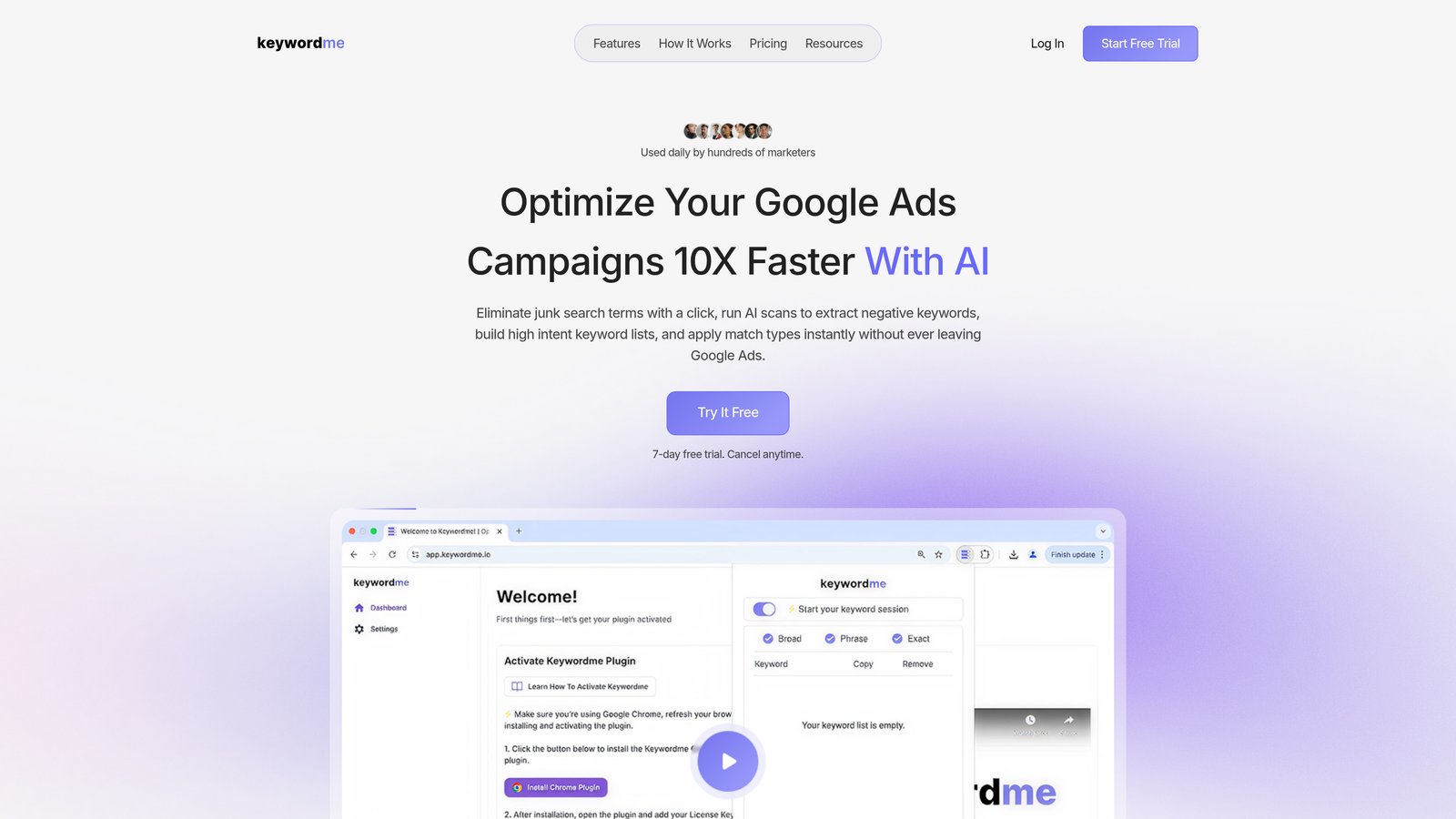
Keywordme is a Chrome extension that lets you optimize search terms, build negative keyword lists, and apply match types directly inside the Google Ads interface.
Where This Tool Shines
In most accounts I audit, search term management is the task that eats the most time. You're exporting CSVs, pasting into spreadsheets, cross-referencing negative lists, then re-uploading—all for a workflow that should take five minutes but somehow takes forty. Keywordme eliminates that entirely by putting all those actions directly inside the Search Terms Report.
The real value is the zero context-switching approach. You're already in Google Ads reviewing performance. With Keywordme installed, you can remove junk terms, cluster high-intent keywords, and push negatives in one sitting without opening a single external tool. For agencies managing ten or more accounts, that compounds quickly.
Key Features
One-Click Junk Term Removal: Flag and remove irrelevant search terms directly from the Search Terms Report without exporting to a spreadsheet.
Bulk Negative Keyword Building: Build and push negative keyword lists to campaigns or ad groups without leaving the Google Ads interface.
Instant Match Type Application: Apply exact, phrase, or broad match types to keywords in a single click, right inside the native UI.
Keyword Clustering: Group related search terms into themed clusters to quickly identify new ad group or campaign opportunities.
Multi-Account and Team Support: Manage workflows across multiple client accounts with team access controls built for agency structures.
Best For
Freelancers managing several Google Ads accounts who want to cut optimization time significantly, and agency teams where multiple people are working inside the same accounts. Especially useful if search term management is a weekly recurring task across your client roster.
Pricing
Flat rate at $12/month per user. A 7-day free trial is available—no credit card gymnastics required to get started.
2. Optmyzr
Best for: Mid-size to large agencies that want customizable automation playbooks and multi-account PPC management.
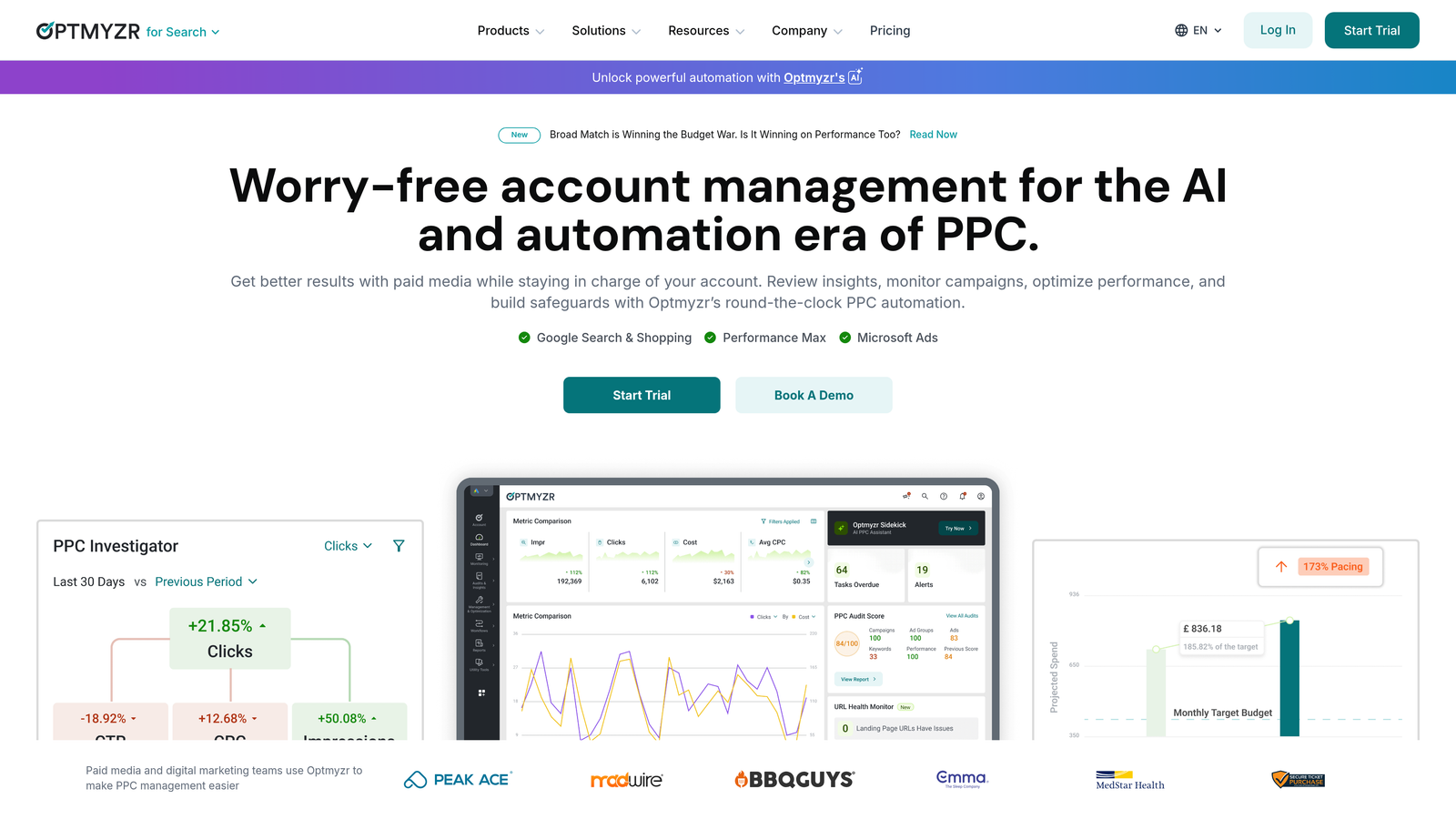
Optmyzr is a full-featured PPC management platform with rule-based automations, one-click optimizations, and deep MCC integration for agencies.
Where This Tool Shines
What makes Optmyzr stand out is the concept of PPC playbooks—essentially saved workflows that let you define your optimization logic once and apply it consistently across accounts. If you've ever onboarded a new client and thought "I wish I could just clone my optimization process," that's exactly what this solves.
The one-click optimization suggestions are genuinely useful, not just surface-level recommendations. Optmyzr pulls account data, surfaces bid, budget, and keyword changes with reasoning, and lets you approve or reject them in bulk. It's the kind of tool that makes sense once you're managing enough accounts that manual review becomes unsustainable.
Key Features
PPC Playbooks: Build reusable, customizable automation recipes that apply your optimization logic consistently across client accounts.
One-Click Optimizations: Review and apply bid, budget, and keyword changes with supporting data shown inline before you commit.
MCC Integration: Connect your Google Ads Manager Account to manage all clients from a single Optmyzr dashboard.
Custom Reporting: Build white-label reports with the metrics your clients actually care about, scheduled to send automatically.
Shopping and Performance Max Support: Includes optimization workflows for Shopping campaigns and PMax, not just standard search.
Best For
Agencies running ten or more client accounts who need automation that goes beyond Google's native Smart Bidding, and teams that want a consistent, documented optimization process across account managers.
Pricing
Starts around $249/month, with pricing that scales based on total ad spend managed. Best suited for agencies where the cost is easily justified by time saved across multiple accounts.
3. WordStream (by LocaliQ)
Best for: Freelancers and small agencies managing SMB clients who want guided, simplified PPC optimization.
WordStream is a guided PPC optimization platform designed to surface weekly recommendations and simplify Google Ads management for less technical advertisers.

Where This Tool Shines
WordStream's signature feature is the 20-Minute Work Week—a guided workflow that surfaces the most impactful changes you can make to an account in a short session. For freelancers managing SMB clients who don't want to dig into the weeds of Google Ads every day, this is a genuinely practical approach.
The cross-platform support (Google Ads, Meta, and Microsoft Ads) is useful if your clients run campaigns across multiple channels and you want one place to monitor performance without juggling separate logins constantly.
Key Features
20-Minute Work Week: A structured, guided optimization workflow that prioritizes the highest-impact recommendations for each account session.
Cross-Platform Support: Manage and optimize Google Ads, Meta, and Microsoft Ads campaigns from a single interface.
Performance Grading: Built-in benchmarking tools that score account health and compare performance against industry averages.
Simplified Interface: Designed for advertisers who aren't deep Google Ads power users—less intimidating than the native interface for SMB clients.
Landing Page and Call Tracking: Integrations for tracking conversions beyond just clicks, useful for service-based SMB clients.
Best For
Freelancers and boutique agencies managing small business clients with modest ad budgets, where simplicity and guided recommendations matter more than deep customization.
Pricing
Custom pricing based on client needs. A free Google Ads Performance Grader is available as a no-cost entry point to evaluate account health.
4. Adalysis
Best for: Agencies that prioritize systematic ad testing, quality score monitoring, and proactive account health alerts.
Adalysis is a PPC management tool built around automated ad testing, quality score tracking, and account anomaly detection for agencies managing multiple Google Ads accounts.

Where This Tool Shines
The mistake most agencies make is treating ad testing as an afterthought—running two RSA variants and calling it a test. Adalysis brings statistical rigor to ad testing by tracking when results reach significance before surfacing a winner. That alone saves you from making decisions on data that's too thin to trust.
The proactive alert system is genuinely useful for client management. Instead of discovering a budget pacing issue or a quality score drop during your weekly review, Adalysis flags it in real time. That kind of early warning system is hard to replicate manually across a large account portfolio.
Key Features
Automated Ad Testing: Tracks ad variant performance and flags statistically significant winners, removing guesswork from creative decisions.
Quality Score Monitoring: Historical quality score tracking at keyword level, so you can spot trends and diagnose landing page or relevance issues early.
Proactive Account Alerts: Real-time notifications for budget anomalies, performance drops, disapproved ads, and other account issues across all managed accounts.
Negative Keyword Conflict Detection: Identifies cases where negative keywords are inadvertently blocking your own targeted keywords.
Multi-Account Dashboard: Centralized view of all client accounts with performance summaries and alert status.
Best For
Agencies that manage accounts with active ad testing programs, or teams that want a systematic way to monitor account health across multiple clients without manual auditing every week.
Pricing
Starts around $99/month, with pricing tiers based on total ad spend managed across connected accounts.
5. Google Ads Manager Accounts (MCC)
Best for: Any agency or freelancer managing more than one Google Ads account—this is the non-negotiable foundation.
Google Ads Manager Accounts (commonly called MCC, or My Client Center) is Google's free native tool for accessing and managing multiple Google Ads accounts under a single login.

Where This Tool Shines
If you're managing client accounts without an MCC, stop what you're doing and set one up today. It's free, it's built by Google, and it solves the most basic problem of multi-account management: not having to log in and out of separate accounts constantly. Every other tool on this list works better when it's connected to an MCC.
The cross-account reporting view lets you compare performance across all clients in a single table, which is useful for spotting which accounts need attention on any given day. It's not fancy, but it's surprisingly practical as a morning triage tool.
Key Features
Single Login Access: Access every client Google Ads account from one place without separate credentials for each.
Cross-Account Reporting: View and compare performance metrics across all managed accounts in a consolidated dashboard.
Centralized Billing: Manage billing across multiple client accounts from a single billing center if needed.
User Permissions: Set account-level access controls so team members only see what they need to.
Completely Free: No cost, no trial—it's a native Google Ads feature available to any advertiser.
Best For
Every agency and freelancer managing more than one Google Ads account. This is the baseline infrastructure—not optional.
Pricing
Free. No subscription, no spend threshold, no catch. It's part of Google Ads.
6. Skai (formerly Kenshoo)
Best for: Enterprise agencies and large brands managing significant cross-channel ad budgets across search, social, and retail media.
Skai is an enterprise-grade, cross-channel advertising platform with AI-powered budget optimization across Google, Meta, Amazon, and other major ad platforms.

Where This Tool Shines
Skai operates at a different scale than most tools on this list. If you're managing campaigns across Google, Meta, Amazon, and retail media simultaneously for large brands, the ability to allocate budget dynamically across channels using AI-driven signals is genuinely powerful. It's not a tool you'd use for a $5,000/month SMB client—it's built for situations where misallocating budget across channels has real financial consequences.
The incrementality testing capabilities are a differentiator for teams that need to prove the value of their campaigns beyond last-click attribution. For enterprise clients who ask hard questions about true media impact, that kind of measurement infrastructure matters.
Key Features
AI-Driven Budget Allocation: Automatically shifts budget across channels based on performance signals and forecasted returns.
Cross-Channel Campaign Management: Manage search, social, and retail media campaigns from a unified platform.
Incrementality Testing: Run controlled experiments to measure the true incremental impact of ad spend across channels.
Enterprise Reporting: Advanced analytics with custom dashboards, attribution modeling, and executive-level reporting.
API Integrations: Deep integrations with major ad platforms, analytics tools, and data warehouses for enterprise data workflows.
Best For
Large agencies managing enterprise clients with multi-channel media budgets, and in-house teams at major brands where cross-channel optimization and measurement rigor are core requirements.
Pricing
Enterprise pricing with custom quotes. Typically requires a sales conversation. Not positioned for small agencies or freelancers.
7. AgencyAnalytics
Best for: Agencies that need polished, white-label client reporting across Google Ads and other marketing channels.
AgencyAnalytics is a client reporting and dashboard platform built specifically for marketing agencies, with 80+ integrations and white-label report delivery.

Where This Tool Shines
What usually happens with agency reporting is this: someone spends three hours every month pulling data from Google Ads, Analytics, and a few other platforms into a PowerPoint deck that the client glances at for ninety seconds. AgencyAnalytics automates that entire process and makes the output look significantly more professional.
The client-facing login portals are a nice touch for agencies that want to move clients away from "can you send me a report?" emails toward self-service dashboards. It's a small thing, but it changes the client relationship dynamic in a positive way.
Key Features
80+ Integrations: Pulls data from Google Ads, Google Analytics, Search Console, Meta, and dozens of other platforms into one place.
White-Label Reports: Fully branded reports and dashboards with your agency's logo, colors, and custom domain.
Automated Report Scheduling: Set reports to generate and send automatically on a weekly or monthly cadence—no manual assembly required.
Custom KPI Tracking: Build dashboards around the specific metrics each client cares about, not a one-size-fits-all template.
Client Login Portals: Give clients access to live dashboards so they can check performance without emailing you every week.
Best For
Agencies where client reporting is a significant time investment, especially those managing clients across multiple channels who want one reporting tool instead of several.
Pricing
Starts at $79/month for up to 5 client campaigns. Pricing scales as you add more client accounts to the platform.
8. Channable
Best for: E-commerce agencies managing Google Shopping campaigns and product feed optimization at scale.
Channable is a feed management and PPC automation platform built for agencies handling Shopping campaigns, product data, and multi-marketplace distribution for e-commerce clients.
Where This Tool Shines
If your agency works with e-commerce clients, you already know that Shopping campaign performance lives and dies by feed quality. Channable gives you rule-based control over product data—titles, descriptions, custom labels, pricing rules—without needing a developer to modify the client's data feed every time something needs to change.
The ability to generate PPC campaigns dynamically from product data is particularly useful for clients with large, frequently changing inventories. Instead of manually creating ad groups for every product category, Channable can build that structure from the feed automatically and update it as inventory changes.
Key Features
Product Feed Optimization: Apply rules to clean, enrich, and optimize product data for Google Shopping without touching the source feed directly.
Rule-Based Campaign Generation: Automatically create and update PPC campaign structures based on product data attributes like category, price, or stock status.
Dynamic Ad Creation: Generate ads that update automatically when product pricing or inventory changes.
Multi-Channel Distribution: Push optimized product feeds to Google, Meta, Amazon, and other marketplaces from one platform.
E-Commerce Integrations: Native connections to Shopify, WooCommerce, Magento, and other major e-commerce platforms.
Best For
Agencies specializing in e-commerce clients, particularly those managing Google Shopping campaigns for clients with large product catalogs or frequently changing inventory.
Pricing
Starts around €59/month, with pricing based on the number of products and channels managed. Scales reasonably for growing e-commerce agency workflows.
9. Shape.io
Best for: Agencies that need automated budget pacing, spend tracking, and over/under-spend alerts across multiple client accounts.
Shape.io is a PPC budget management tool focused on automated budget pacing, real-time spend tracking, and alerting across Google Ads and other ad platforms.
Where This Tool Shines
Budget management is one of those tasks that seems simple until you're managing twenty clients and one account quietly overspends by 30% because nobody caught it in time. Shape.io exists specifically to prevent that scenario. It monitors pacing in real time and alerts you before a budget issue becomes a client conversation you don't want to have.
The cross-platform tracking is useful for agencies managing clients across Google, Meta, and Microsoft simultaneously. Instead of checking pacing in three separate platforms, you get a single view of where every client's budget stands relative to their monthly target.
Key Features
Automated Budget Pacing: Tracks spend against targets in real time and projects whether accounts are on track to hit their monthly budgets.
Over/Under-Spend Alerts: Sends notifications when accounts are pacing significantly above or below target, so you can intervene before it becomes a problem.
Cross-Platform Tracking: Monitors budgets across Google Ads, Meta, Microsoft Ads, and other platforms from a single dashboard.
Client Budget Dashboards: Visualizes historical spend trends and current pacing per client account.
Ad Platform Integrations: Connects directly to major ad platforms for real-time data without manual exports.
Best For
Agencies managing clients with fixed monthly budgets where overspend or underspend creates client relationship issues, especially teams running campaigns across multiple ad platforms simultaneously.
Pricing
Starts around $99/month, with pricing that scales based on the number of accounts connected to the platform.
Which Tool Actually Fits Your Workflow?
Here's the honest answer: most agencies don't pick one tool. They stack two or three based on what each one does best. The MCC is your foundation—everyone needs it. From there, you layer in tools based on where your time is actually going.
If you're a solo freelancer or small agency, the combination that tends to work well is MCC plus a lightweight optimization tool plus a reporting solution. You don't need enterprise infrastructure. You need to move fast and look professional in front of clients.
If you're a growing agency managing ten or more accounts, you'll likely want a more structured PPC management layer. Optmyzr or Adalysis both make sense here depending on whether you prioritize automation playbooks or ad testing and account health monitoring.
If you're an enterprise team or large agency with significant cross-channel budgets, Skai is the only tool on this list operating at that scale. Everything else is built for a different tier.
For e-commerce specialists, Channable is essentially non-optional once your Shopping campaign complexity reaches a certain level. And if budget pacing keeps you up at night, Shape.io is a focused fix for exactly that problem.
For the search term optimization layer specifically, which is consistently one of the most time-consuming recurring tasks in any Google Ads account, Keywordme is the most direct solution available. It doesn't try to be a full PPC management platform. It does one thing extremely well: it puts all your search term, negative keyword, and match type workflows directly inside Google Ads, so you're not bouncing between tabs or wrestling with spreadsheets.
If you manage Google Ads accounts and haven't tried working directly in the Search Terms Report with a tool like this, the efficiency difference is noticeable. Start your free 7-day trial and run through your next search term review with it installed. The $12/month flat rate makes the math easy if it saves you even thirty minutes a week across your accounts.
.svg)