
9 Best Google Ads Campaign Management Software Tools in 2026
This roundup evaluates the 9 best Google Ads campaign management software tools available in 2026, helping freelancers and agencies reduce wasted spend and streamline multi-account workflows. From lightweight Chrome extensions to enterprise platforms, each tool is assessed on hands-on performance, pricing, feature depth, and real user reviews to match every budget and team size.


TL;DR: Managing Google Ads campaigns manually is a grind, especially when you're handling multiple accounts, digging through search term reports, and trying to keep wasted spend under control. This roundup covers the best Google Ads campaign management software available in 2026, spanning everything from lightweight Chrome extensions that work inside the native interface to full-stack enterprise platforms. We evaluated each tool based on hands-on use, pricing transparency, feature depth, and user reviews. Whether you're a freelancer running a few accounts or an agency managing dozens of clients, there's a tool here that fits your workflow. For more PPC optimization resources, check out the Keywordme blog.
Let's get into it.
1. Keywordme
Best for: Freelancers and agencies who want faster search term optimization without leaving Google Ads.
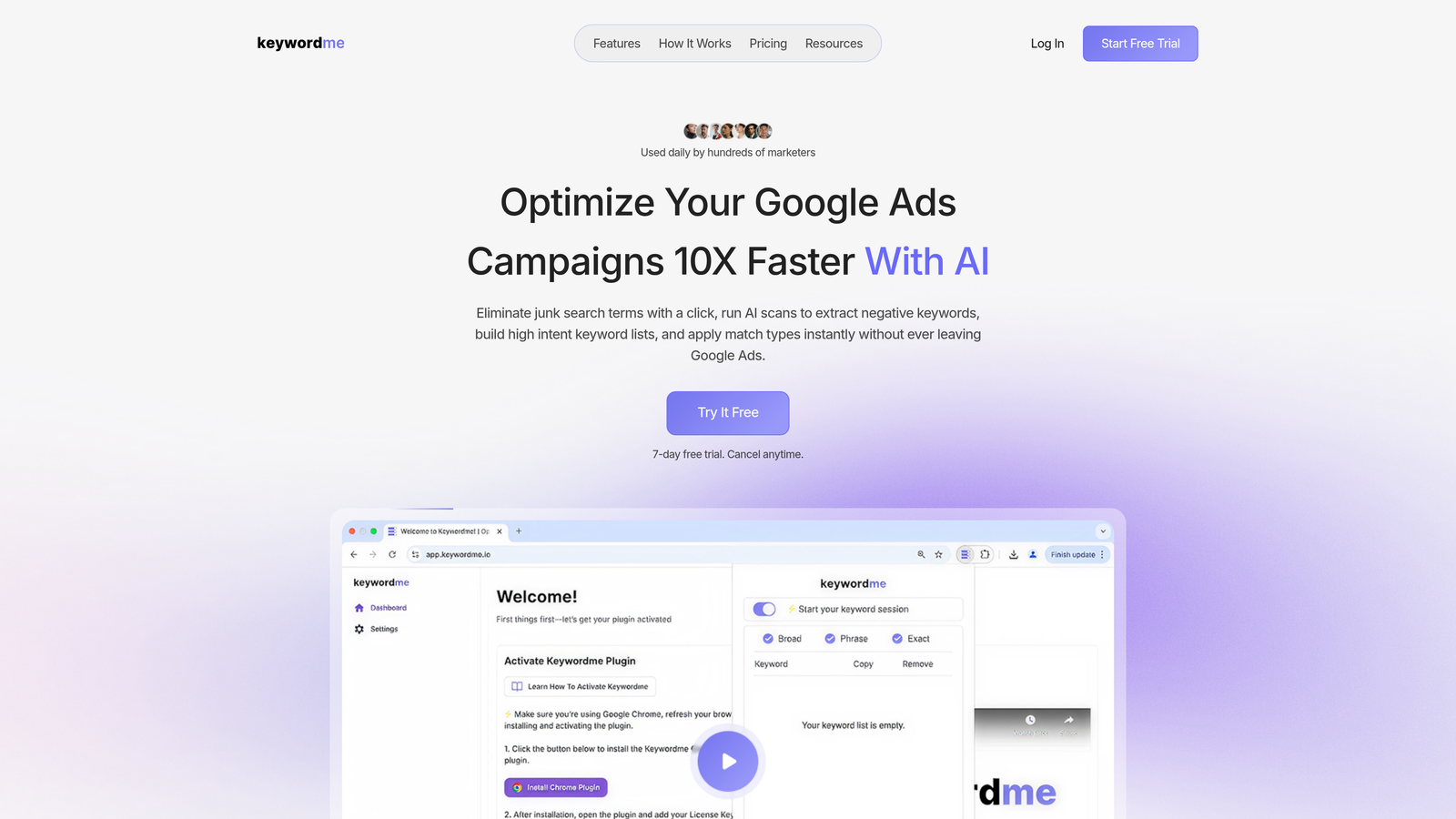
Keywordme is a Chrome extension built to streamline Google Ads optimization directly inside the Search Terms Report, cutting out the spreadsheet-and-export workflow most PPC managers still rely on.
Where This Tool Shines
In most accounts I audit, the Search Terms Report is where the most immediate money is being wasted. Irrelevant queries eating budget, match types applied inconsistently, negative keyword lists that haven't been touched in months. Keywordme tackles all of this without making you leave the Google Ads interface.
What makes it genuinely useful is the friction it removes. Instead of exporting a CSV, filtering in Excel, and re-uploading changes, you're clicking directly inside the report. One click to add a negative, one click to apply a match type, one click to move a high-intent term into a keyword group. For agencies doing this across multiple client accounts, the time savings compound fast.
Key Features
One-Click Search Term Removal: Flag and remove junk search terms directly inside the Search Terms Report without any external tools.
Negative Keyword List Building: Build and apply negative keyword lists instantly, with match type selection built into the workflow.
Keyword Clustering: Group related search terms into keyword clusters for faster ad group organization and structure decisions.
Bulk Editing: Apply changes across multiple terms at once, reducing repetitive clicking and manual errors.
Multi-Account and Team Support: Designed for agencies with multiple client accounts and team members working in the same platform.
Best For
Keywordme is a strong fit for solo PPC managers, freelancers, and agency teams who spend meaningful time each week inside the Search Terms Report. If your current workflow involves spreadsheets and CSV exports for keyword cleanup, this tool will immediately change how you work. It's especially practical for agencies managing five or more accounts where repetitive optimization tasks eat into billable hours.
Pricing
$12/month per user with a 7-day free trial. One of the most straightforward pricing models in the PPC tools space, no percentage-of-spend tiers or surprise add-ons.
2. Optmyzr
Best for: Mid-to-large agencies that need automation, reporting, and multi-platform PPC management in one place.
Optmyzr is a comprehensive PPC management platform that covers Google Ads, Microsoft Ads, Amazon Ads, and more with rule-based automations, one-click optimizations, and custom reporting.

Where This Tool Shines
Optmyzr is built for teams that need to move fast across a lot of accounts. The pre-built optimization playbooks are particularly useful: instead of starting from scratch every time you audit a campaign, you're working through a structured checklist of common improvements. The mistake most agencies make is treating every account audit as a blank page, and Optmyzr's playbooks fix that.
The custom rule engine is also worth highlighting. You can build automated rules that trigger based on performance thresholds, which is genuinely useful for bid adjustments, budget pacing, and flagging anomalies before they become expensive problems.
Key Features
Optimization Playbooks: Pre-built workflows for common PPC tasks, from bid adjustments to ad testing and quality score improvement.
Custom Rule Engine: Build and schedule automated rules based on performance data across campaigns and accounts.
Advanced Reporting: Customizable dashboards and client-facing reports with white-label options.
Multi-Platform Support: Manages Google Ads, Microsoft Ads, Amazon Ads, and additional channels from one interface.
Budget Pacing Tools: Monitor and adjust spend pacing to avoid over- or under-delivery throughout the month.
Best For
Agencies running multiple client accounts across platforms who need automation, structured workflows, and professional reporting. Less suited for solo advertisers or small budgets given the price point.
Pricing
Starts around $249/month; pricing scales with ad spend managed and features required. A free trial is available.
3. WordStream (by LocaliQ)
Best for: Beginners and small businesses looking for guided PPC optimization with minimal learning curve.
WordStream is a beginner-friendly PPC management tool built around a guided optimization workflow that surfaces weekly improvement suggestions across Google and Meta Ads.

Where This Tool Shines
WordStream's signature feature is the 20-Minute Work Week: a guided flow that tells you exactly what to fix each week based on your account's performance data. For someone new to PPC or a small business owner managing their own ads, this kind of structured guidance removes a lot of guesswork.
It's not the deepest tool on this list, but that's intentional. WordStream prioritizes accessibility over complexity, which is the right call for its target audience. If you're looking for enterprise-grade automation or deep custom reporting, you'll outgrow it. But for getting started and building good optimization habits, it works well.
Key Features
20-Minute Work Week: A weekly guided optimization workflow that surfaces the highest-priority improvements for your accounts.
Cross-Platform Dashboard: Performance insights across Google Ads and Meta Ads in a single view.
Keyword and Negative Keyword Tools: Keyword research and negative keyword suggestions built into the optimization flow.
Ad Copy Suggestions: Recommendations for improving ad text based on performance data.
Landing Page Analysis: Basic landing page performance insights to support conversion rate improvement.
Best For
Small business owners, in-house marketers new to PPC, and anyone who wants a structured weekly optimization routine without needing to understand every technical layer of Google Ads.
Pricing
Custom pricing based on account needs; free tools are available for basic keyword research and performance grading.
4. Opteo
Best for: Google Ads managers who want continuous account monitoring with minimal manual auditing.
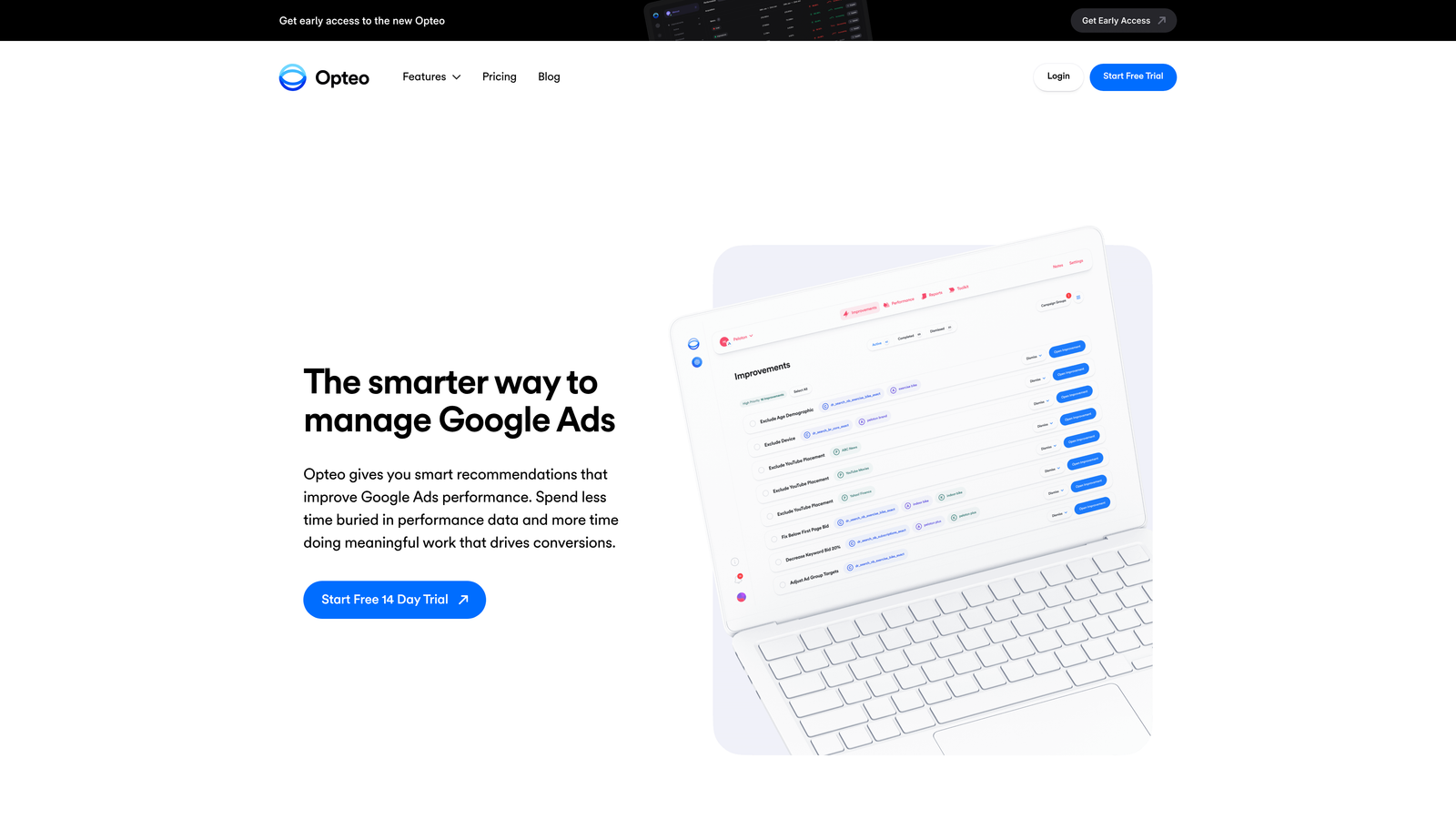
Opteo is a Google Ads optimization tool that continuously monitors your accounts and surfaces prioritized improvement recommendations, acting like an always-on auditor running in the background.
Where This Tool Shines
What usually happens in busy agencies is that account monitoring becomes reactive: you only notice a problem after performance has already dropped. Opteo flips this by proactively surfacing issues and opportunities in a prioritized queue. You log in, review the recommendations, and implement the ones that make sense with a single click.
The interface is clean and fast, which matters more than people give it credit for. When a tool is easy to use, you actually use it consistently. Opteo's design philosophy leans heavily into reducing friction, and it shows in how the recommendation flow is structured.
Key Features
Continuous Account Monitoring: Always-on analysis that surfaces prioritized improvement suggestions as account data changes.
One-Click Implementation: Apply recommended changes directly from the recommendation card without navigating into Google Ads.
Budget and Performance Alerts: Automated alerts for budget pacing issues, performance drops, and anomalies.
Search Term Management: Negative keyword suggestions based on search term analysis.
Minimal, Fast Interface: Designed for speed, with a clean UI that reduces time spent navigating the tool itself.
Best For
Google Ads specialists and small agencies who want a smart monitoring layer on top of their accounts without building complex automation rules from scratch. Works well alongside tools like Keywordme for hands-on search term work.
Pricing
Starts at $129/month; pricing is tiered by total ad spend managed across connected accounts.
5. Adalysis
Best for: PPC managers focused on systematic ad testing, quality score optimization, and automated audits.
Adalysis is a Google Ads management tool with a strong emphasis on automated ad testing, quality score tracking, and data-driven campaign optimization.

Where This Tool Shines
Most PPC managers know ad testing matters, but few do it systematically. Adalysis builds statistical significance tracking directly into the ad testing workflow, so you're not making decisions based on gut feel or insufficient data. It tells you when a test has reached significance and what to do next.
The negative keyword conflict detection is another standout feature. In most accounts I audit, there are negative keywords blocking terms that should actually be triggering ads. Adalysis flags these conflicts automatically, which is the kind of thing that's easy to miss in a manual review.
Key Features
Automated Ad Testing: Structured A/B testing with statistical significance tracking built in.
Quality Score Monitoring: Track quality score trends at keyword, ad group, and campaign level with optimization recommendations.
Negative Keyword Conflict Detection: Automatically flags cases where negative keywords are blocking intended search terms.
Custom Alerts and Audits: Automated account audits and custom performance alerts based on your defined thresholds.
Bulk Ad Management: Create, edit, and manage ads in bulk across campaigns and ad groups.
Best For
PPC specialists and agencies who run structured testing programs and want data-driven ad optimization rather than manual guesswork. Particularly useful for accounts with large ad inventories where bulk management saves significant time.
Pricing
Starts around $99/month; scales with total ad spend managed. A free trial is available.
6. Marin Software
Best for: Enterprise advertisers managing large budgets across search, social, and ecommerce channels.
Marin Software is an enterprise-grade cross-channel campaign management platform with AI-driven bidding, budget allocation, and unified reporting across Google, Meta, Amazon, and other major platforms.
Where This Tool Shines
At the enterprise level, the challenge isn't usually any single channel: it's understanding how budget allocation across channels affects overall performance. Marin's cross-channel attribution and unified reporting are built specifically for this problem, giving media teams a single view of performance that spans search, social, and retail media.
The AI-powered bid optimization is designed for scale: accounts where manual bid management isn't feasible and Smart Bidding alone isn't sufficient due to data complexity or cross-channel attribution needs.
Key Features
Cross-Channel Management: Unified campaign management across Google, Meta, Amazon, and additional platforms.
AI Bid Optimization: Machine learning-driven bidding that accounts for cross-channel signals and budget constraints.
Unified Reporting and Attribution: Consolidated reporting with multi-touch attribution modeling across channels.
First-Party Data Integration: Connect audience data and CRM signals to inform targeting and bidding decisions.
Enterprise Scalability: Built to handle large account structures, high spend volumes, and complex organizational hierarchies.
Best For
Large brands, enterprise in-house teams, and large agencies managing significant ad spend across multiple channels where cross-channel attribution and AI-driven optimization are core requirements.
Pricing
Custom enterprise pricing; typically suited for advertisers with substantial monthly ad budgets. Contact Marin for a quote.
7. Skai (formerly Kenshoo)
Best for: Large brands and agencies running omnichannel campaigns across search, social, retail media, and app marketing.
Skai is an enterprise omnichannel platform covering search, social, retail media, and app marketing with advanced AI optimization, robust analytics, and deep integrations with major retail platforms.

Where This Tool Shines
Skai's differentiation at the enterprise level is its retail media depth. The integration with Amazon, Walmart, Instacart, and other retail platforms makes it one of the few tools that genuinely handles the full modern media mix for consumer brands. If your campaigns span Google, Meta, and retail media simultaneously, Skai is built for that complexity.
The incrementality testing and measurement capabilities are also worth noting. For enterprise teams that need to prove the actual lift from their ad spend rather than relying on last-click attribution, Skai's measurement suite is a meaningful differentiator.
Key Features
Omnichannel Campaign Management: Unified management across search, social, retail media, and app marketing channels.
AI and Machine Learning Optimization: Advanced algorithms for bid and budget optimization across channels.
Incrementality Testing: Measurement tools to assess true incremental lift from ad campaigns.
Retail Media Integrations: Deep integrations with Amazon, Walmart, Instacart, and other major retail platforms.
Creative Intelligence: Tools for analyzing creative performance and optimizing ad assets at scale.
Best For
Large consumer brands, enterprise agencies, and retail advertisers who need a single platform to manage and measure complex omnichannel campaigns at significant scale.
Pricing
Custom enterprise pricing; designed for large brands and agencies with substantial media budgets. Contact Skai for details.
8. Google Ads Editor
Best for: Any Google Ads manager who needs to make bulk changes quickly without paying for a third-party tool.
Google Ads Editor is Google's own free desktop application for making bulk edits to campaigns offline, then uploading changes in batch.
Where This Tool Shines
Every PPC manager should know Google Ads Editor cold. It's free, it's powerful for bulk operations, and it works offline, which matters when you're restructuring large account sections and don't want latency slowing you down. The copy-paste functionality across campaigns and accounts alone saves hours on account builds and restructures.
The find-and-replace feature is underused by a lot of managers. Need to update a URL parameter across 500 ads? Find and replace handles it in seconds. Same for updating ad copy across a campaign after a promotion ends. It's not glamorous, but it's one of the most practical tools in any PPC workflow.
Key Features
Free Bulk Editing: Edit campaigns, ad groups, keywords, and ads in bulk without any subscription cost.
Offline Editing: Make changes locally and upload in batch when ready, reducing errors from live editing.
Copy and Paste Across Accounts: Duplicate campaigns, ad groups, or keyword lists across accounts quickly.
Find and Replace: Update text across multiple account elements simultaneously.
CSV Import and Export: Collaborate with team members or clients by exporting and importing changes via spreadsheet.
Best For
Every Google Ads manager, full stop. Google Ads Editor is a foundational tool regardless of what other software you use. It's especially valuable during account builds, restructures, and any time you're making changes across large numbers of campaigns.
Pricing
Free. No subscription, no usage limits, no catch.
9. Channable
Best for: Ecommerce advertisers who need to generate and manage Google Ads campaigns dynamically from product data feeds.
Channable is a feed management and PPC automation platform that generates and updates Google Ads campaigns automatically based on product data, making it a natural fit for ecommerce teams managing large and frequently changing inventories.
Where This Tool Shines
The challenge with ecommerce PPC is scale and freshness: you might have thousands of products, prices change constantly, and inventory fluctuates. Channable solves this by connecting your product feed directly to your campaign structure, so ads reflect current pricing and availability without manual updates.
The rule-based automation for ad text and keyword creation is particularly powerful for ecommerce. Instead of writing ads for every product manually, you define templates and rules, and Channable generates the ads dynamically. For retailers with large catalogs, this is the kind of automation that makes Google Ads actually manageable at scale.
Key Features
Automated Campaign Generation: Build and update Google Ads campaigns automatically from product feed data.
Dynamic Ad Creation: Generate ad copy based on real-time product attributes including price, availability, and category.
Feed Optimization: Clean, enrich, and optimize product feeds for Google Shopping and Search campaigns.
Rule-Based Automation: Define rules for keyword creation, ad text generation, and campaign structure based on feed attributes.
Multi-Channel Support: Manage feeds and campaigns across Google, Microsoft, and social platforms from one place.
Best For
Ecommerce brands and agencies managing Google Shopping and Search campaigns for large product catalogs where manual campaign management isn't scalable. Particularly useful for retailers with dynamic inventory and pricing.
Pricing
Starts around €59/month; pricing scales with feed size, number of channels, and features required.
Which Tool Is Right for Your Workflow?
The honest answer is that the right tool depends on where your biggest time drain is and what kind of account you're managing. There's no single platform that wins across every scenario, but here's how I'd break it down by persona.
Freelancers and solo PPC managers: Start with Google Ads Editor (it's free and essential) and add Keywordme for search term optimization. That combination covers the two highest-ROI manual tasks, keyword cleanup and bulk editing, at a total cost of $12/month.
Growing agencies: Optmyzr or Adalysis give you the automation layer and reporting structure you need as you scale past a handful of clients. Optmyzr is stronger on multi-platform management; Adalysis is better if ad testing and quality score optimization are priorities.
Enterprise teams: Marin Software and Skai are built for your scale and complexity. Both require custom pricing conversations, but if you're managing significant cross-channel spend, the attribution and AI optimization capabilities justify the investment.
Ecommerce advertisers: Channable is the standout for feed-driven campaign management. Pair it with Keywordme for ongoing search term cleanup and you have a solid ecommerce PPC stack.
If search term management is a current bottleneck in your accounts, which it is in most accounts I've seen, Keywordme is the fastest way to fix it. It works inside the Google Ads interface you're already using, takes minutes to set up, and at $12/month, it pays for itself the first time you use it to clean up a messy Search Terms Report.
Start your free 7-day trial and see how much faster your optimization workflow gets when you're not bouncing between spreadsheets and dashboards. Just smarter, faster Google Ads work, right where you already are.
.svg)