
8 Best Google Ads Campaign Cleanup Tools in 2026
This guide reviews the 8 best Google Ads campaign cleanup tools available in 2026, covering everything from search term review and negative keyword management to match type auditing and keyword deduplication. Whether you manage a small account or a large PPC portfolio, these tools help you cut wasted spend and tighten performance faster than manual spreadsheet work.


If your Google Ads account has been running for a while, it's probably carrying some baggage. Irrelevant search terms burning through budget, redundant keywords competing against each other, match types that made sense two years ago but don't anymore. Campaign cleanup isn't the most exciting work, but it's one of the fastest ways to cut wasted spend and tighten performance. If you want to understand the full scope of what might be wrong before you start, this diagnostic overview is a good starting point.
The right tool makes a real difference here. A cleanup that takes hours in spreadsheets can take minutes with the right setup. This list covers the top Google Ads campaign cleanup tools available in 2026, ranging from in-interface Chrome extensions to full-featured PPC audit platforms, so you can pick the one that fits your workflow, account size, and budget.
Selection criteria: direct relevance to cleanup tasks (search term review, negative keyword management, match type auditing, keyword deduplication), ease of use, and value for the intended audience.
1. Keywordme
Best for: Fast, in-interface cleanup for freelancers, in-house marketers, and agency teams
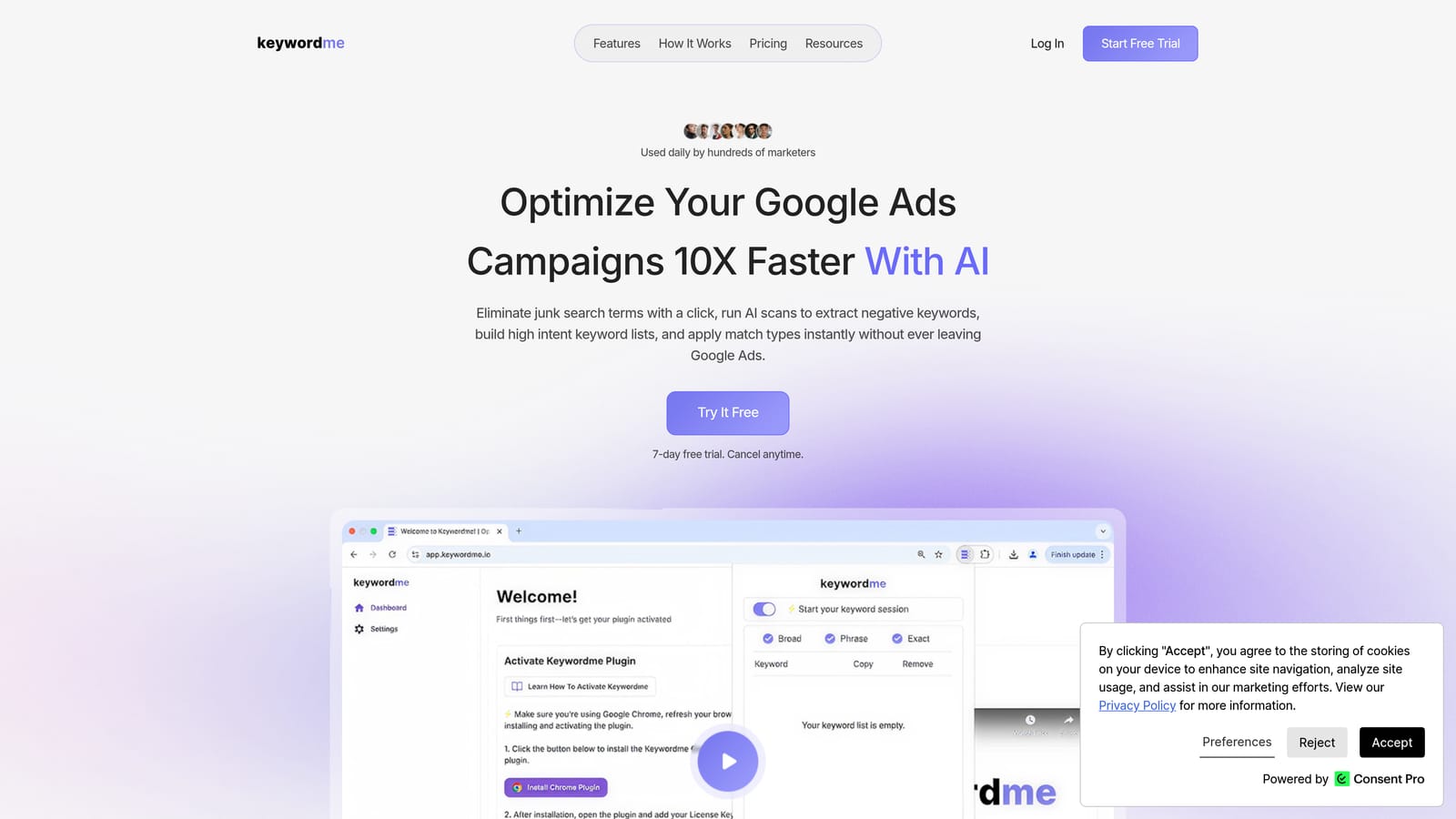
Keywordme is a Chrome extension that integrates directly into the Google Ads Search Terms Report, letting you take cleanup actions without leaving the native interface.
Where This Tool Shines
Most cleanup tools pull you out of Google Ads and into a separate dashboard. Keywordme works the other way: it sits inside the Search Terms Report and adds one-click actions directly to the interface you're already using. You can remove junk search terms, add negative keywords, apply match types, and group high-intent terms into keyword lists without exporting a single spreadsheet.
This makes it particularly well-suited for ongoing maintenance rather than just periodic deep audits. Instead of scheduling a monthly cleanup session, you can review and act on search terms quickly during your regular account check-ins. For agencies managing multiple accounts, the multi-account and team support features extend that efficiency across clients. Keywordme's own positioning describes the tool as enabling optimization up to 10x faster than manual methods, though individual results will vary by workflow and account complexity.
Key Features
One-click negative keyword addition: Add negatives directly from the Search Terms Report without opening a separate workflow or exporting data.
Instant match type application: Apply broad, phrase, or exact match to search terms in a single click, without leaving the Google Ads interface.
Keyword clustering: Group high-intent search terms into organized keyword lists for faster campaign expansion alongside cleanup.
Bulk editing: Act on multiple search terms at once rather than processing them one by one.
Multi-account and team support: Manage cleanup workflows across multiple client accounts, making it practical for agency use.
Best For
Freelancers and agency managers who want fast, in-account cleanup without switching tools. Also a strong fit for in-house marketers doing regular search term reviews who find the native Google Ads interface too slow for the volume of terms they need to process.
Pricing
$12/month per user. A 7-day free trial is available with no commitment required.
2. Google Ads Editor
Best for: Bulk structural cleanup across campaigns, offline, before changes go live
Google Ads Editor is Google's free desktop application for making large-scale offline edits to Google Ads accounts before pushing changes live.

Where This Tool Shines
Google Ads Editor is frequently overlooked in tool roundups, which is a mistake. For bulk structural cleanup, it's one of the most capable free options available. You can download an account, make sweeping changes across campaigns and ad groups, review everything before it goes live, and upload when you're ready. That staged workflow reduces the risk of pushing a mistake directly into a live campaign.
Where it's less suited is ongoing, fast search term review. It doesn't give you the same click-by-click efficiency for processing a large search terms dataset that a purpose-built tool like Keywordme does. But for a periodic deep clean of keyword structure, negative keyword lists, or ad copy issues across a large account, it's hard to beat at the price point of free.
Key Features
Bulk keyword edits: Add, edit, pause, or delete keywords across multiple campaigns simultaneously.
Find and replace: Update keywords, ad copy, and URLs at scale using find-and-replace across the entire account.
Negative keyword list management: Build and apply negative keyword lists at the account or campaign level in bulk.
Offline editing with staged changes: Review all changes before they go live, reducing the risk of accidental errors.
Multi-account support: Manage multiple Google Ads accounts from a single desktop interface.
Best For
Advertisers of any size who need to make large structural changes to keyword lists, match types, or negative keywords across multiple campaigns at once. Especially useful when you want to audit and stage changes before committing them live.
Pricing
Free. Requires a Google Ads account.
3. Optmyzr
Best for: Agencies and larger advertisers who want automated, audit-driven cleanup workflows
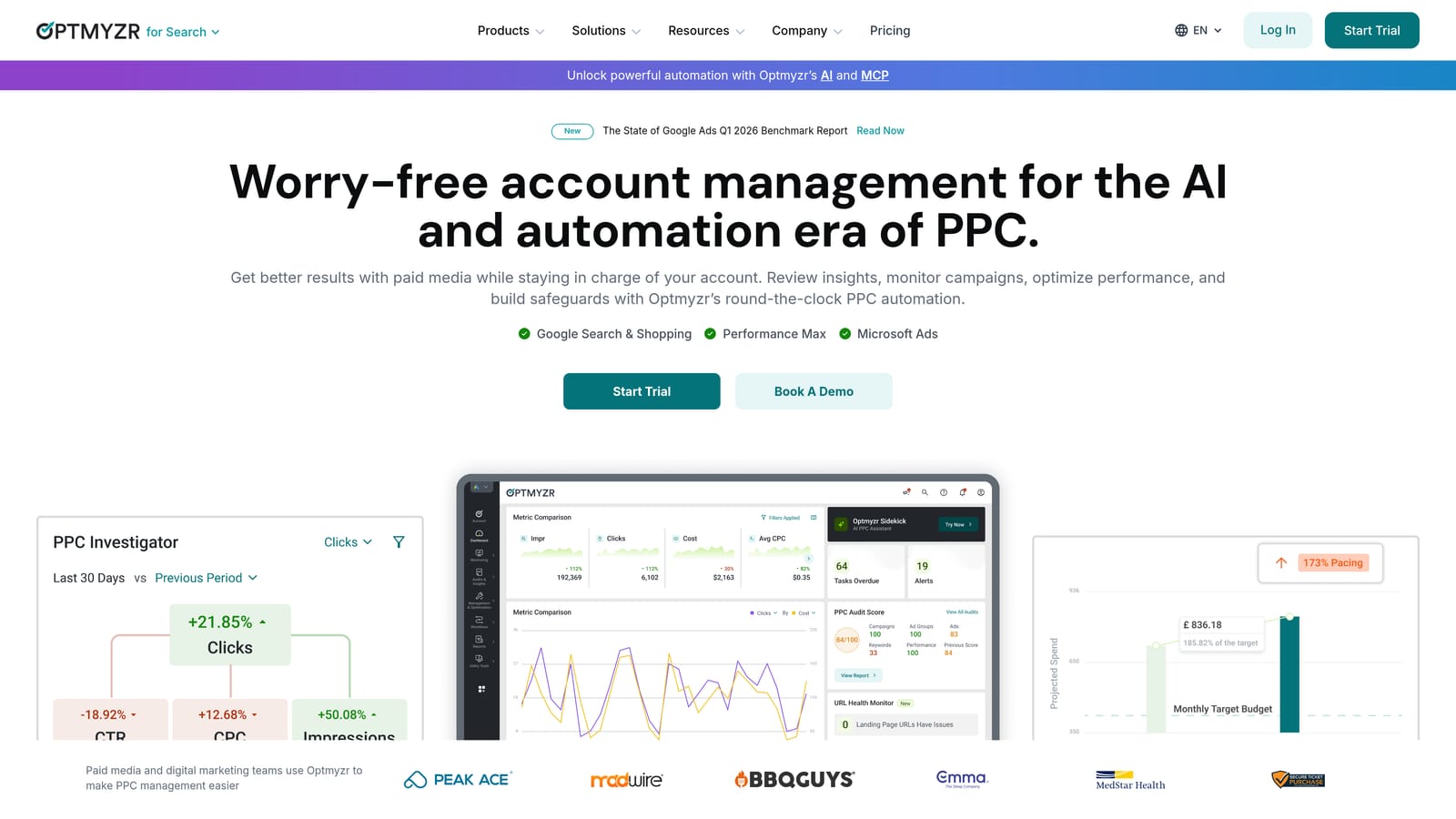
Optmyzr is a SaaS PPC management platform that combines automated account audits, one-click optimizations, and search term mining in a single dashboard.
Where This Tool Shines
Optmyzr approaches cleanup from the top down. It scores account health, surfaces prioritized cleanup opportunities, and lets you act on them with one-click optimizations that include explainable reasoning, so you understand why a change is being suggested before you apply it. That transparency is useful when you're managing client accounts and need to justify your decisions.
The rule-based automation layer is particularly valuable for recurring cleanup tasks. You can set up rules to flag or pause low-performing keywords automatically, which reduces the manual review burden over time. The tradeoff is that Optmyzr is a heavier platform with more setup overhead than a point-and-click extension. It's well-matched to agencies or advertisers with significant monthly ad spend who can justify the investment.
Key Features
Account health scoring: Automated audit that surfaces prioritized cleanup suggestions across the account.
Search term mining and negative keyword recommendations: Identifies irrelevant search terms and suggests negatives to add.
One-click optimizations with reasoning: Apply suggested changes with full visibility into why each change is recommended.
Rule-based automation: Set recurring rules for ongoing cleanup tasks like pausing low performers or flagging new irrelevant terms.
Multi-account reporting: Centralized management and reporting across multiple client accounts.
Best For
Agencies managing multiple large accounts who want automated cleanup recommendations and recurring automation rules. Less suited to solo advertisers or small accounts where the platform's overhead outweighs the benefit.
Pricing
Paid plans with tiered pricing. Verify current pricing at optmyzr.com before purchasing, as pricing changes frequently.
4. Adalysis
Best for: Automated PPC audits that generate a prioritized cleanup task list
Adalysis is a PPC audit and ad testing platform that automatically flags structural issues, duplicate keywords, and cleanup opportunities across Google Ads accounts.

Where This Tool Shines
Adalysis is built around the idea that you shouldn't have to hunt for problems manually. It runs automated audits that surface issues like duplicate keywords, conflicting match types, low Quality Score terms, and structural inefficiencies, then gives you a prioritized list of what to fix first. That's useful when you're inheriting a messy account and need to understand the full scope of the problem before you start cleaning.
The ad testing features add another dimension to cleanup: instead of just removing bad keywords, you can also identify underperforming ad creative that should be paused or replaced. The combination of keyword-level and creative-level auditing makes Adalysis a strong choice for a thorough periodic deep clean.
Key Features
Automated audit reports: Flags duplicate keywords, conflicting match types, and structural issues across the account.
Quality Score tracking: Identifies low-relevance keywords dragging down account performance.
Match type conflict detection: Surfaces cases where match type settings are causing keywords to compete against each other.
Ad testing and underperforming creative identification: Helps you identify and pause ads that aren't contributing to results.
Prioritized cleanup task lists: Audit results are organized into actionable steps rather than raw data dumps.
Best For
Advertisers who want a diagnostic-first approach to cleanup. Particularly useful for account audits, onboarding inherited accounts, or quarterly reviews where you need a structured prioritized list of issues to work through.
Pricing
Tiered plans based on ad spend. Verify current pricing at adalysis.com.
5. Google Ads Scripts
Best for: Recurring automated cleanup tasks for technically comfortable advertisers
Google Ads Scripts is Google's built-in JavaScript automation layer, allowing advertisers to write or install community scripts that run cleanup tasks automatically on a schedule.

Where This Tool Shines
Scripts are the most powerful free option for automated cleanup, but they come with a meaningful setup cost. Once a script is running, it can automatically pause low-performing keywords, flag irrelevant search terms based on rules you define, and manage negative keywords at scale, without you having to trigger anything manually. That hands-off quality is the main appeal.
The community script library is extensive. Organizations like Optmyzr, Brainlabs, and the Google Ads Developer blog have published pre-built scripts for common cleanup jobs, which lowers the barrier for advertisers who aren't writing JavaScript from scratch. That said, you still need enough technical comfort to install, configure, and troubleshoot scripts when they behave unexpectedly. For advertisers who want automation without the technical overhead, a managed platform like Optmyzr is a more practical starting point. For those who want to understand why automation matters for keyword management in general, this overview of keyword management automation covers the core reasoning.
Key Features
Custom automation rules: Write or install scripts that pause low-performing keywords based on defined thresholds.
Automated search term flagging: Flag irrelevant search terms automatically based on rules you configure.
Negative keyword management at scale: Automate negative keyword additions across campaigns without manual review each time.
Community script library: Access pre-built scripts from Google, agencies, and PPC practitioners for common cleanup tasks.
Scheduled execution: Scripts run on a defined schedule, removing the need for manual triggers.
Best For
Technically comfortable advertisers or developers who want powerful, recurring automation without paying for a third-party platform. Less suited to those who want a fast, point-and-click cleanup experience.
Pricing
Free. Requires a Google Ads account.
6. PPC Samurai
Best for: Agencies processing high volumes of search terms across multiple client accounts
PPC Samurai is an agency-focused PPC optimization platform built around visual search term mapping and bulk negative keyword workflows designed for high-volume cleanup.
Where This Tool Shines
PPC Samurai is designed specifically for the challenge of processing large search term datasets across multiple clients. The visual search term mapping feature gives you a spatial view of how search terms relate to campaigns and ad groups, which makes it easier to spot patterns and categorize terms at scale rather than reviewing them row by row in a flat list.
The bulk negative keyword identification and application tools are built for the volume that agencies deal with regularly. If you're managing accounts with tens of thousands of search term impressions per month and need a workflow that can handle that without breaking down, PPC Samurai is worth evaluating. For smaller accounts or solo advertisers, the platform's depth may be more than you need.
Key Features
Visual search term mapping: See how search terms relate to campaigns and ad groups in a spatial, visual layout.
Bulk negative keyword identification and application: Process large volumes of irrelevant search terms and apply negatives efficiently.
Multi-client account management: Manage cleanup workflows across multiple client accounts from one interface.
Search term grouping and categorization: Organize search terms by theme or intent to speed up review and decision-making.
High-volume workflow design: Built to handle large search term datasets without the interface slowing down.
Best For
PPC agencies managing multiple high-spend client accounts with large search term volumes. Less relevant for individual advertisers managing a single account with moderate search term traffic.
Pricing
Subscription-based. Verify current pricing at ppcsamurai.com.
7. Search Atlas
Best for: Marketers managing both SEO and PPC who want unified keyword intelligence
Search Atlas is an all-in-one SEO and PPC platform that combines keyword research, site auditing, and paid keyword tools in a single interface.
Where This Tool Shines
Search Atlas isn't a dedicated cleanup tool, but it fills a specific gap that pure PPC platforms don't: the overlap between organic and paid keyword strategy. If you're managing both channels and want to identify where your paid keywords are cannibalizing organic rankings, or where you're bidding on terms that aren't performing in either channel, Search Atlas provides that cross-channel visibility.
For cleanup purposes, the most useful feature is keyword overlap and cannibalization identification. This helps you make a more informed decision about which paid keywords to pause or refine, based on how those terms are performing organically. It's a research and intelligence layer rather than an in-account action tool, so it works best alongside a dedicated cleanup tool rather than as a standalone solution.
Key Features
Unified keyword data: See keyword performance across both organic and paid channels in one place.
Keyword overlap and cannibalization identification: Spot where paid keywords are competing with or duplicating organic rankings.
PPC keyword list building and filtering: Build and refine keyword lists for paid campaigns using cross-channel data.
Competitor keyword gap analysis: Identify terms competitors are targeting that you may want to add or remove from your own campaigns.
Integrated SEO and PPC workflow: Manage both channels from a single platform without switching between tools.
Best For
In-house marketers or agencies responsible for both SEO and PPC who want to align keyword strategy across channels and use that intelligence to inform which paid keywords to keep, cut, or refine.
Pricing
Tiered plans available. Verify current pricing at searchatlas.com.
8. Semrush PPC Toolkit
Best for: Competitive keyword research to inform which terms to cut or refine
Semrush PPC Toolkit is the collection of PPC-focused tools within the Semrush platform, including a keyword tool, CPC benchmarking, and competitive analysis features useful for identifying keywords to prune or refine.
Where This Tool Shines
Like Search Atlas, Semrush PPC Toolkit functions best as a research layer rather than a direct in-account cleanup tool. Its competitive analysis features let you see which keywords competitors have stopped bidding on, which can be a useful signal when you're deciding whether to keep or cut terms from your own campaigns. The CPC benchmarking data helps identify keywords where you're paying above-market rates for terms that aren't converting well.
The PPC Keyword Tool itself is useful for building and filtering keyword lists, applying negative keyword logic during the planning phase, and grouping terms by intent before they go into the account. If you're doing a larger restructuring cleanup rather than just processing search terms, having this kind of research context is genuinely helpful. That said, Semrush is a significant investment, and most advertisers using it for cleanup are already subscribers using it across SEO and content workflows too.
Key Features
PPC Keyword Tool: Build, group, and filter keyword lists with intent-based filtering and negative keyword suggestions.
Competitor keyword analysis: Identify terms competitors have stopped bidding on as a signal for your own cleanup decisions.
Cross-channel keyword data: See keyword performance signals across organic and paid channels.
CPC benchmarking: Flag keywords where you're paying above-market rates relative to their performance.
Negative keyword suggestions: Filter keyword lists by intent to surface terms worth excluding before they waste budget.
Best For
Advertisers already subscribed to Semrush who want to use competitive and cross-channel data to inform their cleanup decisions. Not a practical standalone purchase for cleanup purposes alone.
Pricing
Included in Semrush plans. Verify current pricing at semrush.com.
Which Tool Is Right for Your Cleanup Workflow?
The honest answer is that most advertisers benefit from pairing two types of tools: one for ongoing, in-account maintenance and one for periodic deep audits. Those serve different purposes, and no single tool does both equally well.
For ongoing search term review and day-to-day cleanup, Keywordme is the most efficient option. It works directly inside Google Ads, requires no dashboard switching, and lets you act on search terms in a fraction of the time it takes with the native interface alone. For a solo advertiser or agency team doing regular account maintenance, it's the most practical starting point.
For periodic deep audits, Adalysis and Optmyzr both provide structured, automated diagnostics that surface issues you might miss in a manual review. Adalysis is strong for structural and keyword-level audits; Optmyzr adds more automation and is better suited to high-spend accounts where recurring rules can do ongoing work for you.
If budget is the primary constraint, Google Ads Editor and Google Ads Scripts are both free and genuinely capable. Editor is the better choice for bulk structural changes; Scripts are better for recurring automation if you have the technical comfort to set them up. For more context on reducing wasted spend as part of your broader optimization approach, this guide on cutting wasted spend in Google Ads covers the key levers worth pulling.
For agencies handling large search term volumes across multiple clients, PPC Samurai is worth a closer look. And if you're managing both SEO and PPC and want cross-channel keyword intelligence to inform your cleanup decisions, Search Atlas or the Semrush PPC Toolkit add a research layer that pure cleanup tools don't provide.
If you want to start with the fastest, lowest-friction option for in-account cleanup, Start your free 7-day trial of Keywordme and see how much faster your search term review gets when you're not bouncing between spreadsheets and the native interface. After the trial, it's $12/month per user.
.svg)