
9 Best Google Ads Browser Extension Tools in 2026
Managing Google Ads campaigns often involves hours of manual work across multiple tabs, spreadsheets, and reports. This guide reviews the 9 best Google Ads browser extension tools in 2026 that actually save time by automating tasks like negative keyword management, competitor research, and conversion tracking—helping you focus on optimization instead of repetitive administrative work.


If you've ever found yourself drowning in search terms reports, exporting data to spreadsheets just to add a few negative keywords, or opening twelve browser tabs to research a single competitor—you're not alone. Most Google Ads managers waste hours every week on tasks that could be automated or streamlined with the right browser extension.
The good news? The right extensions can turn hours of manual work into minutes of focused optimization. The bad news? There are dozens of tools claiming to revolutionize your workflow, and most of them either overlap completely or solve problems you don't actually have.
This guide cuts through the noise. We've tested and evaluated the top Google Ads browser extension tools available in 2026, focusing on what actually saves time, integrates seamlessly, and delivers measurable results. Whether you're optimizing search terms, researching competitors, or debugging conversion tracking, there's an extension here that'll become part of your daily workflow.
1. Keywordme
Best for: In-interface search term optimization and negative keyword management without spreadsheets
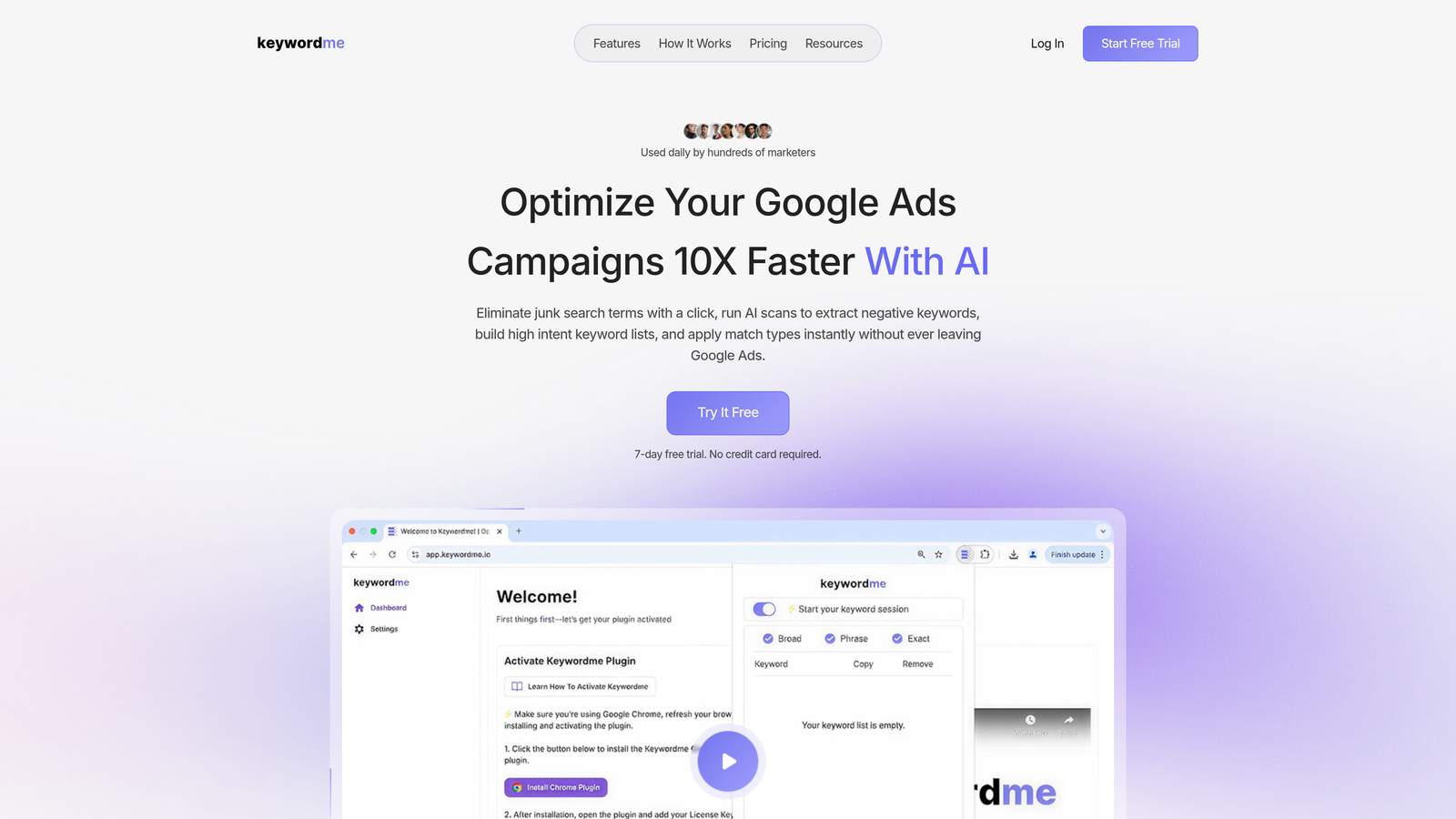
Keywordme is a Chrome extension that integrates directly into Google Ads' Search Terms Report, letting you optimize campaigns without leaving the native interface.
Where This Tool Shines
In most accounts I audit, advertisers spend 30-40% of their optimization time just managing search terms—exporting data, filtering in Excel, then manually adding negatives back into Google Ads. Keywordme eliminates that entire workflow by putting optimization controls directly where you're already working.
The real power comes from one-click actions. See a junk search term? Click once to exclude it. Found a high-intent keyword? Apply the right match type instantly. No tab switching, no spreadsheet exports, no copy-pasting between interfaces. What usually takes 20 minutes now takes 90 seconds.
Key Features
One-Click Search Term Removal: Exclude irrelevant search terms directly from the Search Terms Report without navigating to negative keyword lists.
Instant Match Type Application: Add new keywords with the correct match type (exact, phrase, broad) without leaving the report interface.
Keyword Clustering: Automatically group related search terms to identify patterns and build targeted ad groups faster.
Bulk Editing Capabilities: Apply changes to multiple search terms simultaneously instead of processing them one by one.
Multi-Account Team Support: Agencies can manage multiple client accounts with team collaboration features and shared negative keyword lists.
Best For
Solo advertisers who spend significant time in the Search Terms Report will reclaim hours every week. Agencies managing multiple client accounts benefit from the multi-account support and standardized optimization workflows. If you're still exporting search terms to spreadsheets, this extension pays for itself in time savings within the first week.
Pricing
Flat-rate pricing at $12/month per user with a 7-day free trial. No hidden fees, no per-account charges—just straightforward monthly billing that scales with your team size.
2. Keyword Surfer
Best for: Quick keyword research and search volume data directly in Google search results
Keyword Surfer is a free Chrome extension that displays search volume, CPC estimates, and related keywords directly in Google's search results page.

Where This Tool Shines
When you're building new campaigns or expanding keyword lists, you don't want to jump between Google Ads Keyword Planner and your browser. Keyword Surfer surfaces the data you need right where you're already searching, turning every Google query into a mini keyword research session.
The mistake most advertisers make is treating keyword research as a separate task. With Keyword Surfer, you're constantly gathering intelligence as you browse—seeing which related terms have volume, which are too competitive, and which represent untapped opportunities. It's passive research that happens in the background of your normal workflow.
Key Features
In-SERP Search Volume: See monthly search volume estimates directly in Google search results without opening additional tools.
CPC Estimates: Get cost-per-click data to quickly assess keyword competitiveness and potential ad spend.
Related Keywords Panel: View semantically related keywords with volume data in a sidebar while you search.
Content Editor Integration: Connect keyword data to Surfer SEO's content planning tools for coordinated SEO and PPC strategies.
Best For
Budget-conscious advertisers who need basic keyword intelligence without paying for a full research platform. It's perfect for quick validation checks—"Does this keyword actually have search volume?"—before building out campaigns. Freelancers and small agencies get the most value since it covers 80% of keyword research needs without any cost.
Pricing
Completely free with no usage limits or premium tiers. The extension monetizes through upsells to Surfer SEO's paid content tools, but the core keyword data remains free.
3. Google Ads Editor
Best for: Bulk campaign editing and offline optimization work across multiple accounts
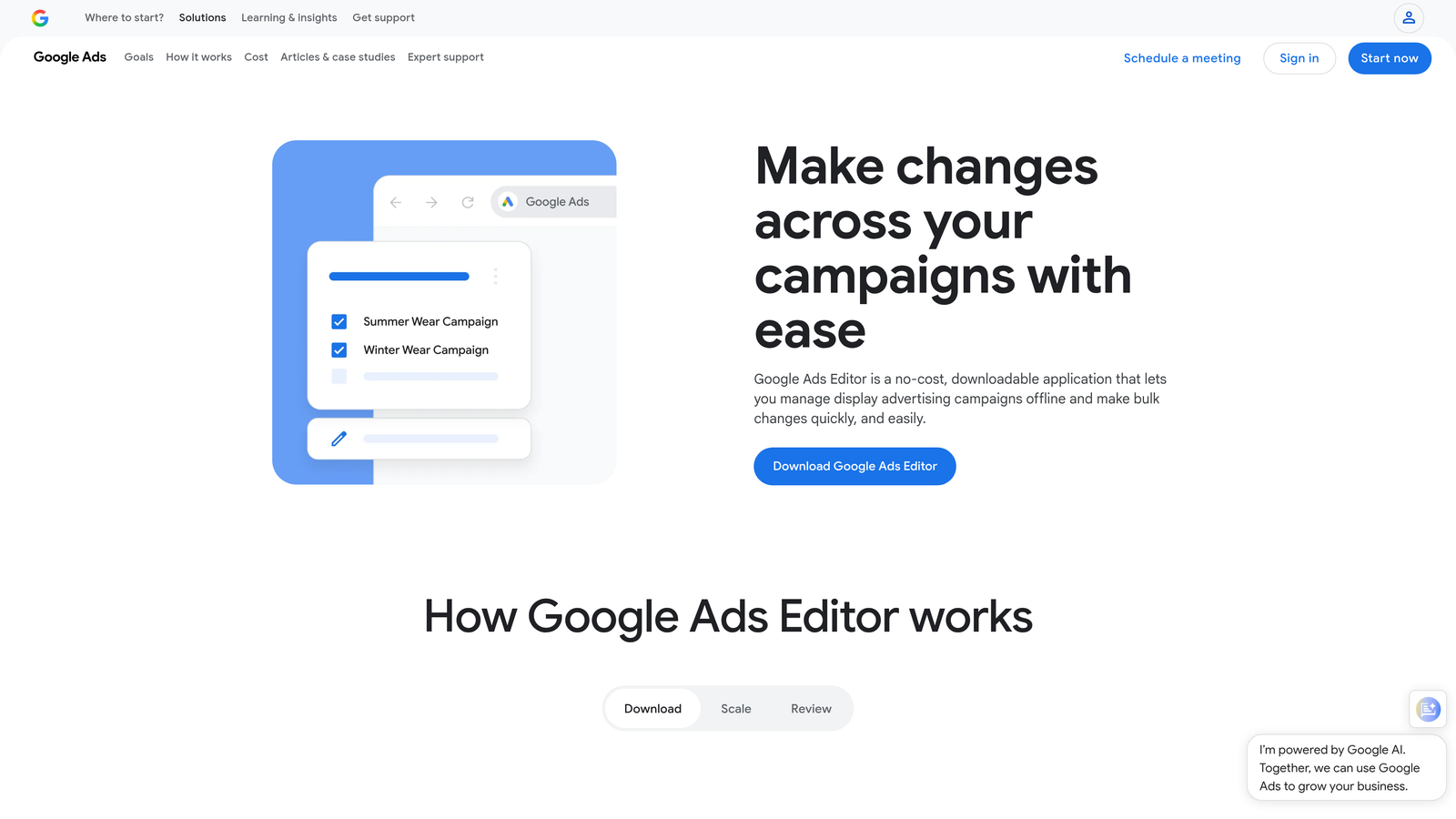
Google Ads Editor is Google's official desktop application for managing campaigns with advanced bulk editing and offline capabilities.
Where This Tool Shines
Here's where it gets interesting: while technically not a browser extension, Google Ads Editor deserves a spot on this list because it solves the same problem—making Google Ads optimization faster and more efficient. The web interface is fine for small tweaks, but when you need to restructure campaigns, update hundreds of keywords, or copy settings across accounts, Editor is essential.
What usually happens is advertisers try to make bulk changes through the web UI, hit rate limits or timeout errors, and end up doing everything manually. Editor downloads your entire account locally, lets you work offline, then syncs changes back when you're ready. For large-scale optimizations, there's no faster tool.
Key Features
Bulk Campaign Editing: Make sweeping changes across campaigns, ad groups, and keywords simultaneously without web interface limitations.
Offline Editing Capability: Download accounts, work without internet connection, then sync changes when you're back online.
Advanced Find and Replace: Search for patterns across all ad copy, keywords, and URLs, then replace them in bulk.
Cross-Account Copy/Paste: Duplicate campaign structures, ad groups, or settings between different Google Ads accounts instantly.
Best For
Agencies managing multiple accounts who need to replicate campaign structures or apply consistent changes across client portfolios. In-house teams restructuring large accounts or migrating campaigns benefit from the offline editing and bulk capabilities. If you regularly make changes to more than 50 items at once, Editor becomes indispensable.
Pricing
Free desktop application available for Windows and Mac. No subscription required—just download, authenticate with your Google Ads account, and start editing.
4. SimilarWeb Browser Extension
Best for: Competitive traffic analysis and website intelligence without leaving your browser
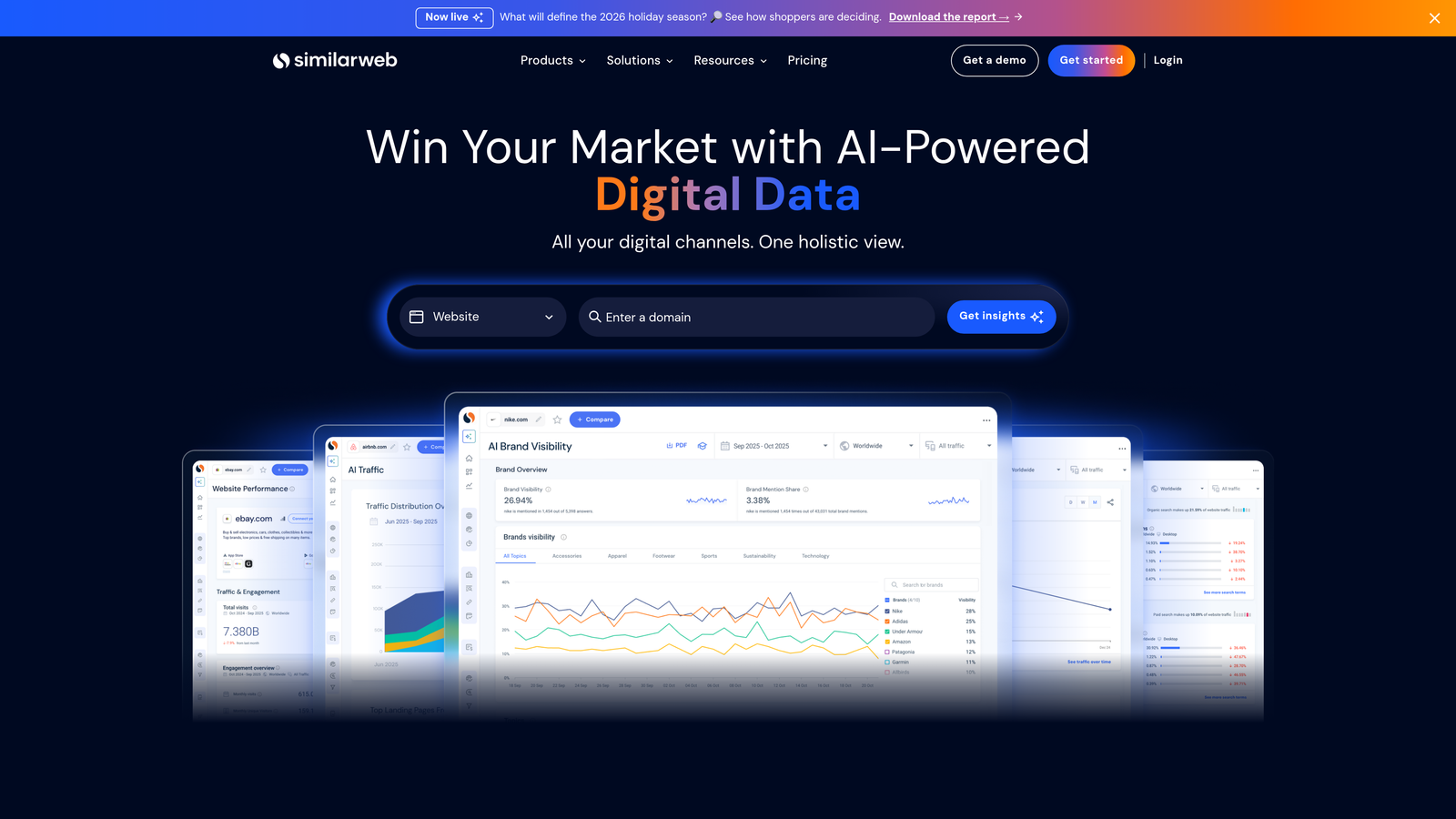
SimilarWeb Browser Extension provides instant website traffic estimates, engagement metrics, and traffic source breakdowns for any site you visit.
Where This Tool Shines
When you're researching competitors or evaluating potential partnership opportunities, you need quick answers: How much traffic does this site get? Where does it come from? How engaged is their audience? SimilarWeb surfaces these insights instantly, turning every competitor's website into a data source.
In most accounts I audit, advertisers are guessing about competitor strategy based on ad copy alone. SimilarWeb shows you the bigger picture—if a competitor is driving 60% of their traffic from paid search, you know they're heavily invested in Google Ads. If organic dominates, their SEO game is strong and you might be competing on branded terms. Context changes strategy.
Key Features
Traffic Estimates and Trends: See monthly visit counts and traffic trajectory for any website you browse.
Traffic Source Breakdown: View the percentage split between organic search, paid search, social, referrals, and direct traffic.
Audience Geography: Understand where a competitor's traffic originates by country and region.
Top Referring Sites: Identify which websites send the most traffic to competitors, revealing partnership and content opportunities.
Best For
Competitive intelligence gathering for advertisers who need to understand the broader digital strategy of competitors, not just their ad copy. Market research teams evaluating potential acquisition targets or partnership opportunities get detailed traffic insights without requesting analytics access. The free tier covers basic research needs for solo advertisers.
Pricing
Free tier provides limited data with daily usage caps. Premium plans start at $125/month for more detailed insights, historical data, and unlimited queries.
5. SEMrush AdClarity
Best for: Deep competitive ad intelligence including creatives, placements, and estimated spend
SEMrush AdClarity is an ad intelligence platform with browser integration for analyzing competitor display and video ad campaigns.

Where This Tool Shines
Think of AdClarity as your competitor's media plan laid bare. While most tools show you what keywords competitors bid on, AdClarity reveals their actual ad creatives, where those ads appear, and how much they're estimated to spend. It's the difference between knowing someone runs Google Ads and understanding their entire paid strategy.
The twist? You can see historical ad campaigns, not just current ones. When a competitor launches a new product or runs a seasonal promotion, you can analyze exactly how they structured their ad campaigns, which publishers they prioritized, and how long they ran each creative variation. Pattern recognition becomes your competitive advantage.
Key Features
Competitor Ad Creative Library: Browse actual display and video ads competitors are running across the web and YouTube.
Estimated Ad Spend Analysis: See projected monthly and annual ad budgets by advertiser to understand competitive investment levels.
Ad Placement Intelligence: Identify which websites and apps competitors use for display advertising to inform your own placement strategy.
Historical Campaign Tracking: Access archived ad campaigns to analyze seasonal patterns and promotional strategies over time.
Best For
Advertisers in competitive industries who need to stay ahead of competitor messaging and creative strategies. E-commerce brands tracking seasonal campaigns benefit from historical data showing how competitors approached past holiday seasons. Media buyers planning display campaigns can identify high-performing publisher placements without expensive testing.
Pricing
Included with SEMrush subscriptions starting at $139.95/month. The Pro plan provides basic ad intelligence; Guru and Business tiers unlock more advertisers and historical data.
6. SpyFu Extension
Best for: Competitor PPC keyword research and historical ad copy analysis
SpyFu reveals competitor PPC keywords, ad copy variations, and estimated monthly spend with a focus on search advertising intelligence.

Where This Tool Shines
While SimilarWeb shows you traffic patterns and AdClarity reveals display campaigns, SpyFu specializes in search advertising—the core of most Google Ads accounts. It answers the question every advertiser asks: "What keywords are my competitors bidding on that I'm missing?"
What usually happens is you discover a competitor ranking for keywords you never considered. SpyFu not only shows you those keywords but also reveals the exact ad copy they've tested, how long they've been bidding, and which variations performed well enough to keep running. It's reverse-engineering competitor strategy at scale.
Key Features
Competitor PPC Keyword Lists: Download complete lists of keywords competitors bid on, sorted by estimated traffic and value.
Historical Ad Copy Archive: View every ad variation a competitor has run, including headlines, descriptions, and landing page URLs.
Estimated Monthly PPC Budget: See projected ad spend by competitor to gauge their commitment to paid search.
Keyword Overlap Analysis: Identify which keywords you and competitors both target, plus gaps where only they're bidding.
Best For
Keyword expansion research for advertisers who've exhausted their own brainstorming and need fresh ideas from competitive analysis. Small businesses competing against larger brands can identify budget-friendly long-tail keywords that competitors overlook. The historical ad copy library helps copywriters understand which messaging angles resonate in your industry.
Pricing
Plans start at $39/month for basic competitor research with limited results. Professional plans at $79/month unlock unlimited searches and deeper historical data.
7. Tag Assistant Legacy
Best for: Debugging Google Ads conversion tracking and validating tag implementation
Tag Assistant Legacy is Google's official debugging extension for validating Google Ads tags, Google Analytics, and other Google marketing tools.
Where This Tool Shines
Here's the thing: conversion tracking breaks more often than most advertisers realize. A developer pushes a site update, a tag gets duplicated, or a trigger fires on the wrong page—and suddenly your conversion data is garbage. Tag Assistant catches these issues before they corrupt your optimization decisions.
The recording mode is particularly powerful. You can simulate a complete user journey—landing page to form submission to thank you page—and Tag Assistant shows you exactly which tags fired at each step. When conversion tracking fails, you know precisely where the breakdown occurred instead of guessing.
Key Features
Real-Time Tag Validation: See which Google tags are present on any page, whether they're firing correctly, and if there are configuration errors.
Conversion Tracking Troubleshooting: Verify that Google Ads conversion tags fire on the correct pages with proper values.
Google Analytics Tag Verification: Confirm GA4 and Universal Analytics tags are implemented correctly and sending data.
Recording Mode for User Journeys: Track tag behavior across multiple pages to debug complex conversion funnels.
Best For
Anyone implementing or maintaining Google Ads conversion tracking—especially if you don't have a dedicated developer. Agencies auditing new client accounts can quickly identify tracking issues that explain performance discrepancies. In-house marketers working with external dev teams need this to verify that tracking requests were implemented correctly.
Pricing
Free Chrome extension with no usage limits. Google provides it as a support tool for their marketing platforms.
8. Optmyzr Express
Best for: Automated optimization suggestions and performance monitoring across campaigns
Optmyzr Express provides PPC optimization recommendations, automated bid management suggestions, and performance alerts through browser-based tools.
Where This Tool Shines
Most optimization platforms require you to log into a separate dashboard, review suggestions, then manually implement changes in Google Ads. Optmyzr Express streamlines this by surfacing optimization opportunities with one-click implementation—similar to how Keywordme works for search terms, but across broader campaign elements.
The performance anomaly alerts are where this tool earns its keep. Instead of discovering budget overspend or conversion rate drops days later in your weekly review, Optmyzr flags issues as they happen. Budget pacing shows you're burning through 80% of monthly spend by day 15? You get an alert before the money's gone.
Key Features
One-Click Optimization Recommendations: Review and apply suggested bid adjustments, budget changes, and keyword additions without leaving the interface.
Automated Bid Management Suggestions: Get data-driven bid recommendations based on conversion goals and historical performance.
Performance Anomaly Alerts: Receive notifications when campaigns show unusual patterns in spend, conversions, or traffic.
Budget Pacing Monitoring: Track daily spend against monthly budgets to avoid premature budget depletion or underspending.
Best For
Advertisers managing large accounts with dozens of campaigns who need systematic optimization workflows. Agencies benefit from standardized optimization processes that can be applied consistently across client accounts. If you're currently optimizing reactively—only when you notice problems—Optmyzr shifts you to proactive management.
Pricing
Plans start at $249/month for small accounts with limited ad spend. Pricing scales based on monthly ad spend managed through the platform.
9. Supermetrics Sidebar
Best for: Quick multi-platform performance snapshots and data aggregation without dashboards
Supermetrics Sidebar provides browser-based access to Google Ads and cross-platform performance data with direct export to Google Sheets.
Where This Tool Shines
Reporting is where most agencies waste time—logging into multiple platforms, exporting data, formatting spreadsheets, then manually combining everything into client reports. Supermetrics eliminates the manual data gathering by pulling performance metrics from Google Ads, Facebook, LinkedIn, and other platforms into a single view.
The real value is in the Google Sheets connector. Instead of static reports that are outdated the moment you send them, you create living spreadsheets that refresh automatically. Clients can check current performance anytime without waiting for your weekly update. You spend less time on data entry and more time on actual optimization.
Key Features
Quick Performance Snapshots: View key metrics across advertising platforms without logging into each account separately.
Multi-Account Data Aggregation: Combine performance data from multiple Google Ads accounts or cross-platform campaigns in unified reports.
Custom Metric Views: Configure which metrics appear in your sidebar based on what you actually monitor daily.
Direct Google Sheets Export: Send data directly to Google Sheets with automatic refresh schedules for up-to-date reporting.
Best For
Agencies managing multiple clients who need efficient reporting workflows that don't require manual data exports. In-house teams running cross-platform campaigns benefit from unified performance views. If you're currently copying data between platforms to build reports, Supermetrics pays for itself in time savings within the first billing cycle.
Pricing
Plans start at $29/month for the Google Sheets connector with limited data sources. Agency plans with multi-account support and additional platforms start at $99/month.
Making the Right Choice
The best extension strategy isn't installing everything—it's identifying your biggest workflow bottleneck and solving it first. If you spend hours managing search terms, start with Keywordme and reclaim that time immediately. Competitive research gaps? Pair SimilarWeb's traffic intelligence with SpyFu's keyword insights for complete competitor visibility.
For budget-conscious freelancers just starting out, begin with the free tools: Keyword Surfer for research, Tag Assistant for tracking validation, and Google Ads Editor for bulk changes. These three cover fundamental needs without any monthly cost. As your client roster grows, layer in paid tools that scale with your business—Keywordme for optimization efficiency, Supermetrics for reporting automation.
Agency teams managing multiple accounts should prioritize tools with multi-account support and collaboration features. Keywordme's team capabilities combined with Supermetrics for reporting create a powerful foundation. Add Optmyzr for systematic optimization workflows across client portfolios.
Here's what actually works: install one extension, master it completely, then add complementary tools as specific needs emerge. Most advertisers install five extensions, use none of them consistently, and end up back in spreadsheets anyway. Pick your biggest pain point, solve it with the right tool, build the habit, then expand.
The extensions that stick are the ones that integrate seamlessly into your existing workflow—not the ones that require learning a new dashboard or changing how you work. Start your free 7-day trial of Keywordme and experience how in-interface optimization should work: fast, intuitive, and powerful enough to transform how you manage Google Ads campaigns.
.svg)