
9 Best Google Ads Agency Management Tools in 2026
Discover the 9 best Google Ads agency management tools in 2026, evaluated across multi-account support, automation, reporting, and pricing to help agencies reduce manual workload and scale client management efficiently. From search term optimization to budget pacing and automated reporting, this roundup identifies the right tool combinations for freelancers managing a handful of accounts to agencies handling fifty or more.


TL;DR: Managing Google Ads for multiple clients is a grind. Search term reviews, negative keyword lists, bid adjustments, budget pacing, and client reports across dozens of accounts eat hours every week. The right tools cut that workload dramatically and help you scale without adding headcount. This roundup covers the top Google Ads agency management tools that agencies actually use in 2026, evaluated on multi-account support, workflow automation, reporting depth, and pricing transparency.
Whether you're a freelancer juggling five accounts or an agency running fifty, there's a combination here that fits your workflow. Let's get into it.
1. Keywordme
Best for: Agencies and freelancers who want to optimize search terms and keywords without leaving Google Ads.
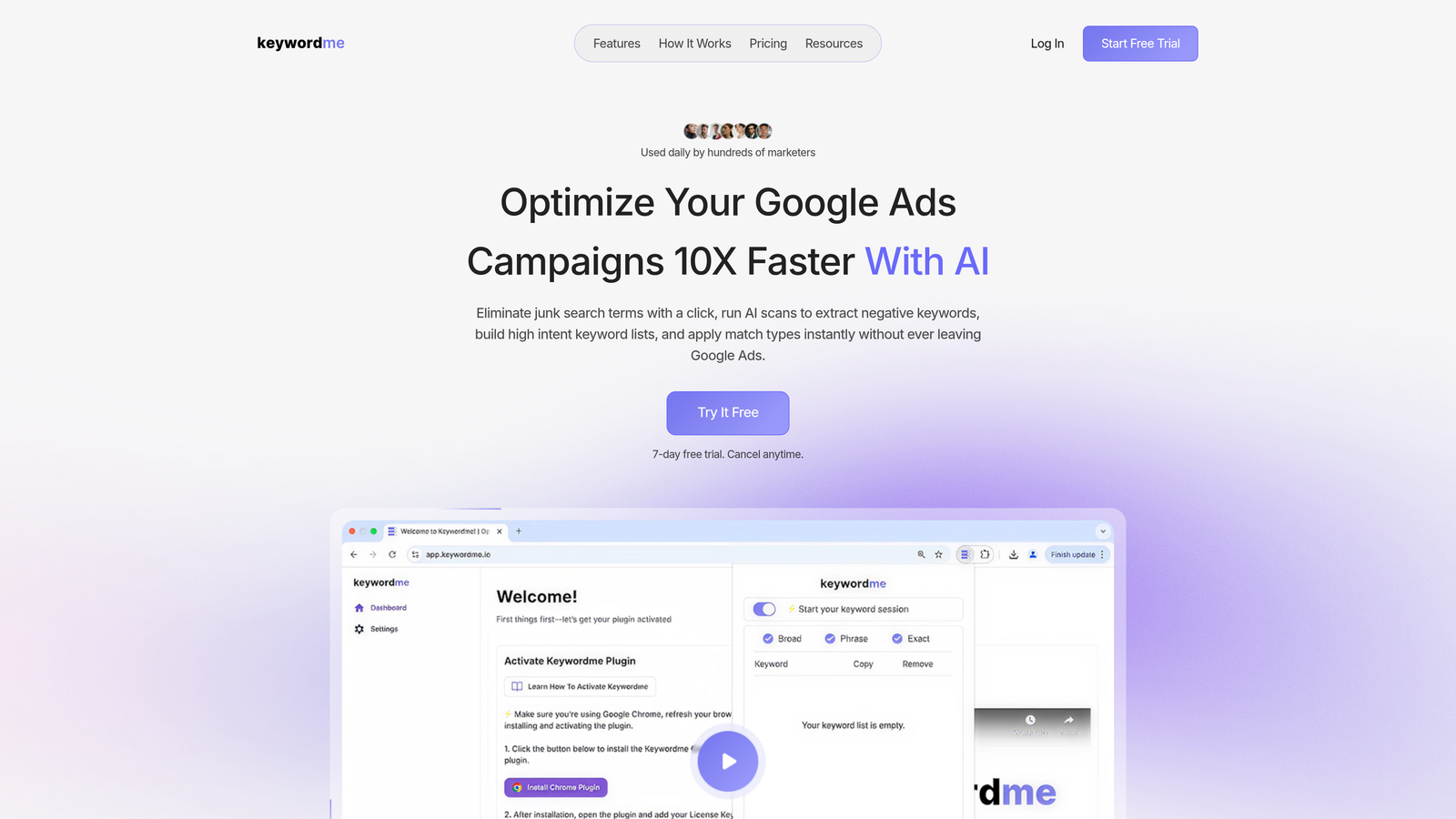
Keywordme is a Chrome extension that plugs directly into the Google Ads Search Terms Report, letting you clean up junk terms, add negatives, apply match types, and build keyword lists without ever opening a spreadsheet or switching tabs.
Where This Tool Shines
In most accounts I audit, the Search Terms Report is where wasted spend hides. The problem isn't that advertisers don't know this—it's that reviewing search terms manually is slow and tedious, especially when you're doing it across ten or twenty accounts. Keywordme removes that friction entirely. You work directly inside the native Google Ads interface, which means no CSV exports, no copy-pasting into third-party tools, and no context-switching.
What usually happens here is that agencies end up doing search term reviews less frequently than they should because the process is painful. Keywordme fixes that by making the whole workflow faster. The keyword clustering feature is particularly useful for agencies building out new campaign structures from scratch or reorganizing existing ad groups quickly.
Key Features
One-Click Junk Term Removal: Flag and remove irrelevant search terms directly in the Search Terms Report without exporting data.
Bulk Keyword Actions: Add negatives, apply match types, and build keyword lists across multiple campaigns in a few clicks.
Keyword Clustering: Group related search terms into organized keyword clusters fast, ideal for building out new ad groups or restructuring campaigns.
Multi-Account and Team Support: Built for agencies managing multiple client accounts, with team collaboration features baked in.
Native Interface Integration: Works inside Google Ads itself—no separate dashboard, no additional login, no tab switching required.
Best For
Freelancers and agency teams who spend significant time on search term reviews and keyword management. Especially valuable for accounts with high search volume where manual review would otherwise take hours. If your team is still doing this work in spreadsheets, Keywordme is the most direct upgrade available.
Pricing
$12/month per user with a 7-day free trial. One of the most affordable tools in this category, especially for small teams and solo operators.
2. Optmyzr
Best for: Agencies managing Google, Microsoft, and Meta Ads who need a full-stack optimization and automation platform.
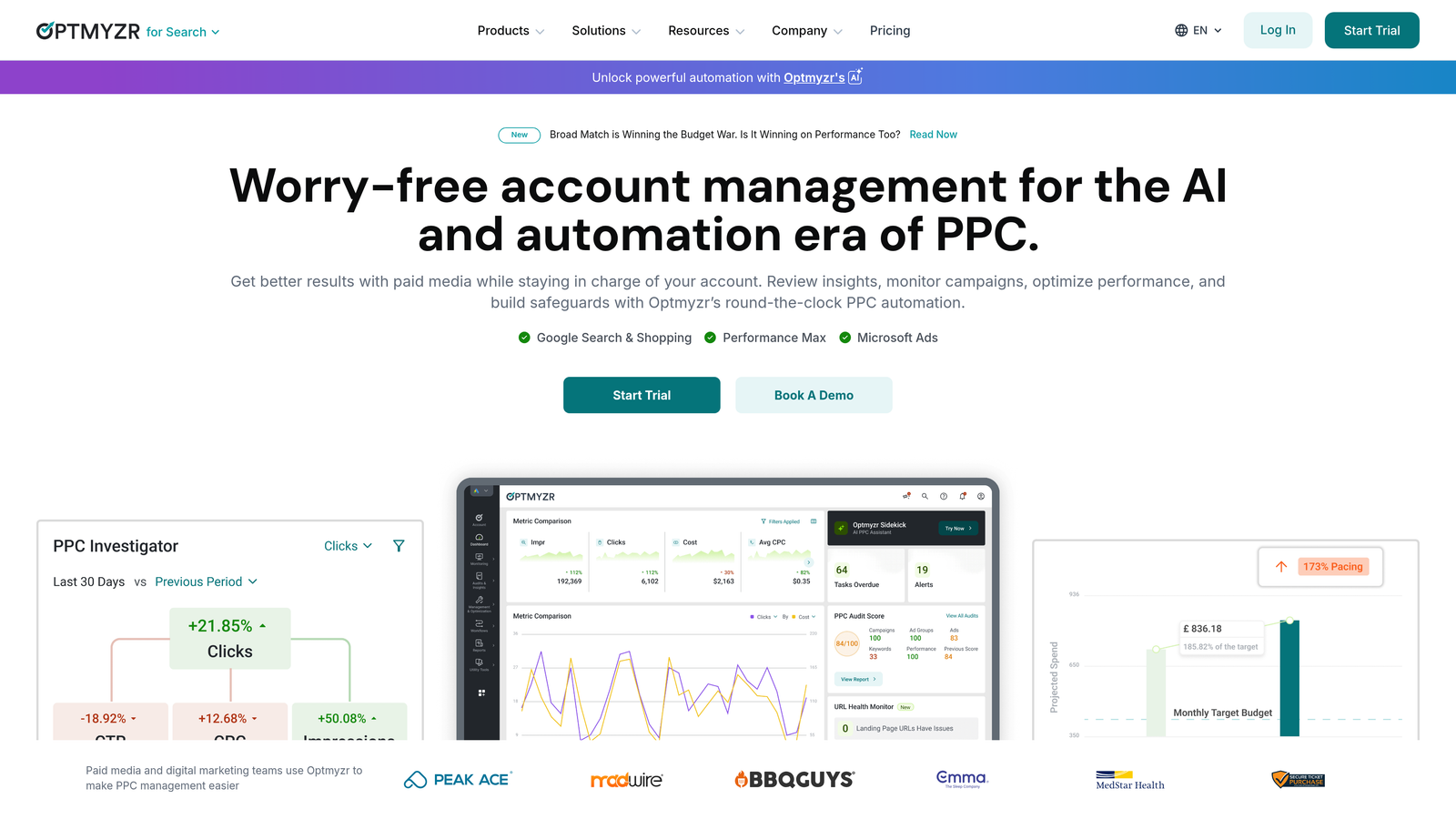
Optmyzr is a comprehensive PPC management platform built around one-click optimizations, a powerful rule engine, and multi-account dashboards designed for agency-scale workflows.
Where This Tool Shines
Optmyzr sits in a category of its own for agencies that need serious automation without fully giving up control. The Rule Engine lets you build custom automated workflows—think bid adjustments based on weather data, budget pacing rules, or keyword expansion triggers—without writing code. For agencies that have standardized their optimization processes, this is genuinely powerful.
The one-click optimization features are also worth calling out. Optmyzr surfaces prioritized recommendations and lets you implement them in bulk, which is a real time-saver when you're working through a queue of client accounts on a Monday morning.
Key Features
One-Click Optimizations: Prioritized bid, budget, and keyword recommendations you can implement instantly across accounts.
Rule Engine: Build custom automated account management rules without any coding required.
Multi-Account Dashboards: Cross-account performance views that let you spot issues and opportunities at a glance.
Shopping and Performance Max Optimization: Dedicated features for managing Google's more complex campaign types.
Custom Reporting: Flexible data visualization and reporting tools for client-facing deliverables.
Best For
Mid-to-large agencies managing significant ad spend across multiple platforms who need a centralized optimization hub. The pricing reflects this positioning, so smaller agencies should weigh the cost against their actual account volume.
Pricing
Starts around $249/month and scales with total ad spend managed. A free trial is available.
3. Adalysis
Best for: Agencies focused on systematic ad testing and account-level quality score monitoring.
Adalysis is a PPC optimization tool built around automated ad testing, quality score tracking, and audit-style account recommendations—think of it as a permanent account health monitor.

Where This Tool Shines
The mistake most agencies make with ad testing is running it inconsistently. Adalysis automates the statistical significance tracking so you're not manually checking whether a test has enough data to call a winner. It flags when tests are conclusive and tells you what to do next, which keeps testing cadences on track even when client accounts aren't top of mind.
The negative keyword conflict detection is another feature that saves real time. Catching conflicts between negative lists and active keywords is one of those tasks that's easy to miss and expensive when you do, and Adalysis surfaces these automatically.
Key Features
Automated Ad Testing: Tracks statistical significance across ad variants and flags conclusive results automatically.
Quality Score Monitoring: Historical Quality Score tracking at keyword level across all accounts.
Account Audit Checklists: Structured audit workflows and performance alerts to catch issues before clients notice them.
Negative Keyword Conflict Detection: Automatically identifies where negative keywords are blocking active keywords from serving.
Multi-Account Management: Client-level views for managing multiple accounts from one interface.
Best For
Agencies with a strong focus on ad copy testing and account hygiene. Particularly useful if you've committed to a systematic testing methodology and want tooling that enforces it across your client portfolio.
Pricing
Starts around $149/month based on ad spend managed. A free trial is available.
4. WordStream by LocaliQ
Best for: Smaller agencies and non-specialist teams who need guided, prioritized PPC recommendations without deep technical expertise.
WordStream is a guided PPC optimization platform best known for its "20-minute work week" approach, which surfaces the most impactful recommendations for Google and Microsoft Ads accounts in a simplified, actionable format.

Where This Tool Shines
WordStream's strength is accessibility. If you're managing PPC accounts for local businesses or clients who don't have large budgets, the prioritized recommendation engine helps you focus on what actually moves the needle without spending hours digging through account data. The free Google Ads Performance Grader is also widely used as a quick audit tool for new prospect conversations.
The cross-platform support covering Google, Microsoft, and Meta in one interface is useful for agencies that don't want to manage separate workflows for each channel.
Key Features
20-Minute Work Week: Prioritized, actionable optimization recommendations designed to surface the highest-impact tasks first.
Google Ads Performance Grader: Free account audit tool useful for prospect presentations and quick health checks.
Cross-Platform Support: Manage Google, Microsoft, and Meta Ads from a single interface.
Simplified Interface: Designed for teams without deep PPC specialization, reducing the learning curve significantly.
Landing Page Tools and Call Tracking: Additional features for agencies offering broader digital marketing services.
Best For
Smaller agencies and generalist digital marketing teams managing local or SMB clients. Less suited for high-volume, technically complex accounts where deeper control is needed.
Pricing
Custom pricing—contact sales for a quote. The Performance Grader is free to use without an account.
5. Opteo
Best for: Agencies that want continuous account monitoring with prioritized, one-click optimization suggestions across all client accounts.
Opteo continuously monitors Google Ads accounts in the background and pushes prioritized improvement suggestions to your queue, making it feel like having a virtual analyst watching every account around the clock.

Where This Tool Shines
What I like about Opteo's approach is that it doesn't just show you data—it tells you what to do with it. The improvement suggestions are ranked by expected impact, so when you sit down to work through a client account, you're not starting from scratch figuring out where to focus. You're just working through a prioritized queue.
The anomaly detection is solid too. Opteo catches unusual performance drops or spend spikes before they become client escalations, which is exactly the kind of safety net agencies need when managing many accounts simultaneously.
Key Features
Continuous Account Monitoring: Always-on monitoring that surfaces prioritized improvement tasks as they become relevant.
One-Click Implementation: Apply suggested optimizations directly from the Opteo interface without navigating through Google Ads manually.
Performance Segmentation: Breaks down performance data to help identify which segments are driving results and which are dragging.
Anomaly Detection: Flags unusual changes in spend, conversions, or performance before they escalate.
Multi-Account Agency Dashboard: Overview of all client accounts with status indicators and pending tasks.
Best For
Agencies managing a moderate number of accounts who want a lightweight but smart optimization layer on top of their existing workflow. Works well alongside Google's native MCC as a daily task management tool.
Pricing
Starts at $129/month and scales with total ad spend managed. A free trial is available.
6. Google Ads Manager Accounts (MCC)
Best for: Any agency managing multiple Google Ads accounts—this is the non-negotiable baseline tool every agency should be using.
Google Ads Manager Accounts (commonly called MCC, or My Client Center) is Google's native multi-account management tool, giving you a single login to access, manage, and report across all client accounts at no cost.

Where This Tool Shines
Every agency should be running an MCC as their foundation. It's free, it's built by Google, and it gives you cross-account reporting, shared negative keyword lists, shared audiences, and centralized billing management in one place. There's no reason not to use it.
The cross-account performance comparison view is particularly useful for quickly spotting which accounts need attention. You can see spend, conversions, and cost-per-conversion across your entire client portfolio at a glance, then drill into individual accounts from there.
Key Features
Single Login Access: Manage all client Google Ads accounts from one centralized interface.
Cross-Account Reporting: Compare performance metrics across your entire client portfolio in one view.
Shared Negative Keyword Lists: Create and apply negative keyword lists across multiple accounts simultaneously.
Shared Audiences: Share remarketing and customer match audiences across linked accounts.
Centralized Billing: Manage invoicing and payment methods for all clients from a single billing interface.
Best For
Every agency managing more than one Google Ads account. Full stop. This is the infrastructure layer that all other tools in this list sit on top of.
Pricing
Free. No cost, no tiers, no ad spend minimums.
7. Channable
Best for: Agencies with e-commerce clients who need to automate campaign creation and management from product data feeds.
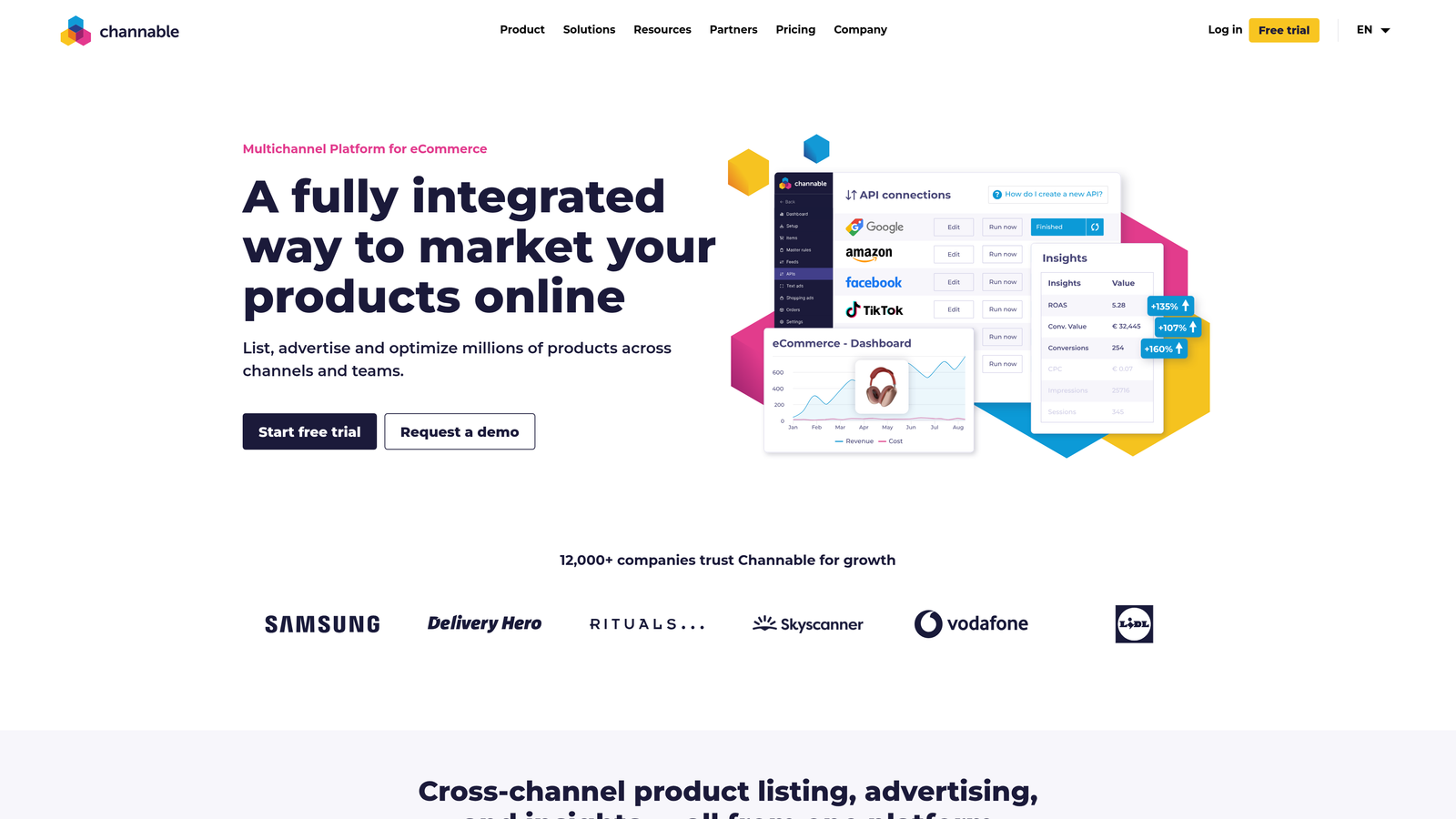
Channable is a feed management and PPC automation platform that lets agencies auto-generate Google Ads campaigns directly from product data feeds, making it especially powerful for Shopping and Performance Max campaign management at scale.
Where This Tool Shines
If you manage e-commerce clients with large product catalogs, you already know the pain of keeping campaigns aligned with live inventory, pricing, and promotions. Channable solves this by connecting product feeds directly to campaign structures, so ads automatically update when product data changes. No manual edits, no stale ad copy pointing to out-of-stock products.
The dynamic rule system lets you build logic into your campaign management—pause campaigns when stock drops below a threshold, adjust bids based on margin data, or create ad copy variations based on product attributes. For agencies with multiple e-commerce clients, this kind of automation compounds quickly.
Key Features
Automated Campaign Creation: Generate Google Ads campaigns automatically from product data feeds.
Dynamic Rules Engine: Set rules that automatically adjust ad copy, bids, and campaign status based on feed data.
Feed Optimization: Clean and optimize product feeds for Google Shopping and Performance Max.
Multi-Channel Distribution: Push optimized feeds to Google, Microsoft, Meta, and various marketplaces from one platform.
API Integrations: Connect with custom data sources and platforms for more advanced workflow automation.
Best For
Agencies specializing in e-commerce PPC, particularly those managing clients with large or frequently changing product catalogs. Less relevant for service-based or lead generation accounts.
Pricing
Starts around €59/month and scales with the number of channels and product items managed.
8. Skai (formerly Kenshoo)
Best for: Enterprise agencies and large in-house teams managing significant cross-channel ad spend with complex attribution requirements.
Skai is an enterprise-grade cross-channel advertising platform with AI-powered budget allocation, spend forecasting, and advanced attribution across search, social, and retail media.
Where This Tool Shines
Skai operates at a different scale than most tools on this list. If you're managing tens of millions in ad spend across Google, social, and retail media, and you need sophisticated attribution modeling and algorithmic bidding strategies, this is the category of tool you're looking at. The AI-powered budget allocation is particularly strong for agencies that need to optimize spend distribution across channels dynamically.
The incrementality testing capabilities are a differentiator at the enterprise level. Being able to measure the true incremental impact of your campaigns—rather than relying on last-click attribution—is increasingly important for agencies that need to justify spend to sophisticated clients.
Key Features
AI-Powered Budget Allocation: Automated spend forecasting and cross-channel budget optimization driven by machine learning.
Cross-Channel Campaign Management: Unified management across search, social, and retail media channels.
Advanced Attribution and Incrementality Testing: Measure true campaign impact beyond standard platform attribution models.
Automated Bidding with Custom Algorithms: Build and deploy custom bidding strategies tailored to specific business objectives.
Enterprise Reporting and Data Integrations: Deep data integration capabilities for connecting with BI tools and custom data warehouses.
Best For
Enterprise agencies and large in-house teams with complex cross-channel needs and the budget to match. Not the right fit for small or mid-sized agencies—the pricing and onboarding complexity reflect the enterprise positioning.
Pricing
Custom enterprise pricing. Contact Skai directly for a quote.
9. AgencyAnalytics
Best for: Agencies that need professional, automated white-label client reporting across Google Ads and other digital marketing channels.
AgencyAnalytics is a client reporting platform built specifically for agencies, offering automated white-label reports, live client dashboards, and integrations with over 80 marketing tools including Google Ads, Google Analytics, Search Console, and major SEO platforms.
Where This Tool Shines
Client reporting is one of those tasks that agencies consistently underestimate the time cost of. Building a monthly report manually—pulling data from Google Ads, Analytics, Search Console, and social platforms, formatting it, and making it look professional—can easily take an hour or more per client. AgencyAnalytics automates most of that work.
The live dashboard feature is worth highlighting separately. Giving clients a branded dashboard they can log into and check their own numbers reduces the volume of "how are things going?" emails significantly. It also positions your agency as more transparent and data-driven, which helps with retention.
Key Features
Automated White-Label Reports: Scheduled, branded client reports generated automatically with your agency's logo and colors.
Live Client Dashboards: Real-time dashboards clients can access directly with their own login.
80+ Integrations: Connect Google Ads, Analytics, Search Console, social platforms, SEO tools, and more in one reporting interface.
Custom Metrics and Goals: Define custom KPIs, set targets, and annotate reports with context for each client.
Staff and Client Permission Management: Control what each team member and client can see within the platform.
Best For
Agencies of any size that produce regular client reports and want to automate the process. Particularly valuable for agencies managing five or more clients where manual reporting becomes a genuine bottleneck.
Pricing
Starts at $79/month for up to 5 client campaigns, with pricing scaling based on the number of campaigns managed.
Which Tool Fits Your Agency Best?
The honest answer is that most agencies layer several of these tools rather than relying on just one. Here's how to think about it by use case.
Start with Google MCC as your foundation. It's free, it's essential, and every other tool on this list works alongside it. If you're not already using a Manager Account, set one up before anything else.
For search term and keyword optimization, Keywordme is the most direct solution available. It works inside the Google Ads interface you're already using, costs $12/month per user, and makes the most time-consuming part of PPC management significantly faster. It's the kind of tool that pays for itself in the first week of use.
For full-stack automation and rule-based management, Optmyzr is the strongest option for mid-to-large agencies. Opteo is a lighter-weight alternative that works well for agencies that want smart monitoring without the full platform complexity.
For e-commerce clients with product feeds, Channable is in a category of its own. Nothing else on this list handles feed-driven campaign automation as well.
For client reporting, AgencyAnalytics is the clear choice. It integrates everything into one branded reporting layer and dramatically reduces the time spent on monthly deliverables.
For enterprise-level cross-channel needs, Skai is the tool to evaluate—but the pricing and complexity are only justified at significant scale.
If you're looking for a quick win right now, the easiest place to start is cleaning up your search terms. It's where wasted spend accumulates fastest, and it's the task most agencies do too infrequently because it's tedious. Start your free 7-day trial of Keywordme and see how much faster your search term workflow becomes when you're doing it directly inside Google Ads instead of juggling spreadsheets. After that, build out the rest of your stack from there.
.svg)