
9 Best Google Ads Account Management Software Tools in 2026
Discover the 9 best Google Ads account management software tools for 2026, covering everything from Chrome extensions to enterprise PPC platforms. Whether you're a freelancer or agency managing 50+ accounts, this guide helps you identify the right tools to reduce manual work, improve optimization speed, and scale smarter.


TL;DR: Managing Google Ads accounts manually is slow, error-prone, and doesn't scale. Whether you're a solo freelancer juggling a handful of clients or an agency running 50+ accounts, the right Google Ads account management software can cut your optimization time dramatically and help you make smarter decisions faster. This list covers 9 tools that actually move the needle, from in-interface Chrome extensions to full-scale PPC platforms. Selection criteria: workflow efficiency, ease of use, scalability for agencies, pricing transparency, and how well each tool fits real-world PPC workflows.
The tools here span four tiers: in-interface extensions, native desktop apps, mid-market SaaS platforms, and enterprise-grade systems. Most serious PPC managers end up combining two or three. Pick the ones that solve your biggest bottleneck right now.
1. Keywordme
Best for: Freelancers and agency managers who want faster keyword optimization without leaving Google Ads.
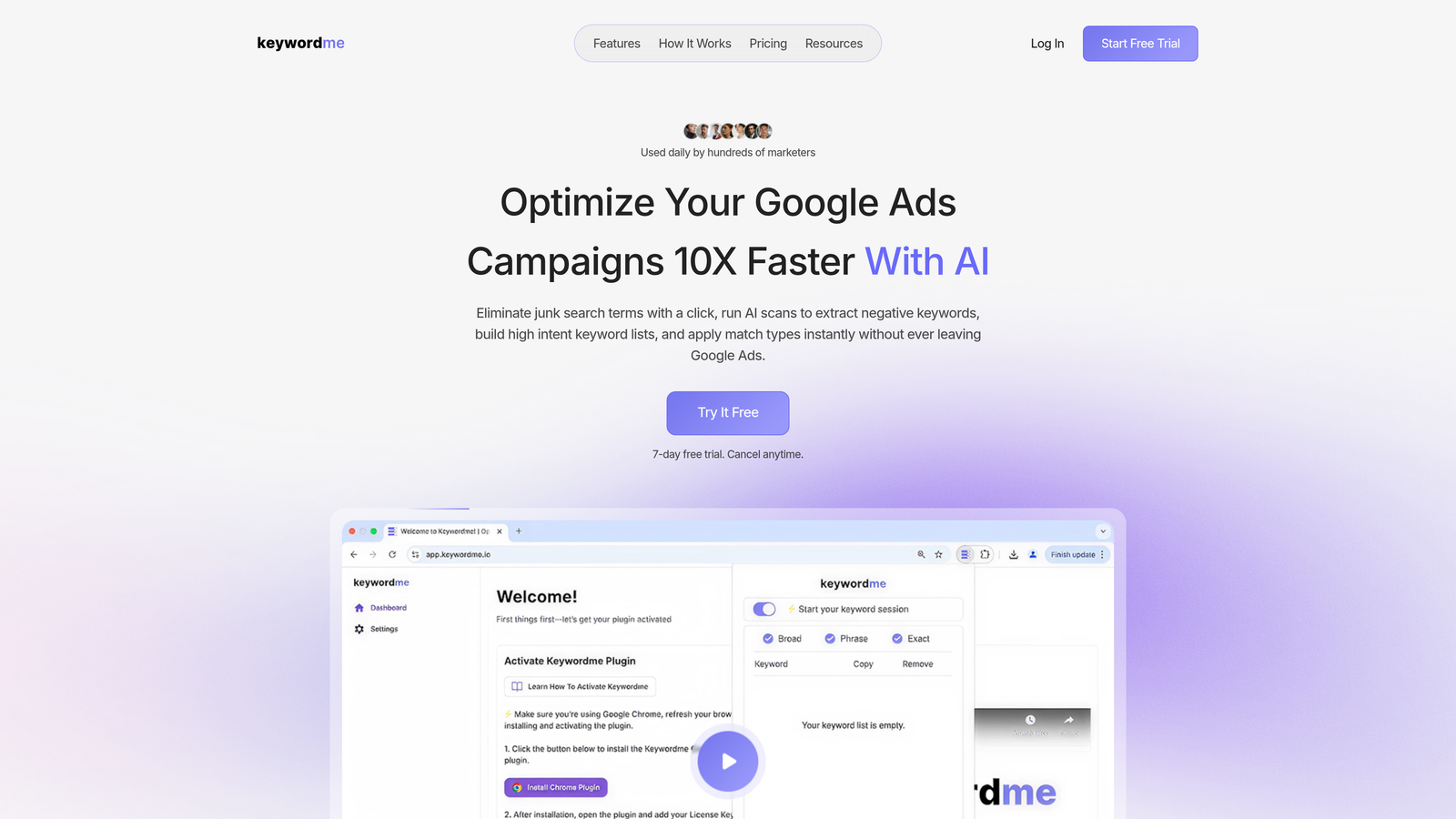
Keywordme is a Chrome extension that plugs directly into Google Ads' Search Terms Report, letting you act on search term data instantly without exporting to spreadsheets or switching tabs.
Where This Tool Shines
In most accounts I audit, the biggest time sink isn't strategy, it's the repetitive manual work inside the search terms report. Reviewing terms, flagging junk, adding negatives, applying match types. Keywordme turns that entire workflow into a series of quick clicks, right inside the native Google Ads interface.
What makes it genuinely useful is that it doesn't ask you to change where you work. You're already in Google Ads. Keywordme just makes the actions you're already taking dramatically faster. For agencies managing multiple client accounts, that time savings compounds quickly across the month.
Key Features
One-Click Negative Keyword Addition: Remove junk search terms directly from the Search Terms Report without exporting or using a separate tool.
Instant Match Type Application: Apply broad, phrase, or exact match to keywords without leaving the native UI or touching a spreadsheet.
Keyword Clustering: Group related search terms together quickly to build structured keyword lists or new ad groups.
Bulk Editing Across Campaigns: Make changes across multiple campaigns simultaneously without the export-edit-upload cycle.
Multi-Account and Team Support: Manage multiple client accounts and share access with team members, making it practical for agency workflows.
Best For
Freelancers, in-house PPC managers, and agency account managers who spend significant time in the search terms report every week. It's especially useful if wasted spend from irrelevant search terms is a recurring problem in your accounts. Not a fit for teams that need cross-channel reporting or enterprise bid management.
Pricing
$12/month per user with a 7-day free trial. One of the more transparent pricing models in this category, no demo required, no enterprise tiers to navigate.
2. Google Ads Editor
Best for: Bulk editing and offline campaign management at no cost.
Google Ads Editor is Google's free desktop application for downloading, editing, and uploading Google Ads account changes in bulk.

Where This Tool Shines
If you're restructuring a large account, running a find-and-replace across hundreds of ad groups, or copying campaigns between accounts, Editor is still the most efficient way to do it. The offline workflow means you can make sweeping changes in a controlled environment before anything goes live.
The draft-and-review model is also genuinely useful for agencies where a second set of eyes needs to approve changes before publishing. It's not flashy, but it's one of the most powerful free tools in any PPC manager's stack.
Key Features
Offline Bulk Editing: Download account data, make changes offline, then upload in a single batch for review before publishing.
Find and Replace: Update text across campaigns, ad groups, and ads simultaneously without manual editing.
Copy/Paste Across Accounts: Duplicate campaigns or ad groups from one account to another in a few clicks.
Draft Changes Before Publishing: Review all pending changes before they go live, reducing the risk of publishing errors.
Free with Any Google Ads Account: No subscription, no tiers, no cost.
Best For
Any Google Ads manager handling accounts with significant scale. It's a foundational tool, not a replacement for other software. Most experienced PPC managers use it alongside other tools rather than as a standalone solution.
Pricing
Free. Available to anyone with a Google Ads account.
3. Optmyzr
Best for: Agencies that want automation, one-click optimization fixes, and white-label reporting in one platform.
Optmyzr is a SaaS PPC management platform with pre-built optimization recipes, automated rules, and customizable reporting dashboards built for agencies and in-house teams.

Where This Tool Shines
The mistake most agencies make is spending too much time on repetitive optimization tasks that could be automated or streamlined. Optmyzr's optimization recipes address exactly that: pre-built workflows for common account issues like bid adjustments, budget pacing, and keyword expansion that can be executed with minimal manual effort.
The white-label reporting is a genuine differentiator for agencies. Being able to send clients polished, branded reports without building them from scratch in Google Slides saves real time every month.
Key Features
Pre-Built Optimization Recipes: Ready-to-run workflows for common account issues that reduce the time spent diagnosing and fixing problems manually.
One-Click Fixes: Apply bid adjustments, budget changes, and keyword expansions with a single action after reviewing recommendations.
Custom Rule-Based Automation: Build automated rules without writing scripts or code, useful for teams without developer resources.
White-Label Reporting Dashboards: Create branded client-facing reports that pull live data from connected accounts.
Shopping Campaign Management: Includes tools for managing and optimizing Google Shopping campaigns and product feeds.
Best For
Mid-size to larger agencies managing multiple client accounts who need automation and reporting under one roof. Less suited to solo freelancers or very small accounts where the cost-to-value ratio may not work out.
Pricing
Starts around $208/month for entry-level plans. Verify current pricing at optmyzr.com as tiers and rates change regularly.
4. WordStream Advisor
Best for: SMBs and less experienced advertisers who want a guided, structured optimization workflow.
WordStream Advisor is a guided PPC management platform, now part of LocaliQ, designed to simplify Google Ads optimization for teams without deep PPC expertise.

Where This Tool Shines
WordStream's signature "20-minute work week" workflow is genuinely useful for business owners or marketing generalists who manage their own Google Ads but don't live in the platform daily. It surfaces the most impactful actions and walks users through them in a structured sequence.
The account health scoring and ad grader tools give non-technical users a clear sense of where their account stands without requiring them to interpret raw data. That's a real value for the right audience, even if experienced PPC managers will find the guardrails limiting.
Key Features
Structured 20-Minute Work Week: A guided weekly workflow that prioritizes the highest-impact optimizations for users with limited time.
Keyword and Negative Keyword Suggestions: Automated recommendations for expanding or refining keyword lists.
Ad Performance Grader: Account health scoring that benchmarks performance and flags areas for improvement.
Landing Page and Conversion Guidance: Recommendations for improving post-click performance, not just the ads themselves.
Simplified Reporting: Reporting designed for non-technical users and business owners rather than PPC specialists.
Best For
Small business owners, marketing generalists, and less experienced advertisers managing their own accounts. Advanced PPC managers will likely find it too prescriptive and limited compared to more flexible platforms.
Pricing
Pricing varies by plan. Check wordstream.com for current rates as LocaliQ has updated their offering over time.
5. Adalysis
Best for: Data-driven PPC managers who prioritize systematic ad testing and account diagnostics.
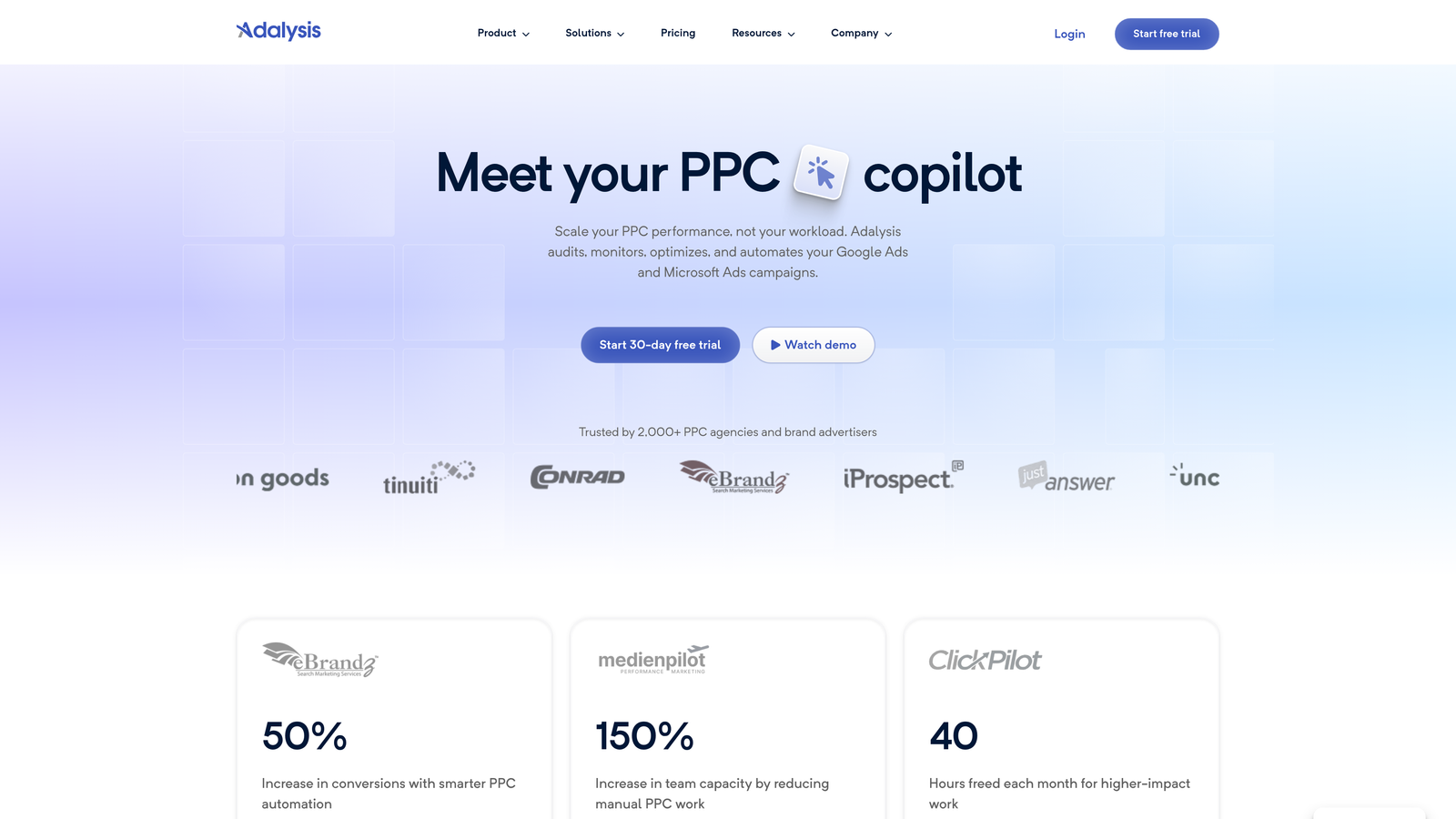
Adalysis is a PPC management and auditing tool focused on ad testing analysis, quality score monitoring, and account health diagnostics.
Where This Tool Shines
What usually happens with ad testing is that managers set up A/B tests and then forget to check them, or they declare a winner before the data is statistically significant. Adalysis automates the analysis layer: it monitors your ad tests, flags when significance is reached, and tells you what to do next.
The account diagnostics are genuinely thorough. It surfaces issues across campaigns and ad groups that are easy to miss when you're managing a large account, from quality score drops to paused ads that should be re-enabled based on performance rules.
Key Features
Automated A/B Ad Testing Analysis: Tracks ad tests and alerts you when statistical significance is reached, removing guesswork from test conclusions.
Quality Score Monitoring: Tracks quality score changes over time and provides recommendations for improvement.
Account Health Diagnostics: Surfaces performance issues and anomalies across campaigns and ad groups automatically.
Performance-Based Automation Rules: Pause or enable ads and keywords automatically based on defined performance thresholds.
Detailed Audit Reports: Generates comprehensive account audit reports useful for onboarding new clients or reviewing existing accounts.
Best For
PPC managers who run structured ad testing programs and want systematic account monitoring. Particularly useful for agencies onboarding new clients and needing a fast, thorough account audit.
Pricing
Starts around $99/month for smaller accounts. Verify current pricing at adalysis.com as tiers scale with account size.
6. Search Ads 360 (SA360)
Best for: Enterprise teams managing cross-engine campaigns at scale with advanced attribution needs.
Search Ads 360 is Google's enterprise search management platform for unified campaign management across Google, Microsoft Ads, and other search engines.

Where This Tool Shines
SA360 is built for the complexity that mid-market tools can't handle: managing large budgets across multiple search engines simultaneously, with advanced bid strategies that factor in cross-channel conversion data. If you're running significant spend on both Google and Microsoft Ads and need unified reporting, it's one of the few tools that genuinely solves that problem.
The Floodlight conversion tracking and integration with Google Analytics 4 and Campaign Manager 360 make it a strong fit for enterprise advertisers who need attribution modeling beyond what's available natively in Google Ads.
Key Features
Cross-Engine Campaign Management: Manage Google Ads, Microsoft Ads, and other search engines from a single unified interface.
Advanced Cross-Channel Bid Strategies: Bid optimization that factors in data from multiple channels and conversion paths.
Floodlight Conversion Tracking: Enterprise-grade conversion tracking with attribution modeling across channels.
Automated Rules and Bulk Operations: Large-scale automation designed for enterprise account complexity.
GA4 and Campaign Manager 360 Integration: Native integration with the broader Google Marketing Platform for unified data.
Best For
Large brands, enterprise in-house teams, and large agencies managing substantial ad spend across multiple search engines. Not practical or cost-effective for small to mid-size accounts.
Pricing
Enterprise pricing based on ad spend percentage. Contact Google or a Google Marketing Platform partner for current rates.
7. Skai (formerly Kenshoo)
Best for: Large brands running omnichannel campaigns across search, social, and retail media.
Skai is an enterprise omnichannel advertising platform that connects paid search, social, and retail media management in a single AI-driven environment.

Where This Tool Shines
Skai's core strength is cross-channel intelligence. If you're a brand running campaigns across Google, Meta, and Amazon simultaneously and need unified budget allocation and reporting, Skai is one of the few platforms built specifically for that problem at scale.
The retail media integration is particularly relevant for commerce advertisers who are increasing spend on Amazon Ads and other retail networks alongside traditional search. Having all of that in one platform, with AI-driven budget allocation across channels, is a meaningful operational advantage for large teams.
Key Features
Cross-Channel Campaign Management: Unified management across paid search, social, and retail media channels.
AI-Driven Budget Allocation: Automated budget optimization across channels based on performance signals.
Unified Reporting and Attribution: Cross-channel reporting that gives a single view of performance across all platforms.
Retail Media Integration: Purpose-built tools for managing Amazon Ads and other retail media networks alongside search and social.
Competitive Intelligence: Audience and competitive data tools for informing strategy across channels.
Best For
Large brands and enterprise agencies with complex multi-channel advertising operations and significant budgets. Overkill for accounts that primarily run Google Ads only.
Pricing
Custom enterprise pricing. Contact Skai directly for a quote based on your account volume and channel mix.
8. Adspert
Best for: E-commerce advertisers who want autonomous, ML-driven bid optimization toward profitability goals.
Adspert is an automated bid management tool that uses machine learning to optimize Google Ads, Microsoft Ads, and Amazon Ads toward profit targets with minimal manual input.
Where This Tool Shines
Most bid management tools optimize toward ROAS or CPA. Adspert goes a step further by optimizing toward actual profitability, which is a more meaningful goal for e-commerce advertisers with variable margins. The fully autonomous approach means it's making bid adjustments continuously without requiring a human to review and approve each change.
The transparency reporting is worth noting. Adspert provides detailed bid change logs so you can see exactly what the algorithm did and why, which builds trust in the automation and makes it easier to diagnose issues when performance shifts.
Key Features
ML-Based Autonomous Bid Optimization: Fully automated bidding that continuously adjusts toward defined profit targets without manual intervention.
Multi-Channel Integration: Connects with Google Ads, Microsoft Ads, and Amazon Ads for cross-platform bid management.
Portfolio Bidding: Manages bids across campaigns and ad groups as a portfolio rather than optimizing each in isolation.
Performance-Based Pricing: Pricing model tied to ad spend, aligning the tool's incentive with advertiser performance.
Bid Change Transparency Logs: Detailed records of every bid change made by the algorithm, providing visibility into automated decisions.
Best For
E-commerce advertisers and performance marketers who want to remove manual bidding from their workflow and trust ML to optimize toward profit. Less suited to brand campaigns or accounts where human judgment on bid decisions is critical.
Pricing
Performance-based pricing as a percentage of ad spend, with a minimum monthly fee. Check adspert.net for current rates and minimums.
9. Semrush PPC Toolkit
Best for: PPC managers who want competitive intelligence and keyword research built into their existing workflow.
Semrush's PPC Toolkit is the paid search research and intelligence suite within Semrush, covering competitor ad analysis, keyword gap discovery, and PPC keyword planning.
Where This Tool Shines
Semrush isn't a campaign management platform in the traditional sense, but it fills a gap that most management tools don't: competitive intelligence. The Advertising Research tool lets you see what keywords competitors are bidding on, what their ad copy looks like, and how their strategy has shifted over time. That kind of insight is genuinely useful when building out a new account or auditing an underperforming one.
For agencies onboarding new clients, the combination of Keyword Gap analysis and the PPC Keyword Tool gives you a fast way to build a high-intent keyword list based on what's already working in the market, rather than starting from scratch.
Key Features
Advertising Research Tool: Analyze competitor ad copy, keywords, and budget trends to inform your own strategy.
Keyword Gap Analysis: Identify keywords competitors are bidding on that you're not currently targeting.
PPC Keyword Tool: Build, organize, and clean keyword lists for Google Ads campaigns with negative keyword suggestions built in.
Product Listing Ad Research: Analyze competitor Shopping ads and product listing strategies.
Combined SEO and PPC Data: Useful for teams managing both organic and paid search, since both data sets live in the same platform.
Best For
PPC managers who also handle SEO, agencies building out new client accounts, and anyone who wants competitive ad intelligence as part of their research workflow. Works best as a complement to a campaign management tool rather than a standalone solution.
Pricing
Included with Semrush plans starting at $139.95/month for the Pro plan. Verify current pricing at semrush.com as plans and features are updated regularly.
Which Tool Is Right for Your Workflow?
Here's the honest breakdown by use case.
If you're a freelancer or in-house marketer whose biggest time drain is the search terms report, start with Keywordme. It solves a specific, painful problem fast and costs less than a client lunch. The 7-day free trial makes it easy to test without committing.
Google Ads Editor is a non-negotiable regardless of what else you use. It's free, it's powerful for bulk changes, and every account manager should have it installed. Think of it as your foundation layer.
For agencies that need automation and reporting in one place, Optmyzr and Adalysis are both strong options. Optmyzr leans toward workflow automation and client reporting. Adalysis is better if systematic ad testing and account diagnostics are your priority. They solve slightly different problems, and some agencies use both.
Enterprise teams managing multi-channel budgets at scale should evaluate SA360 or Skai. Both require significant investment, but for large brands running cross-engine campaigns, the unified management and advanced attribution capabilities justify the cost.
If autonomous bidding toward profitability is your goal and you're running e-commerce accounts, Adspert is worth a serious look. And if competitive intelligence and keyword research are gaps in your current stack, Semrush's PPC Toolkit fills that role well, especially if you're already using Semrush for SEO.
The reality is most serious PPC managers end up using two or three tools together: a native editor for bulk changes, an in-interface tool like Keywordme for day-to-day keyword work, and a reporting or automation layer on top. Start with what solves your biggest bottleneck today.
If wasted spend from junk search terms is the problem you keep running into, Start your free 7-day trial of Keywordme and see how much time you get back in the first week. At $12/month after that, it's one of the lowest-cost, highest-impact additions you can make to your PPC workflow.
.svg)