
9 Best Enterprise Google Ads Solutions for Agencies and Large-Scale Advertisers
Managing Google Ads at enterprise scale requires the right combination of tools to eliminate wasted spend and streamline multi-account workflows. This guide reviews the 9 best enterprise Google Ads solutions for 2026, evaluating each on scalability, feature depth, and real-world efficiency gains for both large-budget advertisers and agencies managing 50+ client campaigns.


TL;DR: Managing Google Ads at enterprise scale means juggling massive keyword lists, multi-account structures, wasted spend, and team workflows—all at once. The right tools can cut hours of manual work down to minutes. This list covers the best enterprise Google Ads solutions in 2026, from in-interface optimization extensions to full-scale bid management platforms. Whether you're a solo advertiser managing a big-budget account or an agency running 50+ client campaigns, there's a tool here that fits your workflow. We evaluated each option based on ease of use, scalability, feature depth, pricing transparency, and how well they actually reduce wasted spend without adding complexity.
One thing worth saying upfront: "enterprise" doesn't automatically mean the most expensive or complex platform wins. In most accounts I audit, the biggest efficiency gains come from pairing a lightweight in-interface tool with a solid reporting or bid management layer—not from buying the most feature-heavy suite and hoping it solves everything. Keep that in mind as you read through.
1. Keywordme
Best for: PPC managers and agencies who want faster in-interface search term optimization without leaving Google Ads.
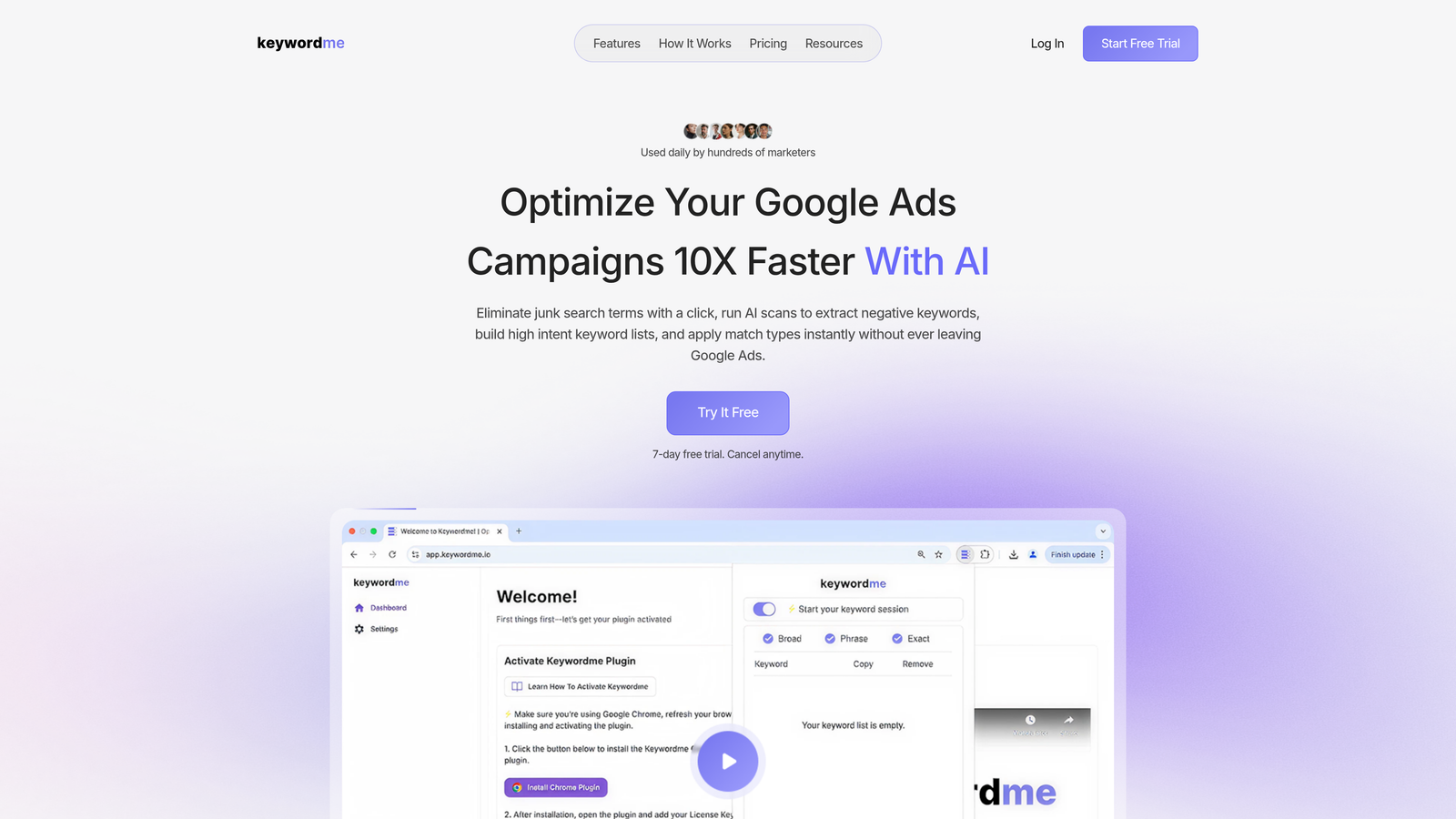
Keywordme is a Chrome extension that plugs directly into Google Ads' Search Terms Report, letting you take action on keywords without opening a spreadsheet or switching tabs.
Where This Tool Shines
The core problem Keywordme solves is friction. In most accounts, cleaning up search terms means exporting a CSV, filtering in Excel, building a negative keyword list, re-importing, and hoping nothing breaks. Keywordme collapses that entire workflow into a few clicks—right inside the native Google Ads UI.
For agencies managing multiple clients, the multi-account and team support features make it particularly useful. You can move through accounts quickly, apply bulk edits, cluster keywords into groups, and apply match types without ever leaving the interface. It's the kind of tool that makes a real difference on high-volume days when you're working through a backlog of search term reports.
Key Features
One-Click Negative Keyword Additions: Flag and remove irrelevant search terms directly from the Search Terms Report without exporting data.
Instant Match Type Application: Apply broad, phrase, or exact match to keywords in real time without CSV imports or manual edits.
Keyword Clustering: Group related search terms into themed keyword groups to speed up campaign builds and ad group structuring.
Bulk Editing: Make changes across multiple keywords and search terms simultaneously, reducing repetitive manual work.
Multi-Account and Team Support: Built for agency workflows where multiple users need access across different client accounts.
Best For
Keywordme is a strong fit for PPC managers, freelancers, and agency teams who spend significant time inside the Google Ads Search Terms Report. It's especially useful for anyone managing high-spend accounts where negative keyword hygiene directly impacts wasted spend. If your current workflow involves a lot of spreadsheet exports and re-imports, this tool is worth trying immediately.
Pricing
$12/month per user with a 7-day free trial. One of the most transparent and accessible price points in this list—no custom contracts or sales calls required.
2. Google Ads Editor
Best for: Bulk offline changes to large accounts before pushing updates live.
Google Ads Editor is Google's free official desktop application for managing campaigns at scale without working through the web interface.

Where This Tool Shines
If you're making sweeping changes across a large account—restructuring campaigns, updating hundreds of keywords, or doing a mass bid adjustment—Ads Editor is the right tool for the job. The ability to work offline, review changes before they go live, and undo mistakes before uploading is genuinely valuable when you're touching thousands of rows at once.
The find-and-replace functionality is something I use constantly during account audits. It makes bulk ad copy updates and URL changes much faster than working inside the native interface. The fact that it's free and built by Google means it's always kept current with platform changes.
Key Features
Bulk Offline Editing: Edit keywords, bids, ad copy, and campaign settings in bulk without being connected to Google's servers.
Review Before Upload: Preview all pending changes and catch errors before they go live in your account.
CSV Import/Export: Handle large-scale updates via spreadsheet for teams that prefer a file-based workflow.
Find-and-Replace: Update ad copy, URLs, and other fields across the entire account in seconds.
Multi-Account Support: Manage multiple accounts from a single desktop application.
Best For
Any enterprise advertiser or agency doing large-scale account changes. It's especially useful for campaign restructures, mass keyword additions, and bulk ad copy updates. Given it's free, there's no reason not to have it in your toolkit.
Pricing
Free. No subscription, no tiers, no upsells.
3. Search Ads 360 (SA360)
Best for: Large enterprise advertisers managing campaigns across multiple search engines with complex attribution needs.
Search Ads 360 is Google's enterprise search management platform, part of the Google Marketing Platform suite, built for advertisers running significant spend across Google, Microsoft, and other search engines.

Where This Tool Shines
SA360 is genuinely built for scale. The cross-engine campaign management means you can manage Google Ads and Microsoft Advertising from a single interface with unified reporting. The Floodlight conversion tracking system gives enterprise teams a consistent attribution layer across channels, which is something you simply can't replicate with standard Google Ads conversion tracking alone.
The automated bidding algorithms in SA360 go beyond what's available natively in Google Ads, particularly for advertisers with complex revenue goals or multi-touch attribution models. If you're at a holding company agency or managing a large brand's entire paid search program, SA360 is worth the investment.
Key Features
Cross-Engine Management: Manage Google Ads, Microsoft Advertising, and other search engines from one unified platform.
Floodlight Conversion Tracking: Consistent, cross-channel conversion measurement that integrates with the broader Google Marketing Platform.
Advanced Automated Bidding: Bidding algorithms that factor in cross-channel signals beyond what standard Smart Bidding offers.
Budget Management and Pacing: Monitor and adjust budget allocation across campaigns and channels in real time.
Deep GMP Integration: Connects natively with Google Analytics 4, Display and Video 360, and Campaign Manager.
Best For
Large enterprise advertisers, holding company agencies, and brands running integrated paid search programs across multiple engines. Not the right fit for SMBs or agencies primarily managing single-engine Google Ads accounts—the complexity and cost don't justify it at smaller scales.
Pricing
Custom enterprise pricing. Contact Google directly for a quote. Typically structured as a percentage of ad spend or a custom contract for large accounts.
4. Optmyzr
Best for: Mid-to-large agencies that want rule-based PPC automation without writing custom scripts.
Optmyzr is a PPC management and automation platform known for its One-Click Optimizations, which let agencies automate repetitive campaign tasks through a guided interface.

Where This Tool Shines
The mistake most agencies make with automation is assuming it requires engineering resources. Optmyzr's rule-based engine lets non-technical PPC managers build automation workflows without writing a single line of code. The One-Click Optimizations surface recommendations for bids, budgets, and keywords that you can apply with minimal review time.
Quality Score tracking is another area where Optmyzr stands out. Most platforms treat Quality Score as a secondary metric, but Optmyzr surfaces it systematically and connects it to actionable recommendations—which is useful for agencies that include QS improvement in client deliverables.
Key Features
One-Click Optimizations: Pre-built optimization actions for bids, budgets, and keywords that can be applied in a single click after review.
Rule-Based Automation Engine: Build custom automation workflows without coding or scripting knowledge.
Quality Score Tracking: Monitor QS trends at keyword, ad group, and campaign level with improvement recommendations.
Search Term Analysis: Identify negative keyword opportunities and high-performing search terms across accounts.
Custom PPC Reporting: Build client-facing dashboards and reports with branded templates.
Best For
Mid-to-large agencies managing multiple client accounts who want to automate repetitive optimization tasks without custom development. Also a good fit for in-house PPC teams managing complex accounts who need structured workflows.
Pricing
Paid plans with tiered pricing based on ad spend managed—see optmyzr.com for current rates. A free trial is available.
5. WordStream Advisor (LocaliQ)
Best for: SMB-focused agencies and non-specialist teams that need guided, simplified Google Ads management.
WordStream Advisor, now part of the LocaliQ platform by Gannett, is a workflow-based Google Ads management tool built around weekly task recommendations and simplified account health scoring.

Where This Tool Shines
The 'Work Week' workflow is WordStream's signature feature. Rather than presenting an open-ended dashboard, it surfaces a prioritized list of weekly actions: add these negative keywords, pause this underperforming ad, adjust this bid. For teams where Google Ads management isn't the primary focus, this guided approach reduces the cognitive load of knowing where to start.
The performance grading system gives account managers a quick health check that's easy to share with clients or internal stakeholders who aren't deep in the platform. It's not the most powerful tool on this list, but it serves a specific audience well.
Key Features
Work Week Workflow: Weekly prioritized action list that guides users through the most impactful optimizations for the week.
Negative Keyword Tools: Keyword research and negative keyword suggestion features built into the workflow.
Performance Grading: Account health scoring that benchmarks performance and surfaces improvement areas.
Google and Microsoft Ads Management: Manage both platforms from a single dashboard.
Simplified Reporting: Client-friendly reports designed for non-specialist audiences.
Best For
SMB-focused agencies and in-house teams where Google Ads isn't managed by a dedicated PPC specialist. Less suited for enterprise teams or agencies managing high-complexity accounts—the simplified workflow can feel limiting at scale.
Pricing
Custom pricing based on ad spend. Contact LocaliQ directly or visit localiq.com for current rates.
6. Skai (formerly Kenshoo)
Best for: Large brands running integrated paid search, social, and retail media programs under one platform.
Skai is an enterprise omnichannel advertising platform that connects paid search, social, retail media, and app advertising under a single AI-powered management layer.
Where This Tool Shines
Skai's core value proposition is cross-channel unification. If you're managing Google Ads alongside Amazon Sponsored Products, Walmart Connect, Meta Ads, and app campaigns, having a single platform for budget allocation and attribution is genuinely powerful. The AI-driven budget optimization can shift spend across channels based on performance signals in ways that manual management simply can't match at scale.
The executive-level reporting and forecasting tools are built for brands that need to present paid media performance to senior leadership. The depth of cross-channel attribution here goes well beyond what most search-only platforms offer.
Key Features
Omnichannel Management: Unified management across Google Ads, Meta, Amazon, Walmart, and app advertising platforms.
AI-Driven Budget Allocation: Automated cross-channel budget optimization based on performance signals and forecasting models.
Cross-Channel Attribution: Attribution modeling that accounts for touchpoints across search, social, and retail media.
Executive Reporting and Forecasting: Dashboards and forecasting tools designed for senior stakeholder reporting.
API Integrations: Deep API connections with major ad platforms for custom data flows and integrations.
Best For
Large brands and enterprise agencies managing significant spend across multiple paid channels simultaneously. Overkill for teams focused exclusively on Google Ads—the value scales with the number of channels you're running.
Pricing
Custom enterprise contracts. Contact Skai directly for pricing—typically structured around managed spend volume.
7. Marin Software
Best for: Enterprise advertisers and agencies needing cross-publisher bid management and spend forecasting.
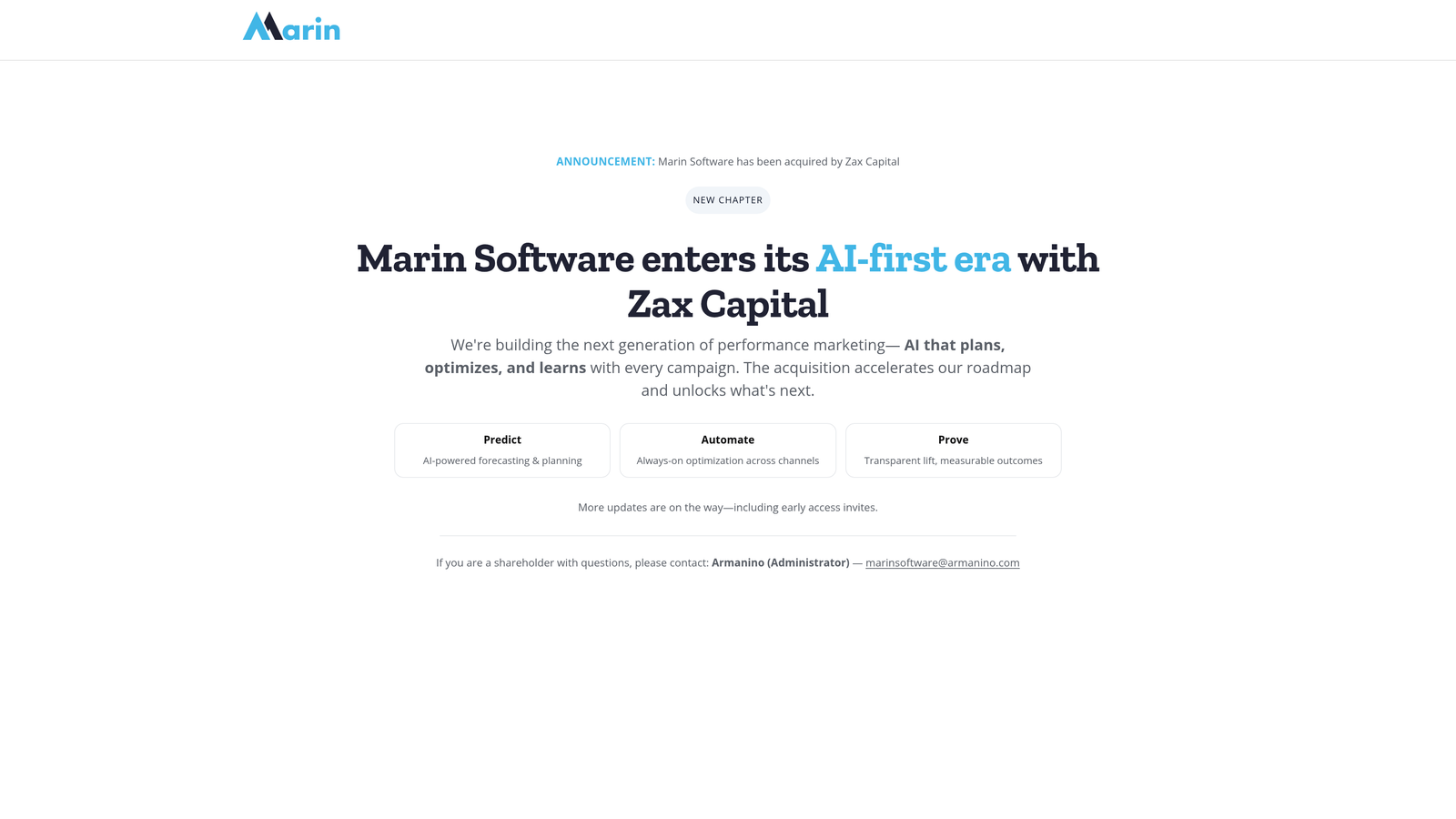
Marin Software is an established enterprise bid management and cross-channel reporting platform serving large advertisers managing significant search and social ad spend.
Where This Tool Shines
Marin has been in the enterprise paid search space for a long time, and its budget pacing and spend forecasting capabilities reflect that experience. For agencies managing large monthly budgets across Google and Microsoft, the ability to monitor pacing in real time and forecast end-of-month spend is a meaningful operational advantage.
The cross-publisher bid management layer allows automated bidding strategies to factor in custom revenue and conversion goals—not just the default signals available in Google's native Smart Bidding. This is useful for advertisers with complex business models where standard ROAS or CPA targets don't fully capture value.
Key Features
Cross-Publisher Bid Management: Automated bidding across Google Ads, Microsoft Advertising, and Meta from one platform.
Budget Pacing and Forecasting: Real-time budget monitoring with end-of-period spend forecasting tools.
Custom Bidding Goals: Automated bidding based on custom revenue metrics and conversion goals beyond platform defaults.
Cross-Channel Reporting: Unified performance reporting across publishers for consolidated stakeholder reporting.
Audience and Intent Data Integration: Incorporate first-party and third-party audience signals into bidding strategies.
Best For
Large advertisers and agencies managing substantial cross-publisher spend where budget pacing, custom bidding goals, and unified reporting are operational priorities. Not the right fit for smaller accounts where the complexity isn't justified.
Pricing
Custom pricing based on managed spend. Visit marinsoftware.com for current details and to request a quote.
8. Adalysis
Best for: PPC managers who prioritize systematic ad testing, Quality Score monitoring, and account diagnostics.
Adalysis is a specialized Google Ads auditing and ad testing platform focused on systematic ad copy testing, Quality Score tracking, and account health alerts.
Where This Tool Shines
Most PPC tools treat ad testing as an afterthought. Adalysis builds it into the core workflow. The automated ad copy testing with statistical significance tracking means you're not making decisions based on incomplete data—the platform tells you when a test has reached significance before you act on it. That's a discipline most accounts lack.
The negative keyword conflict detection is a feature I rarely see elsewhere. It automatically flags situations where negative keywords are blocking your own keywords from triggering—a surprisingly common issue in large accounts that can silently kill campaign performance without any obvious error message in the interface.
Key Features
Automated Ad Copy Testing: Systematic A/B testing with statistical significance tracking so you act on data, not gut feel.
Quality Score Monitoring: Track QS trends at keyword, ad group, and account level over time with historical data.
Account Audit and Alerts: Automated account health checks and performance alerts that surface issues before they become expensive.
Negative Keyword Conflict Detection: Identifies cases where your own negative keywords are blocking your targeted keywords from serving.
RSA Analysis: Recommendations for improving responsive search ad coverage, pinning strategy, and asset performance.
Best For
PPC managers and agencies who run systematic ad testing programs and want structured account diagnostics. Particularly useful for accounts where ad copy quality and Quality Score are key performance levers. More specialized than the other platforms on this list, but excellent at what it does.
Pricing
Tiered pricing at more accessible price points than full enterprise platforms. Visit adalysis.com for current plan details.
9. Semrush PPC Toolkit
Best for: Teams that want competitive intelligence and keyword research to sharpen their Google Ads strategy.
Semrush PPC Toolkit is the paid search research and competitive intelligence suite within the broader Semrush platform, combining keyword research, competitor ad analysis, and CPC data.
Where This Tool Shines
Semrush doesn't manage your campaigns—it informs them. The competitor ad research capabilities are genuinely useful for understanding what keywords your competitors are bidding on, what ad copy they're running, and where gaps exist in your own keyword coverage. In most accounts I audit, there are meaningful keyword opportunities being missed simply because no one has done a proper competitive analysis.
The PPC keyword gap analysis is a practical feature for agencies onboarding new clients. You can quickly identify which high-intent terms a competitor is capturing that the client isn't bidding on—and build a prioritized keyword expansion list from that data rather than starting from scratch.
Key Features
Competitor Keyword Research: See which keywords your competitors are bidding on in Google Ads and how much estimated traffic they're capturing.
Ad Copy Research: View competitor ad copy history to understand messaging strategies and identify differentiation opportunities.
PPC Keyword Gap Analysis: Identify high-intent keywords competitors rank for that aren't in your current campaigns.
CPC and Volume Data: Estimate budget requirements and prioritize keywords based on search volume and cost data.
Combined SEO and PPC Data: Unified view of organic and paid search performance for integrated search strategy planning.
Best For
PPC strategists, agency teams onboarding new clients, and in-house teams building or expanding their Google Ads keyword strategy. Best used alongside an active campaign management tool rather than as a standalone solution—it's a research and intelligence layer, not a campaign management platform.
Pricing
Included in Semrush subscription plans. Visit semrush.com for current pricing tiers—plans vary by feature access and usage limits.
Which Tool Is Right for Your Setup?
Here's the honest summary: there's no single "best" enterprise Google Ads solution because the right choice depends entirely on what your current workflow is missing.
If your biggest pain point is search term hygiene and wasted spend, start with Keywordme. It's the fastest way to get control of your Search Terms Report without adding complexity to your workflow. At $12/month, it's also the lowest-friction entry point on this list.
If you're doing large-scale account restructures or bulk changes regularly, Google Ads Editor should already be in your toolkit. It's free and handles bulk offline editing better than any third-party tool.
For agencies managing significant cross-publisher spend with complex attribution requirements, SA360, Skai, or Marin Software are worth evaluating—though be prepared for custom pricing conversations and longer implementation timelines.
If systematic ad testing and account diagnostics are priorities, Adalysis fills a gap that most other platforms ignore. And if competitive intelligence is what's missing from your strategy, Semrush PPC Toolkit gives you the research layer to build smarter keyword lists from day one.
The most effective enterprise Google Ads setups I've seen combine a lightweight in-interface tool for daily optimization with a reporting or bid management platform for strategic oversight. You don't need the most expensive platform to run efficient campaigns—you need the right combination of tools that actually fits how your team works.
If you're spending too much time in spreadsheets cleaning up search terms, Start your free 7-day trial of Keywordme and see how much faster your optimization workflow can be—right inside Google Ads, without switching tabs or exporting a single CSV.
.svg)