
Dynamic Keyword Insertion: How It Works & How To Use It
Dynamic Keyword Insertion: How It Works & How To Use It


Have you ever Googled something and seen an ad that felt like it was reading your mind? That’s the magic of Dynamic Keyword Insertion (DKI) in action. It's a simple, yet incredibly powerful, Google Ads feature that takes a user's exact search term and plugs it right into your ad copy. This creates an immediate, personal connection between what they're looking for and what you're offering.
What Is Dynamic Keyword Insertion
At its core, Dynamic Keyword Insertion (or DKI) is a smart placeholder you put in your ad text. When someone’s search triggers one of your keywords, Google automatically swaps that placeholder with the keyword, making your ad headline or description perfectly match their query.
Think about it. Instead of a generic ad for "Fresh Flower Delivery," you can instantly show an ad that says "Red Rose Bouquet Delivery" to the person who just typed that in. It makes your ad feel less like a random advertisement and more like the perfect answer to their question.
The Core Components of Dki
The whole thing runs on a single piece of code you drop into your ad's headline or description. It's a simple instruction for Google to follow.
{KeyWord:Default Text}
Let's quickly pull that apart to see what makes it tick.
This little tag has two main jobs: telling Google what to insert and providing a backup plan.
To give you a crystal-clear view, here’s how the syntax works piece by piece.
DKI At A Glance How It Works
This table breaks down the core components of a Dynamic Keyword Insertion tag to quickly show you what each part does.
This "safety net" is crucial. It guarantees your ad doesn't break or look bizarre if the user's search term is a long, rambling sentence that won't fit in the headline.
Since it first appeared around 2005, DKI has been a game-changer for PPC managers. It lets us create super-relevant ads at scale without manually building thousands of ad variations. You can dig deeper into foundational PPC tactics to see how features like this have shaped modern advertising over the years.
A Quick Example in Action
Let’s say you run an online shoe store. In one of your ad groups, you have keywords like "men's running shoes," "blue sneakers for men," and "discount athletic footwear."
Without DKI, you might write a decent but generic headline:
Shop Quality Men's Shoes
But with DKI, you could level up with this:
Buy {KeyWord:Men's Shoes} Now
Here's where the magic happens. Watch how the ad changes based on what people actually search for:
- Someone searches for "men's running shoes" -> Your ad shows: Buy Men's Running Shoes Now
- Someone else searches for "blue sneakers for men" -> Your ad shows: Buy Blue Sneakers For Men Now
- What if they search for something super long, like "best affordable athletic footwear for men online"? The default text kicks in -> Your ad shows: Buy Men's Shoes Now
That one simple switch makes your ad instantly more relevant. When people see their exact words in your ad, they're far more likely to click, which can have a huge impact on your click-through rates and the overall return on your ad spend.
Ready to get your hands dirty and actually set up Dynamic Keyword Insertion? Good. The good news is, you don't need to be a developer to make this happen. It’s a simple tag you pop right into your ad copy.
The whole process happens inside the Google Ads interface while you’re writing or editing your ad headlines and descriptions. All you have to do is type an opening curly bracket: {.
That’s the magic key. Once you type that {, Google Ads knows you want to add something dynamic, and a little menu will pop up to help you out.
This visual gives you a quick rundown of how a search query gets turned into a super-relevant ad with DKI.
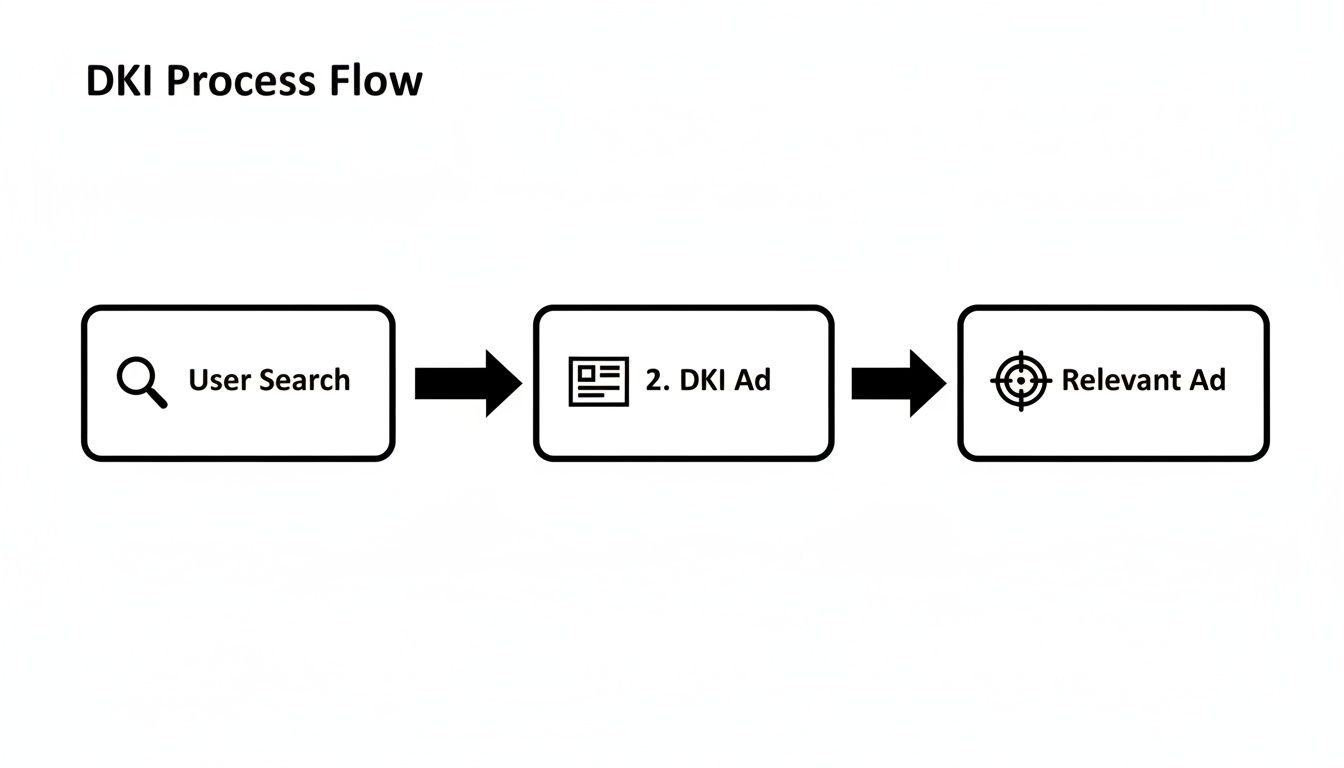
As you can see, it’s a straight line connecting what someone is looking for to the ad they see. That’s the power of closing the relevance gap.
The Exact Syntax and Where To Place It
So, you’ve typed { into your headline or description. A dropdown menu appears. From there, you just need to click on “Keyword insertion.” This brings up a small box where you'll nail down the specifics of your DKI tag.
You’ll be asked for two things:
- Default Text: Think of this as your fallback plan. It’s what Google will show if the keyword that triggered your ad is too long to fit in the character limit. If your ad group targets coffee makers, your default text could simply be "Premium Coffee Makers."
- Capitalization: Next, you'll tell Google how to format the keyword when it gets inserted.
After you fill that out, Google spits out the code for you. It'll look something like {KeyWord:Premium Coffee Makers}. You can then build your headline around it, like "Shop {KeyWord:Premium Coffee Makers} Online." That’s really all there is to it.
Choosing the Right Capitalization Style
Okay, capitalization might feel like a tiny detail, but it’s what separates a professional-looking ad from a sloppy one. Nobody wants to click on an ad that’s shouting "buy RED RUNNING SHOES" at them. It just looks like spam.
Google gives you three easy ways to handle this so your ads always look polished.
Pro Tip: Your capitalization choice should always match where the DKI tag sits in your sentence. If it's at the start, use sentence case. If it's a headline, use title case. Getting this wrong is a surefire way to look like a robot and tank your click-through rate.
Here are the three options you'll see:
- Title Case: This capitalizes the first letter of every single word. It’s pretty much the go-to for headlines. So, "dark roast coffee beans" becomes "Dark Roast Coffee Beans."
- Sentence case: This only capitalizes the first letter of the first word. It’s your best bet when the DKI tag is at the start of a description. That same keyword would show up as "Dark roast coffee beans."
- lower case: You guessed it—this keeps everything in lowercase. It’s perfect for when your keyword needs to slot into the middle of a sentence without looking out of place, showing up as "dark roast coffee beans."
By taking a second to pick the right format, you make sure your ads read like they were written by a human, not a machine. It's a small step that goes a long way in building trust and getting that click.
Why DKI Is A Game Changer For Ad Performance
So, you know how to use the {KeyWord:Default Text} tag. That’s the easy part. But the big question is, does this little bit of code actually make a difference?
Absolutely. Using dynamic keyword insertion isn't just a neat party trick to customize your ads; it’s a strategic lever that can seriously boost your campaign's vital signs.
It all boils down to ad relevance. A huge chunk of Google's Quality Score comes from how well your ad's message aligns with what someone just searched for. When you use DKI, you’re basically creating a perfect or near-perfect match every single time. That sends a massive signal to Google that your ad is exactly what the searcher wants, which can give your Quality Score a healthy lift.
A higher Quality Score isn't just for bragging rights—it has a real impact on your wallet. Google rewards super-relevant ads with better ad placements and, more importantly, a lower cost-per-click (CPC). On top of that, DKI is a fantastic way to get a lower CPL because it naturally improves both your Quality Score and click-through rates.
The Psychology Behind The Click
Let's forget about the algorithms for a minute and think like a real person. Imagine someone just typed "emergency plumber in brooklyn" into Google. They’re not browsing; they're on a mission. They're frantically scanning the results for the fastest, most direct solution to their flooded bathroom.
They might see a generic ad that says "Plumbing Services Available." Okay, it’s related, but it doesn't exactly scream, "I can solve your urgent problem right now!"
But what if they see an ad with the headline "Emergency Plumber In Brooklyn"? That’s a whole different story.
It creates an instant mental shortcut. The searcher sees their exact need reflected back at them, which builds immediate trust and signals that your landing page is the right place to be. It’s the difference between a vague suggestion and a direct answer.
This kind of personalization makes people feel understood. It tells them your business isn't just another faceless advertiser but a specialist who gets their specific problem.
That feeling translates directly into higher click-through rates (CTR). When an ad perfectly mirrors a search query, it just pops on the page, grabbing the user's attention and practically begging to be clicked. And the data consistently proves this out.
One stat that really drives this home is that using DKI can lead to 15-25% higher CTRs, especially in service-based industries. When someone searches for 'dog groomer' or 'running shoes,' an ad that repeats those exact words builds instant credibility and just feels more trustworthy than a generic one.
Boosting Your Return on Ad Spend
When you connect all these dots, the impact on your bottom line becomes crystal clear. DKI is a powerful way to improve your return on ad spend (ROAS) because it sets off a positive chain reaction.
Here’s how it unfolds:
- Increased Relevance: Your ads become a mirror to the user's search query.
- Higher Quality Score: Google sees this relevance and rewards you.
- Lower CPCs: You start paying less for each click because your ads are top-notch.
- Higher CTR: More of the right people click your ads because they feel like you're talking directly to them.
- Improved ROAS: You’re getting more clicks for less money, and these clicks are from people who are much more likely to convert.
At the end of the day, DKI isn't just a technical feature; it's a core strategy for making your ad budget work smarter, not harder. You can see how this all comes together by checking out some great ad copy examples that absolutely nail relevance. It ensures every dollar you spend is aimed with laser precision, turning a user's specific intent into your next customer.
Common DKI Mistakes And How To Avoid Them
Dynamic Keyword Insertion is a fantastic tool, but it's definitely not a "set it and forget it" feature. Think of it like a powerful sports car—if you don't know how to handle it, you can easily end up in a ditch. When used carelessly, DKI can lead to some seriously awkward, unprofessional, or just plain weird ads that will absolutely tank your click-through rates.
The good news? These mistakes are completely avoidable once you know what to look for. Let's walk through the most common pitfalls so you can sidestep them like a pro and keep your ads sharp, relevant, and pulling in clicks.
The Broad Match Keyword Trap
This is, without a doubt, the number one mistake people make with DKI. Pairing dynamic keyword insertion with broad match keywords is basically asking for trouble. Why? Because broad match gives Google a ton of creative license to match your ad to all sorts of strange, long-tail, and sometimes completely irrelevant searches.
Let's say you're bidding on the broad match keyword "men's hats." Your ad could pop up for searches like:
- "funny hats for men with big ears"
- "where to get rid of old men's hats"
- "men's hats are ugly"
If your headline is {KeyWord:Quality Men's Hats}, you could end up with an ad that proudly proclaims, "Men's Hats Are Ugly." That's probably not the message you were going for.
The Fix: Stick to phrase and exact match keywords for any ad group using DKI. This gives you way more control over what search terms can trigger your ads, preventing typos, competitor brand names, and bizarre queries from hijacking your ad copy.
Grammar Goofs and Awkward Phrasing
Computers are literal creatures, and Google's algorithm is no different. It doesn't understand grammar or context; it just follows the rules you give it. This can create some seriously clunky phrasing if your keywords don't slot perfectly into your ad copy.
For example, imagine your headline is "Find {KeyWord:Great Shoes} Here" and your keyword list has both singular and plural versions, like "running shoe" and "running shoes."
- A search for "running shoes" looks great: "Find Running Shoes Here."
- But a search for "running shoe" creates a grammatical mess: "Find Running Shoe Here."
That one tiny mistake makes your ad look sloppy and untrustworthy, and it could easily cost you a click.
How to Sidestep This Issue
The secret here is all about smart ad group organization.
- Segment Your Keywords: Create separate ad groups for your singular and plural keywords.
- Write Specific Ad Copy: Then, craft unique ad copy for each ad group that perfectly matches the grammar of the keywords inside.
This little bit of extra work up front ensures your ads always read smoothly, no matter which keyword gets pulled in.
Breaking the Character Limit
This is a classic DKI problem. You have your default text as a safety net, but what happens if a user's search triggers one of your actual keywords that's too long for the headline? Google won't try to shorten it; it will just give up and show your default text instead.
For instance, if your headline has a 30-character limit, and a keyword like "Luxury Italian Leather Men's Loafers" (34 characters) is triggered, your ad will just revert to the default. You instantly lose that hyper-specific relevance you were aiming for.
Before you launch, it's worth taking a minute to check your keyword lengths. Make sure every keyword in your DKI-enabled ad groups fits within the character limits. If you find some that are too long, just move them to a different ad group where you can write a custom, static headline for them.
Strong keyword management, including negatives, is a huge part of making this work. If you want to dive deeper, check out our guide on how a solid Google Ads negative keywords strategy can protect your campaigns.
DKI Pitfall Prevention Checklist
Here's a quick-reference table to help you double-check your work and avoid these common DKI errors before you launch your campaign.
Think of this checklist as your pre-flight inspection. A quick run-through can save you from a lot of wasted ad spend and brand-damaging mistakes down the line.
How Keywordme Supercharges Your DKI Strategy
Look, any PPC pro will tell you that a dynamic keyword insertion strategy lives or dies by the quality of its keywords. If your lists are a mess—full of irrelevant terms or just poorly organized—you're setting yourself up for failure. That's where nearly every DKI mistake, from cringey grammar to brand-damaging ads, comes from. And it's precisely this problem that Keywordme was built to solve.
Think of Keywordme as the ultimate quality control layer for your DKI campaigns. Our simple Chrome plugin lets you clean up your search term reports, filter out all the junk, and build solid negative keyword lists in seconds. It’s a proactive fix that stops those awkward DKI moments we just talked about before they ever happen, making sure a garbage query never sneaks into your ad copy.
Building Cleaner Lists For Better Ads
A killer DKI campaign is all about precision. You have to be 100% confident that only relevant, high-intent keywords are triggering your ads. Keywordme makes getting to that point ridiculously fast and simple.
Our tool helps you spot high-converting search terms and drop them right into the correct ad groups with the right match types. No more mind-numbing copy-pasting or wrestling with spreadsheets. It’s about making your PPC workflow smarter, so your DKI ads are always fired up by your most profitable search terms.
For instance, you can just scan your search term report, check a few boxes, and either add them as new keywords or block them as negatives in one go.
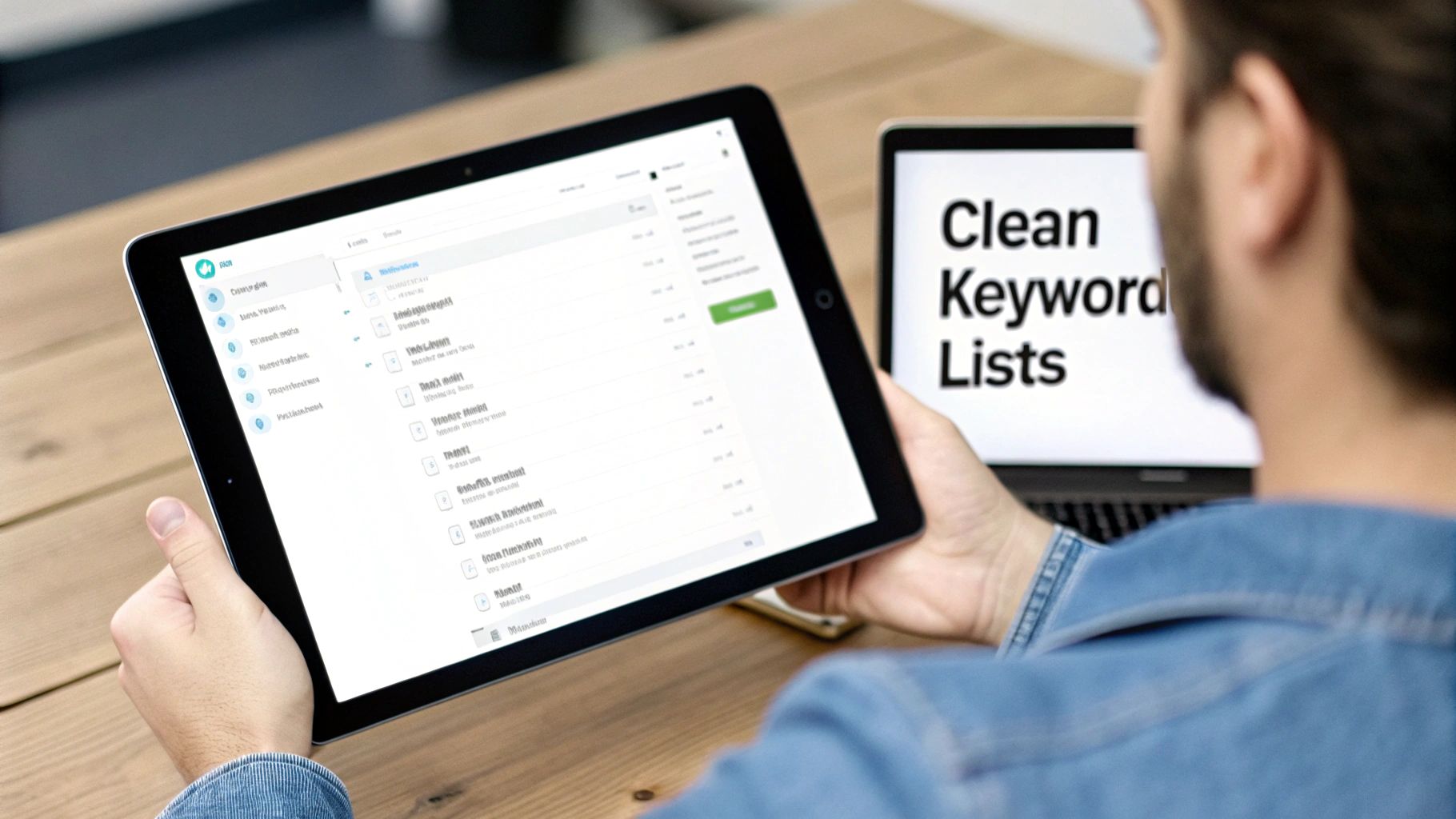
This gives you a glimpse of how easy it is to analyze what people are actually searching for, pick out what doesn't belong, and add it to your negative list with a single click.
Accelerate Your Optimization Workflow
By pulling all your essential keyword management tasks into one clean interface, Keywordme helps you build the tightly-themed, super-relevant ad groups that are non-negotiable for flawless DKI. This isn't just about dodging bullets; it’s about building a solid foundation you can scale.
Keywordme is designed to make your entire keyword optimization process up to 10x faster. That speed means you spend less time buried in manual, tedious tasks and more time on the high-level strategy that actually moves the needle.
With your keyword lists finally organized, you can let DKI work its magic with confidence. You'll know that every single term it inserts is relevant, makes sense grammatically, and perfectly matches what the user is looking for. That's the difference between a basic DKI setup and a truly sophisticated, high-performing ad strategy.
Advanced DKI Strategies For Pro Advertisers
Alright, once you've gotten the hang of the basics and your keyword lists are looking sharp, it's time to stop thinking of dynamic keyword insertion as just a simple text-swapping trick. For seasoned advertisers, DKI is a crucial building block for creating ad experiences that are genuinely smart and adaptive. The real magic happens when you start combining it with other powerful features inside Google Ads.
This is where you graduate from writing reactive ad copy to crafting proactive, context-aware messages. The end game? Showing the perfect message to the right person, on whatever device they're using, every single time. Let's dig into a couple of powerful combos that will get you there.
Pairing DKI With IF Functions
IF functions are pretty much what they sound like: simple "if this, then that" rules you can pop right into your ad copy. They let you display a specific message when a certain condition is met, and a fallback message if it isn't. When you mix this with DKI, things get really powerful.
One of the best ways to use this duo is to change your message based on the user's device. For example, you can create a call-to-action that encourages mobile users to call you directly, while prompting desktop users to explore your website.
Here’s a quick look at how it works:
- Your IF Function:
IF(device=mobile, Call Us for a Free Quote) - Your DKI Ad Headline:
{KeyWord:Local Plumbers} - {=IF(device=mobile, Call Us Now)}
A person searching on their phone will see: "Emergency Plumbers - Call Us Now"
Someone on a desktop will see: "Emergency Plumbers - Local Plumbers" (your default text)
It's a small change, but it makes sure your ad is always pushing for the most likely conversion based on how the user is searching.
Integrating With Responsive Search Ads
Responsive Search Ads (RSAs) are the name of the game in Google Ads now. You feed Google a bunch of headlines and descriptions, and its algorithm mixes and matches to find the winning formula. Using DKI within your RSAs isn't just a good idea—it's essential for getting top performance.
A classic move is to pin a DKI-powered headline to the first position. This guarantees that your ad always reflects the user's exact search term. Then, you can let Google's machine learning do its thing, testing your other benefit-focused headlines in the second and third spots to find the ultimate combination.
This strategy gives you the best of both worlds: the guaranteed relevance of DKI and the performance optimization of Google’s AI.
This is exactly how PPC has evolved. We've seen that personalizing ads by audience or device can boost engagement by up to 25%. Ever since DKI became a staple, its simple {KeyWord:Default} format has been the key to making ad copy both dynamic and fail-safe. For more on the official spec, you can check out Google's DKI documentation on support.google.com.
Combining DKI With Ad Customizers
Ad customizers take personalization to a whole new level. Think of them as DKI on steroids. They pull data from a feed—like a simple spreadsheet—to insert hyper-specific details directly into your ads.
You could use an ad customizer to show a countdown for a flash sale, display real-time product inventory, or even feature location-specific offers. When you pair that with a DKI headline, you create an ad that’s not just relevant to the search query, but also to the user's specific context, like their location or the time of day. And while you're digging into dynamic ad options, you might find our guide on Dynamic Search Ads for broader automation helpful.
By weaving these advanced strategies together, you can transform dynamic keyword insertion from a simple tool into a cornerstone of a truly sophisticated advertising machine.
Your DKI Questions, Answered
Got a few more questions rattling around in your head about dynamic keyword insertion? That's completely normal. DKI is a fantastic tool, but it's got some quirks. It’s always a good idea to nail down the details before you dive in.
Let’s tackle some of the most common questions we hear from fellow PPC pros. This should clear up any lingering confusion and get you using DKI like you’ve been doing it for years.
Can DKI Hurt My Quality Score?
It’s a smart question, but the short answer is no—if you use it the right way. In fact, DKI is built to do the exact opposite: improve your Quality Score by making your ads way more relevant to what people are searching for.
The only real danger is when you let it run wild with messy keyword lists, especially broad match keywords. That's how you end up pulling in totally irrelevant search terms, which torpedoes your ad's relevance and can drag your Quality Score down. Just keep your ad groups tight and stick to phrase and exact match keywords, and you'll be golden.
What Is The Difference Between DKI And Ad Customizers?
Here’s a simple way to think about it: DKI is a one-trick pony, but it's a really good trick. It inserts just one thing: the keyword. Ad customizers, on the other hand, are like a Swiss Army knife—they can slot in almost any piece of information you can feed them from a spreadsheet.
- DKI is quick, automated, and fantastic for making your headline a mirror image of the user's search query.
- Ad Customizers are more heavy-duty. They let you get hyper-specific with things like real-time inventory counts ("Only 3 left!"), countdown timers ("Sale ends in 2 hours"), or location-based offers.
They can definitely work together, but they solve different problems. DKI is about keyword relevance; ad customizers are about next-level, data-driven personalization.
Does DKI Work In Display Or Video Ads?
Nope. Dynamic Keyword Insertion is purely a search campaign feature. Its whole reason for being is to grab a user's typed search query and pop it right into the ad text they see on the results page.
Display and Video campaigns are a different beast altogether. They’re all about targeting audiences, choosing placements, and using eye-catching visuals, not matching ad text to keywords. If you want to personalize those ads, you’d be looking at tools like dynamic remarketing instead.
Ready to build DKI campaigns without the headache of messy keyword lists? Keywordme takes the grunt work out of cleaning search term reports and building negative lists, speeding up your entire optimization workflow by up to 10x. Start your free Keywordme trial today and feel the difference.
.svg)