
9 Best Cheap PPC Optimization Software Tools in 2026
Discover the 9 best cheap PPC optimization software tools for 2026, all priced under $50/month or offering strong free tiers, designed to eliminate wasted ad spend, streamline keyword management, and save time for freelancers and agencies alike.


TL;DR: You don't need to spend hundreds of dollars a month on PPC software to run tight, efficient Google Ads campaigns. This list covers the best cheap PPC optimization software available in 2026—tools that actually do the heavy lifting without draining your budget. Whether you're a freelancer managing a handful of accounts or an agency juggling dozens of clients, there's an affordable option here that fits your workflow.
We evaluated tools based on pricing, feature depth, ease of use, and how much time they actually save. Priority went to tools under $50/month (or with strong free tiers) that address real PPC pain points: wasted spend, junk search terms, poor keyword structure, and inefficient workflows. No fluff—just tools worth your money.
1. Keywordme
Best for: PPC managers who want to optimize search terms and negatives without leaving Google Ads.
Keywordme is a Chrome extension that lives directly inside your Google Ads Search Terms Report, turning what's usually a tedious manual process into a series of fast, one-click actions.

Where This Tool Shines
Most PPC tools pull you out of Google Ads and into a separate dashboard. Keywordme doesn't. It sits inside the native UI, so you're reviewing search terms, adding negatives, applying match types, and building keyword clusters without switching tabs or exporting to a spreadsheet. In most accounts I audit, the search terms report is where the most wasted spend hides—and this is the fastest tool I've seen for cleaning it up.
The keyword clustering and bulk editing features are particularly useful for agencies. If you're managing multiple client accounts, the multi-account and team support means you're not locked into a single-user workflow. At $12/month flat, there's genuinely no comparable tool that works this natively inside Google Ads at this price point.
Key Features
Native Search Terms Integration: Works directly inside Google Ads' Search Terms Report—no external dashboard required.
One-Click Negative Keyword Addition: Flag and exclude junk search terms instantly without copying them into a spreadsheet first.
Match Type Application: Apply broad, phrase, or exact match types to keywords in bulk without leaving the interface.
Keyword Clustering: Group related search terms into logical clusters to improve account structure and ad relevance.
Multi-Account and Team Support: Built for agencies managing multiple clients, not just solo advertisers.
Best For
Freelancers and agency teams who spend meaningful time each week inside the Search Terms Report. If you're still copying search terms into a Google Sheet to decide which ones to exclude, Keywordme eliminates that entire step. It's also a strong fit for anyone who wants to tighten up keyword structure without building a custom script.
Pricing
$12/month per user (flat rate). Includes a 7-day free trial. Verify current details at keywordme.io.
2. Google Ads Editor
Best for: Anyone making large-scale bulk changes to campaigns without paying for third-party software.
Google Ads Editor is Google's free desktop application for offline campaign management—and it's one of the most underused tools in the average advertiser's stack.

Where This Tool Shines
The ability to download your entire account, make bulk edits offline, and upload everything at once is genuinely powerful for large accounts. Copy and paste entire campaigns, run find-and-replace across thousands of keywords, restructure ad groups in bulk—all without waiting for the browser-based UI to catch up. What usually happens when advertisers skip this tool is they spend three times as long making changes one by one in the live interface.
The limitation is real: there's no automation, no AI-driven suggestions, and no reporting layer. It's a manual editing tool. But for what it does, nothing beats it at the price of free.
Key Features
Completely Free: No subscription, no account spend minimum—available to any Google Ads user.
Bulk Edits: Edit campaigns, ad groups, keywords, and ads across your entire account simultaneously.
Offline Editing: Download your account, make changes without an internet connection, upload when ready.
Copy/Paste Campaigns: Duplicate entire campaigns or ad groups in seconds—essential for scaling or testing new structures.
Find and Replace: Update ad copy, URLs, or keyword text across hundreds of entries at once.
Best For
Every Google Ads advertiser, full stop. Even if you use other tools on this list, Google Ads Editor should be in your toolkit. It's especially valuable for agencies doing account restructures, seasonal campaign builds, or large-scale copy updates.
Pricing
Free. Download directly from Google.
3. SpyFu
Best for: Budget-conscious advertisers who need competitive PPC intelligence before building or scaling campaigns.
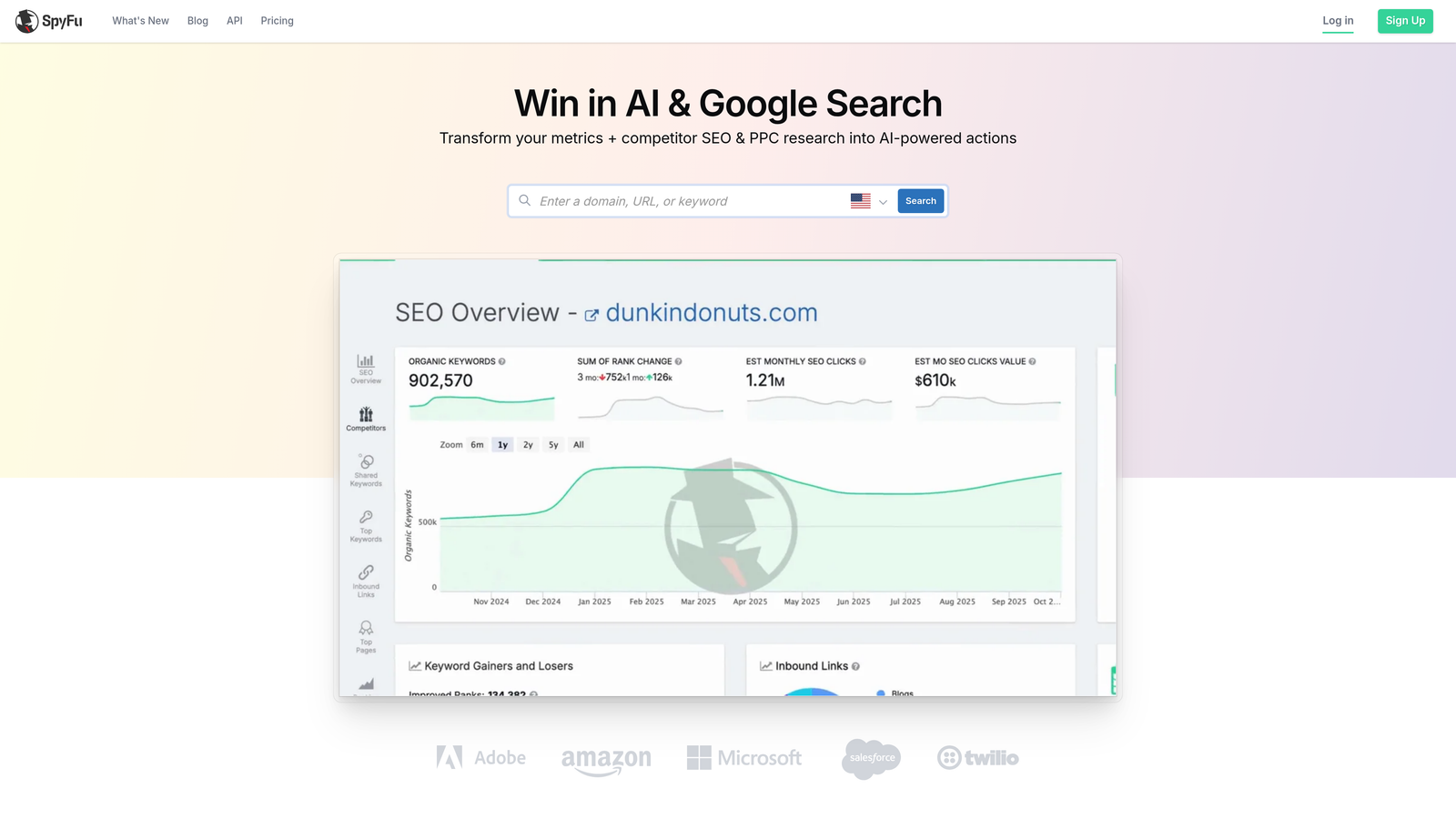
SpyFu is one of the most affordable competitive intelligence tools available, giving you a clear view into what your competitors are bidding on, what their ads look like, and how their strategy has evolved over time.
Where This Tool Shines
The mistake most agencies make when launching a new campaign is starting from scratch with keyword research when competitor data already tells you what's working. SpyFu surfaces competitor keywords, ad copy history, estimated budgets, and keyword overlap so you can build smarter from day one. For accounts in competitive verticals, this kind of intelligence is worth the subscription fee on its own.
The SERP ranking history and PPC keyword recommendation features are also genuinely useful for identifying gaps—keywords competitors are ignoring that you could own at lower CPCs.
Key Features
Competitor Keyword Research: See exactly which keywords your competitors are bidding on, including historical data.
Ad Copy History: View competitor ad variations over time to understand their messaging strategy.
Estimated Competitor Ad Spend: Get a rough sense of how aggressively competitors are investing in paid search.
Keyword Overlap and Gap Analysis: Find keywords where you're competing head-to-head and opportunities where you're not.
PPC Keyword Recommendations: Discover keyword ideas derived from competitor data rather than generic search volume tools.
Best For
Freelancers and agencies doing competitive research before campaign launches or quarterly strategy reviews. Also useful for clients who want to understand the competitive landscape without commissioning a full audit.
Pricing
Starts around $39/month—verify current plans at spyfu.com.
4. Google Keyword Planner
Best for: Building initial keyword lists and validating search volume and CPC estimates using Google's own data.
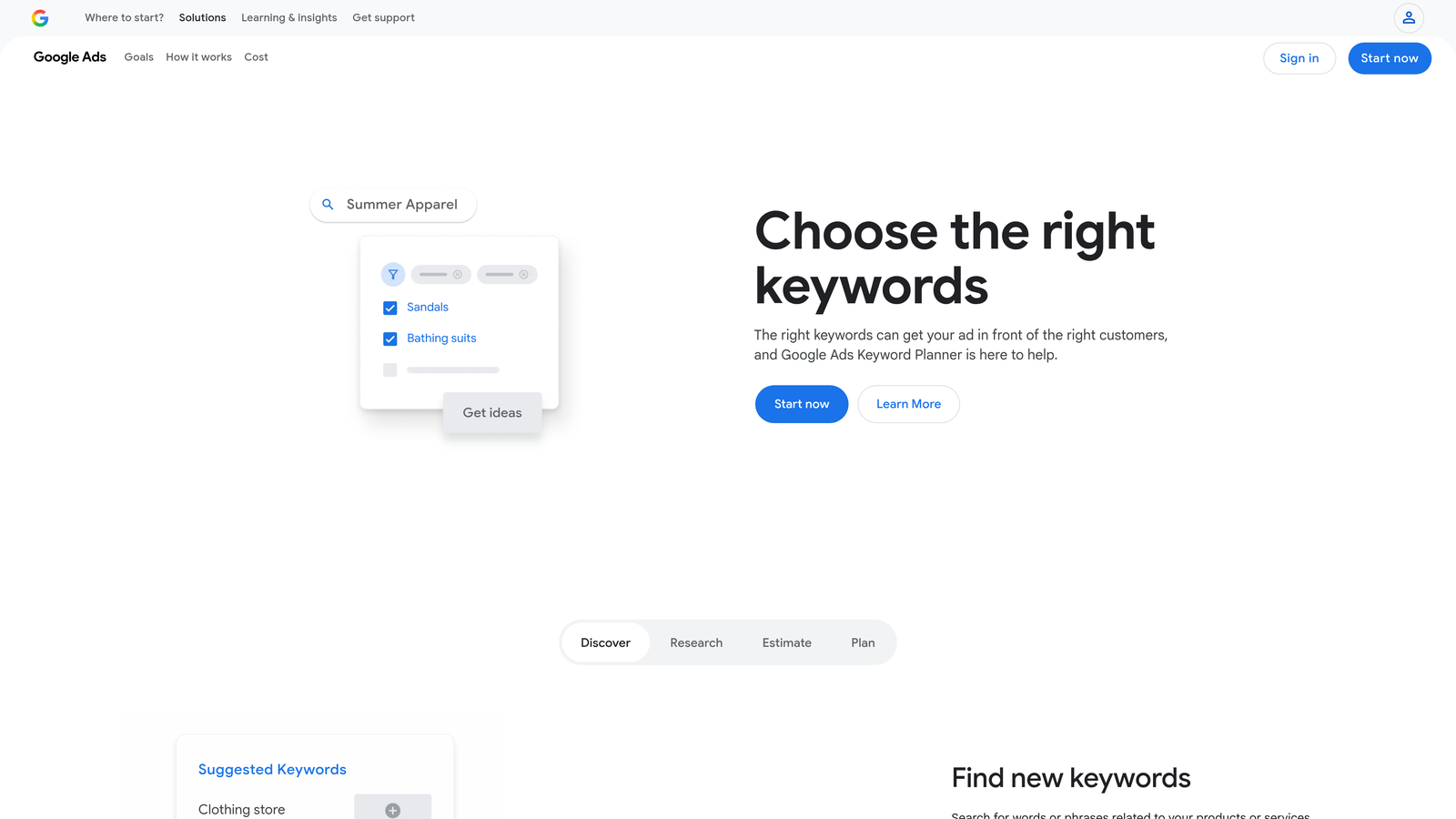
Google Keyword Planner is the free keyword research tool built into every Google Ads account—and the baseline for any PPC keyword strategy.
Where This Tool Shines
The data comes straight from Google, which matters. When you're estimating CPCs or forecasting budget for a new campaign, Keyword Planner gives you numbers that are at least directionally accurate because they're sourced from the same system you're buying ads in. No third-party approximation layer.
The forecast and budget planning tools are underused. You can model out what a keyword list might cost at different bid levels before you spend a dollar—useful for client proposals and internal planning alike. The main limitation is that volume data shows as ranges unless your account is actively spending, which can be frustrating for research-only use cases.
Key Features
Free Access: Available with any Google Ads account, no additional cost.
Search Volume and CPC Estimates: Direct from Google's data, not third-party approximations.
Keyword Idea Generation: Discover related keywords based on seed terms or URLs.
Forecast and Budget Planning: Model projected clicks, impressions, and costs before launching.
Location and Language Filtering: Segment keyword data by geography and language for more precise targeting research.
Best For
Any advertiser doing initial keyword research, budget planning, or client proposals. It's not a replacement for deeper competitive tools, but it's the right starting point and it costs nothing.
Pricing
Free with any Google Ads account.
5. Adalysis
Best for: Advertisers running structured ad tests who need automated statistical significance tracking and Quality Score monitoring.
Adalysis is a PPC optimization platform built around ad testing automation and account health monitoring—particularly strong for teams running large ad inventories.
Where This Tool Shines
If you're running A/B tests across hundreds of ad groups and trying to manually determine which variants are statistically significant, you're either waiting too long to call tests or making decisions on insufficient data. Adalysis automates that process and flags winners and losers based on actual statistical significance, not gut feel. That alone saves meaningful time in accounts with large ad inventories.
The Quality Score monitoring and account audit features are a solid secondary benefit. In most accounts I audit, Quality Score problems are quietly inflating CPCs—and Adalysis gives you a structured way to identify and prioritize those fixes.
Key Features
Automated Ad A/B Testing: Track ad variants with statistical significance calculations built in, not manual spreadsheet work.
Quality Score Monitoring: Track Quality Score changes over time with alerts when scores drop.
Account Audit and Diagnosis: Structured performance analysis that surfaces issues across the account.
Ad Rotation Analysis: Identify uneven ad rotation and ads that need to be paused or replaced.
Keyword and Ad Performance Dashboards: Centralized view of performance across campaigns and ad groups.
Best For
Advertisers and agencies who run systematic ad testing as part of their optimization workflow. If ad testing is ad hoc or rarely happens in your accounts, this tool's core value proposition won't land as hard.
Pricing
Starts around $99/month—verify current plans at adalysis.com.
6. Optmyzr
Best for: Agencies that want rule-based PPC automation and custom reporting without writing scripts from scratch.
Optmyzr is a PPC management platform built for teams that need automation, one-click optimization suggestions, and client-ready reporting in one place.

Where This Tool Shines
The rule-based automation engine is where Optmyzr earns its place in an agency stack. You can build custom rules that trigger bid adjustments, pause underperforming keywords, or flag anomalies without writing a single line of Google Ads Script. For agencies managing ten or more accounts, that kind of automation compounds quickly in time saved.
The one-click optimization suggestions are genuinely useful as a starting point—though experienced PPC managers will want to review them before applying rather than clicking through blindly. The reporting layer is also strong for client-facing work, with customizable dashboards that don't require a lot of setup time.
Key Features
One-Click Optimization Suggestions: Pre-built recommendations surfaced based on account performance data.
Rule-Based Automation Engine: Build custom automation rules without scripting knowledge.
Custom PPC Reporting Dashboards: Client-ready reports with flexible layout and data selection.
Shopping Campaign Management: Dedicated tools for managing and optimizing Google Shopping campaigns.
Multi-Account Support: Manage and monitor multiple client accounts from a single interface.
Best For
Agencies managing multiple accounts who want to reduce manual optimization time and produce cleaner client reports. Solo freelancers with smaller account volumes may find the price harder to justify depending on current plan tiers.
Pricing
Pricing varies by account spend and plan tier—verify current options at optmyzr.com.
7. Search Atlas
Best for: Advertisers who want PPC and SEO keyword research in a single platform at a lower price than enterprise alternatives.
Search Atlas is an all-in-one keyword research and competitive intelligence platform that covers both paid and organic search without the price tag of the major enterprise tools.

Where This Tool Shines
The combined PPC and SEO workflow is the main differentiator here. If you're managing paid search and also care about organic visibility for the same client, having keyword gap analysis, CPC data, and content tools in one platform reduces the number of subscriptions you're maintaining. For freelancers wearing multiple hats, that consolidation has real value.
The competitor keyword gap analysis is particularly useful at the campaign planning stage—finding keywords your competitors rank or bid on that you're not targeting yet is one of the fastest ways to identify expansion opportunities.
Key Features
Combined PPC and SEO Research: Keyword data, CPC estimates, and organic metrics in a single platform.
Competitor Keyword Gap Analysis: Identify keywords competitors are targeting that you're missing.
Search Volume and CPC Data: Keyword metrics for both paid and organic planning.
Content Optimization Tools: On-page recommendations for organic content alongside paid keyword research.
Backlink Research: Domain authority and link data for competitive context.
Best For
Freelancers and small agencies managing both paid and organic search for clients. If you're purely PPC-focused, the SEO features add less value and you may be better served by a more PPC-specific tool.
Pricing
Verify current plan pricing at searchatlas.com—generally more accessible than major enterprise alternatives.
8. Tenscores
Best for: Advertisers whose main problem is high CPCs driven by poor Quality Scores and unclear account structure.
Tenscores is a niche tool focused entirely on diagnosing and improving Google Ads Quality Scores—a specific but high-impact problem when it's the root cause of inflated costs.
Where This Tool Shines
Quality Score is one of those metrics that's easy to ignore until you realize it's been quietly increasing your effective CPC for months. Tenscores gives you historical Quality Score data, trend analysis, and structured recommendations for improving ad relevance, landing page experience, and expected CTR—the three components Google actually measures. Most general PPC platforms surface Quality Score data but don't give you a clear path to fixing it.
The keyword grouping suggestions are also useful for advertisers whose account structure has grown organically and become messy over time—a common situation in accounts that weren't built with tight ad group themes from the start.
Key Features
Quality Score Tracking and Trends: Historical Quality Score data so you can see whether changes are actually working.
Account Structure Recommendations: Specific suggestions for reorganizing keywords and ad groups to improve relevance.
Ad Relevance and Landing Page Diagnostics: Breakdown of which Quality Score components are dragging down your scores.
Keyword Grouping Suggestions: Recommendations for tighter ad group themes based on existing keyword data.
Historical Quality Score Data: Track changes over time rather than seeing only a current snapshot.
Best For
Advertisers dealing with above-average CPCs who suspect poor Quality Scores are the cause. Less useful if your account structure is already tight and your CPCs are competitive—this tool solves a specific problem rather than covering the full optimization workflow.
Pricing
Verify current pricing and plan availability at tenscores.com.
9. Semrush (PPC Toolkit)
Best for: Advertisers who need the broadest possible keyword and competitive data set and can justify a higher monthly cost for feature depth.
Semrush is primarily known for SEO, but its PPC toolkit is genuinely capable—especially for keyword research, competitor ad copy analysis, and CPC benchmarking across large keyword sets.
Where This Tool Shines
The keyword database is massive, and the CPC data is among the most comprehensive available outside of Google's own tools. If you're researching a new vertical, entering a competitive market, or building a keyword strategy for a client from scratch, Semrush gives you more data points to work with than most alternatives on this list. The competitor ad copy research is also strong—you can see what messaging competitors are running and how it's changed over time.
It's the most expensive tool here, but Semrush frequently runs promotions and the Pro plan covers a lot of ground. For agencies already using it for SEO, the PPC toolkit is essentially a bonus rather than an additional cost.
Key Features
Massive Keyword Database: One of the largest third-party keyword databases available, with CPC data included.
Competitor Ad Copy Research: View competitor ad variants and messaging history for any domain.
PPC Keyword Tool: Build and filter keyword lists with match type options and CPC estimates.
Position Tracking for Paid Results: Monitor where ads are appearing in paid results over time.
Ad History and Competitor Spend Estimates: Understand how competitors' paid strategies have evolved.
Best For
Agencies and in-house teams already investing in SEO who want to extend that data into paid search. Also worth considering for advertisers in highly competitive verticals where granular competitor intelligence justifies the higher price point.
Pricing
Pro plan starts around $139.95/month—verify current pricing at semrush.com.
Which Tool Is Right for Your Situation
The honest truth: most advertisers don't need a $500/month enterprise suite. A well-chosen $12–$50/month tool that solves your specific problem will outperform a bloated platform you barely use.
Here's how to think about it by use case:
Wasting time in the Search Terms Report: Start with Keywordme. It's the fastest way to clean up junk search terms and build negative keyword lists at $12/month, and it works inside the Google Ads UI you're already in. Start your free 7-day trial and see how much time you recover in the first week alone.
.svg)