
9 Best PPC Optimization Tools to Buy in 2026 (For Marketers, Freelancers & Agencies)
Discover the 9 best PPC optimization tools to buy in 2026, covering solutions for freelancers, agencies, and in-house marketers who need to reduce wasted ad spend and manage Google Ads campaigns more efficiently — from lightweight Chrome extensions to full agency dashboards suited for teams of any size.


TL;DR: If you're looking to buy a PPC optimization tool, the best options in 2026 range from in-interface Chrome extensions to full-blown agency dashboards. The right pick depends on your workflow, team size, and how much time you're losing to manual tasks. This list covers 9 tools that actually help you reduce wasted ad spend, manage keywords smarter, and optimize Google Ads campaigns faster — without drowning in spreadsheets.
When you're spending real money on Google Ads, every irrelevant click hurts. The tools here were selected based on workflow integration, feature depth versus complexity tradeoff, pricing transparency, and whether they're genuinely built for PPC optimization — not just bolted-on features inside a bigger platform. Whether you're a solo freelancer managing a handful of accounts or an agency running 50+ clients, there's a tool here for you.
1. Keywordme
Best for: Google Ads managers who want to optimize campaigns without leaving the native UI.
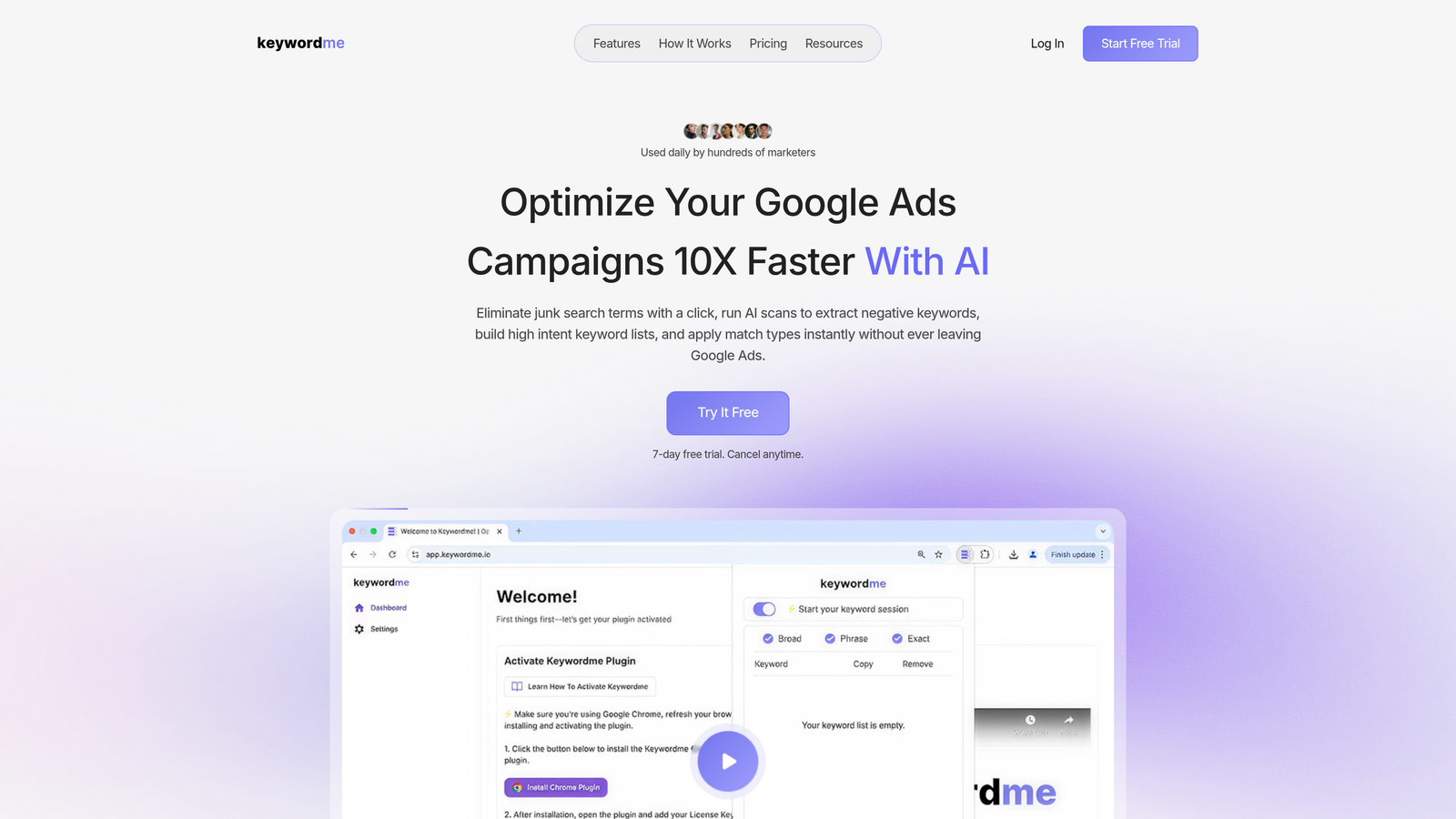
Keywordme is a Chrome extension that plugs directly into Google Ads' Search Terms Report, letting you take action on keywords without opening a single spreadsheet or third-party dashboard.
Where This Tool Shines
Most PPC tools ask you to leave Google Ads, log into their platform, sync your data, and then make changes that eventually push back to your account. Keywordme skips all of that. You're already in the Search Terms Report — Keywordme just makes every action there faster and smarter.
In most accounts I audit, the biggest time sink isn't strategy — it's the mechanical work of reviewing search terms, flagging junk, and applying negatives. Keywordme turns that into a series of one-click decisions. For agencies managing multiple clients, that time savings compounds quickly across accounts.
Key Features
One-Click Negative Keyword Additions: Flag and remove irrelevant search terms directly inside the Google Ads interface without exporting to a spreadsheet.
Match Type Application: Apply broad, phrase, or exact match to keywords without leaving the Search Terms Report — a genuinely rare workflow advantage.
Keyword Clustering: Groups related search terms intelligently so you can build tightly themed ad groups or keyword lists faster.
Bulk Editing: Handle repetitive tasks across campaigns in one pass rather than clicking through each individually.
Multi-Account and Team Support: Built with agencies in mind — multiple users can work across multiple client accounts from the same extension.
Best For
Solo Google Ads managers who live inside the platform daily and want to eliminate manual keyword work. Also a strong fit for PPC agencies that want to speed up the routine optimization tasks their team handles across many client accounts — without adding another dashboard to manage.
Pricing
Flat rate at $12/month per user. A 7-day free trial is available with no tiered plan complexity — you get the full feature set from day one.
2. Optmyzr
Best for: Agencies running multi-channel paid campaigns who need automation rules and advanced reporting.
Optmyzr is a multi-channel PPC management platform built by ex-Google engineers, known for its Rule Engine and One-Click Optimizations across Google, Microsoft, Meta, and Amazon Ads.

Where This Tool Shines
Optmyzr is built for scale. The Rule Engine lets you create custom optimization logic — think automated bid adjustments, budget pacing rules, or keyword pruning — without writing a line of code. What usually happens here is that agencies set up these rules once and let them run across dozens of accounts, which is where the real time savings kicks in.
The PPC Investigator feature is genuinely useful for diagnosing why performance dropped. Rather than manually digging through segments, it surfaces likely causes based on account data. It's not perfect, but it's a solid starting point for account audits.
Key Features
Rule Engine: Build custom automated optimization rules for bids, budgets, and keywords — no coding required.
One-Click Optimizations: Pre-built optimization suggestions you can apply with a single click across bids, budgets, and keyword management.
PPC Investigator: Diagnoses performance drops by analyzing account data and surfacing likely root causes.
Multi-Channel Support: Manage Google Ads, Microsoft Ads, Meta Ads, and Amazon Ads from one platform.
Agency Reporting: Client-ready reporting with multi-account management built into the interface.
Best For
Agencies managing clients across multiple ad platforms who need automation that goes beyond what Google Ads' native rules can handle. Less suited for solo freelancers or SMBs with a single Google Ads account — the pricing reflects its enterprise-leaning positioning.
Pricing
Starts around $208/month. Verify current pricing at optmyzr.com — plans vary by ad spend and feature access.
3. WordStream Advisor
Best for: SMBs and marketing generalists who need guided PPC management without deep platform expertise.
WordStream Advisor (now part of LocaliQ) is a guided PPC management tool designed to make Google and Microsoft Ads more accessible through weekly action recommendations and a simplified interface.

Where This Tool Shines
WordStream was built around the idea that most small business owners shouldn't need to become PPC experts to run effective campaigns. The weekly "Work Week" workflow surfaces the highest-impact actions in your account and tells you exactly what to do — which is genuinely helpful if you're not living inside Google Ads every day.
The mistake most agencies make is recommending WordStream to clients who need deep optimization control. It's better suited for business owners who want guardrails and guidance rather than granular campaign management.
Key Features
Weekly Action Items: Prioritized recommendations surfaced automatically, ordered by estimated impact on campaign performance.
Unified Google and Microsoft Ads Management: Manage both platforms from one interface without switching between native UIs.
Negative Keyword Suggestions: Automated identification of irrelevant search terms to help reduce wasted spend.
Performance Grader: Account health scoring that benchmarks your campaigns against industry averages.
SMB-Focused Onboarding: Structured setup and support designed for users without deep PPC backgrounds.
Best For
Small business owners, marketing generalists, and local service businesses running Google and Microsoft Ads who want guided recommendations rather than a blank canvas. Not the right fit for experienced PPC managers who want granular control.
Pricing
Pricing varies by plan and ad spend. Check wordstream.com for current rates — pricing has changed since the LocaliQ acquisition.
4. SEMrush PPC Toolkit
Best for: Marketers who need competitive PPC intelligence alongside keyword research and ad copy analysis.
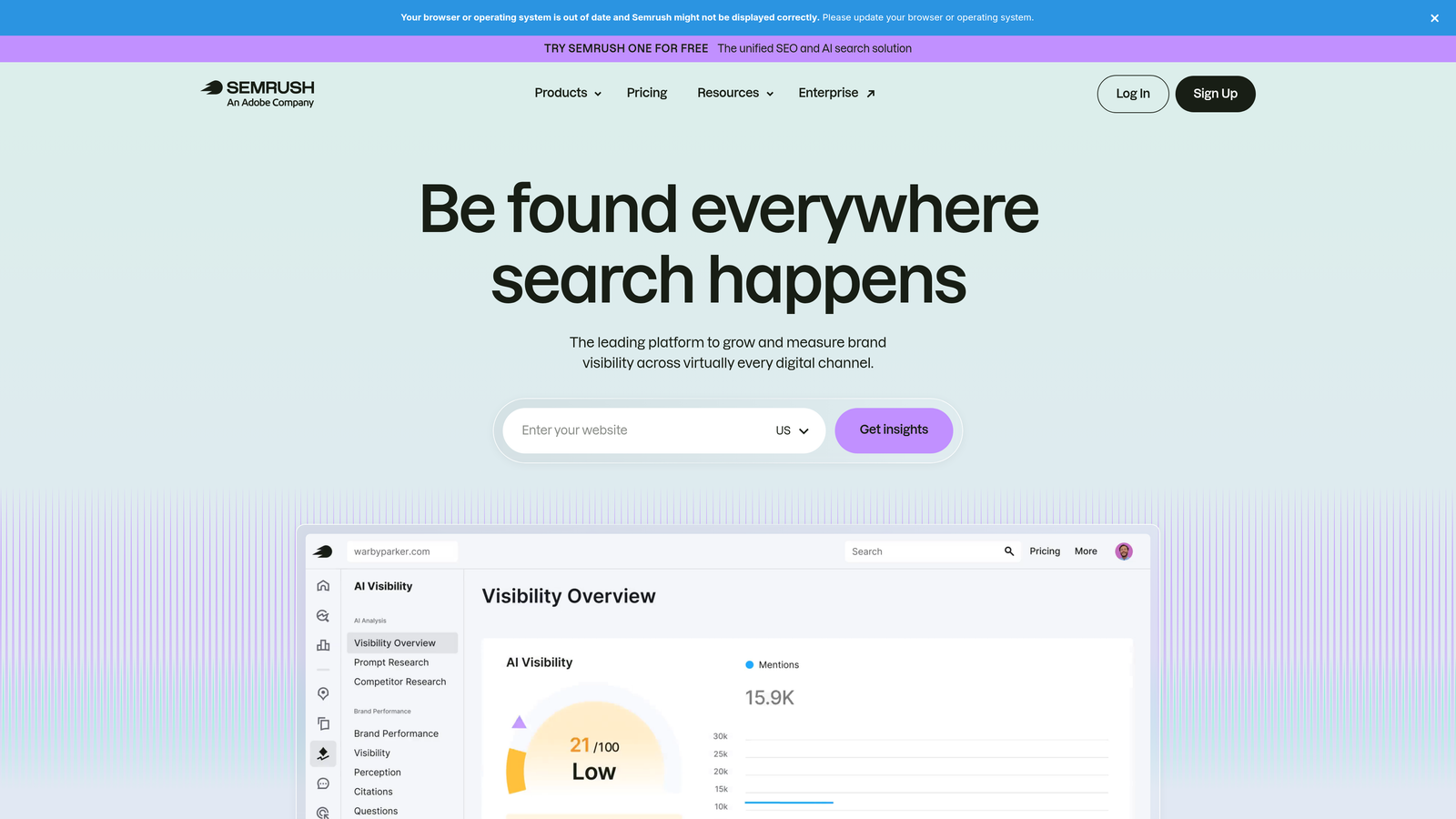
SEMrush is a broad digital marketing platform, and its PPC Toolkit is one of the most comprehensive competitive intelligence suites available for paid search — especially useful before you launch or scale a campaign.
Where This Tool Shines
The Advertising Research tool is genuinely powerful. You can pull up any competitor's domain and see which keywords they're bidding on, what their ad copy looks like, and how long they've been running specific ads. Long-running ads are usually profitable ads — that's a signal worth paying attention to.
The Keyword Gap tool is another standout. It shows you keywords your competitors are bidding on that you aren't, which is a faster way to find PPC opportunities than building lists from scratch.
Key Features
Advertising Research: See any competitor's Google Ads keywords, estimated spend, and ad copy history.
Keyword Gap Tool: Identify PPC keyword opportunities by comparing your domain against up to four competitors.
CPC Data and Keyword Difficulty: Paid search metrics layered on top of keyword research to help prioritize targets.
PLA Research: Product Listing Ad intelligence for ecommerce advertisers running Google Shopping campaigns.
Ad Builder: Draft ad copy using competitor data as a reference point directly within the platform.
Best For
Marketers who need to understand the competitive landscape before and during campaign management. Also a strong fit for agencies that want to include competitive PPC insights in client deliverables. Less useful as a day-to-day campaign execution tool.
Pricing
SEMrush Pro starts at $139.95/month with the PPC Toolkit included. Verify current pricing at semrush.com.
5. SpyFu
Best for: Freelancers and budget-conscious marketers focused on competitor Google Ads research.
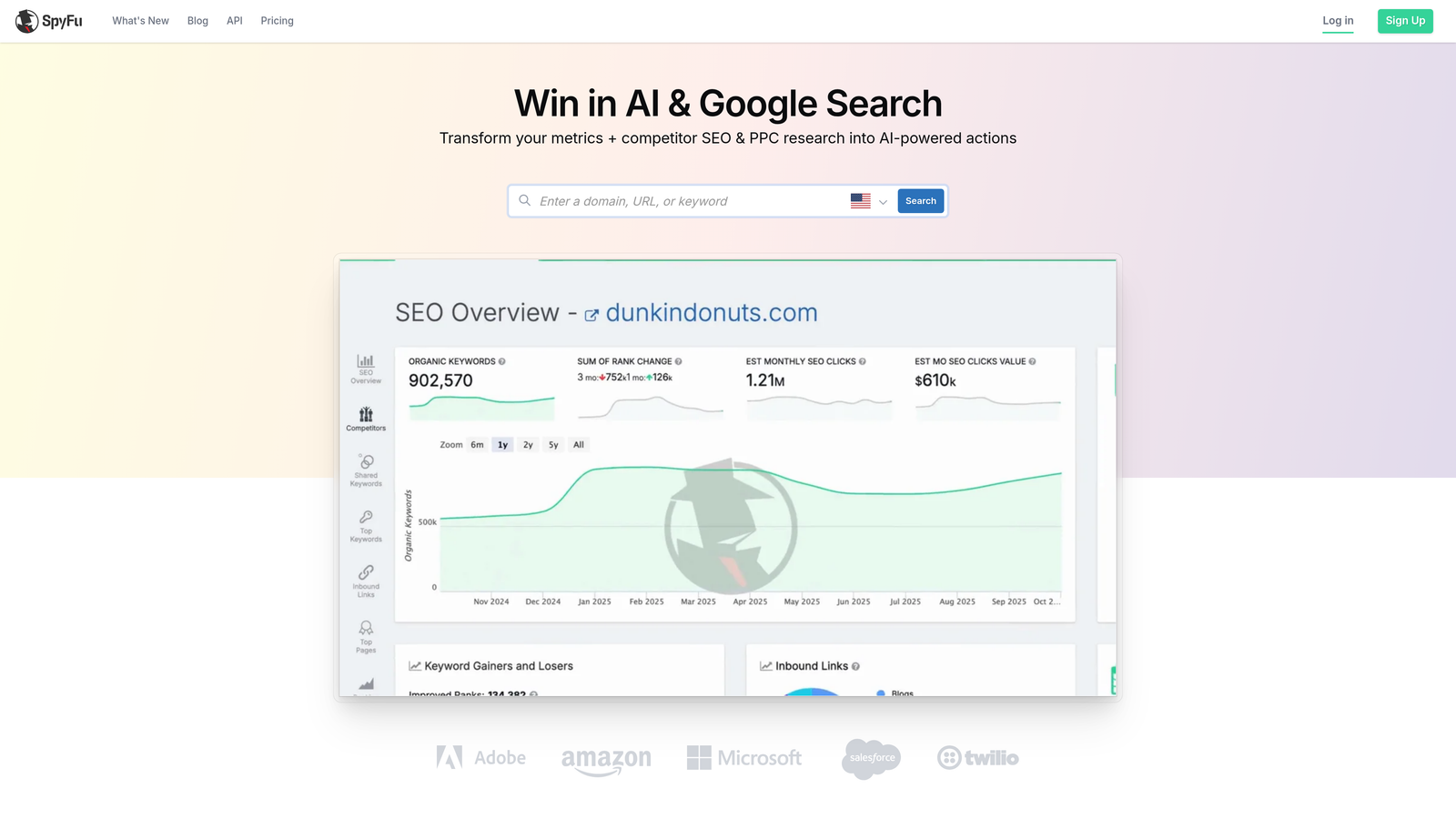
SpyFu is a competitive intelligence tool built specifically around uncovering competitor Google Ads keyword strategies, historical ad data, and estimated spend — at a price point that makes it accessible for solo practitioners.
Where This Tool Shines
SpyFu's historical data depth is its biggest differentiator. You can see what keywords a competitor was bidding on years ago, which ad copy they tested, and how their strategy has evolved. That kind of longitudinal view is hard to find elsewhere at this price.
The Kombat tool — which does a three-way keyword comparison between your domain and two competitors — is one of those features that sounds gimmicky but turns out to be genuinely useful for spotting gaps and overlaps in keyword coverage.
Key Features
Competitor Keyword Data: View any domain's Google Ads keywords, estimated monthly spend, and click volume.
Historical Ad Copy: Access years of ad copy history for any advertiser — useful for spotting what's been tested and what sticks.
Keyword Overlap Analysis: See where your paid keyword strategy overlaps with or diverges from competitors.
Kombat Tool: Three-way keyword comparison to identify unique and shared keyword opportunities across domains.
SERP Analysis: Combined paid and organic SERP data for a fuller picture of keyword competition.
Best For
Freelancers, in-house marketers, and small agencies who need solid competitive PPC intelligence without paying SEMrush-level prices. Great for new client onboarding and initial keyword strategy work.
Pricing
Starts around $39/month. Verify current pricing at spyfu.com.
6. Google Ads Editor
Best for: Anyone doing bulk campaign edits who wants a free, powerful desktop tool with offline capability.
Google Ads Editor is Google's free desktop application for managing Google Ads campaigns offline with bulk editing, find-and-replace, and copy/paste functionality across campaigns and accounts.

Where This Tool Shines
If you're restructuring campaigns, duplicating ad groups across multiple campaigns, or making sweeping keyword changes, Ads Editor is still one of the fastest ways to do it. The find-and-replace function alone saves hours when you're updating ad copy across dozens of ad groups.
The draft-and-review workflow is underrated. You can make all your changes offline, review everything in a staged view, and push live only when you're confident. That safety net matters when you're making bulk changes on a high-spend account.
Key Features
Bulk Offline Editing: Edit keywords, ads, bids, and targeting across campaigns without an active internet connection.
Find-and-Replace: Update text across campaigns and ad groups in seconds — invaluable for large-scale copy updates.
Copy/Paste Across Accounts: Duplicate campaigns, ad groups, and keywords between accounts without rebuilding from scratch.
Draft and Review: Stage all changes and review them before pushing live — reduces the risk of bulk edit mistakes.
Free: No subscription, no trial period, no feature gating — the full tool is available at no cost.
Best For
Any Google Ads manager handling bulk structural changes, campaign migrations, or large-scale copy updates. It's not a replacement for a full optimization tool, but it belongs in every PPC practitioner's toolkit regardless of what else they're using.
Pricing
Free. Available for download directly from Google at ads.google.com/home/tools/ads-editor/.
7. Adalysis
Best for: PPC managers who want automated ad testing and proactive account health monitoring.
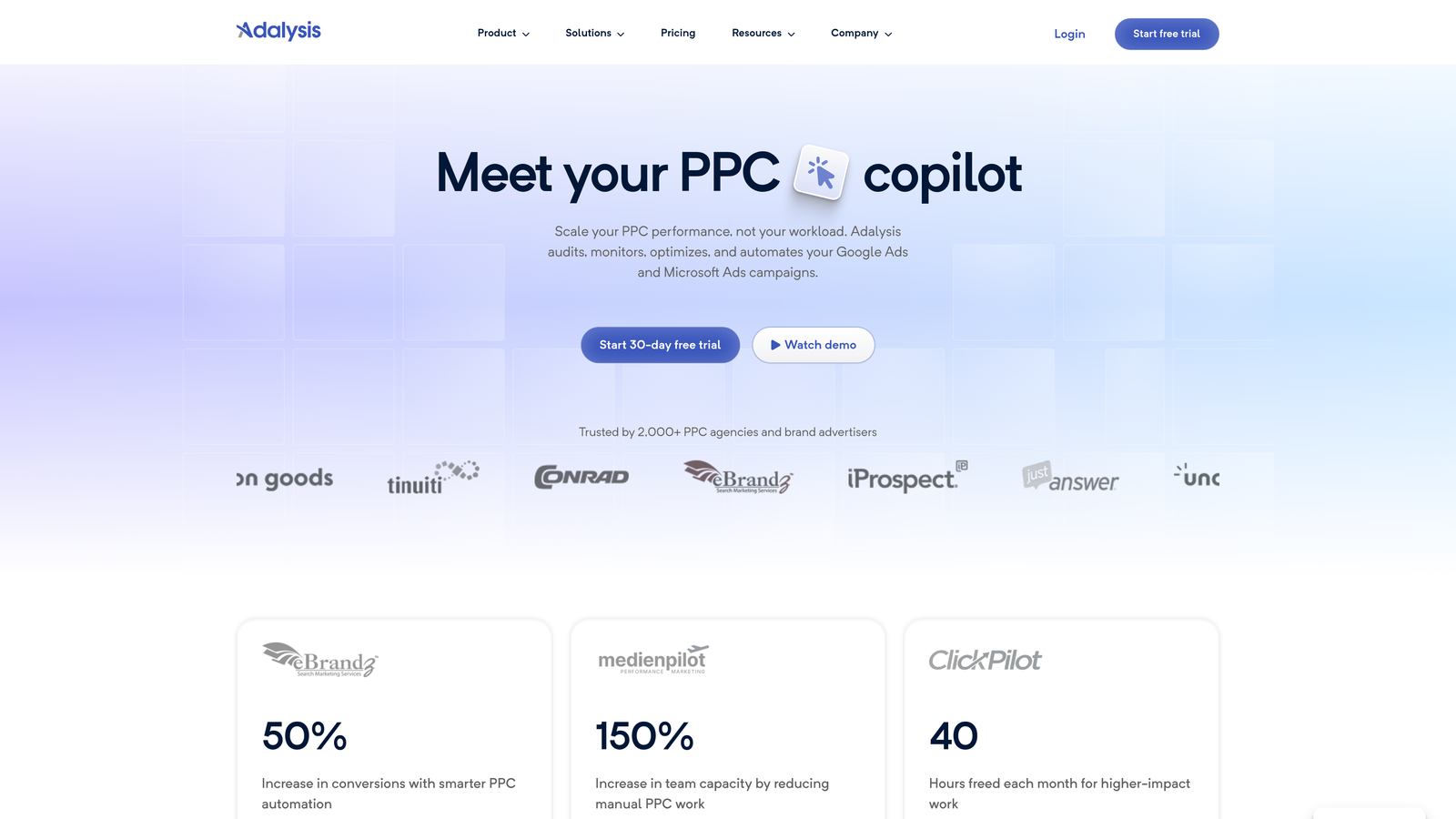
Adalysis is a PPC management tool built specifically for Google and Microsoft Ads, with a strong focus on automated ad testing, quality score monitoring, and account health alerts.
Where This Tool Shines
Ad testing in most accounts is either completely manual or completely ignored. Adalysis automates the statistical significance tracking — so instead of eyeballing click-through rates and guessing which ad is winning, you get a clear signal when a test has reached significance and what to do next.
The account audit feature is thorough without being overwhelming. It surfaces prioritized recommendations rather than dumping a 200-item checklist on you, which is what most audit tools do. In most accounts I've seen run through it, it catches things that have been sitting unaddressed for months.
Key Features
Automated A/B Ad Testing: Tracks ad performance with statistical significance monitoring so you know when a winner is real, not random.
Quality Score Monitoring: Historical quality score tracking at the keyword level across your account.
Account Audit: Prioritized recommendations surfaced by an automated account health check.
Automated Alerts: Notifications for budget issues, performance drops, and policy violations before they become bigger problems.
Google and Microsoft Ads Support: Covers both major paid search platforms from one interface.
Best For
PPC managers and agencies who run ongoing ad testing programs and want automated monitoring rather than manual account checks. Particularly useful for accounts with large numbers of ad groups where manual oversight is impractical.
Pricing
Starts around $99/month. Verify current pricing at adalysis.com.
8. Tenscores
Best for: Google Ads managers focused specifically on improving Quality Score and reducing CPCs.
Tenscores is a niche Google Ads tool dedicated entirely to Quality Score optimization — tracking keyword-level quality scores over time and providing actionable recommendations to lower CPCs and improve ad relevance.
Where This Tool Shines
Quality Score is one of those metrics that most advertisers know matters but few actually track systematically. Tenscores fills that gap. It gives you historical quality score data at the keyword level — something Google Ads itself doesn't show natively — so you can see whether your optimization efforts are actually moving the needle.
The tool is refreshingly focused. It doesn't try to do bid management, reporting, or competitive research. It does one thing — Quality Score optimization — and does it well. That simplicity is genuinely useful if you're already using other tools for the rest of your workflow.
Key Features
Keyword-Level Quality Score Tracking: Historical quality score data for individual keywords — visibility that Google Ads doesn't provide natively.
Low-Performer Identification: Flags keywords that are dragging down account quality and increasing your CPCs.
Improvement Recommendations: Actionable suggestions for improving ad relevance, expected CTR, and landing page experience scores.
Account-Level Benchmarking: Aggregate quality score view to understand your account's overall health at a glance.
Focused UI: Clean, single-purpose interface without the feature bloat of broader platforms.
Best For
Google Ads managers dealing with high CPCs who suspect Quality Score issues are a contributing factor, and agencies that want to demonstrate ongoing optimization progress to clients through concrete score improvements over time.
Pricing
Verify current pricing at tenscores.com.
9. Swydo
Best for: PPC agencies that need white-label, automated client reporting across multiple channels.
Swydo is a white-label reporting and monitoring platform for PPC agencies, pulling data from Google Ads, Facebook Ads, and other channels into automated, client-ready dashboards.
Where This Tool Shines
Reporting is the part of agency work that takes the most time relative to the value it creates. Swydo automates the data pulling, formatting, and delivery — so instead of spending hours building a monthly report in Google Slides or Data Studio, you set up a template once and let it run on a schedule.
The white-label functionality is clean and practical. You can brand reports with your agency's logo and colors, which matters when you're presenting to clients who shouldn't need to know what tools you're using behind the scenes.
Key Features
White-Label Reports: Fully branded client reports with custom logos, colors, and domain — no Swydo branding visible to clients.
Multi-Channel Data Integration: Pulls from Google Ads, Facebook Ads, Google Analytics, and other platforms into unified reports.
Automated Report Scheduling: Set reports to deliver daily, weekly, or monthly without manual intervention.
Goal and KPI Tracking: Set client-specific performance targets and track progress against them within each report.
Template Library: Pre-built report templates to get new clients set up quickly without starting from scratch.
Best For
PPC and digital marketing agencies that manage multiple clients and need to professionalize their reporting workflow. Not an optimization tool in the traditional sense — Swydo is about communicating results, not generating them.
Pricing
Starts around $49/month. Verify current pricing at swydo.com.
Which Tool Is Right for Your Workflow?
The tools on this list serve genuinely different purposes, so the "best" one depends entirely on what's actually slowing you down.
If you're a freelancer or solo Google Ads manager spending too much time on manual keyword tasks — reviewing search terms, flagging negatives, applying match types — Keywordme is the most frictionless starting point. It works inside Google Ads, costs $12/month, and has a 7-day free trial. There's no new interface to learn because you're already in it.
If you're an agency running campaigns across Google, Microsoft, and Meta and you need automation rules that scale across dozens of accounts, Optmyzr is worth the higher price tag. The Rule Engine alone can replace hours of manual work each week.
If competitive research is your priority — whether for new client pitches or ongoing strategy — SpyFu offers solid intelligence at a price point that makes sense for freelancers, while SEMrush's PPC Toolkit goes deeper if you're already paying for the broader platform.
For bulk editing without spending anything, Google Ads Editor is a no-brainer addition to any PPC workflow. And if client reporting is the bottleneck at your agency, Swydo handles the automation side cleanly.
The bottom line: don't buy a PPC optimization tool just because it has the most features. Buy the one that fits your actual workflow and solves your biggest time sink. Most of these tools offer free trials — start there before committing to a subscription.
If you want to see what frictionless Google Ads optimization actually feels like, Start your free 7-day trial of Keywordme and run through your next Search Terms Report without opening a single spreadsheet.
.svg)