
9 Best Bulk Keyword Editing Tools for Google Ads in 2026
Managing thousands of Google Ads keywords manually wastes hours on repetitive tasks like match type changes and bid adjustments. A bulk keyword editing tool eliminates this inefficiency by letting you modify entire keyword sets instantly—changing match types across hundreds of keywords with one click, building negative keyword lists automatically, and restructuring campaigns in minutes instead of hours.


Managing hundreds or thousands of keywords manually in Google Ads is like trying to paint a house with a toothbrush—technically possible, but painfully slow. Every match type change, bid adjustment, or negative keyword addition means clicking through individual keywords one at a time. For advertisers managing multiple campaigns or client accounts, this repetitive work quickly becomes the biggest time sink in PPC management.
Bulk keyword editing tools solve this problem by letting you modify entire keyword sets in seconds. Change match types across 500 keywords with a single click. Build negative keyword lists from search term data without copying and pasting into spreadsheets. Restructure campaigns by moving keywords between ad groups in bulk. The right tool transforms hours of manual work into minutes of strategic optimization.
Here are the top bulk keyword editing tools available in 2026, tested and compared based on workflow efficiency, feature depth, and how well they handle real-world PPC scenarios.
1. Keywordme
Best for: Fast bulk edits directly inside the Google Ads interface without switching tools
Keywordme is a Chrome extension that adds bulk editing capabilities directly into the Google Ads Search Terms Report, eliminating the need to export data or switch between platforms.

Where This Tool Shines
What makes Keywordme different is that it works exactly where you're already analyzing search terms—inside Google Ads itself. Instead of exporting data to spreadsheets or switching to external dashboards, you simply select search terms and apply actions with a single click. This in-interface approach cuts out the context-switching that slows down most optimization workflows.
The tool excels at speed. Remove junk search terms, add high-intent keywords with the right match type, and build negative keyword lists without leaving the Search Terms Report. For agencies managing multiple client accounts, the time savings compound quickly across every campaign review.
Key Features
One-Click Match Type Application: Select search terms and instantly add them as keywords with exact, phrase, or broad match without manual formatting.
Bulk Negative Keyword List Building: Create and populate negative keyword lists directly from search term data in seconds.
Keyword Clustering: Automatically group related search terms to identify patterns and build targeted ad groups faster.
Multi-Account Support: Switch between client accounts seamlessly with team collaboration features built in.
Native Google Ads Integration: Works inside the existing interface—no learning curve, no separate login, no data exports required.
Best For
Freelance PPC managers and agency teams who spend significant time in the Search Terms Report and want to eliminate spreadsheet-based workflows. Particularly valuable for advertisers managing 5+ accounts who need consistent optimization processes across all clients.
Pricing
$12/month per user with a 7-day free trial. Flat-rate pricing with no percentage of ad spend fees.
2. Google Ads Editor
Best for: Comprehensive offline bulk editing with zero cost
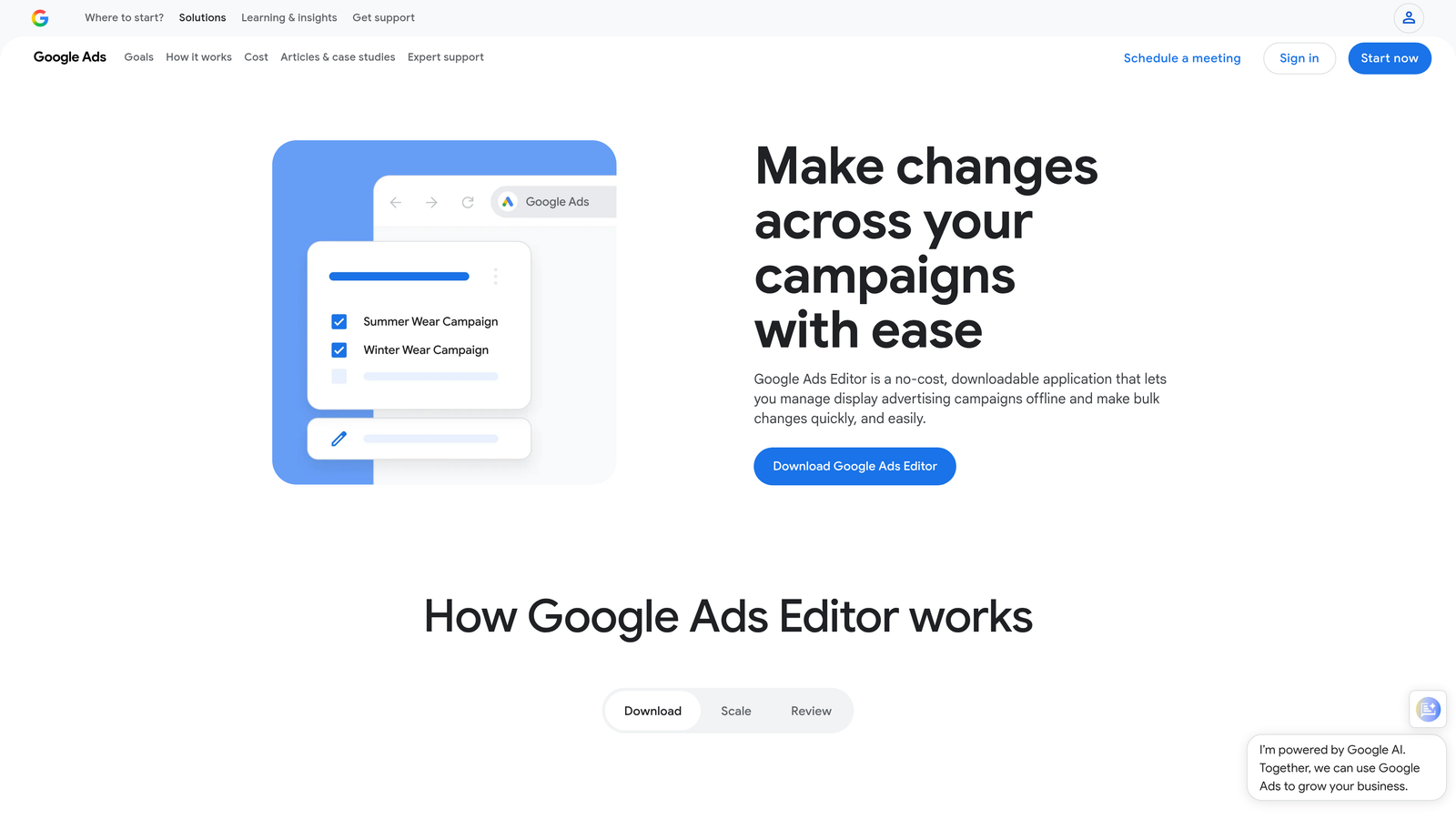
Google Ads Editor is Google's free desktop application that lets you download entire accounts, make bulk changes offline, and upload them back to Google Ads.
Where This Tool Shines
Ads Editor remains the most powerful free bulk editing tool available. You can download entire campaigns, use advanced find-and-replace functions across thousands of keywords, and make complex structural changes without worrying about accidental live edits. The offline workflow means you can build out campaign restructures during client calls or while traveling without internet access.
The tool handles truly massive bulk operations that would crash browser-based interfaces. Moving 10,000 keywords between ad groups, applying bid rules across entire campaigns, or duplicating campaign structures for new regions—these operations work smoothly in Editor where they'd be painful in the web interface.
Key Features
Advanced Find and Replace: Search across all campaigns and replace text, bids, URLs, or settings in bulk with powerful filtering.
Offline Editing: Make changes without internet connection and review everything before pushing live.
Copy Between Accounts: Duplicate campaign structures across different accounts with a few clicks.
Bulk Bid Adjustments: Apply percentage increases or decreases across filtered keyword sets instantly.
Complete Campaign Management: Edit every aspect of campaigns, not just keywords—ads, extensions, audiences, everything.
Best For
Advertisers who need maximum control over bulk changes, agencies building out new campaign structures, and anyone managing large-scale account restructures. Essential for PPC managers who work across multiple accounts and need a free solution.
Pricing
Completely free—Google provides it as a native tool for all Google Ads users.
3. Optmyzr
Best for: Rule-based automation with bulk optimization recommendations
Optmyzr is a comprehensive PPC management platform that combines bulk editing capabilities with automated optimization rules and cross-platform campaign management.

Where This Tool Shines
Optmyzr moves beyond manual bulk edits by letting you create rules that automatically identify optimization opportunities. Instead of reviewing search terms manually every week, you can set up rules that flag low-performing keywords, suggest bid adjustments, or recommend match type changes based on performance thresholds you define.
The one-click optimizations feature presents pre-analyzed recommendations in a clean interface where you can approve or reject changes in bulk. This approach works particularly well for agencies managing 20+ accounts where manual review of every campaign isn't scalable.
Key Features
Rule-Based Bulk Optimizations: Create custom rules that automatically identify keywords needing bid changes, pausing, or match type adjustments.
One-Click Optimizations: Review AI-generated recommendations and apply approved changes across multiple campaigns instantly.
Multi-Account Dashboard: Manage bulk edits across dozens of client accounts from a single interface.
Custom Scripts and Automations: Build advanced workflows using Google Ads scripts without coding knowledge.
Cross-Platform Support: Apply bulk editing strategies across Google Ads, Microsoft Ads, and Amazon Ads simultaneously.
Best For
Mid-sized to large agencies managing 10+ accounts who want to automate repetitive optimization tasks. Best suited for teams that have moved beyond basic manual edits and need systematic, rule-based optimization processes.
Pricing
Starts at $249/month with pricing tiers based on monthly ad spend and number of accounts managed.
4. Adalysis
Best for: Keyword-level quality score tracking with bulk optimization workflows
Adalysis is a PPC analysis platform that combines detailed quality score insights with bulk editing tools designed to improve account health systematically.

Where This Tool Shines
Adalysis approaches bulk keyword editing from a quality score perspective. The platform tracks quality score changes at the keyword level and identifies which keywords are dragging down ad group performance. This lets you make bulk decisions based on actual quality metrics rather than just performance data.
The n-gram analysis feature automatically identifies negative keyword opportunities by analyzing search term patterns across campaigns. Instead of manually reviewing thousands of search terms, Adalysis surfaces the most common junk terms that appear across multiple campaigns, letting you add them to negative lists in bulk.
Key Features
Keyword-Level Quality Score Tracking: Monitor quality score changes over time and identify keywords that need attention before they impact account performance.
Bulk Ad Testing: Create and manage A/B tests across hundreds of ad groups with automated winner selection.
Automated Recommendations: Receive daily optimization suggestions with bulk apply functionality for approved changes.
N-Gram Analysis: Automatically identify common negative keyword patterns across all search term data.
Conflict Detection: Flag keyword conflicts between campaigns before making bulk changes that could create internal competition.
Best For
Performance-focused advertisers who optimize based on quality score and account structure health. Particularly valuable for teams managing competitive industries where quality score directly impacts CPC and ad position.
Pricing
Starts at $149/month with pricing based on monthly ad spend managed through the platform.
5. WordStream
Best for: Simplified bulk optimization with guided workflows for small businesses
WordStream is an SMB-focused PPC management platform that packages bulk editing into guided optimization workflows designed to be completed in 20 minutes per week.

Where This Tool Shines
WordStream simplifies bulk keyword management by presenting optimization opportunities in a structured weekly workflow. Instead of overwhelming users with thousands of keywords to review, the platform identifies the highest-impact changes and presents them in digestible batches with clear recommendations.
The guided approach works well for small business owners or junior PPC managers who understand campaign goals but don't have deep technical expertise. The platform essentially tells you what to optimize and lets you apply changes in bulk without needing to understand complex PPC strategy.
Key Features
20-Minute Work Week: Structured optimization workflow that identifies top priorities and packages them into quick bulk editing sessions.
Guided Bulk Recommendations: Step-by-step instructions for applying bulk changes with explanations of why each optimization matters.
Cross-Platform Management: Manage Google Ads, Microsoft Ads, and Facebook campaigns from a single interface.
Performance Grader: Automated account analysis that identifies bulk optimization opportunities based on industry benchmarks.
Simplified Interface: Streamlined dashboard that hides complexity while maintaining access to bulk editing power.
Best For
Small business owners managing their own PPC campaigns and agencies serving SMB clients who need simple, effective optimization without overwhelming technical details.
Pricing
Custom pricing based on monthly ad spend—contact WordStream for quotes. Typically starts around $300/month for smaller accounts.
6. Skai (formerly Kenshoo)
Best for: Enterprise-scale bulk operations across multiple advertising platforms
Skai is an enterprise marketing platform that handles bulk keyword management across Google Ads, Microsoft Ads, Amazon Ads, and social platforms from a unified interface.
Where This Tool Shines
Skai operates at a scale that most other tools can't handle. When you're managing hundreds of campaigns across multiple ad platforms with thousands of keywords each, you need bulk editing capabilities that can process massive datasets without breaking. Skai's infrastructure handles enterprise-level operations smoothly.
The cross-channel keyword management is particularly powerful for retail and e-commerce brands running coordinated campaigns across search and social. Apply keyword strategies in bulk across Google and Amazon simultaneously, maintaining consistent targeting while adapting to each platform's requirements.
Key Features
Cross-Channel Keyword Management: Apply bulk edits across Google Ads, Microsoft Ads, Amazon Ads, and social platforms from one interface.
AI-Powered Optimization: Machine learning algorithms identify bulk optimization opportunities based on cross-campaign performance patterns.
Enterprise-Scale Bulk Operations: Handle bulk edits across hundreds of campaigns and millions of keywords without performance degradation.
Advanced Attribution: Make bulk bid adjustments based on multi-touch attribution models rather than last-click data alone.
Custom Reporting: Build bulk editing workflows triggered by custom performance thresholds and KPIs.
Best For
Enterprise brands and large agencies managing massive keyword portfolios across multiple advertising platforms. Requires significant ad spend to justify the platform cost—typically best for advertisers spending $100K+ monthly.
Pricing
Enterprise pricing only—contact Skai for custom quotes based on ad spend and platform requirements.
7. Channable
Best for: Feed-based bulk keyword generation for e-commerce campaigns
Channable is a feed management platform that generates and manages bulk keywords automatically based on product catalog data.
Where This Tool Shines
Channable takes a fundamentally different approach to bulk keyword management by tying everything to your product feed. Instead of manually building keyword lists, you create rules that automatically generate keywords from product titles, categories, and attributes. When your product catalog updates, your keyword lists update automatically in bulk.
This feed-based approach eliminates the ongoing maintenance problem with large e-commerce campaigns. Add 100 new products to your catalog, and Channable automatically creates the corresponding keywords, ad groups, and ads without manual bulk editing sessions.
Key Features
Feed-Based Campaign Generation: Automatically create bulk keywords from product catalog data using customizable rules.
Bulk Keyword Rules: Set up conditional logic that applies match types, bids, and negative keywords based on product attributes.
Dynamic Ad Creation: Generate ad copy in bulk that pulls directly from product feed data and updates automatically.
Multi-Marketplace Support: Sync bulk keyword strategies across Google Shopping, Amazon, and other marketplaces simultaneously.
Automated Feed Optimization: Make bulk adjustments to keyword targeting based on product performance and inventory levels.
Best For
E-commerce brands and retailers managing large product catalogs who need automated bulk keyword management tied to inventory and product data. Most valuable for catalogs with 500+ products where manual keyword management becomes impractical.
Pricing
Starts at €59/month for basic plans, with pricing scaling based on product catalog size and number of advertising channels.
8. PPC Samurai
Best for: Visual campaign restructuring with drag-and-drop bulk editing
PPC Samurai is a visual PPC management tool that lets you see entire campaign structures at a glance and move keywords between ad groups using drag-and-drop interfaces.
Where This Tool Shines
PPC Samurai visualizes your account structure in ways that make bulk restructuring intuitive. Instead of working with spreadsheet rows or nested menus, you see your campaigns, ad groups, and keywords laid out visually. This makes it easy to spot structural problems and fix them in bulk.
The drag-and-drop functionality shines when you need to reorganize campaigns. Move 200 keywords from one ad group to another by selecting them visually and dragging them to the new location. Split overstuffed ad groups by selecting keyword clusters and dropping them into new ad groups you create on the fly.
Key Features
Visual Campaign Mapping: See entire account structures in visual diagrams that make bulk organization decisions clearer.
Drag-and-Drop Restructuring: Move keywords between ad groups and campaigns using intuitive visual interfaces instead of spreadsheet manipulation.
Bulk Keyword Moves: Select multiple keywords visually and relocate them in bulk without manual copying and pasting.
Account Visualization: Identify structural issues like overstuffed ad groups or keyword conflicts through visual analysis.
Quick Bulk Edits: Apply bid changes, match type modifications, and status updates across visually selected keyword groups.
Best For
Advertisers who think visually and struggle with spreadsheet-based campaign management. Particularly useful for account audits and large-scale restructuring projects where seeing the big picture helps identify optimization opportunities.
Pricing
Starts at $99/month with pricing tiers based on account size and number of campaigns managed.
9. Supermetrics + Google Sheets
Best for: Custom bulk editing workflows using spreadsheets and formulas
Supermetrics is a data connector that pulls Google Ads data into Google Sheets, where you can use formulas and scripts to create custom bulk editing workflows.
Where This Tool Shines
Supermetrics offers maximum flexibility by letting you build completely custom bulk editing workflows. Pull keyword data into Google Sheets, use formulas to calculate new bids based on custom logic, apply conditional formatting to identify optimization opportunities, then push changes back to Google Ads via the API.
This approach works brilliantly for unique optimization strategies that don't fit into pre-built tool workflows. Want to adjust bids based on a custom ROAS formula that factors in lifetime value data from your CRM? Build it in Sheets with Supermetrics feeding the data and pushing changes back to Google Ads.
Key Features
Pull Google Ads Data to Sheets: Automatically refresh keyword performance data in Google Sheets on custom schedules.
Custom Formulas for Bulk Changes: Use spreadsheet formulas to calculate bid adjustments, identify keywords to pause, or flag optimization opportunities.
Push Changes Back via API: Upload bulk edits from Sheets directly back to Google Ads without manual copying.
Scheduled Data Refreshes: Automate daily or weekly data pulls so your bulk editing spreadsheets always have current performance data.
Maximum Flexibility: Build any bulk editing workflow you can imagine using the full power of Google Sheets formulas and scripts.
Best For
Technical PPC managers comfortable with spreadsheets who need custom bulk editing logic that doesn't exist in pre-built tools. Best for advertisers with unique optimization strategies or complex bid calculation requirements.
Pricing
Starts at $29/month for the Google Sheets connector, with higher tiers available for more frequent data refreshes and additional features.
Choosing the Right Tool for Your Workflow
The best bulk keyword editing tool depends on where you actually spend your time optimizing campaigns. If you live in the Google Ads Search Terms Report and want to eliminate context-switching, Keywordme delivers the fastest workflow by working directly inside the native interface. For advertisers who need comprehensive offline editing without spending money, Google Ads Editor remains the gold standard free option.
Agencies managing 10+ client accounts should look at Optmyzr or Adalysis for automation capabilities that scale across multiple accounts. The rule-based optimization features in these platforms eliminate repetitive manual work that compounds across large client rosters. Enterprise teams with massive keyword portfolios spanning multiple ad platforms will benefit from Skai's cross-channel power, though the investment only makes sense at significant scale.
E-commerce brands running Shopping campaigns tied to product feeds should consider Channable's automated approach—it eliminates ongoing bulk editing maintenance by generating keywords automatically from catalog data. And for advertisers with highly specific optimization strategies that don't fit into pre-built tools, the Supermetrics + Google Sheets combination offers maximum flexibility to build custom bulk workflows.
The key is choosing a tool that fits your existing workflow rather than forcing you to adopt a completely new process. The fastest bulk editing tool is the one you'll actually use consistently, not the one with the longest feature list. Start your free 7-day trial of Keywordme to experience bulk keyword optimization that works exactly where you're already managing campaigns—no new logins, no spreadsheets, just faster PPC optimization right inside Google Ads.
.svg)