
9 Best Bulk Editing Tools for Google Ads
Managing Google Ads campaigns at scale requires efficient bulk editing tools for Google Ads that can handle thousands of keywords, bids, and ad groups simultaneously. This comprehensive guide reviews the nine best bulk editing solutions available in 2026, comparing Chrome extensions, standalone platforms, and automation tools to help advertisers choose the right option based on their workflow needs, budget, and campaign complexity.


TL;DR: The fastest bulk editing workflow depends on where you work. For in-interface search term cleanup, Keywordme is the quickest path—no tab-switching, no exports. For comprehensive offline restructuring, Google Ads Editor is the free standard. For rule-based automation, Optmyzr or Adalysis. For enterprise multi-channel scale, Skai. This guide breaks down all nine options—what each does best, who it's for, and what you'll pay.
If you've spent an afternoon manually adding negative keywords one by one, or copy-pasting bid adjustments across hundreds of ad groups, you already know why bulk editing tools exist. The question isn't whether you need one—it's which one fits your workflow.
Here are the top bulk editing tools for Google Ads.
1. Keywordme
Best for: Fast, in-interface bulk editing without leaving Google Ads
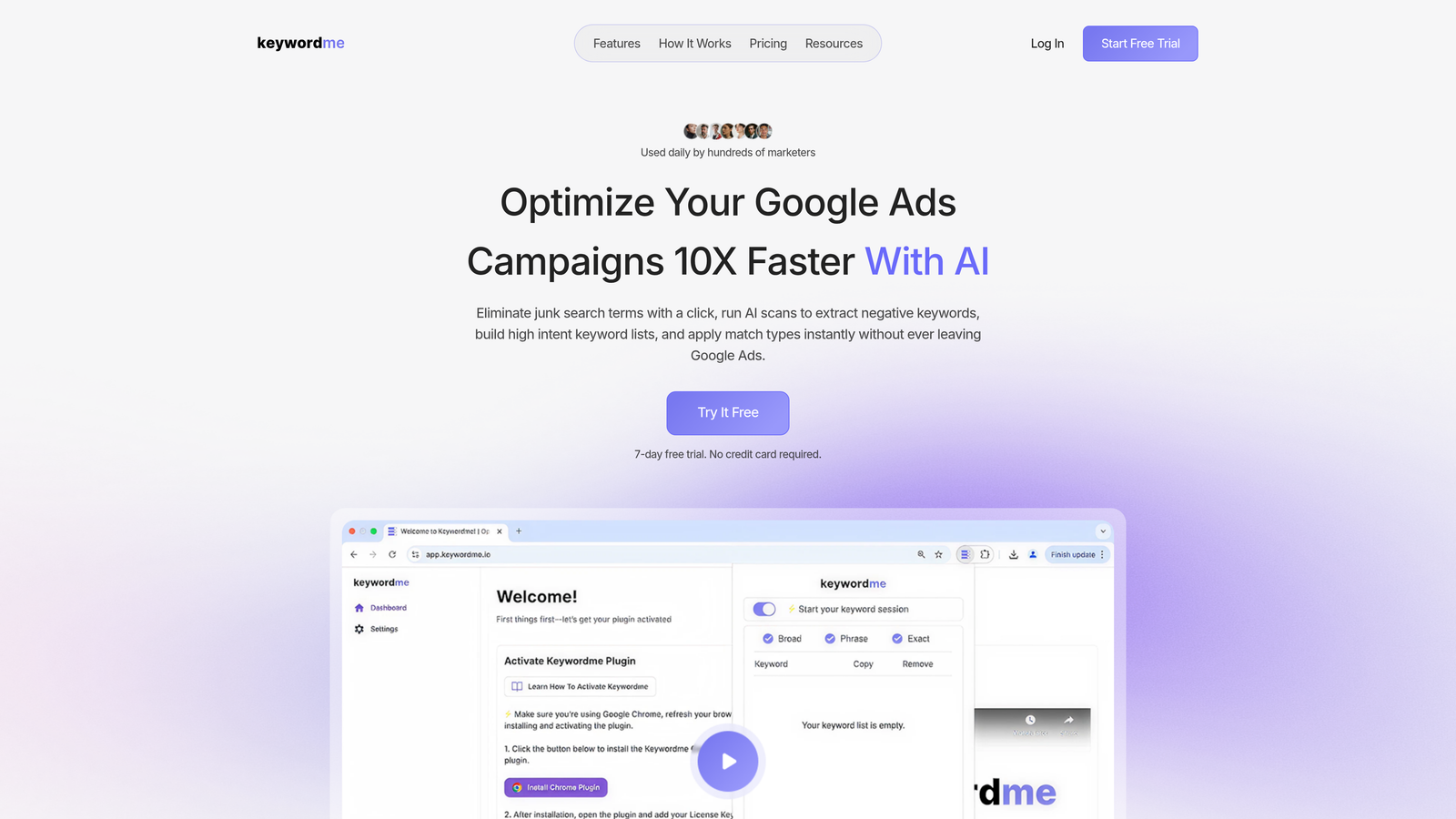
Keywordme is a Chrome extension that integrates directly into Google Ads' Search Terms Report, letting you bulk edit search terms, add negatives, apply match types, and create keyword groups without switching tools or opening spreadsheets.
Where This Tool Shines
What sets Keywordme apart is speed and context. You're working directly inside the native Google Ads interface, so you see real search term data, volumes, and performance metrics while you edit. No exporting to CSV, no opening Google Ads Editor, no switching between tabs.
This is especially powerful during search term reviews. Instead of manually clicking through to add each negative keyword, you can select dozens of junk terms and remove them with one click. The same goes for adding high-intent keywords—spot a winner, apply the right match type, and push it live instantly.
Key Features
One-Click Bulk Negative Keywords: Select multiple search terms and add them as negatives across campaigns or ad groups instantly.
Bulk Match Type Application: Apply exact, phrase, or broad match modifiers to entire keyword lists without manual formatting.
Keyword Clustering: Automatically group related keywords for better campaign structure and organization.
Multi-Account Support: Switch between client accounts seamlessly with team collaboration features built in.
Works Inside Google Ads: No separate dashboard or platform—everything happens where you're already working.
Best For
Keywordme is ideal for solo advertisers, freelancers, and agencies who manage multiple Google Ads accounts and want to cut down on repetitive tasks. If you spend significant time in the Search Terms Report optimizing campaigns, this tool eliminates most of the clicking and copy-pasting.
Pricing
$12 per month per user with a 7-day free trial. Flat-rate pricing makes it predictable for agencies managing multiple clients.
2. Google Ads Editor
Best for: Comprehensive offline bulk editing across entire accounts
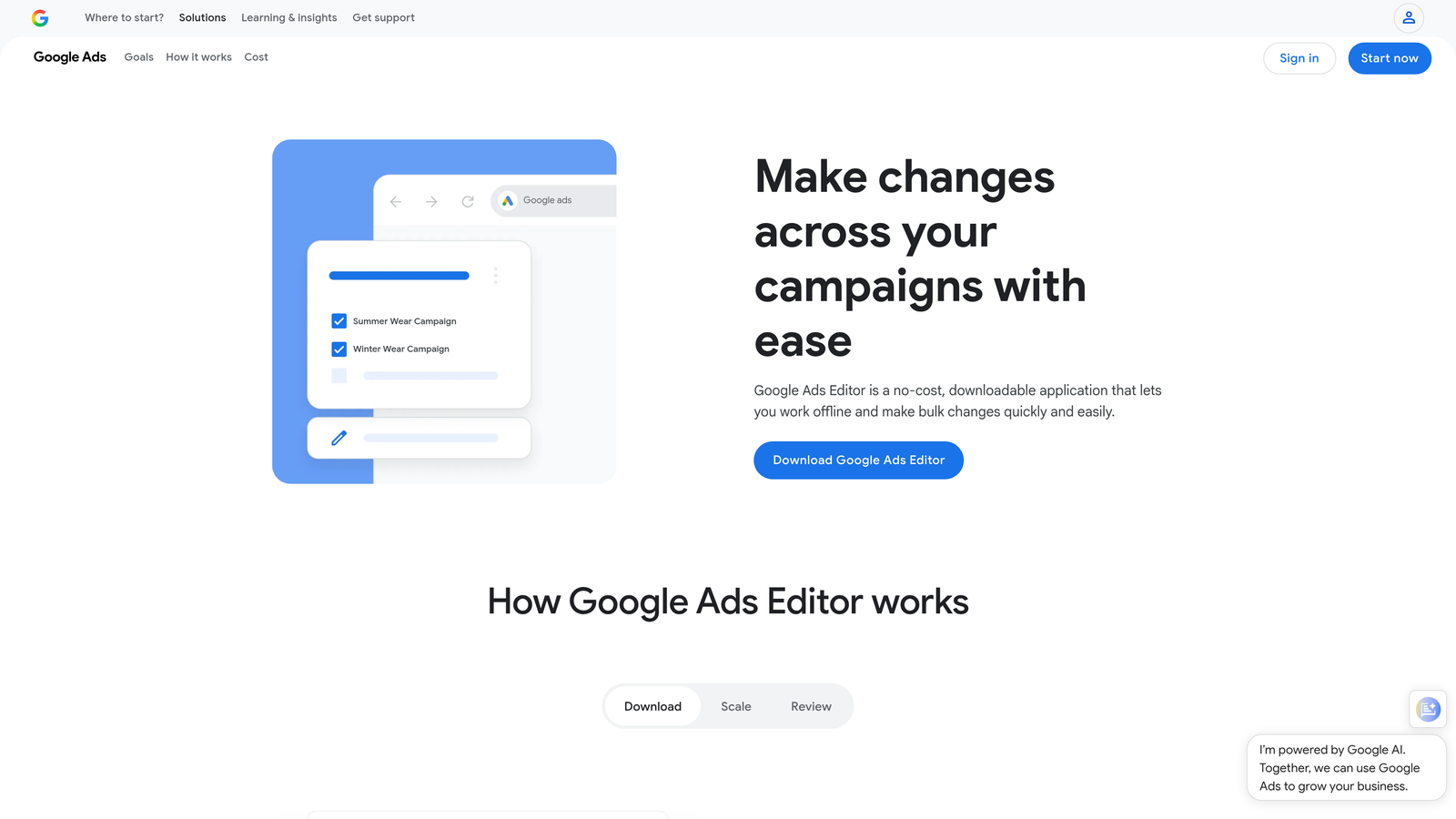
Google Ads Editor is Google's free desktop application for downloading, editing, and uploading campaign changes in bulk without needing an internet connection.
Where This Tool Shines
Google Ads Editor is the workhorse of bulk editing. You can download entire accounts, make sweeping changes offline, review everything before publishing, and push updates in one batch. It's particularly useful when you're restructuring campaigns, duplicating ad groups across accounts, or making large-scale bid adjustments.
The interface feels dated compared to modern tools, but it's comprehensive. You can edit virtually any campaign element in bulk—keywords, ads, extensions, audiences, bid strategies—and use advanced find-and-replace functions to update thousands of items at once.
Key Features
Offline Editing: Download campaigns and work without an internet connection, then upload changes when ready.
Bulk Keyword Management: Add, edit, or remove thousands of keywords across campaigns simultaneously.
Copy/Paste Between Accounts: Duplicate entire campaign structures from one account to another with a few clicks.
Find and Replace: Search for specific text across all ads, keywords, or URLs and replace it in bulk.
Draft and Review: See all pending changes before publishing, reducing the risk of mistakes.
Best For
Google Ads Editor works best for advertisers who need comprehensive control over large accounts and don't mind a steeper learning curve. It's especially valuable for agencies setting up new client accounts or making structural changes across campaigns.
Pricing
Free. No subscription, no limits—just download and use.
3. Optmyzr
Best for: Rule-based automation and AI-driven bulk optimizations
Optmyzr is a PPC management platform that combines bulk editing tools with automation rules, allowing you to set up triggers that make bulk changes automatically based on performance thresholds.

Where This Tool Shines
Optmyzr's strength is its Rule Engine. You can create custom rules that monitor campaign performance and trigger bulk actions—like pausing underperforming keywords, adjusting bids based on conversion data, or adding negative keywords when certain conditions are met. This turns reactive bulk editing into proactive automation.
The platform also offers one-click optimizations, which are pre-built bulk actions based on common PPC best practices. These suggestions save time by identifying opportunities across your account and letting you implement changes with a single click.
Key Features
One-Click Optimizations: Pre-built bulk actions for common optimization tasks like bid adjustments and negative keyword additions.
Rule Engine: Set up automated bulk actions triggered by performance metrics or time-based conditions.
Bulk Bid Management: Adjust bids across hundreds of keywords or ad groups based on custom formulas or performance data.
Shopping Campaign Tools: Bulk edit product groups, bids, and negative product targets for e-commerce campaigns.
Cross-Account Operations: Apply bulk changes across multiple client accounts simultaneously.
Best For
Optmyzr is ideal for agencies and in-house teams managing mid-to-large accounts who want to automate repetitive bulk tasks. If you're constantly making the same types of bulk edits based on performance patterns, the Rule Engine pays for itself quickly.
Pricing
Starts at $249 per month. Pricing scales based on ad spend and features, with higher tiers unlocking advanced automation and reporting.
4. Adalysis
Best for: Bulk ad copy management and automated ad testing
Adalysis focuses on ad testing and optimization, with powerful bulk editing tools specifically designed for managing ad copy at scale.
Where This Tool Shines
Adalysis excels at bulk ad operations. You can create dozens of ad variations across multiple ad groups simultaneously, set up automated tests, and let the platform identify winners and pause underperformers in bulk. This is particularly valuable for agencies running continuous ad testing across client accounts.
The platform also provides bulk negative keyword suggestions based on search term analysis, helping you identify wasted spend opportunities across your entire account. Quality Score monitoring at scale is another standout feature—you can see which keywords are dragging down performance and take bulk action to improve them.
Key Features
Bulk Ad Creation: Generate and deploy multiple ad variations across campaigns with templated workflows.
Automated Ad Testing: Set up statistical tests that automatically pause losing ads and scale winners in bulk.
Bulk Pause/Enable Actions: Quickly pause underperforming ads across your account based on performance thresholds.
Quality Score Monitoring: Track Quality Score changes at scale and identify bulk optimization opportunities.
Bulk Negative Keyword Suggestions: Analyze search terms across campaigns and add negatives in bulk with one click.
Best For
Adalysis is perfect for advertisers who run heavy ad testing programs and need to manage ad copy at scale. If you're constantly launching new ad variations and optimizing based on performance data, this tool streamlines the entire process.
Pricing
Starts at $149 per month. Pricing increases with ad spend and the number of accounts managed.
5. WordStream
Best for: Guided bulk optimizations with minimal learning curve
WordStream is a PPC platform designed for small-to-medium businesses, featuring guided bulk optimization recommendations that simplify complex tasks.

Where This Tool Shines
WordStream's signature feature is the 20-Minute Work Week—a curated list of bulk optimization opportunities that you can implement with one click. The platform analyzes your account, identifies high-impact changes, and presents them in a simple interface that doesn't require deep PPC expertise.
This makes WordStream particularly valuable for business owners or marketers who don't live in Google Ads every day. The bulk recommendations are prioritized by potential impact, so you focus on changes that actually move the needle rather than getting lost in endless optimization possibilities.
Key Features
20-Minute Work Week: Curated bulk optimization suggestions delivered weekly with one-click implementation.
Bulk Keyword Tools: Add, pause, or adjust keywords across campaigns with guided workflows.
Negative Keyword Management: Bulk negative keyword suggestions based on search term analysis.
Cross-Platform Management: Manage Google Ads, Microsoft Ads, and Facebook Ads with unified bulk tools.
Performance Alerts: Automated notifications about account issues with bulk action recommendations.
Best For
WordStream works best for SMBs and marketers who want bulk editing power without the complexity of enterprise platforms. If you need guided recommendations rather than raw bulk editing tools, this platform strikes a good balance.
Pricing
Custom pricing based on monthly ad spend. WordStream typically targets businesses spending $1,000-$50,000 per month on ads.
6. Channable
Best for: Bulk campaign generation from product feeds
Channable is a feed management platform that specializes in creating and updating Google Ads campaigns at scale based on product data.
Where This Tool Shines
Channable transforms product feeds into bulk campaign structures automatically. Instead of manually creating ad groups and keywords for hundreds or thousands of products, you set up rules and templates that generate campaigns dynamically. When your inventory changes, Channable updates your campaigns in bulk without manual intervention.
This is especially powerful for e-commerce businesses with large catalogs. You can create sophisticated campaign structures based on product attributes, apply bulk bid adjustments based on margins or stock levels, and keep everything synchronized with your inventory in real time.
Key Features
Bulk Campaign Creation: Generate entire campaign structures from product feeds using customizable templates.
Dynamic Ad Generation: Create thousands of ads at scale with product-specific copy and landing pages.
Product-Level Bid Adjustments: Apply bulk bid changes based on product performance, margins, or inventory levels.
Automated Bulk Updates: Sync campaign changes automatically when product data changes in your feed.
Multi-Channel Publishing: Push bulk campaign changes to Google Ads, Microsoft Ads, and other platforms simultaneously.
Best For
Channable is ideal for e-commerce businesses running Shopping campaigns or large product-based Search campaigns. If you're managing hundreds or thousands of products, this tool eliminates the manual work of keeping campaigns updated.
Pricing
Starts at €59 per month. Pricing scales based on the number of products and channels managed.
7. Supermetrics
Best for: Bulk data extraction for analysis and custom bulk uploads
Supermetrics is a data pipeline tool that pulls Google Ads data into spreadsheets, allowing you to analyze performance in bulk and prepare custom bulk upload files.
Where This Tool Shines
Supermetrics isn't a bulk editor in the traditional sense—it's a data connector. But it's incredibly powerful for bulk workflows because it lets you pull massive amounts of campaign data into Google Sheets or Excel, analyze it using your own formulas and logic, then prepare bulk upload files to push changes back into Google Ads.
This approach gives you complete flexibility. You can build custom bulk optimization workflows, combine Google Ads data with other data sources, and create sophisticated bulk reporting templates that refresh automatically. Many agencies use Supermetrics to build their own bulk editing systems tailored to their specific processes.
Key Features
Bulk Data Extraction: Pull campaign, ad group, keyword, and search term data into spreadsheets at scale.
Scheduled Refreshes: Automate data pulls so your bulk analysis sheets update automatically.
Custom Reporting Templates: Build reusable bulk reporting and analysis templates for multiple accounts.
Multi-Account Aggregation: Combine data from multiple Google Ads accounts into single bulk analysis sheets.
Bulk Upload Integration: Prepare bulk upload files in spreadsheets and push them back to Google Ads.
Best For
Supermetrics is best for data-driven advertisers and agencies who want complete control over their bulk editing workflows. If you're comfortable with spreadsheets and want to build custom bulk optimization processes, this tool provides the foundation.
Pricing
Starts at $39 per month for basic connectors. Pricing increases based on the number of data sources and accounts connected.
8. Skai (formerly Kenshoo)
Best for: Enterprise-scale bulk optimization across multiple channels
Skai is an enterprise marketing platform that combines AI-powered bulk optimization with cross-channel campaign management.
Where This Tool Shines
Skai operates at enterprise scale. You can manage bulk operations across Google Ads, Microsoft Ads, Amazon Ads, and social platforms from a single interface. The platform's AI engine analyzes performance patterns and makes bulk bid adjustments, budget allocations, and optimization decisions automatically based on your business goals.
The bulk capabilities here go beyond basic editing—Skai can dynamically shift budgets between campaigns, adjust bids across thousands of keywords based on real-time performance, and optimize cross-channel strategies in bulk. This level of automation is designed for large advertisers spending millions per month who need sophisticated bulk optimization at scale.
Key Features
AI-Driven Bulk Bidding: Automated bid optimization across thousands of keywords using machine learning algorithms.
Cross-Channel Bulk Management: Manage Google Ads, Microsoft Ads, Amazon, and social campaigns with unified bulk tools.
Bulk Budget Allocation: Dynamically shift budgets between campaigns and channels based on performance and goals.
Enterprise-Scale Automation: Set up complex bulk workflows that run automatically based on business rules and performance triggers.
Advanced Bulk Reporting: Generate bulk performance reports across accounts, channels, and campaigns with customizable metrics.
Best For
Skai is designed for enterprise advertisers and large agencies managing complex, multi-channel campaigns at scale. If you're spending seven figures or more per month on paid media, this platform provides the bulk automation and optimization capabilities to manage that complexity.
Pricing
Enterprise pricing—contact Skai for a custom quote. Pricing is typically based on ad spend and the number of channels managed.
9. PPC Samurai
Best for: Bulk negative keyword management and wasted spend elimination
PPC Samurai is an automation tool that focuses specifically on bulk negative keyword management and identifying wasted spend at scale.
Where This Tool Shines
PPC Samurai uses n-gram analysis to break down search terms into patterns, making it easy to identify bulk negative keyword opportunities you might miss with manual review. Instead of looking at individual search terms one by one, you see patterns across thousands of queries—like all searches containing "free" or "cheap"—and add them as negatives in bulk.
The platform continuously monitors your search terms and flags wasted spend opportunities, suggesting bulk negative keyword additions based on performance data. This proactive approach helps you eliminate junk traffic systematically rather than reacting to individual bad search terms as they appear.
Key Features
N-Gram Analysis: Identify patterns in search terms and add bulk negatives based on common phrases or word combinations.
Automated Negative Suggestions: Get daily bulk negative keyword recommendations based on performance and spend patterns.
Bulk Search Term Analysis: Review thousands of search terms simultaneously with filtering and sorting tools.
Wasted Spend Identification: Automatically flag search terms and keywords that are spending without converting.
Bulk Performance Monitoring: Track keyword performance at scale and identify bulk optimization opportunities.
Best For
PPC Samurai is ideal for advertisers who run broad or phrase match keywords and need systematic bulk negative keyword management. If you're constantly adding negatives and want to automate the process, this tool streamlines the workflow significantly.
Pricing
Starts at $99 per month. Pricing scales based on the number of accounts and ad spend managed.
How to Change Keywords Across Multiple Campaigns
Changing keywords across multiple campaigns at once — swapping match types, pausing underperformers, promoting winners — is one of the most time-consuming tasks in Google Ads. The right tool for this depends on how you work and how many accounts you manage.
Inside Google Ads (in-interface)
Keywordme handles this directly in the Search Terms Report. You can select keywords across your account, apply or change match types (broad, phrase, exact) in bulk, add high-performing terms as keywords in the right ad groups, or push irrelevant terms to the negative list — all without leaving the native Google Ads interface. This is the fastest path if you're reviewing search term data and want to promote or change keywords on the spot.
Offline bulk upload
Google Ads Editor lets you download your entire keyword list, change match types or statuses across campaigns in a spreadsheet-style interface, then upload all changes at once. You can use Find and Replace to update keyword text or match types across hundreds of campaigns simultaneously. This is the standard approach for large-scale restructuring.
Rule-based automation
Optmyzr and Adalysis can trigger keyword changes automatically based on performance thresholds — pausing keywords that exceed a target CPA, changing bids for keywords that hit a conversion rate floor, or adding bulk negatives when certain terms cross a spend-without-conversion limit. Useful when you want keyword changes to happen based on rules rather than manual review.
Quick reference: which tool changes keywords across campaigns
| Task | Best Tool | Cost |
|---|---|---|
| Change match types in-interface, fast | Keywordme | $12/mo |
| Bulk keyword text / status changes offline | Google Ads Editor | Free |
| Automated keyword pausing / bidding rules | Optmyzr / Adalysis | $149–$249/mo |
| Keyword changes driven by product feed | Channable | From €59/mo |
For most advertisers, the practical workflow is: use Keywordme for quick in-session keyword changes during search term reviews, and Google Ads Editor when you need to restructure or batch-edit keywords across campaigns offline before pushing a set of changes live.
Making the Right Choice
The right bulk editing tool depends on where you work and what you're trying to accomplish. If you live in the Search Terms Report and want instant bulk actions without switching tools, Keywordme offers the fastest workflow. For comprehensive offline editing across entire accounts, Google Ads Editor remains the free standard despite its dated interface.
Agencies running automation-heavy workflows should look at Optmyzr or Adalysis—both offer rule-based bulk actions that eliminate repetitive tasks. E-commerce businesses managing large product catalogs benefit most from Channable's feed-based bulk campaign generation. And enterprise advertisers juggling multi-channel campaigns at scale need the sophisticated automation that Skai provides.
Budget matters too. If you're just getting started or managing a single account, free tools like Google Ads Editor or affordable options like Keywordme deliver strong value. As account complexity and ad spend increase, investing in platforms like Optmyzr or WordStream makes sense when the time savings justify the cost.
The common thread across all these tools is speed. Manual bulk editing in the Google Ads interface is tedious and error-prone. Any of these options will save you hours per week—the question is which workflow fits your specific needs best.
Start your free 7-day trial of Keywordme and experience bulk editing that actually feels fast. No spreadsheets, no switching tabs—just seamless optimization right inside Google Ads for $12/month.
.svg)