
9 Best Browser-Based PPC Tools for Google Ads
Browser-based PPC tools let you optimize Google Ads campaigns directly in your browser—no installs or spreadsheet exports required. This 2026 roundup ranks the 9 most useful browser-based PPC tools for reducing wasted spend, streamlining keyword workflows, and speeding up day-to-day campaign management for freelancers and agencies alike.


TL;DR: Browser-based PPC tools let you optimize Google Ads campaigns directly in your browser—no software installs, no clunky dashboards, no exporting to spreadsheets. Whether you're a solo freelancer or an agency managing dozens of accounts, these tools cut down on manual work and help you move faster. This list covers the best browser-based PPC tools available in 2026, ranked by how genuinely useful they are for day-to-day campaign management. We're prioritizing tools that work within or alongside the Google Ads interface, reduce wasted spend, and speed up keyword and search term workflows. A quick note: Keywordme (our own tool) is listed first because it's the most directly relevant to this topic—but every tool on this list earned its spot based on what it actually does.
Most PPC tool roundups lump browser-based tools together with desktop software without explaining the difference. That distinction actually matters a lot. A Chrome extension that works inside Google Ads eliminates context-switching entirely. A separate web dashboard requires you to leave the interface, log into another platform, and translate recommendations back into actions. Both have their place—but they solve different problems. Here's the full breakdown.
1. Keywordme
Best for: Advertisers who want to optimize search terms and manage keywords without leaving Google Ads.
Keywordme is a Chrome extension that plugs directly into Google Ads' Search Terms Report, turning what's usually a tedious manual process into a series of fast, one-click actions.

Where This Tool Shines
In most accounts I audit, the Search Terms Report is where the most wasted spend hides—and it's also where advertisers spend the most time doing repetitive, low-value work. Copying terms into a spreadsheet, deciding on match types, building negative lists, then uploading it all back. Keywordme removes that entire loop.
You stay inside Google Ads the whole time. You can flag junk terms as negatives with a single click, apply exact or phrase match to high-intent terms, cluster keywords into groups, and run bulk edits across multiple search terms simultaneously. For agencies managing multiple clients, the multi-account and team support makes it easy to standardize how the whole team works.
Key Features
One-Click Negative Addition: Add irrelevant search terms as negatives directly from the Search Terms Report without opening a separate tool or spreadsheet.
Match Type Application: Instantly apply exact, phrase, or broad match to any search term you want to promote to a keyword.
Keyword Clustering: Group search terms by theme or intent without leaving the native interface—no external clustering tools needed.
Bulk Editing: Select and action multiple search terms at once, which is a significant time-saver when reviewing high-volume accounts.
Multi-Account and Team Support: Built for agencies managing several clients, with shared workflows and team access included.
Best For
Freelancers and agency managers who spend significant time in the Search Terms Report every week. If your current workflow involves any spreadsheet step between reviewing search terms and applying changes in Google Ads, Keywordme eliminates it. Less useful if your primary bottleneck is reporting or bid strategy rather than keyword management.
Pricing
$12/month per user, flat rate. 7-day free trial available with no credit card required. Straightforward pricing with no tiers based on ad spend managed.
2. Google Ads Editor
Best for: Bulk campaign changes and offline editing across large or complex Google Ads accounts.
Google Ads Editor is Google's official free tool for managing campaigns at scale, primarily as a desktop app with web-based companion functionality.

Where This Tool Shines
The mistake most agencies make is underusing Ads Editor. It's free, it's built by Google, and it handles bulk edits that would take hours in the native interface in a fraction of the time. Find-and-replace across ad copy, mass keyword updates, restructuring campaigns—this is where it earns its place.
The offline editing capability is genuinely useful when you're on a slow connection or want to stage changes before committing. You work locally, review everything, then sync when you're ready. It's not browser-native in the Chrome extension sense, but the web companion functionality means it fits comfortably in a browser-based workflow.
Key Features
Bulk Editing: Update keywords, bids, ad copy, and campaign settings across hundreds of items simultaneously.
Offline Mode: Make changes without an internet connection and sync when ready—useful for reviewing before publishing.
Find-and-Replace: Edit ad copy or keyword text across campaigns using a simple search-and-replace function.
CSV Import/Export: Move data in and out of Google Ads via spreadsheet for complex restructuring tasks.
Multi-Account Management: Switch between multiple accounts within a single Editor session.
Best For
Anyone managing large accounts who needs to make structural changes efficiently. Especially valuable for agencies doing account builds, campaign restructures, or regular bulk optimizations. Not ideal for real-time search term analysis—that's where something like Keywordme complements it well.
Pricing
Free. No account tier or spend minimum required.
3. Optmyzr
Best for: Agencies and performance marketers who need automation and one-click optimizations at scale.
Optmyzr is a web-based PPC management platform offering automated optimizations, rule-based scripts, and one-click recommendations across Google Ads and other platforms.

Where This Tool Shines
Optmyzr is built for volume. If you're managing a high number of accounts and need to apply consistent optimization logic across all of them without manually reviewing every campaign, this is where it delivers. The one-click optimization recommendations surface what needs attention and let you act on it fast.
The custom rule engine is particularly powerful for agencies with defined optimization frameworks—you can automate bid adjustments, budget pacing, and keyword actions based on performance thresholds you set. The PPC audit feature is also genuinely useful for onboarding new clients or identifying quick wins in an existing account.
Key Features
One-Click Optimizations: Recommendations surface automatically and can be applied with a single click after review.
Automated Bid and Budget Management: Rule-based automation for bid adjustments and budget pacing across campaigns.
PPC Audit Reports: Account health diagnostics that highlight structural issues and performance gaps.
Custom Rule Engine: Build your own automated workflows based on performance data and custom conditions.
Multi-Platform Support: Works across Google Ads, Microsoft Ads, and Amazon Ads from one interface.
Best For
Mid-to-large agencies managing significant ad spend across multiple clients. The pricing reflects this—it's a professional tool priced for professional use. Solo freelancers managing smaller budgets may find it more than they need.
Pricing
Starts at $208/month, with pricing scaling based on managed ad spend. Free trial available.
4. WordStream Advisor
Best for: SMBs and less experienced PPC managers who want guided optimization workflows.
WordStream Advisor is a web-based PPC management tool with a structured workflow designed to surface the most impactful account actions quickly.

Where This Tool Shines
WordStream's signature feature is the "20-Minute Work Week"—a guided workflow that walks you through the highest-priority optimizations in your account and presents them as simple decisions. For someone who finds the native Google Ads interface overwhelming, this kind of structured guidance has real value.
It also handles cross-channel reporting across Google and Microsoft Ads in one view, which reduces the tab-switching that eats into reporting time. The negative keyword tools and keyword suggestions are solid for accounts that haven't had much ongoing maintenance.
Key Features
20-Minute Work Week Workflow: Guided optimization checklist that surfaces priority actions and walks you through them step by step.
Keyword and Negative Keyword Tools: Suggestions for new keywords and irrelevant terms to exclude.
Ad Performance Grader: Benchmarks your ad performance against industry averages.
Cross-Channel Reporting: Unified view of Google Ads and Microsoft Ads performance.
Landing Page Insights: Basic performance data on which landing pages are supporting or hurting conversion rates.
Best For
Small business owners or in-house marketers who manage PPC themselves without a dedicated specialist. Less suited to experienced PPC managers who prefer more granular control over their workflow.
Pricing
Pricing varies by plan and ad spend. Contact WordStream directly for current rates.
5. SEMrush PPC Toolkit
Best for: Competitive research and keyword gap analysis before launching or expanding campaigns.
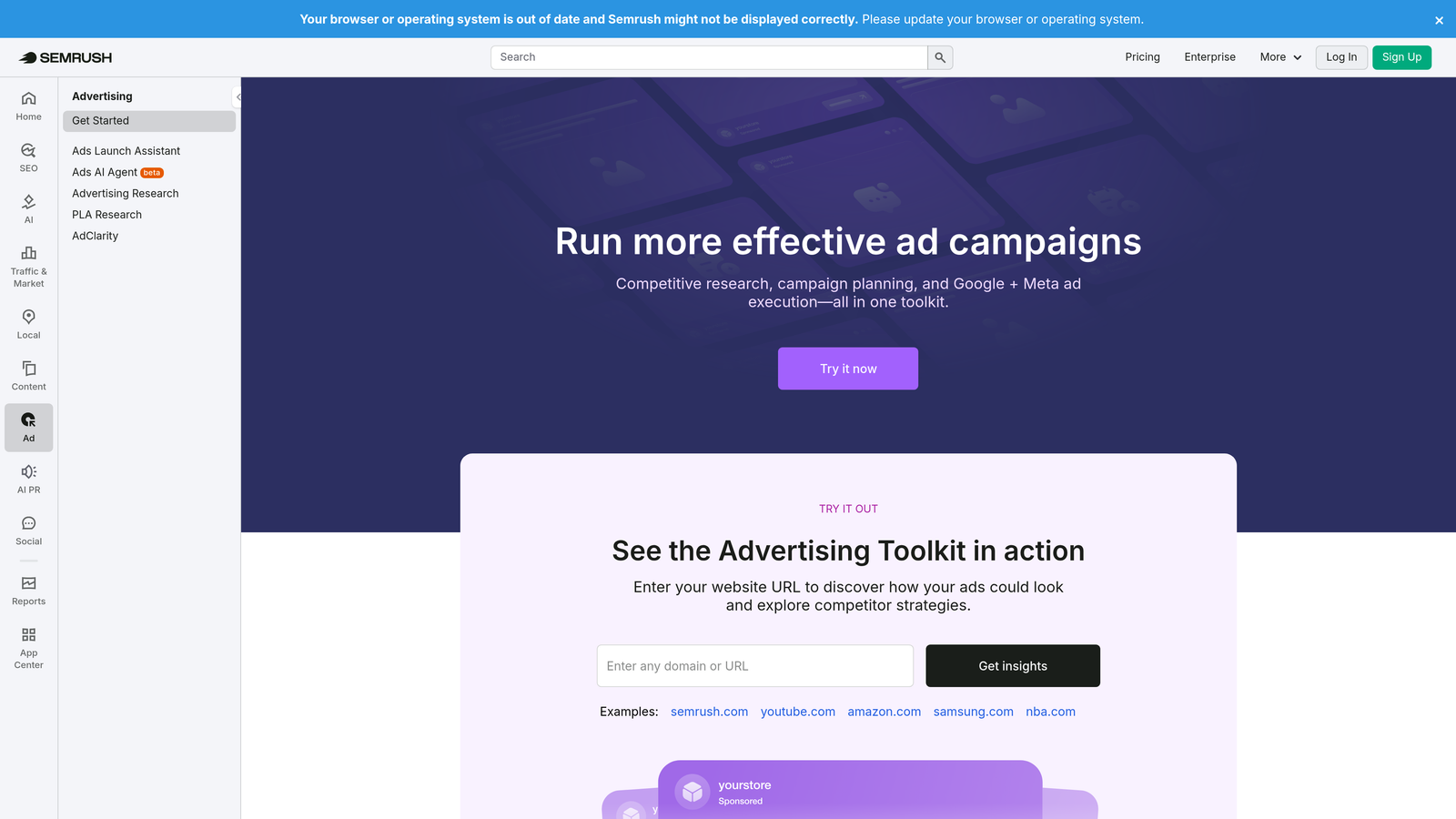
SEMrush's PPC Toolkit provides competitor ad research, keyword gap analysis, and CPC benchmarking accessible from any browser as part of the broader SEMrush platform.
Where This Tool Shines
What usually happens here is advertisers launch campaigns without knowing what their competitors are actually bidding on—and end up either missing high-intent terms or overbidding on low-value ones. SEMrush fixes that by showing you competitor ad copy, keyword history, and CPC estimates before you spend a dollar.
The keyword gap analysis is particularly useful when you're expanding into new product categories or launching for a new client. You can see exactly which terms competitors are targeting that you're not, and prioritize accordingly. The ad builder with copy suggestions is a nice addition for faster creative development.
Key Features
Competitor Ad History: View historical ad copy and keywords for any competitor domain.
CPC Estimates: Benchmark expected costs per click across keyword sets before building campaigns.
Keyword Gap Analysis: Identify terms competitors rank for in paid search that you're missing.
Ad Builder: Draft ad copy with suggestions based on competitive data.
PLA Research: Shopping campaign intelligence for e-commerce advertisers.
Best For
Agencies and in-house teams doing competitive research, new campaign launches, or regular audits of competitor positioning. Most valuable when you're in a competitive niche where keyword strategy directly impacts CPCs.
Pricing
Included in SEMrush plans starting at $139.95/month. Limited free search available without an account.
6. SpyFu
Best for: Deep competitor intelligence on Google Ads keyword strategies and historical ad spend.
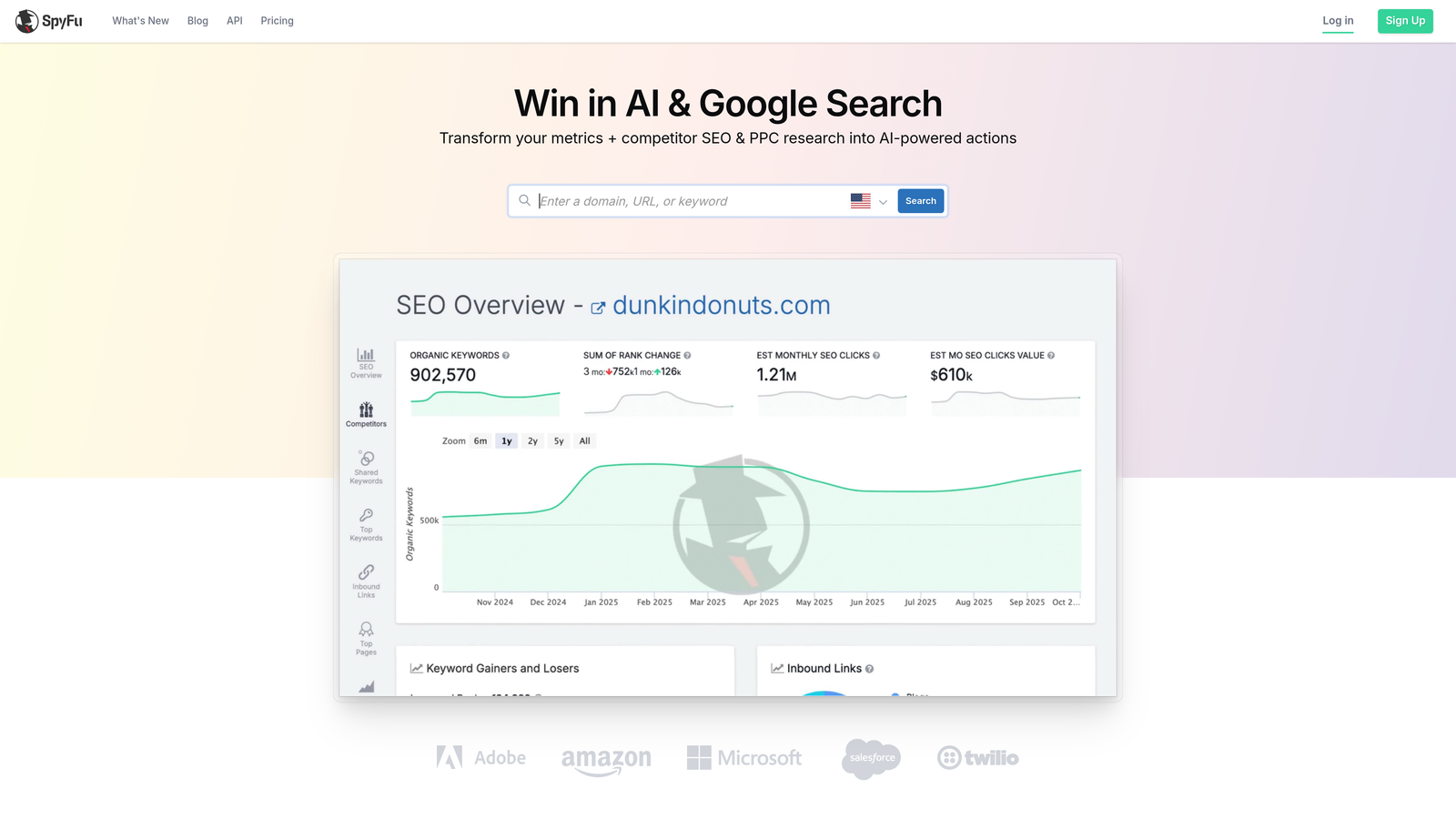
SpyFu is a browser-based competitive intelligence tool that reveals competitor keyword strategies, estimated ad spend, and years of historical ad copy data.
Where This Tool Shines
SpyFu goes deeper on competitor history than most tools in this category. You can pull years of keyword and ad copy data for any competitor domain, which is useful when you're trying to understand what's actually working in a market over time—not just what's running right now.
The estimated competitor ad spend data gives you a useful benchmark for budget planning. SERP overlap analysis helps you understand which competitors you're directly competing against for specific terms, so you can prioritize where to invest or where to differentiate.
Key Features
Historical Competitor Data: Years of keyword and ad copy history for competitor domains, not just current snapshots.
Estimated Ad Spend: Rough benchmarks for what competitors are investing in paid search.
Top Ad Copy Examples: View which ad variations have run longest for any competitor (a strong signal of what's converting).
SERP Overlap Analysis: Identify which competitors share the most keyword overlap with your account.
Exportable Keyword Lists: Download competitor keyword data for use in campaign builds.
Best For
Agencies building campaigns in competitive niches where understanding the competitive landscape is essential before spending. Also useful for ongoing monitoring of competitor activity. Less relevant if you're in a low-competition niche or already have strong competitive data.
Pricing
Starts at $39/month. Basic free search available without an account.
7. Google Keyword Planner
Best for: Initial keyword research and CPC estimation directly within the Google Ads interface.
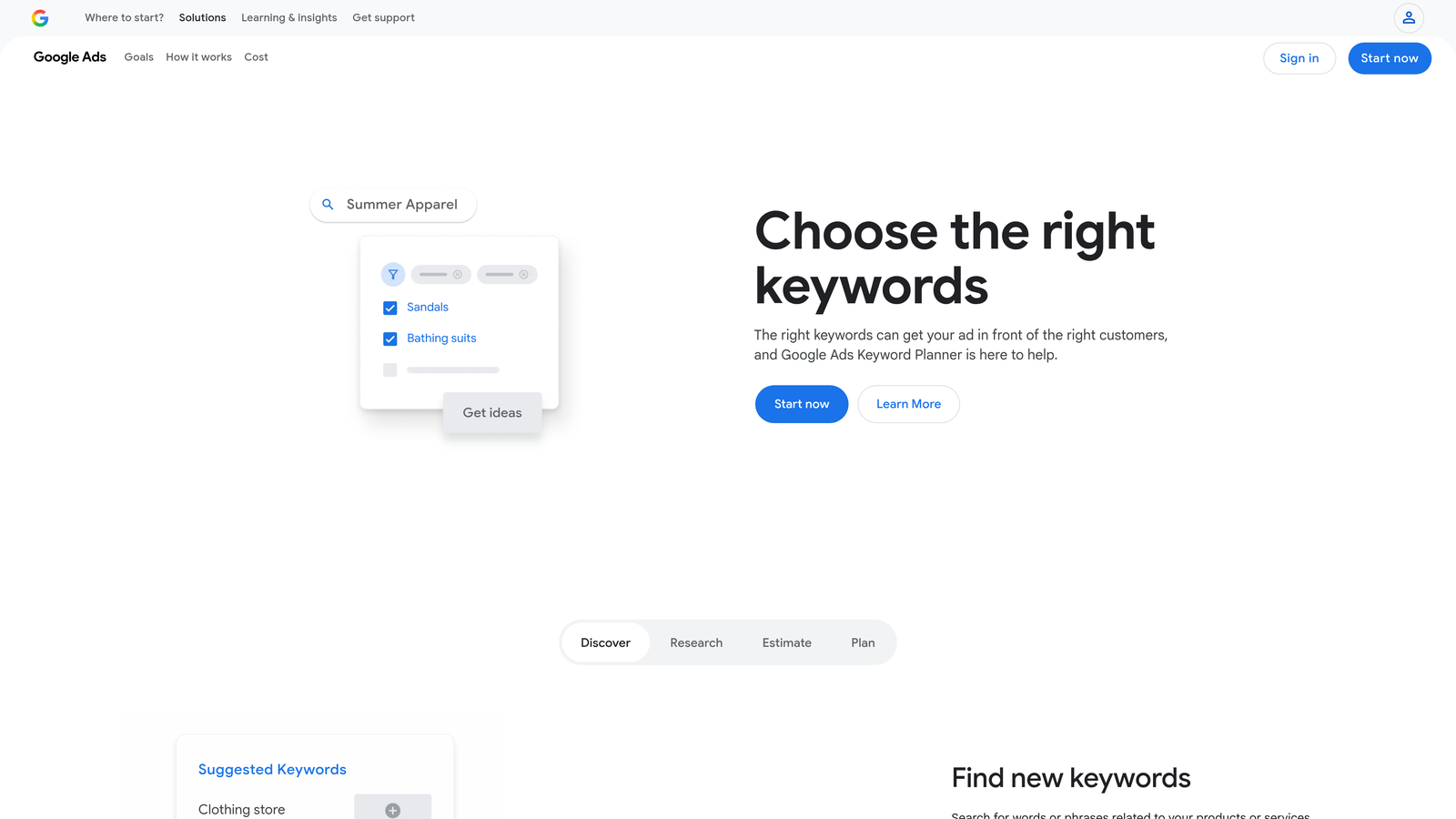
Google Keyword Planner is Google's free, native keyword research tool built into Google Ads, providing search volume ranges and bid estimates straight from the source.
Where This Tool Shines
It's underrated. Most experienced PPC managers have moved on to third-party tools, but Keyword Planner still has one advantage none of them can replicate: the data comes directly from Google. The search volume ranges and CPC estimates aren't approximations pulled from a third-party index—they're Google's own numbers.
The forecast tool is particularly useful for pitching new campaigns to clients. You can pull projected clicks, impressions, and estimated spend based on specific keyword lists and bid ranges, which gives you a credible starting point for budget conversations. The direct integration with the campaign builder also means you can move from research to campaign setup without switching tools.
Key Features
Search Volume Ranges: Google's own data on how often keywords are searched, updated regularly.
CPC Bid Estimates: Suggested bid ranges based on actual auction data for each keyword.
Keyword Ideas: Suggestions based on seed terms or landing page URLs.
Forecast Tool: Projected performance estimates for keyword lists at different bid levels.
Direct Campaign Integration: Add keywords to campaigns directly from the research interface.
Best For
Anyone at the research or planning stage of a campaign build. Free to use with any active Google Ads account. Note that volume data is shown in ranges rather than exact numbers unless your account has active spend.
Pricing
Free with a Google Ads account.
8. Adalysis
Best for: Ad testing automation and quality score diagnostics for performance-focused Google Ads accounts.
Adalysis is a web-based PPC optimization platform built around systematic ad testing and account-level quality score monitoring.
Where This Tool Shines
Most accounts I audit have no formal ad testing process. Ads run, one performs better than another, and nobody really knows why or when to declare a winner. Adalysis builds statistical rigor into that process—it tracks tests, alerts you when results reach statistical significance, and flags underperforming ads automatically.
The quality score tracking is equally strong. Rather than manually checking quality scores keyword by keyword, Adalysis gives you a dashboard view across the entire account, broken down by the three components: expected CTR, ad relevance, and landing page experience. That breakdown makes it much easier to identify exactly where to focus improvement efforts.
Key Features
Automated A/B Ad Testing: Tracks ad variations and alerts you when a test reaches statistical significance.
Quality Score Tracking: Monitors quality scores by keyword, ad group, and campaign over time.
Account Audit: Prioritized recommendations based on account diagnostics.
Responsive Search Ad Analysis: Performance breakdown by asset combination for RSAs.
Bulk Ad Management: Create and manage ads at scale across multiple campaigns.
Best For
Performance-focused advertisers and agencies who run formal ad testing programs and want systematic quality score monitoring. Less necessary if ad testing isn't a current priority or if you're managing smaller, simpler accounts.
Pricing
Starts at $99/month. Free trial available.
9. Tenscores
Best for: Advertisers specifically trying to diagnose and improve quality scores across their Google Ads account.
Tenscores is a dedicated quality score tracking tool that gives Google Ads advertisers a clear dashboard view of which keywords are dragging down account performance.
Where This Tool Shines
This is a focused, single-purpose tool—and that's exactly what makes it useful. Quality score affects both your ad rank and your cost per click, but tracking it meaningfully inside Google Ads requires a lot of manual work. Tenscores automates that tracking and presents it in a way that makes the problem immediately visible.
The historical tracking is where it earns its place. You can see quality score trends over time, which means you can actually measure whether your optimization efforts are working. The alert system for quality score drops is also practical—you'll know when something changes rather than discovering it weeks later during a routine audit.
Key Features
Quality Score History: Track how quality scores change over time at the keyword level.
Account-Wide Dashboard: See the overall quality score health of your account in a single view.
Drop Alerts: Get notified when quality scores decline so you can act quickly.
Component Breakdown: Separate views for expected CTR, ad relevance, and landing page experience—so you know exactly which component to fix.
Actionable Recommendations: Suggested next steps based on quality score data.
Best For
Advertisers dealing with high CPCs or poor ad rank who suspect quality score is a contributing factor. Also useful for agencies that want to demonstrate quality score improvements to clients over time. Very niche—but if quality score is your problem, it's the right tool for it.
Pricing
Starts at $29/month. Free trial available.
Which Tool Is Right for Your Workflow?
The honest answer is: it depends on where your biggest bottleneck actually is. Here's a quick use-case breakdown to help you decide.
If you're spending too much time in the Search Terms Report manually reviewing and adding negatives, Keywordme is the fastest fix. It works right inside Google Ads and eliminates the spreadsheet step entirely—no context-switching, no exports, just fast one-click actions where you're already working.
For competitive research before launching a campaign, SEMrush or SpyFu give you the most actionable data. SEMrush is stronger on keyword gap analysis; SpyFu goes deeper on historical competitor ad copy and spend estimates.
If you're an agency managing multiple clients and need automation at scale, Optmyzr is worth the investment. The rule engine and one-click optimizations are built for volume in a way that most tools aren't.
For quality score issues specifically, Adalysis or Tenscores will surface exactly where the problems are. Adalysis is better if you also want to formalize your ad testing process; Tenscores is more focused if quality score tracking is the primary need.
And if you're just getting started or working with a tight budget, Google Keyword Planner and Google Ads Editor are free, solid, and genuinely underrated by experienced managers who've moved on to paid tools.
The best browser-based PPC tools aren't the ones with the most features. They're the ones that fit naturally into how you already work. Start with the tool that solves your most painful bottleneck, get comfortable with it, and layer in others as your workflow matures.
Want to see how Keywordme fits into a faster PPC workflow? Start your free 7-day trial—no credit card required.
.svg)