
9 Best PPC Optimization Tools for Agencies
This guide breaks down nine PPC optimization tools for agencies managing multiple client accounts, comparing native Google Ads integration, automation features, and pricing to help you find the best PPC optimization tool for agencies without overbuying or underbuying software.


Running PPC for one account is manageable with a spreadsheet and some patience. Running it for fifteen client accounts is a different job entirely, and most agencies end up stitching together two or three tools to cover search-term cleanup, bid management, competitive research, and client reporting. This list sorts nine tools by what they actually do best, since agencies often buy a research tool expecting execution features, or an enterprise platform when a lighter option would have saved time and money. Selection here weighs native Google Ads integration, real time saved on repetitive tasks, and whether pricing scales sensibly across multiple client accounts.
Quick Comparison
- Keywordme: best for agencies wanting fast in-app search-term cleanup; starts at $12/month per user; the only tool here that executes changes directly inside the Google Ads Search Terms Report.
- Optmyzr: best for mid-size agencies wanting bid automation rules; pricing scales with ad spend; its rule-based automation engine runs recurring adjustments across many accounts at once.
- Adalysis: best for agencies needing proof of ad test results; quote-based pricing; built-in statistical significance testing for ad copy experiments.
- WordStream Advisor: best for agencies managing many small SMB accounts; quote-based pricing; a guided weekly workflow built for handling volume quickly.
- SEMrush PPC Toolkit: best for agencies building competitive research into pitches; subscription tiers vary; deep competitor keyword and ad history database.
- SpyFu: best for prospecting and onboarding research; subscription tiers vary; Kombat view compares up to three competitor domains side by side.
- Google Ads Editor: best for free bulk editing across accounts; free; the only first-party Google tool on this list.
- Skai: best for large agencies managing cross-channel budgets; quote-based enterprise pricing; predictive budget allocation modeling across channels.
- Marin Software: best for agencies managing seven-figure spend; quote-based enterprise pricing; heavily customizable client-facing dashboards.
1. Keywordme
Keywordme is a Chrome extension that adds one-click optimization actions directly into the Google Ads Search Terms Report. Instead of exporting search term data to a spreadsheet, sorting it manually, and re-uploading negative keyword lists, you act on search terms where they already live: inside the report itself. It's built for agencies and solo advertisers who spend hours each week separating wasted spend (irrelevant search terms triggering your ads) from the keywords actually worth bidding on.
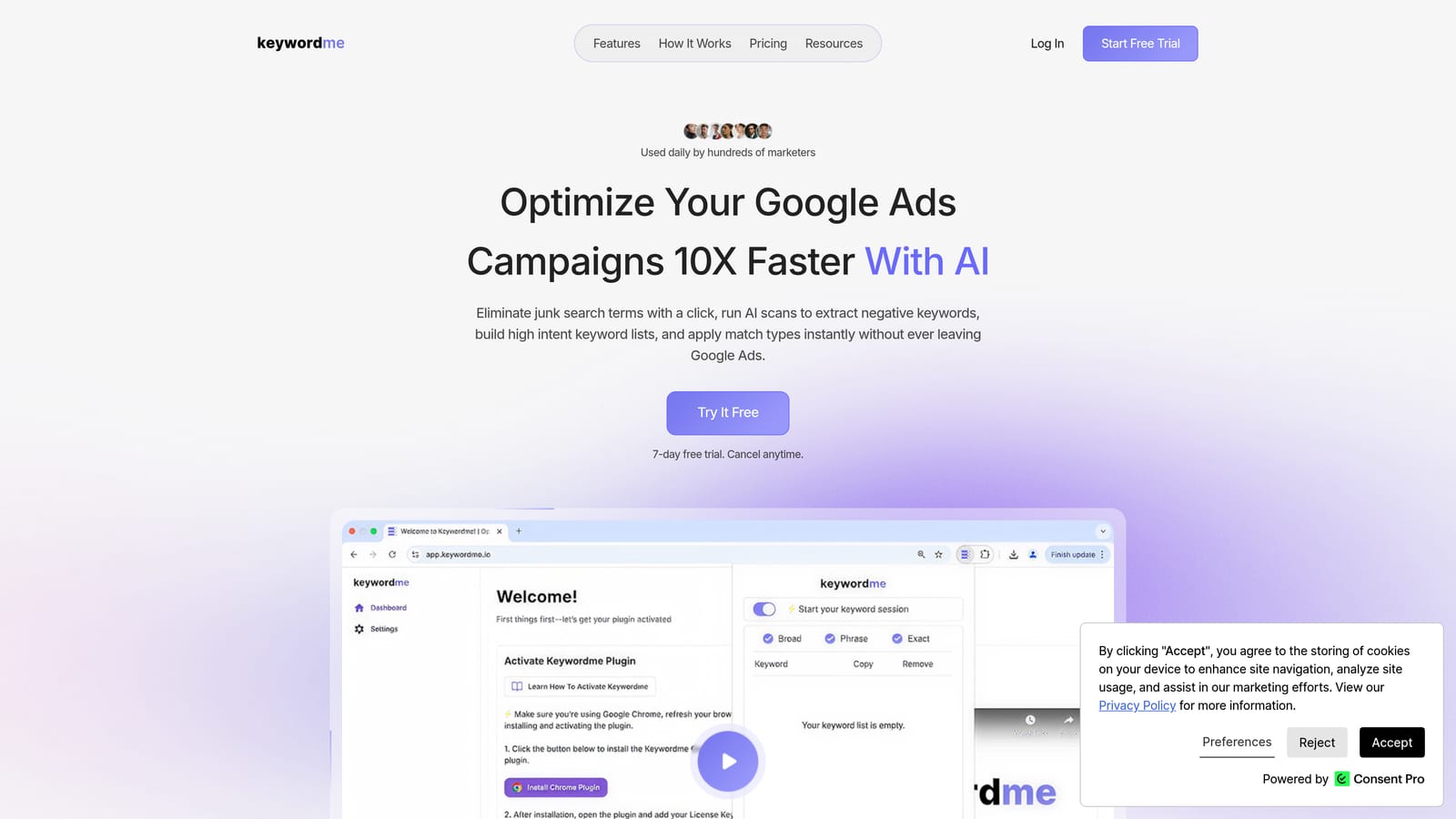
What sets it apart from everything else on this list is that it doesn't add a new dashboard. Optmyzr, Skai, and Marin all pull you into their own interface. Keywordme keeps you inside Google Ads and layers optimization actions on top of the native Search Terms Report, so there's no context-switching and no data export lag.
- Removes junk search terms with a single click instead of manual filtering and negative-keyword uploads
- Applies match types (broad, phrase, exact) to new keywords instantly from the search terms view
- Builds negative keyword lists on the fly as you review search term data
- Clusters related keywords together to speed up account structure decisions
- Supports multi-account and team access, useful when several people touch the same client accounts
Setup is quick: install the Chrome extension, and it activates inside your existing Google Ads account, no new login or separate reporting environment to learn. Day-to-day, it's typically run by whoever is already doing search term reviews, whether that's an account manager or a freelancer handling several clients solo.
The tradeoff is scope. Keywordme focuses specifically on search term and keyword-level optimization. It isn't a cross-channel bid management suite, and it doesn't build client-facing reports or manage budgets across Meta or Microsoft Ads. Agencies that need enterprise-wide budget pacing or multi-channel dashboards will still need a second tool for that layer.
Pricing is a flat $12 per month per user, as of 2026, with a 7-day free trial. That flat-rate structure is worth noting for agencies: there's no per-account surcharge, so the cost stays predictable whether you're running two client accounts or twenty.
Best for: Agencies who want faster search-term cleanup without leaving Google Ads or paying per-account fees.
2. Optmyzr
Optmyzr is a PPC management platform built around rule-based automation, with a dashboard designed specifically for agencies managing many client accounts side by side. Where Keywordme focuses narrowly on search terms, Optmyzr covers a broader slice of account management: bid changes, budget pacing, and scheduled audits, all governed by rules you configure once and let run.

The automation engine is the reason agencies pick it over lighter tools. You can set a rule like "pause keywords with zero conversions after $50 spend" and apply it across a portfolio of accounts, rather than checking each account manually.
- Automates recurring bid and budget adjustments based on rules you define, cutting manual account checks
- Grades and audits accounts automatically to flag structural or performance issues before they cost money
- Centralizes multiple client accounts in one agency dashboard for faster status checks
- Schedules recurring reports so client updates don't require manual pulls
- Includes search term optimization tools, though execution still requires navigating its interface rather than the native Google Ads UI
Setup takes longer than a browser extension. You'll typically need to connect each client's Google Ads (and optionally Microsoft Ads and Amazon Ads) account, then configure rules and dashboards, a task usually handled by a senior PPC manager rather than delegated to a junior hire on day one.
The limitation to watch is pricing structure. Optmyzr's cost scales with the ad spend it manages, which can add up for agencies juggling many low-budget client accounts rather than a few large ones. Check current tiers directly, since spend-based pricing models shift.
Best for: Mid-size agencies wanting automated bid rules across a portfolio of accounts.
3. Adalysis
Adalysis is an automated PPC auditing tool that continuously scans accounts for ad, keyword, and structural problems. Its standout feature is a statistical significance calculator for A/B ad copy testing, which matters a lot for agencies that need to show clients a winning ad variant wasn't just random noise.
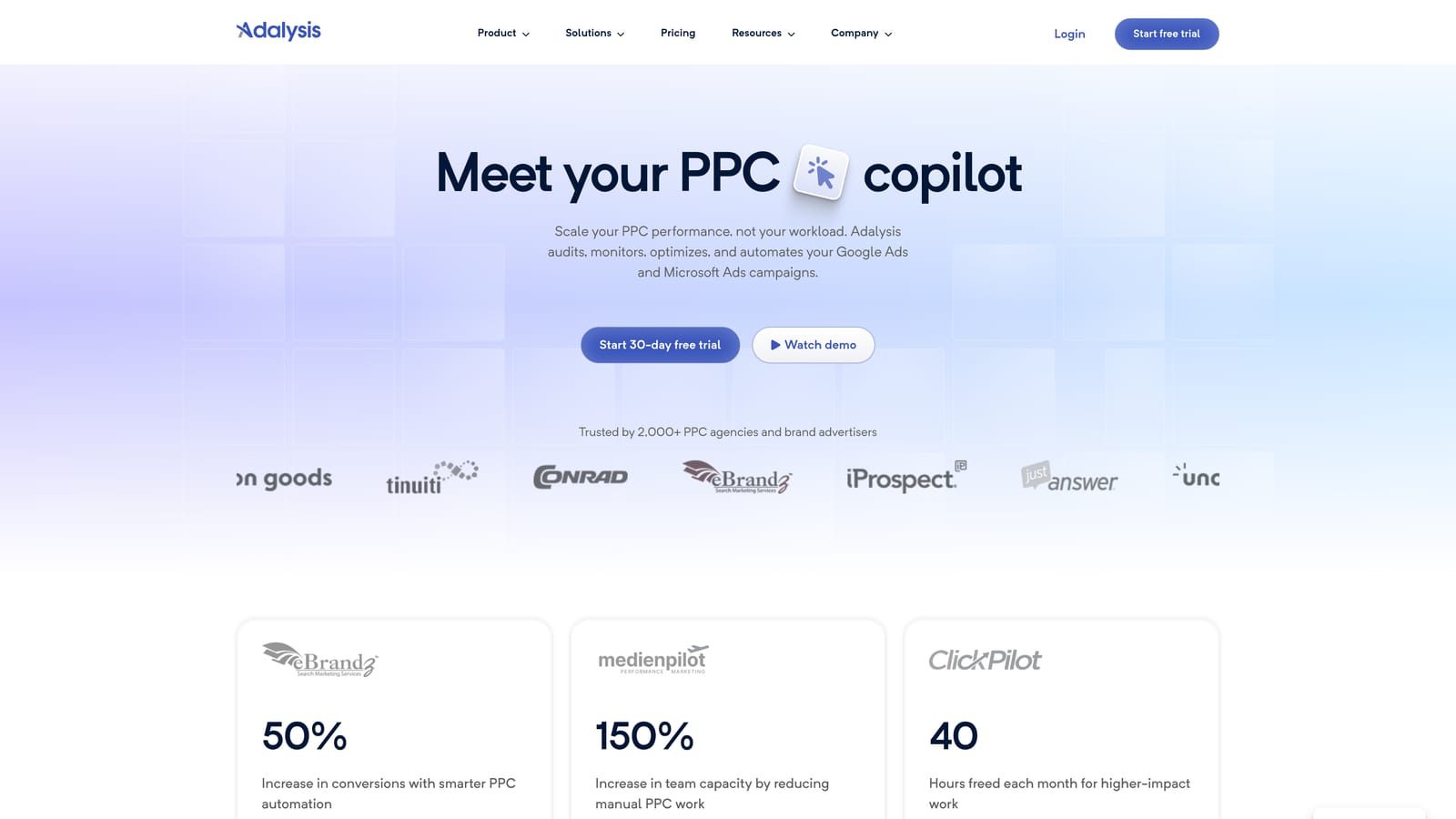
Where this tool earns its place on an agency's stack is proof. Quality Score tracking, ad rotation alerts, and structural audits generate the kind of documented evidence that makes client check-ins easier, especially when a client questions why an ad got paused.
- Runs automated account audits that surface ad, keyword, and structural issues without manual review
- Calculates statistical significance for ad copy tests so you know when a "winner" is actually reliable
- Tracks Quality Score trends over time to catch declining ad relevance early
- Flags ad rotation and account structure problems that quietly waste budget
Adalysis connects to Google Ads and Microsoft Ads, and setup mostly involves linking accounts and letting the audit engine run its first pass, which a PPC manager or analyst typically reviews rather than a junior team member unfamiliar with the flagged issues.
The real limitation: Adalysis is stronger at diagnosis than execution. It tells you what's wrong, but many of the actual fixes still happen back in Google Ads manually. Agencies that want a tool that both flags and fixes issues in one motion will find themselves doing a second step regardless.
Pricing is quote-based; check current plans on the site, as tiers have shifted over time.
Best for: Agencies that need data-backed proof of ad testing results for client reporting.
4. WordStream Advisor
WordStream Advisor builds its entire workflow around a guided "20-Minute Work Week" concept, walking users through prioritized optimization tasks in a set order. It's aimed squarely at agencies managing volume: a roster of small local-business accounts rather than a handful of large enterprise clients.

Why volume-focused agencies choose it
Managing twenty $500/month local business accounts is a different challenge than managing three $50,000/month enterprise accounts. WordStream's guided workflow assumes you don't have time for deep custom rule-building per account, and instead gives you a repeatable checklist that works reasonably well across many similar, smaller accounts.
- Walks you through a structured weekly optimization routine instead of requiring you to build your own process
- Manages Google Ads and Meta Ads campaigns from a single interface, useful for SMB clients running both
- Suggests new keywords based on account performance and industry patterns
- Grades account performance to quickly show clients where they stand
Where it falls short
The guided-workflow approach that makes WordStream fast for SMB accounts becomes a limitation for complex enterprise campaigns with advanced bidding strategies. Agencies with sophisticated attribution needs or custom bid modeling will likely outgrow it. Pricing is quote-based, so confirm current cost directly, especially since it can shift based on account volume.
Best for: Agencies managing many small local-business or SMB clients.
5. SEMrush PPC Toolkit
SEMrush's PPC module isn't a bid management or execution tool, it's a research layer that pulls from SEMrush's broader SEO and advertising database to show competitor keyword strategies and historical ad copy. Agencies use it most often during pitching and campaign planning, before a client account even exists.

The advantage here is data depth. SEMrush's database spans a huge swath of the web, which means you can pull a prospective client's competitor's keyword targeting and ad copy history to build a campaign strategy pitch that looks informed rather than generic.
- Identifies keyword gaps between your client and their competitors to find untapped opportunity
- Surfaces historical ad copy from competitor accounts for creative inspiration and positioning
- Expands seed keyword lists using the Keyword Magic tool for campaign planning
- Tracks organic and paid position changes over time for ongoing competitive monitoring
Setup is minimal since it's a web-based platform, not something that connects deeply into live Google Ads accounts. Data typically needs to be exported as CSV and manually applied, which is where the limitation shows up: it's a planning tool, not an execution one. Agencies usually pair it with something like Keywordme or Optmyzr to actually act on the keywords it surfaces.
Pricing runs on subscription tiers that have changed over the years, so verify current pricing directly, as of 2026.
Best for: Agencies building competitive research into new client pitches.
6. SpyFu
SpyFu specializes in historical competitive intelligence: type in any domain and see its keyword rankings and ad copy history over time. Agencies lean on it most during prospecting calls and new-client onboarding, when you need to quickly understand what a client's competitors have been doing for years, not just this month.
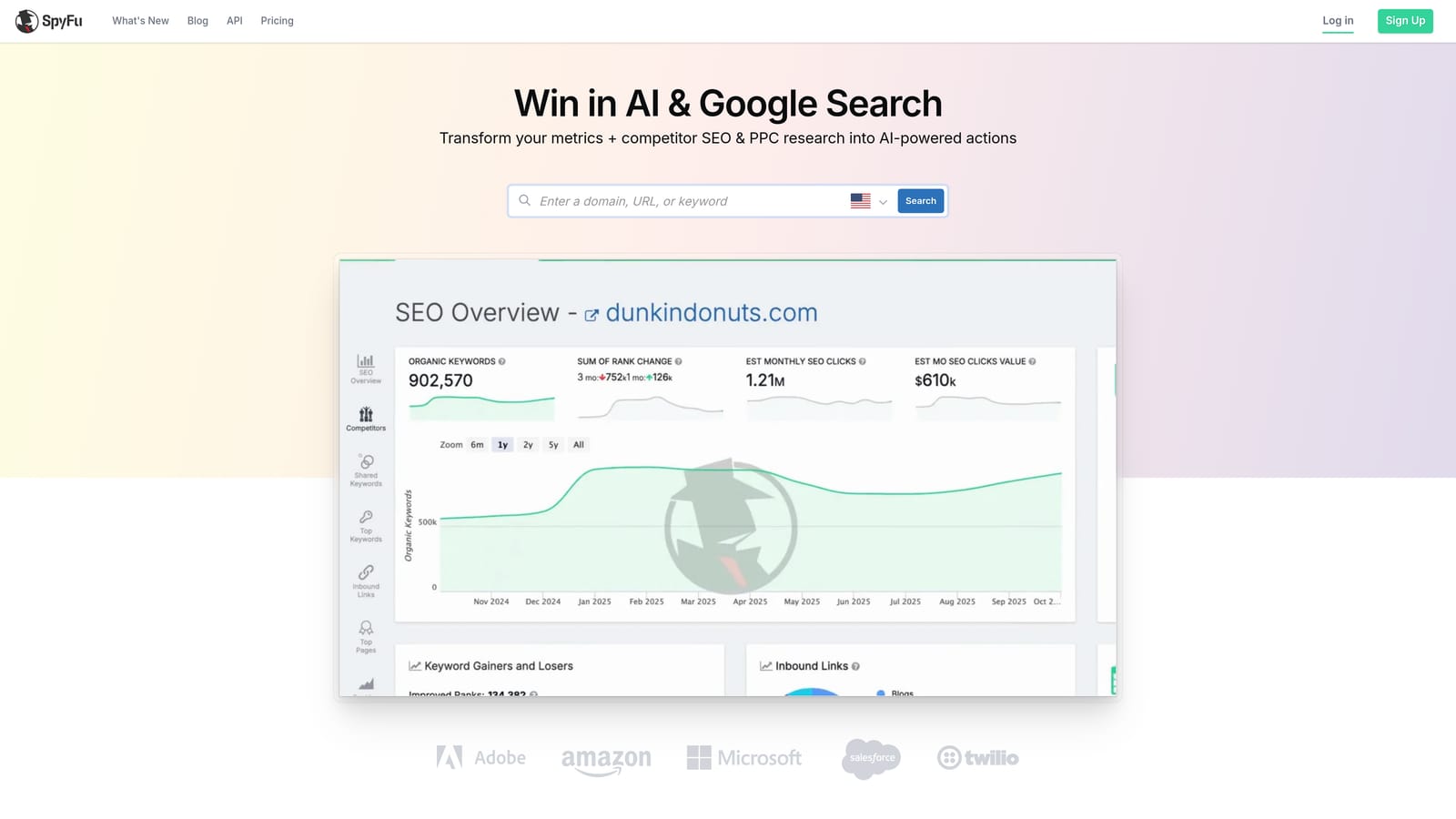
Its Kombat view is the standout feature: side-by-side comparison of keyword overlap across up to three domains at once, which is genuinely useful for showing a prospective client exactly where they're losing ground to two named competitors.
- Shows years of historical keyword ranking data for any domain, not just a recent snapshot
- Surfaces competitor ad copy history to inform new creative angles
- Compares keyword overlap across multiple competitor domains simultaneously with Kombat view
- Groups related keywords to speed up campaign structure planning
Like SEMrush, this is a research tool rather than an execution one. There's no live connection into a Google Ads account for making changes; data typically gets exported and applied manually elsewhere. It's not built for day-to-day bid management or search term cleanup inside active accounts, so agencies use it as a front-end tool during sales and strategy, not ongoing account optimization.
Subscription tiers vary and are worth confirming on the site directly.
Best for: Agencies doing competitive research during client prospecting.
7. Google Ads Editor
Google Ads Editor is Google's own free desktop application for making bulk changes across multiple accounts offline, then pushing them live once reviewed. It's the only first-party tool on this list, built directly by Google Ads and documented in Google's own help center.

The value for agencies is straightforward: bulk edits across many accounts, done offline, with a change preview before anything goes live. If you need to update fifty ad groups across ten client accounts at once, Editor handles that without touching a paid third-party tool.
- Makes bulk edits across multiple linked accounts from one interface
- Lets you work offline and preview every change before publishing to live accounts
- Supports copy-paste of campaigns, ad groups, and keywords between accounts
- Manages account-level access across an agency's full client list
Because it's free and built by Google, there's no setup cost or subscription decision to make, just download and sign in with your Google Ads manager account (MCC). Most agencies have at least one team member who knows their way around it for bulk tasks, even if it's not their primary daily tool.
The catch is that Editor has no automation, no alerts, and no client reporting features. It's purely a bulk-editing utility, which is why most agencies pair it with a paid tool like Keywordme or Optmyzr for ongoing optimization and monitoring rather than relying on it alone.
Best for: Agencies wanting a free way to bulk-edit campaigns across accounts before publishing.
8. Skai
Skai is an enterprise cross-channel advertising platform covering search, social, and retail media in one system, built for large media teams managing significant budgets across multiple platforms simultaneously.
What sets Skai apart on this list is predictive budget allocation modeling: it forecasts how shifting spend between channels (say, from Google Ads to Amazon retail media) is likely to affect performance, which matters at a scale where manual channel-by-channel decisions aren't practical.
- Manages campaigns across search, social, and retail media channels from a single platform
- Models predictive budget allocation to guide cross-channel spend decisions before you make them
- Supports retail media advertising on Amazon and other retail platforms
- Provides enterprise-grade reporting dashboards for large stakeholder groups
Skai connects with Google Ads, Microsoft Ads, Amazon Ads, and Meta Ads, but onboarding is a genuine project, typically involving dedicated account management on Skai's side and a data or analytics team on the agency's side. This isn't a tool a single account manager sets up in an afternoon.
That scale is also the limitation. Enterprise pricing and onboarding complexity make Skai impractical for small or mid-size agencies managing a handful of modest-budget clients. Pricing is quote-based and typically reflects total managed spend and the number of channels involved.
Best for: Large agencies or holding companies managing cross-channel budgets at scale.
9. Marin Software
Marin Software is a long-standing cross-channel bid management platform used by large agencies to run paid search, social, and e-commerce campaigns from a single dashboard. It's been in the enterprise PPC space for years, and that track record shows up most in how customizable its client-facing reporting has become.
Agencies managing several large clients, each wanting differently formatted reports, tend to value Marin's dashboard customization more than any single optimization feature. It's less about a flashy new capability and more about depth of configuration built up over a long product history.
- Manages bids across search, social, and e-commerce channels from one platform
- Customizes client-facing dashboards to match each client's reporting expectations
- Paces budgets across accounts and channels to avoid overspend or underspend
- Tracks historical performance analytics for long-term trend analysis
Integrations span Google Ads, Microsoft Ads, Amazon Ads, and Meta Ads, and implementation typically requires a dedicated onboarding process, not something handled solo by an account manager. It's generally run by a senior operations or media-buying lead rather than the person doing daily keyword work.
The limitation is cost and complexity relative to smaller accounts. For agencies managing modest ad spend, Marin's enterprise pricing and setup overhead don't pay for themselves. Pricing is quote-based and geared toward large managed-spend contracts.
Best for: Agencies managing seven-figure ad spend across multiple large clients.
Matching the Tool to Your Agency's Size
If you're a solo operator or small agency spending hours each week separating junk search terms from real opportunity, Keywordme handles that specific pain point directly inside Google Ads without adding another login to manage. Mid-size agencies that need automated bid rules and audit-backed proof for client reporting should look at Optmyzr and Adalysis, often together rather than as substitutes for each other. Shops running high volumes of small SMB accounts get more mileage from WordStream Advisor's guided workflow than from a heavier enterprise platform.
For research and prospecting, SEMrush and SpyFu fill a different role entirely, building the competitive story you tell before a client signs. Google Ads Editor stays useful at every agency size as a free bulk-editing backstop. And once you're managing seven-figure budgets across multiple large clients, Skai and Marin Software's enterprise cross-channel management becomes worth the onboarding investment.
Most agencies end up combining a research tool, an execution tool, and possibly a reporting layer rather than expecting one platform to do everything. If the daily bottleneck is search term cleanup and keyword decisions inside Google Ads itself, that's exactly what Keywordme was built to solve. Start your free 7-day trial (then just $12/month) and see how much time it saves before your next client review.
.svg)