
9 Best Negative Keyword Tools to Stop Wasting Ad Spend in 2026
Negative keyword tools help you stop wasting Google Ads budget on irrelevant search terms by automating the process of identifying and blocking junk traffic. This guide covers the best negative keyword tools for 2026, including options that use AI to predict exclusions, work directly in Google Ads, and manage multiple accounts—so you can protect your ad spend without manually sorting through endless spreadsheets.


If you've ever looked at your Google Ads spend and wondered where half of it went, you're not alone. The culprit? Search terms that have nothing to do with what you're actually selling. Negative keywords are your first line of defense against wasted ad spend—they tell Google which searches should never trigger your ads. The problem is that managing them manually is a grind. You're exporting spreadsheets, cross-referencing lists, and hoping you didn't accidentally block something important.
That's where negative keyword tools come in. They automate the tedious parts, surface patterns you'd miss manually, and help you block junk traffic before it burns through your budget. Some work directly inside Google Ads. Others use AI to predict what you should exclude. A few are built for agencies managing dozens of accounts at once.
Here are the top negative keyword tools to stop wasting ad spend in 2026.
1. Keywordme
Best for: PPC managers who want to optimize directly inside Google Ads without switching tabs or exporting data.
Keywordme is a Chrome extension that integrates directly into Google Ads' Search Terms Report, letting you manage negative keywords without leaving the native interface.

Where This Tool Shines
Most negative keyword tools force you to export data, analyze it in a separate dashboard, then come back to Google Ads to make changes. Keywordme eliminates that workflow entirely. You're already in the Search Terms Report—now you can remove junk terms, add negatives, apply match types, and build keyword lists with one click.
For agencies managing multiple clients, the multi-account support and team collaboration features mean everyone works from the same interface. No more version control nightmares with shared spreadsheets. The tool also clusters related keywords automatically, so you can spot patterns faster and make smarter exclusion decisions.
Key Features
In-Interface Optimization: All actions happen directly inside Google Ads' native UI—no tab switching required.
One-Click Negative Additions: Mark a search term and add it as a negative keyword or to a negative list instantly.
Keyword Clustering: Automatically groups related search terms so you can identify patterns and exclude entire themes at once.
Bulk Editing: Apply match types, create new keyword groups, and manage negatives in bulk without manual data entry.
Multi-Account Support: Switch between client accounts seamlessly—ideal for agencies managing dozens of Google Ads profiles.
Best For
Solo PPC managers who want speed and simplicity. Agency teams that need consistent workflows across multiple accounts. Anyone who's tired of spreadsheet-based optimization and wants to work where they're already spending their time—inside Google Ads.
Pricing
$12/month per user with a 7-day free trial. Flat-rate pricing means no surprises based on ad spend or account size.
2. Optmyzr
Best for: Enterprise PPC teams managing large budgets who need AI-powered automation and cross-account workflows.
Optmyzr is a full-scale PPC management platform with advanced negative keyword automation, n-gram analysis, and rule-based workflows.

Where This Tool Shines
Optmyzr's AI engine analyzes your search term data and surfaces negative keyword recommendations before you even ask. The n-gram analysis breaks down search queries into word patterns, so you can identify themes like "free," "cheap," or "DIY" and exclude them at scale. If you're managing enterprise accounts with thousands of keywords, this level of automation saves hours every week.
The platform also supports cross-account negative keyword management, meaning you can apply the same exclusion rules across multiple clients or campaigns simultaneously. Rule-based automation lets you set conditions—like automatically adding negatives if a search term triggers more than five times with zero conversions.
Key Features
AI-Powered Recommendations: Machine learning analyzes search term performance and suggests negatives based on conversion data.
N-Gram Analysis: Breaks search queries into word patterns to identify common themes worth excluding.
Cross-Account Management: Apply negative keyword strategies across multiple accounts from a single dashboard.
Rule-Based Automation: Set conditions to automatically add negatives based on performance thresholds.
Historical Tracking: Review past negative keyword additions and their impact on campaign performance over time.
Best For
Enterprise PPC teams managing six-figure monthly budgets. Agencies with 10+ clients who need consistent automation rules applied at scale. Advanced users who want predictive insights, not just reactive cleanup.
Pricing
Starts at $249/month, with pricing scaled based on total ad spend under management.
3. WordStream
Best for: Small to mid-sized businesses that want guided optimization workflows and automated alerts for wasted spend.
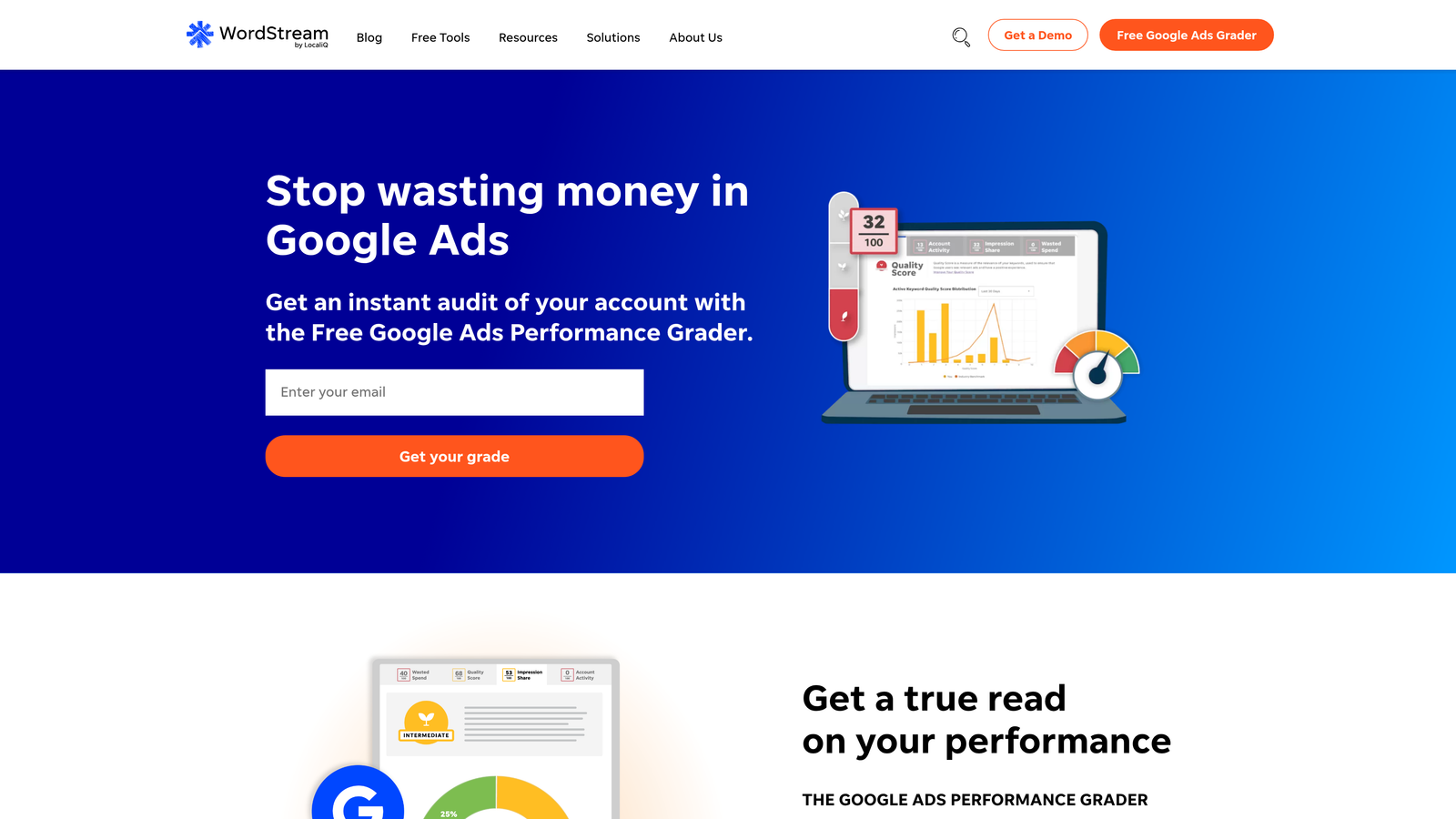
WordStream is a PPC platform built around the "20-Minute Work Week" philosophy—automated alerts and guided workflows that surface optimization opportunities fast.
Where This Tool Shines
WordStream's approach is designed for marketers who don't live inside Google Ads all day. The platform sends automated alerts when it detects wasteful spend patterns, including search terms that are burning budget without converting. The guided workflow walks you through adding negatives step-by-step, so you don't have to be a PPC expert to clean up your campaigns.
It also works across Google Ads, Bing Ads, and Facebook, so if you're running multi-channel campaigns, you can manage negative keywords (or equivalent exclusions) from one dashboard. The simplicity makes it popular with SMBs who want results without needing a dedicated PPC manager.
Key Features
20-Minute Work Week Alerts: Automated notifications highlight wasted spend opportunities, including negative keyword gaps.
Guided Workflows: Step-by-step prompts walk you through adding negatives and optimizing campaigns.
Cross-Platform Support: Manage Google Ads, Bing Ads, and Facebook campaigns from a single interface.
Wasteful Spend Detection: Flags search terms with high cost and low conversion rates automatically.
Performance Grader: Free audit tool that identifies negative keyword opportunities before you even sign up.
Best For
Small businesses managing their own PPC without a dedicated team. Marketers who need guidance and automation without overwhelming complexity. Multi-channel advertisers who want one tool for Google, Bing, and social.
Pricing
Custom pricing based on ad spend—typically starts around $300/month for smaller accounts.
4. Adalysis
Best for: Data-driven PPC managers who want automated n-gram analysis and conflict detection to avoid blocking profitable keywords.
Adalysis is a PPC optimization tool focused on search term analysis, Quality Score tracking, and preventing negative keyword conflicts.
Where This Tool Shines
Adalysis runs automated n-gram analysis on your search term data, breaking queries into word patterns so you can spot themes worth excluding. What sets it apart is the conflict detection feature—it warns you if a negative keyword you're about to add would block a profitable search term in another campaign. This prevents the classic mistake of accidentally excluding high-converting queries.
The tool also tracks Quality Score changes over time, which helps you understand whether your negative keyword strategy is improving relevance or if you're being too aggressive. For accounts with complex campaign structures, this level of insight prevents costly errors.
Key Features
Automated N-Gram Analysis: Breaks search queries into word patterns and surfaces common themes to exclude.
Conflict Detection Alerts: Warns you if a negative keyword would block a profitable search term elsewhere in your account.
Quality Score Tracking: Monitors QS changes to ensure your negative keyword strategy improves relevance.
Bulk Negative Management: Add negatives across multiple campaigns or ad groups at once.
Historical Reporting: Review past negative keyword decisions and their impact on performance metrics.
Best For
PPC managers running complex account structures with multiple campaigns and ad groups. Agencies that need to avoid cross-campaign conflicts when adding negatives. Data-focused teams that want insights beyond basic search term reports.
Pricing
Starts at $149/month for smaller accounts, with pricing increasing based on ad spend and number of accounts managed.
5. Negative Keyword Pro
Best for: Building comprehensive negative keyword lists from scratch using seed keywords and industry-specific templates.
Negative Keyword Pro is a dedicated tool for generating negative keyword lists before you even launch a campaign.
Where This Tool Shines
Most negative keyword tools are reactive—you run ads, see what performs poorly, then exclude it. Negative Keyword Pro is proactive. You input a seed keyword, and it generates hundreds of related terms that are likely irrelevant to your business. For example, if you sell premium software, it'll suggest negatives like "free," "cracked," "torrent," and "open source."
The tool also offers pre-built industry-specific negative lists. If you're in legal services, e-commerce, or SaaS, you can download templated lists that cover common junk searches for your vertical. It's a fast way to set up negative keyword hygiene before wasting budget on irrelevant clicks.
Key Features
Seed Keyword Generation: Input a target keyword and get hundreds of related negative suggestions.
Industry-Specific Templates: Pre-built negative lists for common verticals like legal, e-commerce, and SaaS.
Export-Ready Formats: Download lists in formats that upload directly to Google Ads or Bing Ads.
Bulk List Creation: Generate multiple negative keyword lists at once for different campaigns or ad groups.
Best For
New campaigns where you want to prevent wasted spend from day one. Advertisers launching in competitive industries with high CPCs who can't afford to learn the hard way. Teams that prefer proactive list-building over reactive cleanup.
Pricing
Free tier available with limited features. Paid plans start at $9/month for unlimited list generation and industry templates.
6. PPC Entourage
Best for: Amazon sellers managing Sponsored Products, Sponsored Brands, and Sponsored Display campaigns.
PPC Entourage is a PPC tool built specifically for Amazon advertising, with workflows designed around search term isolation and bulk negative keyword management.
Where This Tool Shines
Amazon PPC has its own quirks—ASIN-level targeting, automatic campaigns that surface random search terms, and match types that behave differently than Google Ads. PPC Entourage is built around those nuances. The search term isolation feature lets you quickly identify which terms are wasting spend and add them as negatives at the campaign or ad group level.
The tool also supports bulk negative keyword uploads, which is critical for Amazon sellers managing dozens of products. You can apply negatives across multiple campaigns at once, preventing the same junk searches from triggering ads on different ASINs. For sellers running aggressive automatic campaigns to discover new keywords, this tool is essential for cleaning up the mess.
Key Features
Amazon-Specific Workflows: Designed around Sponsored Products, Sponsored Brands, and Sponsored Display campaign structures.
Search Term Isolation: Quickly flag and exclude irrelevant search terms across campaigns.
Bulk Negative Uploads: Apply negatives to multiple campaigns or ASINs at once.
ASIN-Level Targeting: Add negatives at the product level to prevent cross-ASIN waste.
Best For
Amazon sellers running Sponsored Products or Sponsored Brands campaigns. E-commerce brands managing large catalogs with hundreds of ASINs. Agencies specializing in Amazon PPC who need efficient workflows for multiple clients.
Pricing
Starts at $47/month for individual sellers. Higher tiers available for agencies managing multiple accounts.
7. Google Ads Search Terms Report (Native)
Best for: Advertisers on tight budgets who want full control without paying for third-party tools.
Google Ads Search Terms Report is the built-in feature inside Google Ads that shows which search queries triggered your ads.

Where This Tool Shines
It's free, it's native, and it gives you complete control. You can filter search terms by impressions, clicks, cost, or conversions, then add negatives directly from the report. If you're managing a small account or just starting out, this is the most straightforward way to clean up wasted spend without adding another subscription.
The downside is that it's entirely manual. There's no automation, no AI suggestions, and no bulk workflows beyond what Google provides. But if you're disciplined about reviewing the report weekly, you can achieve solid results without spending a dime on tools.
Key Features
Free and Built-In: No additional cost—available to every Google Ads user.
Direct Negative Additions: Add negatives at the campaign or ad group level with a few clicks.
Filtering and Sorting: Sort by cost, clicks, or conversions to prioritize which terms to exclude.
Negative Keyword Lists: Create and manage shared negative lists that apply across multiple campaigns.
Best For
Solo advertisers managing one or two campaigns. Startups with limited budgets who can't justify tool subscriptions. Anyone who prefers manual control over automated suggestions.
Pricing
Free—included with every Google Ads account.
8. Tenscores
Best for: Quality Score optimization with negative keyword recommendations based on relevance and historical QS data.
Tenscores is a Quality Score tracking tool that identifies negative keyword opportunities by analyzing which search terms drag down your QS.
Where This Tool Shines
Most negative keyword tools focus on cost and conversions. Tenscores focuses on Quality Score. It tracks QS changes over time and flags search terms that consistently trigger low-relevance scores. If a search term is hurting your QS—even if it's not costing much—Tenscores recommends adding it as a negative to improve overall account health.
The wasted spend visualization shows you exactly where irrelevant clicks are coming from, and the historical QS tracking lets you see whether your negative keyword strategy is actually improving relevance. For advertisers who care about long-term account quality, this tool provides insights that cost-focused tools miss.
Key Features
Quality Score Tracking: Monitors QS changes at the keyword level and flags low-relevance search terms.
Wasted Spend Visualization: Shows which search terms are burning budget without improving QS or conversions.
Negative Keyword Recommendations: Suggests exclusions based on QS impact, not just cost.
Historical QS Data: Review past QS trends to measure the impact of your negative keyword strategy.
Best For
PPC managers focused on Quality Score optimization and long-term account health. Advertisers in competitive industries where QS directly impacts CPC. Teams that want to improve relevance, not just cut costs.
Pricing
Starts at $25/month for smaller accounts, with pricing increasing based on the number of keywords tracked.
9. SEMrush PPC Toolkit
Best for: Competitive research and identifying negative keyword opportunities by analyzing what competitors are bidding on.
SEMrush PPC Toolkit is part of the broader SEMrush platform, offering competitive keyword research and PPC gap analysis.
Where This Tool Shines
SEMrush approaches negative keywords from a competitive angle. You can analyze which keywords your competitors are bidding on, identify gaps in your own strategy, and spot terms that are likely irrelevant to your business. For example, if a competitor is bidding on "free trial" but you don't offer one, you can add that as a negative before wasting budget.
The PPC keyword gap tool compares your account to competitors and highlights opportunities—including terms you should exclude. It's less about reactive cleanup and more about strategic planning. If you're already using SEMrush for SEO, the PPC toolkit is a natural extension.
Key Features
Competitor Keyword Research: See which keywords competitors are bidding on and identify irrelevant terms to exclude.
PPC Keyword Gap Analysis: Compare your account to competitors and find negative keyword opportunities.
Cross-Channel Data: Combine PPC insights with SEO and content data for holistic keyword strategy.
Negative Suggestions from Competitor Insights: Use competitor bidding data to preemptively block irrelevant searches.
Best For
Competitive industries where understanding competitor strategy informs your negative keyword approach. Marketers who want to combine SEO and PPC insights in one platform. Teams that prefer proactive planning over reactive cleanup.
Pricing
Starts at $139.95/month as part of a full SEMrush subscription—PPC tools are included, not sold separately.
Making the Right Choice
The best negative keyword tool depends on where you spend most of your time and what level of automation you actually need. If you're already living inside Google Ads and want to optimize without switching tabs, Keywordme is the fastest path to cleaner campaigns. For enterprise teams managing massive budgets, Optmyzr and Adalysis bring AI-powered automation and cross-account workflows that save hours every week.
WordStream is ideal for small businesses that need guided workflows and don't have a dedicated PPC manager. If you're launching new campaigns and want to prevent wasted spend from day one, Negative Keyword Pro gives you proactive list-building. Amazon sellers should skip the generic tools and go straight to PPC Entourage—it's built for the quirks of Amazon advertising.
For budget-conscious advertisers, the native Google Ads Search Terms Report is still a solid option if you're disciplined about weekly reviews. Tenscores is the right pick if you care about Quality Score optimization, not just cutting costs. And if you're in a competitive industry where understanding your rivals matters, SEMrush PPC Toolkit helps you identify negatives based on competitor strategy.
The tool you'll actually use consistently is better than the most powerful tool you ignore. Pick based on your workflow, your budget, and how much automation you actually want. Most of these tools offer free trials—test a couple and see which one fits how you already work.
Optimize Google Ads Campaigns 10X Faster. Without Leaving Your Account. Keywordme lets you remove junk search terms, build high-intent keyword lists, and apply match types instantly—right inside Google Ads. No spreadsheets, no switching tabs, just quick, seamless optimization. Start your free 7-day trial (then just $12/month) and take your Google Ads game to the next level.
.svg)