
9 Best Chrome Extensions for PPC in 2026
Managing PPC campaigns efficiently requires the right tools integrated directly into your workflow. This guide covers the best Chrome extensions for PPC that transform your browser into a command center for search term optimization, competitor research, ad previewing, and keyword discovery. These extensions eliminate constant tab-switching and help both solo marketers and agencies save hours while making smarter campaign decisions without leaving Google Ads.


Managing PPC campaigns directly in Google Ads can feel like death by a thousand clicks. You're constantly jumping between the native interface, spreadsheets, competitor research tools, and third-party dashboards—wasting hours on tasks that should take minutes. Chrome extensions solve this by adding powerful features right where you're already working, turning your browser into a PPC command center.
The best Chrome extensions for PPC help with everything from search term optimization and competitor research to ad preview and keyword discovery. Whether you're a solo marketer managing a handful of campaigns or an agency juggling dozens of client accounts, these tools will speed up your workflow and help you make smarter decisions without leaving your browser.
Here are the top Chrome extensions that PPC managers actually use every day.
1. Keywordme
Best for: Daily search term optimization and negative keyword management directly in Google Ads
Keywordme is a Chrome extension that transforms how you optimize Google Ads campaigns by bringing powerful editing features directly into the native Search Terms Report interface.

Where This Tool Shines
The biggest time-suck in PPC management is dealing with search terms. You find junk queries, copy them to a spreadsheet, decide on match types, create negative keyword lists, then manually add everything back to Google Ads. Keywordme eliminates this entire workflow.
Instead, you click a search term once to remove it, apply match types instantly, and build negative keyword lists without ever leaving the Google Ads interface. For agencies managing multiple client accounts, this alone saves hours every week.
Key Features
One-Click Search Term Removal: Flag and remove junk search terms instantly without copying to spreadsheets.
In-Interface Negative Keyword Management: Build and apply negative keyword lists directly from the search terms report.
Keyword Clustering: Automatically group related search terms to identify patterns and opportunities faster.
Bulk Editing and Match Type Application: Apply match types to multiple keywords simultaneously without manual entry.
Multi-Account and Team Support: Manage multiple Google Ads accounts and collaborate with team members seamlessly.
Best For
PPC managers and agencies who spend significant time optimizing search terms. If you're constantly cleaning up search queries, building negative lists, or managing campaigns for multiple clients, Keywordme cuts your optimization time by up to 10x.
Pricing
$12/month per user with a 7-day free trial. Flat-rate pricing means no surprises as you scale.
2. Google Ads Editor Companion
Best for: Bulk campaign management and offline editing across multiple accounts
Google Ads Editor isn't technically a Chrome extension, but its browser-based companion tool syncs with the desktop app to enable seamless bulk campaign management.

Where This Tool Shines
When you need to make sweeping changes across campaigns—like updating hundreds of ad headlines or restructuring entire account architectures—the native Google Ads interface becomes painfully slow. The Editor Companion bridges the gap between the desktop Editor and your browser workflow.
You can work offline, make bulk edits, then sync changes back to your live campaigns when ready. For agencies launching similar campaign structures across multiple client accounts, this is essential infrastructure.
Key Features
Bulk Campaign and Ad Group Editing: Make changes to thousands of keywords, ads, or bids simultaneously.
Offline Editing Capabilities: Work on campaigns without an internet connection and sync when ready.
Multi-Account Management: Switch between client accounts and copy campaign structures efficiently.
Copy and Paste Campaigns: Duplicate successful campaign structures across accounts in minutes instead of hours.
Best For
Agencies and in-house teams managing multiple Google Ads accounts who need to make bulk changes quickly. If you're constantly restructuring campaigns or launching similar setups for different clients, this tool is non-negotiable.
Pricing
Free. It's a native Google tool included with every Google Ads account.
3. SEMrush AdClarity
Best for: Competitive intelligence and ad spend analysis across display, video, and social channels
SEMrush AdClarity is a competitive intelligence extension that reveals what your competitors are spending on ads, which creatives they're running, and how their strategies evolve over time.

Where This Tool Shines
Most PPC managers know their own campaigns inside and out but operate blind when it comes to competitor activity. AdClarity fixes this by providing estimated ad spend, creative libraries, and channel breakdowns for any domain you're tracking.
You can see which display networks competitors prioritize, how their messaging changes seasonally, and where they're allocating budget. This intelligence helps you identify gaps in your own strategy and spot opportunities before competitors do.
Key Features
Competitor Ad Spend Estimates: View estimated monthly ad budgets broken down by channel and geography.
Ad Creative Library Access: Browse actual ad creatives competitors are running across display and video.
Channel-by-Channel Breakdown: See how competitors split budgets between search, display, video, and social.
Historical Ad Performance Data: Track how competitor strategies and spend levels change over time.
Best For
Agencies and brands in competitive industries who need to benchmark their ad strategies against competitors. Particularly valuable for display and video campaigns where creative intelligence matters.
Pricing
Part of SEMrush subscription plans starting at $139.95/month. AdClarity features are available in higher-tier plans.
4. SpyFu Keyword Research Extension
Best for: Quick competitor keyword analysis and CPC estimates directly on search results pages
SpyFu adds a SERP overlay that shows keyword metrics, competitor PPC data, and historical ranking information without leaving Google search results.

Where This Tool Shines
When you're researching keywords, you typically have to search in Google, then copy keywords to a separate tool to check metrics. SpyFu eliminates this back-and-forth by displaying search volume, estimated CPC, and competitor data directly on the SERP.
You can see which competitors are bidding on each keyword, how long they've been running ads, and what their estimated monthly spend looks like. This makes competitive keyword research dramatically faster.
Key Features
SERP Overlay with Keyword Metrics: See search volume, CPC estimates, and competition levels without leaving Google.
Competitor PPC Keyword Lists: View which keywords competitors are bidding on and their ad copy variations.
Historical Ranking Data: Track how long competitors have been ranking organically or running ads for specific terms.
Related Keyword Suggestions: Discover keyword variations and long-tail opportunities based on your search.
Best For
PPC managers doing frequent keyword research who want to speed up competitive analysis. Especially useful when building new campaigns or expanding into adjacent keyword territories.
Pricing
Free limited version available. Paid plans start at $39/month with full access to historical data and unlimited searches.
5. Keyword Surfer
Best for: Free keyword research with search volume and CPC data on Google search results
Keyword Surfer is a completely free Chrome extension that displays search volume, estimated CPC, and related keyword suggestions directly in Google search results.

Where This Tool Shines
Most keyword research tools require paid subscriptions, but Keyword Surfer delivers surprisingly accurate data at no cost. The extension adds a sidebar to Google search results showing monthly search volume, related keywords, and even content word counts for ranking pages.
For freelancers and small agencies working with limited budgets, this provides essential keyword intelligence without the monthly subscription fees. The data quality is solid enough for most campaign planning and expansion work.
Key Features
Search Volume on SERPs: See monthly search volume estimates directly on Google search results.
CPC Estimates: View estimated cost-per-click data for quick budget planning.
Related Keyword Suggestions: Discover semantically related keywords and long-tail variations.
Content Word Count for Ranking Pages: See how long top-ranking content is for SEO and content planning.
Best For
Freelancers, small agencies, and in-house marketers who need reliable keyword data without paying for expensive tools. Perfect for quick research and campaign expansion.
Pricing
Completely free with no usage limits or paid tiers.
6. Similarweb Traffic Insights
Best for: Website traffic analysis and referral source identification for competitive research
Similarweb provides instant traffic estimates, referral sources, and engagement metrics for any domain you visit.

Where This Tool Shines
When evaluating potential advertising partners, affiliate opportunities, or competitive threats, you need to understand where their traffic comes from. Similarweb's extension shows you traffic volume estimates, top referral sources, and engagement metrics without leaving the page.
You can see if a competitor's traffic is primarily organic, paid, social, or referral-based. This helps you identify which channels they're winning in and where you might have opportunities to compete more effectively.
Key Features
Traffic Volume Estimates: View monthly visit estimates and traffic trends for any domain.
Traffic Source Breakdown: See percentage splits between organic search, paid search, social, referral, and direct traffic.
Engagement Metrics: Check average visit duration, pages per visit, and bounce rates.
Top Referring Sites and Keywords: Identify which sites send the most traffic and which keywords drive organic visits.
Best For
Competitive researchers and strategists who need to understand traffic patterns across multiple domains. Valuable for partnership evaluation and competitive benchmarking.
Pricing
Free basic version with limited data. Paid plans available for more detailed analytics and historical data.
7. Google Ads Preview Tool
Best for: Previewing ads across locations and devices without generating impressions
Google Ads Preview Tool lets you see exactly how your ads appear in search results across different locations, devices, and languages without triggering impressions.

Where This Tool Shines
Searching for your own ads in Google to check if they're showing is a terrible idea—you generate impressions without clicks, which tanks your CTR. The Preview Tool solves this by showing you exactly what searchers see in different contexts without affecting your account metrics.
You can test location targeting, verify ad copy displays correctly on mobile, and diagnose why ads aren't showing in specific markets. This is essential for quality assurance before launching campaigns.
Key Features
Ad Preview Without Impressions: See your ads in search results without generating recorded impressions.
Location and Device Targeting Preview: Test how ads appear in different geographic locations and on different devices.
Diagnosis of Why Ads Aren't Showing: Get explanations when ads don't appear for specific searches.
Language and Domain Testing: Preview ads across different Google domains and language settings.
Best For
Every PPC manager. This should be part of your standard workflow for campaign QA and troubleshooting. Particularly valuable when launching geo-targeted campaigns or mobile-specific strategies.
Pricing
Free. It's a native Google tool available to all Google Ads users.
8. Tag Assistant Legacy
Best for: Debugging Google tags and verifying conversion tracking implementation
Tag Assistant Legacy is Google's debugging extension for verifying proper implementation of Google tags including conversion tracking, remarketing tags, and Analytics.
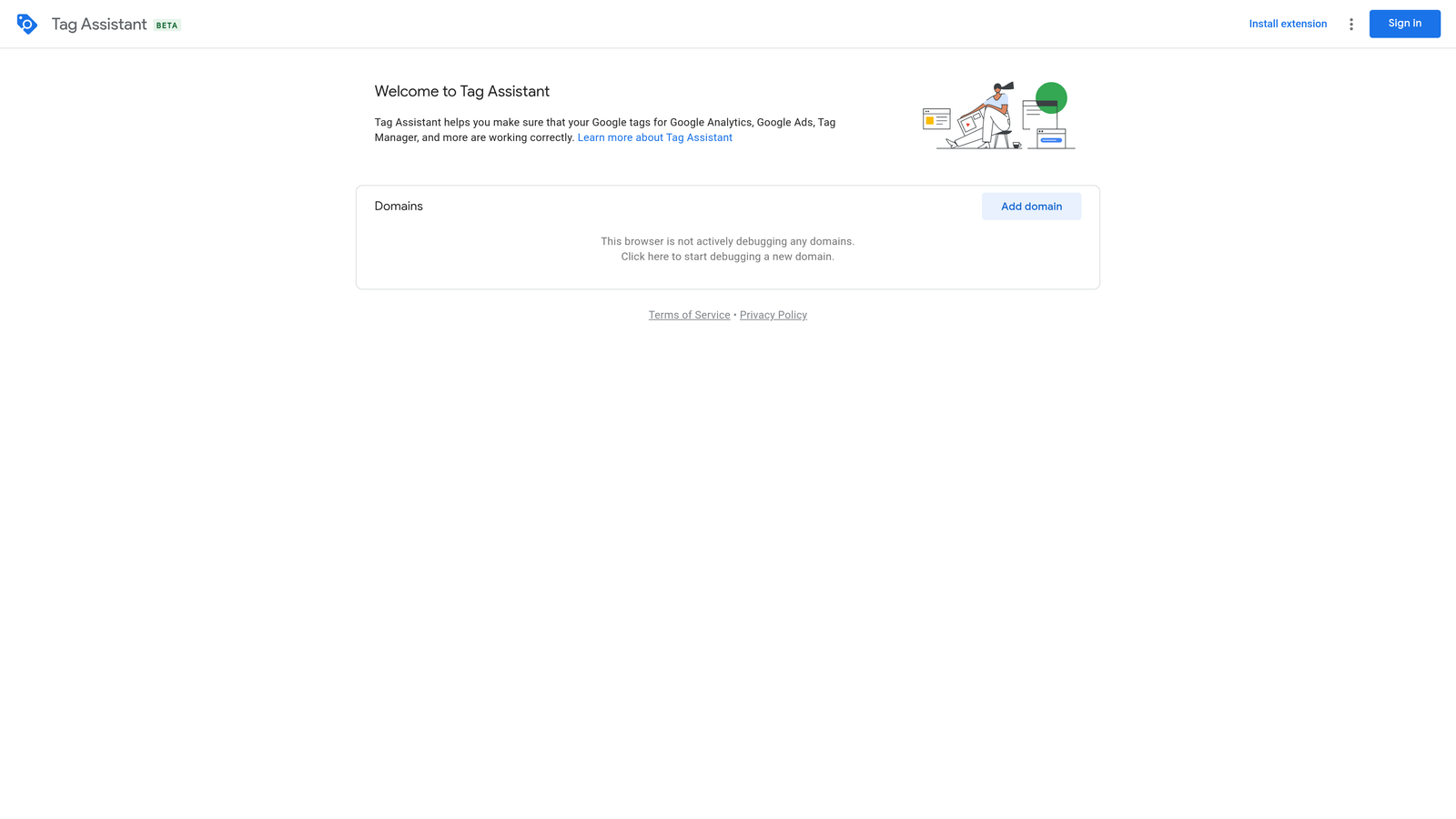
Where This Tool Shines
Conversion tracking issues are one of the most common reasons PPC campaigns underperform. Tag Assistant helps you verify that tags are firing correctly, identify implementation errors, and test the entire user journey from ad click to conversion.
The recording mode is particularly valuable—you can simulate a customer journey through your site and see exactly which tags fire at each step. This makes troubleshooting tracking issues dramatically faster than guessing or waiting for test conversions to appear.
Key Features
Tag Implementation Verification: Confirm that Google tags are present and firing correctly on your pages.
Error and Warning Identification: Get specific explanations of tag issues and how to fix them.
Recording Mode for User Journey Testing: Record browsing sessions to verify tags fire correctly throughout the conversion funnel.
Support for All Google Tags: Works with Google Ads conversion tracking, Analytics, Tag Manager, and remarketing tags.
Best For
PPC managers who implement their own tracking or need to troubleshoot conversion tracking issues. Essential for anyone running conversion-based bidding strategies.
Pricing
Free. Google provides this as a standard debugging tool.
9. Optmyzr PPC Toolkit
Best for: Advanced automation and one-click optimizations within Google Ads
Optmyzr is an advanced optimization extension that surfaces actionable recommendations and automates routine PPC tasks directly within the Google Ads interface.
Where This Tool Shines
Optmyzr goes beyond simple data display by actually suggesting and implementing optimizations. The extension analyzes your account and surfaces specific recommendations like bid adjustments, budget reallocation, and ad copy improvements.
You can create custom rules that automatically adjust bids based on performance, pause underperforming keywords, or reallocate budget to top-performing campaigns. For larger accounts with hundreds of campaigns, this level of automation saves hours of manual optimization work.
Key Features
One-Click Optimizations: Apply recommended changes to bids, budgets, and keywords with single clicks.
Custom Rule Creation: Build automated rules that execute optimizations based on your specific criteria.
Automated Bid Adjustments: Set up rules that adjust bids automatically based on performance thresholds.
Quality Score Monitoring: Track Quality Score changes and get alerts when scores drop.
Reporting Automation: Generate and schedule custom reports without manual data pulls.
Best For
Experienced PPC managers and agencies managing large accounts who want to automate routine optimizations. Best suited for teams comfortable with advanced features and automation rules.
Pricing
Starts at $249/month. Pricing scales based on monthly ad spend and features needed.
Making the Right Choice
If you're optimizing search terms daily, start with Keywordme—it'll cut your optimization time by hours every week. For competitive intelligence, SEMrush AdClarity gives you the deepest insights into competitor strategies. Need free keyword research? Keyword Surfer delivers solid data without the subscription fees. And if you're troubleshooting tracking issues, Tag Assistant is essential.
The beauty of Chrome extensions is that you can stack multiple tools together. Most PPC managers run three to five extensions simultaneously—one for search term optimization, one for keyword research, one for competitive analysis, and one for technical verification. Since most offer free trials or free tiers, test them out and see which ones fit your workflow.
What usually happens is you install a bunch of extensions, use two or three religiously, and forget about the rest. That's fine. The goal isn't to use every tool—it's to find the ones that eliminate your specific bottlenecks.
Optimize Google Ads Campaigns 10X Faster. Without Leaving Your Account. Keywordme lets you remove junk search terms, build high-intent keyword lists, and apply match types instantly—right inside Google Ads. No spreadsheets, no switching tabs, just quick, seamless optimization. Start your free 7-day trial (then just $12/month) and take your Google Ads game to the next level.
.svg)