
11 Best Chrome Extensions for Marketers in 2026
Discover the best Chrome extensions for marketers in 2026 that can save hours each week on essential tasks like PPC optimization, SEO audits, and social media scheduling. This curated list features battle-tested browser tools that integrate seamlessly into your workflow, helping you manage Google Ads campaigns, analyze competitor content, and track engagement without juggling multiple tabs or platforms.


The right Chrome extensions can shave hours off your weekly marketing tasks—from PPC optimization to SEO audits to social scheduling. This list covers the most useful browser tools for marketers who want to work faster without switching between a dozen tabs. Whether you're managing Google Ads campaigns, analyzing competitor content, or tracking email opens, there's an extension here that fits your workflow. We've tested these across real campaigns and picked tools that actually deliver on their promises.
Let's get into it.
1. Keywordme
Best for: Google Ads managers who want to optimize campaigns without leaving the native interface
Keywordme is a Chrome extension that integrates directly into Google Ads' Search Terms Report, letting you manage keywords and negatives without exporting spreadsheets or switching tools.

Where This Tool Shines
Most Google Ads optimization happens in spreadsheets. You export search terms, sort them manually, copy keywords, paste them into campaigns, then repeat the process for negatives. Keywordme eliminates that entire workflow by putting optimization controls right inside the Search Terms Report interface.
The one-click actions are where it gets practical. See a junk search term? Click to exclude it instantly. Find a high-intent phrase? Add it as a keyword with your preferred match type without leaving the page. What usually takes 15-20 minutes per campaign now happens in under two minutes.
Key Features
One-Click Search Term Management: Remove irrelevant search terms and add them to negative lists without exporting data.
In-Interface Keyword Additions: Add new keywords with exact, phrase, or broad match types directly from the search terms view.
Negative Keyword List Building: Create and manage negative keyword lists on the fly as you review search terms.
Keyword Clustering: Group related search terms automatically to identify patterns and opportunities faster.
Multi-Account Support: Switch between client accounts seamlessly, with team collaboration features for agencies.
Best For
PPC managers and agencies who run multiple Google Ads accounts and spend significant time cleaning up search terms. If you're still using the export-to-Excel method, this extension will immediately change how you work. Especially valuable for anyone managing campaigns with broad or phrase match keywords that generate high search term volume.
Pricing
$12 per month per user with a 7-day free trial. Flat-rate pricing means no surprises as you scale accounts or team members.
2. SEOquake
Best for: Quick on-page SEO audits and SERP analysis without opening separate tools
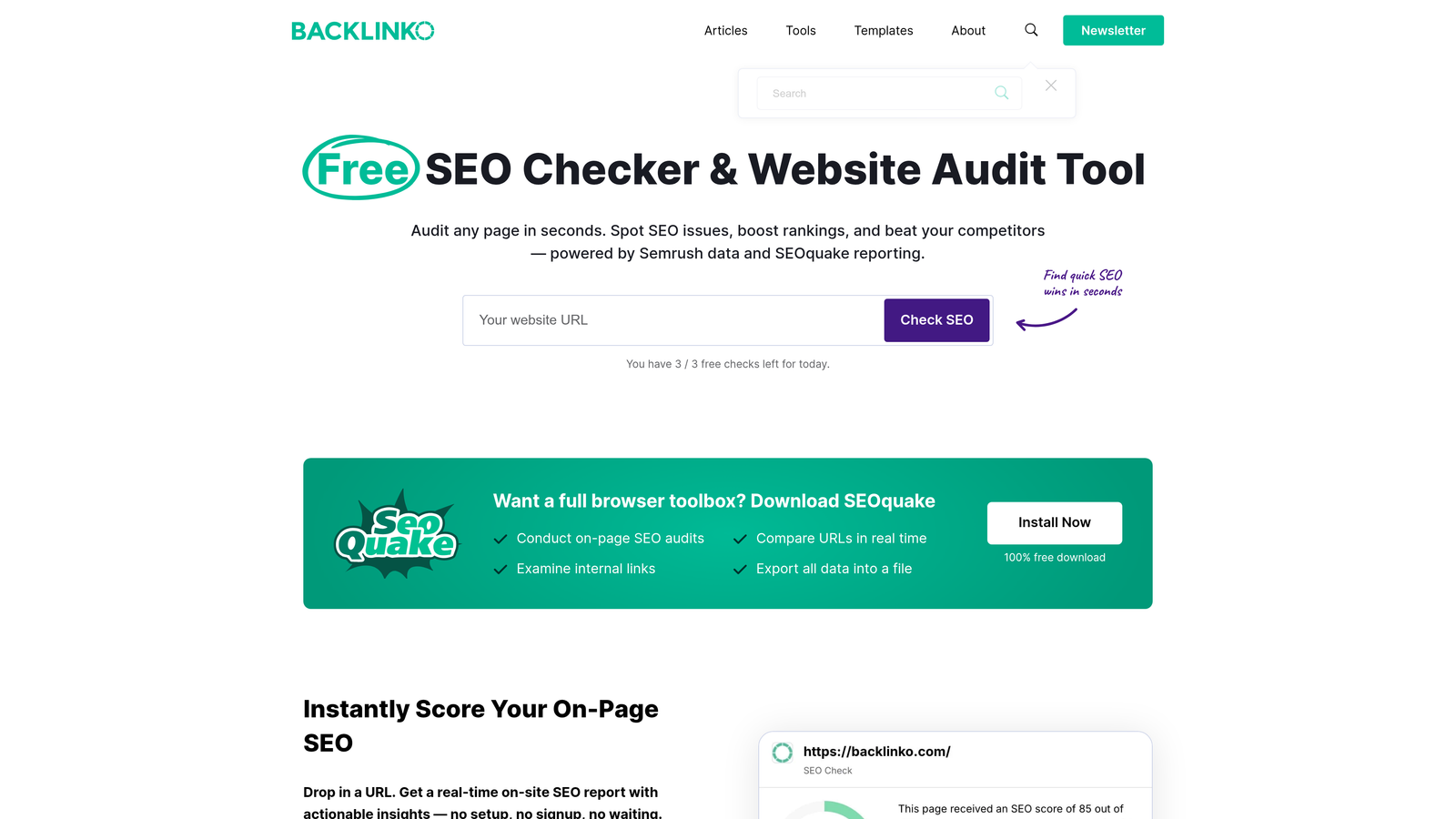
SEOquake is a free SEO toolbar that provides instant metrics and analysis for any webpage you visit, including SERP overlays with competitive data.
Where This Tool Shines
SEOquake lives in your browser's sidebar and activates with one click. You get immediate access to page-level SEO metrics—title tags, meta descriptions, heading structure, internal links, external links—without running a separate audit tool. The SERP overlay is particularly useful when researching keywords, showing domain authority, page authority, and indexed pages for every result on the page.
For content strategists, the keyword density analyzer helps you understand how competitors structure their content around target terms. It's not perfect, but it gives you a starting point when reverse-engineering ranking pages.
Key Features
On-Page SEO Audit: Instant analysis of meta tags, headings, keyword density, and link structure for any page.
SERP Overlay Metrics: View domain metrics, backlink counts, and indexed pages directly on Google search results.
Internal/External Link Checker: See all links on a page categorized by type and status.
Keyword Density Analysis: Breakdown of keyword usage patterns on any webpage.
CSV Export: Download SERP data and page metrics for further analysis.
Best For
SEO specialists and content marketers who need quick competitive intel while browsing. If you're researching keywords or analyzing competitor pages regularly, SEOquake saves you from opening Screaming Frog or Ahrefs for basic checks.
Pricing
Completely free. No paid tiers, no feature gates.
3. Keywords Everywhere
Best for: Seeing search volume and keyword data directly on Google and other platforms
Keywords Everywhere displays search volume, CPC, and competition metrics right on Google, YouTube, Amazon, and other search engines as you browse.

Where This Tool Shines
Instead of copying keywords into a separate research tool, Keywords Everywhere shows the data inline. Search for anything on Google, and you'll see monthly search volume, cost-per-click estimates, and competition scores right below the search bar. The related keywords section appears in the sidebar, showing "People Also Search For" terms with their metrics.
The real value comes when you're doing exploratory research. You can validate keyword ideas in real-time without breaking your flow. The historical trend data also helps you spot seasonal patterns or declining interest before committing to a content strategy.
Key Features
Inline Search Volume Data: See monthly search volume and CPC estimates directly on SERPs.
Related Keywords Widget: Displays semantically related terms with metrics in the sidebar.
Historical Trend Data: View 12-month search volume trends for any keyword.
Multi-Platform Support: Works on Google, YouTube, Amazon, eBay, and other search engines.
Bulk Analysis: Upload keyword lists to get volume data for multiple terms at once.
Best For
Content marketers and SEO professionals who research keywords frequently. If you're building content calendars or validating topic ideas, this extension speeds up the discovery phase significantly. Also useful for PPC managers who want quick volume estimates before building campaigns.
Pricing
Credit-based system starting at $10 for 100,000 credits. Each keyword lookup consumes credits based on the platform and data type requested.
4. Hunter.io
Best for: Finding and verifying professional email addresses for outreach campaigns
Hunter.io helps you discover email addresses associated with any domain and verify their deliverability before sending.

Where This Tool Shines
Hunter's domain search is the fastest way to find email patterns for a company. Visit any website, click the extension icon, and you'll see all publicly available email addresses associated with that domain, along with the common email format (firstname.lastname@company.com, etc.). The confidence score tells you how likely each email is to be valid.
The LinkedIn integration is particularly useful. When viewing someone's LinkedIn profile, Hunter can suggest their likely email address based on their company's pattern. It's not always perfect, but the verification feature helps you avoid bounces before hitting send.
Key Features
Domain Email Search: Find all public email addresses associated with any company domain.
Email Verification: Check if an email address is valid and deliverable before sending.
Confidence Scoring: See probability ratings for suggested email addresses.
LinkedIn Integration: Generate likely email addresses from LinkedIn profiles.
Saved Leads Management: Store and organize contacts for future outreach campaigns.
Best For
Growth marketers, sales teams, and PR professionals who do cold outreach. If you're building media lists, reaching out to potential partners, or prospecting for clients, Hunter eliminates the guesswork from finding contact information.
Pricing
Free tier includes 25 searches per month. Paid plans start at $49/month for 500 searches with email verification included.
5. Grammarly
Best for: Real-time writing assistance across all browser text fields
Grammarly checks grammar, spelling, tone, and clarity in virtually any text field in your browser, from emails to social media posts.

Where This Tool Shines
Grammarly works everywhere you write—Gmail, LinkedIn, Twitter, Google Docs, Slack, you name it. The real-time underlines catch typos and grammar mistakes as you type, but the tone detection is what makes it valuable for marketers. It'll flag when your email sounds too aggressive, too casual, or unclear, helping you adjust messaging before hitting send.
The clarity suggestions are hit-or-miss, but they often catch unnecessarily complex sentences or passive voice that weakens your copy. For anyone writing client communications, ad copy, or social posts throughout the day, it's a safety net that prevents embarrassing mistakes.
Key Features
Grammar and Spelling Checks: Real-time error detection with suggested corrections.
Tone Detection: Analyzes whether your writing sounds confident, friendly, formal, or concerned.
Clarity Suggestions: Identifies wordy sentences and recommends simpler alternatives.
Universal Compatibility: Works in email clients, social media, documents, and messaging apps.
AI Writing Suggestions: Premium version offers style improvements and vocabulary enhancements.
Best For
Content marketers, social media managers, and anyone who writes client-facing copy regularly. If you're sending dozens of emails daily or managing brand communications, Grammarly catches mistakes that slip through when you're moving fast.
Pricing
Free version covers basic grammar and spelling. Premium starts at $12/month and adds tone detection, clarity suggestions, and advanced writing feedback.
6. Similarweb
Best for: Instant traffic estimates and competitive intelligence for any website
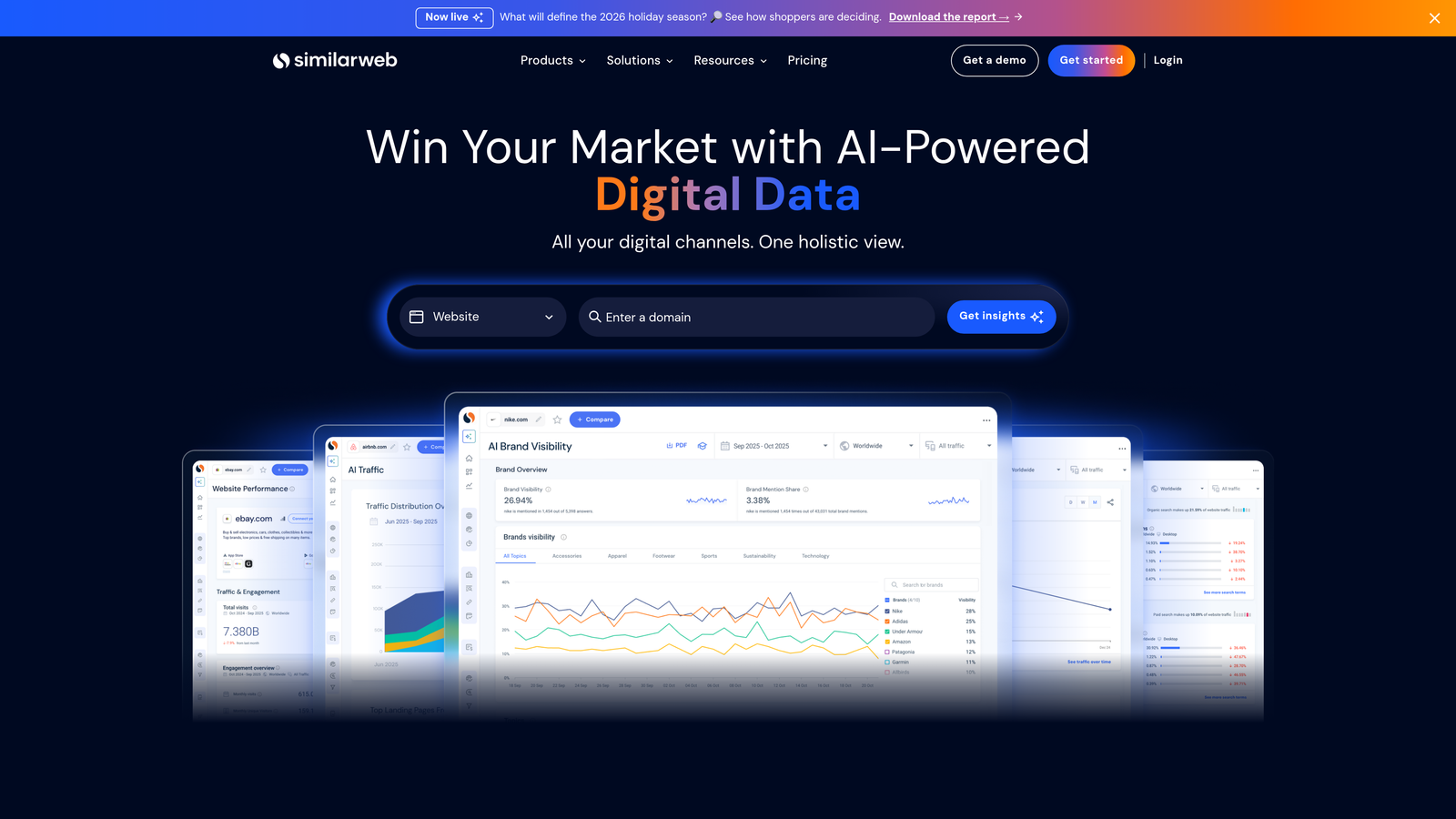
Similarweb reveals estimated traffic, engagement metrics, and traffic sources for any website with one click.
Where This Tool Shines
Similarweb gives you a quick snapshot of a competitor's traffic situation without needing access to their analytics. Visit any site, click the extension, and you'll see estimated monthly visits, average visit duration, bounce rate, and traffic source breakdown (direct, search, social, referral, paid).
The traffic source data is particularly useful when evaluating competitors' marketing strategies. If they're getting 40% of traffic from paid search, you know they're investing heavily in PPC. If organic search dominates, their SEO game is strong. It's not precise enough for strategic decisions, but it's perfect for quick competitive checks.
Key Features
Traffic Estimates: Monthly visit counts and historical trend data.
Traffic Source Breakdown: Percentage split between direct, organic, paid, social, and referral traffic.
Engagement Metrics: Average visit duration, pages per visit, and bounce rate.
Top Referring Sites: See which domains send the most traffic to any website.
Competitor Comparison: Compare up to five websites side-by-side (requires account).
Best For
Competitive analysts and growth marketers who need quick traffic intel. If you're researching potential partners, evaluating competitor strategies, or assessing market opportunities, Similarweb provides a starting point without requiring expensive subscriptions.
Pricing
Free extension provides limited data. Full platform access requires a paid subscription (pricing not publicly listed).
7. Loom
Best for: Recording quick screen shares and video messages without scheduling meetings
Loom lets you capture your screen, camera, or both, then instantly share the video with a link.

Where This Tool Shines
Loom replaces meetings and long email threads with quick video walkthroughs. Instead of writing a detailed email explaining campaign setup or reporting results, you record your screen while talking through it. The recipient gets a link, watches at their convenience, and you've saved 30 minutes of back-and-forth.
The viewer analytics are surprisingly useful. You can see exactly who watched your video, how much they watched, and when they dropped off. For client communications or internal training, this tells you whether people actually consumed the information or just skimmed.
Key Features
Screen + Webcam Recording: Capture your screen with or without your camera in the corner.
Instant Shareable Links: Videos upload automatically and generate a link you can share immediately.
Viewer Analytics: See who watched, how long they watched, and their engagement level.
Drawing and Annotation: Add emphasis with on-screen drawing tools during recording.
Platform Integrations: Embed Loom videos in Slack, Notion, Google Docs, and other tools.
Best For
Agency teams, remote marketers, and anyone who spends too much time explaining things in writing. If you're training team members, presenting campaign results, or providing feedback on creative work, Loom is faster than typing and clearer than screenshots.
Pricing
Free tier allows up to 25 videos. Business plans start at $12.50 per user per month with unlimited videos and advanced features.
8. Mailtrack
Best for: Tracking when recipients open your Gmail emails
Mailtrack notifies you when recipients open your emails and shows how many times they've viewed them.
Where This Tool Shines
Mailtrack adds double-check marks to your sent emails in Gmail—one check when sent, two checks when opened. It's simple, but it changes how you handle follow-ups. Instead of guessing whether someone saw your proposal, you know exactly when they opened it and whether they've revisited it multiple times.
The real-time notifications are particularly useful for time-sensitive communications. Send a pitch to a prospect, get the notification when they open it, and you can follow up while you're still top of mind. The daily reports summarize your email open rates, which helps you identify which subject lines and send times work best.
Key Features
Real-Time Open Notifications: Get instant alerts when recipients open your emails.
Double-Check Interface: Visual indicators in Gmail show delivery and open status like messaging apps.
Link Click Tracking: See which links in your emails get clicked (Pro version).
Daily Email Reports: Summary of your email open rates and engagement metrics.
Native Gmail Integration: Works directly in Gmail's interface without separate dashboards.
Best For
Sales teams, freelancers, and anyone doing email outreach. If you're sending cold emails, following up with prospects, or managing client communications, knowing when people open your messages helps you time your follow-ups strategically.
Pricing
Free version includes tracking with a small signature added to your emails. Pro version at $4.99/month removes the signature and adds link tracking.
9. ColorZilla
Best for: Grabbing exact color codes from any webpage element
ColorZilla is an eyedropper tool that lets you extract the precise color value from any element on any webpage.
Where This Tool Shines
ColorZilla's eyedropper lets you click any element on a webpage and instantly grab its hex code, RGB value, or HSL format. When you're building landing pages, designing ads, or matching brand colors, you don't have to guess or use screenshot-based color pickers. Point, click, copy the code.
The color history feature stores recently picked colors, which is useful when you're pulling a palette from multiple pages. The gradient generator is a bonus—it creates CSS code for gradients based on colors you've selected, saving time when building web elements.
Key Features
Eyedropper Color Picker: Click any webpage element to extract its exact color value.
Color History: Automatically saves recently picked colors for quick reference.
CSS Gradient Generator: Create gradient code based on selected colors.
Palette Viewer: Analyze and save complete color palettes from websites.
Multiple Format Support: Copy colors as HEX, RGB, HSL, or other formats.
Best For
Designers, web developers, and marketers who create landing pages or ad creative. If you're maintaining brand consistency across campaigns or building pages that match existing designs, ColorZilla eliminates the guesswork from color matching.
Pricing
Completely free with no paid tiers.
10. Wappalyzer
Best for: Identifying the technology stack behind any website
Wappalyzer detects the CMS, analytics tools, marketing platforms, and other technologies powering any website you visit.
Where This Tool Shines
Wappalyzer shows you what's under the hood of any website. Click the extension icon, and you'll see which CMS they're using (WordPress, Shopify, Webflow), what analytics platforms they've installed (Google Analytics, Mixpanel), which marketing tools they run (HubSpot, Mailchimp), and even their hosting provider.
For competitive research, this tells you how competitors are building their marketing stack. If you're evaluating tools for your own business, seeing which platforms successful companies use provides real-world validation. The lead generation features (paid version) let you build lists of companies using specific technologies, which is useful for B2B prospecting.
Key Features
Tech Stack Detection: Identifies hundreds of technologies across multiple categories.
CMS and Framework Recognition: See which platforms power websites and web applications.
Analytics and Marketing Tools: Detect Google Analytics, Tag Manager, marketing automation platforms, and more.
E-commerce Platform Identification: Recognize Shopify, WooCommerce, Magento, and other e-commerce systems.
Lead List Building: Create lists of websites using specific technologies (paid feature).
Best For
Competitive researchers, B2B marketers, and anyone evaluating marketing technology. If you're researching how competitors build their sites or prospecting companies based on their tech stack, Wappalyzer provides instant intel without manual investigation.
Pricing
Free extension provides basic technology detection. Paid plans unlock lead generation features and API access (pricing varies by use case).
11. Momentum
Best for: Replacing your new tab page with a focused productivity dashboard
Momentum transforms your new tab into a calming workspace with daily focus prompts, to-do lists, weather, and inspirational backgrounds.
Where This Tool Shines
Momentum replaces the default new tab page with a clean dashboard centered around one question: "What is your main focus for today?" Every time you open a new tab, you see that focus, your to-do list, and the current time. It's a subtle reminder to stay on track instead of falling into tab-hopping rabbit holes.
The customizable backgrounds are genuinely calming—high-quality nature photos that change daily. The Plus version adds a Pomodoro timer, which pairs well with the focus prompt for time-blocking work sessions. It's not a complex productivity system, but that's the point. It keeps you centered without adding more tools to manage.
Key Features
Daily Focus Prompt: Set one main goal that appears on every new tab throughout the day.
To-Do List Widget: Simple task list that stays visible without cluttering your workspace.
Weather Display: Current conditions and forecast based on your location.
Custom Backgrounds: Beautiful, high-resolution photos that change daily.
Pomodoro Timer: Built-in focus timer for time-blocking sessions (Plus version).
Best For
Anyone who struggles with focus or gets distracted by opening too many tabs. If you're managing multiple projects or campaigns and need a simple way to stay centered, Momentum provides just enough structure without overwhelming you with features.
Pricing
Free version includes all core features. Plus version at $3.33/month adds Pomodoro timer, custom photos, and additional integrations.
Making the Right Choice
If you're focused on PPC, start with Keywordme for in-interface Google Ads optimization. SEO-heavy workflow? SEOquake and Keywords Everywhere are your foundation. For outreach and sales, Hunter.io and Mailtrack handle the heavy lifting.
The key is building a lean stack that matches how you actually work—not installing every extension on this list. Pick three or four that solve your biggest time sinks, give them a real test run, and iterate from there. Your browser (and your productivity) will thank you.
Most marketers I talk to have a dozen extensions installed but only use three regularly. That's fine. The goal isn't to use every tool—it's to eliminate the friction points that slow you down daily. If you're spending 20 minutes per day on search term cleanup, Keywordme pays for itself in the first week. If you're doing competitive research constantly, Wappalyzer and Similarweb become indispensable.
Start with one or two extensions that address your most painful tasks. Test them for a week. If they stick, add another. If they don't, uninstall and try something else. The right combination will feel invisible—you'll just notice you're getting more done in less time.
Start your free 7-day trial of Keywordme and take your Google Ads optimization to the next level. No spreadsheets, no switching tabs, just quick, seamless campaign management right inside Google Ads. Then just $12/month to keep the momentum going.
.svg)